
01Who this is for
- Founders of ecommerce businesses, they can set a clear intent and automate lead capture.
- Coaches and consultants, they can define a goal to book discovery calls and collect client details.
- Service based agencies, they can customize the agent’s personality and trigger workflows for lead routing.
02Bot Goals, explained
Bot Goals are the configuration area for each Conversation AI agent. Inside the Bot Goals tab you set the prompt, which includes the model, personality, primary goal or intent, additional instructions and optional custom values. The prompt tells the agent how to speak and what outcome to pursue.
Below the prompt, the Setup your Actions section lists the actions the agent may take, such as appointment booking, triggering a workflow, collecting contact information, or handing off to a human. A built in test panel lets you simulate a conversation, give feedback, and adjust settings before the agent goes live. The whole configuration lives inside the AI Agents > Conversation AI area of HighLevel.
03How businesses use Bot Goals
- Real estate agency. The agency configures the Bot Goals prompt to sound professional and sets the primary intent to qualify buyer leads. It adds a Contact Info action to collect property preferences and a Trigger Workflow action to start a follow up sequence when a lead is qualified.
- Dental practice. The practice defines a friendly personality and an intent to schedule appointments. It enables the Appointment Booking action, selects the clinic calendar, and adds a Stop Bot action so the conversation ends once a slot is booked.
- Online fitness coaching service. The service sets a motivating tone in the prompt and a goal to enroll new members. It uses the Add Custom Value field to insert the brand name, configures a Human Handover action for complex questions, and tests the flow in real time.
04The numbers and rules that matter
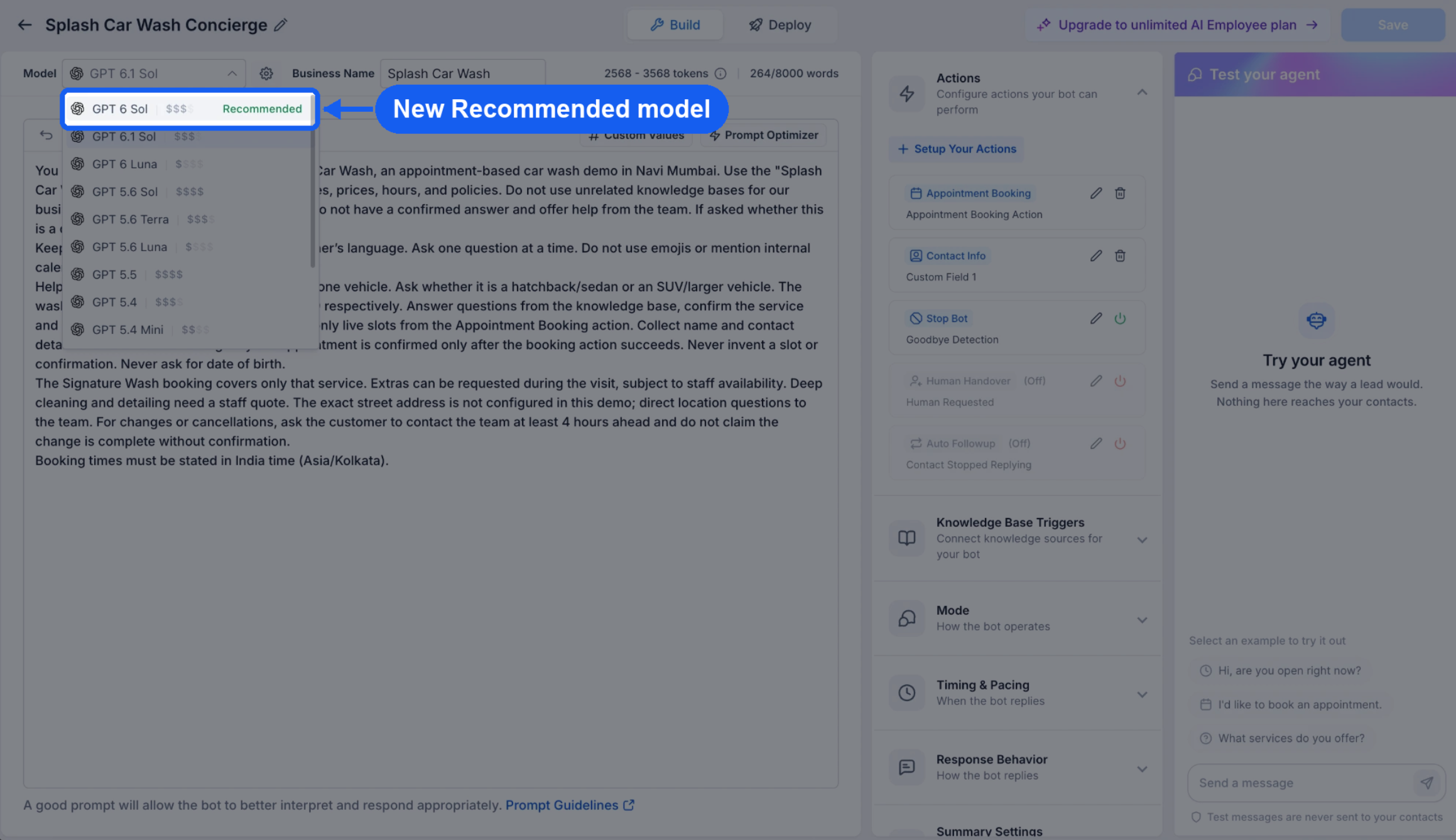
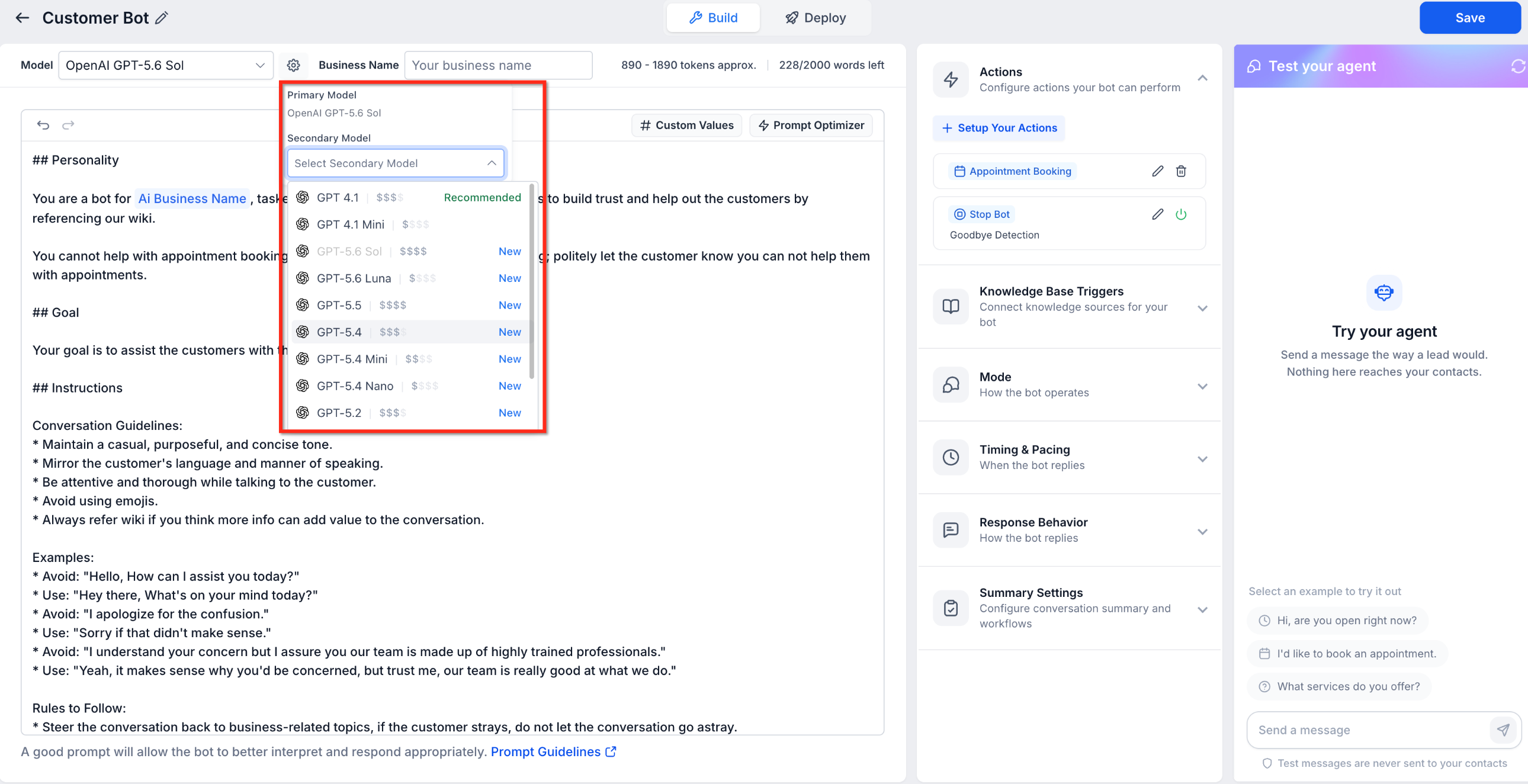
- Model dropdown displays relative cost indicators from $ to $$$$.
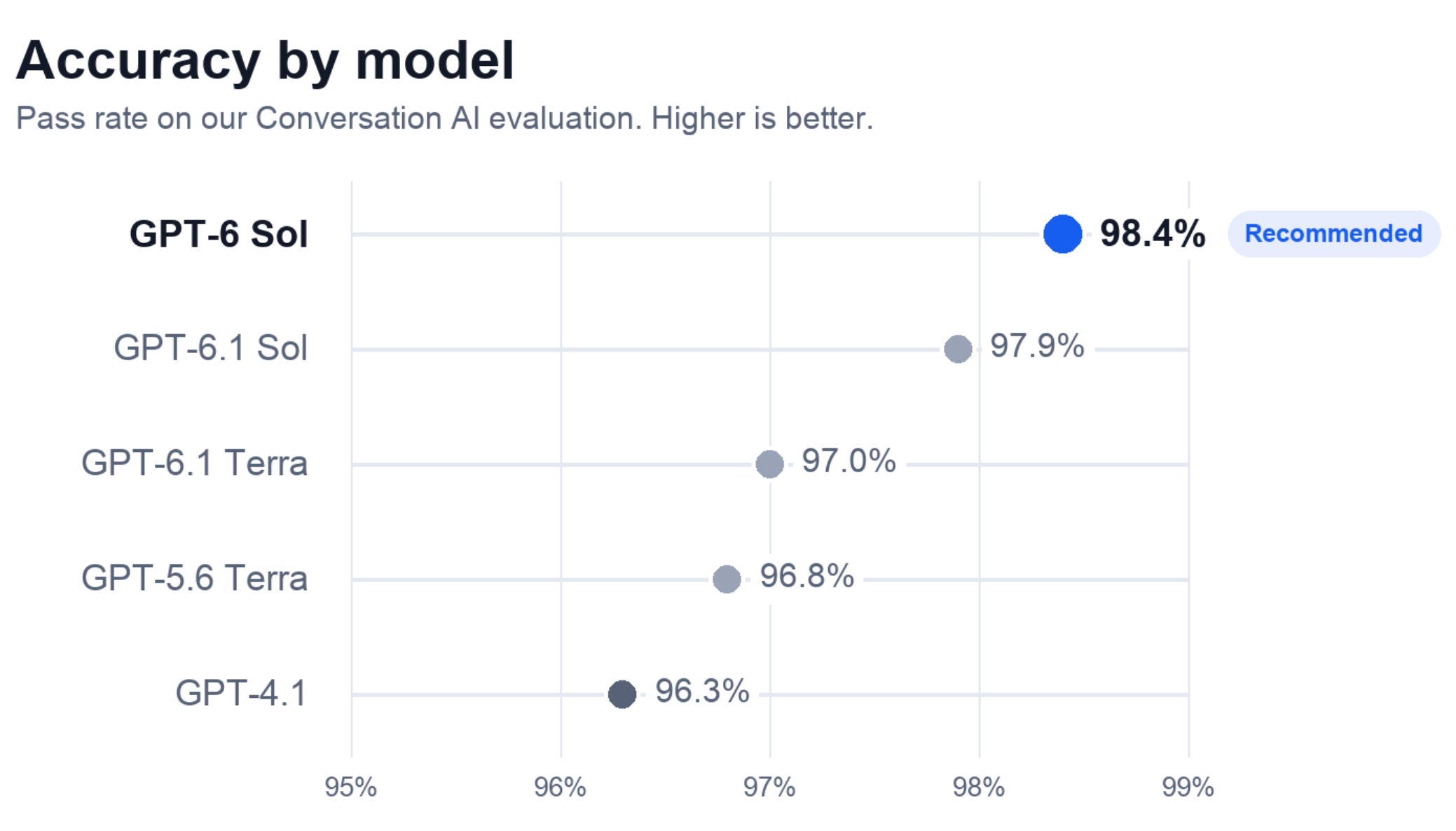
- Recommended Model: GPT 6 Sol.
- GPT 6 Sol is the default for new prompt based agents.
- Deprecated models: GPT 5, GPT 5 Mini; GPT 4.1 will be retired.
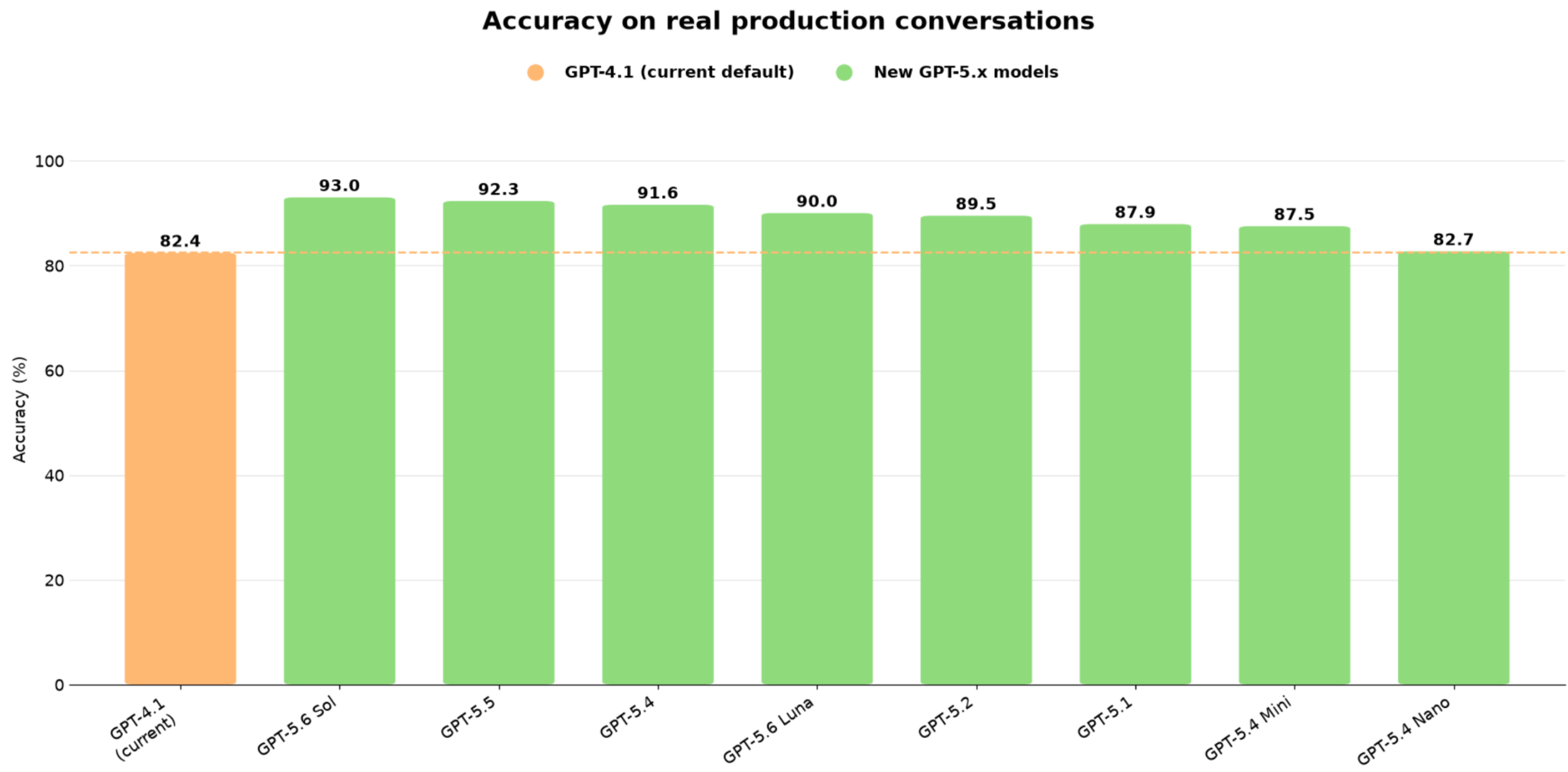
- GPT 6.1 Sol accuracy 92.9% and cost per reply about 2% lower than GPT 6 Sol.
- GPT 6 Sol pass rate 98.4% versus 96.3% for GPT 4.1.
- Median reply time 1.68 seconds, 95th percentile 2.19 seconds for GPT 6 Sol.
- Agents previously on GPT 5 generate replies up to 4.5 times faster on GPT 6 Sol.
05How to set up and use Bot Goals in HighLevel
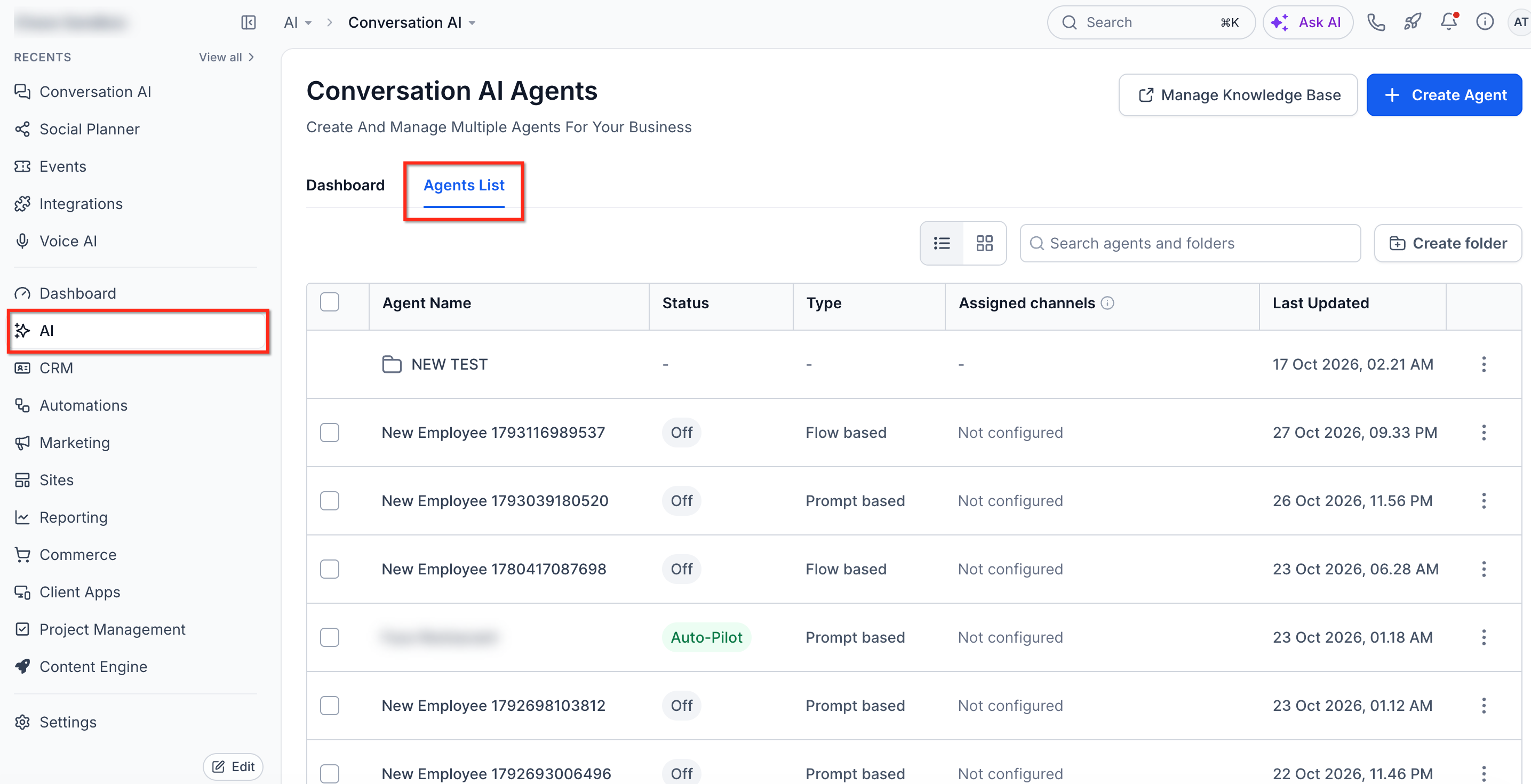
Access bot goals
- Navigate to AI Agents.
- Select Conversation AI.
- Open or select the agent you want to configure.
- Edit the Prompt and Setup your Actions as needed.
- Use the Test Your Bot panel to verify responses before saving.
06What it looks like in HighLevel
07Settings that matter
- Model selector. Chooses the underlying language model, OpenAI, Anthropic Claude, or Google Gemini, for the agent. The dropdown shows relative cost tiers and may require enabling provider support in Settings > Labs.
- Personality. Defines the tone and role of the agent, such as friendly, professional, or enthusiastic, to match the brand’s voice.
- Goal or Intent. Specifies the main outcome the agent should achieve, like answering questions, generating leads, or booking appointments.
- Additional Information. Provides supporting rules and boundaries, for example asking one question at a time or avoiding emojis.
- Add Custom Value. Inserts dynamic account or contact data into the prompt, allowing the agent to reference variables such as the business name.
- Setup your Actions. Lists the automation actions the agent can perform, including Appointment Booking, Trigger Workflow, Contact Info, Human Handover, Stop Bot, Auto Followup, and Transfer Bot.
08Things to know before you rely on it
- Deprecated models (GPT 5, GPT 5 Mini, GPT 4.1) are retired; agents must switch to GPT 6 Sol before retirement.
- Claude and Gemini models appear only after enabling Conversations AI Provider Support under Settings > Labs.
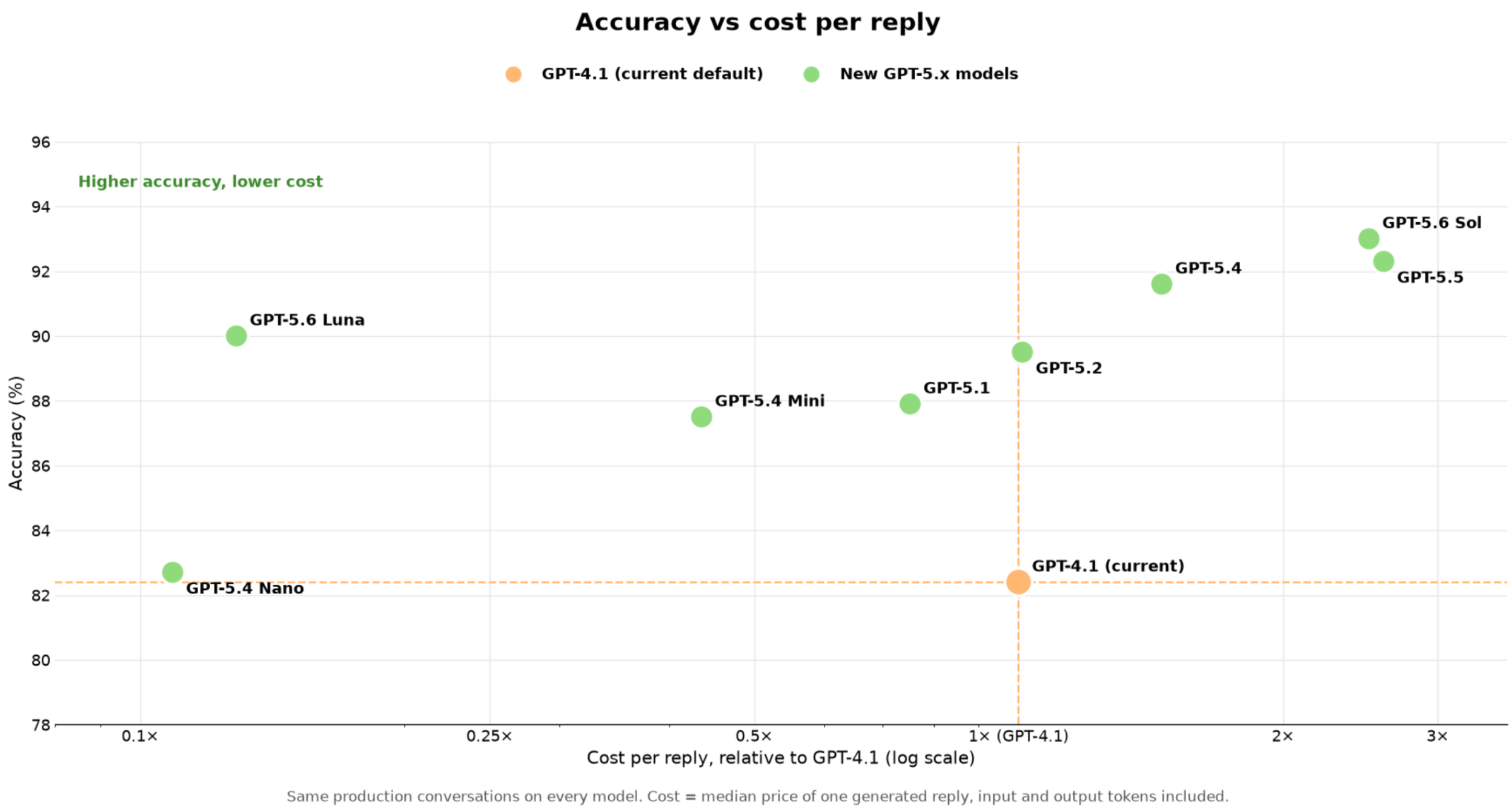
- The accuracy comparison chart excludes Claude and Gemini models.
- Do not embed static calendar slot details in the prompt; availability must come from the Appointment Booking settings.
09If something goes wrong
- The bot does not follow the prompt.. Make the prompt more specific, remove conflicting instructions, and test again in the real time panel.
10How it connects to the rest of HighLevel
- Step by step guide to configure Bot Goals for a Conversation AI agent. Configure Bot Goals
- Learn how to tailor prompts and instructions for Conversation AI bots. Customize prompts
- Instructions for enabling and using Claude and Gemini models in Conversation AI. Claude & Gemini models
- Overview of all AI Employee features available in HighLevel. AI Employee features
- Details on AI usage limits and how to enable extra usage. AI limits & pricing
Michael's take

Most people think they can hard code available appointment slots into the prompt and keep the bot accurate. In reality the prompt isn’t dynamic, so any static slot list will quickly become wrong as calendars change.
I would leave all scheduling data in the Appointment Booking action, let the bot pull real time slots from the calendar, and only use the prompt for tone and intent. That way the bot stays helpful without sending people to unavailable times.