
01Who this is for
- Founders of service based businesses who need the bot to collect leads and automatically schedule calls.
- Customer support managers who want the bot to capture missing contact details and alert staff when a human handover is required.
- Marketing teams that rely on bots to trigger follow up workflows after qualifying a prospect.
02Bot Goals, explained
Bot Goals live on the Bot Goals tab of each Conversation AI agent. They let you pick standard contact fields, add custom questions, map answers to specific contact fields, and toggle actions like appointment booking, workflow triggers, email notifications, and conversation summaries. The settings are evaluated during a live chat, directing the bot toward the defined outcomes.
The feature works alongside other Conversation AI settings such as Bot Training, Brand Voice, and Additional Instructions, but only the Bot Goals tab controls the end to end actions. You can test the configuration in the built in test panel before publishing the bot to real contacts.
03How businesses use Bot Goals
- Real estate agency. The bot asks for property type, buyer budget, and contact details, maps each answer to the appropriate fields, skips questions already on file, and triggers a lead qualification workflow when a prospect provides all required information.
- Medical clinic. The bot collects patient name, email, phone, and preferred appointment day, saves the data to the contact record, and uses the Appointment Booking toggle to place the patient into the clinic’s calendar after confirming availability.
- Online coaching service. The bot gathers the prospect’s goal, preferred coaching format, and contact info, then notifies the sales team via email when a question cannot be answered, and creates a conversation summary for the coach to review before a handover.
04Before you start
- A calendar must be configured in HighLevel before enabling Appointment Booking.
- The workflow you intend to trigger must already exist.
- Your user role needs permission to manage Conversation AI agents and Bot Goals.
05How to set up and use Bot Goals in HighLevel
Set up bot goals
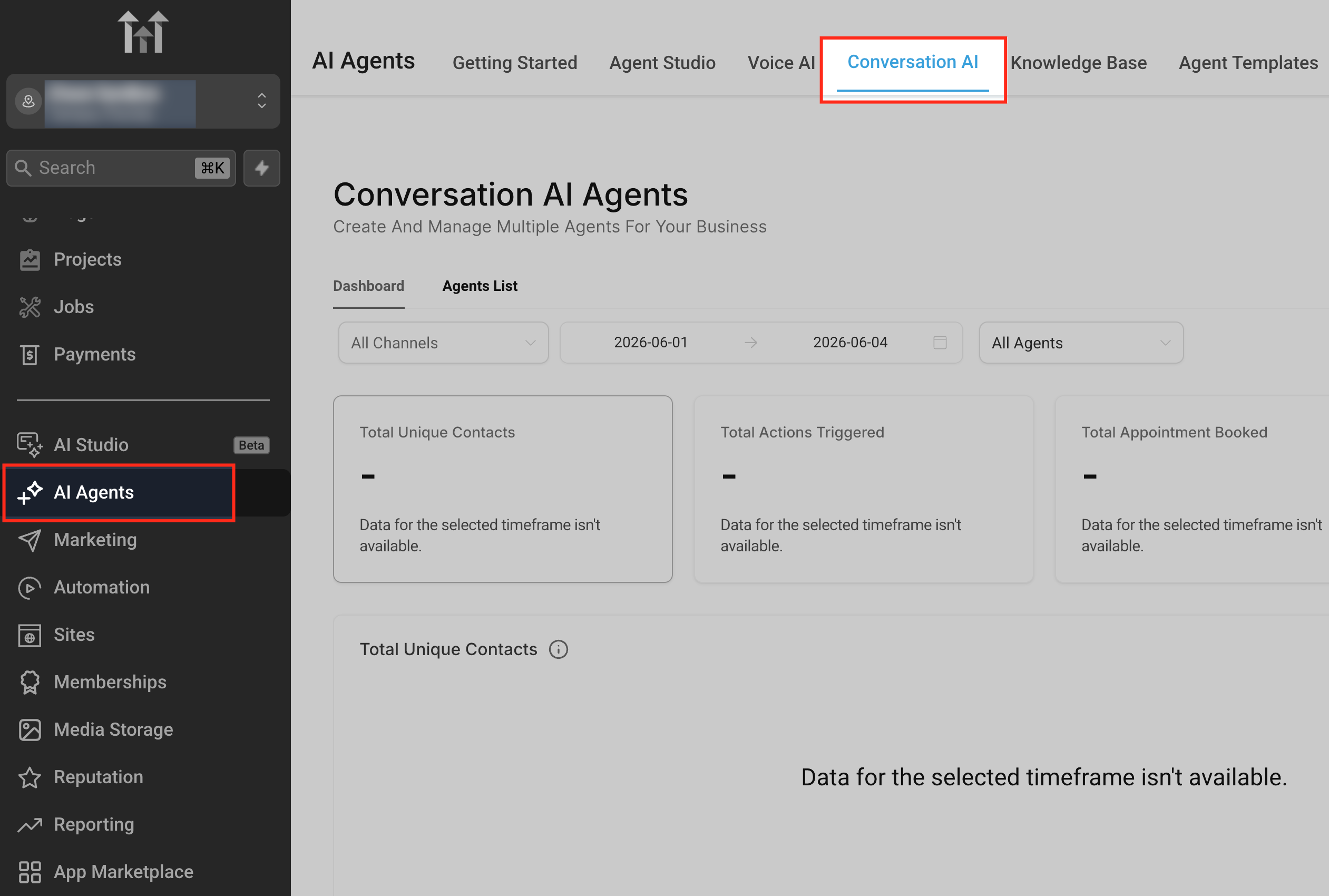
- Navigate to Conversation AI and select AI Agents > Conversation AI.
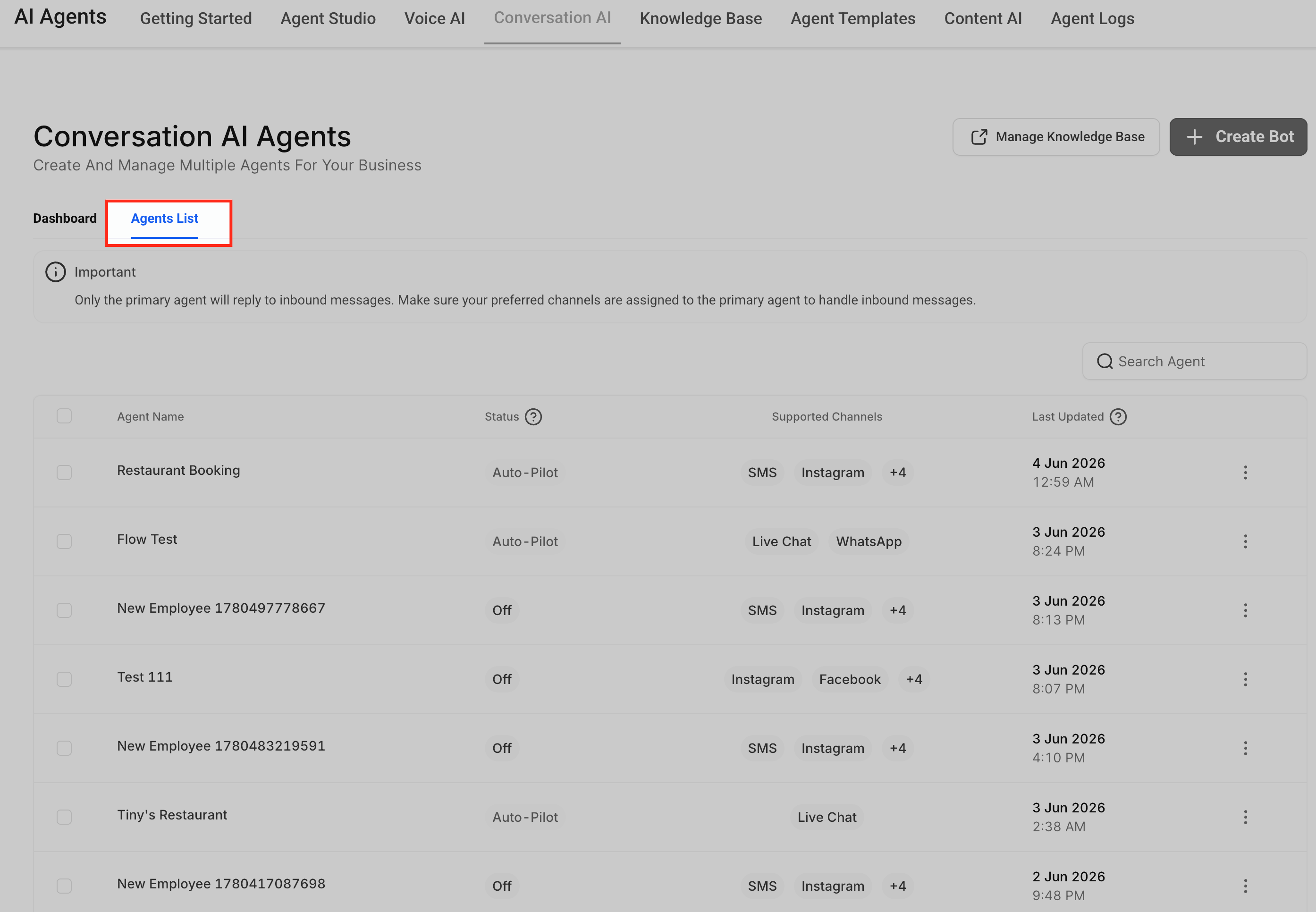
- Open the Agents List.
- Click the Agents List to see existing Conversation AI agents.
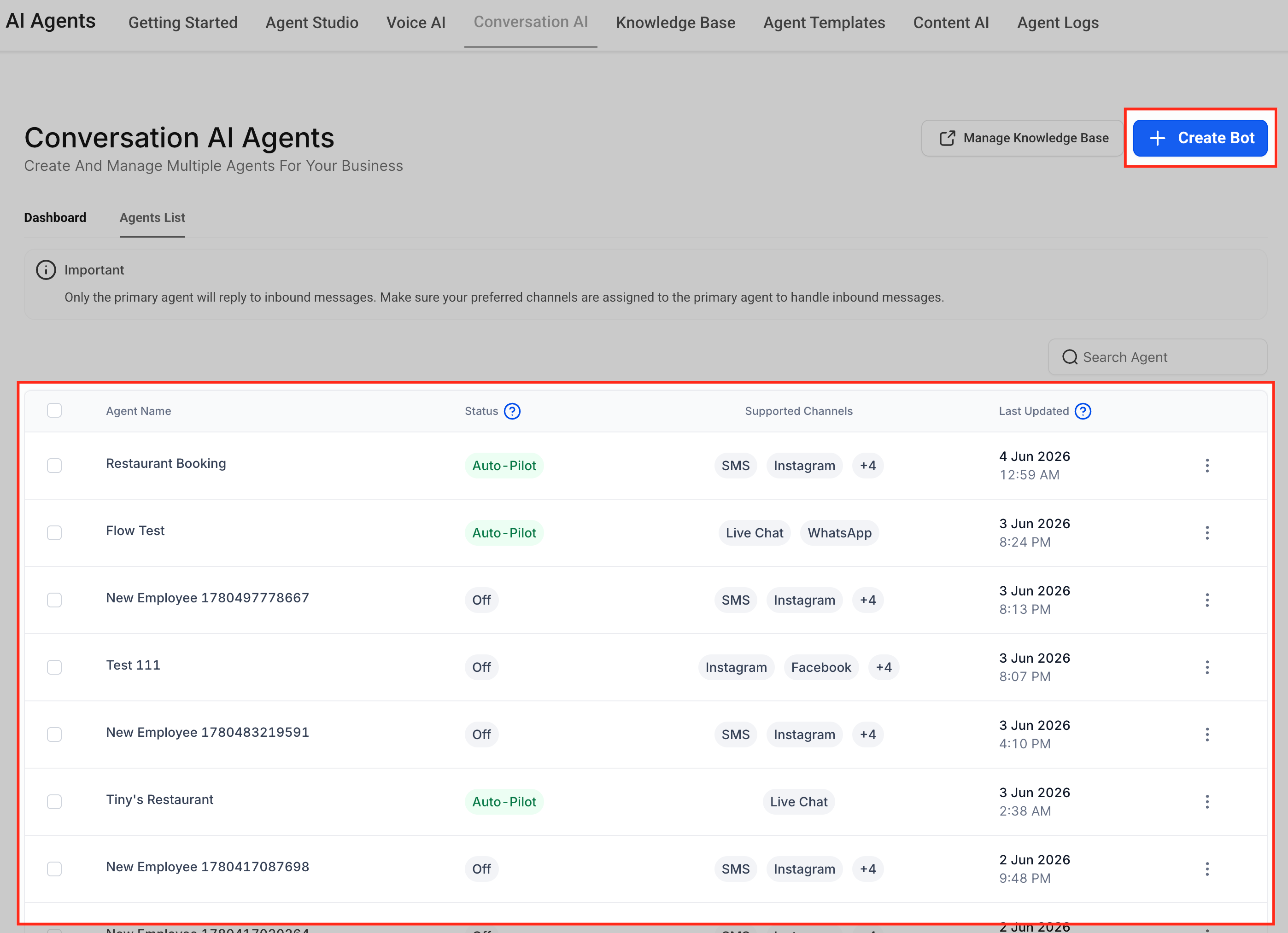
- Choose an agent or click Create Bot if you need a new one.
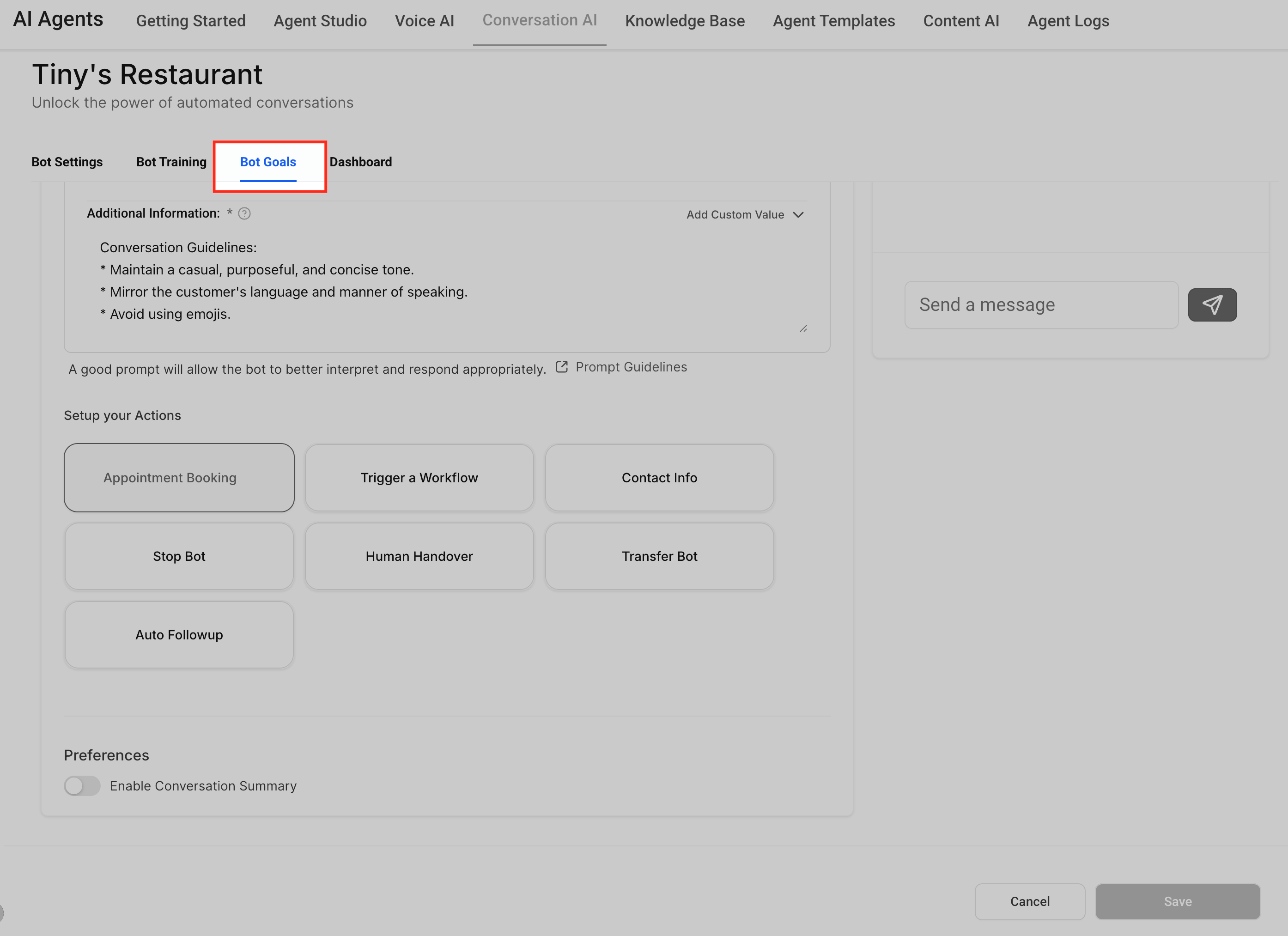
- Inside the agent editor, click the Bot Goals tab.
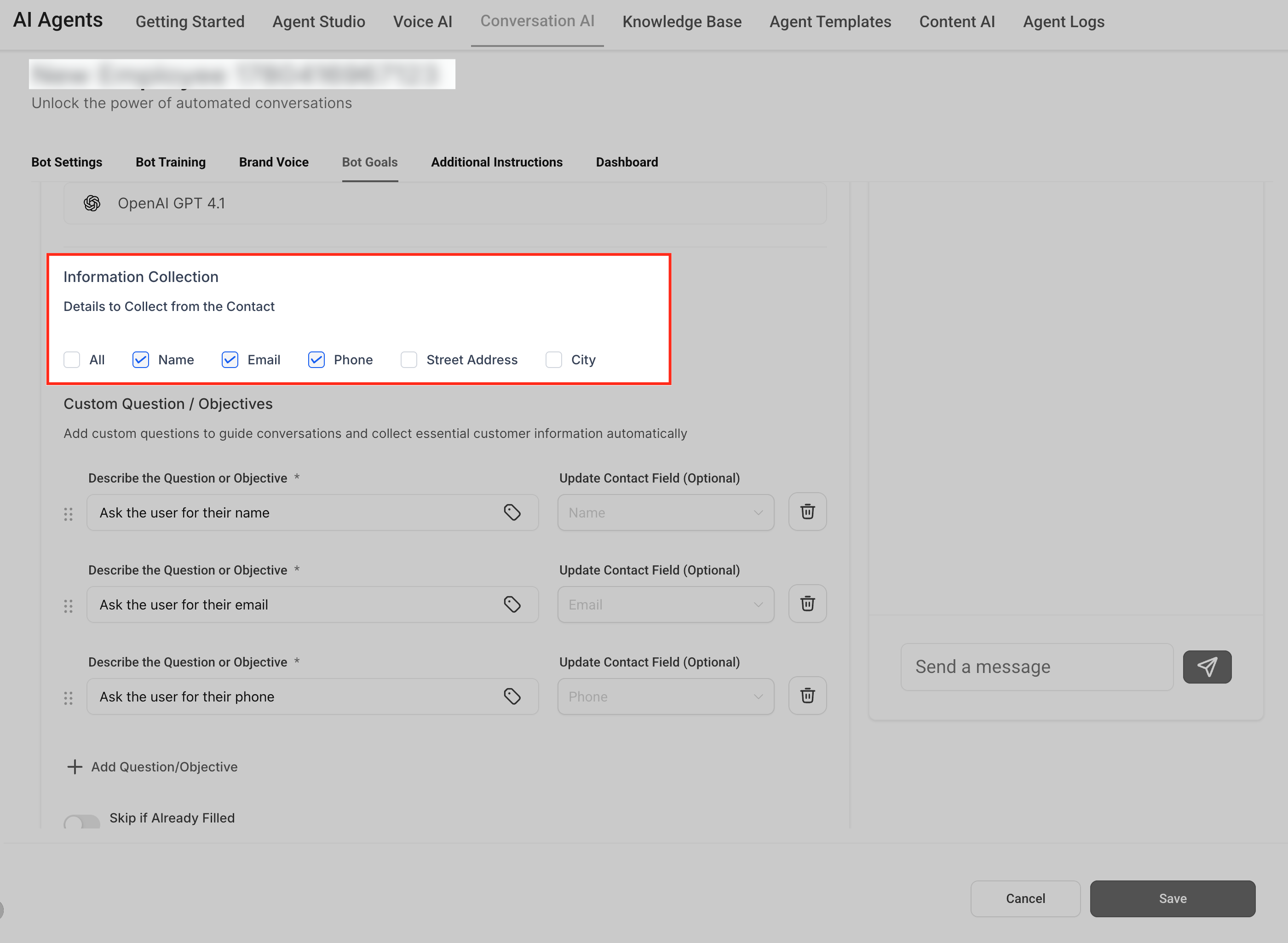
- In Information Collection, select the standard fields the bot should gather.
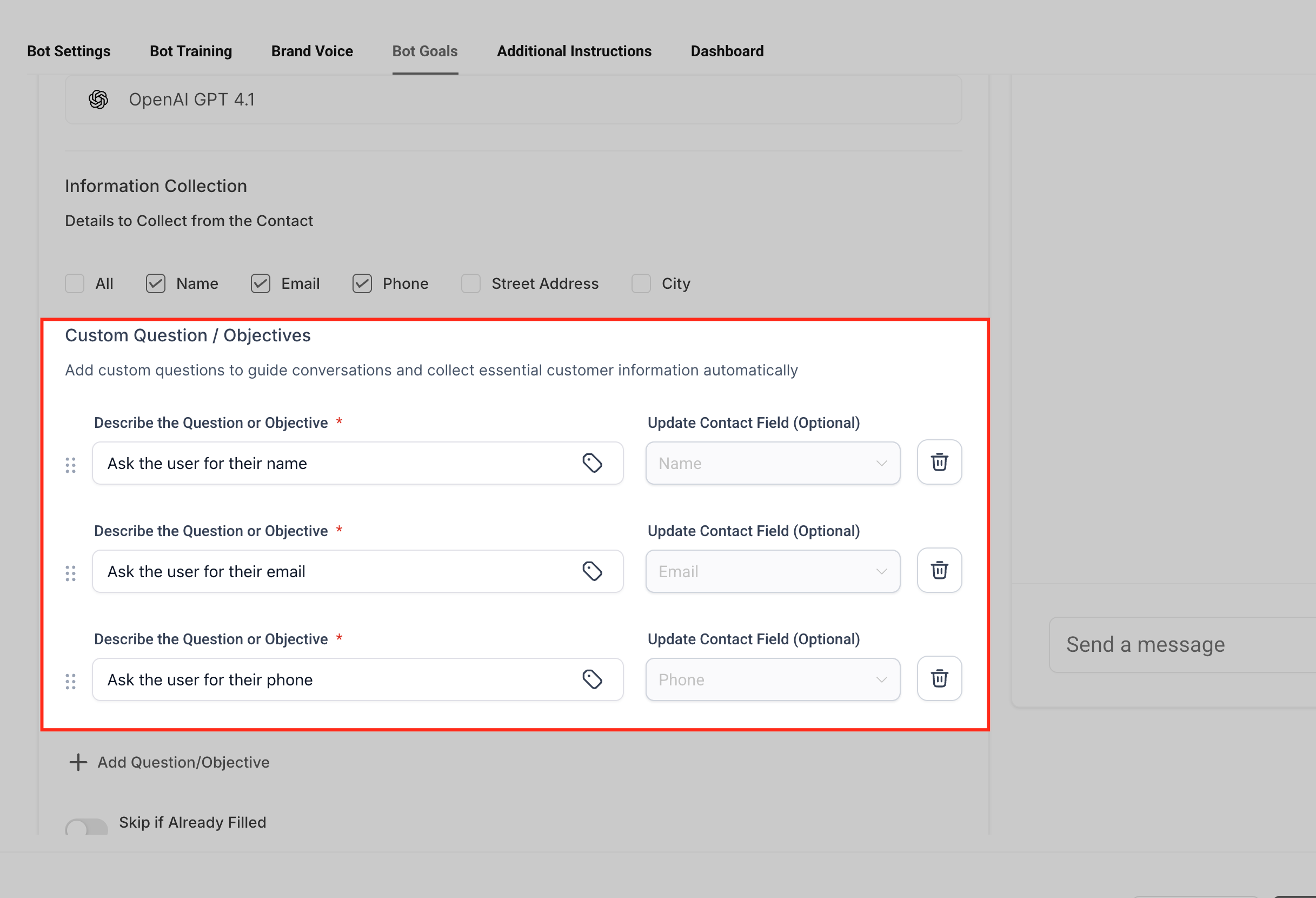
- Add any custom questions or objectives required for your process.
- Map each answer to a contact field using the Update Contact Field option.
- Enable Skip if Already Filled to avoid asking for data that already exists.
- Turn on Appointment Booking if the bot should schedule meetings, confirming the calendar is set up.
- Select a workflow under Trigger Workflow if the conversation should start automation.
- Configure Email Notification Settings for alerts when the bot cannot answer.
- Activate Conversation Summary if a condensed recap of the chat is needed, then save and test the setup.
06What it looks like in HighLevel
07Settings that matter
- Information Collection. Specifies which standard contact fields or custom questions the bot will ask during a conversation.
- Update Contact Field. Links each asked question to a specific field on the contact record so the answer is saved automatically.
- Skip if Already Filled. Prevents the bot from asking for information that already exists in the mapped contact field.
- Appointment Booking. Enables the bot to guide a contact through scheduling an appointment using a preconfigured calendar.
- Trigger Workflow. Starts a selected HighLevel workflow when the conversation meets the defined condition.
- Email Notification Settings. Sends email alerts to designated recipients when the bot cannot answer or when a human review is needed.
- Conversation Summary. Creates a brief summary of the bot handled conversation for quick team review.
08Things to know before you rely on it
- Appointment Booking only works if the chosen calendar is correctly set up and available.
- Trigger Workflow requires the referenced workflow to be created and active before activation.
- Email notifications depend on correct recipient addresses; otherwise no alert is sent.
- Skip if Already Filled works only when the corresponding contact field actually contains data.
09If something goes wrong
- Bot Goals tab is missing. Confirm your user role includes permission to manage Conversation AI agents and goals.
- Agent is not asking the expected questions. Review the selected fields, custom questions/objectives, and saved Bot Goals settings.
- Contact fields are not updating. Confirm each question is mapped to the correct field under Update Contact Field.
- Agent asks for information already saved. Confirm Skip if Already Filled is enabled and the contact data exists in the mapped field.
- Appointment Booking does not start. Confirm Appointment Booking is enabled and the calendar is configured correctly.
- Workflow does not trigger. Confirm the workflow is ready and the trigger condition is clear.
- Email notification is not received. Confirm the notification settings and recipient email address are correct.
- Conversation summary is missing. Confirm Conversation Summary is enabled and the conversation meets the summary requirements.
10How it connects to the rest of HighLevel
- Overview of Bot Goals in Conversation AI Bot Goals overview
- Customize Conversation AI bot instructions with prompts and instructions Bot instructions
- Transfer Bot Action to move chats between AI bots Transfer Bot
- HighLevel pricing and plans Pricing
- Start a 30 day HighLevel trial Free trial
Michael's take

Setting up Bot Goals adds flexibility to how the Conversation AI handles contacts and can streamline certain processes.