
01Who this is for
- Founders who want to launch a training program quickly without manually building every module.
- Online educators looking for AI generated lesson drafts and quiz questions to speed up content creation.
- Coaching businesses that need to set drip schedules, lock lessons, and package a course as a sellable offer.
02Ask AI for Courses, explained
Ask AI for Courses is a chat based assistant inside HighLevel that helps you plan, write, and configure course elements using natural language. You can ask it to produce outlines, HTML lesson content, quizzes, and to adjust supported settings such as drip schedules, lesson locking, or instructor details. The assistant also helps you create offers that tie the course to HighLevel’s sales tools.
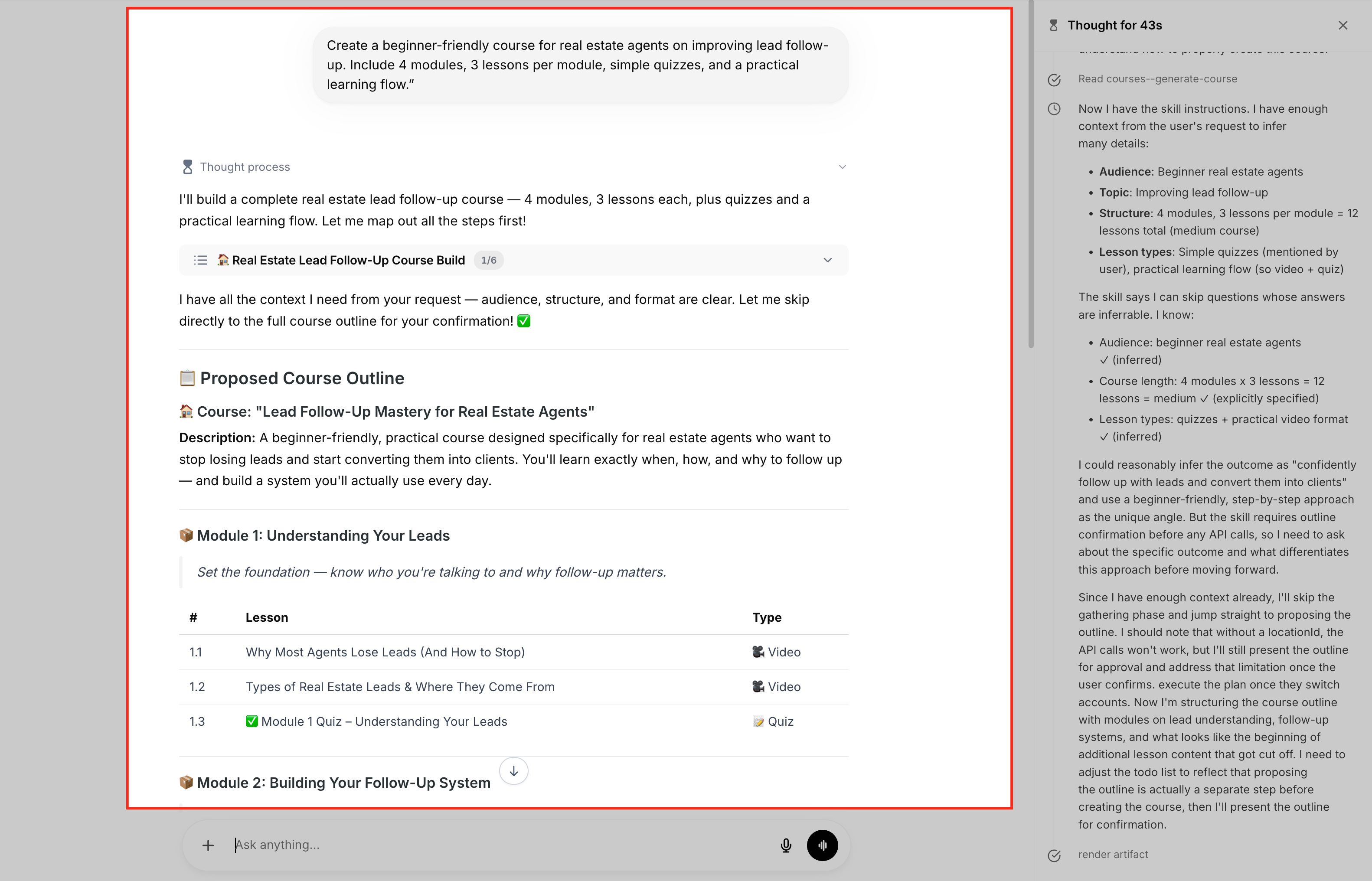
The AI works inside the Ask AI interface. You start a conversation, give the desired course parameters, and the AI returns structured data that you can review in the Courses builder. Before any major change, like publishing or altering access, the AI shows a confirmation prompt that explains the risk. Deleting a course, module, lesson, or assessment is not allowed through the assistant.
All generated content, settings, quizzes and offers remain in the standard Courses area of HighLevel. The builder is still the final place to edit, preview, and publish the learner experience.
03How businesses use Ask AI for Courses
- Digital marketing agency. The agency can ask Ask AI to outline a new client onboarding course, generate lesson HTML, and create quizzes. It then reviews the output in the Courses builder and attaches an offer to sell the training package.
- Fitness coaching business. A coach can request a beginner fitness program, have the AI draft lesson content with exercise examples, and set drip schedules so new members receive modules weekly. The coach finalizes the offer details for subscription access.
- Real estate training company. The company can ask the AI to produce a course on lead follow up, generate assessments per lesson, and lock advanced modules until prior ones are completed. After review, it creates an offer to sell the course to agents.
04The numbers and rules that matter
- Supported settings: Drip schedules, lesson or module locking, publishing status, instructor details, custom header/footer, custom JavaScript or CSS fields where supported.
05How to set up and use Ask AI for Courses in HighLevel
Create a course with Ask AI
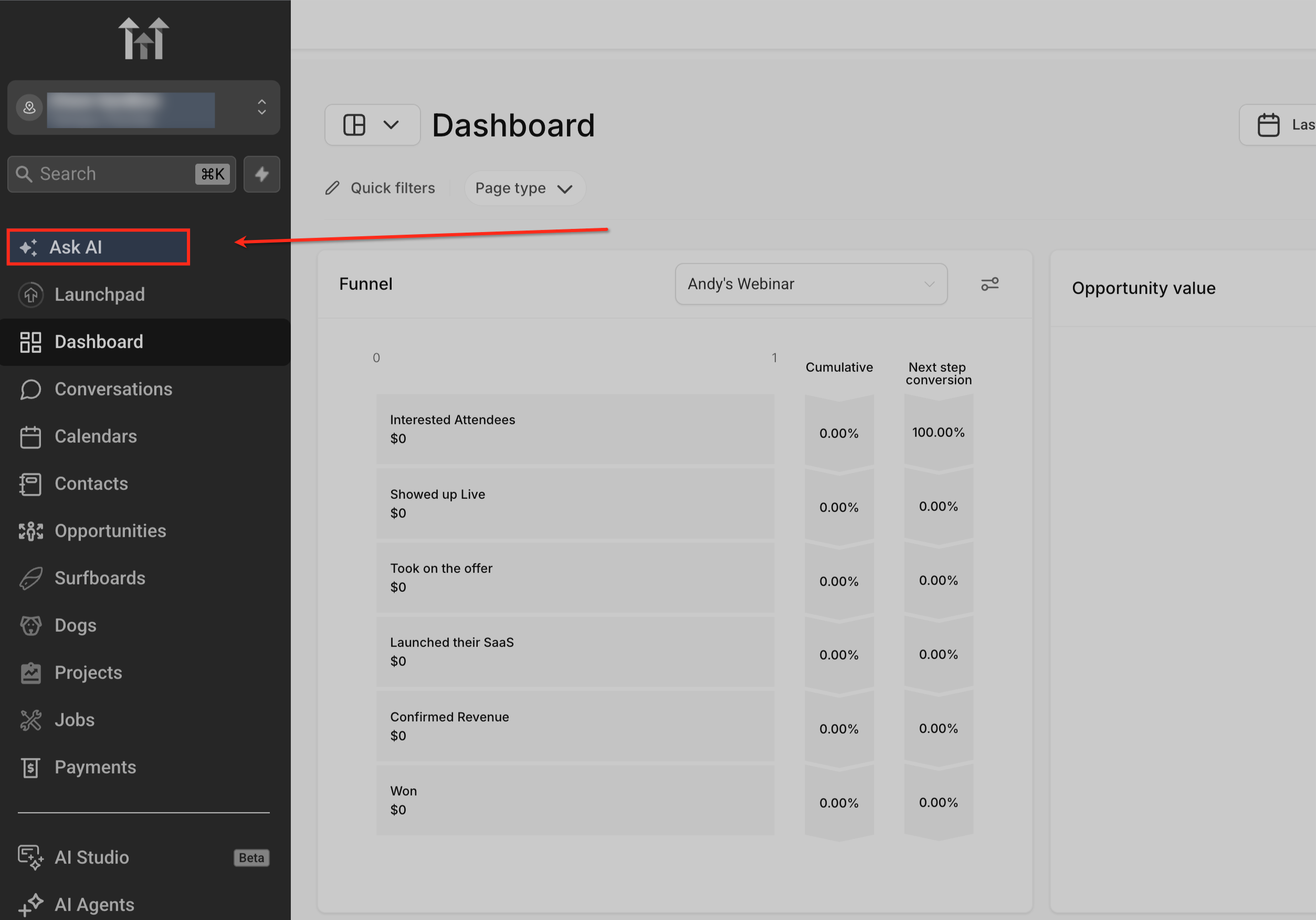
- Open Ask AI from your HighLevel account.
- Describe the course you want, including topic, audience, outcome, length, and required components.
- Ask AI to generate a structured course outline with modules and lessons.
- Review the outline and request revisions or additions as needed.
- Instruct Ask AI to create HTML formatted lesson content for the approved outline.
- Review each lesson draft and ask for tone, detail, or formatting adjustments.
- Request quizzes or assessments that match the lesson material.
- Review the generated questions and ask for refinements if necessary.
- Tell Ask AI which course settings to adjust, such as drip schedules or lesson locking.
- Review the confirmation prompt that explains the impact of the setting change and approve or modify it.
- Ask AI to create or configure an offer for the course product.
- Confirm the final prompts, preview the course in the builder, and publish it.
06What it looks like in HighLevel
07Settings that matter
- drip schedules. Controls the timing for when each lesson or module becomes available to learners.
- lesson or module locking. Prevents access to specific lessons or modules until prerequisites are met.
- publishing status. Determines whether the course content is visible to learners or remains hidden.
- instructor details. Stores the name and bio of the person delivering the course.
- custom header/footer. Adds HTML code that appears at the top or bottom of each lesson page.
- custom JavaScript or CSS fields. Allows insertion of custom scripts or styles that affect the course’s appearance or behavior.
08Things to know before you rely on it
- Delete operations for courses, modules, lessons or assessments are prohibited to avoid accidental loss.
- Ask AI provides a confirmation prompt with a risk definition before applying any change that impacts learner access or course structure.
- Only supported course settings can be managed through Ask AI; other settings must be edited manually in the builder.
09How it connects to the rest of HighLevel
- Learn how Ask AI sessions are priced and billed. Ask AI pricing
- Set up the Ask AI LeadConnector Chrome Extension for quicker access. LeadConnector extension
- Explore other Ask AI features such as image generation and funnel creation. All AI Employee features
Michael's take

Ask AI for Courses can feel tempting, but the AI may suggest changes that affect learner access or pricing. Those generated elements are not a final pass; you still need to double check everything before you go live.
When the outline is solid, the AI’s ability to spin out HTML ready lessons and quizzes saves a lot of typing. I would let it draft the first version, then polish tone and details in the Course Editor before publishing.