
01Ask AI LeadConnector Chrome Extension, explained
When you ask the AI to perform a task that involves a web page, the extension can open the page, click buttons, type text, scroll, and complete the supported action.
You trigger the extension by entering a request in the Ask AI interface that requires browser interaction.
02How businesses use Ask AI LeadConnector Chrome Extension
- Automate document creation. A marketer can ask Ask AI to open Google Docs and draft an outline for a landing page. The extension opens the document, types the outline and scrolls as needed.
- Fill web forms. A sales rep can request the AI to complete a lead capture form on a partner site. The extension navigates to the form, enters the data and clicks submit.
03The numbers and rules that matter
- The extension allows Ask AI to open webpages, click, type, scroll and complete supported browser tasks.
04Before you start
- Enter a request that requires browser interaction in Ask AI.
05How to set up and use Ask AI LeadConnector Chrome Extension in HighLevel
Install the extension
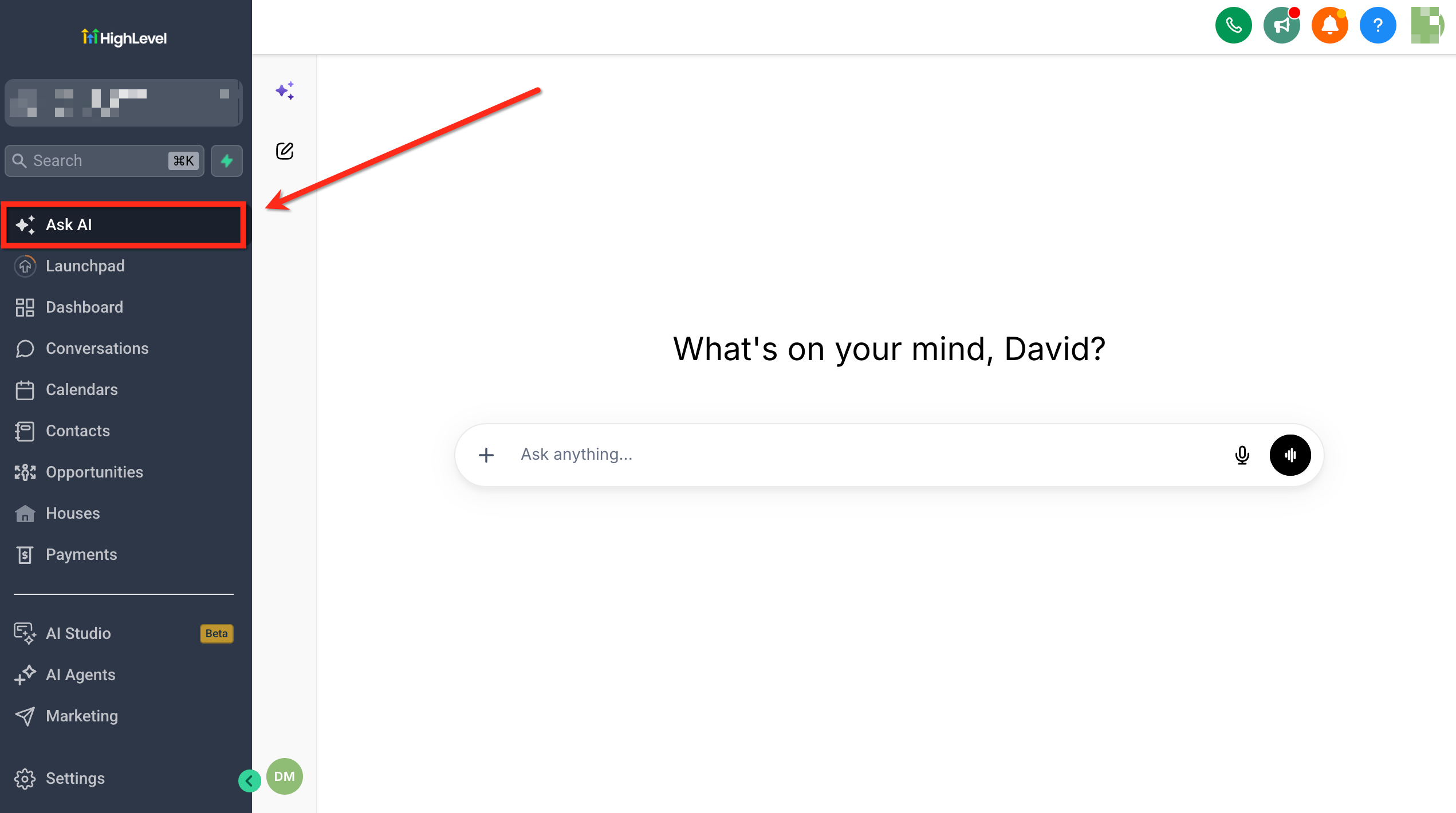
- Navigate to Ask AI from the left menu.
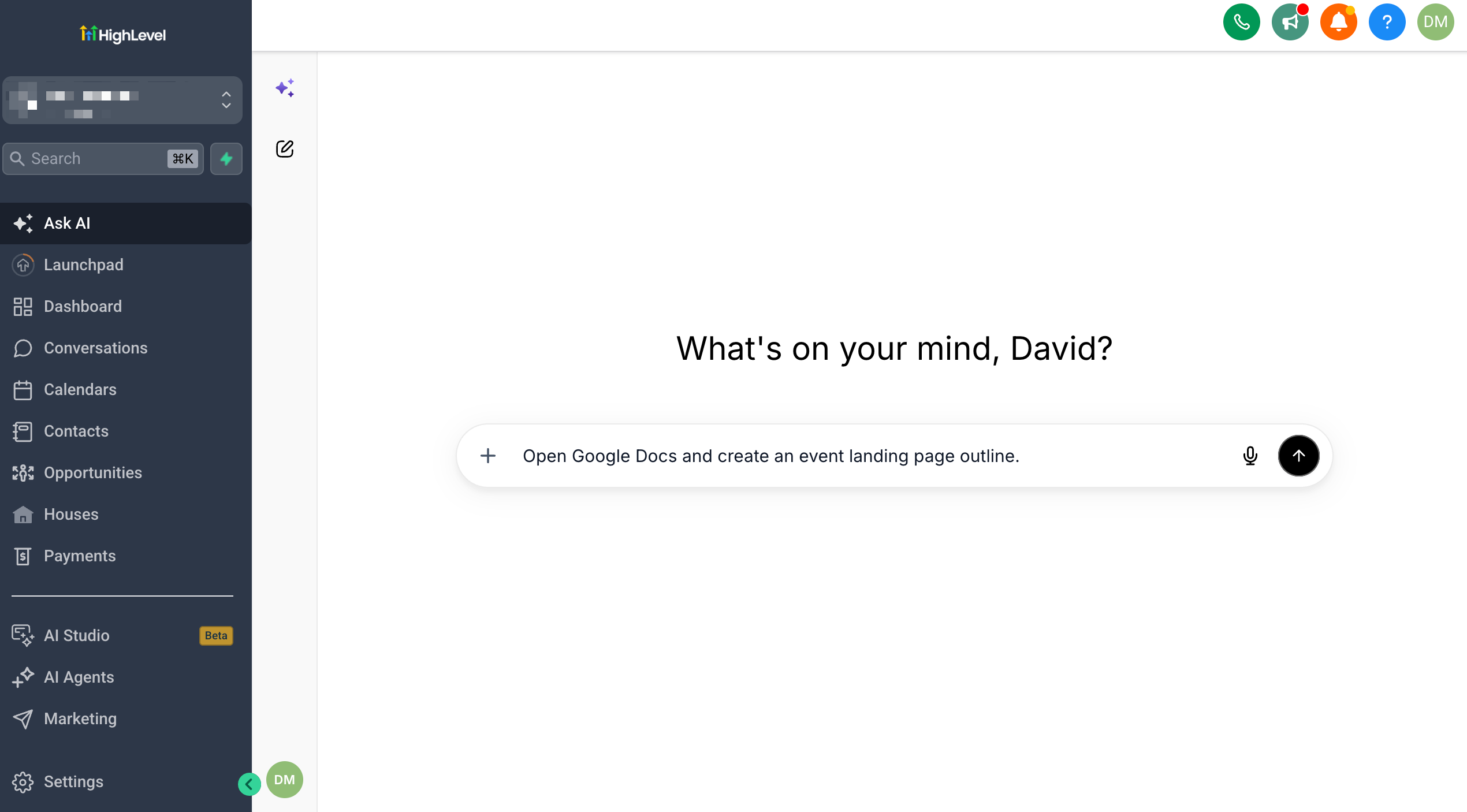
- Enter a request that requires browser interaction, for example "Open Google Docs and create an event landing page outline".
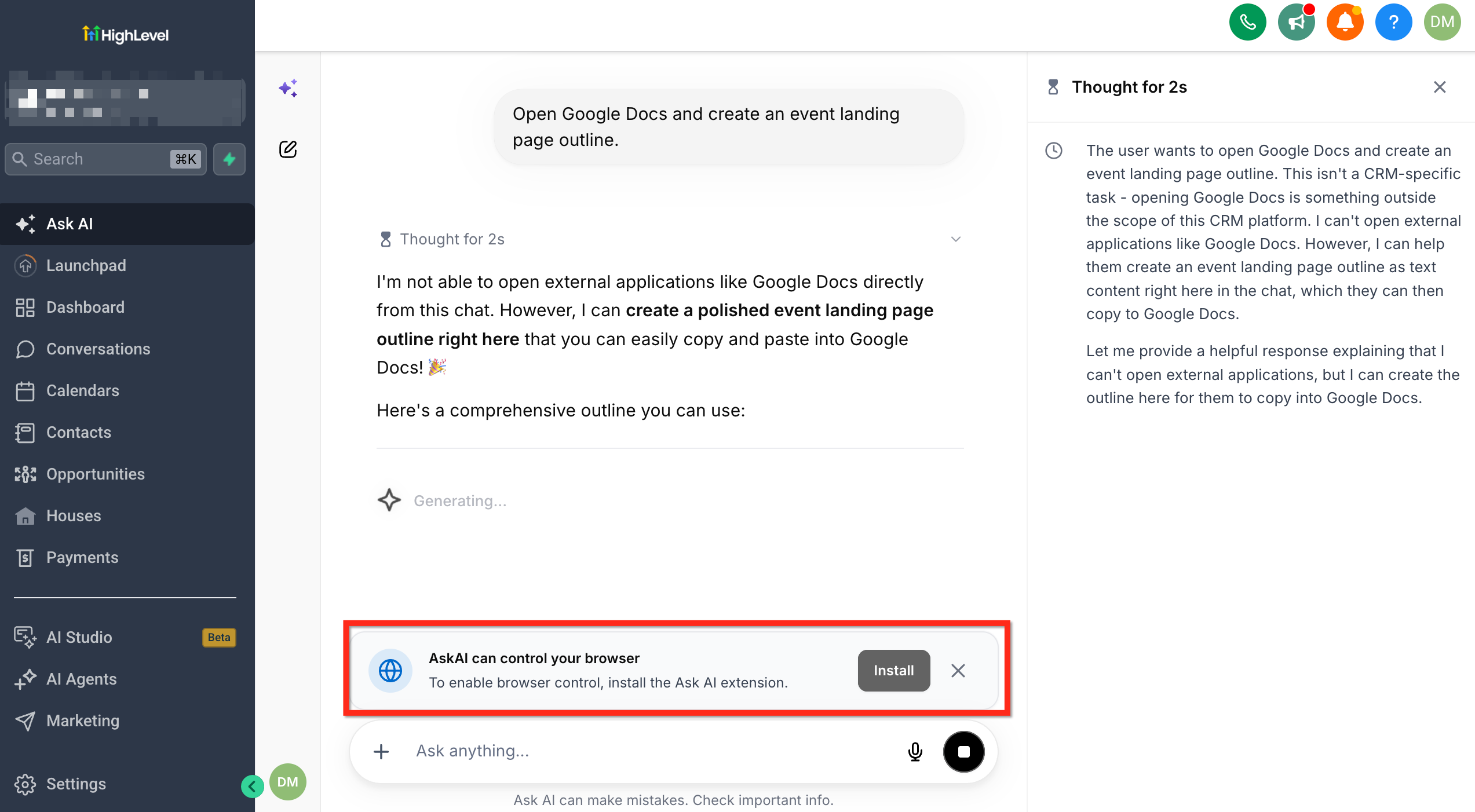
- Select Install when Ask AI prompts you to install the browser extension.
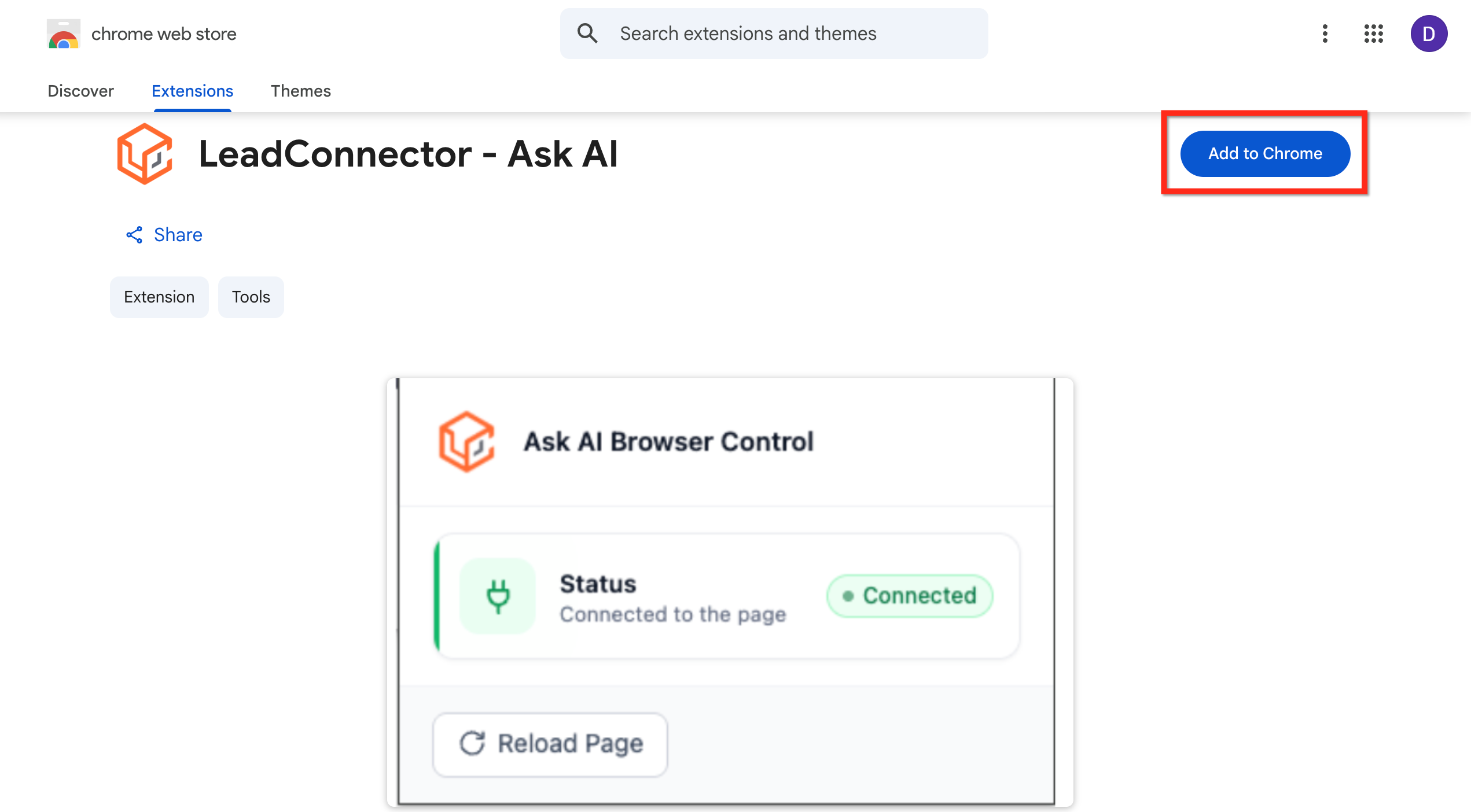
- You will be redirected to the LeadConnector, Ask AI listing in the Chrome Web Store.
- Select Add to Chrome.
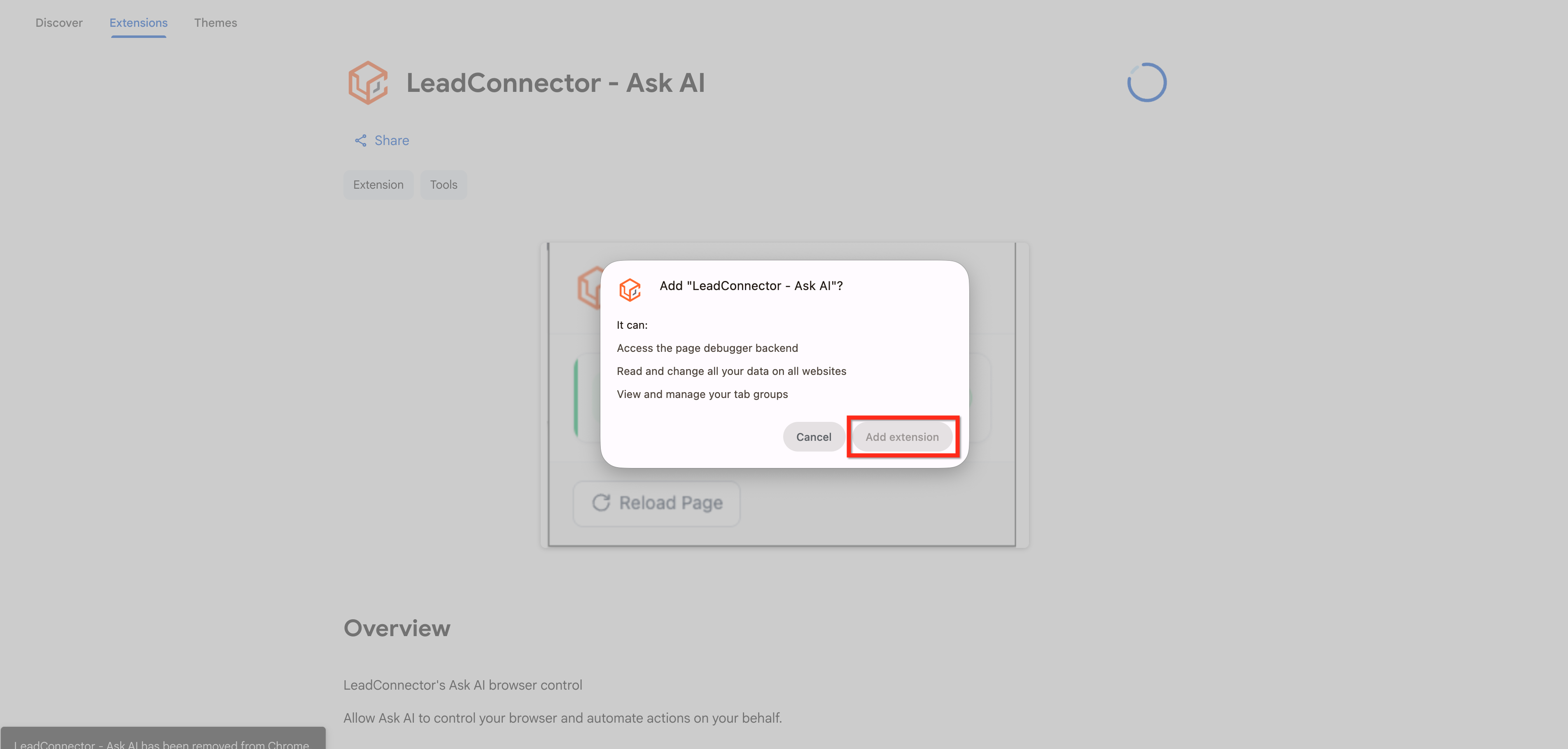
- Review the extension permissions, then select Add extension.
06What it looks like in HighLevel
Michael's take

Michael ReimerFounder of CRM Pros, HighLevel Commander and Certified Admin
I find the extension useful for repetitive web based steps such as drafting documents, filling forms, or pulling data.
Get More InformationOpens on HighLevelPublished November 2, 2026 · Updated November 3, 2026