
01Who this is for
- Founder who travels between meetings and needs to retrieve or update client data without opening a laptop.
- Small business owners managing appointments, contacts, or content creation while away from a desk.
- Remote sales teams that require quick access to lead information during calls or on the road.
02Ask AI Phone Dispatch, explained
Ask AI Phone Dispatch extends the existing Ask AI copilot to regular phone calls and SMS. Once a US mobile number is linked, the platform assigns a unique Ask AI number. Calls and texts share the same session, so a request started by voice can be continued by message without losing context. All interactions are saved in the Dispatch history for later review.
The feature lives under the Ask AI workspace. Inside Customize > Dispatch you find the Phone channel where you connect, verify, and set a call PIN. After setup, dialing or texting the dedicated number invokes the same AI capabilities available in the web UI, including retrieving records, creating content, and updating fields.
03How businesses use Ask AI Phone Dispatch
- Dental practice. The office manager links their clinic phone, then texts the Ask AI number to add a note to a patient’s record after a call. The AI updates the contact field directly in HighLevel without opening the dashboard.
- Real estate agency. An agent calls the Ask AI number while driving, provides the PIN, and asks for today’s property showings. The AI reads the schedule and texts the details for reference later.
- Digital marketing firm. A copywriter sends a text to Ask AI requesting a draft blog outline. The AI creates the draft and returns it in the same SMS thread, ready for further editing in HighLevel.
04The numbers and rules that matter
- Supports US numbers only with the +1 country code.
- One number per location at a time.
05Before you start
- Possess a US mobile number that can receive SMS messages.
- Be signed into a HighLevel Subaccount where Ask AI is enabled.
06How to set up and use Ask AI Phone Dispatch in HighLevel
Set up phone dispatch
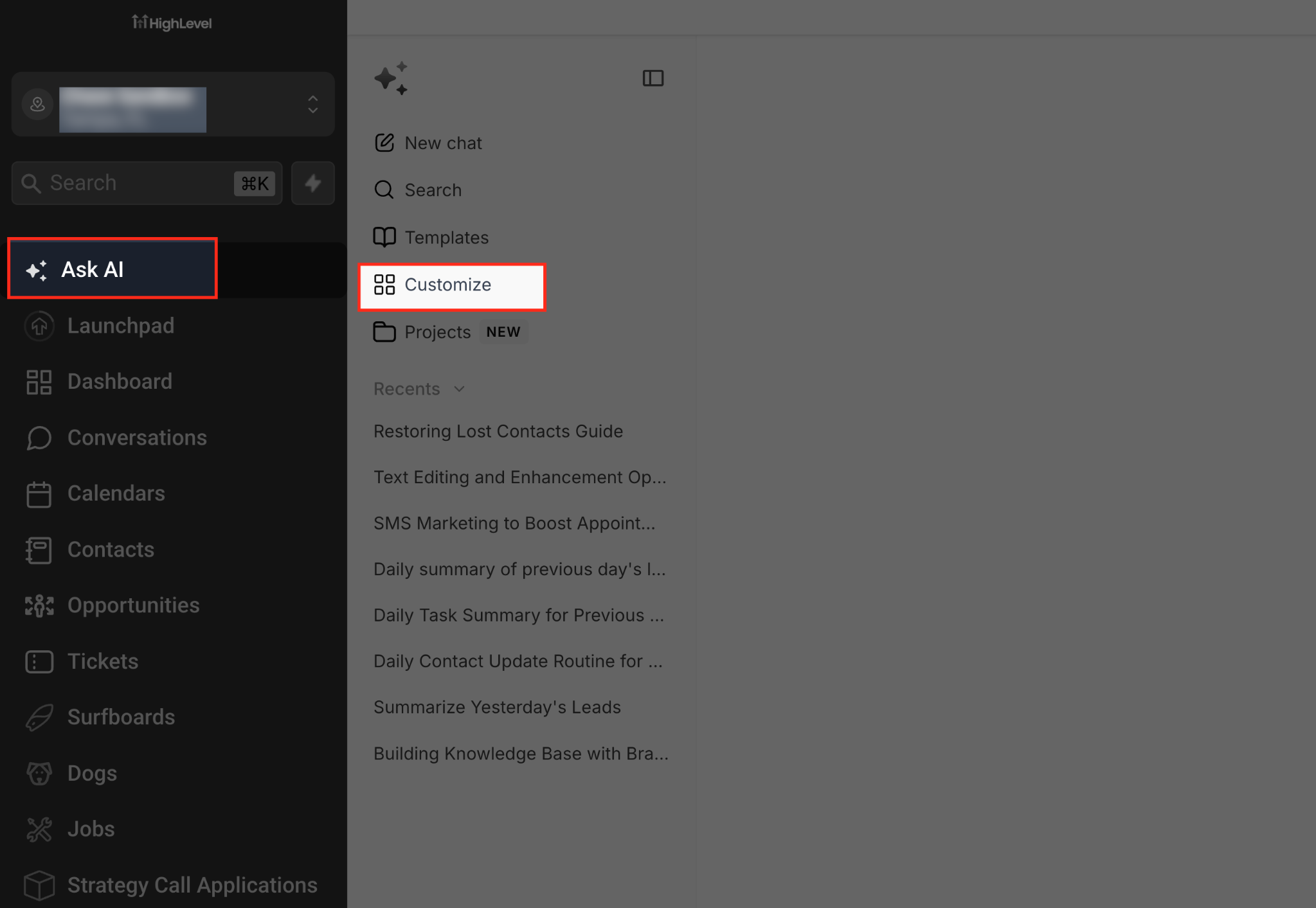
- Open Ask AI from the left sidebar in the Subaccount view and select Customize.
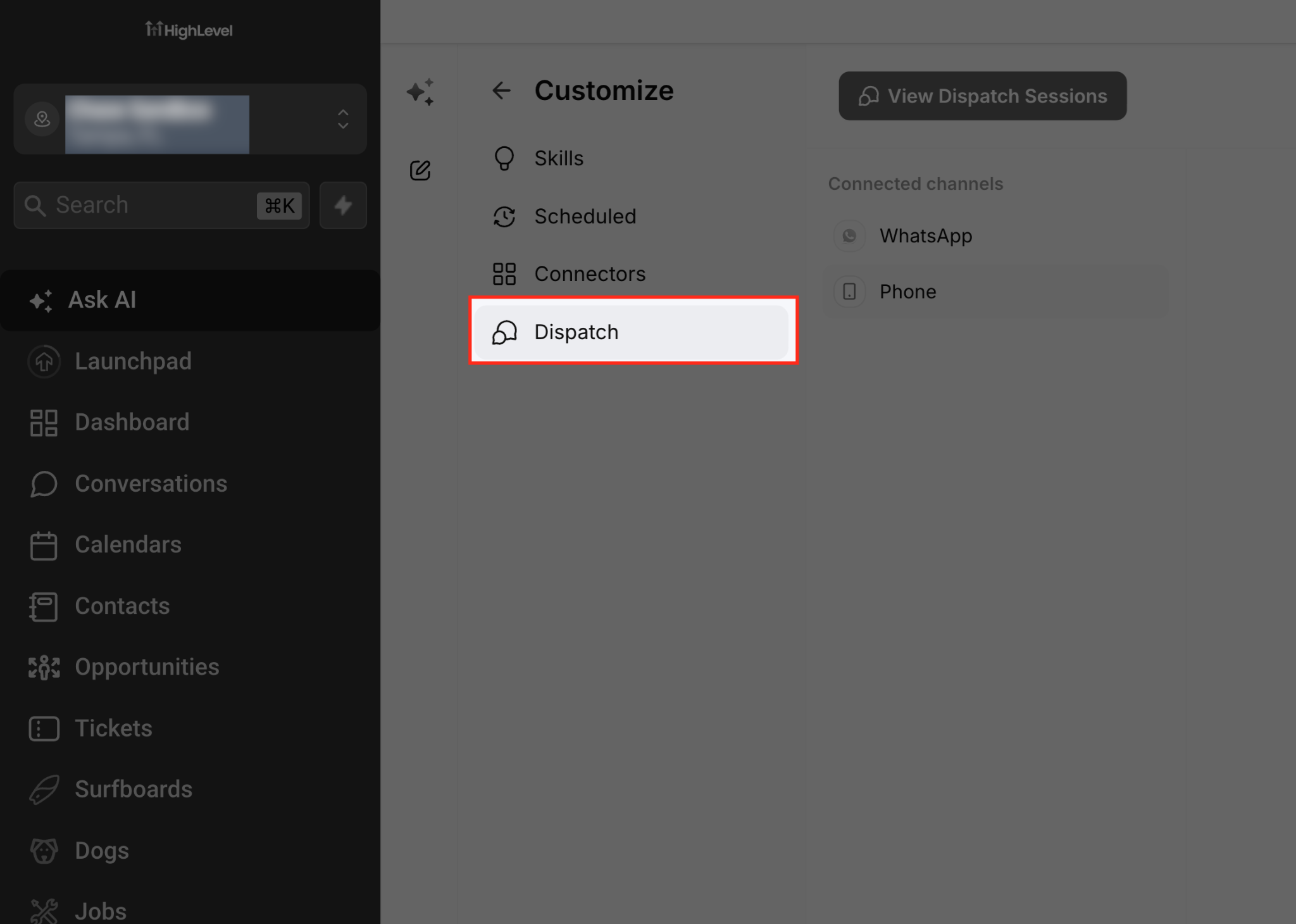
- Choose Dispatch within the Customize section to view available channels.
- Click the Phone option under Connected channels to open its settings.
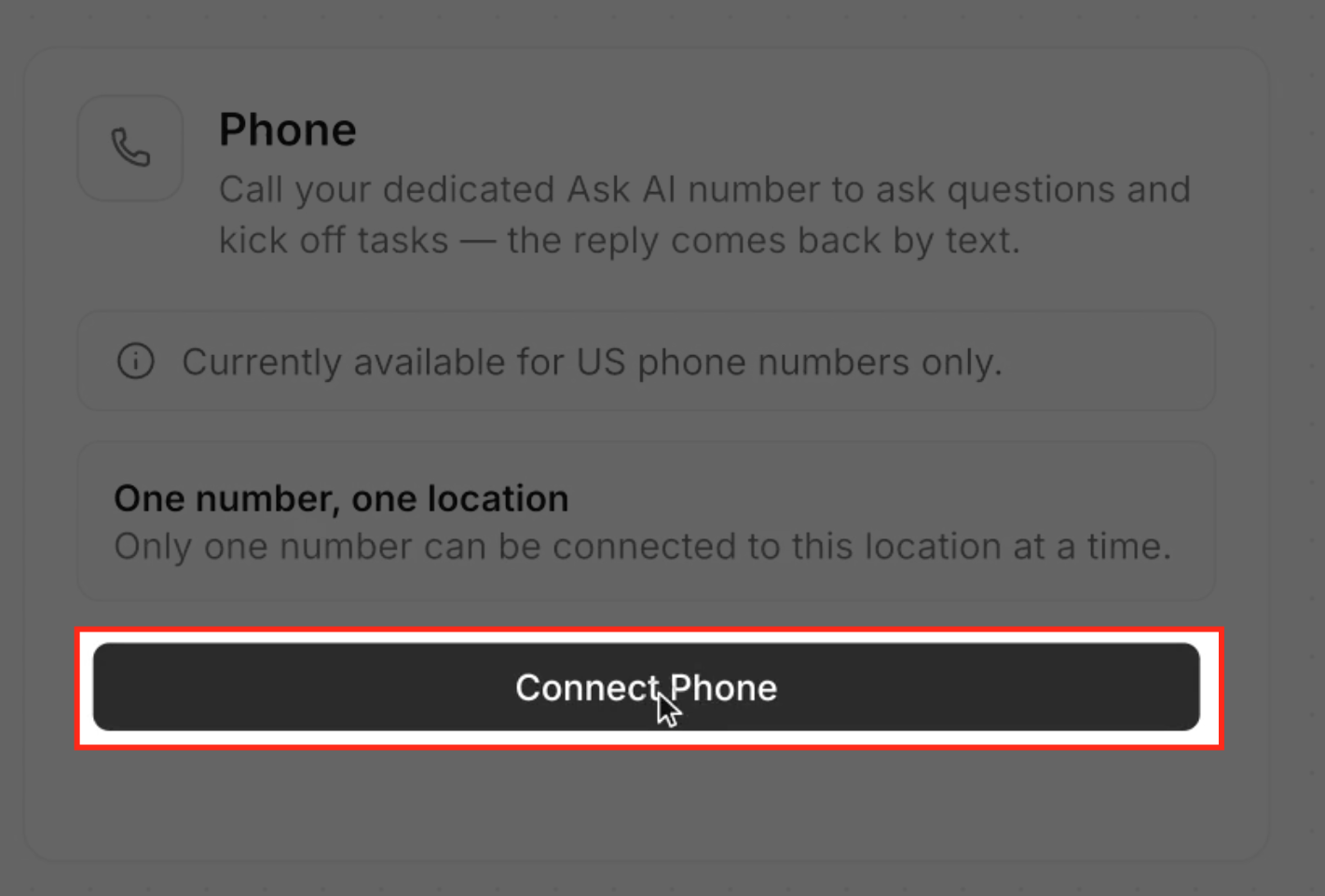
- Press Connect Phone after reviewing the US number and one per location notes.
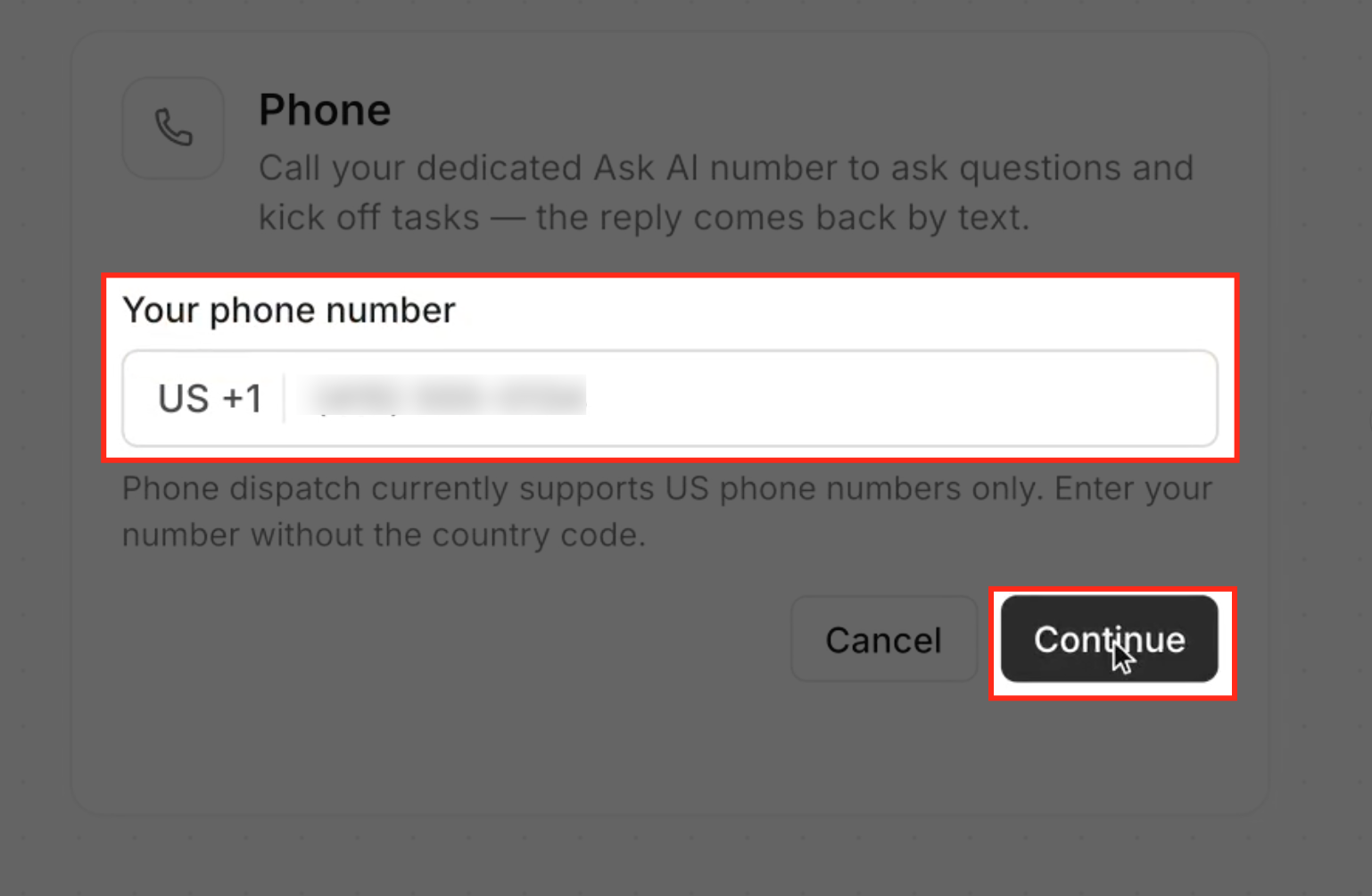
- Enter your US mobile number (without the +1) and click Continue.
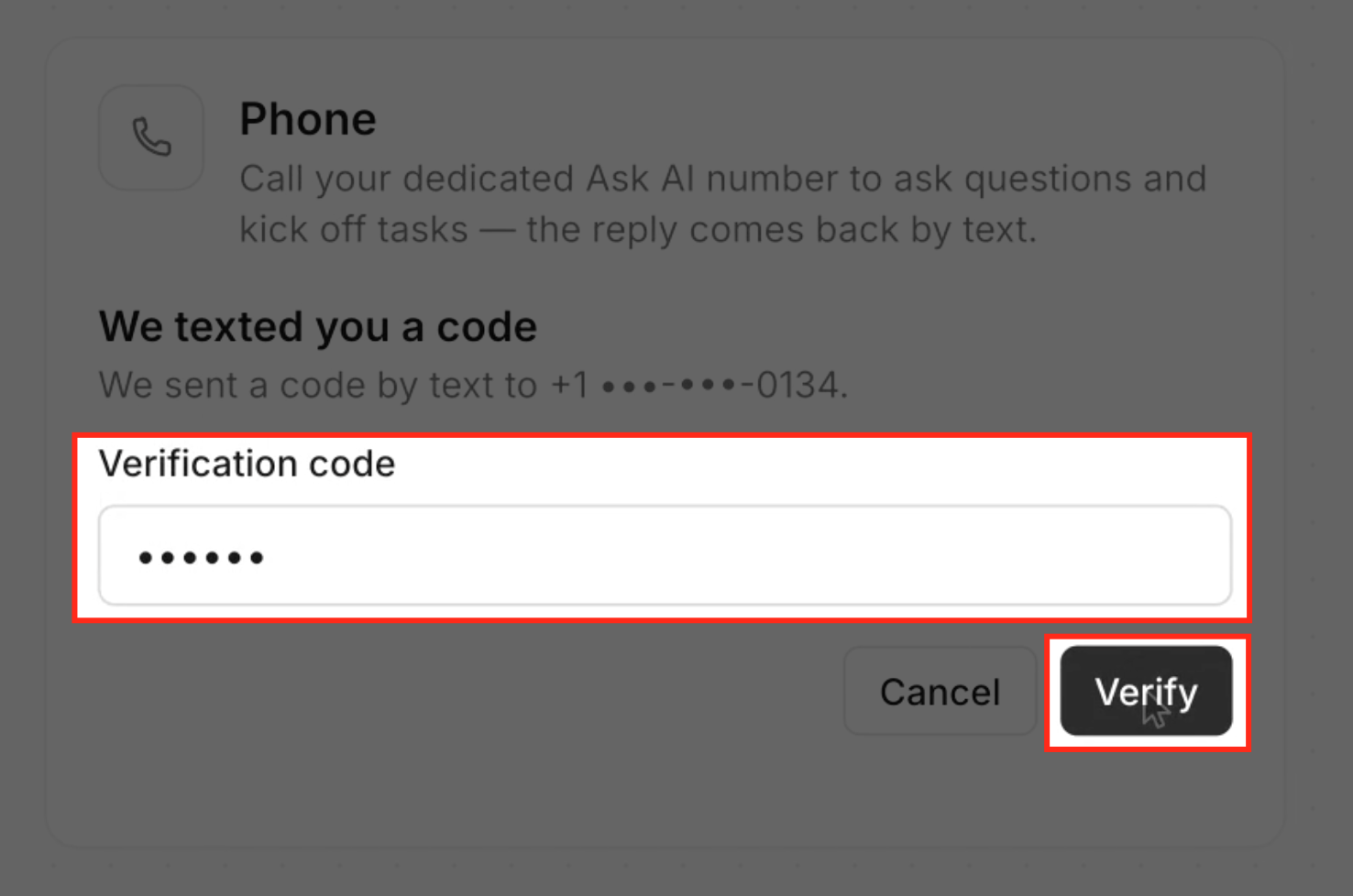
- Read the SMS for the verification code, type it into the field, and click Verify.
- Create a six digit PIN, repeat it in the confirmation box, and click Set PIN.
- Copy the displayed Ask AI number for use in calls or texts.
Call Ask AI
- Dial the copied Ask AI number from your phone.
- Speak the six digit PIN when prompted to verify your identity.
- State your request in natural language.
- Ask the AI to send the response by text if you want a written record.
Text Ask AI
- Open your messaging app and start a new SMS to the Ask AI number.
- Type your question or command and send the message.
- Read the AI’s reply and respond to keep the conversation going.
- Attach a photo or file when additional information is needed.
Review dispatch history
- In the Subaccount, click Ask AI in the left navigation and open Customize.
- Select Dispatch and then click View Dispatch Sessions.
- Use the search, sort, and pagination controls to locate earlier conversations.
07What it looks like in HighLevel

08Settings that matter
- Your phone number. The field where you enter the US mobile number that will be linked to Ask AI.
- Verification code. A numeric code sent by SMS that confirms you own the phone number you entered.
- 6-digit PIN. A personal code you create to authenticate yourself when calling the Ask AI number.
- Confirm PIN. A repeat entry that must match the 6 digit PIN to ensure it was entered correctly.
09Things to know before you rely on it
- Only numbers with the +1 country code are accepted.
- One phone number can be linked per location at any time.
- The number must receive an SMS for verification.
- A six digit PIN is required for voice authentication.
- The PIN cannot be recovered after it is set; remember it.
- The connection belongs to the user who added it; other users cannot view or edit it.
- A number already linked to another location under the same user can be transferred; numbers owned by a different user cannot be taken over.
10How it connects to the rest of HighLevel
- Open Ask AI from the Global Search bar Open Ask AI
- Set up user access and billing for AI Employee features AI Employee access
- View pricing options for HighLevel plans Pricing
Michael's take

Phone Dispatch can feel risky if you forget your six digit PIN, because the PIN cannot be recovered later.