
01Who this is for
- Founders of service based businesses can describe their lead gen funnel in one sentence and receive a ready to edit page.
- Marketing agencies can generate a client website quickly, then customize it with their branding in the builder.
- Ecommerce owners can request a promotional landing page and have it built without manual section setup.
02Funnel AI in Ask AI, explained
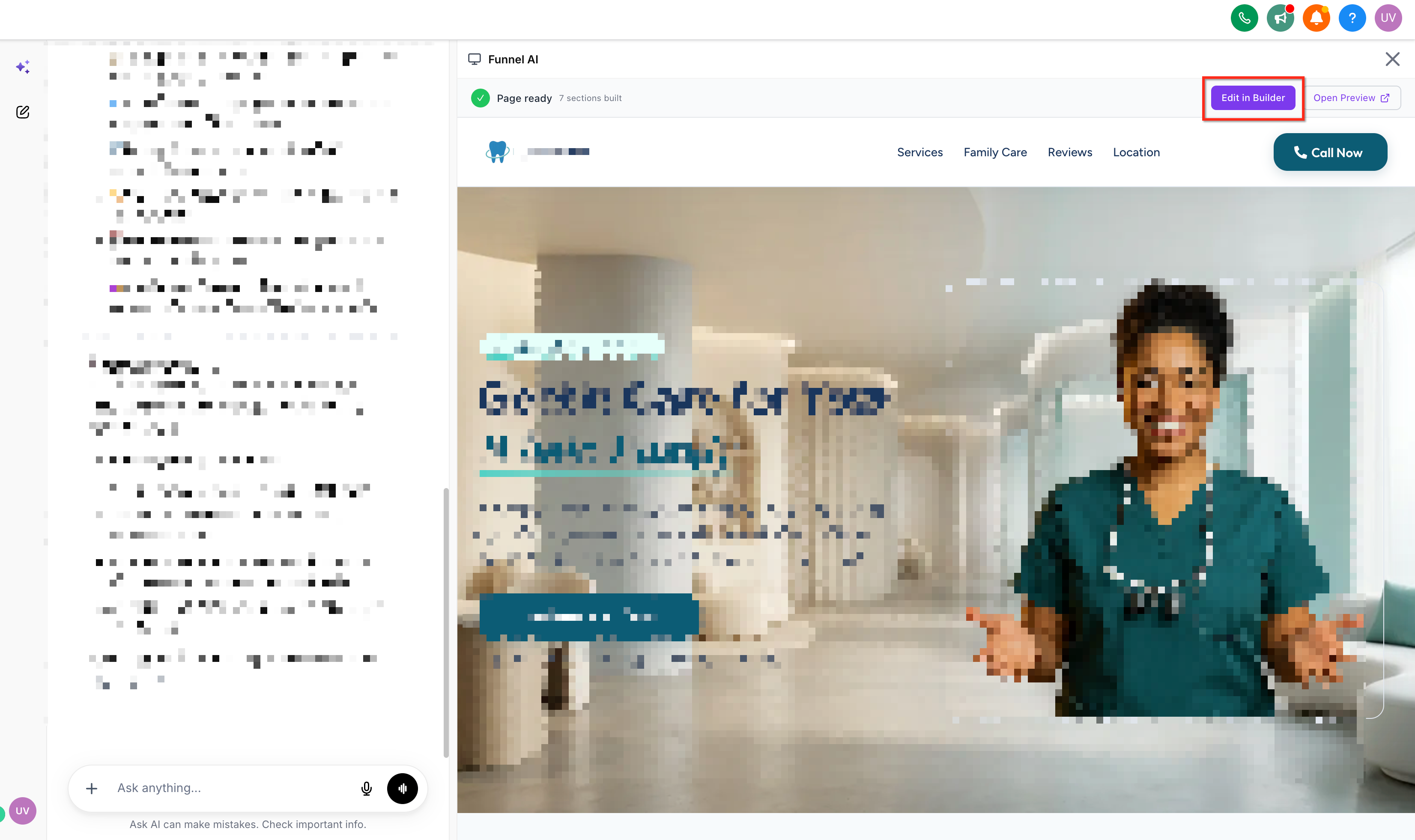
Funnel AI combines conversational input with HighLevel’s page generation engine. After you send a prompt, the AI may ask for missing details, then shows a short creation plan. Once you approve the plan, the system builds the page while you watch a live preview and a checklist of generation steps.
When the build finishes, the asset appears as a regular HighLevel funnel or website. You open it with the Edit in Builder button and can change text, images, layout, forms, domain settings, tracking and workflow connections just like any manually created page.
03How businesses use Funnel AI in Ask AI
- Dental practice. The practice types a prompt asking for a lead generation funnel that captures new patient contacts. After approval, the AI creates the funnel, the dentist opens it in the builder, tweaks the copy and images, then connects the form to their follow up workflow.
- Real estate agency. An agent asks for a property listing landing page aimed at home buyers. The AI generates the page, the agent reviews the live preview, opens it in the builder to add MLS photos, and publishes it on a custom domain.
- SaaS startup. The startup requests a conversion focused website that explains its software features. After the AI builds the site, the team edits the sections in the builder, sets up tracking, and attaches an onboarding workflow.
04The numbers and rules that matter
- Generation usually takes approximately 2 to 4 minutes.
05Before you start
- The user must have the Funnel & website AI permission.
- Funnel AI must be enabled for the subaccount where it is used.
- If the user lacks permission, Ask AI displays a message that the feature is unavailable.
06How to set up and use Funnel AI in Ask AI in HighLevel
Create a funnel, website, or landing page with Funnel AI in Ask AI
- Open the Ask AI interface inside HighLevel.
- Type a description of the funnel, website or landing page you want to create.
- If Ask AI asks for more details, supply the missing business type or goal information.
- When a short creation plan appears, read it to confirm the intended design.
- Approve the plan to start the generation process.
- Watch the in chat checklist as Funnel AI builds each part of the asset.
- Observe the live preview panel to see the page take shape.
- When the preview shows the finished page, examine the result.
- Click Edit in Builder to launch the generated asset in the appropriate builder.
- Perform any extra edits and set up publishing, domain, tracking, forms or workflows as required.
07What it looks like in HighLevel
08Settings that matter
- Funnel & website AI permission. Controls whether a user can request page generation through Ask AI.
- Funnel AI enabled for sub, account. Activates the Funnel AI feature for the selected subaccount.
09Things to know before you rely on it
- The feature can only create a new funnel, website or landing page; further edits must be done in the builder.
- When using Ask AI over WhatsApp, newly created funnels may appear blank; the web version works correctly.
- Generation typically takes about two to four minutes, but actual time can vary.
10If something goes wrong
- Cannot update an existing funnel from the Ask AI conversation.. Open the generated or existing funnel in the Funnel or Website Builder to make changes.
- Funnel AI does not appear in Ask AI.. Verify that the Funnel & website AI permission is granted and that Funnel AI is enabled for the current subaccount.
- Funnel created via WhatsApp shows as blank.. Use Ask AI on the web platform until the WhatsApp issue is resolved.
11How it connects to the rest of HighLevel
- Learn how the Funnel Creation Agent works in Ask AI Funnel creation agent
- Manage AI usage limits and extra usage settings AI limits
- Explore pricing plans for HighLevel and access to AI features Pricing
Michael's take

Seeing the funnel build live feels satisfying, and being able to fine tune it in the builder works well.
The create only nature means any changes after generation require switching to the builder, and the WhatsApp limitation forces me to use the web version for urgent work.