
01Who this is for
- Customer support teams benefit because contacts can speak instead of typing, making interactions faster.
- Marketing agencies gain efficiency by handling voice inquiries across multiple client channels without extra tools.
- Small businesses with limited staff can provide a natural chat experience using existing AI bots.
02Audio responses, explained
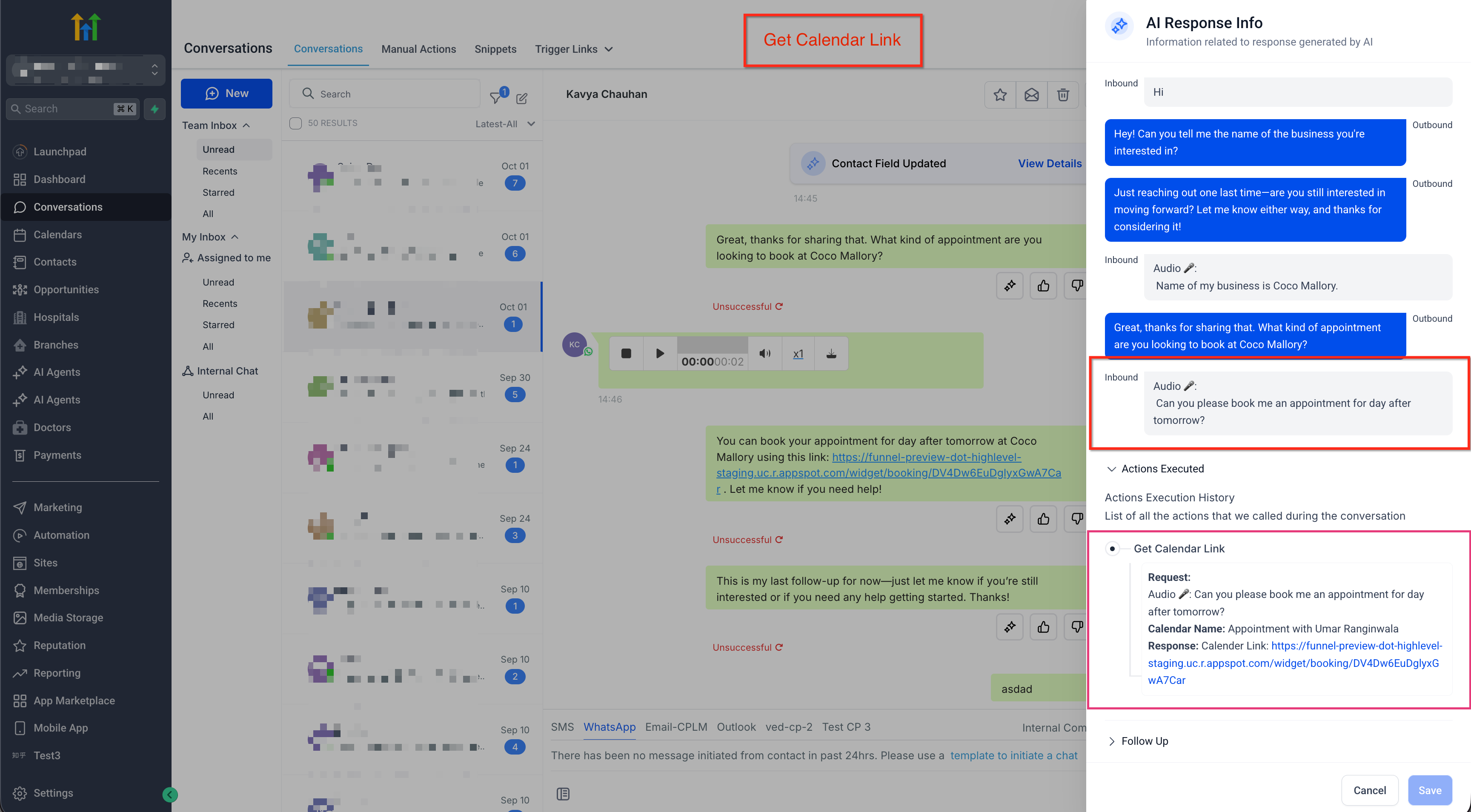
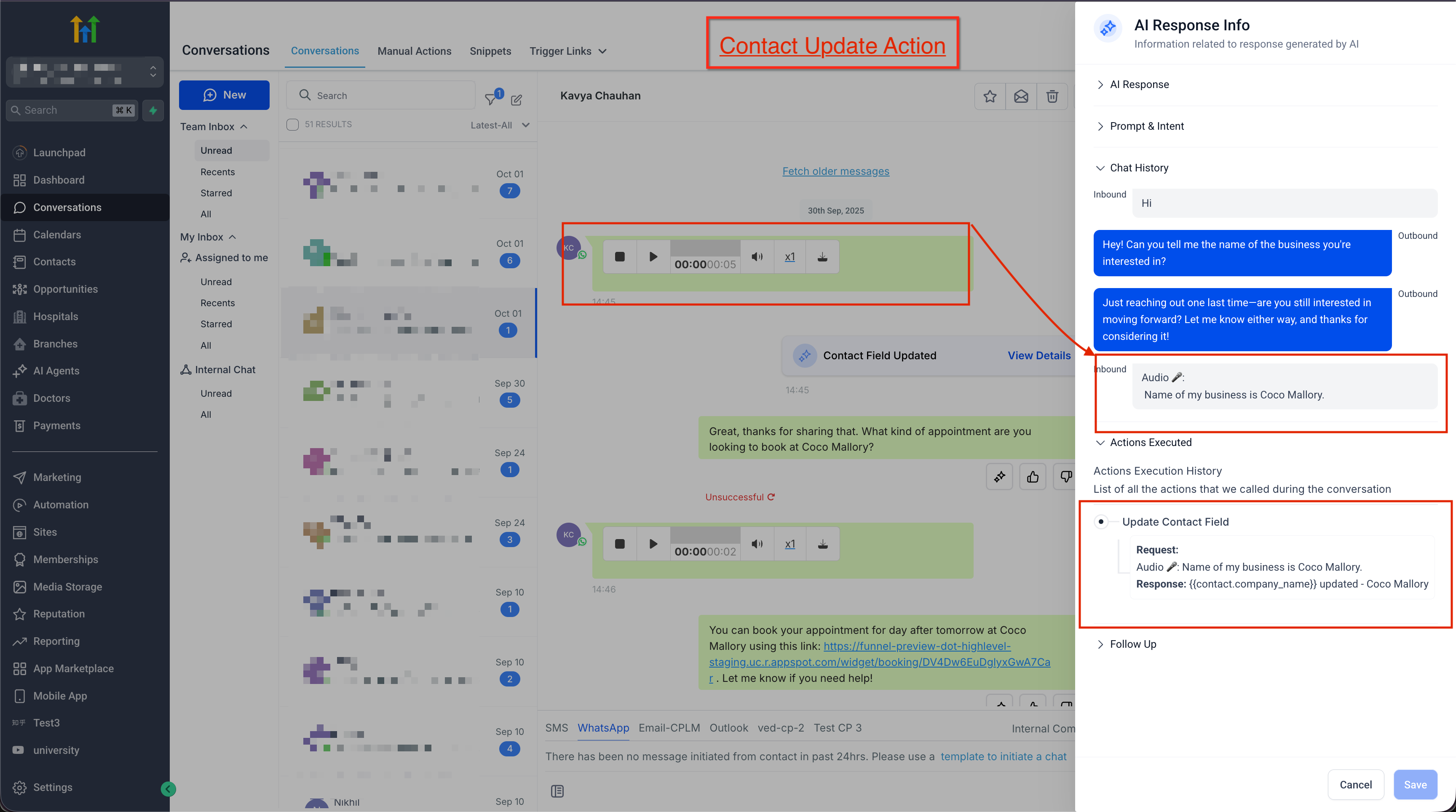
Audio Response adds the ability for a Conversation AI bot to accept voice notes and audio file attachments. When a contact sends an audio message, HighLevel automatically transcribes the speech to text, runs it through the bot’s configured prompts, and replies in the same channel.
The feature respects the bot’s Wait Time and Maximum Message Limit settings, so multiple inbound messages, including audio and text, are gathered before a single reply is sent. Transcripts and the AI’s reasoning can be viewed in the AI Response Info sidebar.
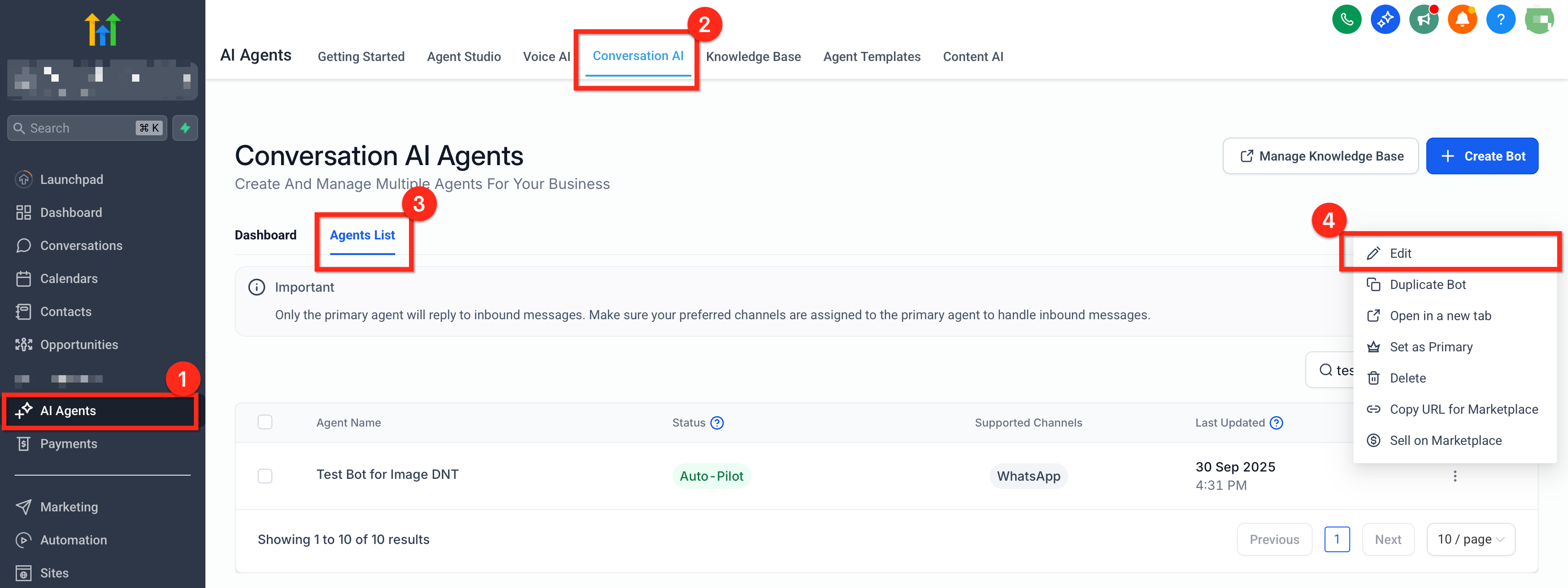
Audio Response is managed from the Subaccount under AI Agents > Conversation AI > Agent List. Each bot’s settings include a toggle to enable voice note handling, and the bot must be assigned to the channels where audio will be received.
03How businesses use audio response
- Real estate agency. The agency enables Audio Response on its lead capture bot, allowing prospective buyers to send quick voice notes describing property preferences. The bot transcribes the message, matches it to listings, and replies with suitable options, all within the chat.
- Fitness studio. The studio turns on Audio Response for its class booking bot. Members can speak their preferred class times, the bot converts the audio to text, checks the schedule, and confirms the booking through the same conversation.
- Online tutoring service. The tutoring service activates voice note handling so students can ask questions by speaking. The bot transcribes the query, uses its training to generate an answer, and sends the response as a text message.
04The numbers and rules that matter
- Supported voice notes: WhatsApp Voice Notes, Facebook Voice Notes, Instagram Voice Notes.
- Supported file formats: OGG, MP3, MP4 (audio only), AAC, M4A, MPEG.
- Video MP4s aren’t supported as audio inputs.
- Channels: Facebook Messenger, Instagram Direct Messages, WhatsApp, SMS (MMS).
05Before you start
- Conversation AI must be enabled for the Subaccount.
- At least one AI Agent must be created.
- Supported messaging channels need to be connected.
- The AI Agent must be assigned to the desired channels.
06How to set up and use audio response in HighLevel
Set up audio response
- In the Subaccount, navigate to AI Agents > Conversation AI > Agent List.
- Click the three dot menu next to the bot you want to modify.
- Select Edit to open the bot’s settings page.
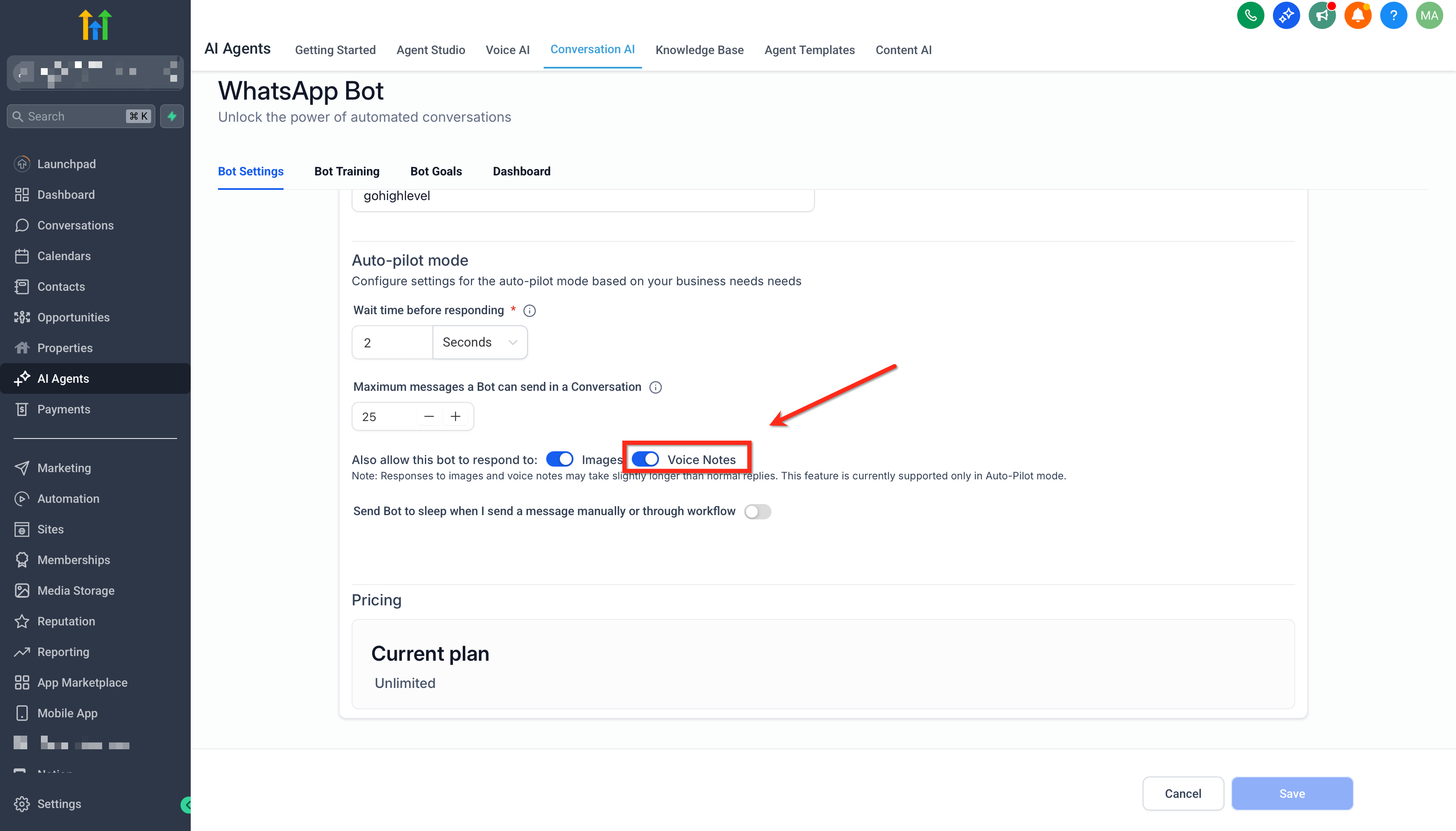
- Turn on the Audio Responses toggle labeled “Also allow this bot to respond to: Voice Notes.”
- Save the changes and send a voice note on a connected channel to verify the reply.
07What it looks like in HighLevel
08Settings that matter
- Audio Responses toggle “Also allow this bot to respond to: Voice Notes.”. Enables the bot to accept voice notes and audio file attachments, triggering transcription and reply generation.
09Things to know before you rely on it
- Supported audio formats are OGG, MP3, MP4 (audio only), AAC, M4A and MPEG; video MP4 files are not accepted.
- Audio can be received on WhatsApp, Facebook Messenger, Instagram Direct and SMS/MMS only when those channels are connected.
- Multiple audio files sent close together are processed as a single interaction.
- The bot still follows the configured Wait Time and Maximum Message Limit settings.
- Meta channels must adhere to their 24 hour policy window for replies.
10How it connects to the rest of HighLevel
- Learn how to build a Conversation AI flow that uses audio inputs Conversation AI flow builder
- View and manage your Conversation AI agents in the dashboard Agents dashboard
- Check bot status for individual contacts to see audio handling in action Bot status per contact
Michael's take

Audio responses let a contact simply speak, and the bot turns that into text and replies, keeping the conversation flowing naturally.
The first setting I would lock in is the Audio Responses toggle in the bot’s settings. Turning it on enables the bot to receive voice notes, so you can start testing the spoken experience across your channels.