
01Who this is for
- Agency owners benefit because LaunchPad shows role aware tasks and visual progress.
- Admin users gain quick access to setup actions for contacts, calendars and communications.
- Users with appropriate permissions can follow guided videos and tours to configure payments and sites.
02Subaccount Launchpad, explained
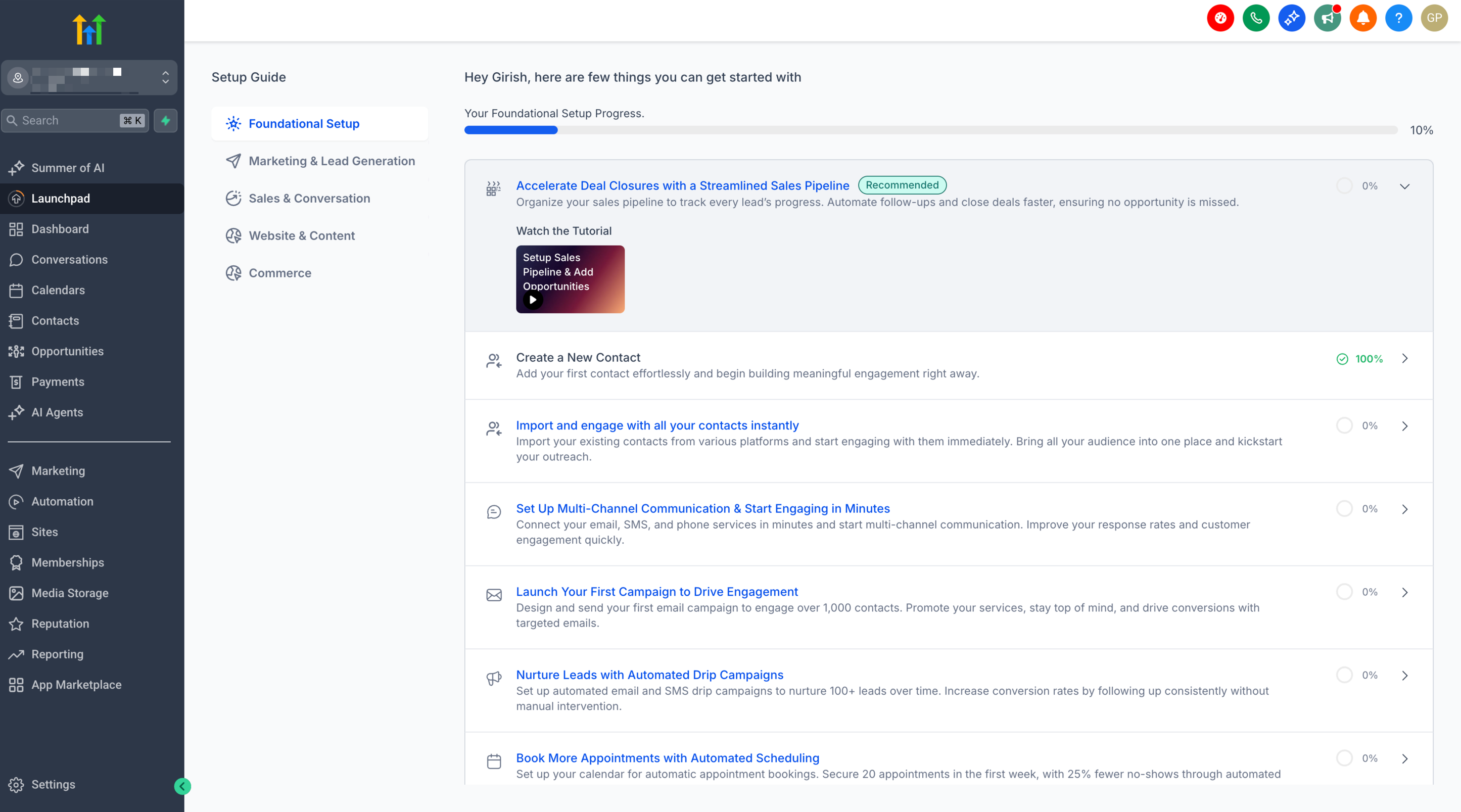
LaunchPad serves as a centralized onboarding area that bundles checklists, tutorial videos and in app tours. It surfaces the most impactful setup actions for the user’s role, helping them configure the platform with confidence.
The workspace appears for users who meet eligibility based on the agency’s signup date, plan tier and rollout group. Content changes automatically according to the user’s permissions and the features enabled in their account.
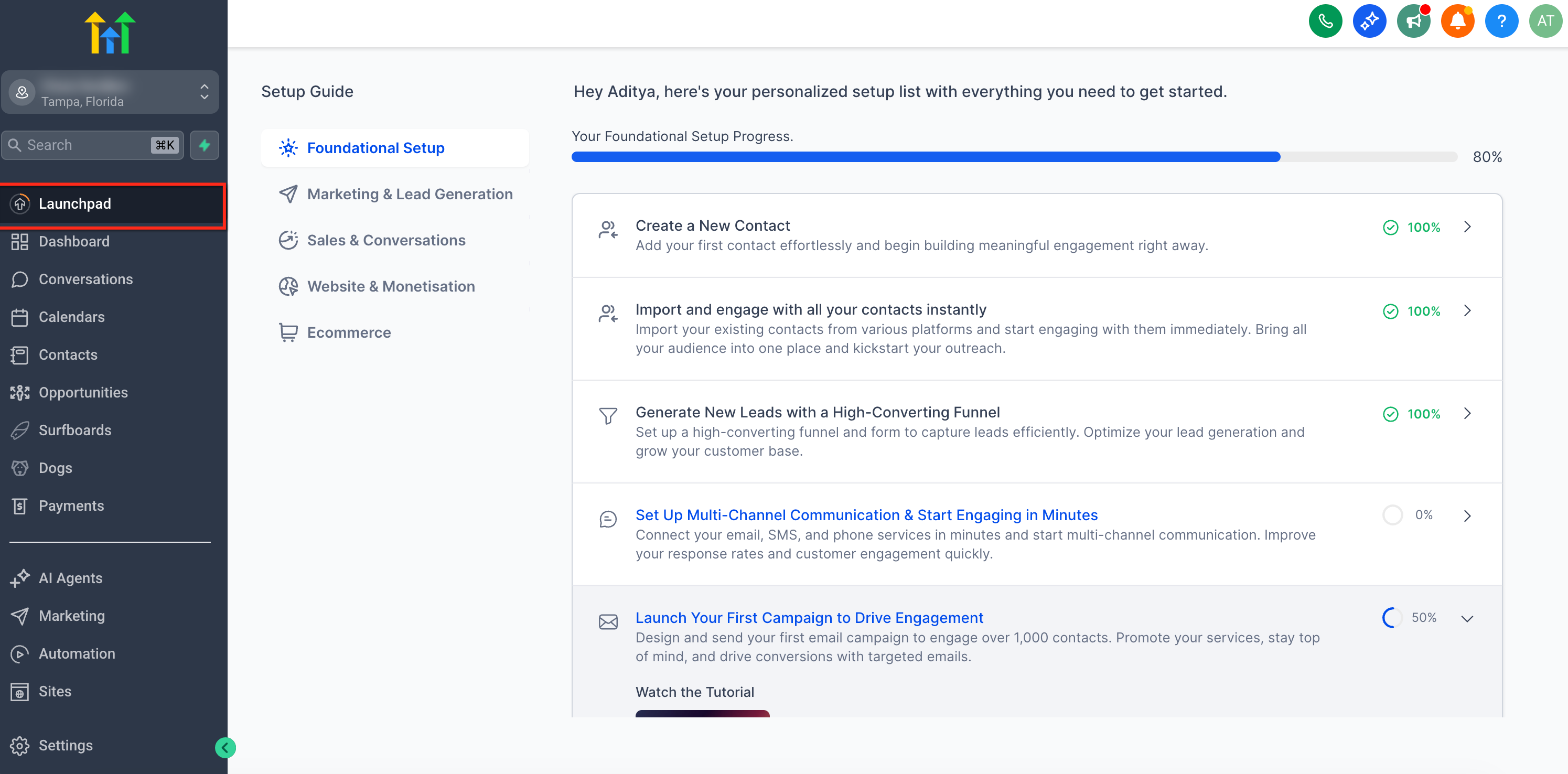
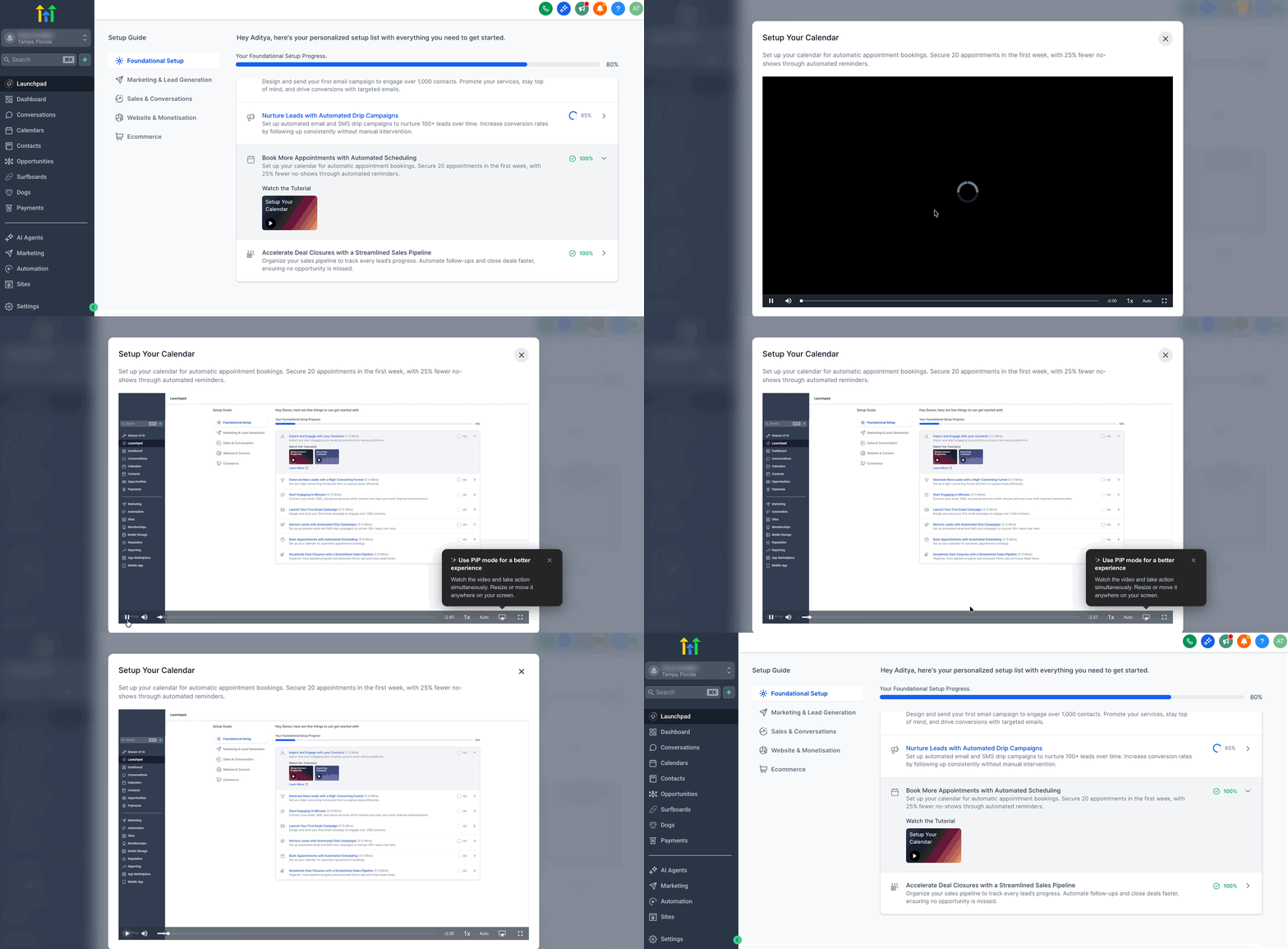
LaunchPad lives inside the HighLevel app. From the left navigation menu of a subaccount, users can open it at any time, follow the provided guidance, and see visual indicators of what is completed and what remains.
03How businesses use the Subaccount Launchpad
- Marketing agency. An agency can open LaunchPad in a client subaccount, watch the short videos to set up funnels and first campaigns, then run the Product Tour Guide to connect calendars and communication channels, ensuring consistent onboarding for each client.
- Dental practice. A dental office uses LaunchPad to import patient contacts, set business hours, configure appointment calendars and enable SMS reminders, following the step by step tour that marks each task complete once saved.
- Ecommerce store. The store owner accesses LaunchPad to connect a domain, publish a site, configure payment processing and set up product checkout flows, using the embedded video and tour to verify each configuration before moving to the next step.
04The numbers and rules that matter
- Expanded access from the $97 plan to eligible $297 and $497 plan customers (per HighLevel's help center, checked November 2026).
- A/B rollout: 50% of eligible customers receive the new LaunchPad, 50% stay outside the test group.
- Accessibility labels, announcements and alt text are translated across 13 locales.
05Before you start
- Agency must be on an eligible $297 or $497 plan and part of the current rollout group (per HighLevel's help center, checked November 2026).
- User must have the role and permissions required for the tasks they intend to complete.
- The agency must have joined HighLevel after the launch of the Subaccount LaunchPad rollout.
06How to set up and use the Subaccount Launchpad in HighLevel
Open Subaccount LaunchPad
- Open the desired subaccount and click LaunchPad in the left navigation menu.
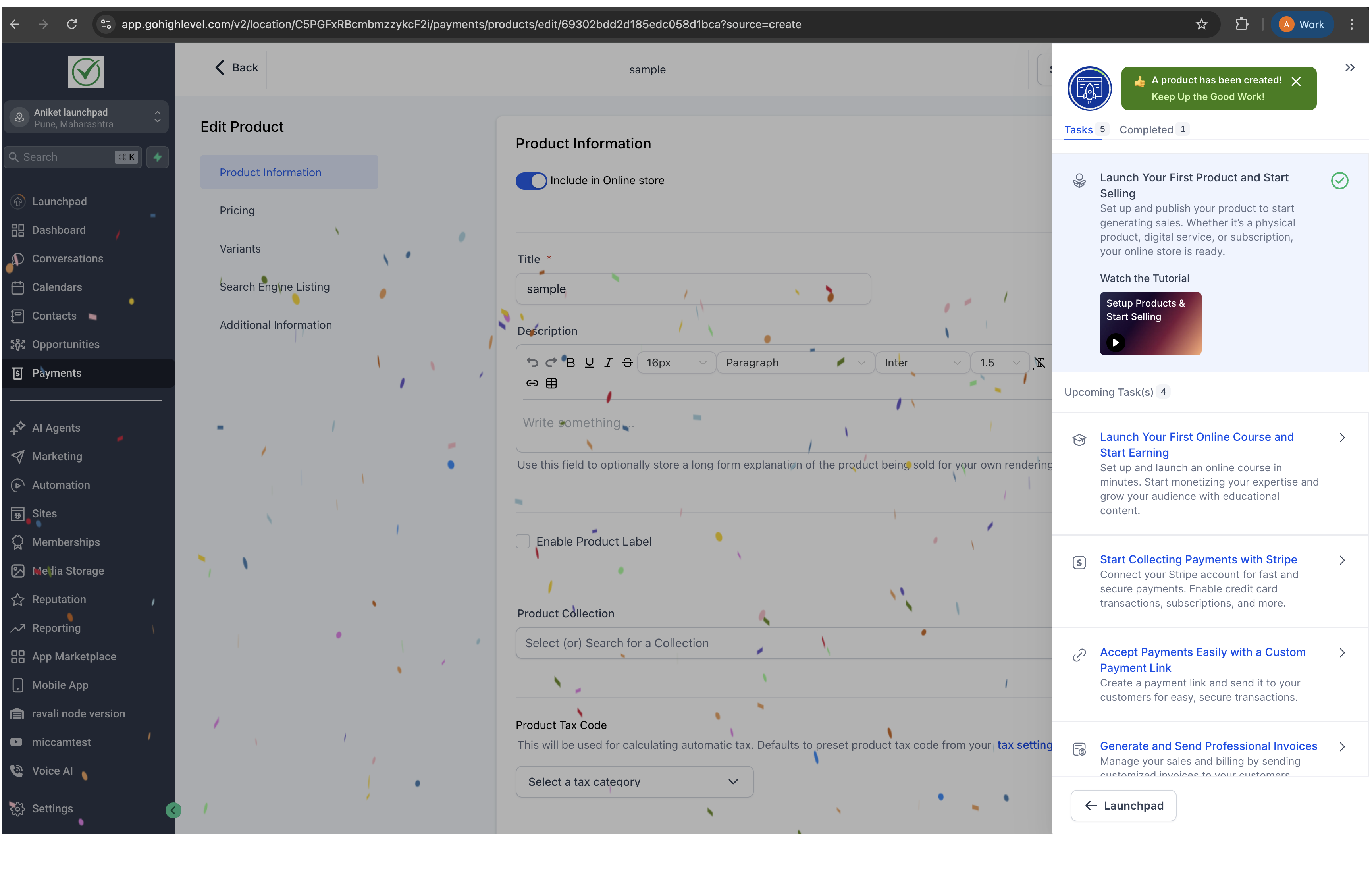
- Select the most relevant task, such as connecting payments or setting up calendars.
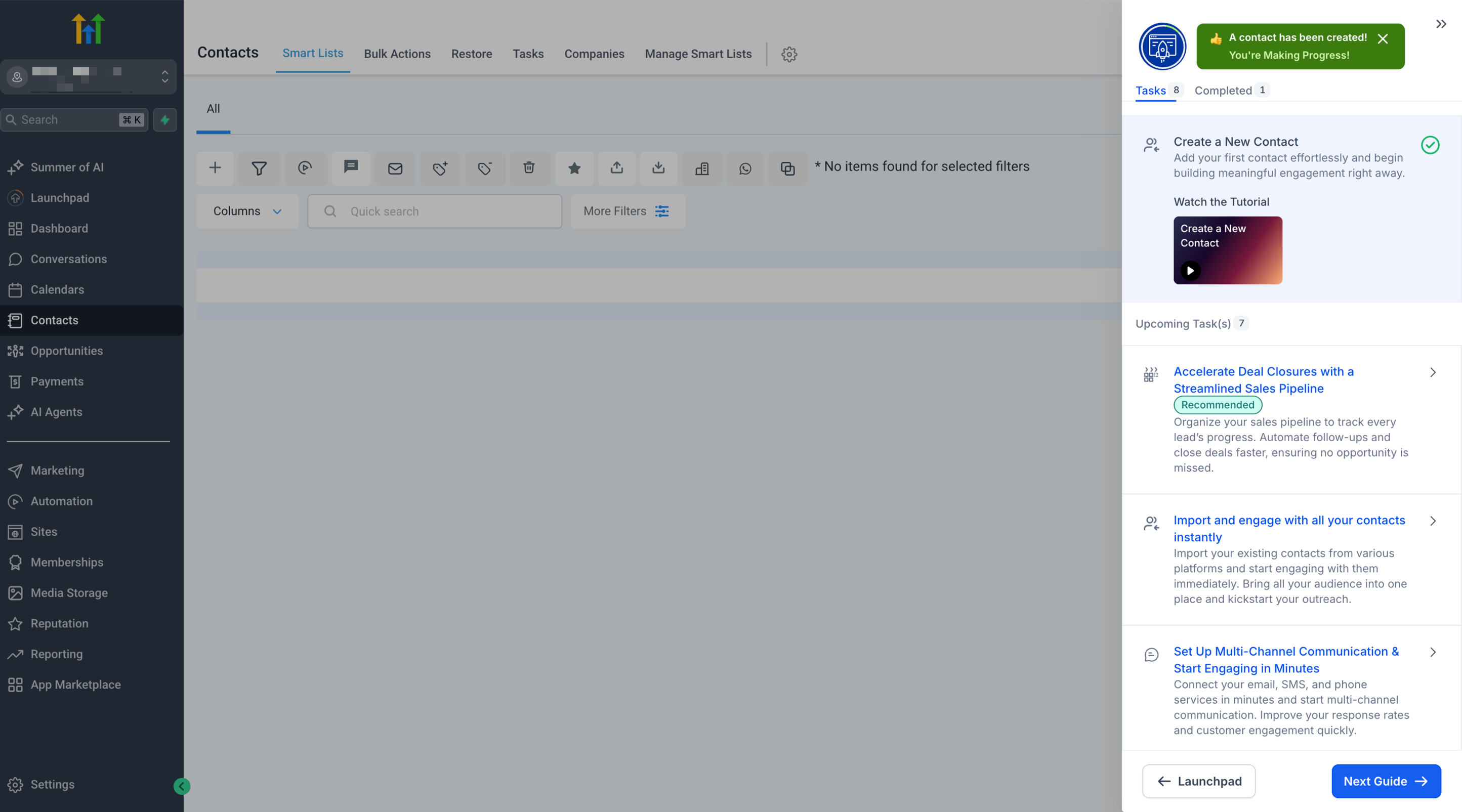
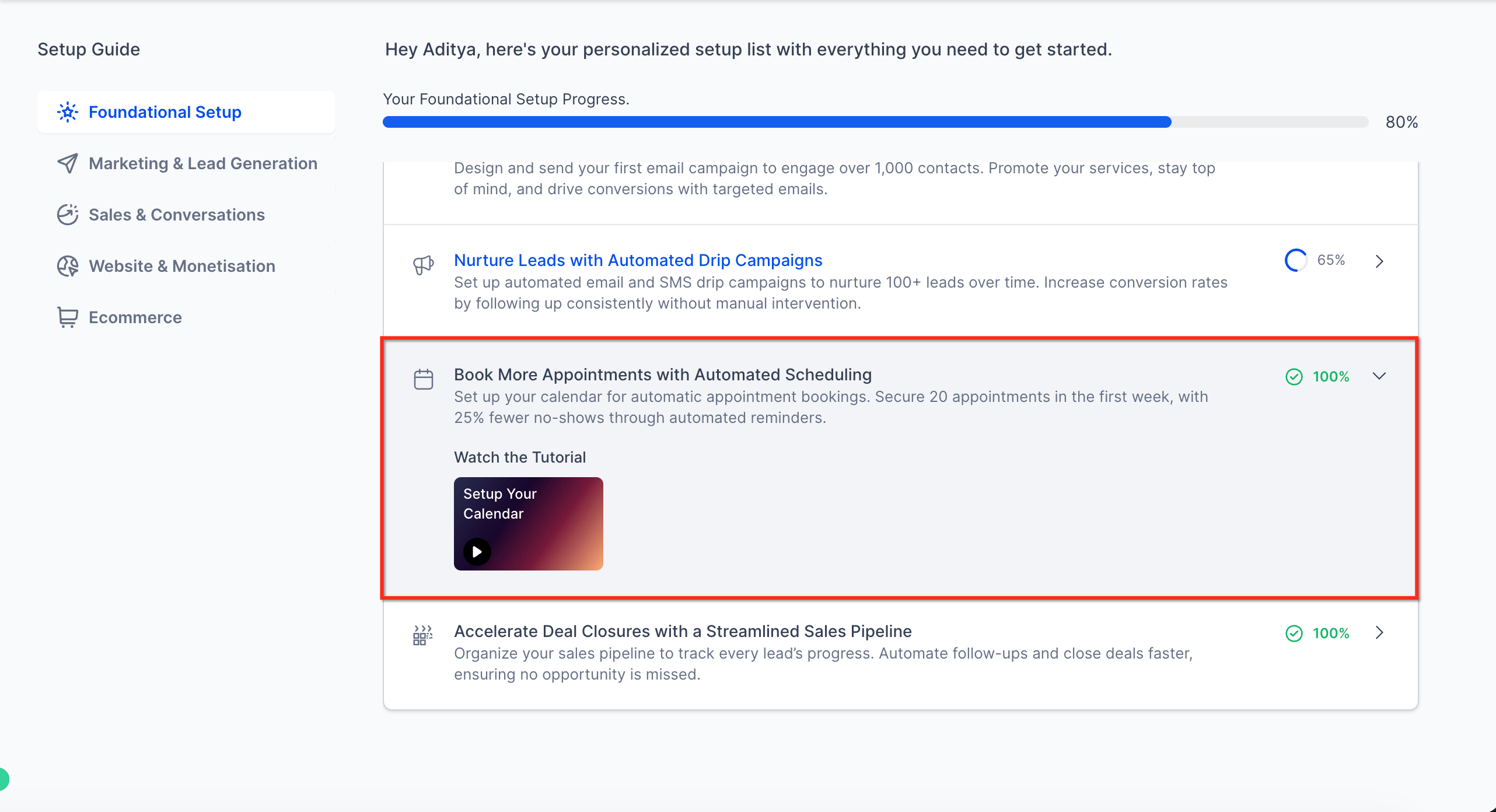
- Play the video tutorial that appears, optionally turning on picture in picture to keep it visible while working.
- Start the Product Tour Guide and follow each highlighted click until the walkthrough finishes.
- Complete the entire tour before navigating away so the action can be marked complete.
- Return to the LaunchPad screen to view the updated progress and choose the next task.
07What it looks like in HighLevel
08Settings that matter
- Agency Sub, Account. Determines which subaccount serves as the primary reference point for tracking onboarding progress and configuration steps.
09Things to know before you rely on it
- Only agencies that joined HighLevel after the launch and are on $297 or $497 plans are eligible (per HighLevel's help center, checked November 2026).
- Existing agencies do not receive the new Subaccount LaunchPad, even if they add new subaccounts.
- Eligibility is split in a 50/50 A/B test; half of qualifying agencies see the new experience.
10If something goes wrong
- LaunchPad is not visible in the left menu. Verify that the agency meets the eligibility criteria, belongs to the active rollout group, and that the user has the necessary permissions.
11How it connects to the rest of HighLevel
- Eligibility depends on plan tier; see the pricing page for details. Pricing
- Learn more about agency wide onboarding features in the All Agency View guide. Agency View features
- Start a trial to explore LaunchPad before committing to a plan. 30 day trial
- Activating Labs features may reveal additional onboarding tools within LaunchPad. Labs features
Michael's take

The Subaccount Launchpad is worth the time it takes to walk a new team member through the first critical steps. It puts the most important setup tasks, videos and shortcuts in one place, so a small business can get productive faster and may reduce support load.
Avoid letting users skip the guided tour before moving on, because the action won’t be marked complete.