
01Who this is for
- Agency owners who need centralized control over experimental tools for multiple client accounts.
- Subaccount administrators who want to test a new capability in a single team without affecting other teams.
02Labs features, explained
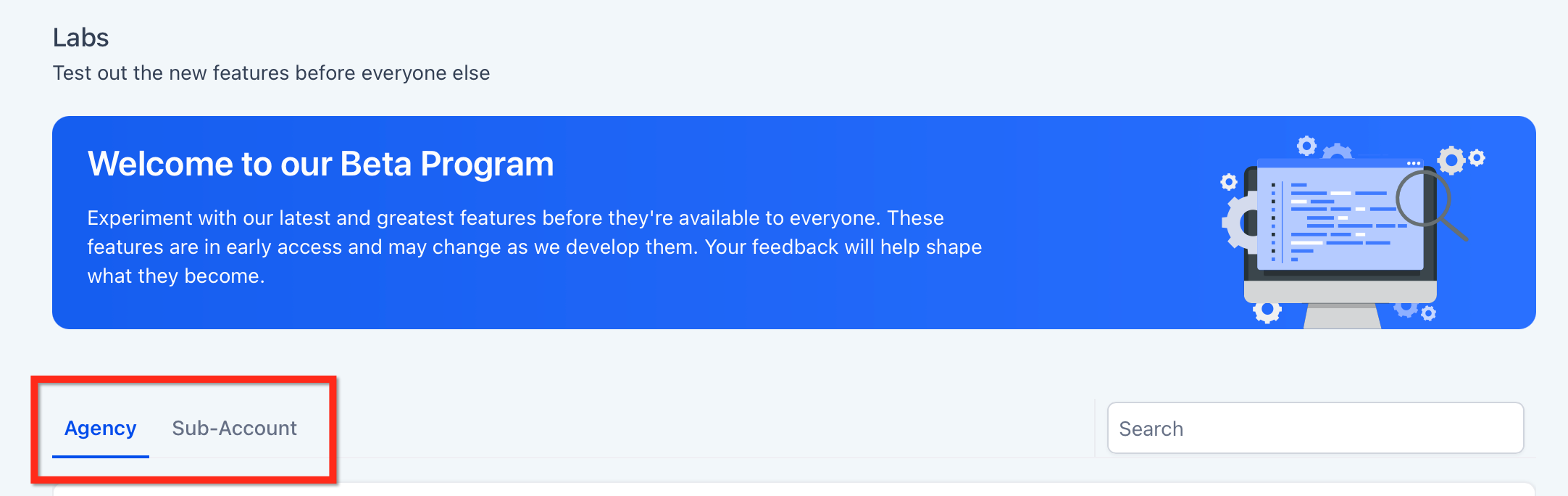
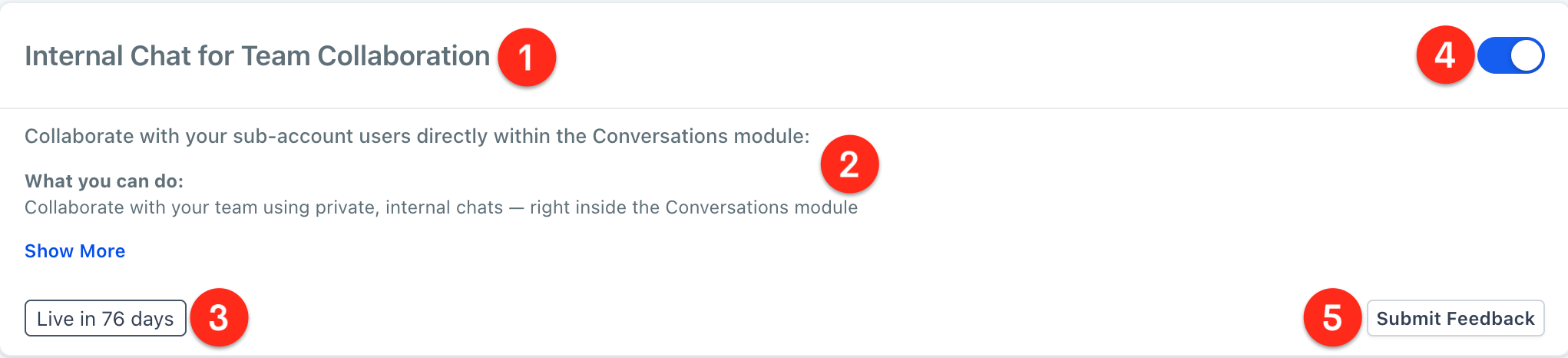
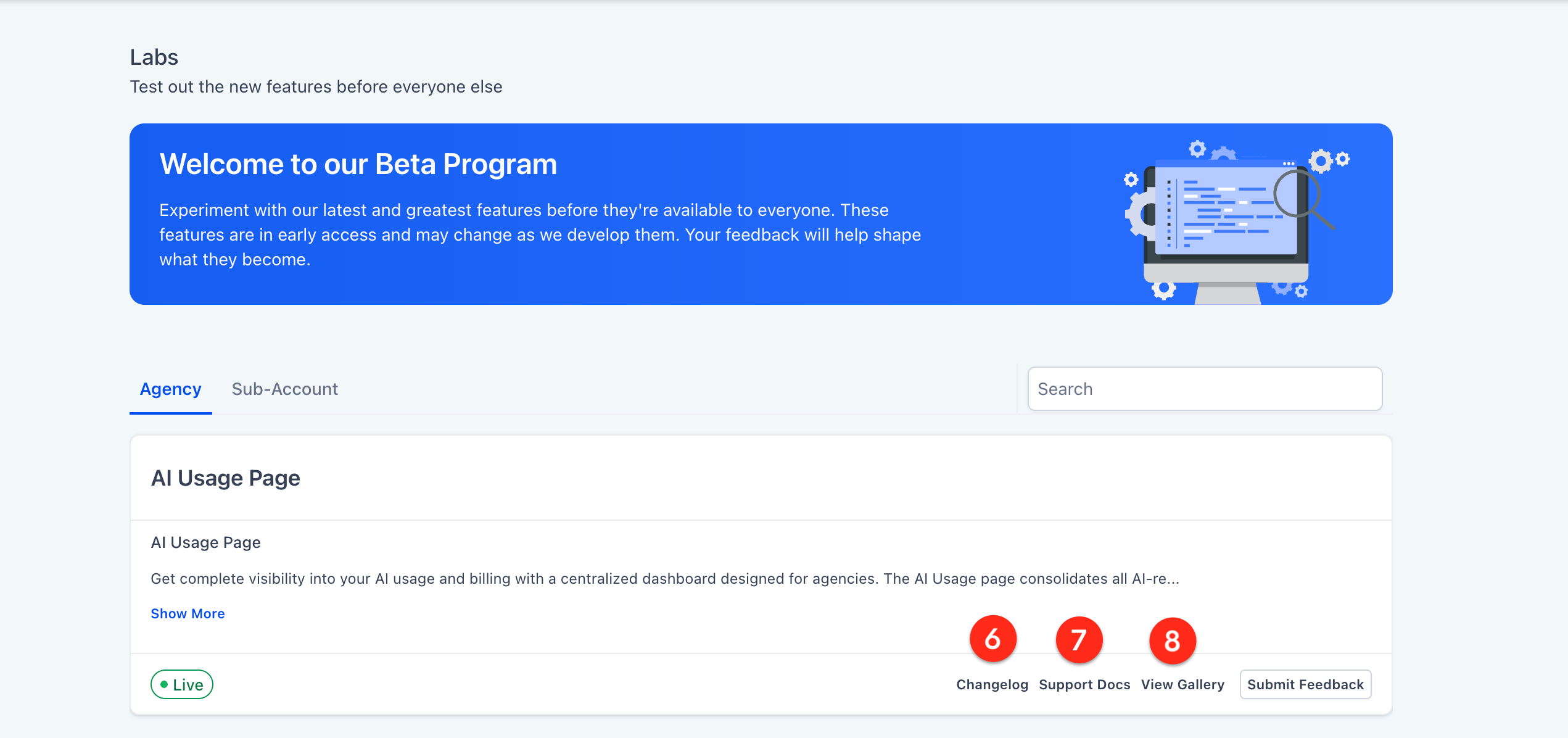
Labs provides a toggle interface inside the Settings area of HighLevel. In Agency view you can switch on features that affect the whole agency and optionally assign them to selected subaccounts. In Subaccount view the same toggle appears for features that are allowed to be enabled locally. Each feature is shown as a card with a description, an estimated rollout window, and a button to submit feedback directly to the product team.
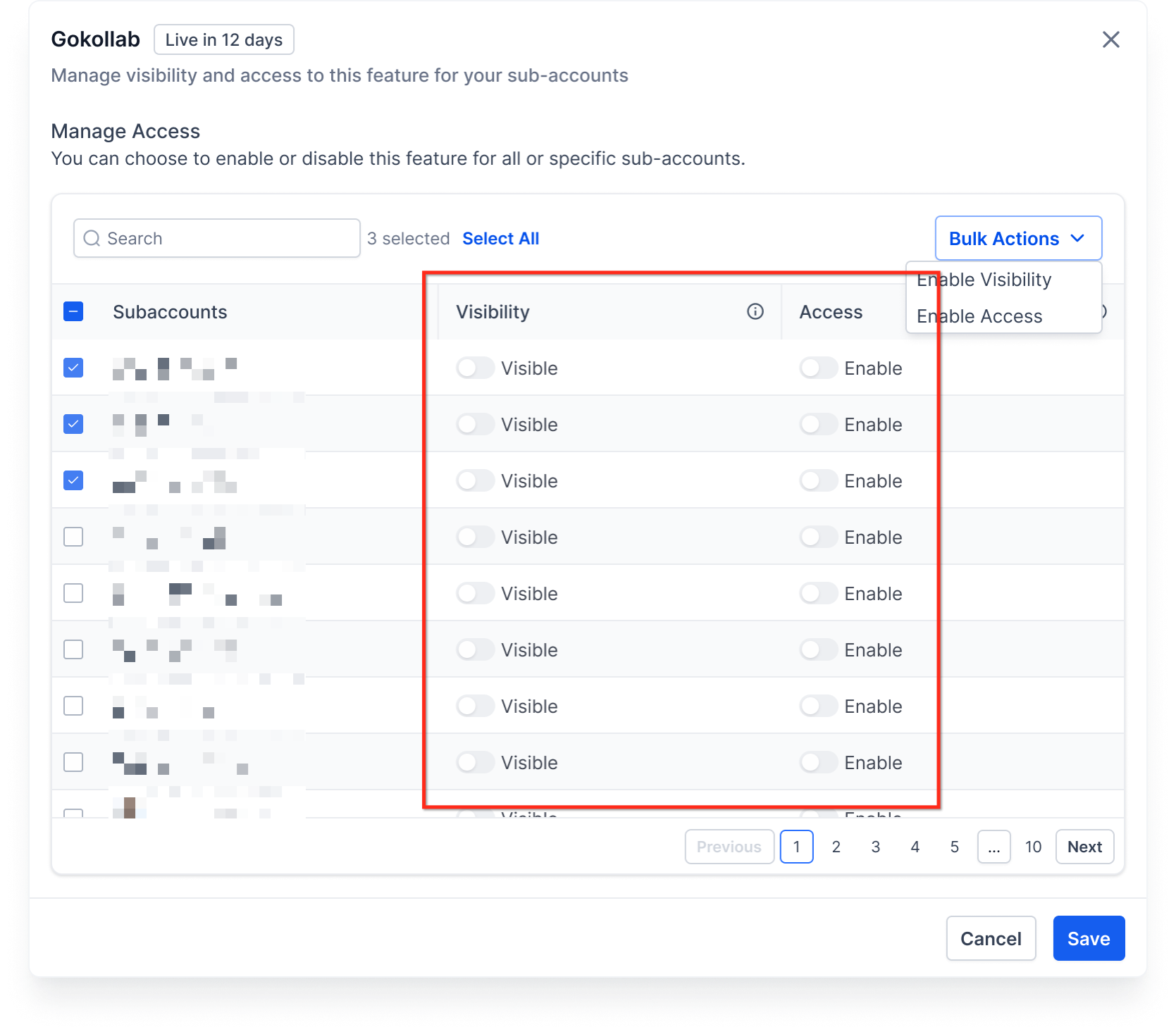
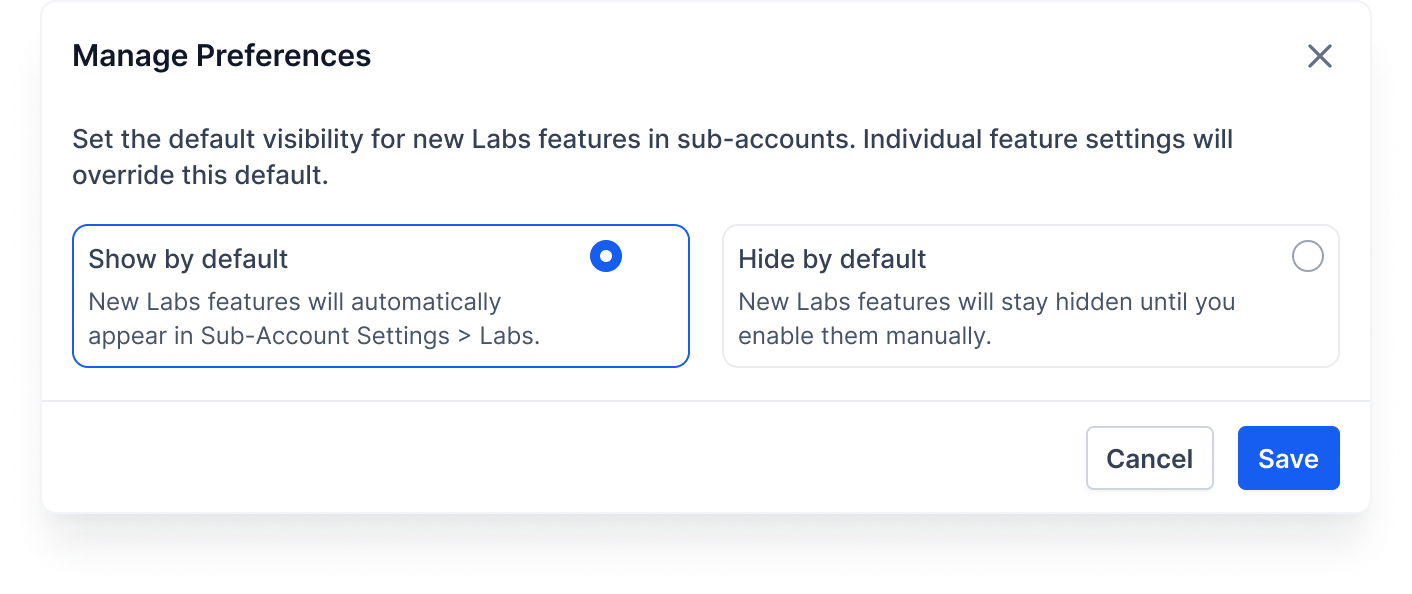
The visibility control decides whether a Labs feature is shown in the Subaccount Settings page. The enable control decides if the feature is active for that subaccount. Unlimited and Pro plans let admins set default visibility and override it per subaccount, while Starter plans keep all Labs features visible and hide the visibility controls. Changing a toggle records the action in the Audit Log for later review.
03How businesses use labs features
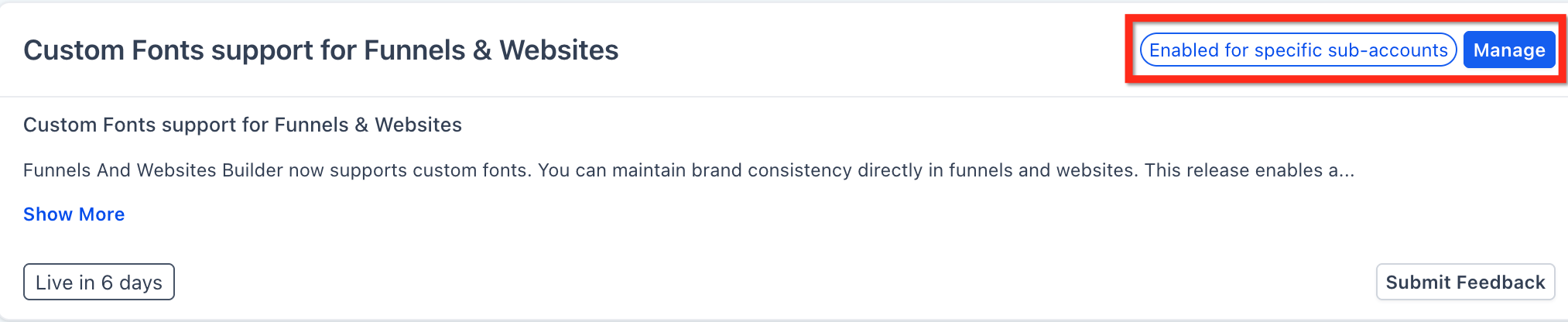
- Digital marketing agency. The agency owner enables a new reporting widget in Labs for a handful of client subaccounts using the Manage button. After saving, the chosen clients can see the widget in their dashboards while other clients remain unchanged.
- SaaS startup with reseller partners. A reseller admin opens Settings > Labs inside their subaccount and turns on an upcoming integration feature. The startup’s product team can then test the integration without the agency needing to grant access first.
- Real estate brokerage. The brokerage’s regional manager toggles a Labs feature that adds a new property listing view in the agency account. Because the feature is Agency only, it becomes available to all office subaccounts automatically.
04The numbers and rules that matter
- Unlimited and Pro Plans support visibility defaults and per subaccount visibility and enablement management.
05Before you start
- You must be logged into the appropriate HighLevel context, Agency view for agency level actions or Subaccount view for local actions.
- Your role must include the View & Manage Settings permission, typically an Agency Owner, Agency Admin, or Subaccount Admin.
06How to set up and use labs features in HighLevel
Enable an Agency only Labs feature
- Log in to the Agency account.
- Open Settings > Labs and select the Agency tab.
- Find the desired feature card and read its description and release timeline.
- Switch the toggle to ON.
Enable a Subaccount Labs feature via Agency assignment
- Log in to the Agency account.
- Navigate to Settings > Labs and choose the Subaccount tab.
- Locate the feature card and review its description and rollout estimate.
- Press the Manage button and pick the subaccount(s) to grant visibility and/or enablement.
- Click Save to apply the selection.
- Open each assigned subaccount and refresh the area to verify the feature appears and is active.
Enable a Subaccount Labs feature directly
- Within the target subaccount, go to Settings > Labs.
- Identify the feature card and flip the toggle to ON.
- Refresh or reopen the relevant module to observe the change.
07What it looks like in HighLevel
08Settings that matter
- Visibility. Controls whether a Labs feature is listed in the Subaccount Settings page.
- Enabled. Determines if the feature is active for the subaccount after it is visible.
- Manage. Allows Agency owners or admins to assign visibility and enablement of a Labs feature to specific subaccounts.
09Things to know before you rely on it
- Only Unlimited and Pro plans support per subaccount visibility and enablement controls; Starter plans keep all Labs features visible and hide those controls.
- Some subaccount features require the agency to grant visibility before a subaccount can enable them.
- Labs features are in early access; functionality, design, and release dates may change.
10If something goes wrong
- Labs section is missing.. Confirm you are in the correct context (Agency vs. subaccount) and that your role includes the View & Manage Settings permission.
- A specific Labs feature does not appear in a subaccount.. Ask an Agency Owner or Admin to check the feature’s visibility setting; it may be set to Hidden for that subaccount.
11How it connects to the rest of HighLevel
- Explore the full list of Agency View capabilities. All Agency View features
- Review plan options to see which include visibility controls for Labs. HighLevel pricing and plans
- Start a free trial to test Labs features in a fresh environment. Start a 30 day HighLevel trial
Michael's take

Labs features are worth the attention for agencies that want to stay ahead of the curve.
If you run a very small operation with no subaccounts, you can skip it.