
01Who this is for
- Agency administrators who need to communicate updates across multiple subaccounts, because the tool centralizes banner creation and audience targeting.
- Marketing teams that run promotions for client accounts, as they can schedule banners and add clickable buttons that link to campaign pages.
02Announcements Builder, explained
Announcements Builder is a feature inside the Agency View that creates notification banners appearing inside HighLevel. Each banner can contain a title, body text, priority level, and an optional action button. The builder also provides style controls for colors and lets users decide whether the banner shows for agency users, subaccount users, or both.
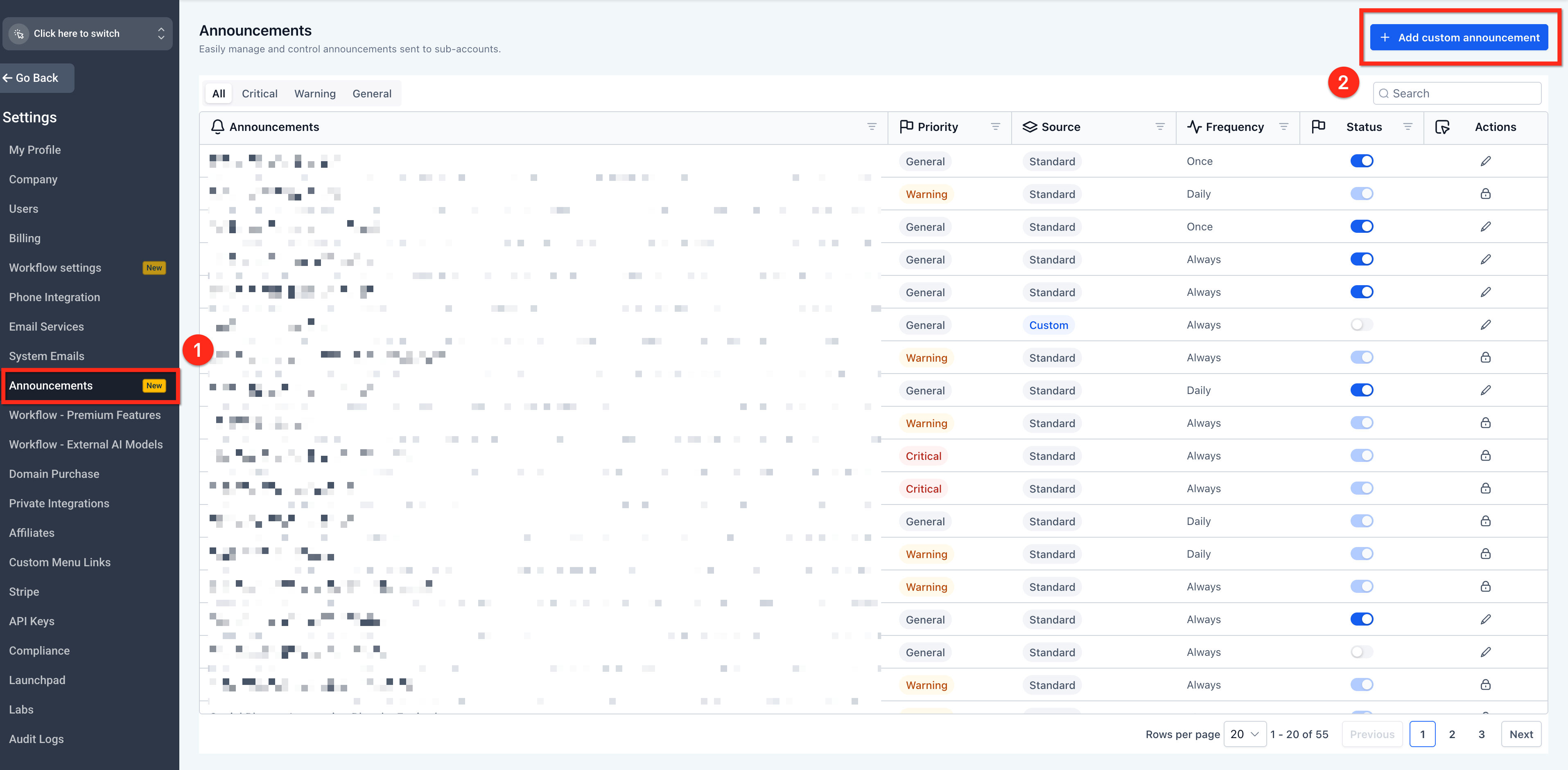
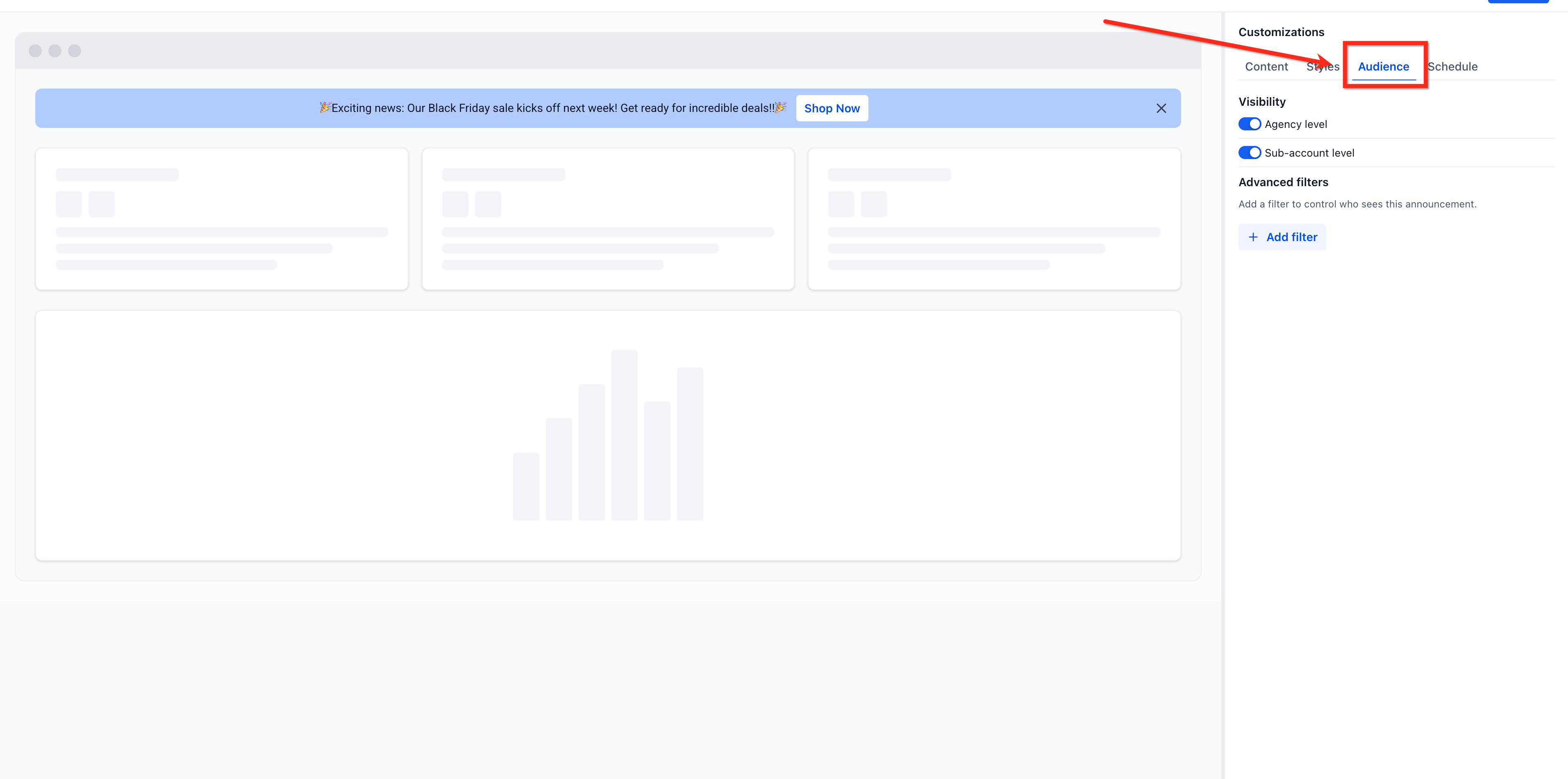
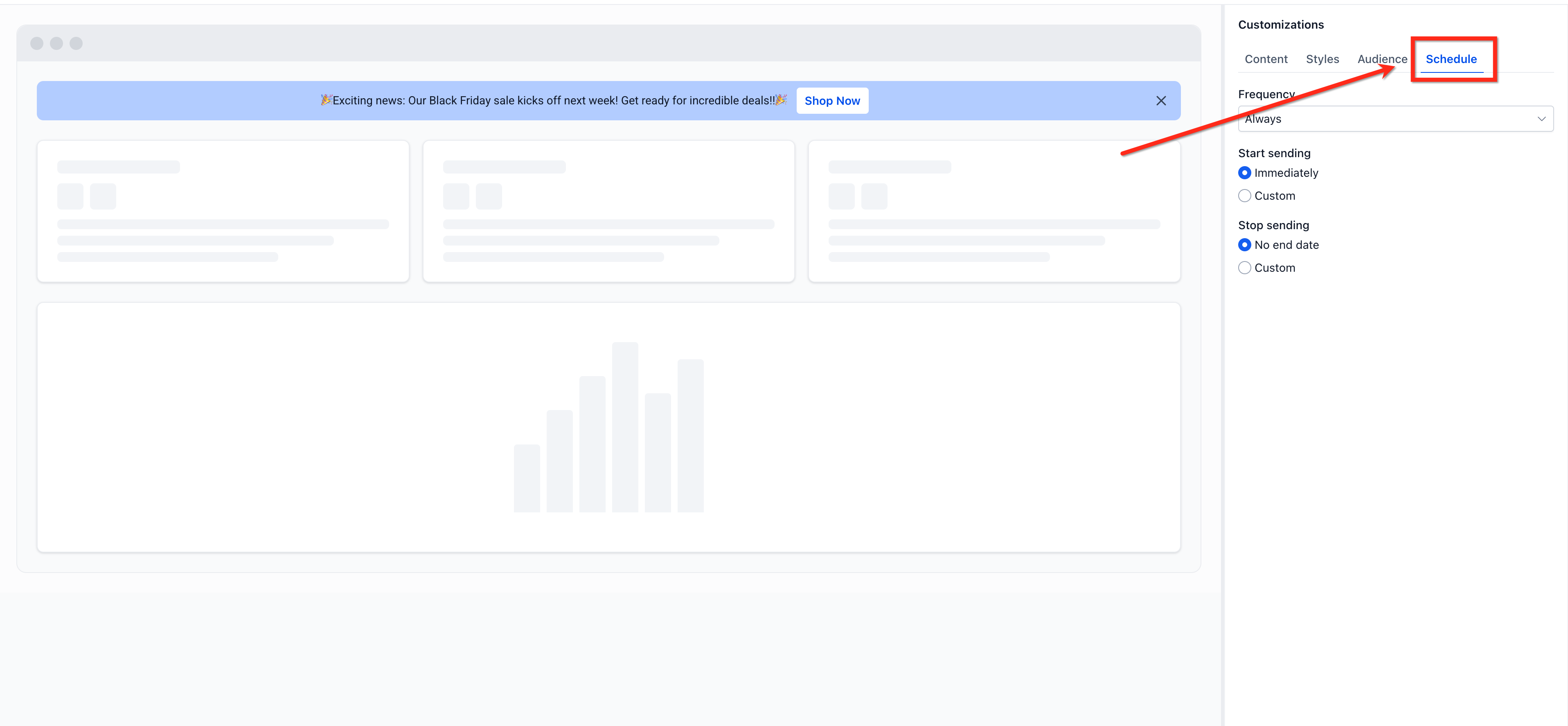
The builder lives under Settings > Announcements in the Agency View. Within the creator you switch between Content, Styles, Audience, and Schedule tabs to define the message, visual design, who sees it, and when it appears. Advanced Filters let you narrow the audience based on user or subaccount attributes.
03How businesses use Announcements Builder
- Digital marketing agency. The agency creates an announcement to inform all client subaccounts about a new feature rollout. It sets the banner to appear at the account level, adds a CTA linking to the feature guide, and schedules it for the launch week.
- SaaS product manager. The product manager drafts a banner that alerts agency users to an upcoming maintenance window. Using Advanced Filters, the banner targets only users with the role of Admin and schedules the start and end dates to match the maintenance period.
- Health clinic network. The network manager builds a banner promoting a new patient intake form. The banner is shown at both agency and subaccount levels, includes a button that opens the form in a new tab, and is set to display for a two week campaign.
04Before you start
- The user must have an agency role that includes permission to manage announcements.
05How to set up and use Announcements Builder in HighLevel
Create an announcement
- Open Agency View, then go to Settings > Announcements.
- Click the + Add Custom Announcement button in the upper right corner.
- Enter a name for the new announcement.
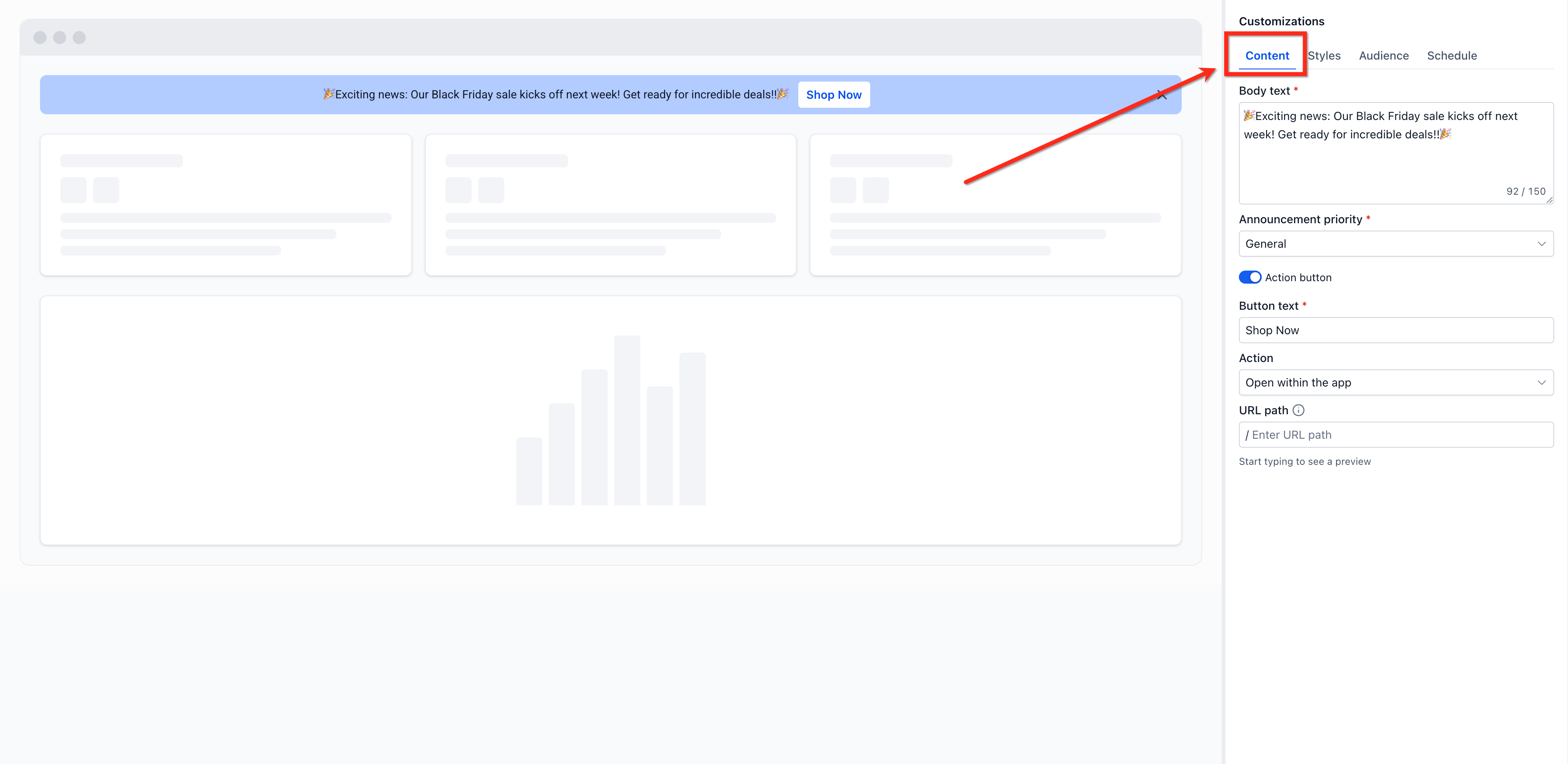
- Select the Content tab and provide the headline, body text, priority, and optional CTA details such as action button, button text, action, and URL.
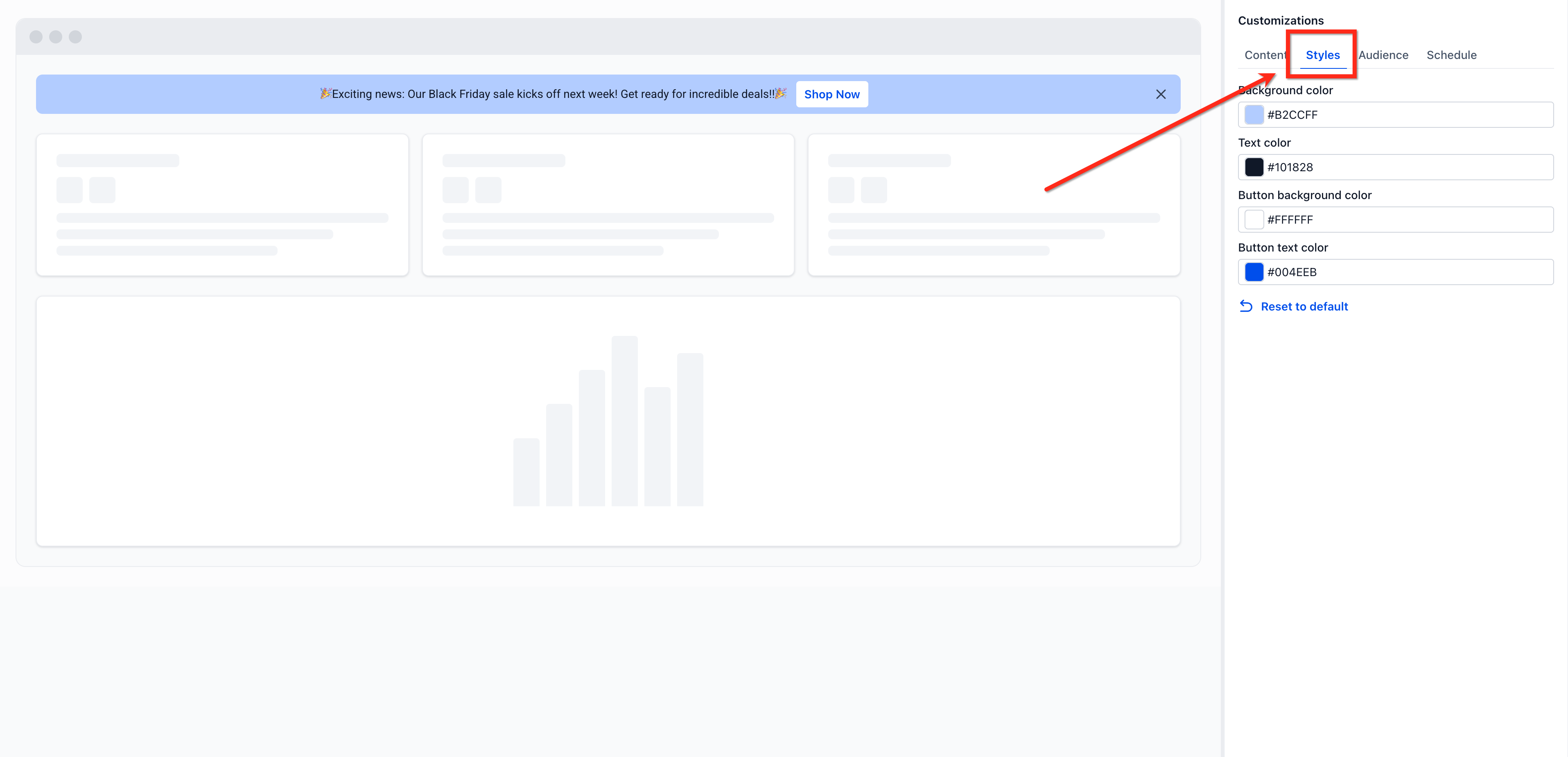
- Open the Styles tab and pick colors for the background, text, button background, and button text.
- Open the Audience tab, choose agency, subaccount, or both visibility, and add any Advanced filters to refine the audience.
- Open the Schedule tab and set the start date and end date for when the banner should appear.
- Review the preview, decide whether to keep the announcement as Draft or make it Active, and click Save.
06What it looks like in HighLevel
07Settings that matter
- Name. Specifies the internal identifier for the announcement.
- Content tab. Holds fields for the announcement title, body text, priority, and optional CTA configuration.
- Announcement priority. Determines the urgency level, Critical, Warning, or General, used when multiple banners are active.
- Action button. Enables an optional call to action button on the banner.
- Button text. Sets the label displayed on the CTA button.
- Action. Defines what happens when the CTA button is clicked.
- URL. Provides the destination address for the CTA button.
- Styles tab. Allows customization of banner colors, including background, text, button background, and button text.
- Background color. Sets the banner’s background hue.
- Text color. Sets the color of the headline and body text.
- Button background color. Sets the CTA button’s background hue.
- Button text color. Sets the color of the CTA button label.
08Things to know before you rely on it
- Access to announcement settings depends on the user’s agency role and permissions.
- Advanced filters can only use the attributes listed in the article for users and subaccounts.
- Priority levels are limited to Critical, Warning, and General.
09How it connects to the rest of HighLevel
- Review overall banner management in HighLevel. In app banner management
- Enable Labs features that may affect announcement capabilities. Labs features
- Check pricing and plan eligibility for agency features. Pricing
Michael's take

I find Announcements Builder useful for quickly informing agency clients about important updates.