
01Who this is for
- Agency owners who manage multiple client sites, because they can duplicate a full WordPress setup with a single Snapshot.
- Marketing teams that need a consistent landing page template across campaigns, allowing rapid rollout without manual rebuilds.
- Web developers who maintain recurring WordPress configurations, reducing the chance of missing plugins or theme settings.
02WordPress support in snapshots, explained
The feature adds a WordPress asset option when building a Snapshot. Selecting this option captures the chosen WordPress site, including its pages, themes, plugins, site settings, and overall structure.
During deployment, HighLevel restores the captured WordPress site in the target subaccount along with any other assets in the Snapshot. The restoration does not transfer third party plugin or theme licenses, which may need re activation after deployment.
03How businesses use WordPress support in Snapshot
- Digital marketing agency. The agency creates a Snapshot that bundles a WordPress site used for client landing pages. When a new client account is set up, the agency loads the Snapshot, and the full WordPress environment appears ready for branding and content edits.
- Co working space management. Management builds a Snapshot containing a WordPress site that hosts the member portal. Adding a new location involves applying the Snapshot to the new subaccount, right away replicating the portal without rebuilding pages or plugins.
- Healthcare practice. A practice includes its WordPress site for patient resources in a Snapshot. When opening a new clinic, the practice deploys the Snapshot to the clinic’s subaccount, delivering the same resource site with identical settings.
04The numbers and rules that matter
- A WordPress Snapshot can include: Pages, Themes, Plugins, Site, Settings.
05Before you start
- You must be logged into an agency account.
- A WordPress site must exist in the subaccount you plan to capture.
06How to set up and use WordPress support in Snapshot in HighLevel
Create a new Snapshot with WordPress
- Log in to your agency account.
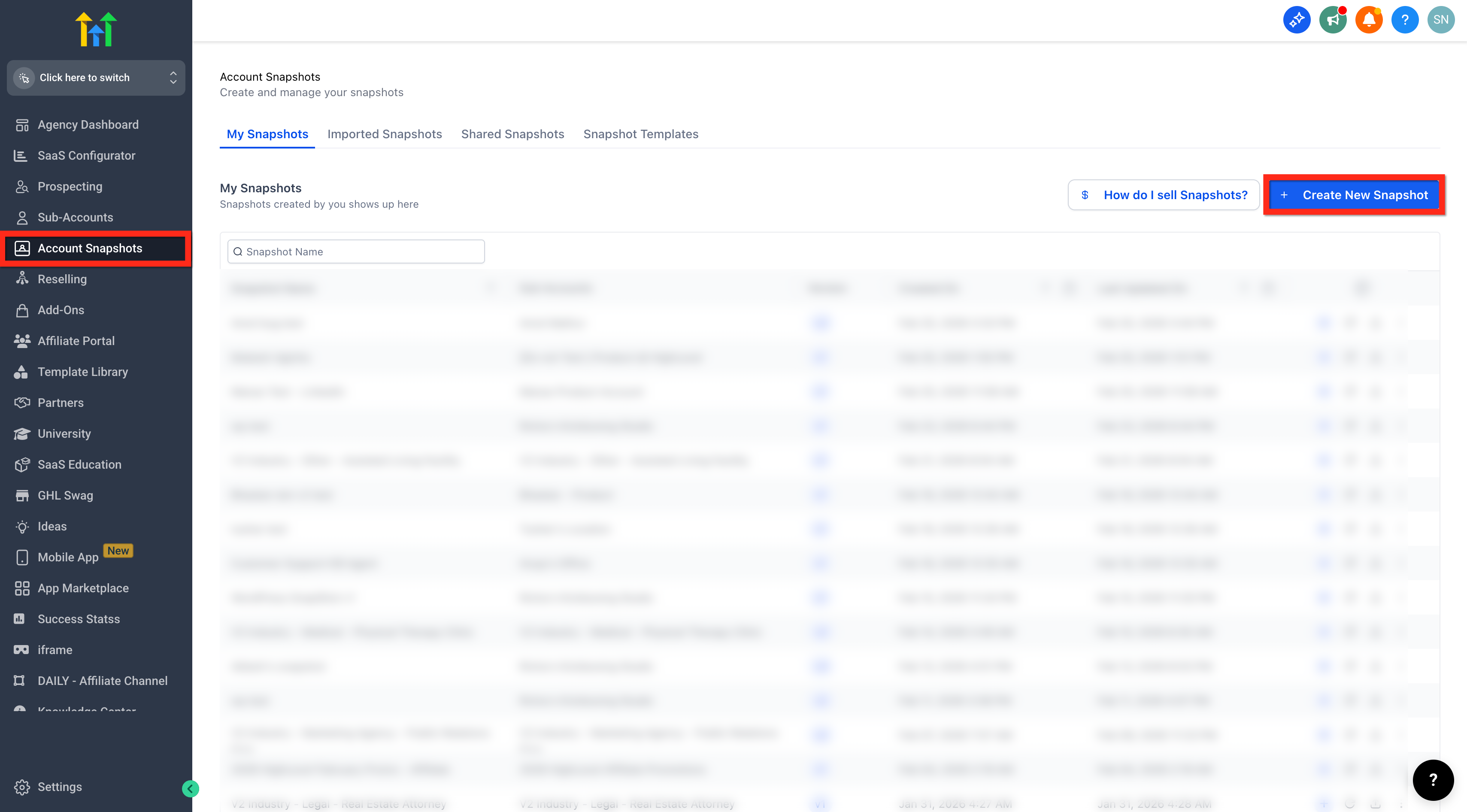
- Go to Account Snapshots.
- Click Create Snapshot.
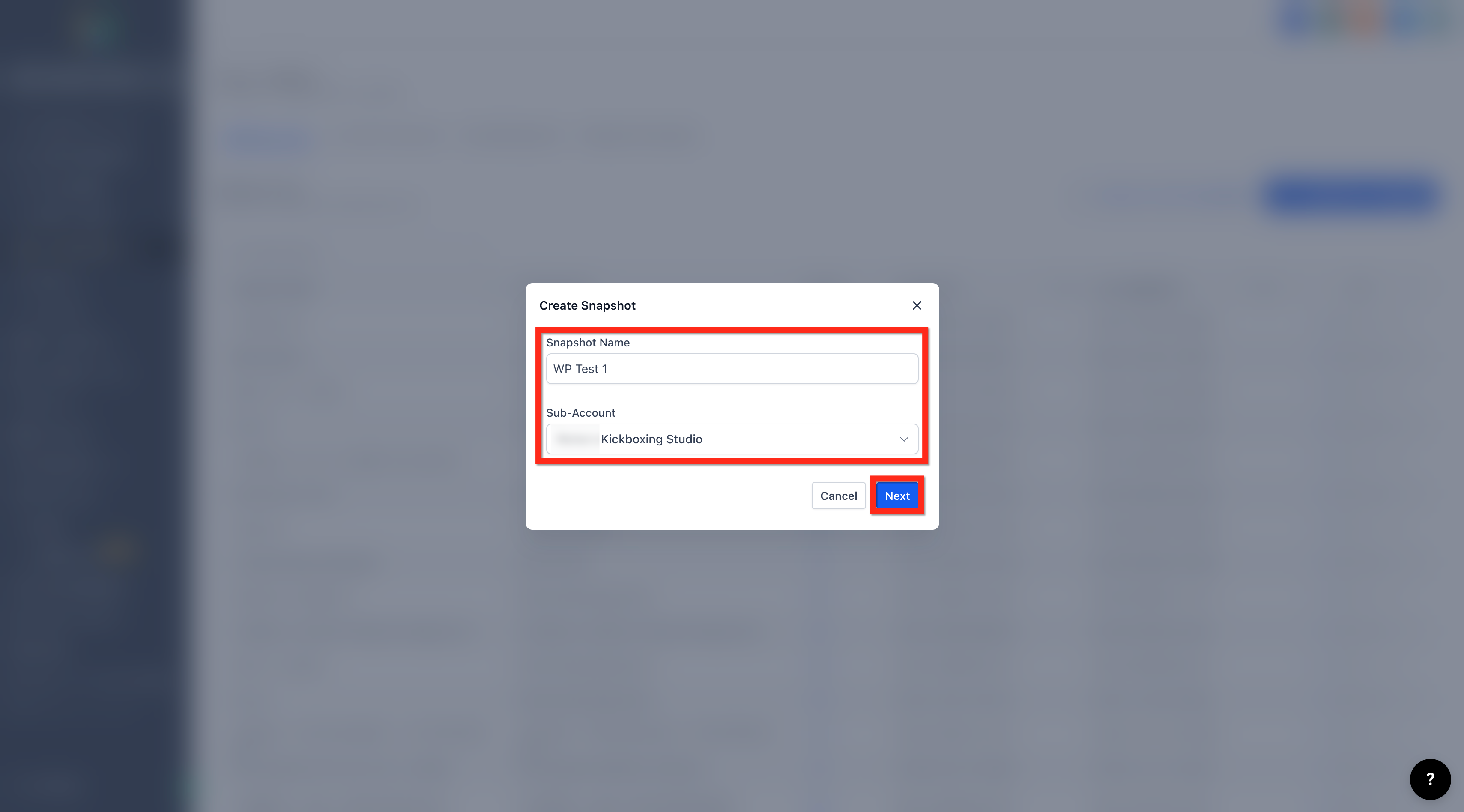
- Enter a Snapshot Name.
- Choose the subaccount that holds the WordPress site.
- Click Next to open the Select Assets modal.
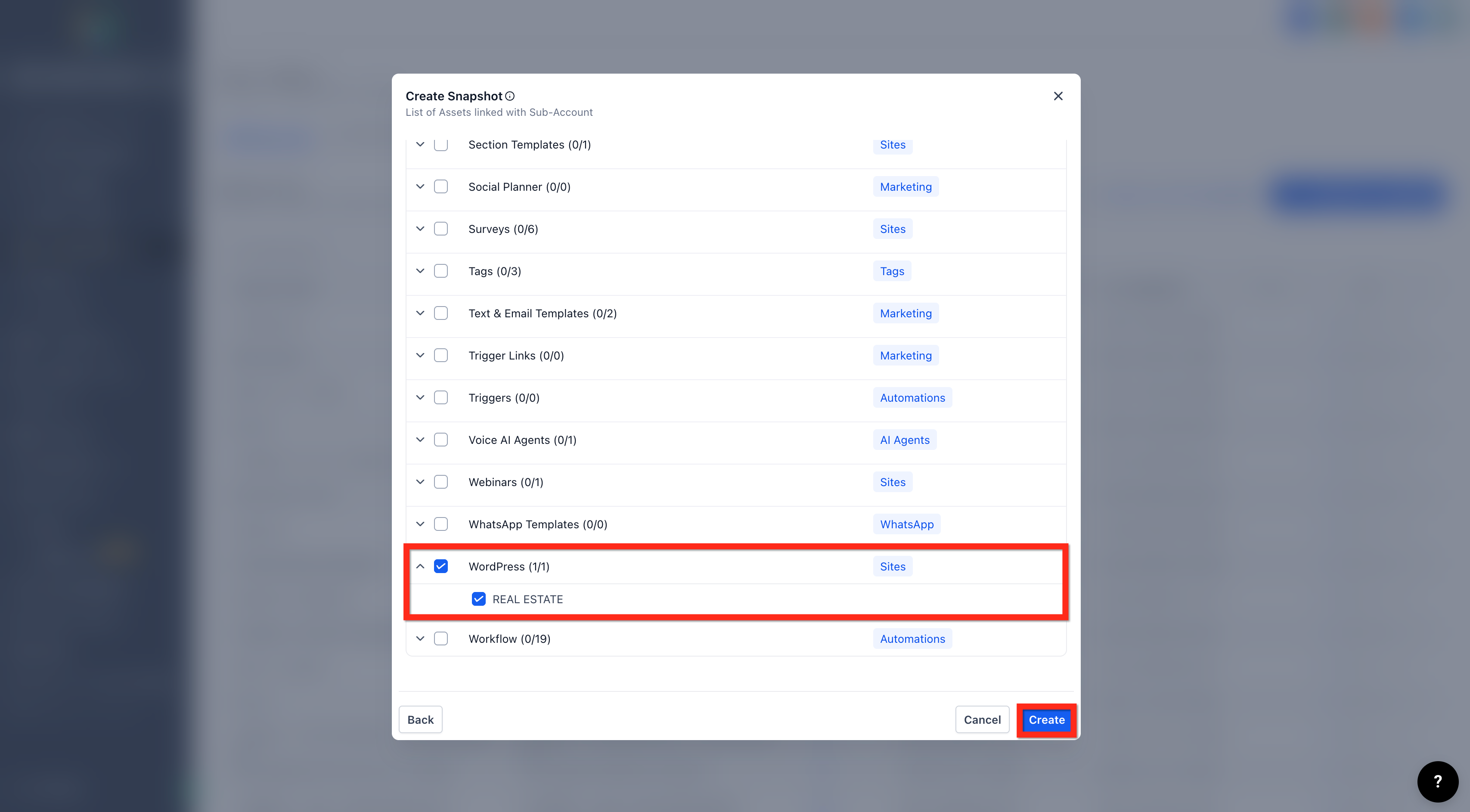
- Enable the WordPress checkbox.
- Expand WordPress and select the specific site(s) you want to include.
- Click Create.
Add WordPress to an existing Snapshot
- Log in to your agency account.
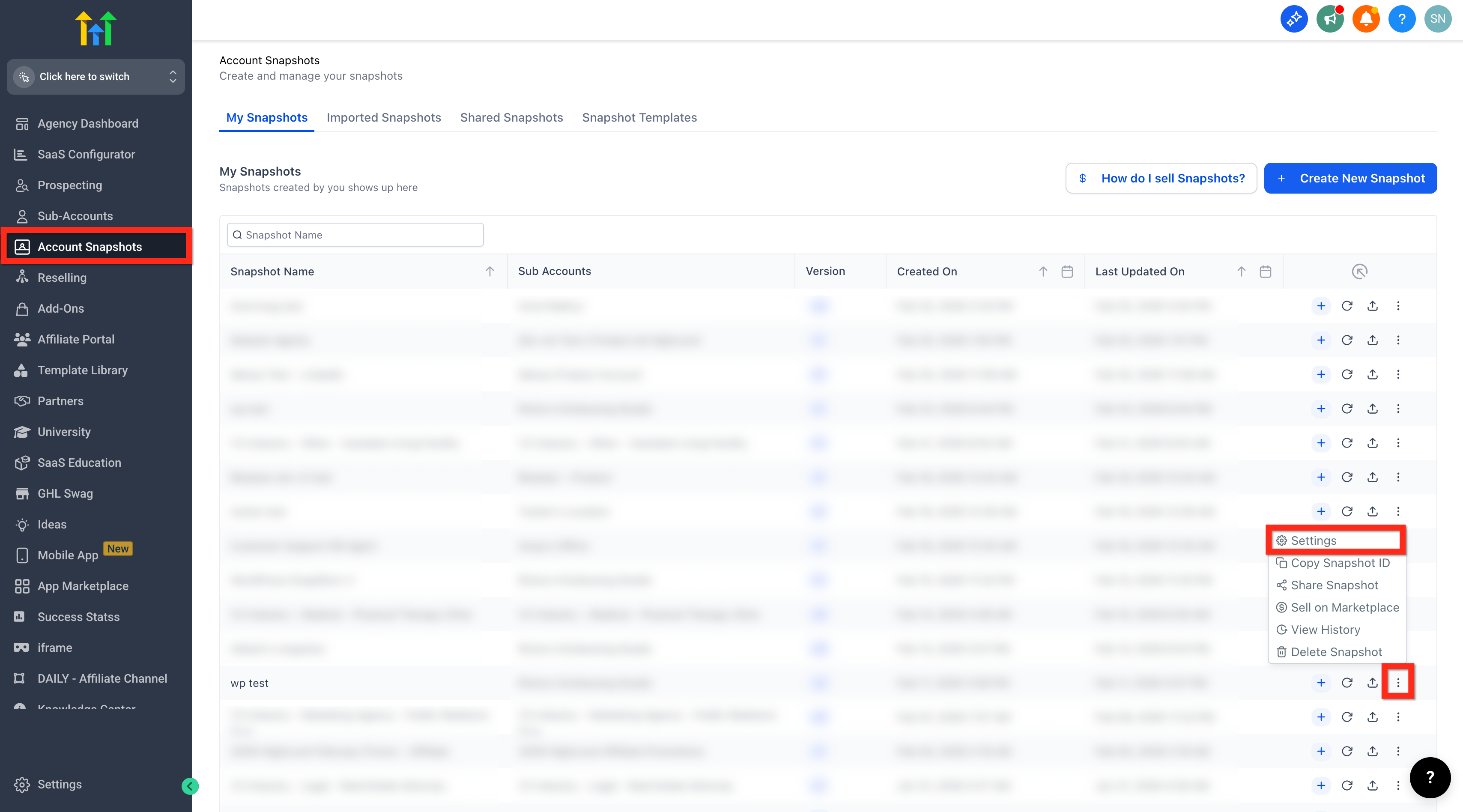
- Go to Account Snapshots.
- Find the Snapshot you want to update.
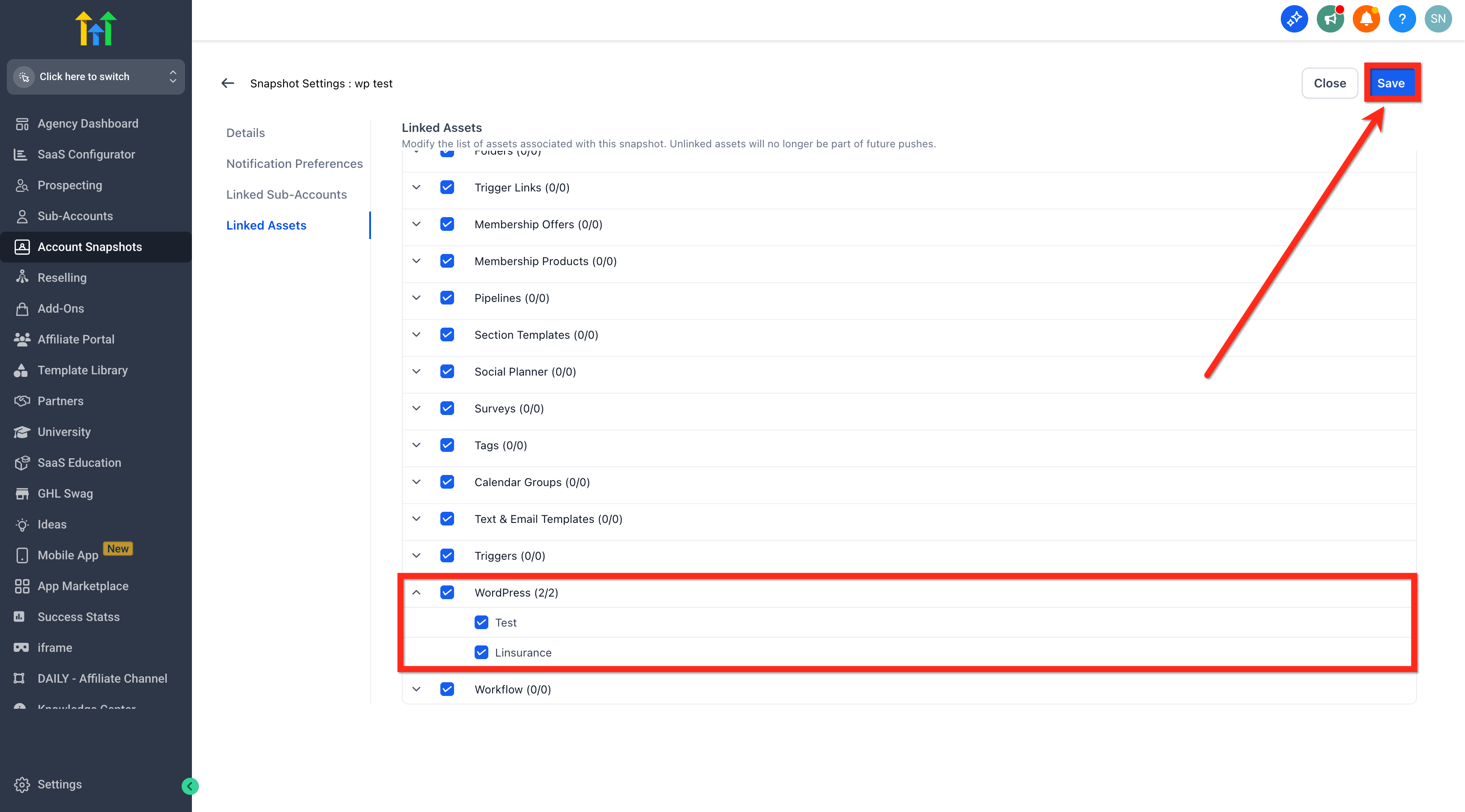
- Click the three dots (⋮) next to the Snapshot > Settings.
- Scroll to the Linked Assets section.
- Enable WordPress, expand it, and choose the site(s).
- Save your changes.
07What it looks like in HighLevel
08Settings that matter
- WordPress. Controls whether a WordPress site is captured as an asset in the Snapshot and which site(s) are selected.
09Things to know before you rely on it
- Plugin and theme licenses are not transferred; they may need re authentication after deployment.
- You can select multiple WordPress sites only if they appear in the selection list.
10How it connects to the rest of HighLevel
- Snapshot overview and reusable account setups Snapshot overview
- Step by step guide for creating a new Snapshot Create new Snapshot
- How to load a Snapshot into an existing subaccount Load Snapshot
Michael's take

When you’re juggling dozens of client sites, rebuilding each WordPress environment from the ground up eats time and invites errors. WordPress support in Snapshot lets you capture a full site once and apply it to any new subaccount, cutting down on repetitive setup work.
The first thing I would get right is making sure the WordPress checkbox is enabled and the exact site you need is selected before you create the Snapshot. That guarantees the right pages, themes and plugins travel with the deployment.