
01Who this is for
- Marketing agencies that build client funnels, because snapshots let them clone complete funnel and automation setups across many accounts.
- Franchise owners managing multiple locations, since snapshots ensure each outlet starts with identical calendars, forms and dashboards.
- SaaS providers offering white label platforms, because they can distribute a pre configured HighLevel environment to each new customer.
02Snapshots, explained
A Snapshot captures chosen configuration assets from a source subaccount and stores them as a reusable template. The template can later be loaded into other subaccounts to reproduce the same workflows, forms, calendars, funnels, dashboards and more.
Snapshots live in the Agency View under the Account Snapshots section. From there you can create, view, share, refresh or push updates to the captured assets. The feature only moves configurations; contacts, appointments, conversation history and live activity remain in the original accounts.
03How businesses use snapshots
- Dental practice. Create a Snapshot that includes the clinic's appointment calendars, patient intake forms and reminder workflows. Load the Snapshot into each new dental office subaccount to right away provide the same scheduling and communication setup.
- Real estate agency. Capture custom fields for property details, sales pipelines and listing forms in a Snapshot. Apply it to every agent’s subaccount so all listings follow the same data structure and workflow.
- Fitness studio. Build a Snapshot containing class schedule calendars, membership offer funnels and related email templates. Use the Snapshot for each new studio location to launch the same membership and class booking experience.
04Before you start
- Configure a source subaccount with all the workflows, funnels, calendars, forms, dashboards and other assets you intend to reuse.
05How to set up and use snapshots in HighLevel
Create a snapshot to capture assets from a source subaccount
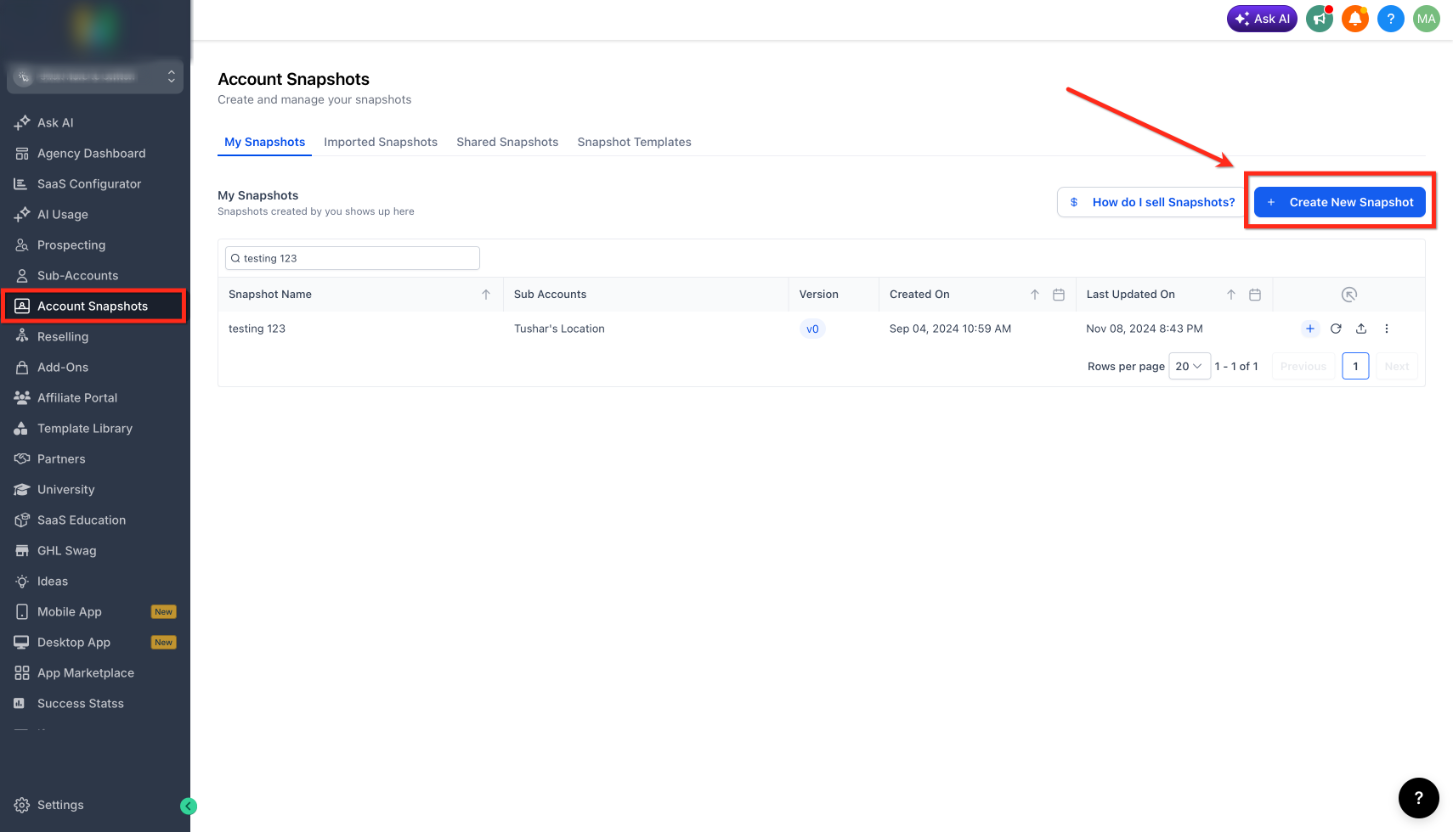
- Navigate to Agency View and select Account Snapshots.
- Click the + Create New Snapshot button.
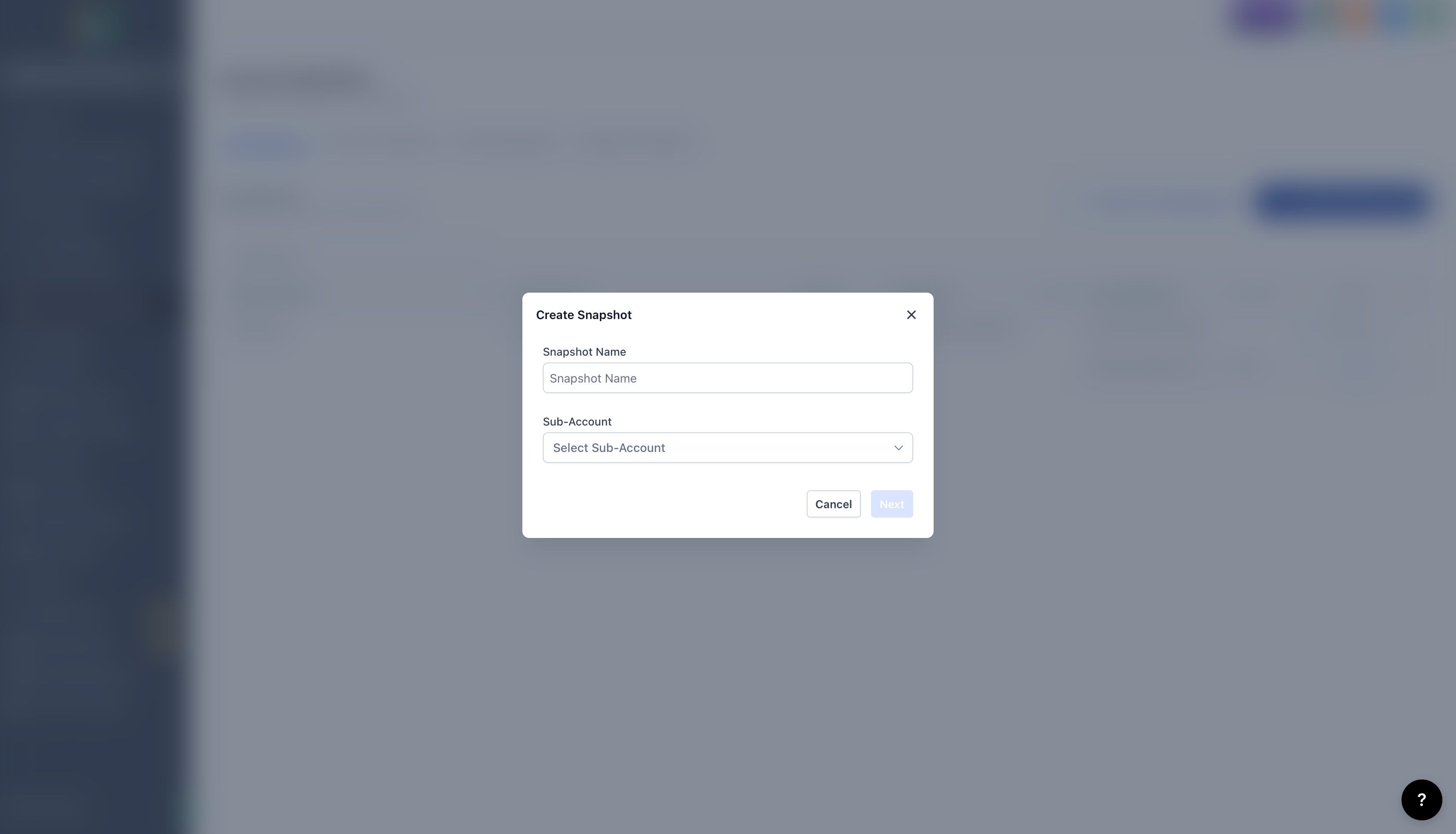
- Enter a descriptive name for the Snapshot.
- Choose the source subaccount that holds the assets to copy.
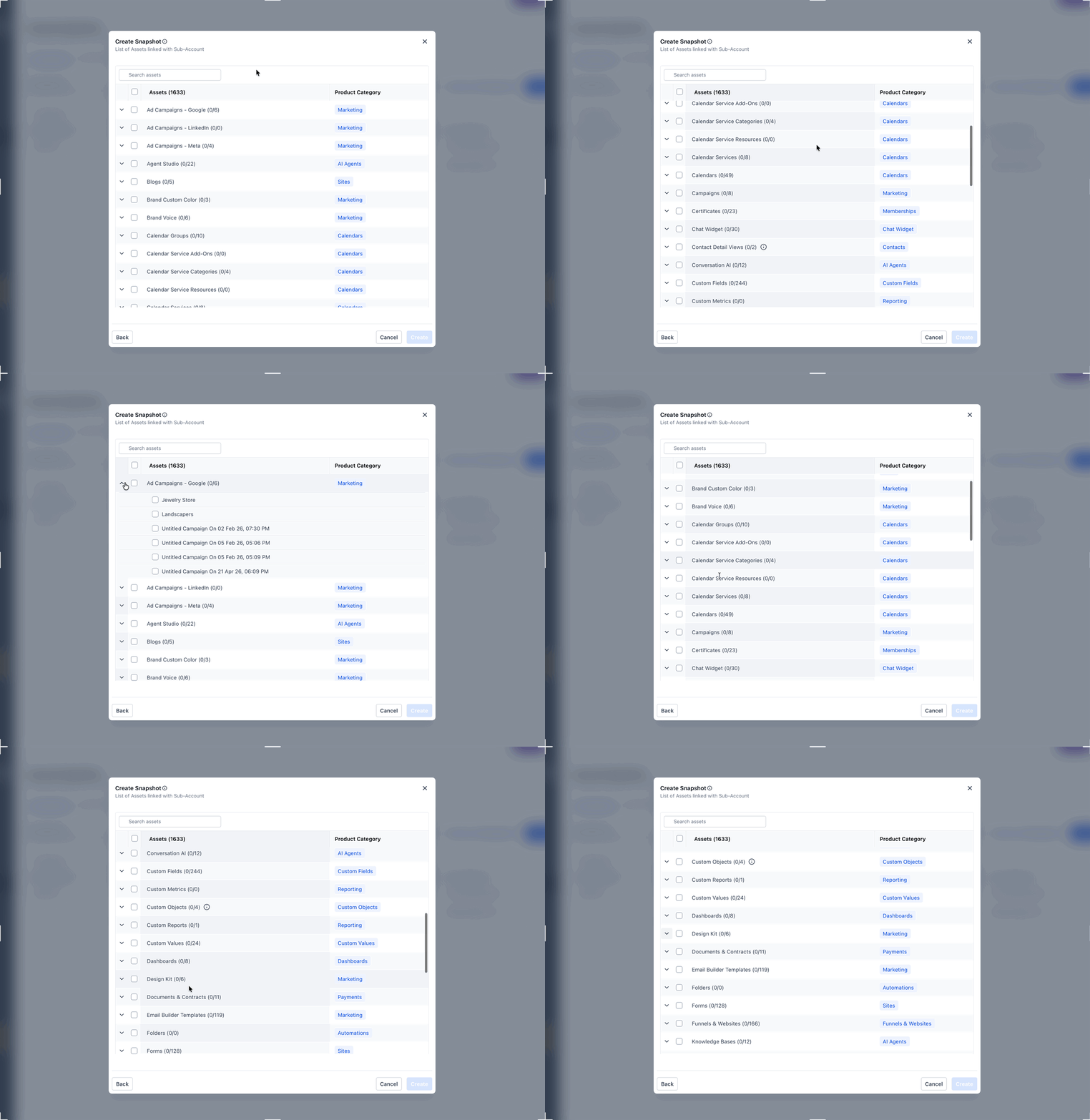
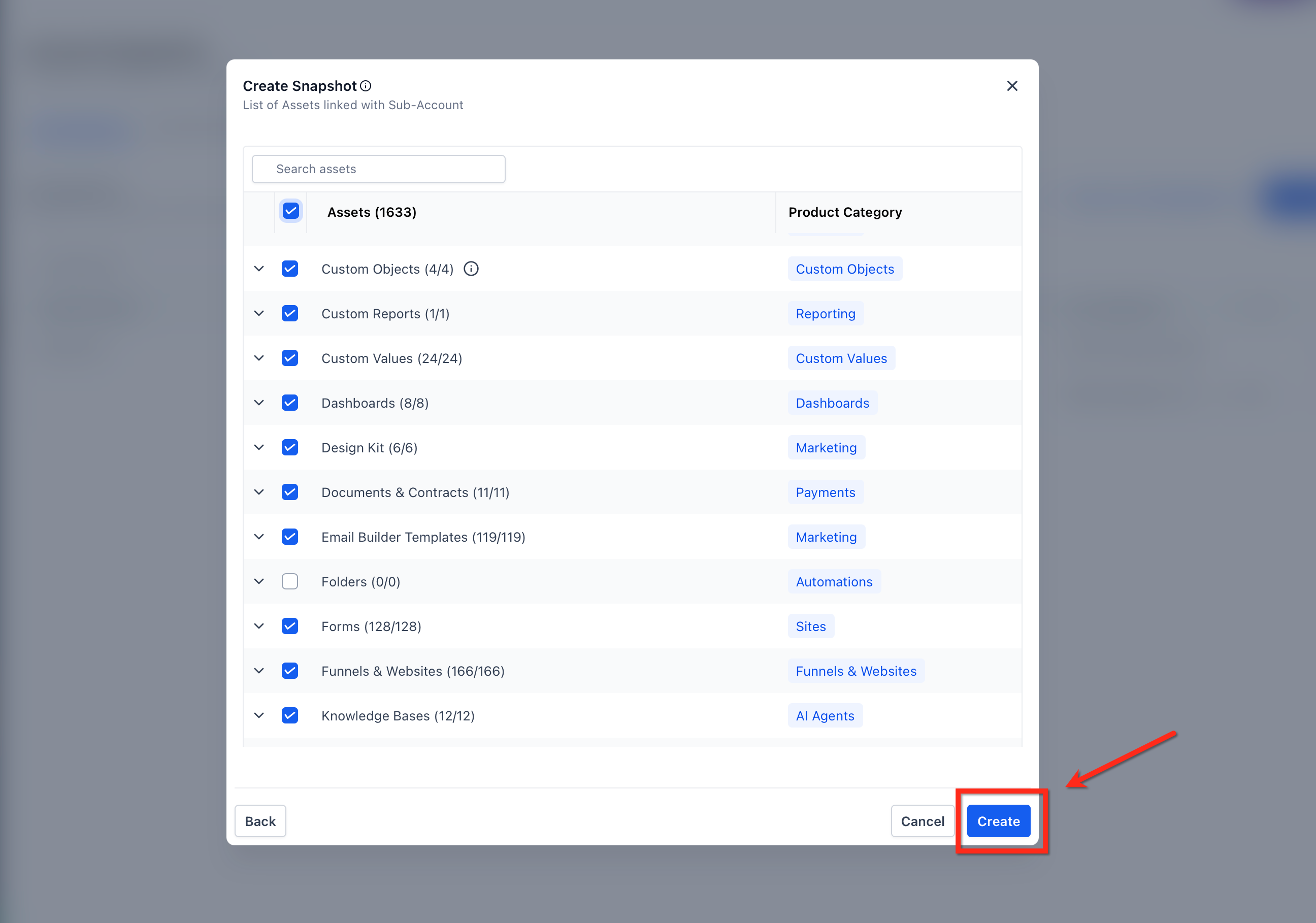
- Select the asset categories to include, then click Create to save the Snapshot.
06What it looks like in HighLevel
07Things to know before you rely on it
- Snapshots transfer configuration assets only; they do not move contacts, appointments, conversations, live activity, Stripe connections, or third party integrations.
- Some assets may need additional setup after loading, such as assigning phone numbers to Voice AI Agents or approving WhatsApp templates.
- Assets protected by another creator’s Assets Protected Snapshot settings cannot be transferred.
08Marketing agency snapshot: Ready made template for agencies in HighLevel
Marketing agency snapshots in HighLevel provide a prebuilt template for agencies. It includes a website, forms, calendars, workflows, email campaigns, ads and social posts to help capture and close leads.
The marketing agency snapshot is a template you can install in your HighLevel account.
09Travel Agency Snapshot, Ready Template for Leads in HighLevel
Travel Agency Snapshot provides a foundational template for travel agencies, including a website, forms, calendars, workflows, email campaigns, online ads and social posts.
The Travel Agency Snapshot provides a foundational template for establishing subaccounts tailored to travel agencies.
It equips you with a comprehensive toolkit to capture, nurture, and close leads, including a website, forms, calendars, workflows, email campaigns, online ads, and social posts.
10How it connects to the rest of HighLevel
- Step by step guide to create a new Snapshot Create new Snapshot
- How to load a Snapshot into an existing subaccount Load Snapshot
- Sharing Snapshots with other agencies Share Snapshot
Michael's take

Snapshots can feel risky if you rely on them without checking what actually moves. Some assets need integrations, approvals or additional setup after the load, and anything that isn’t a configuration. Like contacts or live activity. Stays behind.
I’d start by building a clean source account that contains the exact workflows, funnels and templates you want to reuse, then capture it as a Snapshot and test it in a dummy subaccount.