
01Who this is for
- Agency owners who need to provision multiple client accounts quickly, because the snapshot delivers a ready made setup.
- Marketing teams that run similar campaigns for different brands, as the snapshot copies funnels and triggers automatically.
- Service providers that require standardized calendars and forms across new locations, ensuring each subaccount starts with the same settings.
02Subaccounts using snapshots, explained
The feature creates a new subaccount and injects the contents of a chosen snapshot at the moment of creation. All assets stored in the snapshot, such as funnels, workflows, forms, calendars and platform settings, are duplicated into the fresh account.
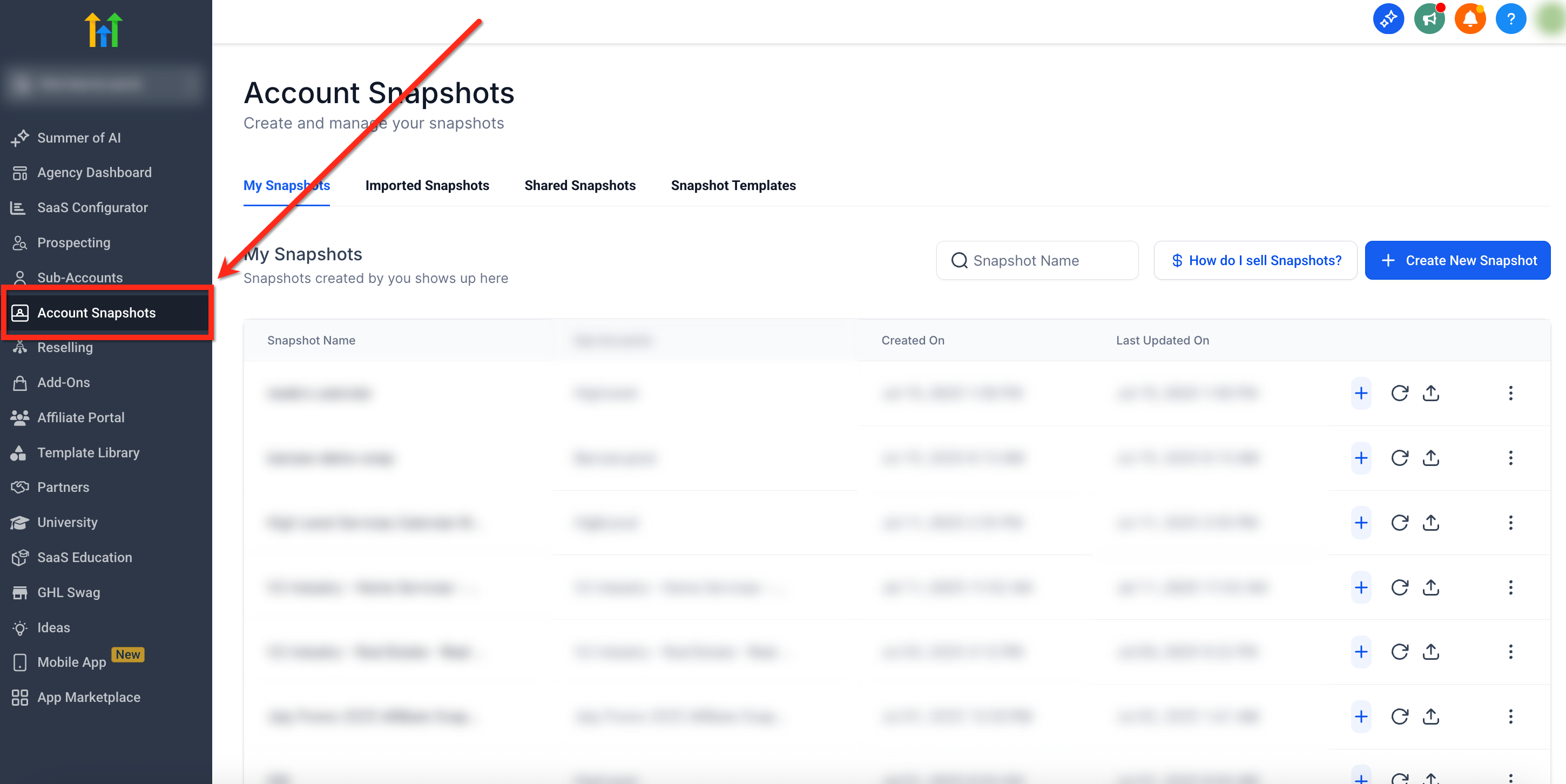
The process lives under the Account Snapshots section of the Agency Dashboard. After selecting a snapshot and clicking the Create New Account button, a window appears for the new subaccount’s details. Submitting the form finalizes the account and automatically loads the snapshot.
Because the subaccount is brand new, no existing data is overwritten. The imported funnels and websites appear as drafts, ready to be published after domain configuration.
03How businesses use new subaccount using a snapshot
- Marketing agency. The agency selects a snapshot that contains a set of client acquisition funnels and workflow automations. By creating a new subaccount with that snapshot, the team right away receives a duplicate of the full funnel stack ready for customization for a new client.
- Coaching business. A coach prepares a snapshot that includes intake forms, calendar integrations and onboarding workflows. When a new coaching program launches, a subaccount is created from the snapshot, providing all necessary assets without rebuilding each element.
- Real estate brokerage. The brokerage builds a snapshot with property listing pages, lead capture forms and follow up sequences. A new agent’s subaccount is spun up from this snapshot, delivering a consistent starter kit for every new agent.
04Before you start
- User must have Agency Admin permissions.
- A snapshot containing the desired assets must already exist in the account.
05How to set up and use new subaccount using a snapshot in HighLevel
Create a new subaccount with a snapshot
- From the Agency Dashboard open Account Snapshots via the left hand menu.
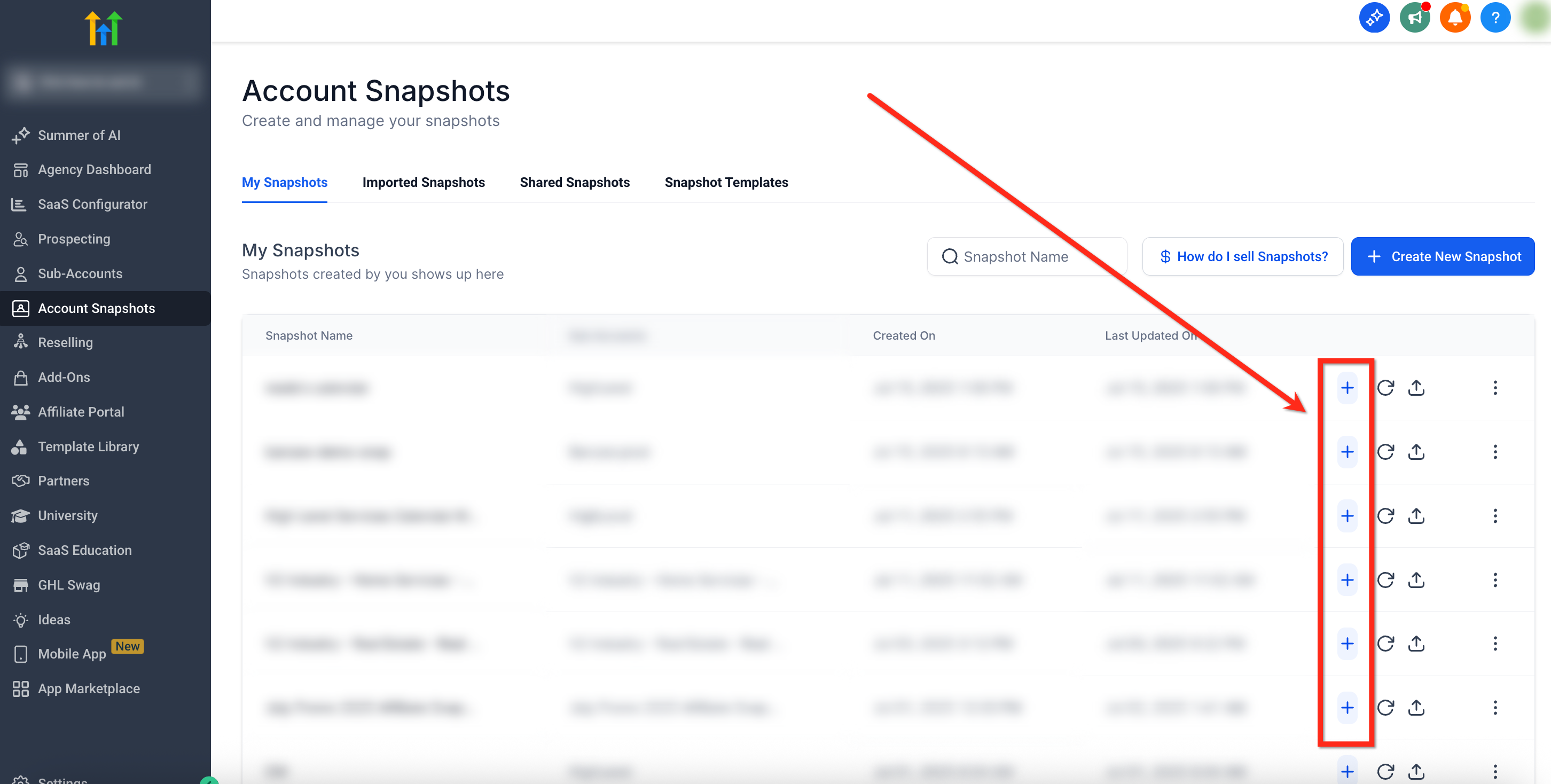
- Locate the required snapshot and click the blue Create New Account (+) button beside it.
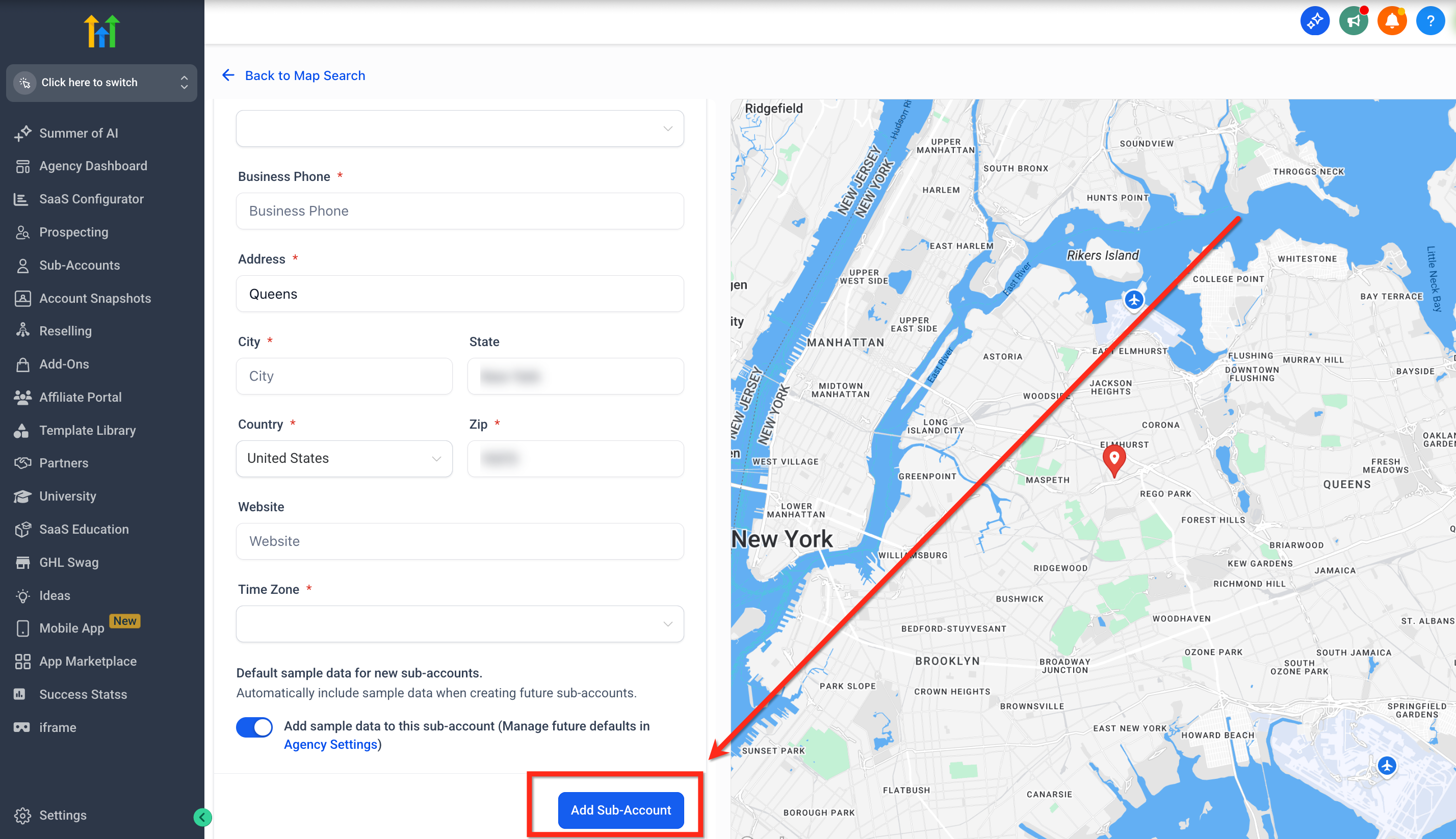
- Enter the new subaccount’s information in the popup window and select Add Subaccount.
06What it looks like in HighLevel
07Things to know before you rely on it
- Only one snapshot can be chosen during the subaccount creation process.
- A snapshot applied at creation cannot be unloaded or deleted from the new account.
- Only users with Agency Admin access may perform this action.
08How it connects to the rest of HighLevel
- Overview of what a snapshot contains and how it works Snapshot overview
- Steps to load additional snapshots into an existing subaccount after creation Load snapshots later
- Guide on building a new snapshot to use for future subaccounts Create snapshots
Michael's take

Adding a snapshot based subaccount feels like a convenient way to set up new client workspaces.
I would build a master snapshot with the core funnel and booking calendar, then use it to launch each client’s workspace.