
01Who this is for
- Agency owners can build a master subaccount and clone its setup for each client, saving time.
- SaaS Founders can package a pre configured account as a product offering without manual configuration.
- Franchise managers can apply the same marketing and scheduling assets to each location quickly.
02Snapshots, explained
Snapshots are reusable templates that record every configurable element of a chosen subaccount. They capture workflows, funnels, calendars, forms, campaigns, custom fields and other supported assets while leaving out contacts, appointments, conversations, reputation data, Stripe connections and integrations. The captured assets can be applied to any number of destination subaccounts, providing a consistent starting point.
The snapshot tool lives under Account Snapshots in Agency View. From there you launch the creation wizard, name the snapshot, pick the source subaccount, select which assets to include, and then generate the snapshot. The platform copies the selected assets and retains supported custom field configurations such as URL domains, date ranges, rich text, image based checkboxes and radio buttons.
Once saved, a snapshot can be loaded into existing subaccounts, shared with other agencies, or refreshed later to add new assets. It serves as a fast track method for deploying proven setups across client accounts or SaaS product offerings.
03How businesses use snapshots
- Dental practice. Create a snapshot of a subaccount that contains patient intake forms, calendar schedules, and custom fields for treatment types. Load that snapshot into each new dentist’s subaccount to replicate the practice’s standard workflow without rebuilding forms.
- SaaS startup. Build a master subaccount with pre configured funnels, email sequences, and membership content. Generate a snapshot and use it as the backbone of the SaaS subscription offering, allowing new customers to receive the same automated setup right away.
- Franchise restaurant. Design a subaccount that includes menu ordering funnels, reservation calendars, and promotional campaigns. Capture it in a snapshot and apply it to each franchise location’s subaccount, ensuring brand consistent assets across the chain.
04The numbers and rules that matter
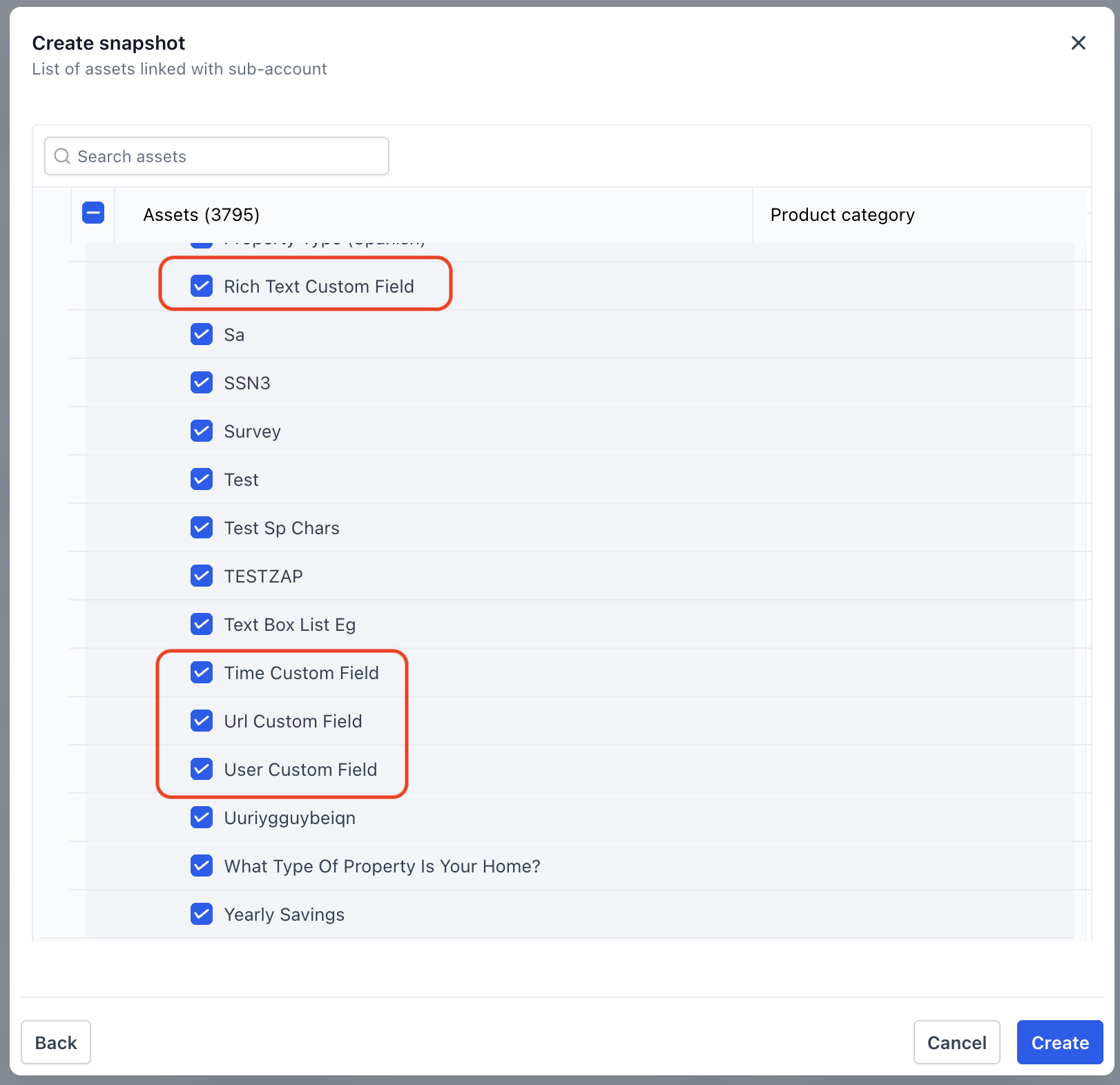
- Supported custom field types: URL, Date and Time, Rich Text, Users, checkbox fields with images, radio button fields with images.
05Before you start
- A subaccount containing the desired configuration must exist before a snapshot can be created.
- You cannot build a snapshot directly; you must first create the source subaccount.
06How to set up and use snapshots in HighLevel
Create a new snapshot
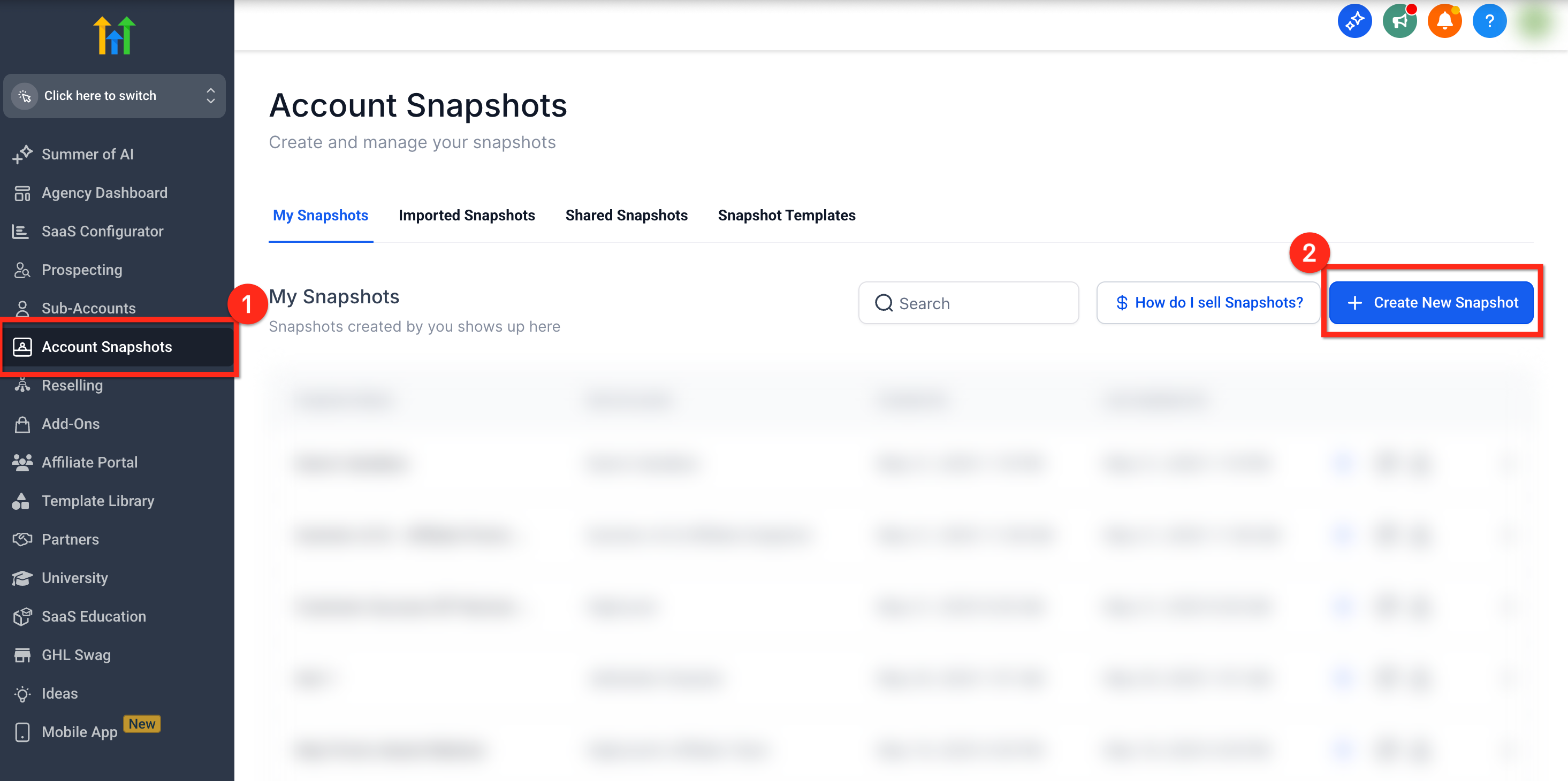
- In Agency View, open the Account Snapshots section.
- Click the blue + Create New Snapshot button at the top right.
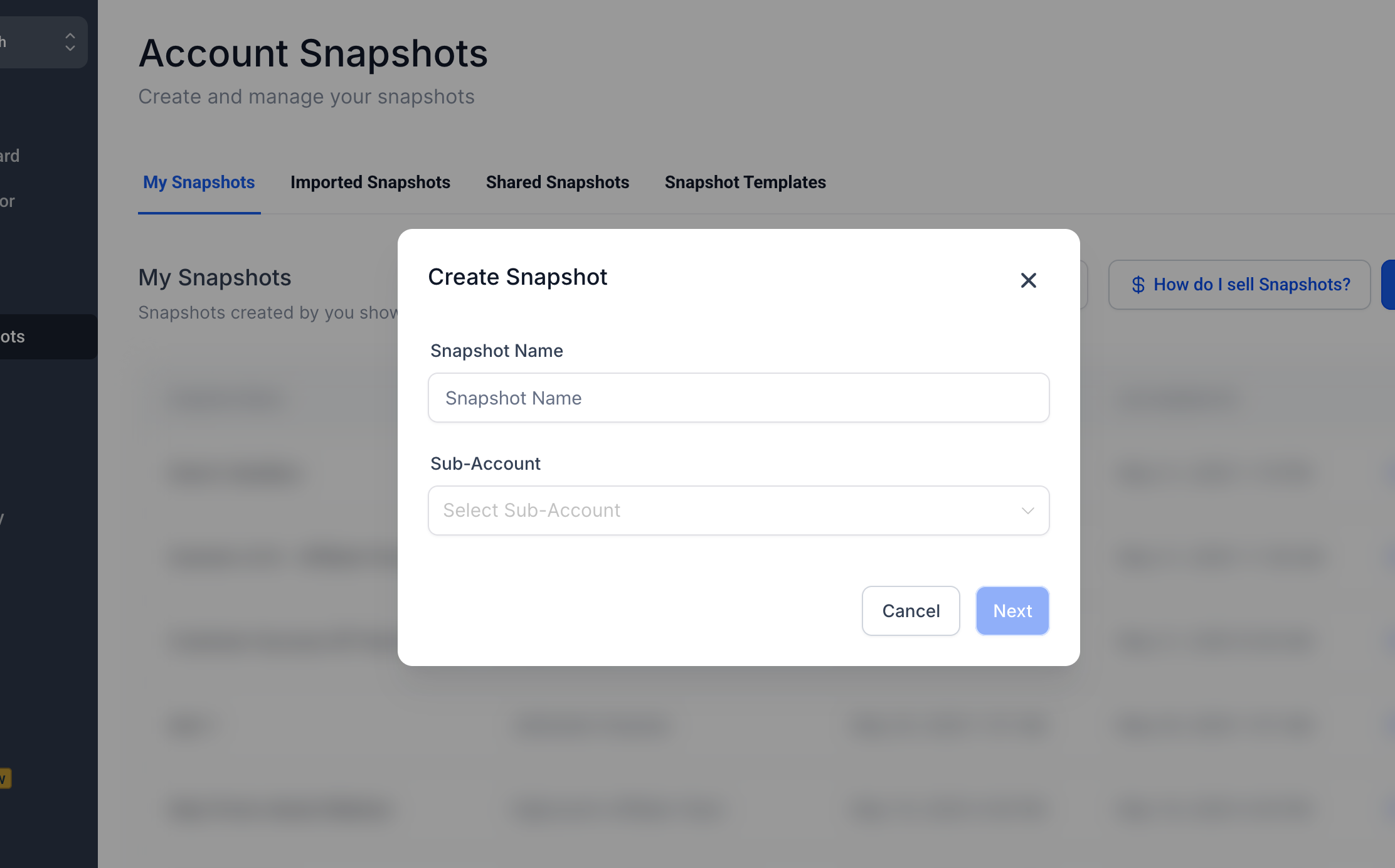
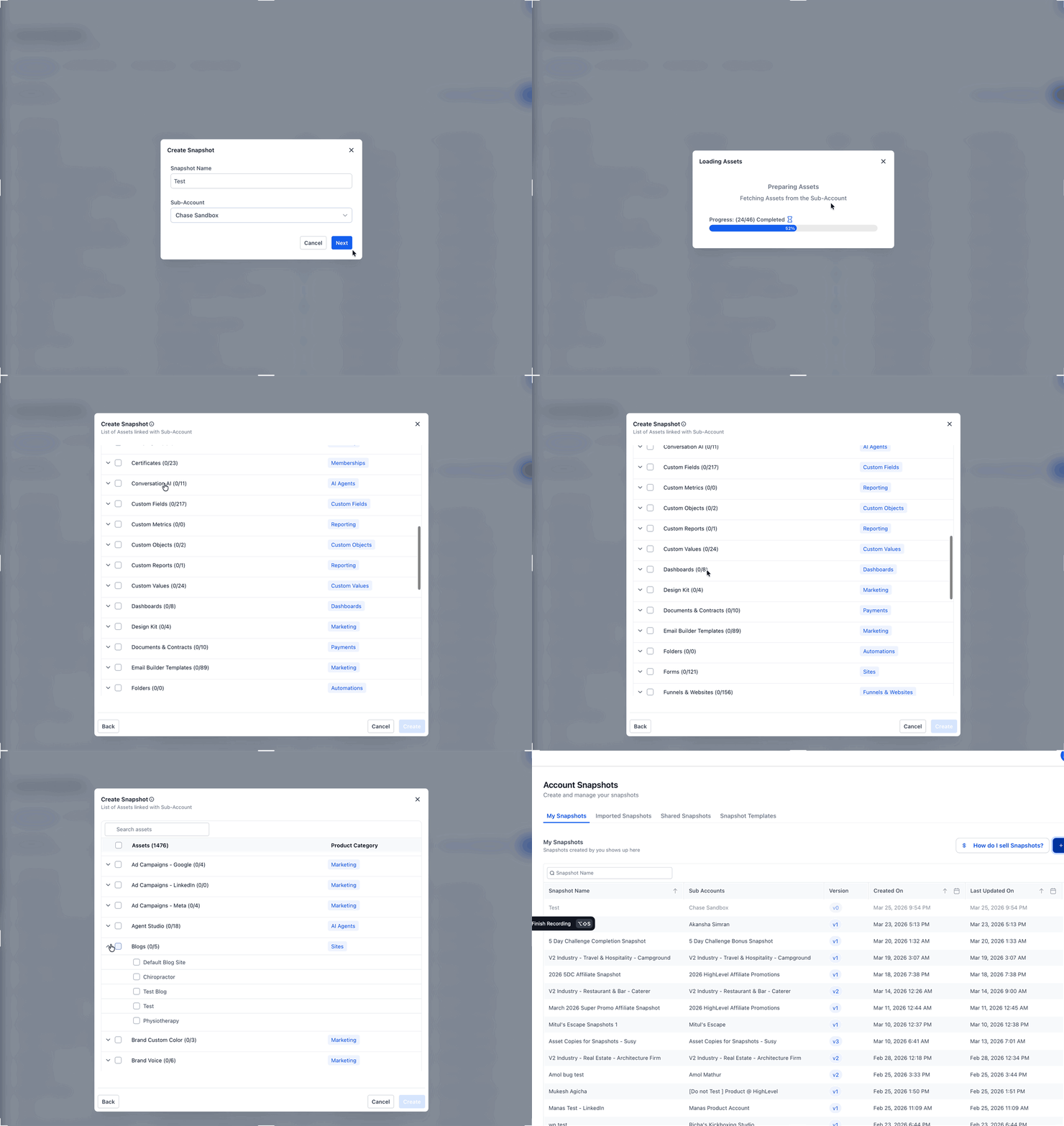
- Enter a descriptive name for the snapshot and select the source subaccount.
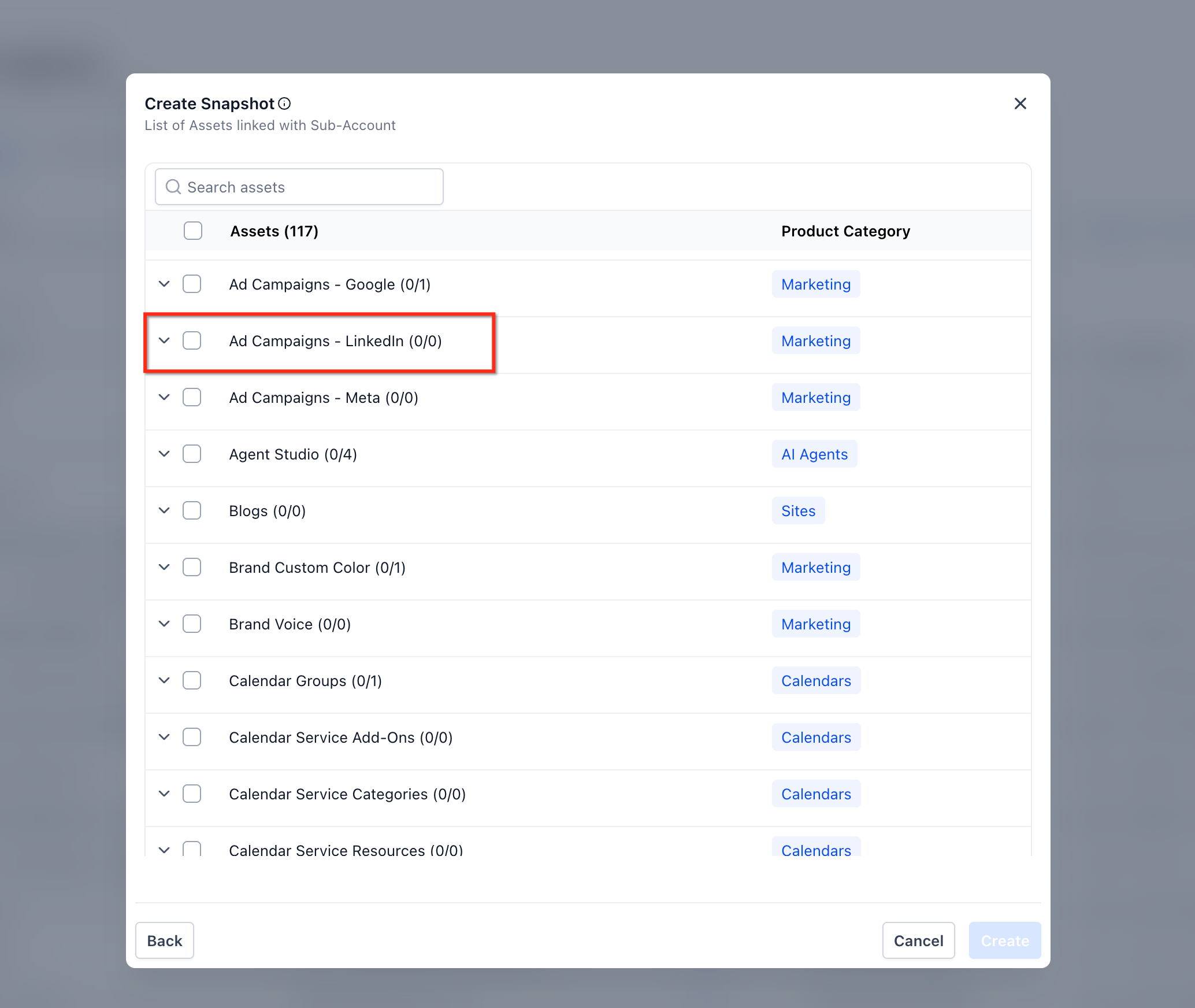
- Review the asset list, click Select All or expand categories to pick specific assets, including Company custom fields.
- Optionally include LinkedIn ad campaigns by navigating to Marketing assets > Ad Campaigns, LinkedIn and selecting the desired campaigns.
- Press Create to generate the snapshot; if any assets fail to load, click Retry to reattempt loading the incomplete categories.
07What it looks like in HighLevel
08Settings that matter
- Snapshot name. Defines the identifier for the snapshot and helps distinguish its purpose.
- Select Sub, Account. Determines which subaccount’s assets will be captured in the snapshot.
- Select All. When chosen, includes every asset from the source subaccount in the snapshot.
- Company custom fields. Controls whether custom fields defined at the company level are copied into the snapshot.
09Things to know before you rely on it
- Snapshots do not include Contacts, Appointments, Conversations, Reputation data, Stripe connections, or integrations.
- Lead Gen Forms are excluded from snapshots.
- Contact to Contact associations are not supported in snapshots.
- If assets fail to load during creation, the platform offers a Retry option to reload only the incomplete categories.
10If something goes wrong
- Assets fail to load during snapshot creation. Click the Retry button to reattempt loading the incomplete asset categories without restarting the entire process.
11How it connects to the rest of HighLevel
- Learn how to load a snapshot into an existing subaccount Load snapshots
- Discover how to share snapshots with other agencies Share snapshots
- Find out how to refresh or update an existing snapshot Refresh snapshots
Michael's take

Snapshots are worth the time you spend building a solid master subaccount because they let you roll out the same proven setup to every client with a few clicks, keeping you consistent and freeing you from repetitive work.
Avoid the mistake of assuming contacts and appointments will copy over; they do not.