
01Who this is for
- Agency owners who run multiple subaccounts benefit because they can reuse licensed assets without risking external leakage.
- Marketing teams building client funnels can include protected templates while keeping them safe from competitors.
- Developers of agency wide automations can share snapshot packages knowing non protected items will still be deliverable.
02Assets protected snapshots, explained
Assets protected snapshots are a type of snapshot that carries a protection flag on selected assets. When the flag is set, the assets can move freely between subaccounts and can be included in new or refreshed snapshots inside the same agency. The protection prevents those assets from being included in any share that leaves the agency.
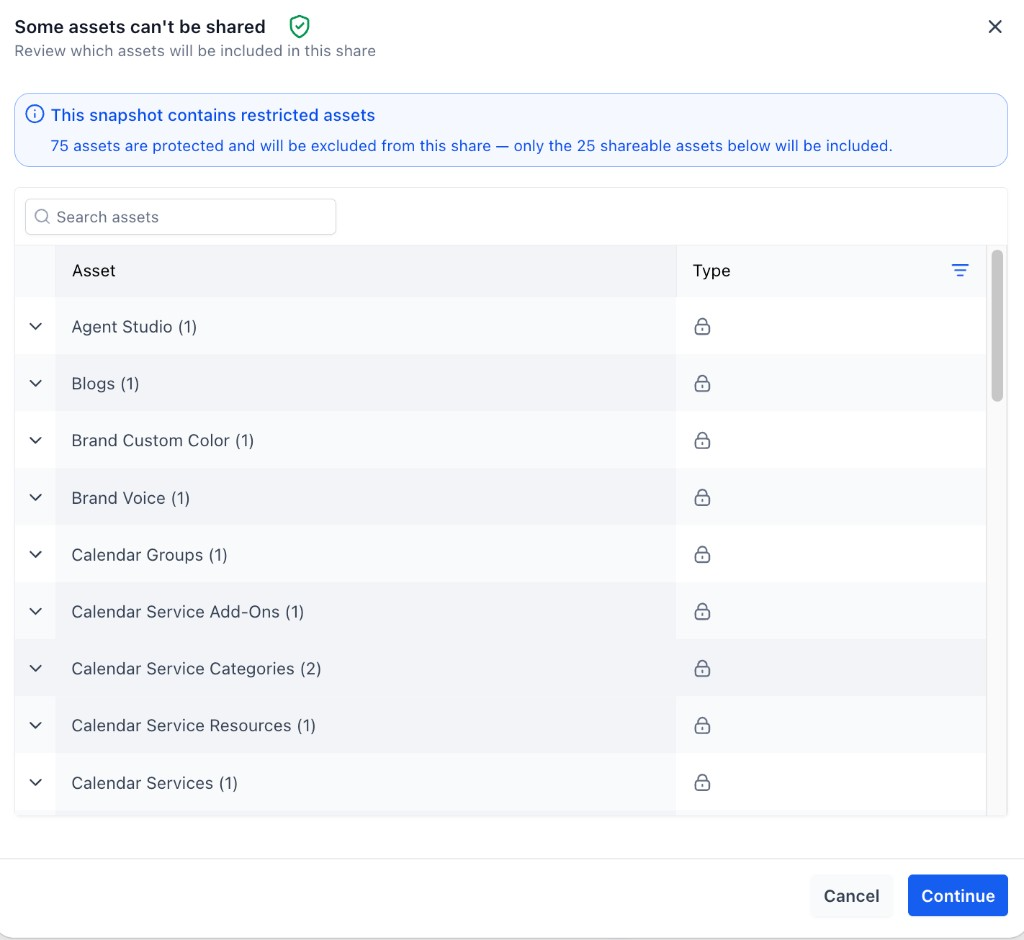
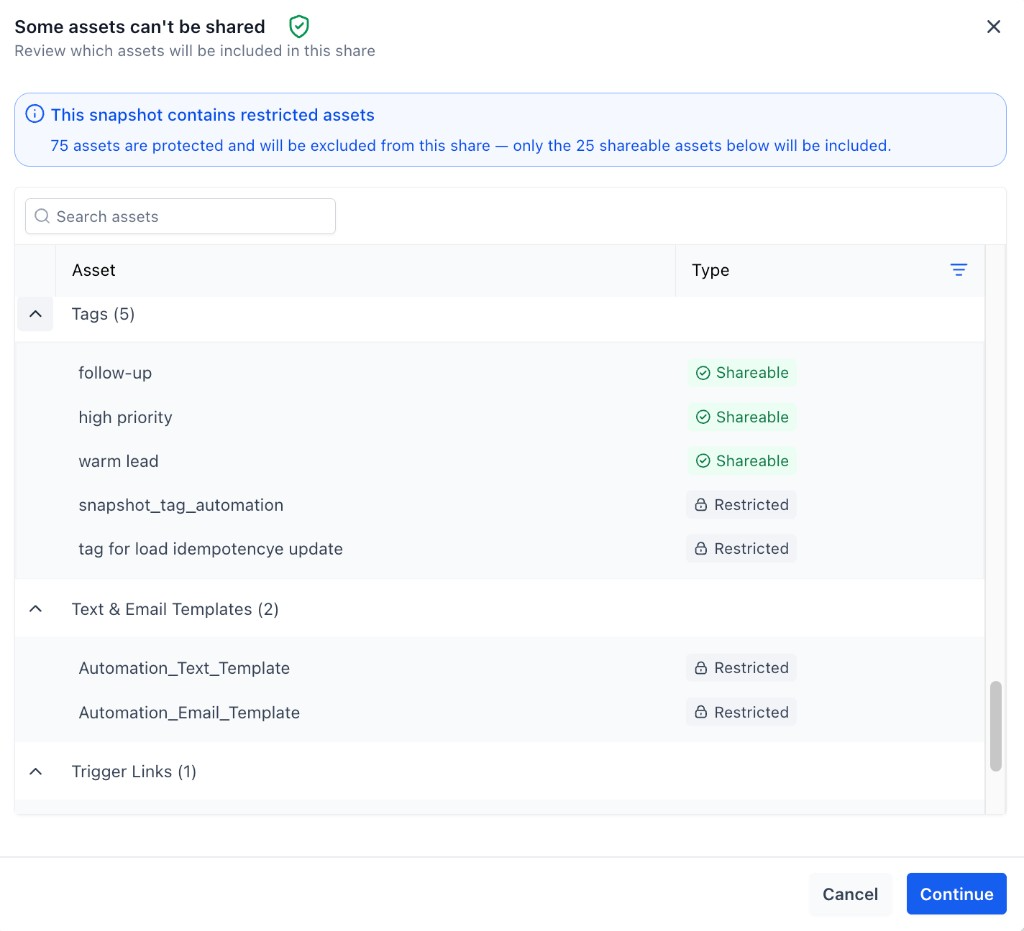
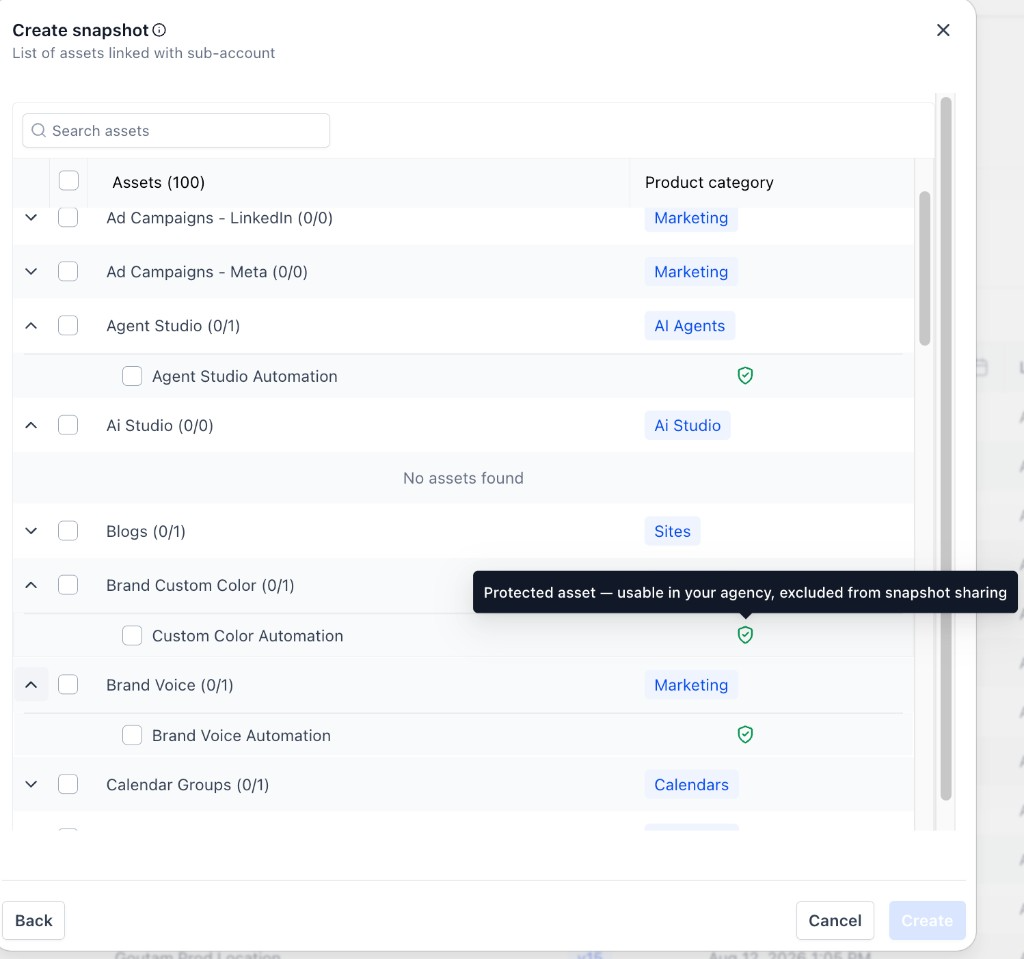
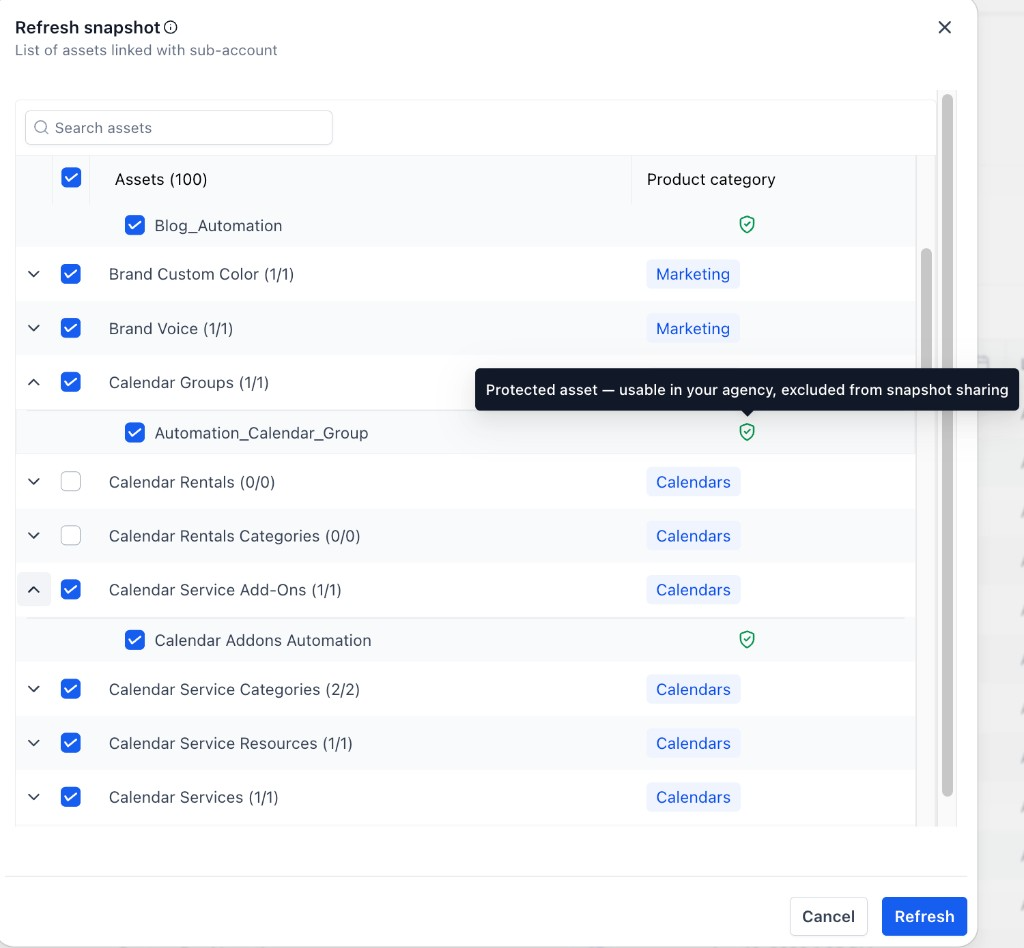
The protection works at the agency level. Inside the agency, protected assets behave like any other asset. When a snapshot is shared externally, HighLevel automatically removes the protected assets and only shares the eligible non protected items. The interface shows protected items with a shield indicator so users can identify them during creation or refresh.
You manage assets protection from the snapshot sharing workflow. Turning on the “Assets Protected” option adds the protection flag to the snapshot. The flag stays attached to the assets as they travel through internal snapshot workflows, ensuring continuous enforcement of the external redistribution rule.
03How businesses use assets protected snapshots
- Digital marketing agency. The agency enables assets protection when sharing a client specific snapshot, then reuses the protected email templates across its own subaccounts. When it creates a new snapshot for a fresh campaign, it selects the protected templates and non protected assets together.
- Real estate brokerage. The brokerage loads a protected snapshot containing listing page designs into its subaccounts. It refreshes the snapshot later, keeping the protected designs while adding new property images, and shares the updated snapshot with internal teams.
- Coaching business. A coaching firm imports a protected snapshot that includes a proprietary onboarding flow. It reuses that flow in multiple client subaccounts and creates new snapshots for different programs, all while the protection prevents the flow from being sent to other agencies.
04How to set up and use assets protected snapshots in HighLevel
Enable assets protection when sharing a snapshot
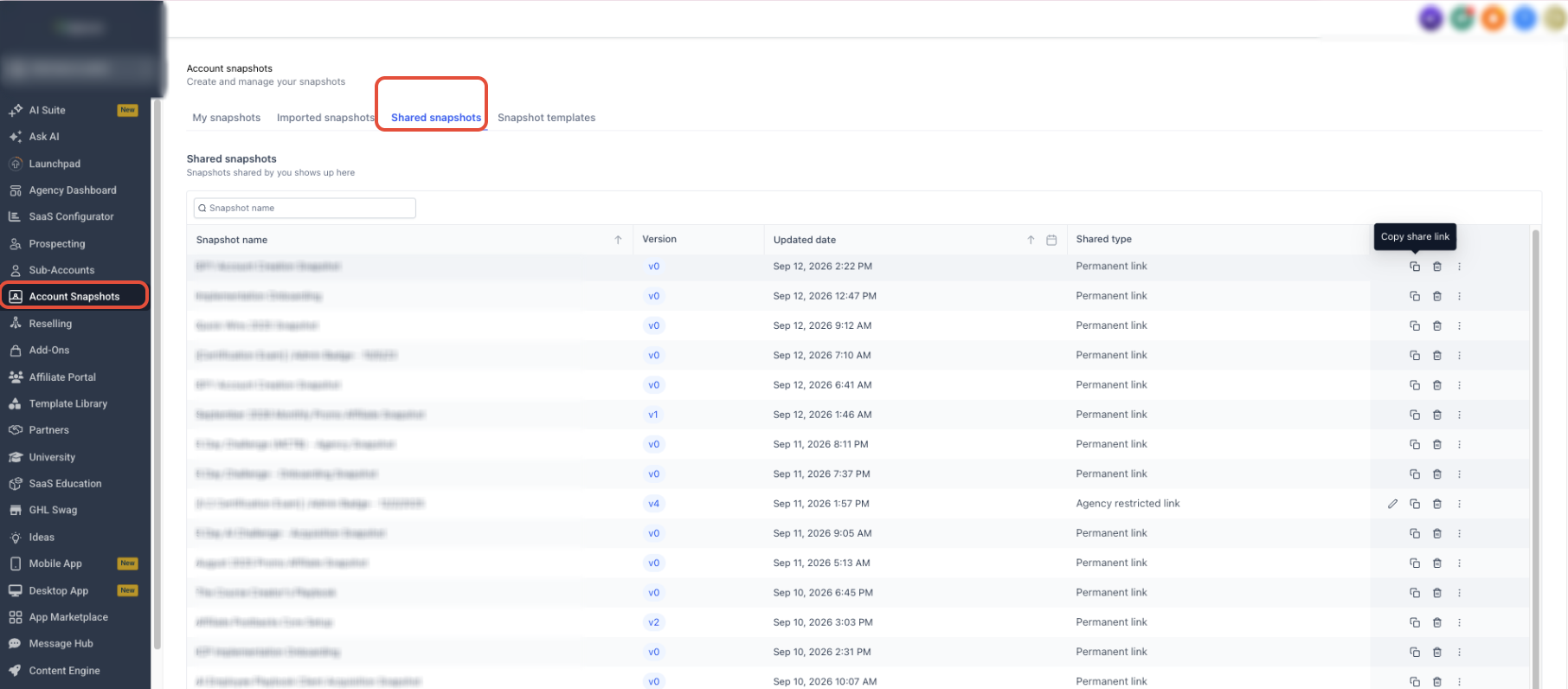
- From Agency View, go to Account Snapshots > My Snapshots.
- Locate the snapshot you want to share.
- Open the snapshot's action menu and select Share Snapshot.
- Select the appropriate sharing option for the recipient.
- Turn on Assets Protected.
- Generate the share link.
- Send the link to the intended recipient.
Create or refresh a snapshot using protected assets
- From Agency View, go to Account Snapshots.
- Create a new snapshot or choose an existing snapshot to refresh.
- Select the source subaccount or continue into the asset selection step.
- Review the available assets; protected assets show a shield indicator.
- Select the protected and non protected assets you want included for internal use.
- Complete the Create or Refresh action.
Share a snapshot that contains protected assets
- Open the snapshot sharing workflow.
- Select the external sharing option you want to use.
- Review the protected and shareable assets shown before continuing.
- Confirm which assets will be excluded from the external share.
- Continue with the share.
05What it looks like in HighLevel

06Settings that matter
- Assets Protected. Controls whether the assets in a snapshot are flagged to stay restricted from external redistribution while still being reusable inside the agency.
07Things to know before you rely on it
- Protection applies only within the same agency; assets cannot be shared outside that agency.
- When a snapshot is shared externally, protected assets are automatically excluded from the share.
- Protected assets are marked with a shield icon in the asset selector.
08How it connects to the rest of HighLevel
- Learn how to share snapshots with other agencies Share snapshots guide
- Step by step for creating new snapshots Create snapshots tutorial
- Guidance on refreshing existing snapshots Refresh snapshots guide
Michael's take

Assets protected snapshots let agencies reuse assets internally while keeping the protection in place.
The biggest mistake is to assume the assets are free to share outside the agency once they’re in a mixed snapshot.