
01Who this is for
- Agency owners who run multiple client subaccounts and need a quick way to add standard assets.
- Marketing consultants who want to reuse proven funnels and workflows across client accounts.
- SaaS resellers who require consistent onboarding assets while preserving each client’s data.
02Load snapshots into existing subaccounts, explained
The Load Snapshot feature imports a previously saved collection of HighLevel assets into a subaccount that is already active. Assets can include workflows, funnels, emails, dashboards, webinars and LinkedIn campaign settings. The process lets you choose exactly which items to bring in and warns you of any name conflicts with existing assets. The workflow is accessed from the Agency Dashboard. After selecting a subaccount, you open the Actions menu, choose Load Snapshot, pick the desired Snapshot, select assets, resolve any conflicts and confirm the import. The feature lives under Subaccounts in the left hand navigation of the Agency Dashboard.
03How businesses use load snapshots into existing subaccounts
- Digital marketing agency. The agency opens a client subaccount, chooses Load Snapshot and selects a funnel and email templates saved in a Snapshot. After confirming, the client account now contains the standardized marketing assets without rebuilding them.
- Consulting firm. A consultant selects a Snapshot that contains onboarding workflows and forms, loads it into a new client subaccount and sets a default dashboard to give the client immediate visibility into key metrics.
- E learning platform. The platform loads a Snapshot that includes webinar pages and sessions into an existing subaccount, ensuring the webinars are cloned and ready for delivery while keeping any existing client data.
04Before you start
- Snapshot access must be enabled for the user under User > Roles and Permissions in the Agency Dashboard.
05How to set up and use load snapshots into existing subaccounts in HighLevel
Load a Snapshot into an existing subaccount
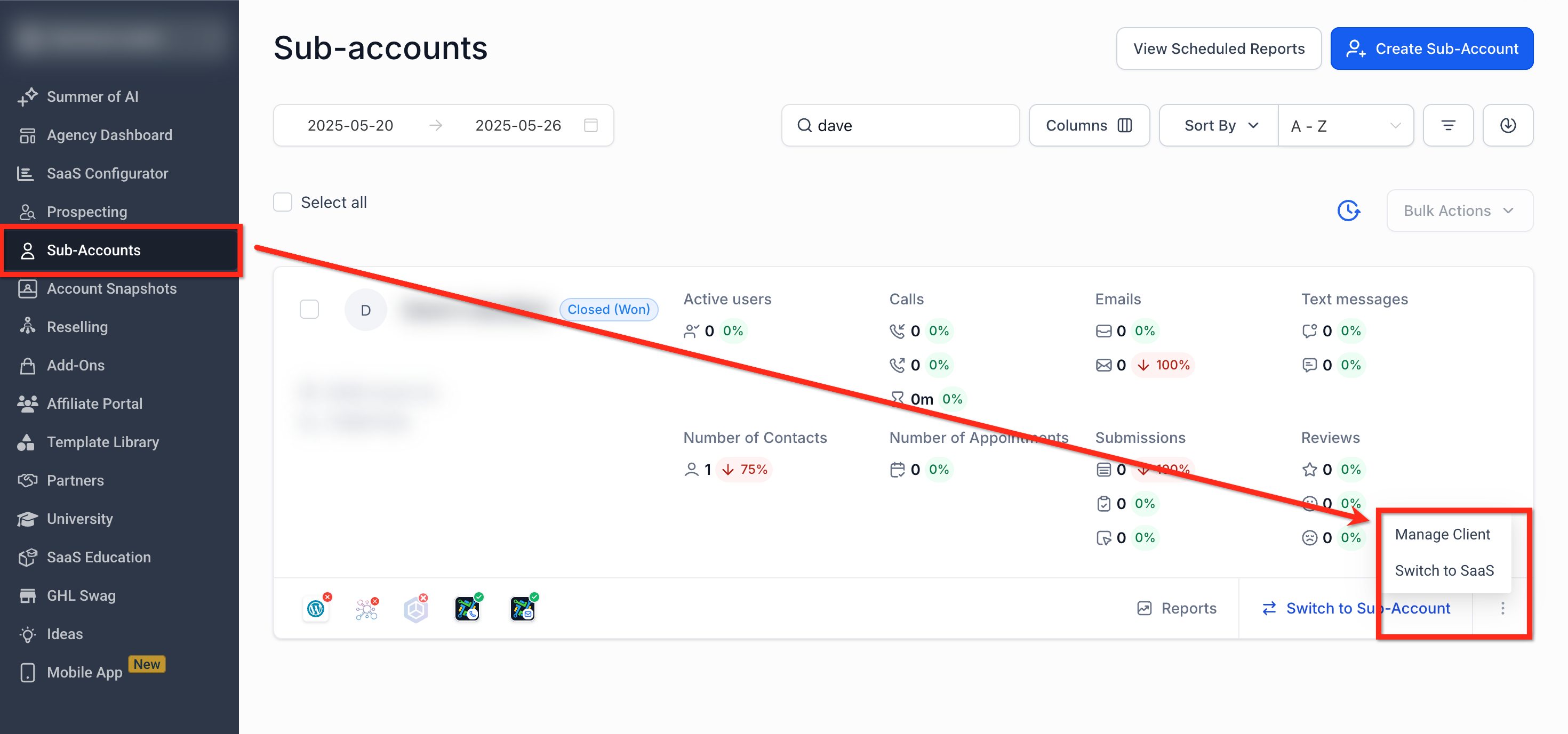
- From the Agency Dashboard open Subaccounts, locate the target subaccount, click the three dot menu and choose Manage Client.
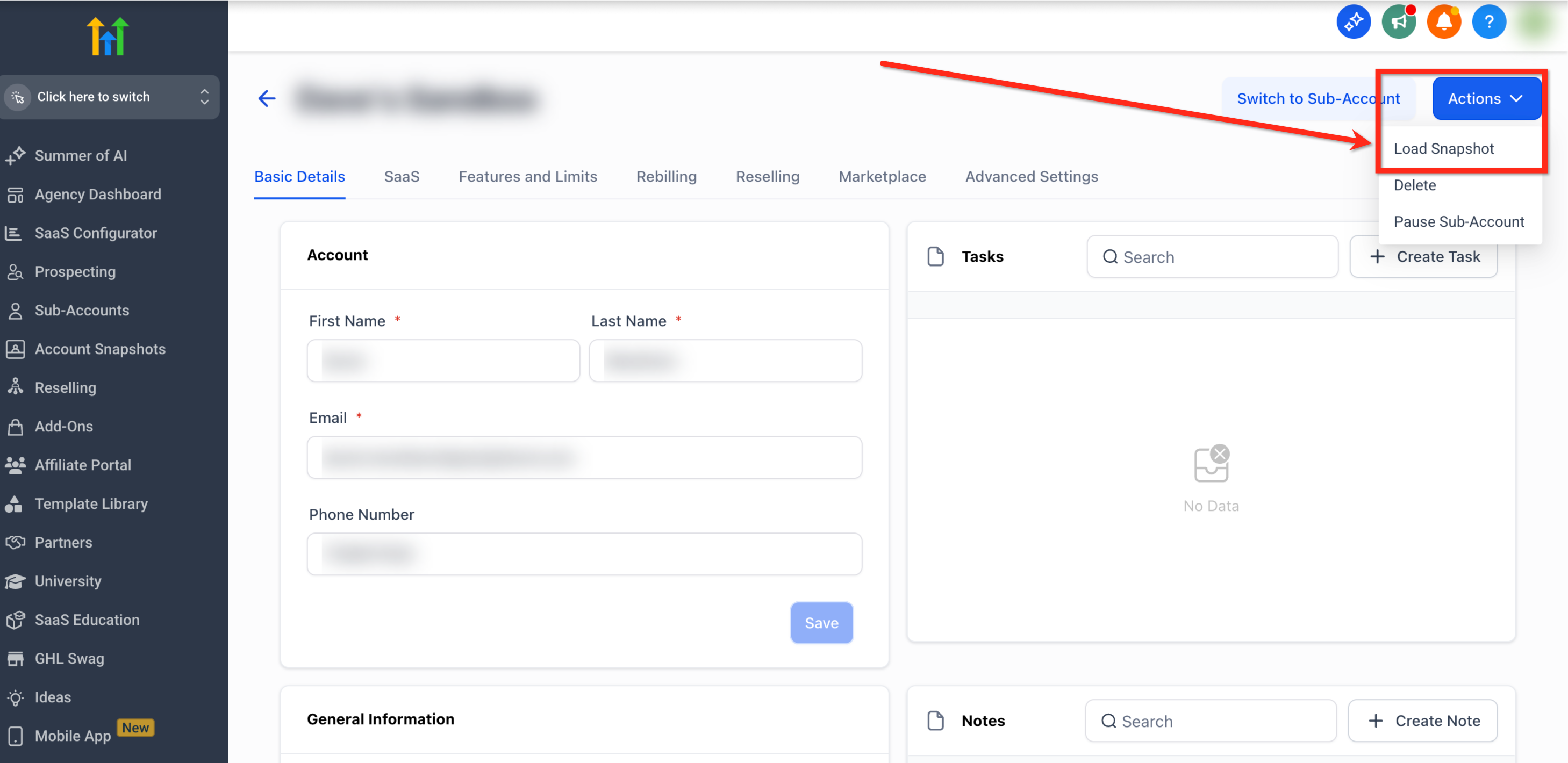
- Click the Actions button in the upper right corner and select Load Snapshot.
- If Load Snapshot is not available, verify that Snapshot access is enabled for your user role.
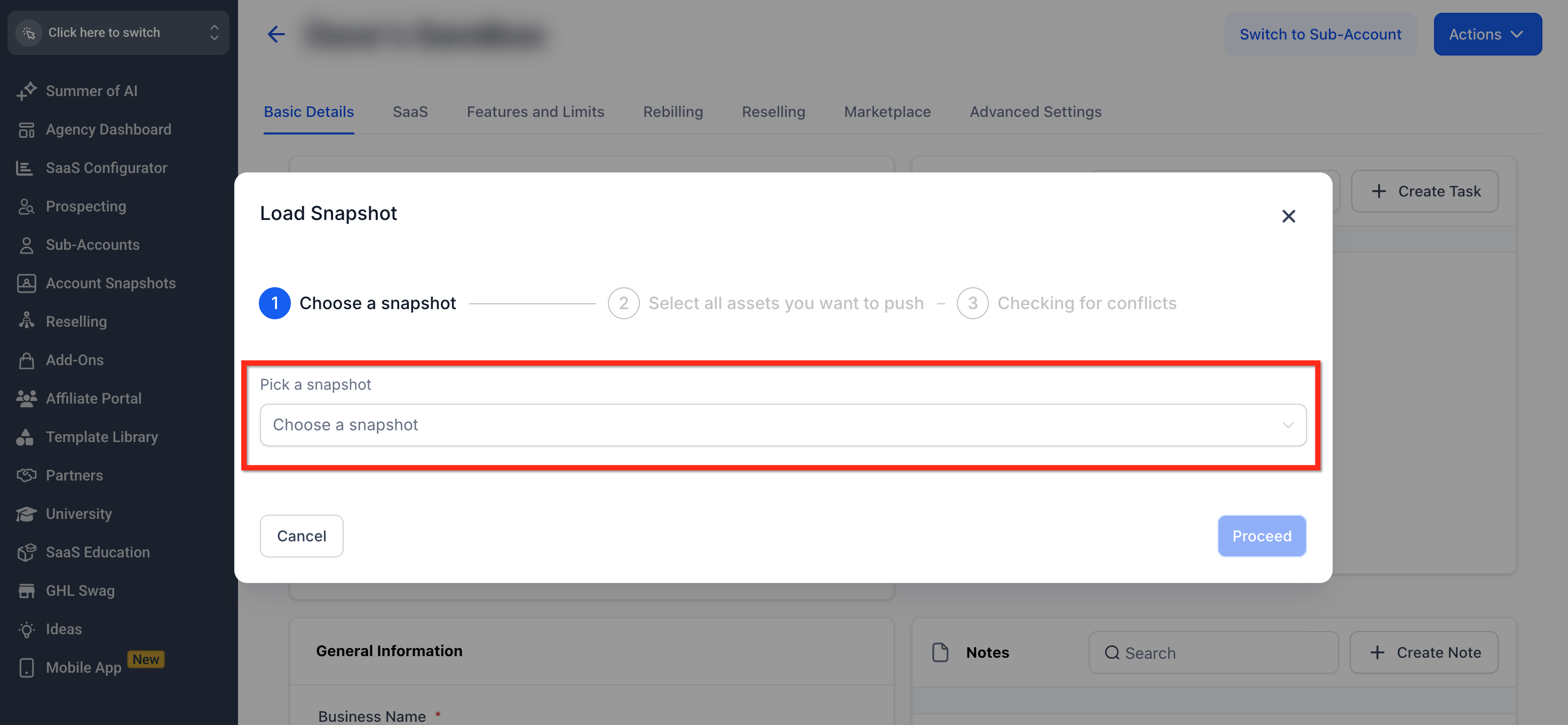
- In the Load Snapshot popup open Pick a Snapshot, select the desired Snapshot and click Proceed.
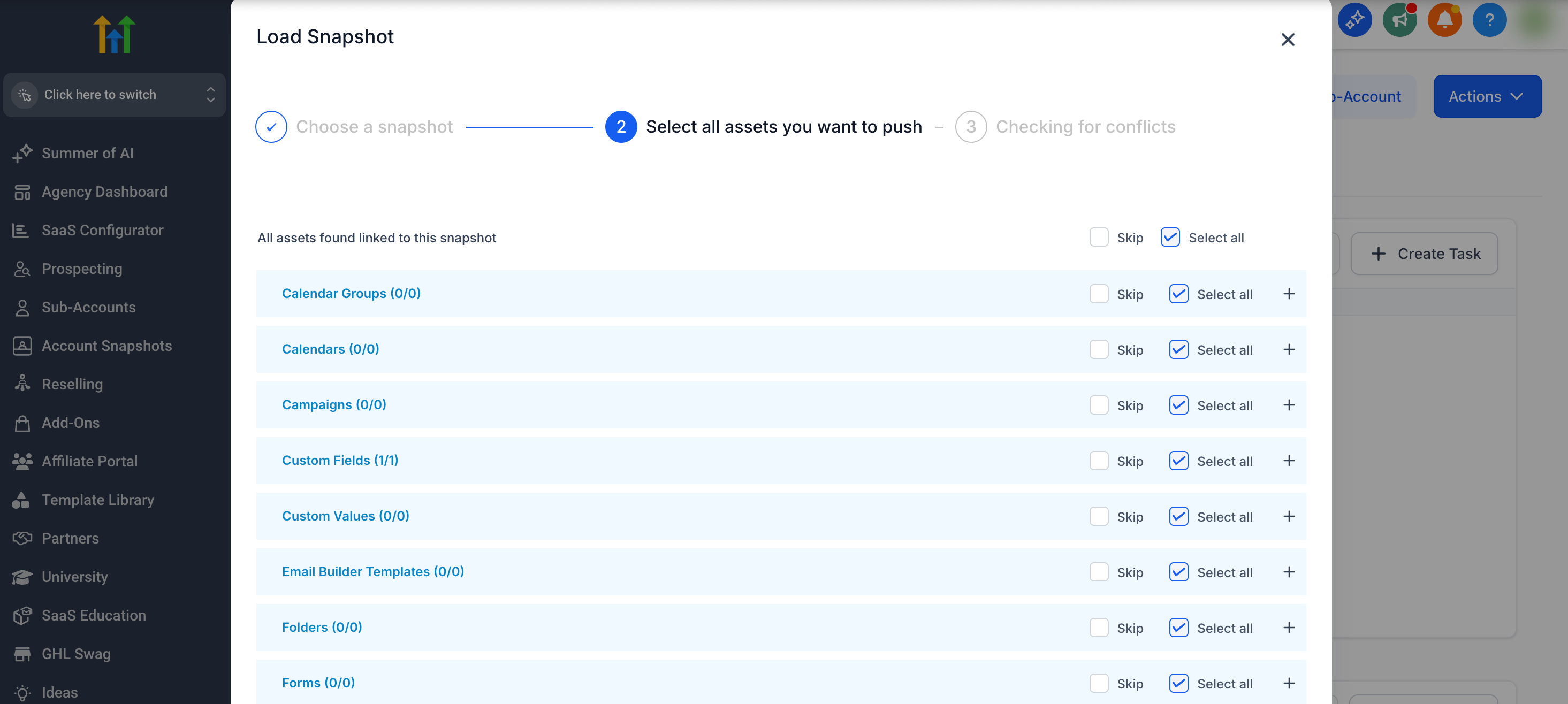
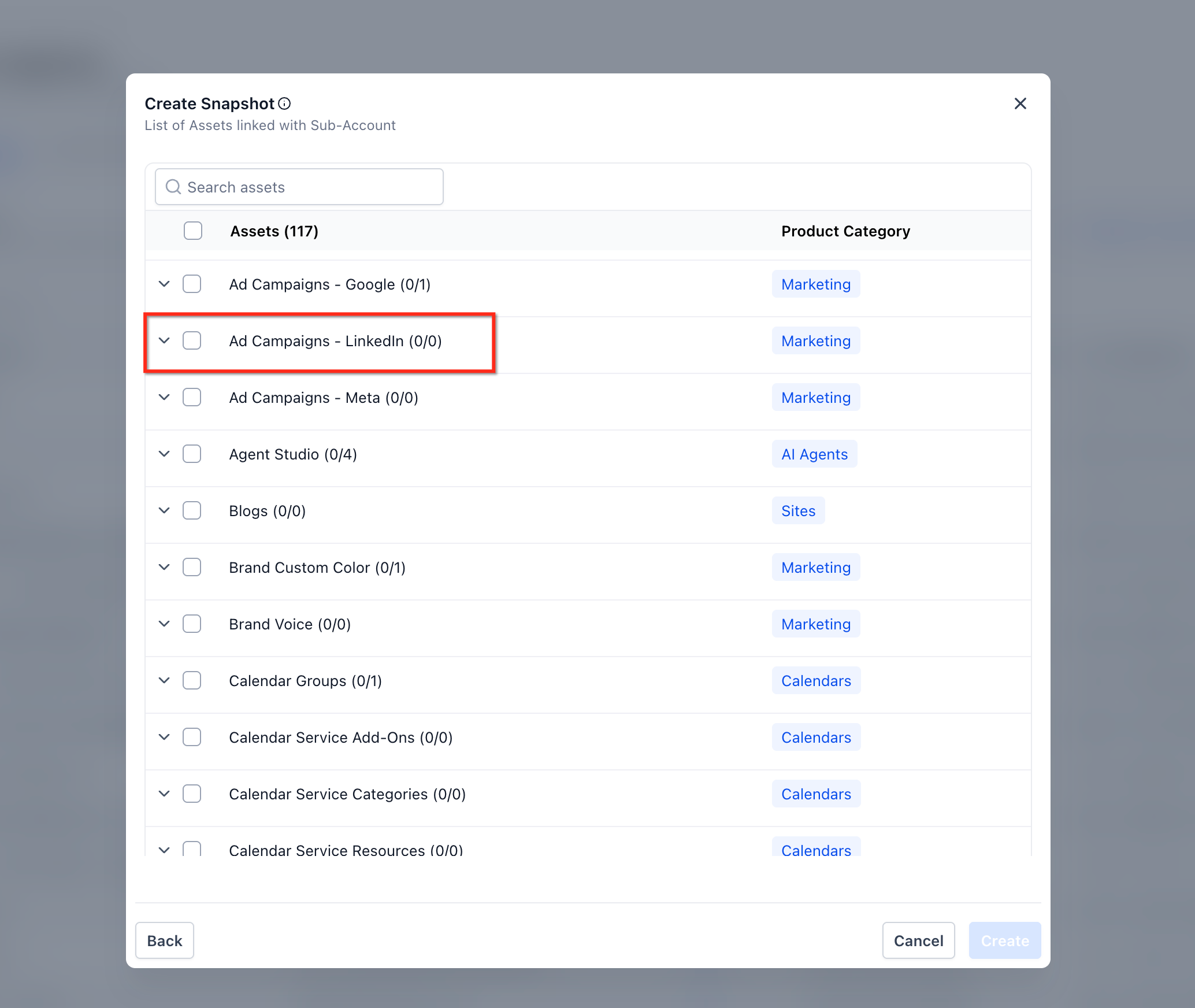
- Check the boxes for the assets you want to import, expand categories to choose individual items, optionally click Set as default on a dashboard, then click Proceed.
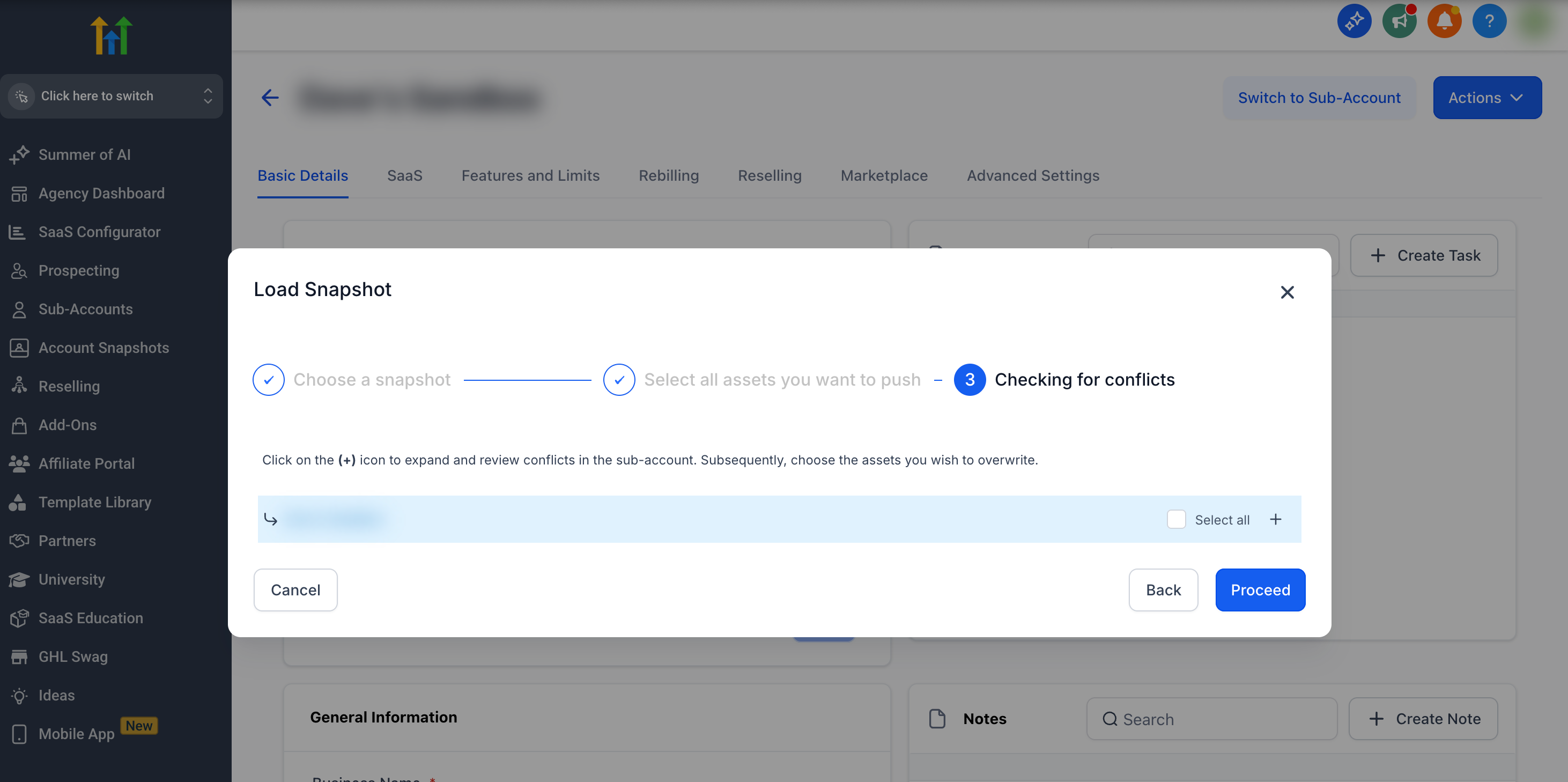
- Review any listed conflicts, choose Override to replace or Skip to keep each existing item, and click Proceed.
- When prompted, type confirm, click Proceed and wait for the success notification that the Snapshot is loading.
06What it looks like in HighLevel
07Settings that matter
- Snapshot access. Controls whether the Load Snapshot option appears in the Actions menu for a user.
- Set as default. Determines which imported dashboard becomes the default view for the destination subaccount after the load.
08Things to know before you rely on it
- Only one dashboard can be marked as default during a load; selecting another replaces the previous choice.
- LinkedIn ad campaigns are always created in Draft status and Lead Gen Forms are not imported.
- Choosing Override for a conflict cannot be undone through the load process; review decisions carefully.
09How it connects to the rest of HighLevel
- Snapshot overview and benefits Snapshot overview
- Refresh or update snapshots for existing accounts Refresh snapshots
Michael's take

When an agency has to push a proven workflow or funnel into a client’s account, rebuilding it manually eats up time and can lead to inconsistencies. Loading a Snapshot into an existing subaccount lets you import just the pieces you need while keeping the client’s data intact.
The first setting I would get right is the asset selection. Only pick the categories or individual items you actually intend to use. That way you avoid accidental overrides and keep the client’s environment clean.