
01Who this is for
- Agency owners who push snapshots to many client subaccounts can fix partial failures without starting a new load.
- Marketing consultants managing client onboarding can quickly resolve timeout or permission errors in a batch.
- Operations managers who need audit trails for snapshot deployments benefit from retries grouped under the original load.
02Snapshot Load Retry, explained
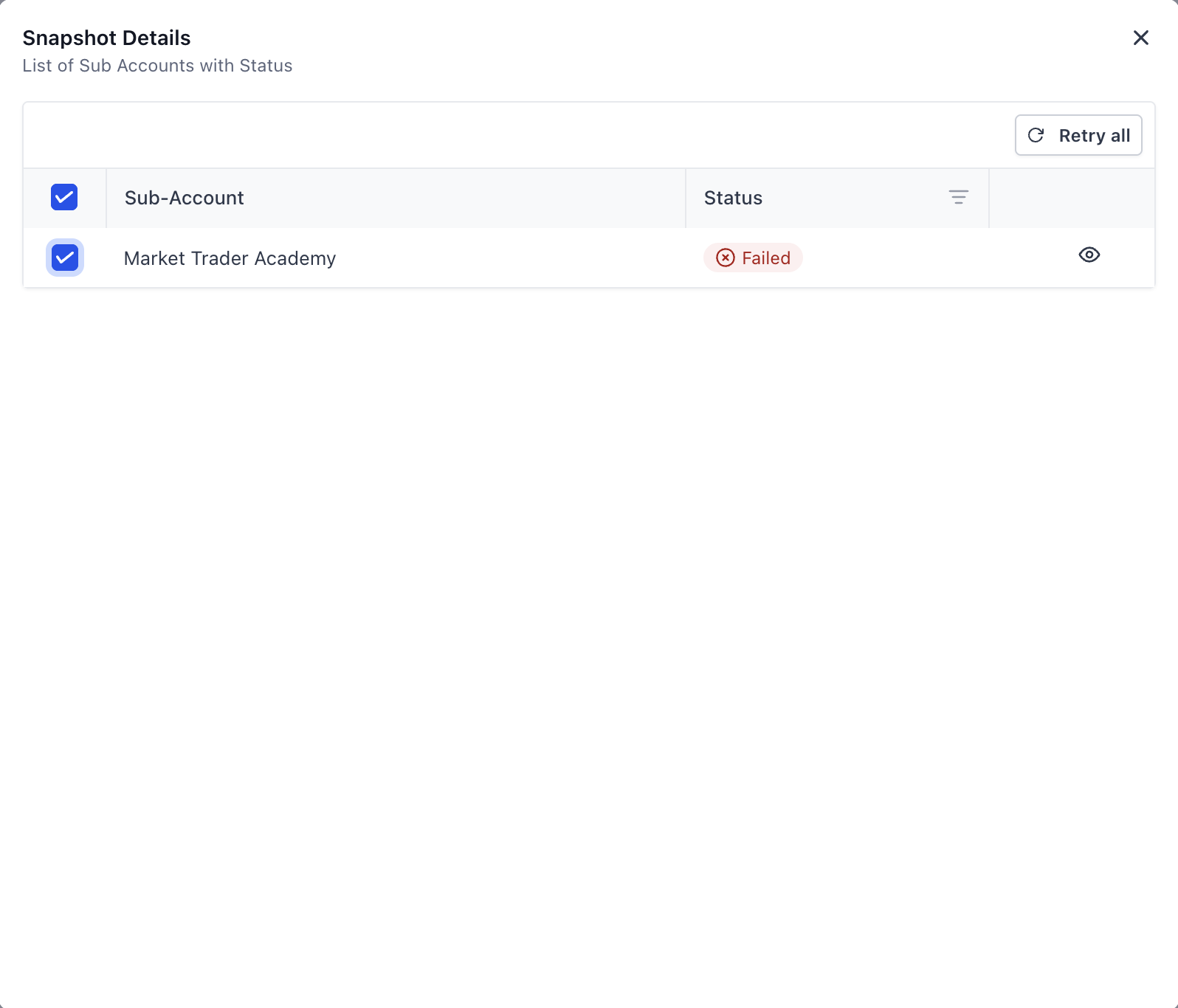
The feature lives in the Snapshots section of the Agency view. From the Load History list you open a load that recorded one or more failed subaccounts. Within that load’s detail view you can either retry every failed account or select specific ones.
When you trigger a retry, HighLevel processes only the failing subaccounts while leaving the successful ones untouched. Status icons change to indicate progress, success, or remaining failures, all shown in the same load details screen.
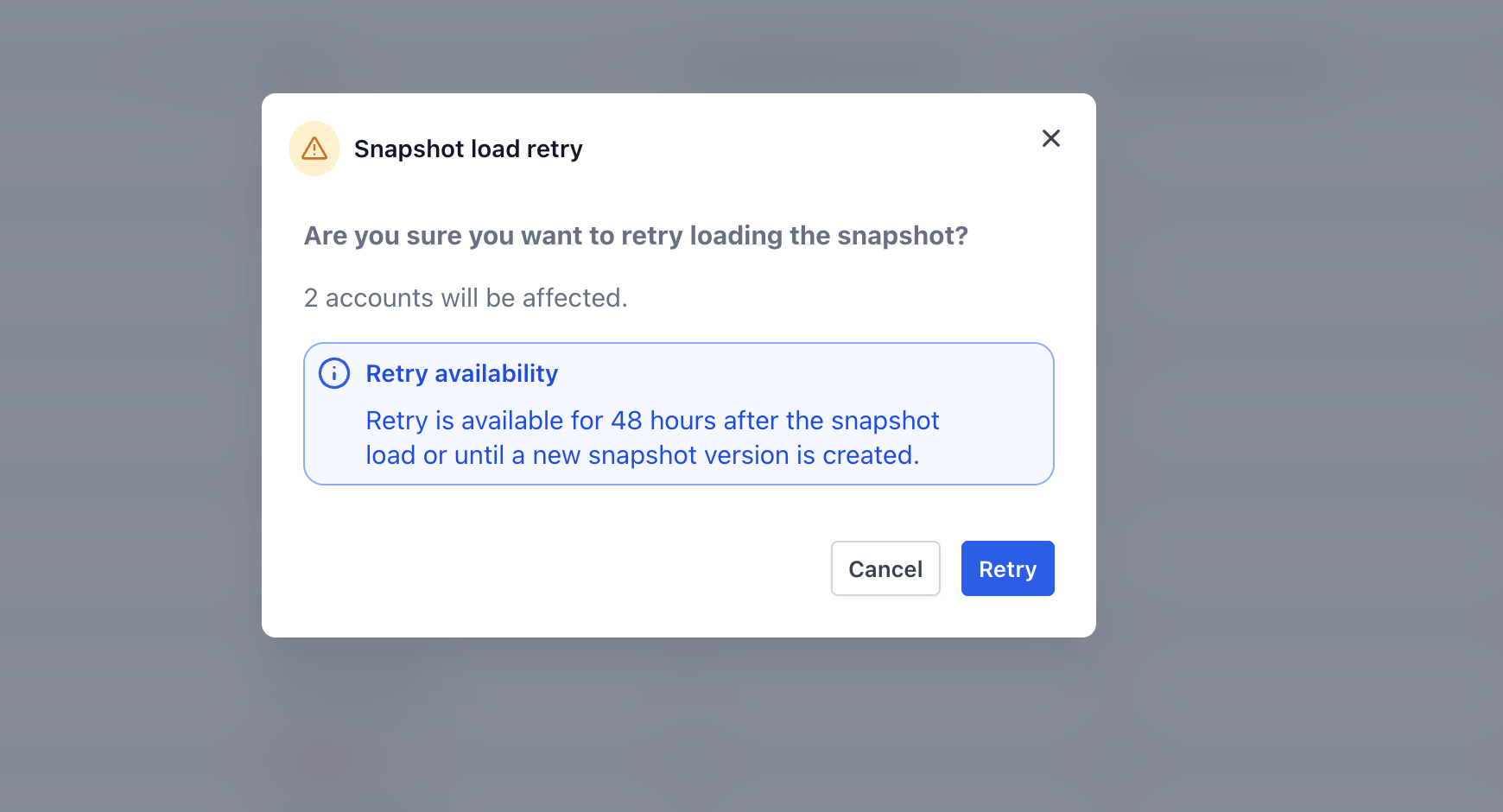
Retry actions are only available for loads that are less than 48 hours old and that have not been modified by a snapshot refresh after the original push.
03How businesses use Snapshot Load Retry
- Digital marketing agency. After a batch load of client accounts, the agency notices several accounts failed due to access errors. It opens Load History, selects the load, and clicks Retry All Failed to re attempt the imports, watching the status change to Successful.
- SaaS onboarding team. The team fixes a permission issue on two client subaccounts that failed during a snapshot push. In Load History they expand the batch, check those two accounts, and press Retry Selected to retry only the corrected accounts.
- Consulting firm. When a snapshot load encounters timeout errors on a few subaccounts, the firm uses the retry feature within 48 hours to avoid creating a new load, ensuring the rollout proceeds efficiently.
04The numbers and rules that matter
- 48 hour limit: Loads older than 48 hours cannot be retried.
05Before you start
- A snapshot load must have at least one failed subaccount.
- The user must have permission to push or load snapshots in the Agency view.
06How to set up and use Snapshot Load Retry in HighLevel
Retry all failed subaccounts
- Navigate to Snapshots then choose Load History.
- Select the load entry that contains failed subaccounts.
- Press the Retry All Failed button.
- Watch the status indicators update as HighLevel processes only the failed accounts.
Retry specific subaccounts
- Go to Snapshots > Load History and open the relevant load.
- Expand the batch details to see the list of subaccounts.
- Check the box next to each failed subaccount you want to retry.
- Click the Retry Selected button.
07What it looks like in HighLevel

08Things to know before you rely on it
- Retries are unavailable for loads older than 48 hours; a new load must be created instead.
- If the snapshot was refreshed or altered after the original load, retries cannot be used and a new load is required.
09How it connects to the rest of HighLevel
- Create and share snapshots for reusable setups Snapshot overview
- Load a snapshot into an existing subaccount Load snapshots
- Refresh or update a snapshot before a new load Refresh snapshots
Michael's take

I find it handy when a rollout encounters a few errors because it avoids rebuilding the entire push and keeps the retries linked to the original load, which helps with auditing.
If the batch is small or the snapshot is already outdated, the feature adds little value. You’ll still need to start a new load after 48 hours or after a snapshot refresh, so in those cases it’s often simpler to just do a fresh push.