
01Who this is for
- Agency owners who need to track snapshot usage across client accounts.
- Operations managers who monitor internal template adoption and ensure resources are utilized.
- Partner managers who want visibility into shared assets imported by affiliate accounts.
02Shared Snapshots Summary, explained
Shared Snapshots Summary provides a daily overview of import activity for selected Shared Snapshots. It replaces the need to manually check each snapshot to know whether it has been used.
When the feature is active, HighLevel sends a brief in app notification each day and a more detailed email digest. Both reports list which snapshots were imported, how often, and where the activity occurred.
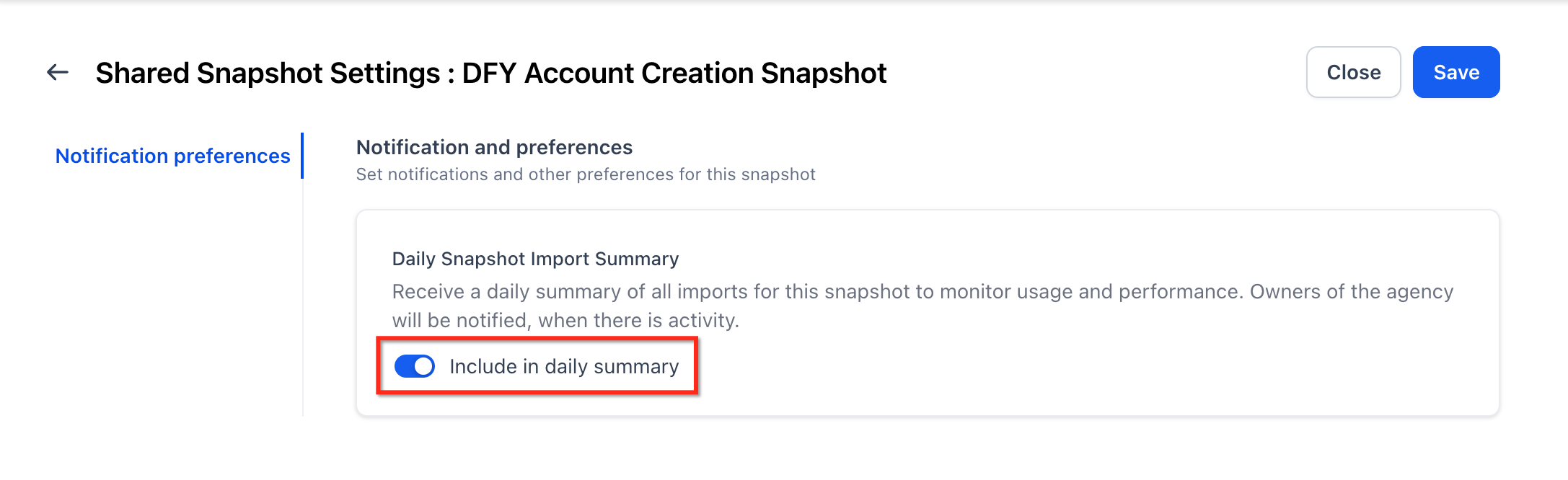
The summary option must first be turned on in Labs. After that, each Shared Snapshot can be added to the daily report by opening its Settings and enabling the Include in daily summary toggle.
03How businesses use Shared Snapshots Summary
- Digital marketing agency. The agency enables Include in daily summary on client onboarding snapshots. Each day the team receives an in app notice and an email showing which onboarding templates were imported, letting them verify client uptake without opening each account.
- Partner network manager. The manager activates the daily summary for shared partner templates. The email digest then reveals which partners have loaded the latest assets, helping the manager keep partner usage visible.
- Internal operations team. The team turns on the setting for standard workflow snapshots used across departments. Daily notifications let the team confirm that each department is importing the approved workflow without extra reporting steps.
04The numbers and rules that matter
- Available in Labs for all users starting May 02.
05Before you start
- Enable Shared Snapshots Summary in Labs before configuring individual snapshots.
06How to set up and use Shared Snapshots Summary in HighLevel
Enable daily summary for a Shared Snapshot
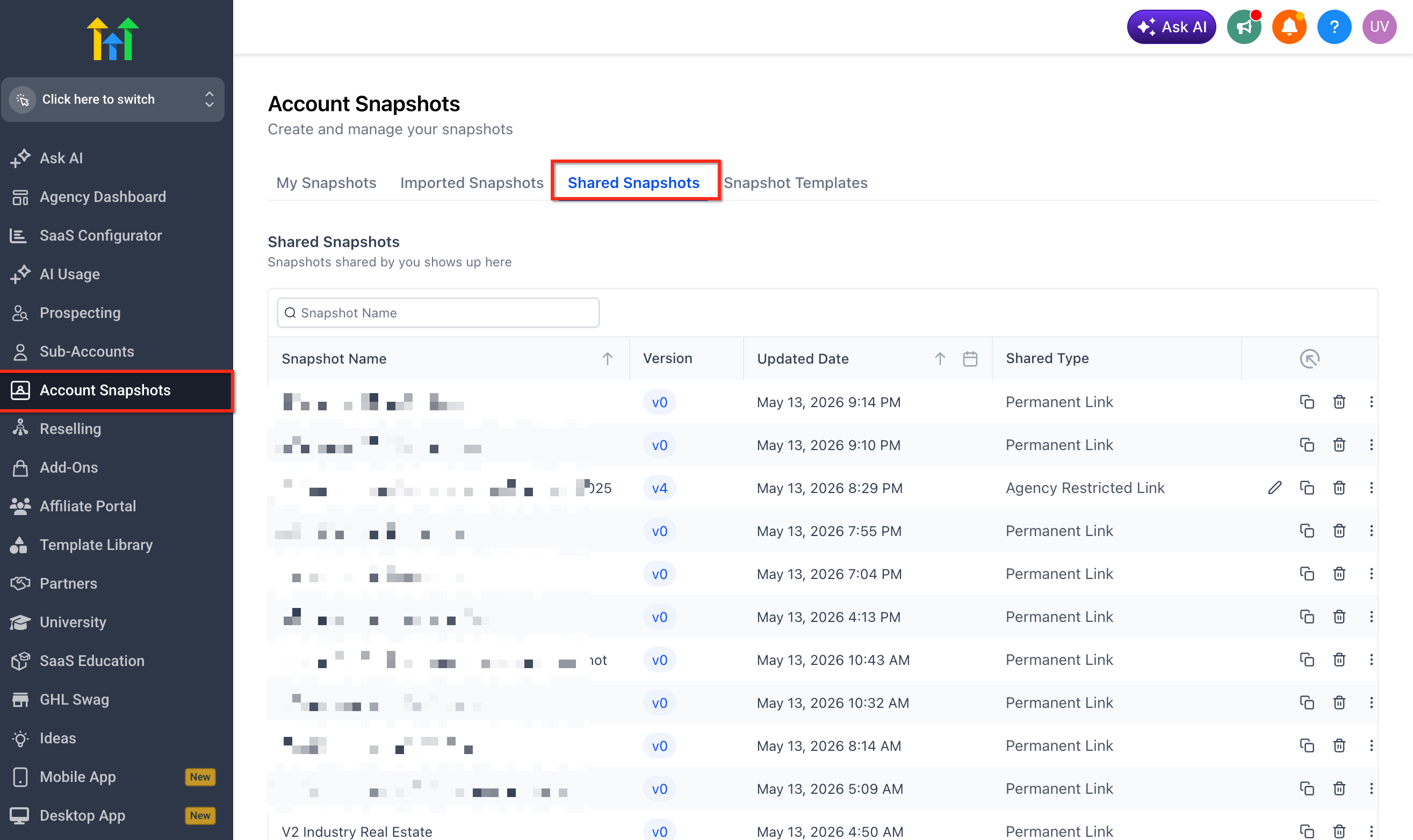
- Navigate to Snapshots.
- Open Shared Snapshots.
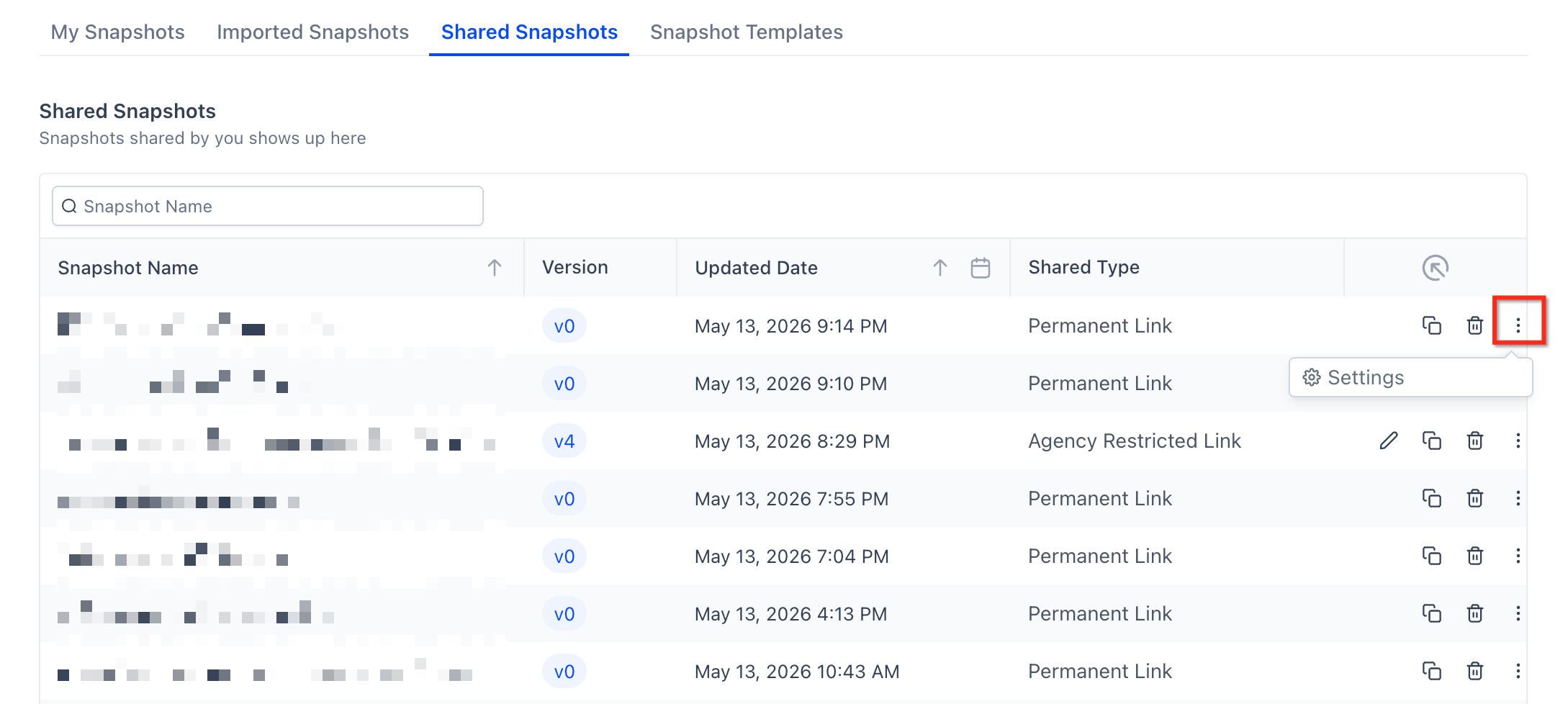
- Select the Shared Snapshot you want to monitor.
- Open the snapshot’s Settings.
- Enable Include in daily summary.
07What it looks like in HighLevel
08Settings that matter
- Include in daily summary. Controls whether a specific Shared Snapshot appears in the daily in app notification and email digest.
09Things to know before you rely on it
- Only Shared Snapshots with Include in daily summary turned on are shown in the daily report.
- Snapshots are not added automatically; each must be enabled individually.
- The feature is available in Labs for all users starting May 02.
- Shared Snapshots Summary does not change the way snapshots are imported.
10How it connects to the rest of HighLevel
- Overview of HighLevel snapshots and how they can be reused Snapshots overview
- Step by step guide for sharing snapshots with other accounts How to share snapshots
- Instructions for creating a new snapshot in HighLevel Create new snapshot
Michael's take

Shared Snapshots Summary sends you a daily snapshot of import activity so you can see which templates are being used without opening each one.
Enabling the summary for a snapshot adds it to the daily overview.