
01Who this is for
- Agency owners, can reuse imported protected assets across all client subaccounts without extra steps.
- Marketing teams, can build new client accounts using existing protected assets while staying compliant.
- Product managers, can refresh snapshots with protected assets to keep internal templates up to date.
02Protected assets snapshots, explained
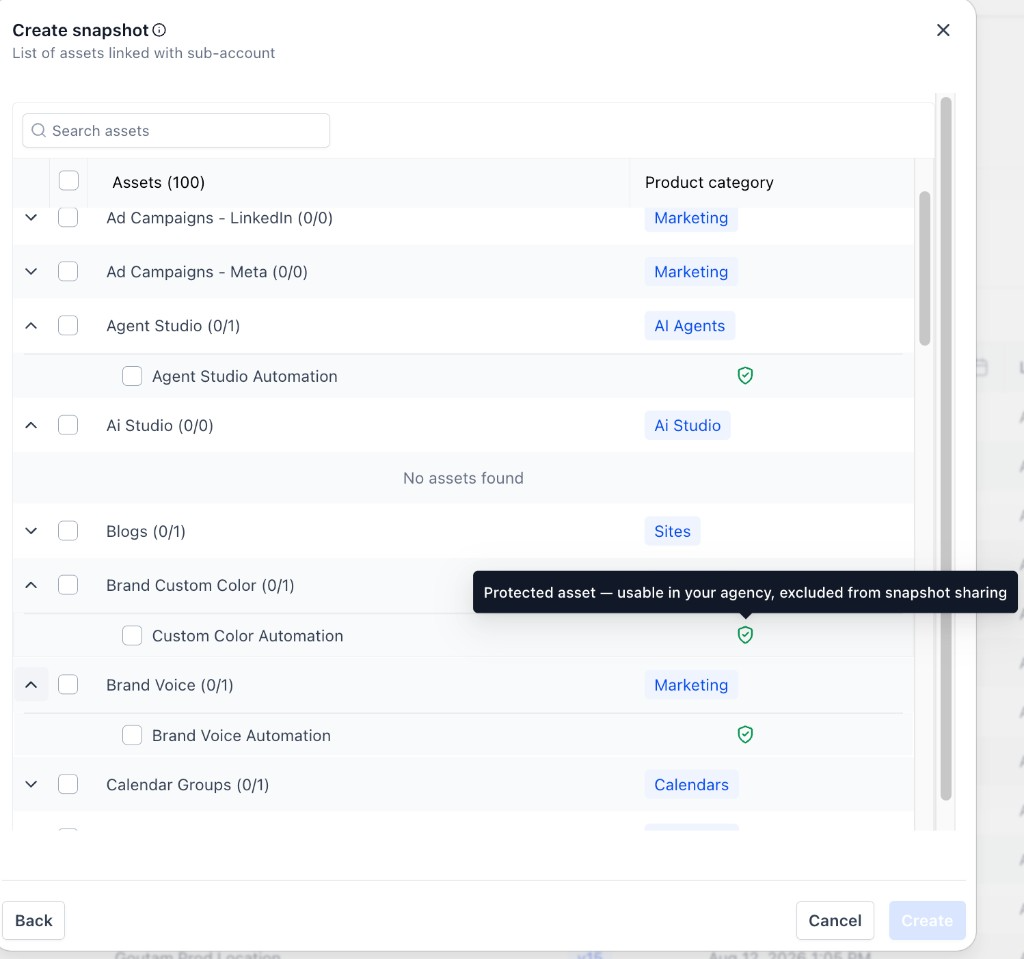
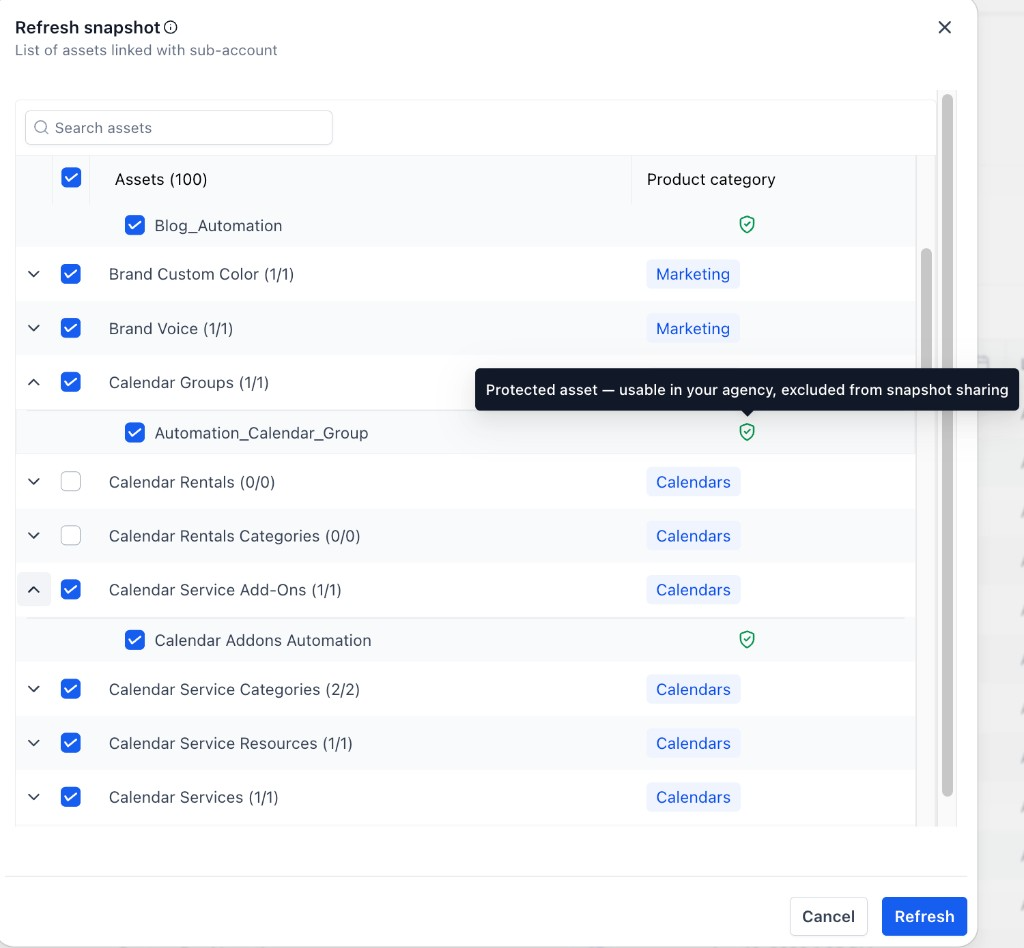
The feature lets you include assets that were previously marked as IP protected in any snapshot you create or refresh inside your agency. When you start a snapshot creation or refresh, those assets appear in the asset list with a green shield icon, indicating they are usable internally.
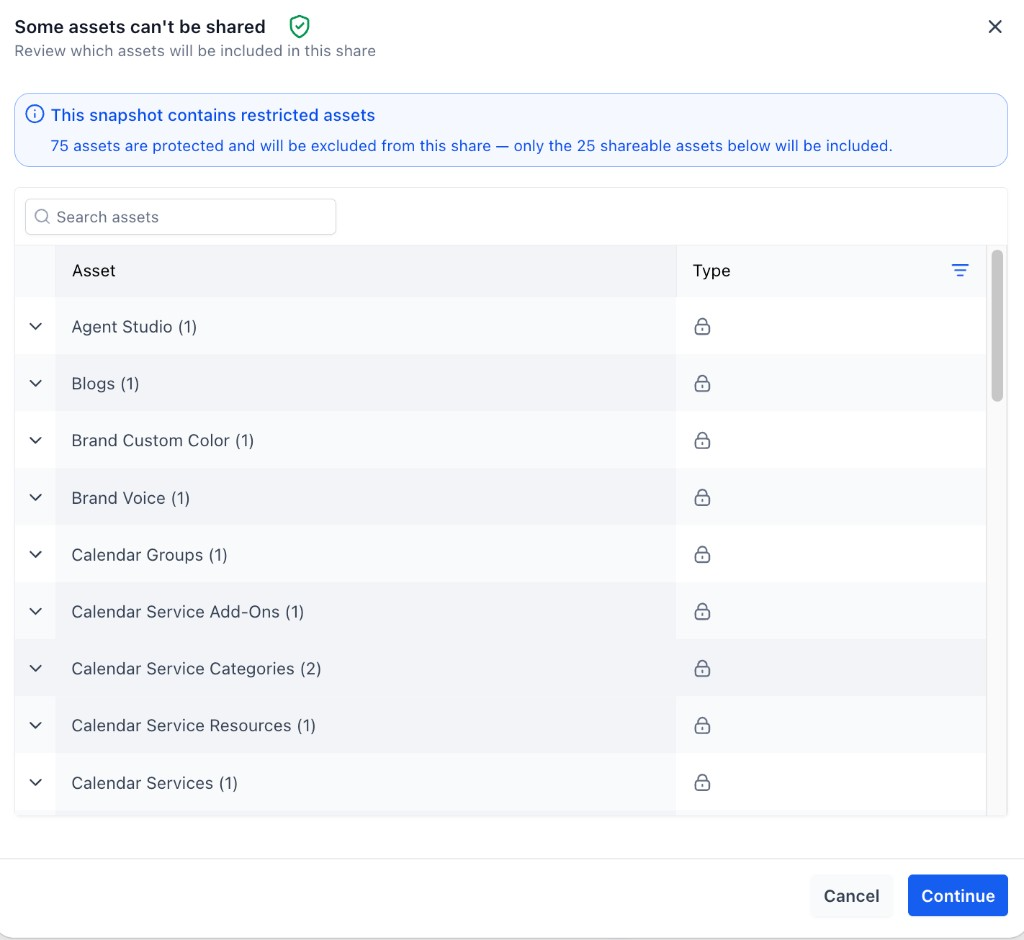
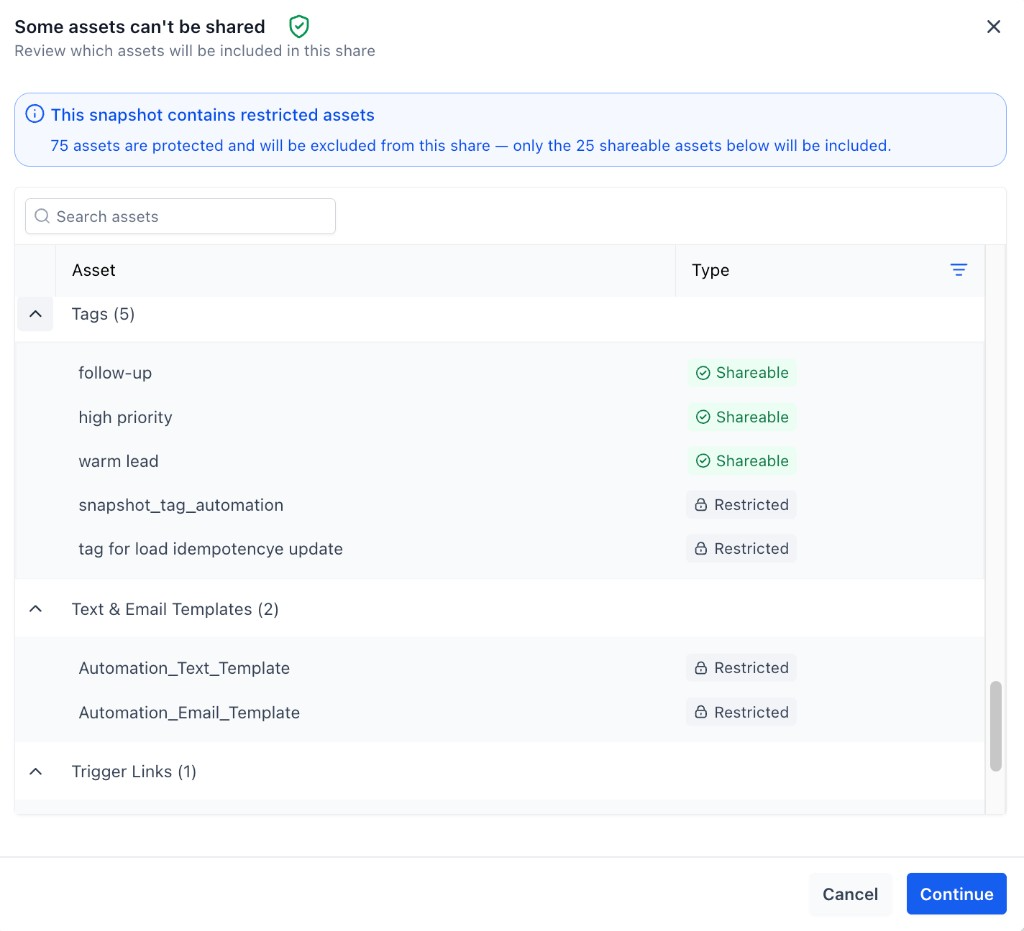
If you attempt to share a snapshot that mixes protected and regular assets, HighLevel shows a review screen titled “Some assets can’t be shared.” The screen lists how many assets are protected and will be excluded, and lets you expand each group to see individual asset labels. Only the shareable assets are transmitted to another agency.
In the Snapshots overview, any snapshot containing protected assets displays a shield indicator. Hovering over the shield reveals a tooltip that the snapshot’s assets cannot be redistributed, giving a quick visual cue.
03How businesses use protected assets snapshots
- Internal template library. A team imports a protected email template, builds a snapshot that includes the template, and then uses that snapshot to set up subaccounts for multiple clients. The template stays usable within the agency but is not shared outside.
- Workflow reuse. Agents create a snapshot containing a protected workflow, share the snapshot with other agents in the same agency, and the system automatically excludes the protected workflow while sharing the rest of the snapshot.
- Automation refresh. A consultancy refreshes an existing snapshot that has a protected onboarding automation. The refreshed snapshot shows the protected assets with a shield, allowing the team to reuse the automation in new client subaccounts.
04How to set up and use protected assets snapshots in HighLevel
Building or refreshing a snapshot with protected assets
- Start the creation or refresh process for a snapshot.
- View the asset list where protected items appear with a green shield icon.
- Hover over the shield to see the tooltip that the asset is usable in your agency but excluded from sharing.
- Select the protected assets you want to include and finish building the snapshot.
Sharing a snapshot that contains protected assets
- Initiate the share action for the chosen snapshot.
- Review the “Some assets can’t be shared” screen that shows counts of protected and shareable assets.
- Expand each asset group to see individual items labeled Shareable or Restricted.
- Confirm the share, knowing only the shareable assets will be sent.
- Complete the sharing process.
Identifying protected (non redistributable) snapshots
- Open the Snapshots list in HighLevel.
- Look for the shield indicator on snapshots that contain protected assets.
- Hover over the shield to read the tooltip confirming the assets cannot be redistributed.
05What it looks like in HighLevel

06Things to know before you rely on it
- Protected assets can be reused only inside the agency; sharing or reselling them to another agency remains blocked.
- When a snapshot mixes protected and non protected assets, only the protected items are excluded from the share.
- The shield icon and tooltip provide visual indication of protection status on assets and snapshots.
07How it connects to the rest of HighLevel
- Create reusable snapshots Snapshot overview
- How to share snapshots Share snapshots
- Learn about assets protected snapshots Assets protected
Michael's take

Wondering if you can finally get value out of those protected assets without worrying about being blocked? The good news is you can now pull those assets into any subaccount or new snapshot inside your agency and use them as you see fit.
The only thing you still can’t do is pass them outside your agency, which keeps the original creator’s rights intact.