
01Who this is for
- Agency owners who manage many client subaccounts benefit by reusing object setups without manual rebuilding.
- Marketing teams that segment contacts with Smart Lists gain a quick way to apply the same filters to new client accounts.
02Custom object snapshots, explained
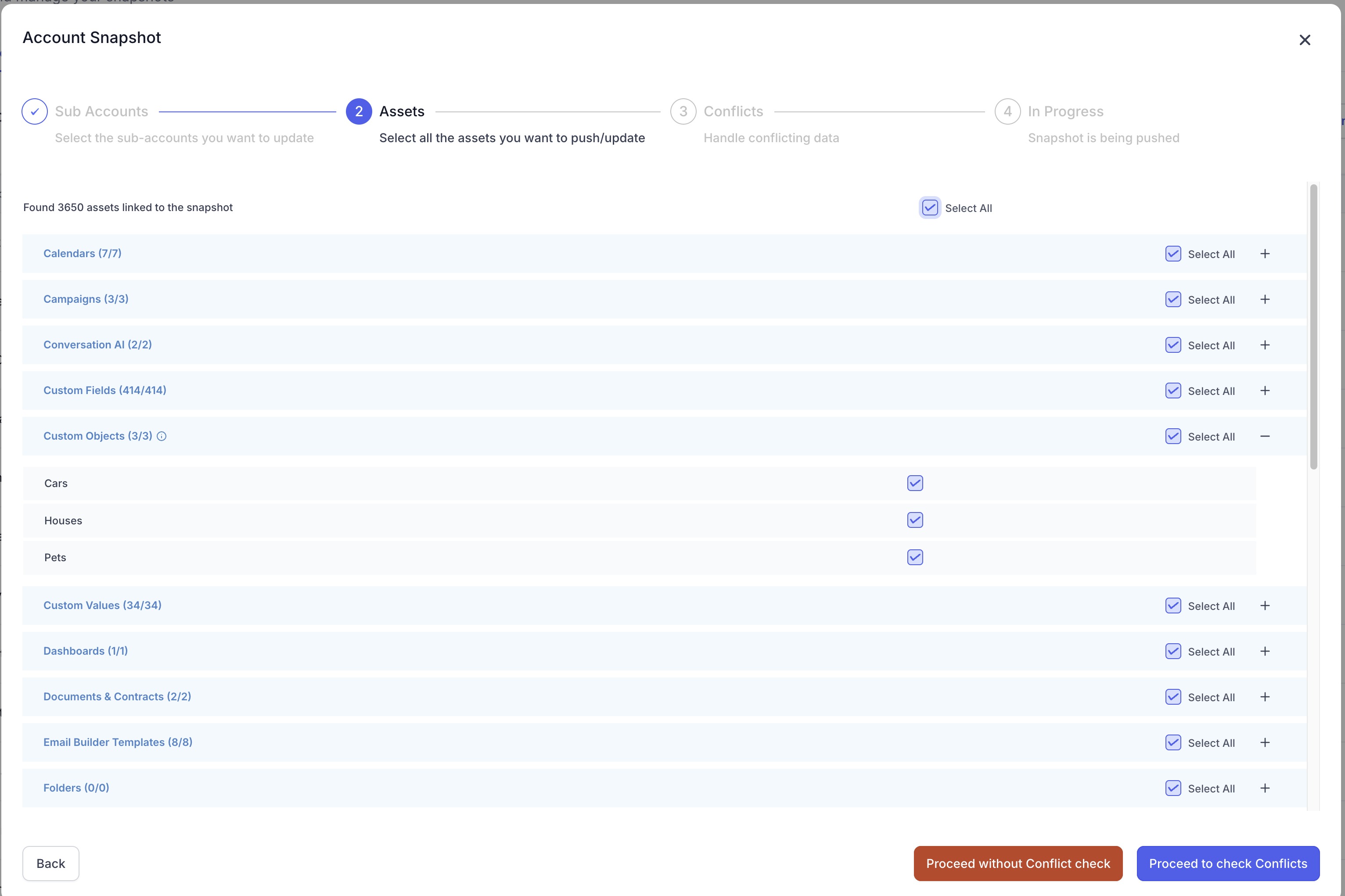
The feature lives in the Account Snapshots area of the HighLevel Agency Dashboard. When you create a snapshot, you can select Custom Objects and all of their custom fields. The system automatically includes any supported associations between those objects and contacts.
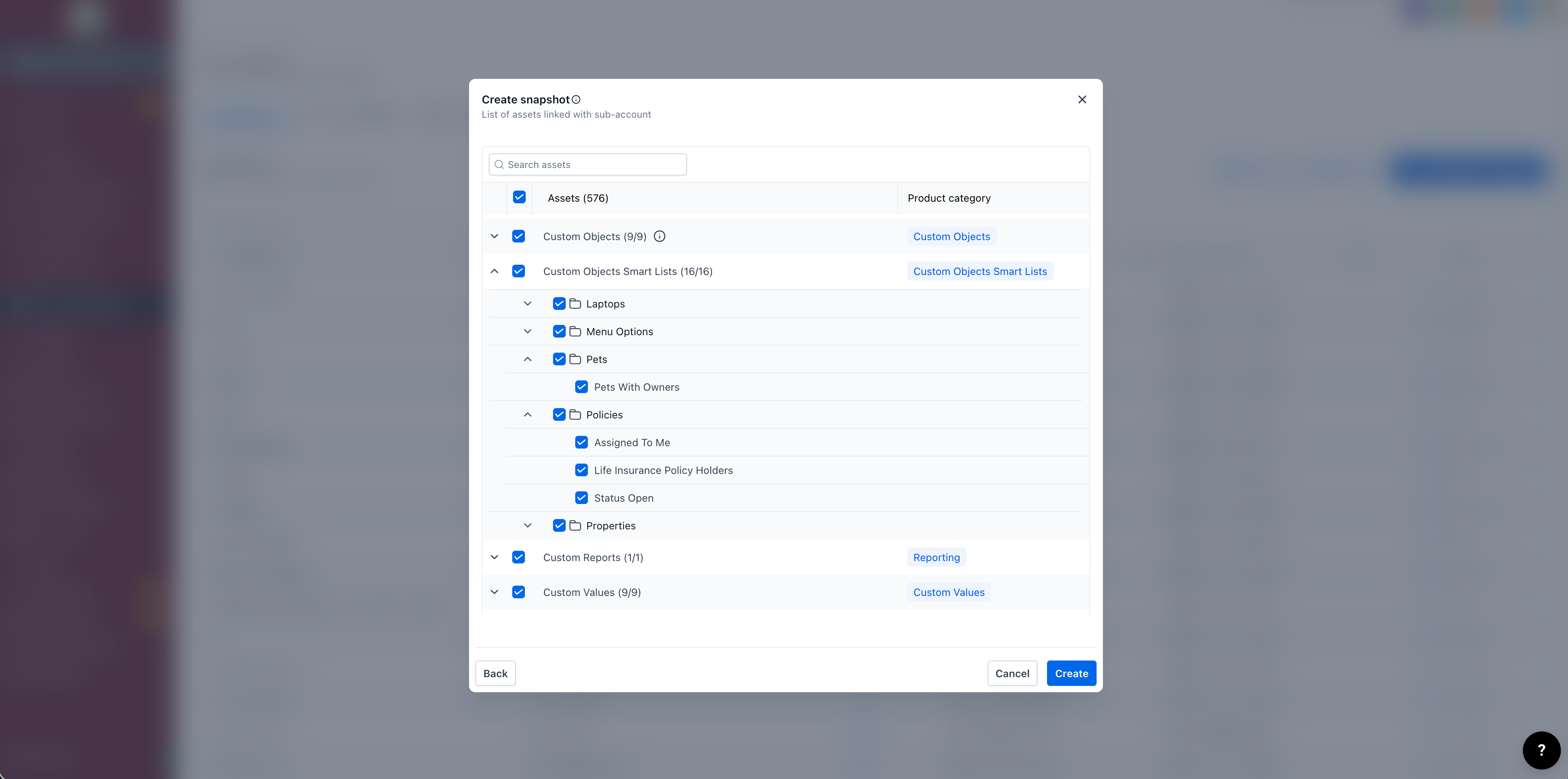
Smart Lists built on Company or Custom Object fields can also be selected for a snapshot. Only the filter configuration is saved; the list will evaluate the records present in the destination subaccount when the snapshot is loaded.
During a snapshot load, HighLevel copies the selected configurations into the target subaccount. It does not move live record data, and associations are recreated automatically based on the objects included.
03How businesses use custom object snapshots
- Marketing agency. The agency creates a snapshot that includes a custom object for campaign tracking and its fields. By loading the snapshot into a new client subaccount, the agency right away provides the same object structure and associations without manual setup.
- Real estate brokerage. The brokerage builds a Smart List that filters properties by city and status. After adding this Smart List to a snapshot, they load the snapshot to each office subaccount, giving every office the same segment logic right away.
- Insurance provider. The provider defines a Custom Object Smart List for policies nearing renewal. Including the Smart List and its underlying custom object in a snapshot lets each agent subaccount see the same renewal segment without recreating filters.
04The numbers and rules that matter
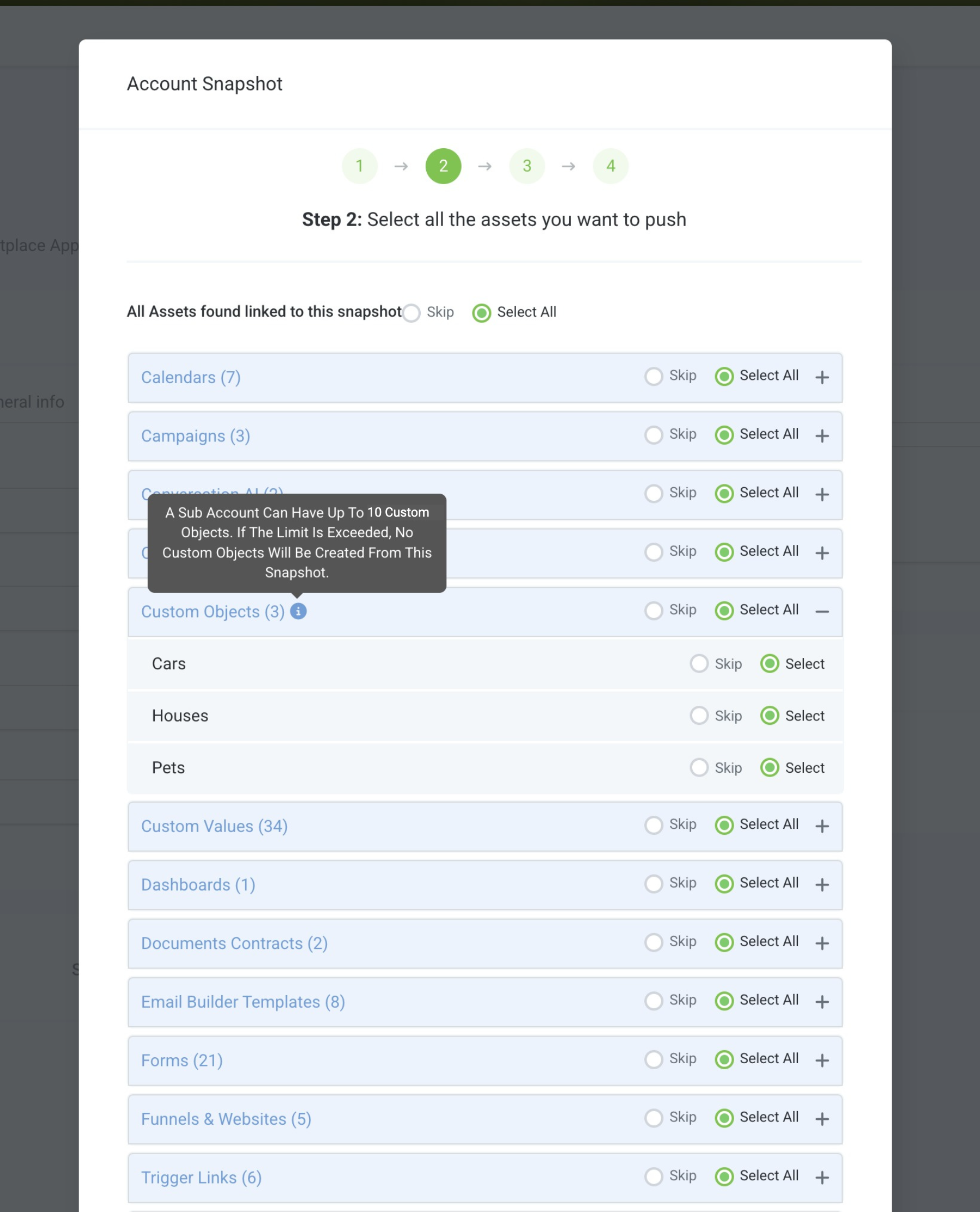
- All current HighLevel plans support up to 10 Custom Objects per location.
- A snapshot can contain a maximum of 10 Custom Objects per subaccount.
05Before you start
- Confirm the source subaccount already contains the Custom Objects you intend to copy.
- Ensure your user role includes Snapshot permissions.
- Verify the destination subaccount has enough unused Custom Object capacity.
- If the Load Snapshot button is missing, enable Snapshot access under User > Roles and Permissions in the Agency Dashboard.
06How to set up and use custom object snapshots in HighLevel
Copy custom objects between subaccounts
- Open Agency > Account Snapshots > Create Snapshot.
- Choose the custom object you wish to include.
- The object's fields and supported associations are added automatically.
- Select the source subaccount and the target subaccount to finish the transfer.
Add Smart Lists to a snapshot
- Build and test the Smart List in the source subaccount.
- Navigate to Agency > Account Snapshots.
- Create a new snapshot or refresh an existing one.
- Select the Company Smart Lists and Custom Object Smart Lists you need.
- Include the underlying custom object and its fields used by those Smart Lists.
- Save or refresh the snapshot.
- Load or push the snapshot to the destination subaccount.
- Open the Company or Custom Object list in the destination account and verify the Smart List.
07What it looks like in HighLevel
08Settings that matter
- Snapshot access. Controls whether a user can create, load, or refresh snapshots from the Agency Dashboard.
09Things to know before you rely on it
- A snapshot can contain a maximum of 10 custom objects per subaccount; exceeding this limit prevents any custom objects from being created in the target.
- All HighLevel plans support up to 10 custom objects per location.
- Contact to Contact associations are not supported in snapshots.
- Associations are included automatically and cannot be edited or deselected during snapshot creation.
- Smart List configurations are copied, not the records they display.
10If something goes wrong
- Load Snapshot button is unavailable. Check that Snapshot access is enabled for your role under User > Roles and Permissions.
- Snapshot import exceeds custom object limit. Reduce the number of custom objects selected in the snapshot so the total does not surpass the destination's capacity.
11How it connects to the rest of HighLevel
- Snapshot overview and reusable account setups Snapshot overview
- Create a new snapshot in HighLevel Create snapshot
- Load a snapshot into an existing subaccount Load snapshot
- HighLevel pricing and plans Pricing
- Start a 30 day HighLevel trial 30 day trial
Michael's take

Custom object snapshots feel like a small convenience that can become a real shift for agencies juggling dozens of client setups.
A real estate brokerage that runs separate subaccounts for each office will love this. They can define property objects, Smart Lists for “Properties by city” or “Listings nearing expiry,” and then push those definitions to every office without manual recreation.