
01Who this is for
- Ecommerce Founders who need a single automation entry point for both HighLevel and external stores, so they can manage recovery without juggling multiple triggers.
- Marketing managers at online retailers who want to segment abandoned carts by value, country or product to send targeted follow up messages.
- Customer support teams that require a clear, timed trigger to flag unfinished checkouts and schedule outreach actions.
02Abandoned checkout triggers, explained
The Abandoned Checkout trigger detects when a shopper has entered a valid email, added items to the cart, and then leaves the checkout flow beyond a configurable waiting period. Once the defined minutes pass, the trigger starts the workflow attached to it.
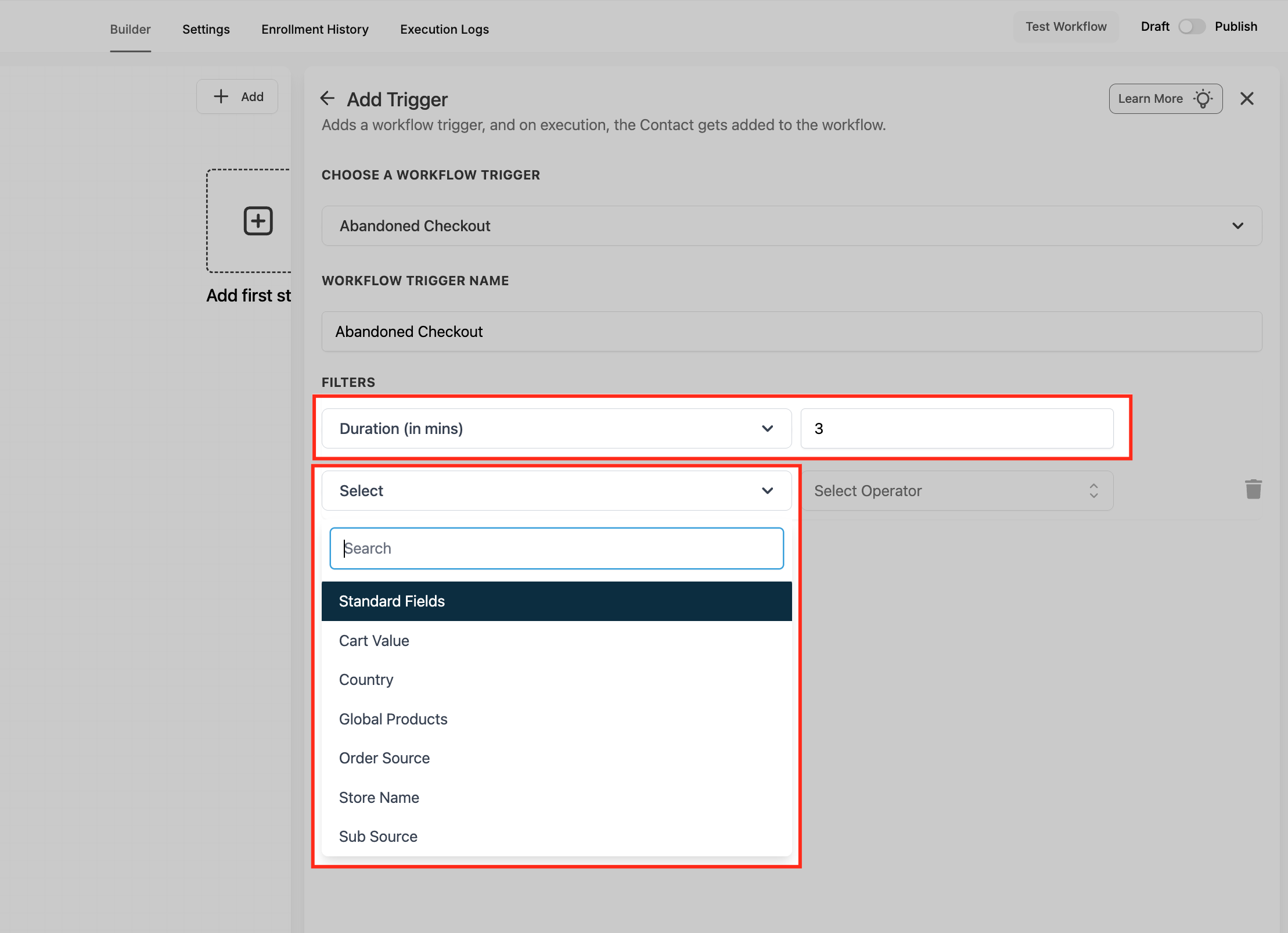
The trigger lives in the Automation > Workflows area. After adding it, you can name the trigger, set the abandonment window, and apply filters such as Cart Value, Country, Global Products, Order Source, Store Name or Sub Source. Filters narrow the contacts that move forward in the automation.
The trigger works for native HighLevel ecommerce stores and for external stores that are connected, for example Shopify. Actions after the trigger can include email, SMS, call, task or any other workflow action regardless of the store source.
03How businesses use abandoned checkout trigger
- Online clothing boutique. The boutique selects the Abandoned Checkout trigger, sets a 20 minute abandonment window, and adds a filter for Cart Value above a defined threshold. When the trigger fires, the workflow sends a discount code email to high value shoppers, encouraging them to finish the purchase.
- Handmade jewelry maker using Shopify. The maker configures the trigger with Order Source set to External and Sub Source to Shopify. A filter for Country limits the flow to U.S. customers. The workflow then sends a personalized SMS reminder after the defined minutes.
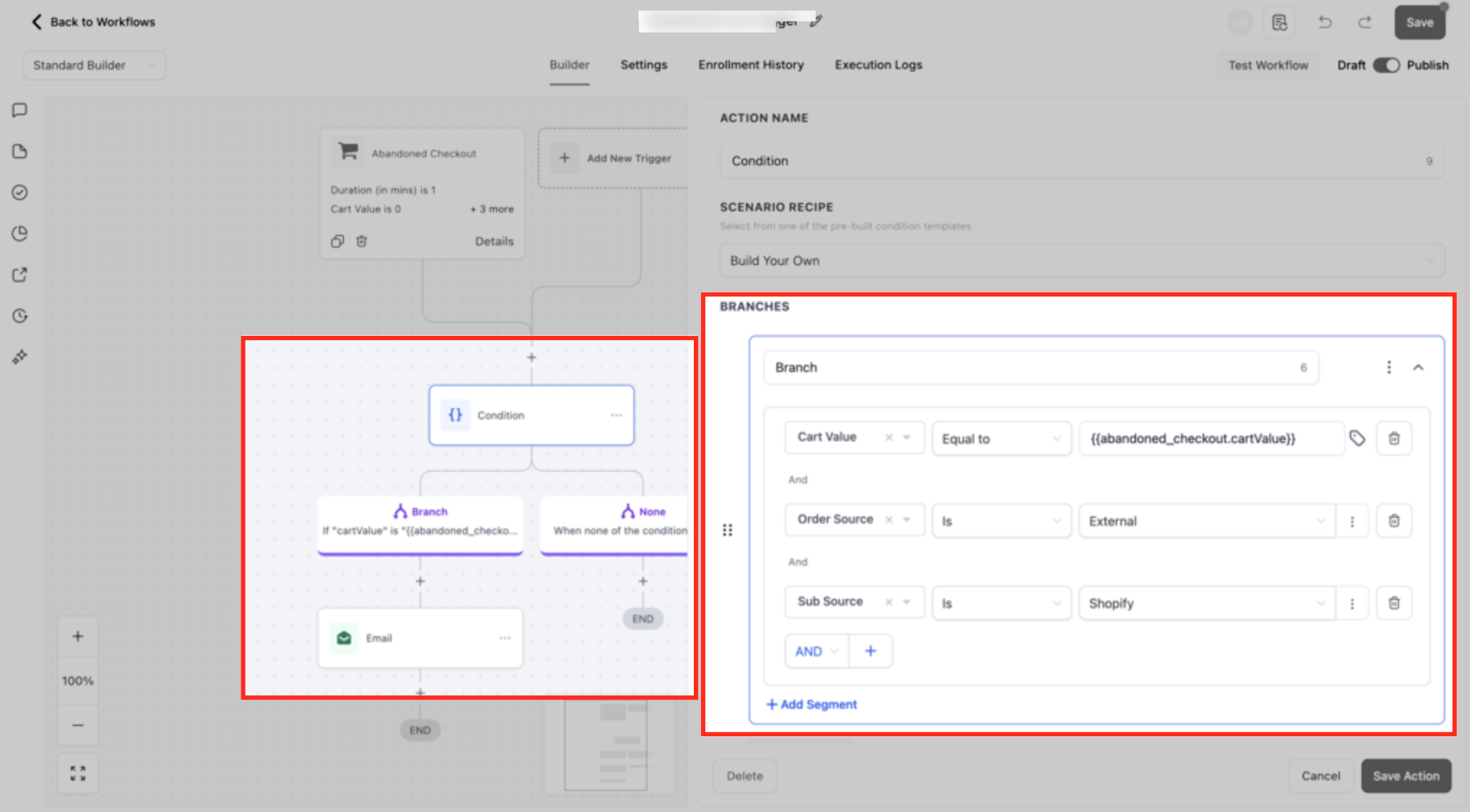
- Digital course provider with a HighLevel store. The provider uses the Global Products filter to target a specific course SKU. After the trigger fires, a conditional branch splits contacts by Cart Value, sending a free trial email to lower value carts and a premium upgrade offer to higher value carts.
04The numbers and rules that matter
- Timely, personalized nudges routinely reclaim 10 to 30% of would be lost orders.
05How to set up and use abandoned checkout trigger in HighLevel
Set up abandoned checkout trigger
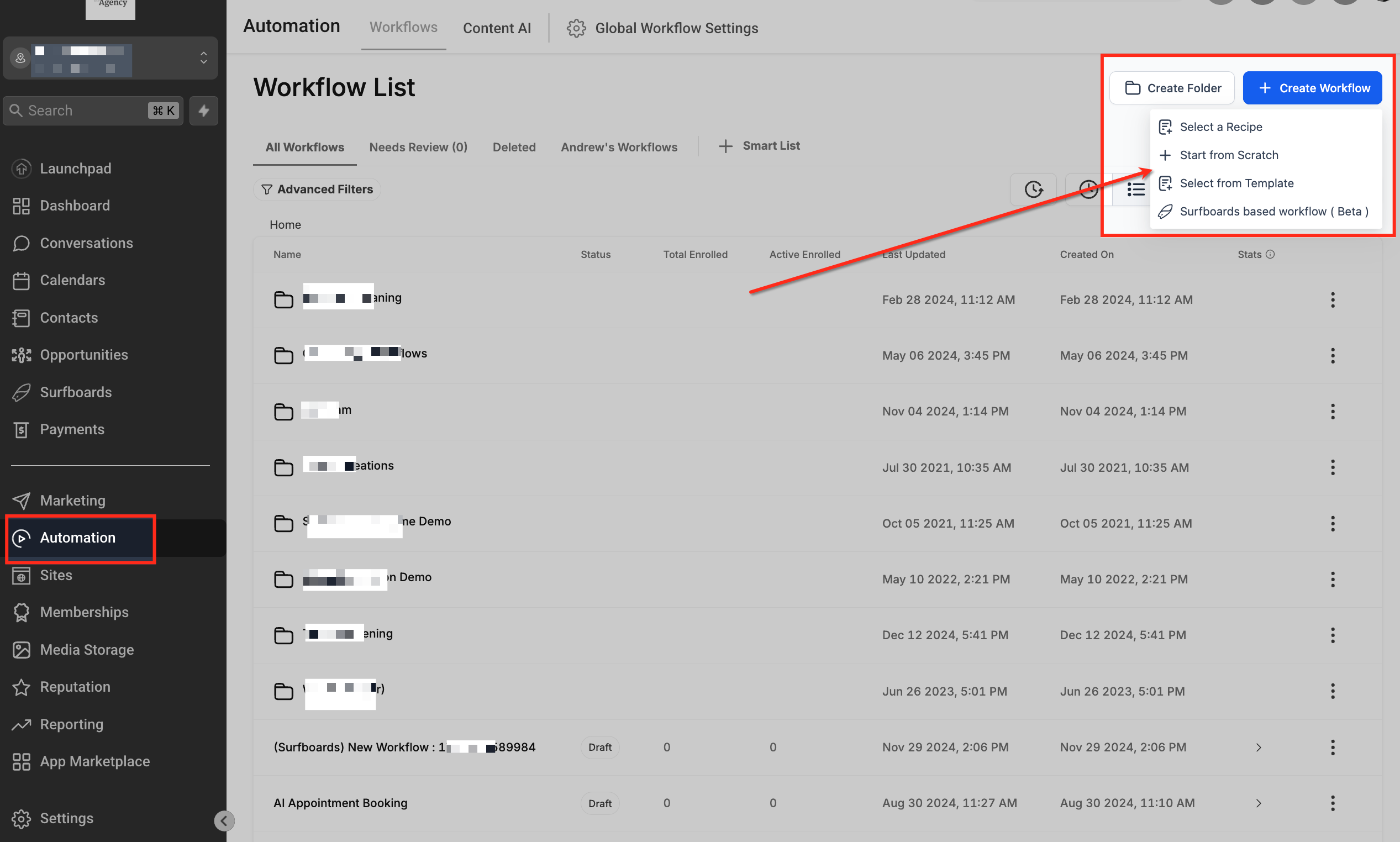
- Open Automation > Workflows from the left sidebar.
- Click the + Create Workflow button in the top right corner.
- Choose Start from Scratch to begin a new automation.
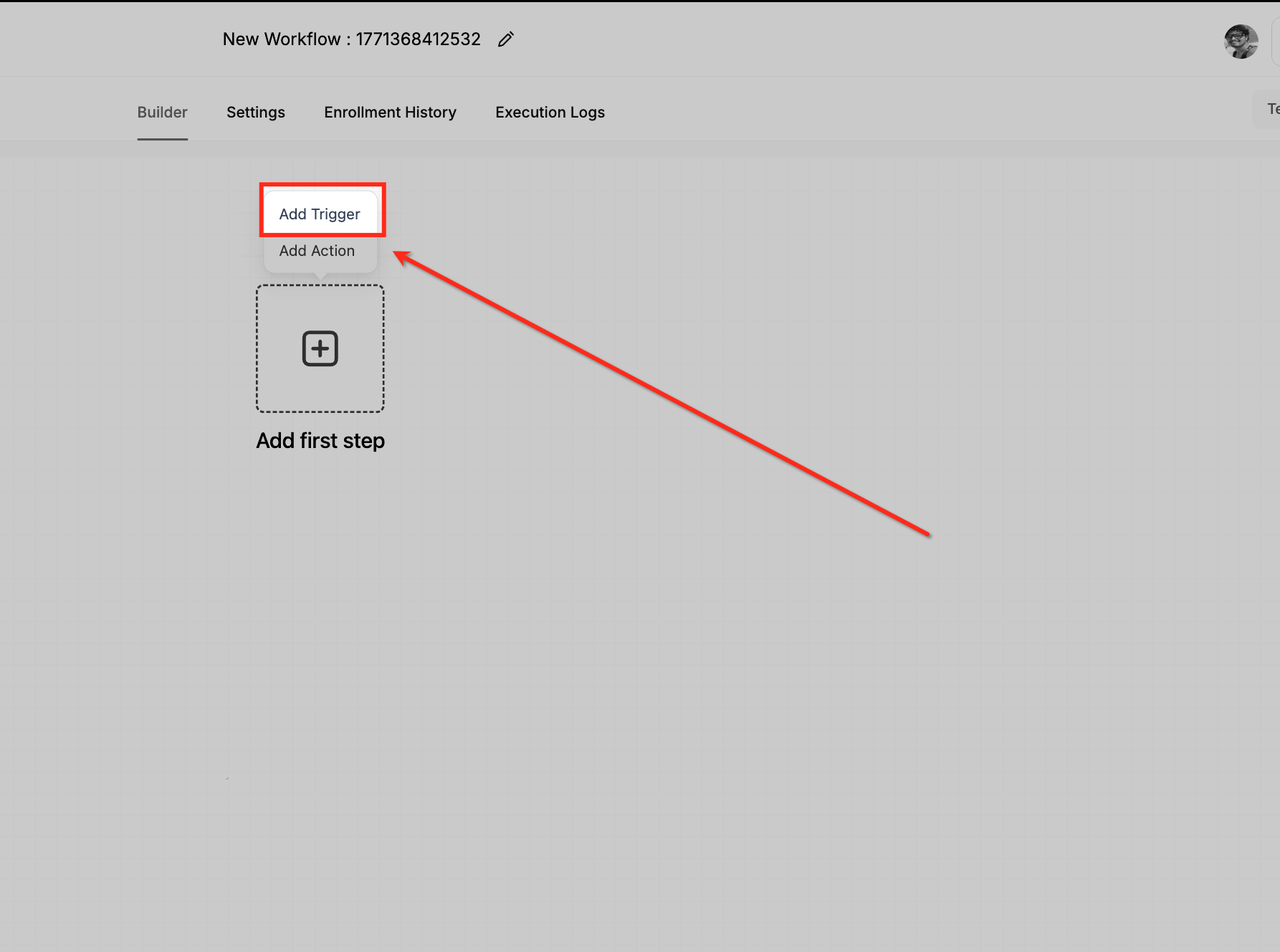
- In the workflow builder, click Add Trigger.
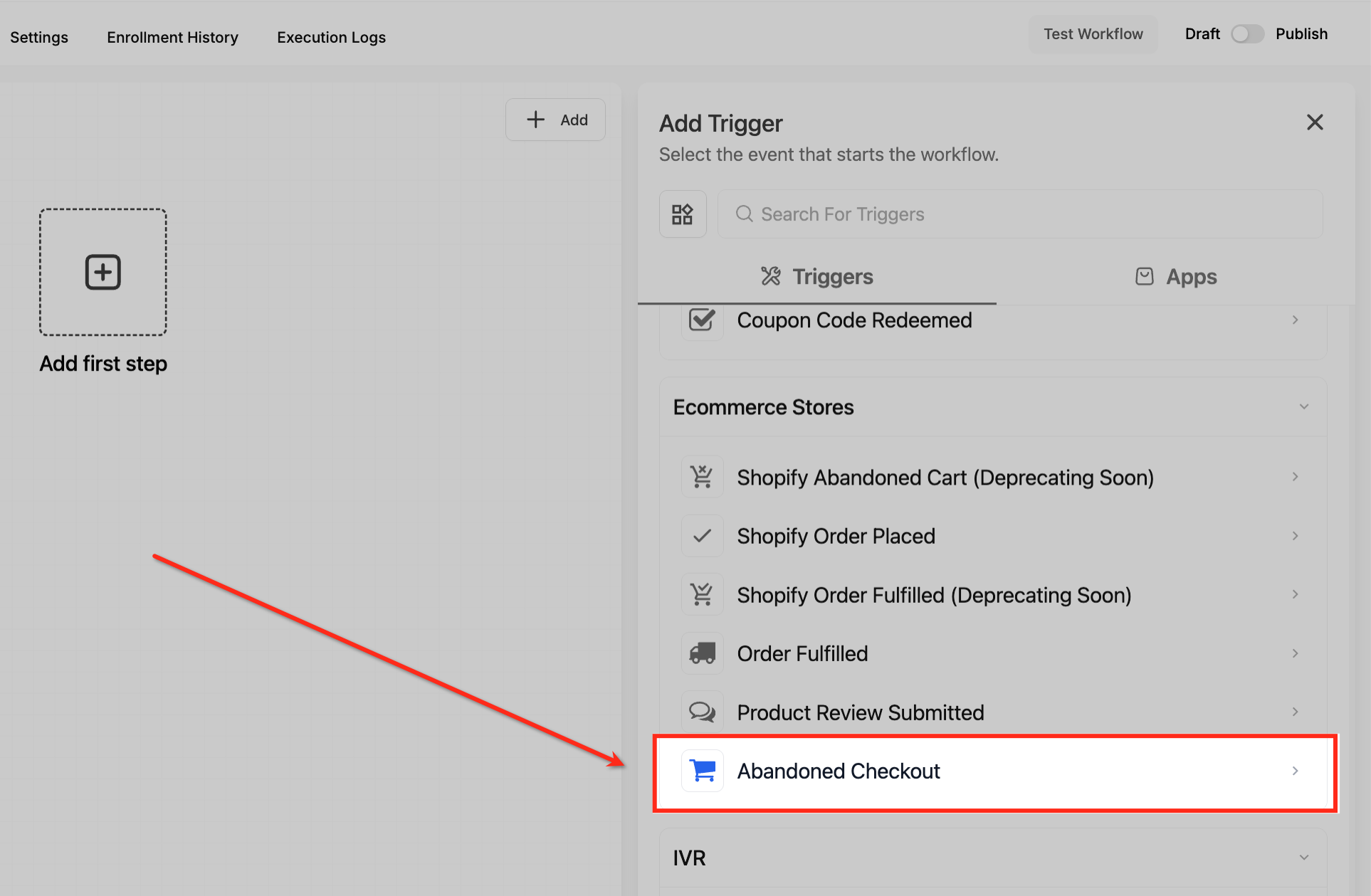
- Scroll to the Ecommerce Stores section and select Abandoned Checkout.
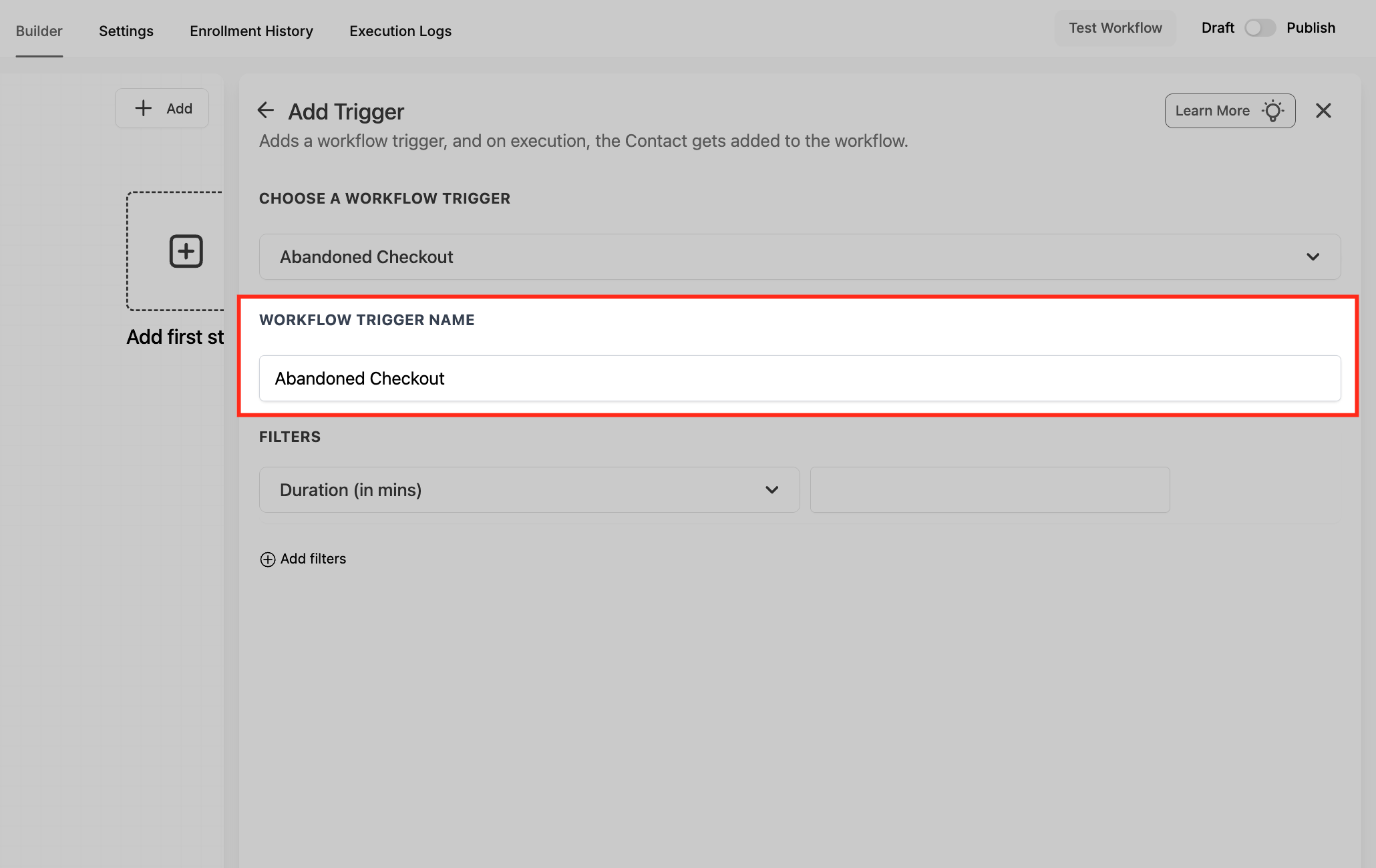
- Confirm Abandoned Checkout is selected under Choose a Workflow Trigger and review the Workflow Trigger Name field.
- Set the Duration (minutes) and apply any desired Filters such as Cart Value, Country, Global Products, Order Source or Sub Source.
06What it looks like in HighLevel
07Settings that matter
- Duration (minutes). Defines how many minutes must pass after a shopper adds items and an email before the checkout is marked abandoned.
- Cart Value. Filters carts by minimum, maximum or range amounts, allowing the trigger to fire only for carts that meet the defined value criteria.
- Country. Limits the trigger to shoppers located in selected countries.
- Global Products. Selects specific product SKUs to filter the trigger. When product context is available, Price and Available Quantity become custom values for later actions, though they cannot be used in If/Else conditions.
- Order Source. Specifies whether the checkout originated from a HighLevel store or an external platform.
- Sub Source. Appears when Order Source is External; allows selection of Shopify today, with more platforms to be added later.
- Workflow Trigger Name. The label shown in the workflow builder for this trigger; can be edited for easier identification.
08Things to know before you rely on it
- The legacy “Shopify Abandoned Cart” trigger is renamed and will be deprecated; new automations should use the Abandoned Checkout trigger.
- Price and Available Quantity custom values cannot be used in If/Else condition steps.
- An email address must be entered for the checkout to be considered abandoned; carts without an email will not fire the trigger.
09How it connects to the rest of HighLevel
- Overview of all workflow triggers Triggers overview
- How to create a workflow with triggers, filters and actions Workflow creation guide
- HighLevel pricing and plans Pricing page
Michael's take

Businesses that don’t collect emails before checkout can skip it.