
01Who this is for
- Ecommerce Founders, automate post purchase communication based on real time review data.
- Customer support managers, receive instant alerts for 1 and 2 star reviews to resolve issues fast.
- Marketing teams, channel 5 star reviews to Slack or Google Sheets for quick social proof use.
02Product review submitted triggers, explained
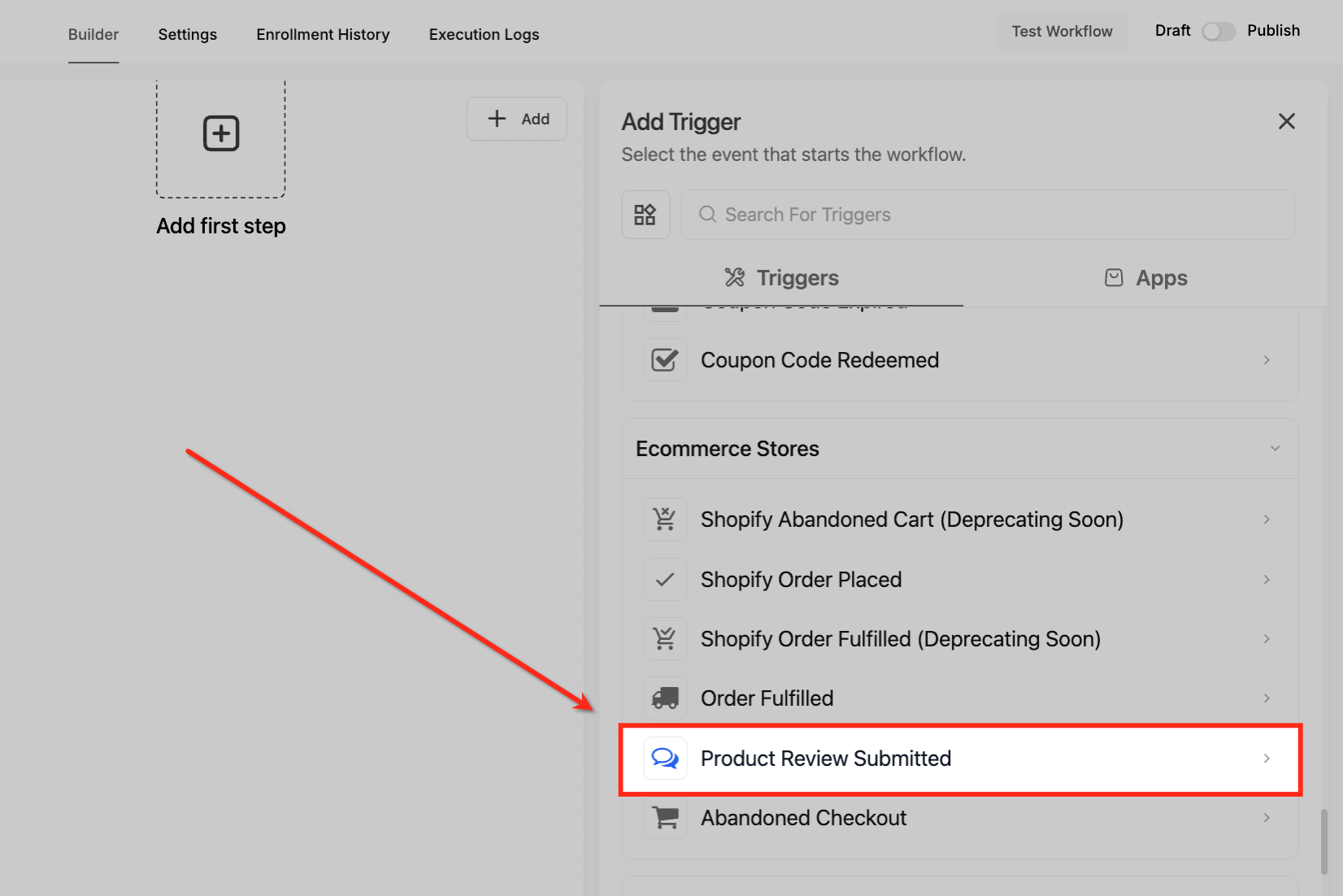
The trigger resides under Automations > Workflows > Add Trigger > Ecommerce Stores. When a visitor clicks “Submit review,” HighLevel records the rating, headline, comment, reviewer information, store name and product, then launches the workflow you have built.
You can narrow enrollment with filters such as product, rating, store name, comment keywords or reviewer email. Filters can be set to require all conditions or any condition, allowing highly specific follow ups. The automation runs even if no contact record exists, though you may create or update a contact inside the workflow if desired.
03How businesses use product review submitted trigger
- Online clothing retailer. Add the trigger, then set a Review Rating filter for 5 stars. Attach an action to post the review text to a Slack channel used by the creative team for marketing assets.
- Digital course platform. Create a workflow that fires on 1 star reviews. Use a User Email filter to prioritize VIP students, then add an action that creates a support ticket for immediate follow up.
- Subscription box service. Configure a Global Product filter for the new box edition. Attach a Send Email action that thanks the buyer and includes a referral link, encouraging repeat purchases.
04The numbers and rules that matter
- Rating values are 1 to 5 stars.
05How to set up and use product review submitted trigger in HighLevel
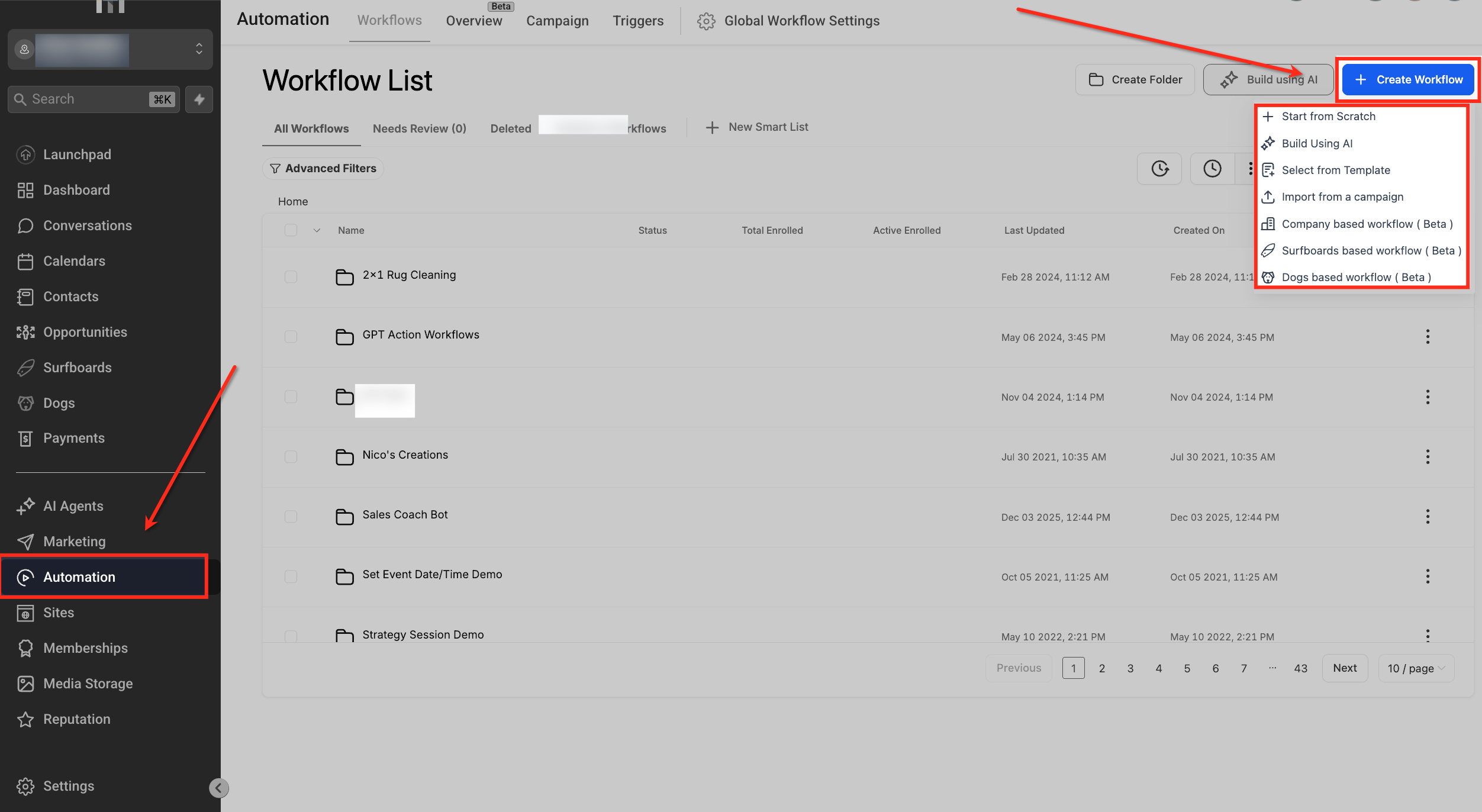
Create workflow
- Open Automation > Workflows in the platform.
- Click the + Create Workflow button or duplicate an existing workflow.
- Select a starting option such as Start from Scratch, Build Using AI, or a template.
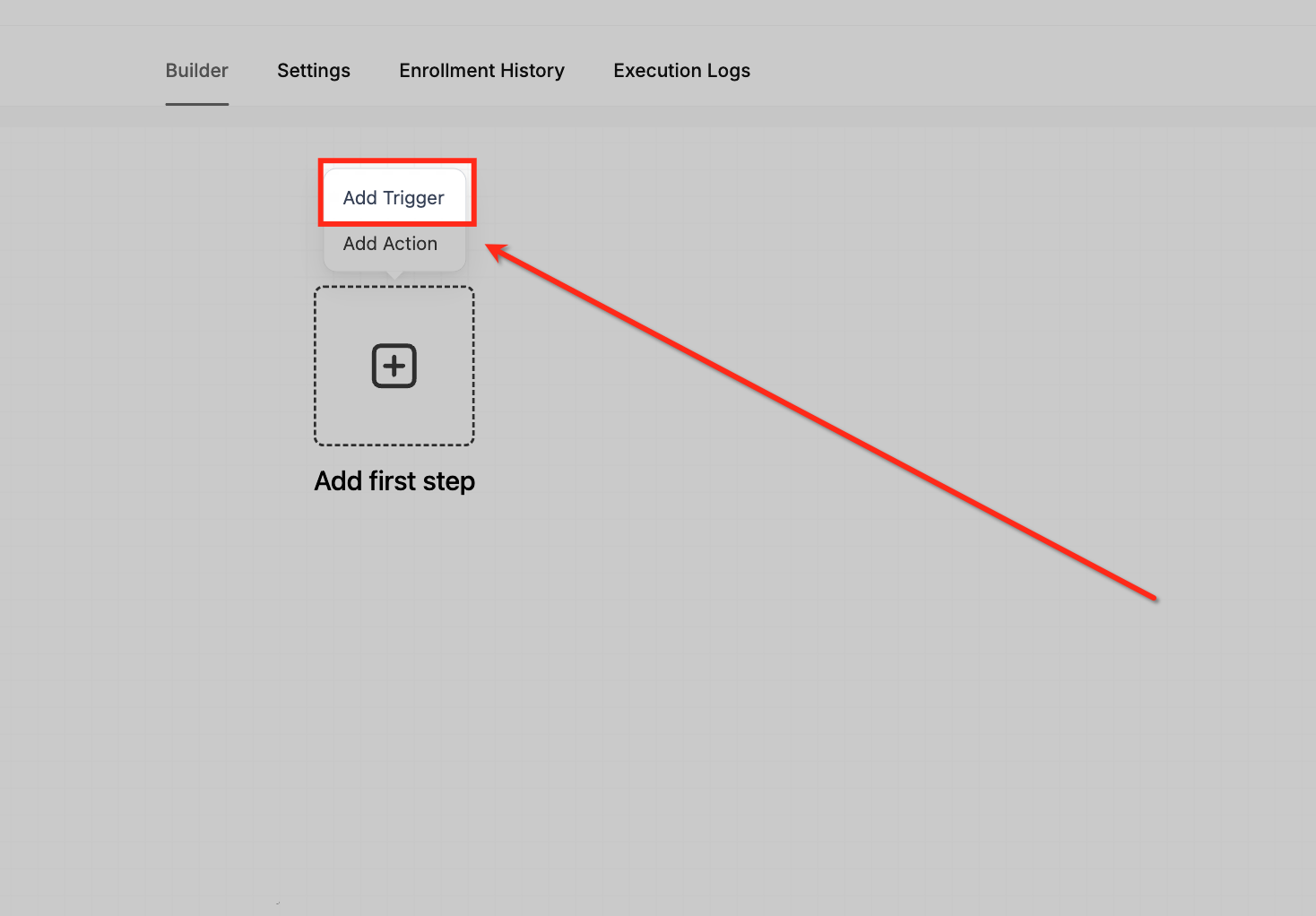
Add trigger
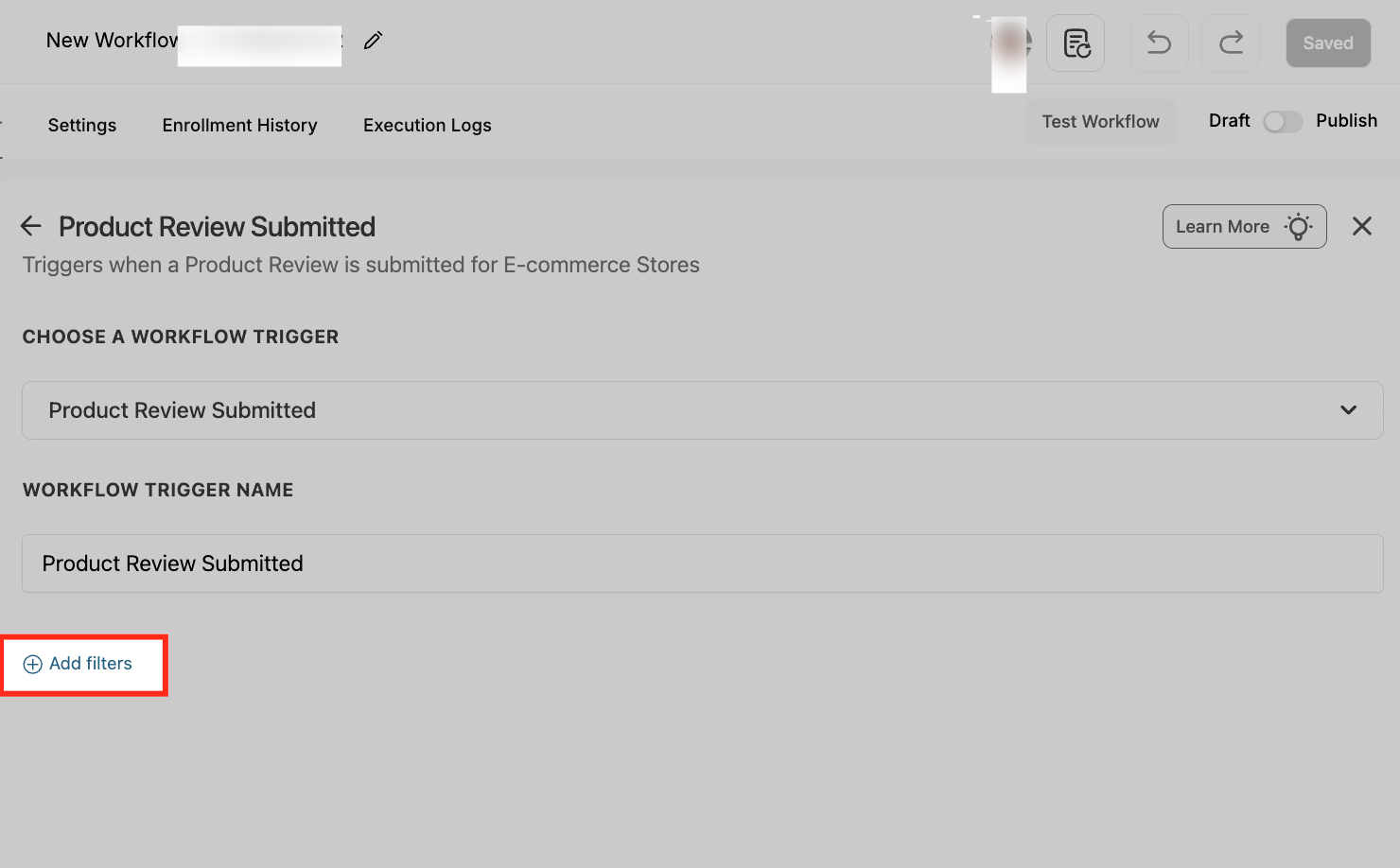
- Within the workflow builder, click Add Trigger.
- In the Add Trigger drawer, scroll to Ecommerce Stores and select Product Review Submitted.
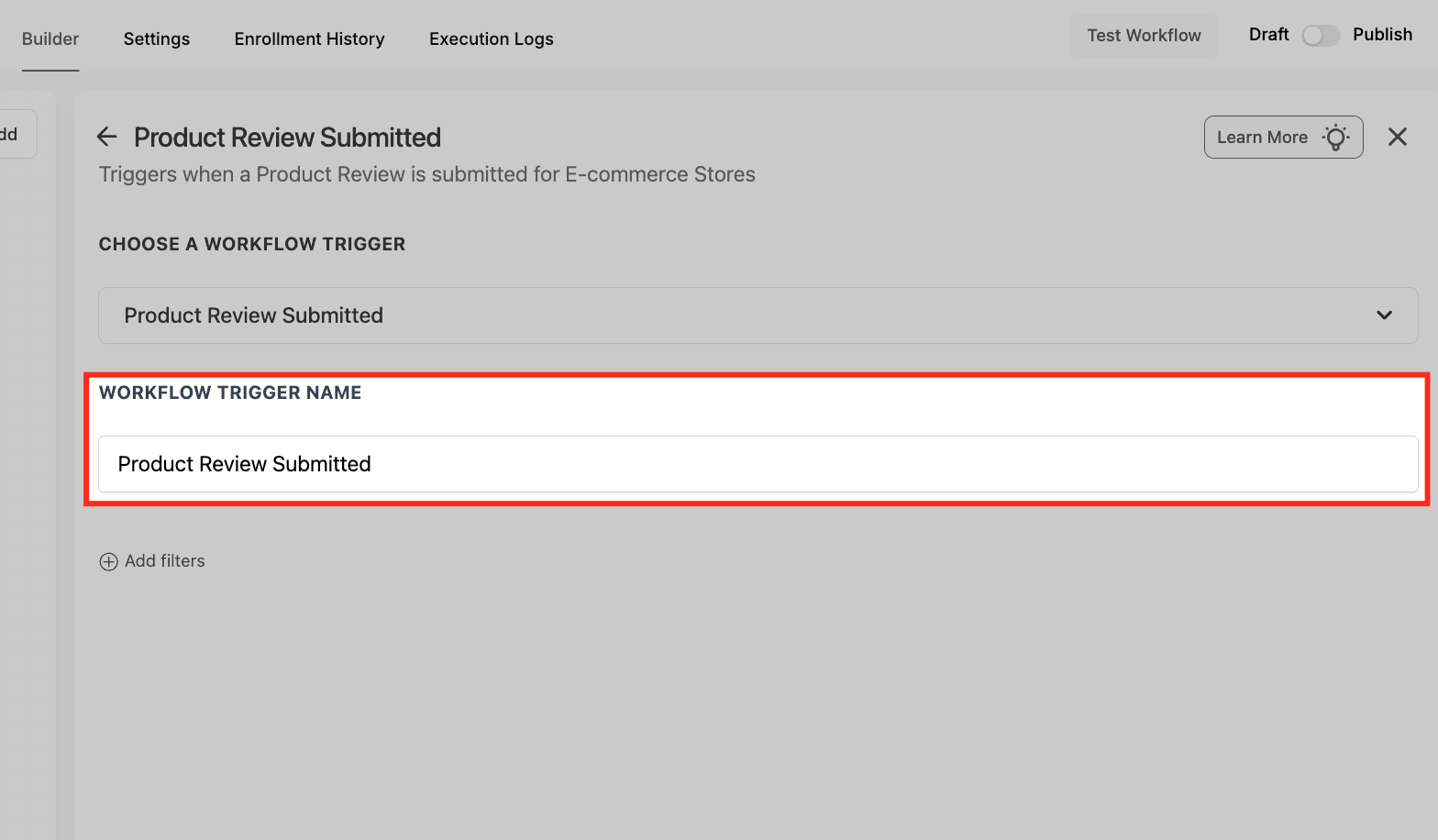
Name trigger
- Enter a clear Workflow Trigger Name that describes the automation’s purpose.
Add filters
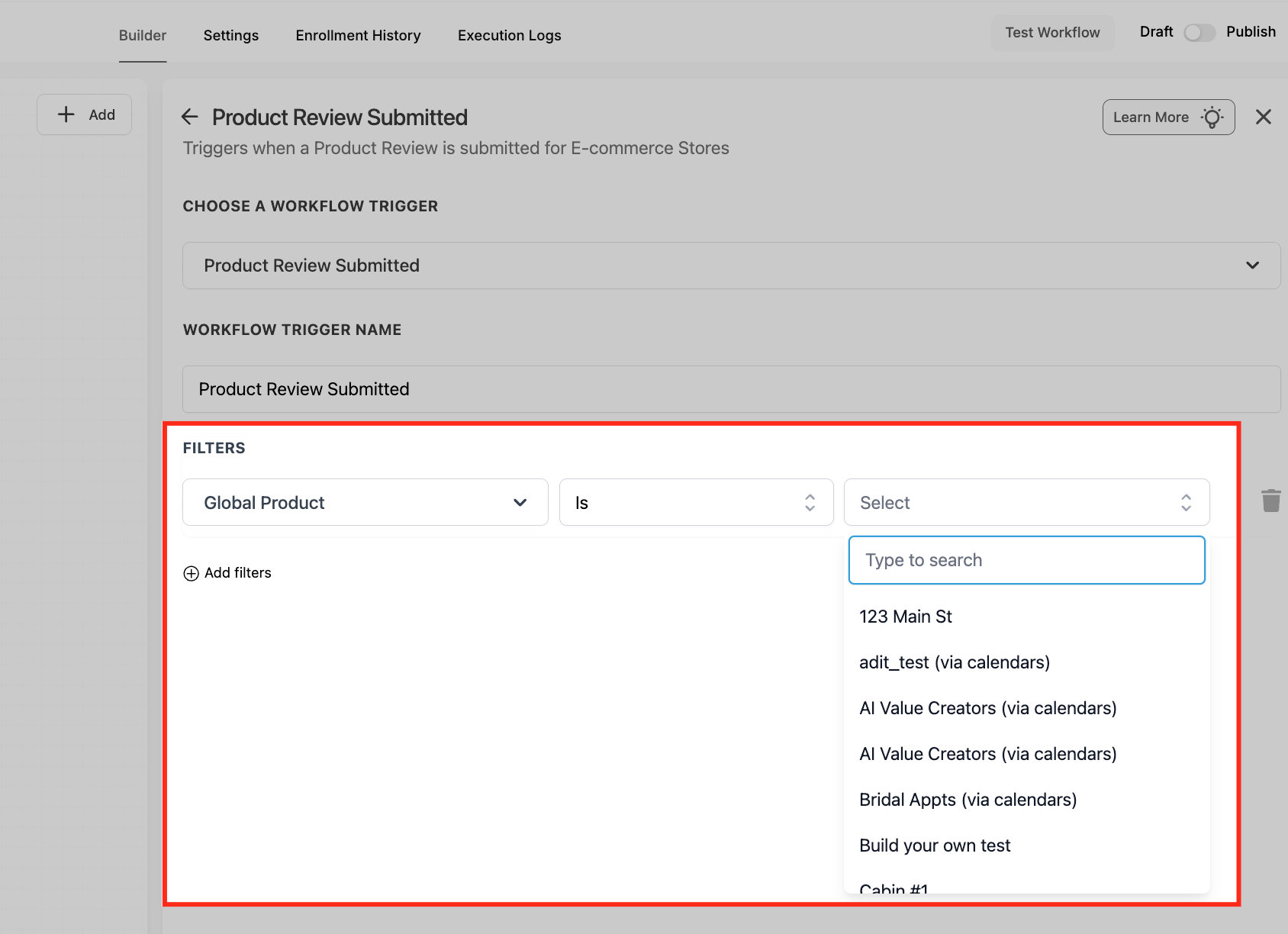
- Open the Add filters panel.
- Choose the Global Product filter, set the operator to Is, and pick the single catalog item to watch.
- Add Review Comment, Review Headline, Review Rating (star), Store Name, User Email or User Name filters as needed, configuring each operator (Is any of, Contains Phrase, etc.).
Save and test trigger
- Press Save Trigger to commit the conditions.
- Test the trigger by submitting a dummy review in your store.
- Return to the canvas to add actions or branches, then publish when behavior matches intent.
06What it looks like in HighLevel
07Settings that matter
- Global Product. Limits the trigger to reviews submitted for the selected single product.
- Review Comment. Matches the text of the review comment against phrases you define.
- Review Rating (star). Controls which star ratings are allowed to enroll the workflow, using operators like Is any of or Is none of.
- Store Name. Restricts the trigger to reviews from specific storefronts you select.
- User Email. Compares the reviewer’s submitted email with values you set to include or exclude certain users.
08Things to know before you rely on it
- Only one product can be selected in the Global Product filter; add separate triggers for additional products.
- The trigger fires only on the initial review submission; editing a review does not re trigger the workflow.
- If store reviews are disabled in the store settings, the trigger will not emit any events.
- Contact records are optional; the workflow can run without a linked contact.
09How it connects to the rest of HighLevel
- Read the full list of workflow triggers available in HighLevel. Triggers overview
- Learn how to create a new workflow and add actions after the trigger. Get started with workflows
- Explore pricing options for workflow automation features. HighLevel pricing
Michael's take

This trigger feels like a small convenience that can become a real shift in how quickly you respond to customer sentiment. The instant you get a review, you can loop in thank you messages, support tickets, or social proof pushes without lifting a finger.
An online boutique that sells limited edition apparel fits perfectly. You could send a quick thank you email to every reviewer, autoroute any 1 star feedback to your support inbox, and push 5 star comments into a Slack channel for the marketing team to reuse in ads.