
01Who this is for
- Automation specialists can reuse proven trigger setups, saving time on building similar logic.
- Marketing managers can clean up test triggers quickly, keeping campaign workflows organized.
- Small business owners can avoid manual errors by copying exact filter configurations across triggers.
02Copy and Delete Triggers, explained
The feature adds two actions to each trigger card on a workflow canvas: Copy and Delete. Copy creates an identical trigger, preserving all filters and logic, while Delete removes the trigger from the canvas in a single step.
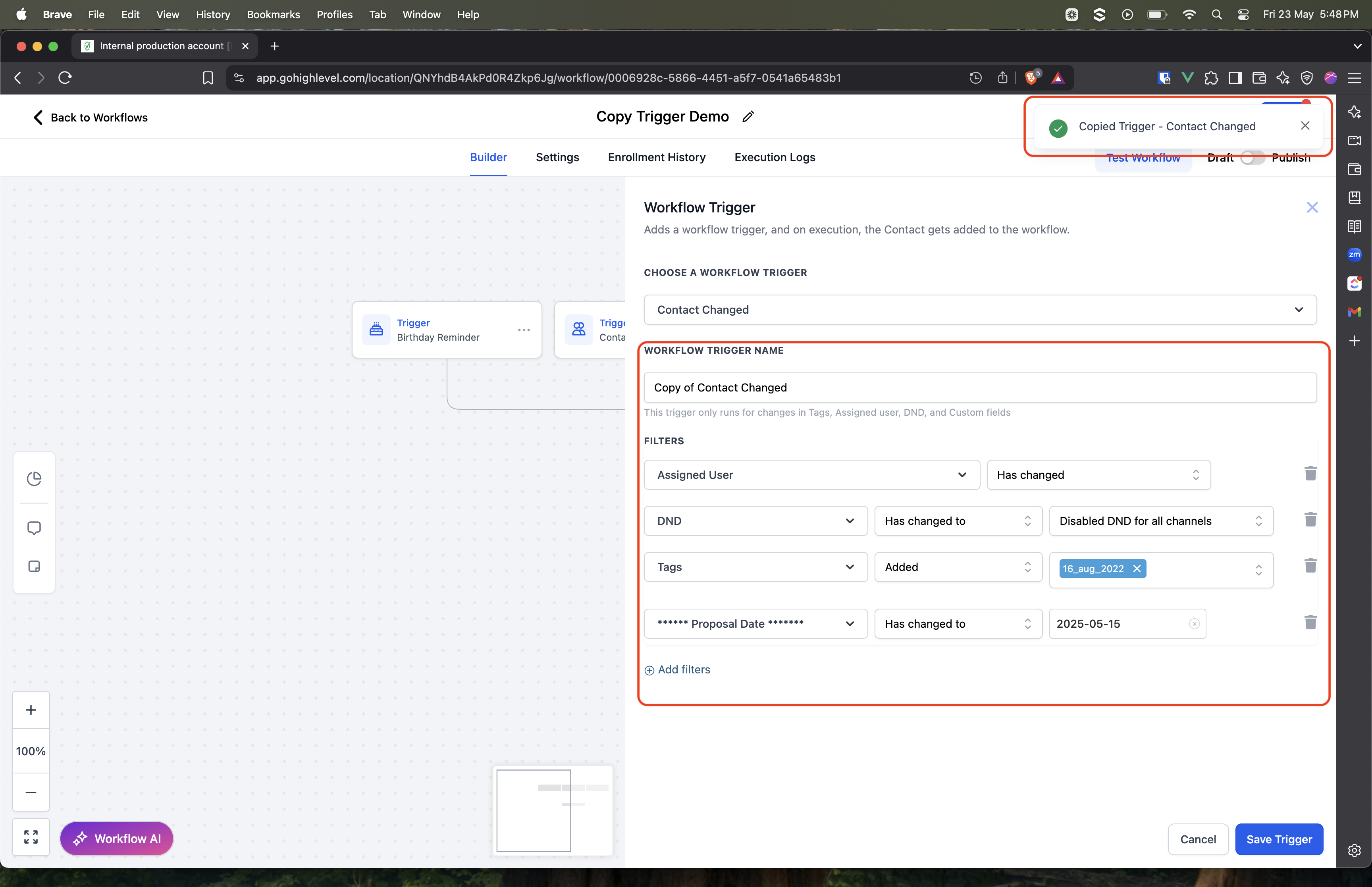
When a trigger is copied, the platform automatically names it “Copy of [Trigger Name]”. Deleting a trigger is permanent and cannot be undone, so confirmation is required before the removal is final.
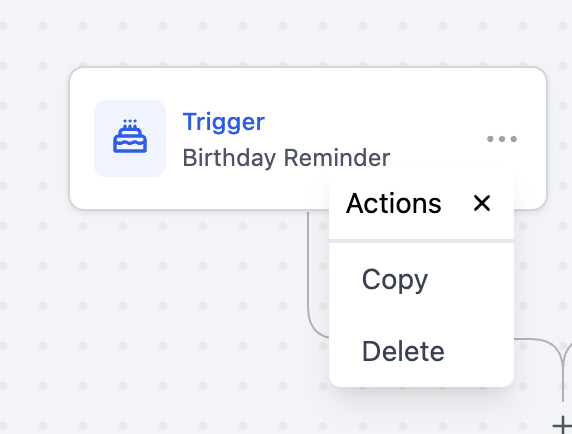
These options are accessed from the three dot menu on any trigger card within the workflow editor, making trigger management faster without opening each trigger individually.
03How businesses use copy and Delete Triggers
- Digital marketing agency. Copy an existing lead capture trigger to reuse the same filter set across multiple campaign workflows, then adjust the copied trigger’s conditions for each client’s audience.
- Real estate brokerage. Delete outdated triggers after a property promotion ends, using the one click delete to keep the workflow canvas clear and focused on current listings.
- Ecommerce store. Duplicate a purchase follow up trigger to create separate triggers for different product categories, tweaking the filter criteria on each copy to target the appropriate segment.
04How to set up and use copy and Delete Triggers in HighLevel
Copy a trigger
- Click the three dot menu on the trigger card.
- Choose the “Copy” option.
- A new trigger appears titled “Copy of [Trigger Name]”.
- Adjust the filter conditions if needed.
- Click Save to store the copied trigger.
Delete a trigger
- Click the three dot menu on the trigger card.
- Select “Delete”.
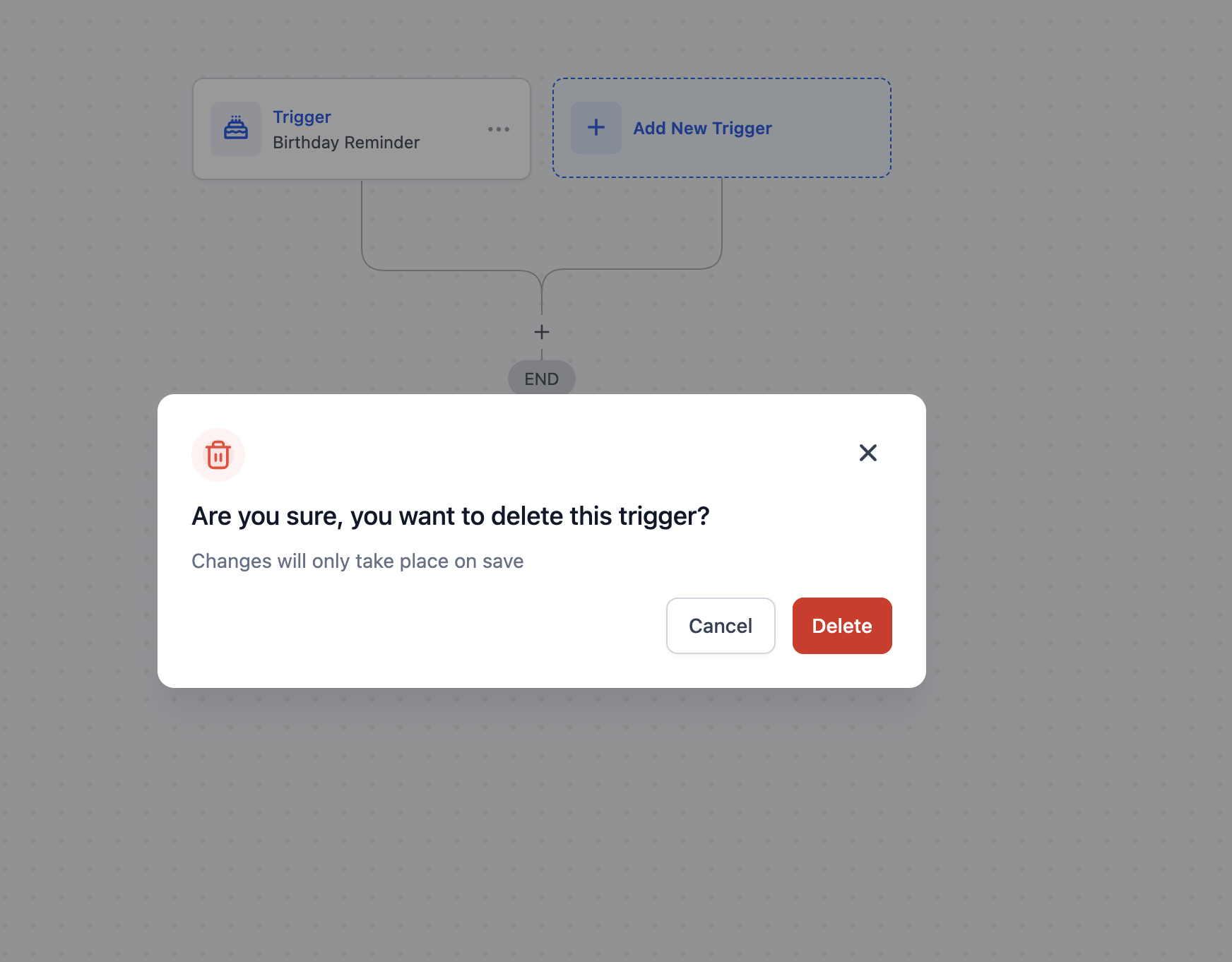
- Confirm the deletion when prompted.
- The trigger is removed from the workflow right away.
- ⚠️ Deletion is permanent, be sure to confirm before removing any trigger.
05What it looks like in HighLevel
06Things to know before you rely on it
- Duplicated triggers receive the label “Copy of [Trigger Name]” automatically.
- Deleting a trigger removes it permanently from the workflow; there is no undo option.
- The feature works on any workflow that includes trigger cards; no other restrictions are noted.
07How it connects to the rest of HighLevel
- Understand the different trigger types available in HighLevel workflows. Triggers overview
- Learn how to build workflows with triggers, filters, and actions. Workflow basics
- Check which HighLevel plans include workflow automation features. Pricing
Michael's take

Copy and Delete Triggers feel like a small convenience that can become a real shift in how quickly you spin up new automations. Duplicating a proven trigger saves you the time of rebuilding logic, and one click delete keeps your canvas from getting cluttered with old test steps.