
Home/HighLevel/Features/Surveys
HighLevel features · Surveys
GoHighLevel surveys. Multi step questions, answers in the CRM.
GoHighLevel surveys ask their questions across slides, not in one block. An answer can change what the person sees next, every response saves to the contact, and a submission can start a workflow. Here is how the survey builder works and when to pick it over a form or a quiz.
The short answer
GoHighLevel surveys are multi step questionnaires built under Sites, Surveys. A survey splits its questions across slides, uses conditional logic to jump, show, hide, redirect or disqualify, saves answers to the contact record and can start a workflow with the Survey Submitted trigger. Use a form for quick capture and a quiz for scored results.
Michael is a sponsored HighLevel affiliate. Links to HighLevel use his partner link at no extra cost to you. HighLevel prices and product facts on this page come from HighLevel's own pricing page and help center, checked on the date above.
The builder
What does the GoHighLevel survey builder do?
The survey builder creates a questionnaire that a visitor moves through one slide at a time. In HighLevel you find it under Sites, Surveys, Builder. You can also create a survey without leaving a page you are designing: the funnel and website builder has a Create New option for forms and surveys, plus Add Existing to drop in one you already saved. Either way, the survey shows up in the same Surveys list afterward.
In the builder you add the questions and map each one to a contact field or a custom field. You set the look with styles and themes. You also decide what happens after submit: a message or a redirect, plus the conditional logic. A published survey works on a funnel or website page, and it also works as a link you share on its own.
Surveys sit beside forms and quizzes in the HighLevel features that capture leads. Pick the right one before you build. Forms and surveys are separate builders, so plan on rebuilding it in the other format if you change your mind later.
Compare
What is the difference between a form, a survey and a quiz in GoHighLevel?
All three collect answers and save them to a contact. The difference is how many steps the person goes through and what happens with the answers.
| Tool | How it asks | What makes it different | Best for |
|---|---|---|---|
| Form | A short set of fields and one submit | Conditional logic can show or hide fields, display a message, redirect or disqualify | Contact requests, signups, simple lead capture |
| Survey | Questions spread across slides | Adds a Jump To action that sends a person to a different slide, plus contact creation on partial completion | Qualifying leads, intake, quote requests, feedback |
| Quiz | Scored questions | Scores, categories and result messages by score range or category | Assessments and personal results |
Source: HighLevel help center articles on conditional logic in forms, conditional logic in surveys and the quiz builder, checked November 2026.
If you only need a name, a phone number and an email, build a form in GoHighLevel. If the person should see a result based on a score, build a quiz funnel. If the next question depends on the last answer, you want a survey.
Slides
How do multi step surveys work in HighLevel?
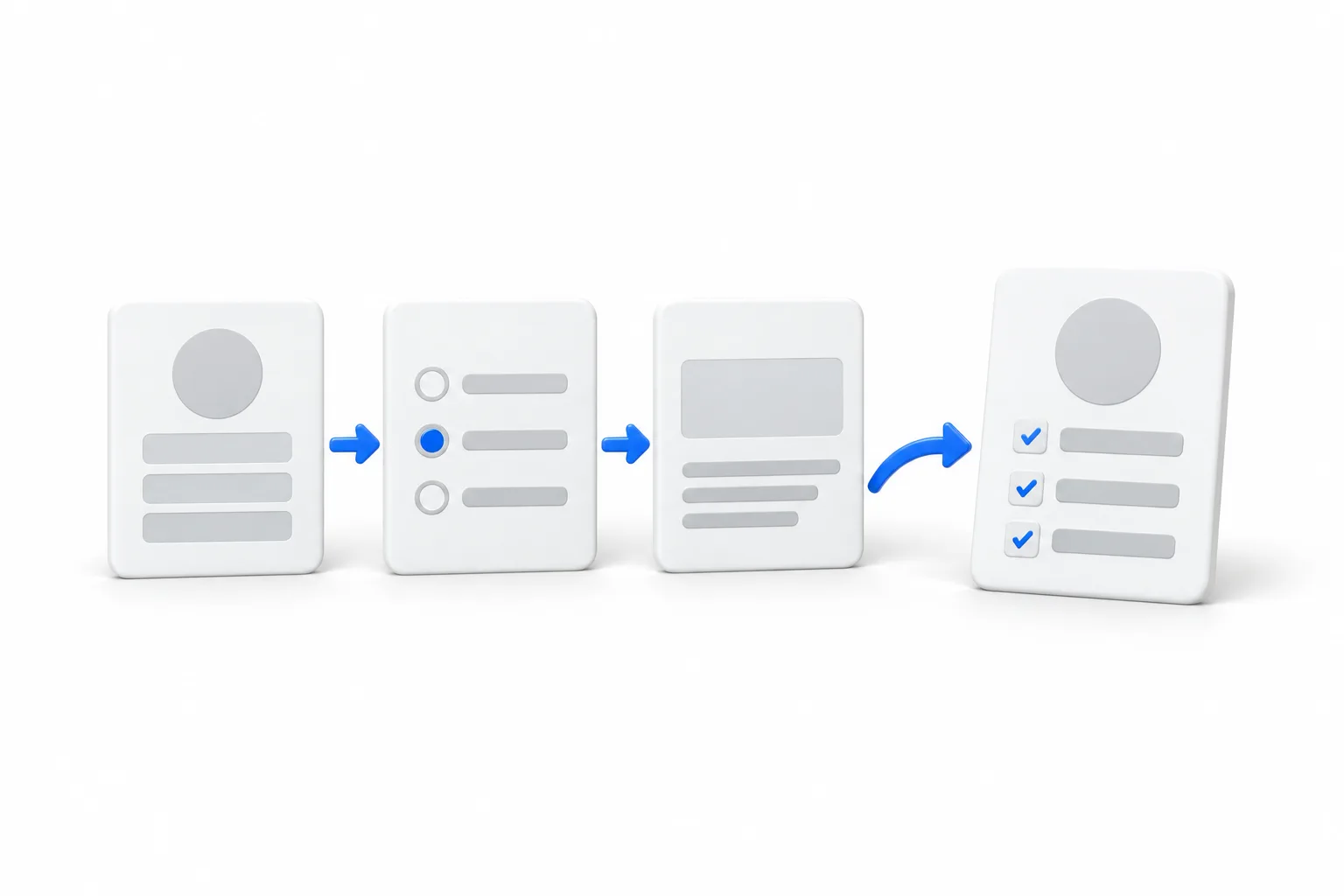
A survey is made of slides. Each slide holds one or more questions, and the person clicks Next to move on. Slides make a long set of questions feel shorter, and they give conditional logic somewhere to send people.
There is also a setting called One Question at a Time. Open the survey, click Styles and Options, and choose it under Survey Type. Each question then sits on its own slide, for the visitor and in the builder. HighLevel warns that switching it on or off can affect conditional logic you already built, and shows a confirmation before it applies the change.
Logic
How does conditional logic work in a GoHighLevel survey?
Conditional logic lets one answer change what the person sees next. Each rule is an IF condition on a field, followed by one of five actions.
| Action | What it does |
|---|---|
| Jump To | Moves the person to another slide in the survey |
| Show/Hide Fields | Shows or hides fields and other elements based on earlier answers |
| Display Custom Message | Shows a message that fits the response |
| Redirect to URL | Sends the person to a specific web page |
| Disqualify Lead | Marks the response as disqualified based on your criteria |
Source: HighLevel help center, Conditional Logic in Surveys, checked November 2026.
- Go to Sites, then Surveys, and open or create a survey.
- Click Conditional Logic in the survey builder.
- Click Add New Condition and choose an action.
- Build the IF condition: select the field, select the state and provide the value.
- Add more conditions with AND or OR if you need them.
- Save, then preview the survey and walk every path.
A single rule can use AND or OR, not both. Rules are checked from top to bottom, and redirect, message and disqualify use the first rule that matches. For Show/Hide, a later matching rule can override an earlier one. Calendar fields are not supported in conditions. This version of conditional logic is available only on newly created or cloned surveys, and the rules are not carried inside account snapshots, so plan to rebuild them after a snapshot import.
Data
Where do survey answers go in the contact record?
Survey answers land in two places on the contact. Answers to mapped fields, such as name, email and phone, fill in the contact record itself. Other answers appear on the contact under a dropdown named Survey and the survey name. If you want an answer to drive a smart list or a message later, map the question to a custom field before you publish.
Every submission is also kept as its own entry. Go to Sites, hover over Surveys and choose Submissions. The table lists each response with the contact details, a timestamp and the answers, and a filter at the top narrows it to one survey. If the same person submits twice, HighLevel tracks each submission separately. The Export button sends a download link to your email.
To send new answers to a spreadsheet as they arrive, use a workflow with a Google Sheets action. That is a premium workflow action, so availability and charges depend on how premium triggers and actions are set up for the account. The GoHighLevel pricing hub covers the plans.
Automation
How does a survey start a workflow?
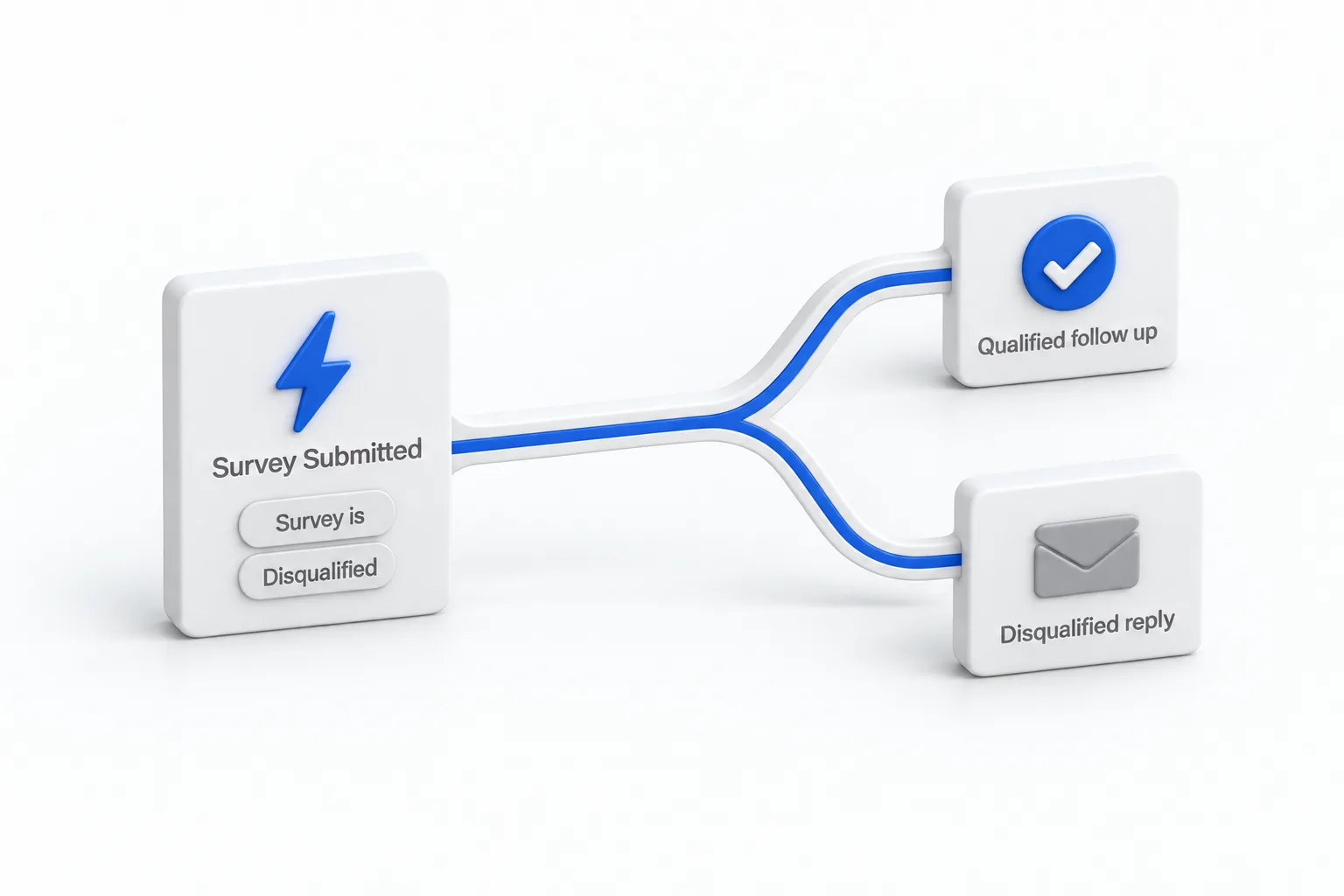
A survey starts a workflow through the Survey Submitted trigger. The trigger has two optional filters. Survey is limits it to one or more surveys. Disqualified, set to true or false, separates the responses your logic disqualified from the ones it did not.
- Go to Automation, then Workflows, and create a workflow.
- Add a trigger and choose Survey Submitted.
- Add the Survey is filter and pick your survey. Left blank, the trigger fires for any survey.
- Add the Disqualified filter if you want this workflow to run only for qualified or only for disqualified responses.
- Add your actions, such as a confirmation message, a tag or an internal notification.
- Save and publish, then submit the survey with a test contact and confirm the workflow ran.
One limit matters here. The trigger does not read individual answers. To branch on an answer inside the workflow, save that answer to a custom field or have the survey apply a tag, then use that in the workflow. If workflows are new to you, start with build your first workflow, and read the GoHighLevel workflows guide for triggers, actions and branching in depth.
Example
What does a survey look like for a service business?
Take a roofing company that gets quote requests from its website. A form would collect a name and a phone number, and the office would call back to ask everything else. A survey asks those questions up front and routes the lead before anyone picks up the phone.
- Slide one: contact details. Name, phone and email, with Create Contact on Partial Submission switched on. A person who leaves after this slide is still in the CRM.
- Slide two: service area. A dropdown asks whether the property is inside the area the company covers. A Disqualify Lead rule marks the response as disqualified when the answer is no.
- Slide three: repair or replacement. The answer saves to a custom field. A Jump To rule sends repair requests to a slide about the problem, and replacement requests to a slide about the roof.
- Final slide: timing. When the work is needed, saved to a custom field so the office can sort the list.
Two workflows sit behind it. The first uses Survey Submitted with Survey is set to the quote survey and Disqualified set to false. It sends a confirmation, reads the job type custom field to tag the contact as repair or replacement, and notifies the office. The second uses the same trigger with Disqualified set to true and sends a polite reply that the address is outside the service area. The office opens each contact and sees the answers before the call.
You can build and test a survey like this during a 30 day trial through Michael's link. Once it is capturing leads, the same contacts can feed HighLevel email templates for follow up and reputation management for review requests after the job.
Avoid
What mistakes should you avoid with GoHighLevel surveys?
Avoid the mistakes that lose leads or break the follow up: contact fields at the end, unmapped answers and logic nobody tested. These six come up most.
- Contact fields at the end. If name, phone and email sit on the last slide, everyone who drops off early is lost. Put them first.
- Answers that are not mapped. An unmapped answer stays in the submission and under the survey dropdown on the contact. Map the ones you want to filter or branch on.
- Expecting the trigger to read answers. Survey Submitted knows which survey was submitted and whether it was disqualified. Use custom fields or tags for anything more specific.
- Changing the survey type after building logic. Switching One Question at a Time on or off can affect existing rules. Decide the layout first.
- Publishing without walking each path. Preview the survey and answer it once for every branch, including the disqualified one.
- No workflow behind it. A survey with no follow up is a list of answers nobody acts on.

A survey earns its place when the answers change what you do next. If every answer leads to the same follow up, a form will do the job with fewer steps.
Questions
Common questions.
Does GoHighLevel have surveys?
Yes. GoHighLevel has a survey builder under Sites, Surveys. A survey asks its questions across slides, can change path with conditional logic, saves the answers against the contact and can start a workflow through the Survey Submitted trigger. You can also create a survey inside the funnel and website builder.
What is the difference between a form and a survey in GoHighLevel?
A form is built for quick capture, with a short set of fields and one submit. A survey spreads its questions across slides and adds a Jump To action, so a person can skip to a different slide based on an answer. Both save to the contact and both can start a workflow.
Can a GoHighLevel survey use conditional logic?
Yes. Survey conditional logic has five actions: Show/Hide Fields, Display Custom Message, Redirect to URL, Disqualify Lead and Jump To. Open the survey, click Conditional Logic and add a condition. HighLevel notes that this version of conditional logic is available only on newly created or cloned surveys.
Where do survey answers show up in HighLevel?
Answers to mapped fields such as name, email and phone fill in the contact record. Other answers appear on the contact under a dropdown named Survey and the survey name. Every submission is also listed under Sites, Surveys, Submissions, where you can open one entry or export them all.
Can a survey trigger a workflow in HighLevel?
Yes. Use the Survey Submitted workflow trigger. Add the Survey is filter to limit it to one or more surveys, and the Disqualified filter to separate qualified leads from disqualified ones. If you leave Survey is blank, the trigger fires for any survey in the subaccount.
Next step
See it in your own account. Thirty days, every feature.
Start a trial, build the first system and test it before the first invoice. Usage fees for phone, SMS, email and AI can apply during the trial.
HighLevel has three plans at a flat monthly price, each with unlimited users and contacts. See what each one includes and what it costs.
Compare the PlansStarter, Unlimited and Founder