
Home/HighLevel/How to/Build a quiz funnel
How to · Sites
How to build a quiz funnel in GoHighLevel. People tell you exactly what they need.
A quiz turns a visitor into a lead by asking a few useful questions and showing a personal result. HighLevel quizzes support scoring, categories and result pages, so every lead arrives already segmented.
People tell you exactly what they need.
The short answer
To build a quiz funnel in GoHighLevel, go to Sites, Quizzes, click New Quiz, add five to eight questions, assign scores to each answer, create result messages by score range or category, place the quiz on a funnel page and publish, then build a workflow that tags and follows up with each lead by result.
Michael is a sponsored HighLevel affiliate. Links to HighLevel use his partner link at no extra cost to you. HighLevel prices and product facts on this page come from HighLevel's own pricing page and help center, checked on the date above.
Build
How do you build a quiz funnel in HighLevel?
- Go to Sites, then Quizzes, and click New Quiz.
- Click Add Question and choose a type, such as single choice.
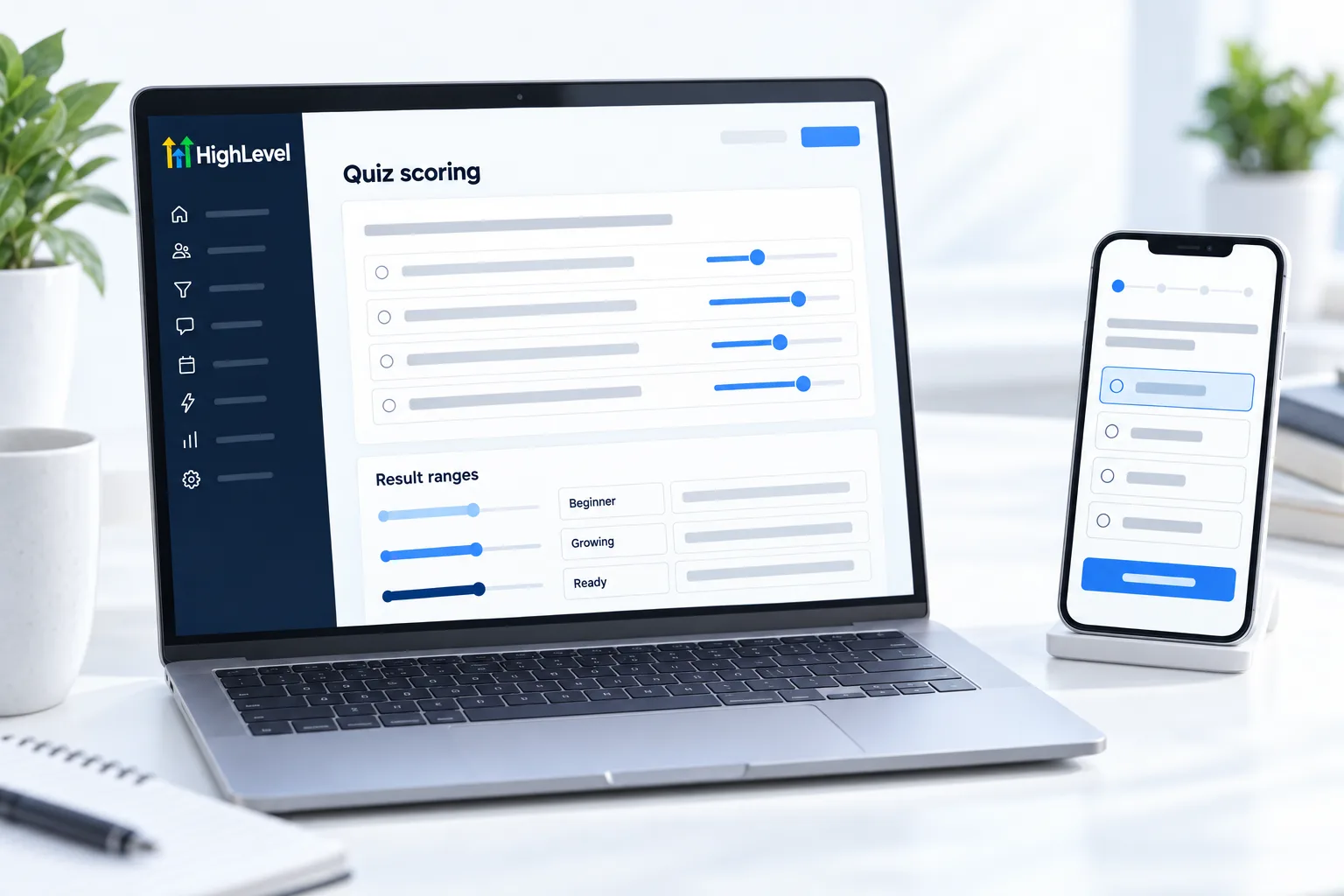
- Set the maximum score for each question and assign scores to answers.
- Add categories if you want results by type, not just total score.
- Create result messages for each score range or category.
- Add the quiz to a funnel page and publish.
- Build a workflow that tags each lead by result and sends the right follow up.
Ideas
Quizzes that work.
| Business | Quiz |
|---|---|
| Agency | How ready is your business for AI? |
| Med spa | Which treatment fits your goals? |
| Coach | What is holding your business back? |
| Home services | Repair or replace? |
Before you start
What do you need before you build a quiz funnel?
A quiz needs more planning than a form. Before you open Sites, Quizzes in HighLevel (many people search for it as GoHighLevel), write these down.
- The result types or score ranges, decided before the questions
- Five to eight questions with a score for each answer
- A result message for each range or category
- A funnel page to hold the quiz. See build a funnel
- A tag and a follow up message for each result
The video on HighLevel quiz redirects and conditional logic shows how to send people to different pages by answer. For the wider question, see whether you can build funnels in HighLevel. You can build this quiz during a 30 day trial through Michael's link, and the best HighLevel alternatives page compares other tools.
For the survey builder itself, read the guide to GoHighLevel surveys.
Test it
How do you test a quiz funnel?
Take the quiz once for every result so you see each ending.
- Open the published page on your phone.
- Answer so that you land in the lowest score range, then check the result shown.
- Repeat for each other range or category.
- Open the test contact and confirm the right tag was added.
- Confirm the matching follow up message arrived.
Common mistakes
What mistakes should you avoid when you build a quiz funnel?
- Writing questions before results. Decide the outcomes first, then write questions that sort people into them.
- Score ranges with gaps. If no result covers a score, that person sees nothing useful. Check that the ranges meet.
- Too many questions. Five to eight keeps completion high.
- A result that says nothing. The result is what the person came for. Make it specific and give one next step.
- The same follow up for everyone. The point of a quiz is segmentation. Send a different message for each result, or feed the answers into lead scoring.

Ask for the email before the result, and make the result worth it.
Questions
Common questions.
Can HighLevel build quizzes?
Yes. Go to Sites, Quizzes and click New Quiz. HighLevel quizzes support scoring, categories and result pages, so each lead arrives already segmented. Add the finished quiz to a funnel page, publish it and build a workflow that tags each lead by result and sends the matching follow up.
How does quiz scoring work in HighLevel?
Each answer has a score. You set the maximum score for each question and assign scores to the answers. The total score, or the category scores if you add categories, decides which result message the person sees. Take the quiz once for every result to check each ending.
Can I follow up by quiz result?
Yes. Build a workflow that tags each lead by result and sends the right follow up. A person who lands in one score range or category gets a different message from someone in another. Test it by taking the quiz for each result and confirming the right tag was added.
How many questions should a quiz have?
Five to eight questions keeps completion high. Ask only questions that change the result or the follow up. A quiz needs more planning than a form, so write the questions, the scores and the result messages down before you open the builder.
What is a quiz funnel?
A quiz funnel is a page that asks a few questions, collects contact details and shows a personal result. In HighLevel the quiz scores the answers and your workflow follows up by result, so a visitor becomes a lead who has already told you what they need.
Should the result show before or after the email?
Ask for the email before the result. The person has invested in the questions by then, and you need the contact to follow up. Then make the result worth it, with a clear answer and a next step that fits the score range or category they landed in.
Should I use score or category results?
Use total score when answers add up to a level, such as readiness. Use categories when answers point to a type, such as which service fits. Add categories in the quiz builder if you want results by type, then write one result message for each range or category.
Keep reading
Related pages.
Next step
See it in your own account. Thirty days, every feature.
Start a trial, build the first system and test it before the first invoice. Usage fees for phone, SMS, email and AI can apply during the trial.
HighLevel has three plans at a flat monthly price, each with unlimited users and contacts. See what each one includes and what it costs.
Compare the PlansStarter, Unlimited and Founder