
01Who this is for
- Agency owners who sell communication services can reach clients without Stripe accounts.
- Marketing consultants can expand their offering to customers preferring wallet credits.
- SaaS platform managers can provide a unified view of all WhatsApp subscription payments.
02WhatsApp reselling via wallet, explained
The feature adds a wallet based purchase path for WhatsApp subscriptions. When enabled, customers may choose their wallet balance to pay; if the balance is insufficient the system asks them to recharge before completing the sale. All subscription records, whether paid via Stripe or wallet, appear together in the reselling dashboard, letting you monitor activity without switching screens.
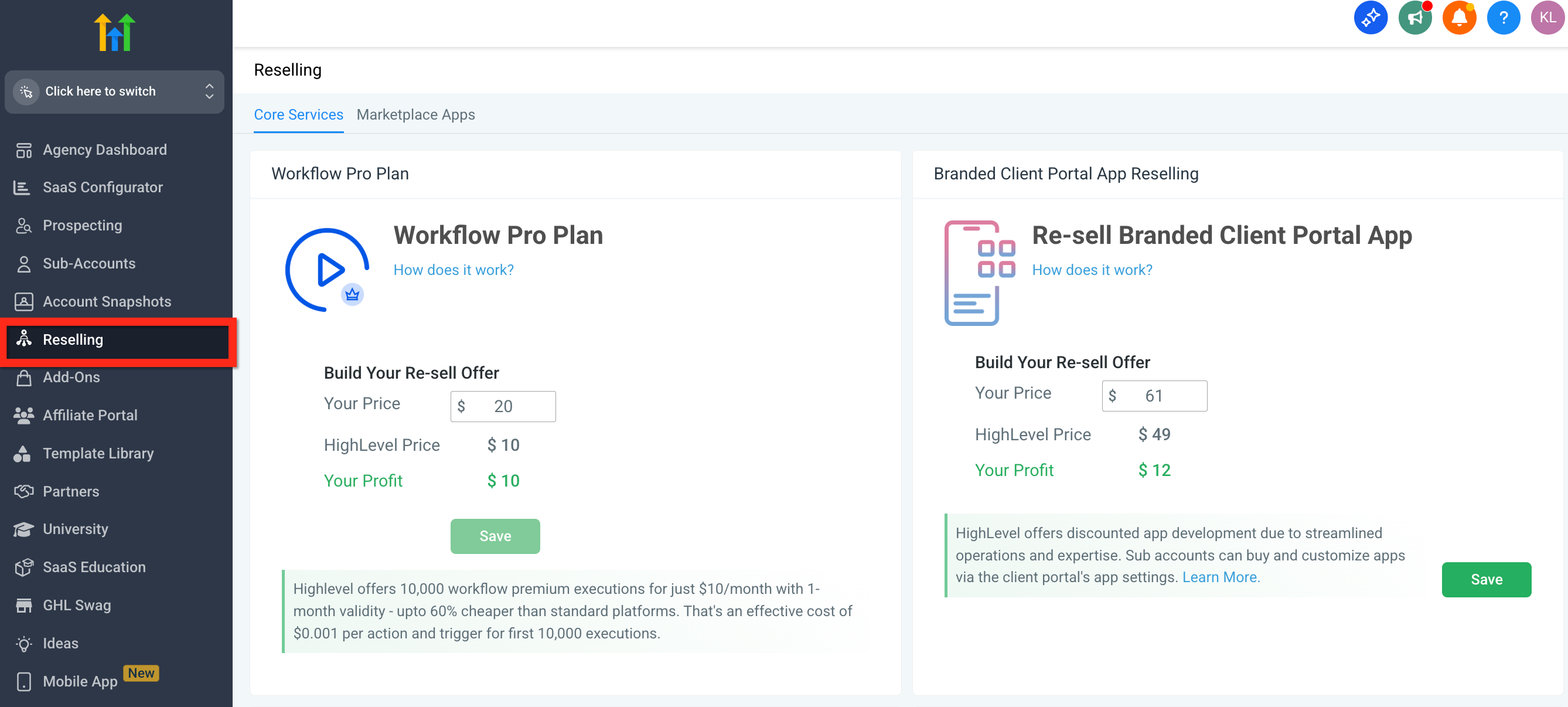
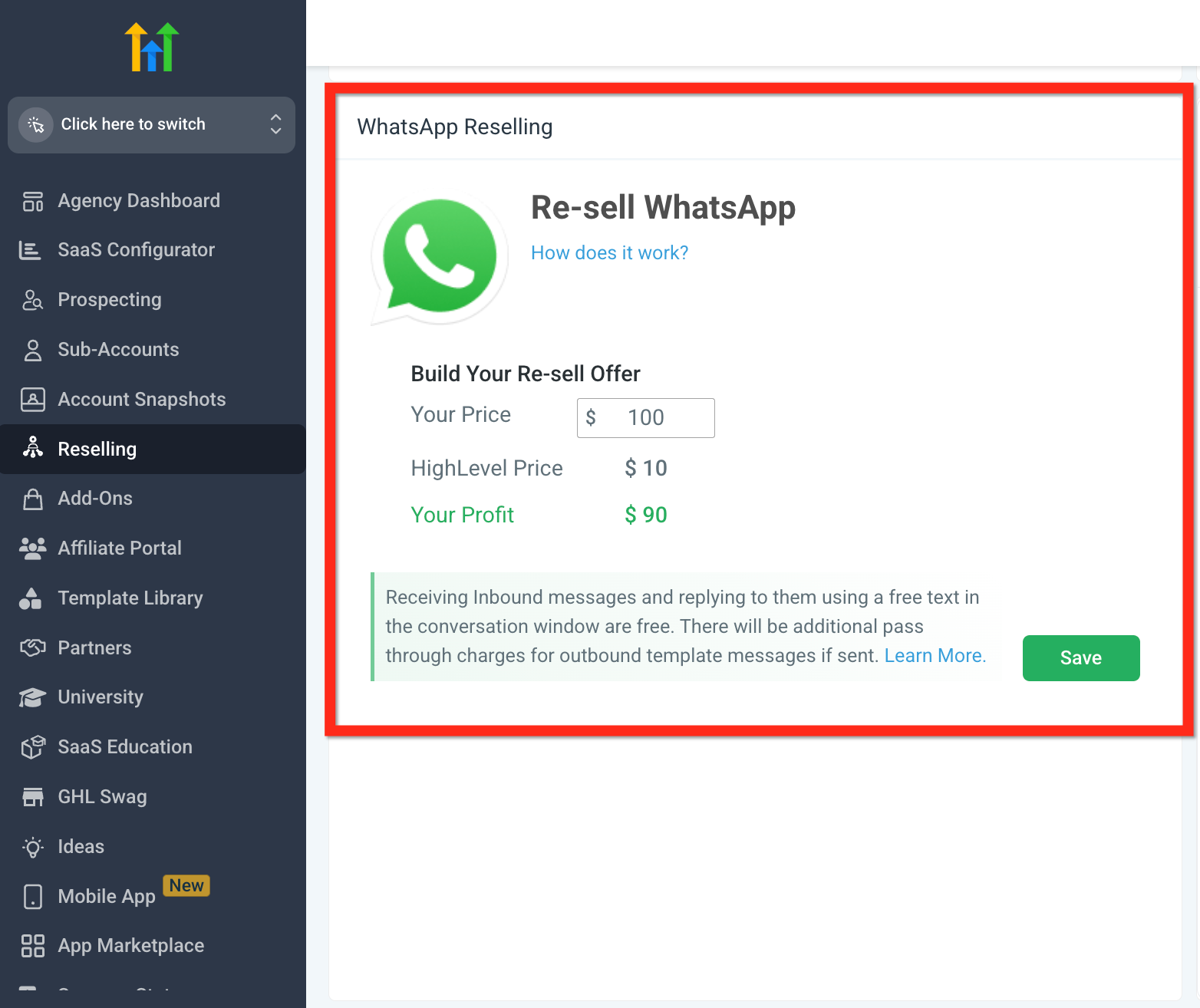
Wallet integration lives under the Agency Settings area of the platform. After selecting Reselling from the left menu, the Resell WhatsApp option appears where you set the price and turn on wallet purchasing. Optional webhook notifications can be enabled to receive real time alerts for wallet events such as recharges and subscription renewals.
03How businesses use WhatsApp reselling via wallet
- Digital marketing agency. The agency enables wallet based WhatsApp reselling, sets its price, and lets clients purchase using existing wallet funds. If a client’s balance is low, the platform prompts a quick recharge, keeping the checkout flow intact.
- Ecommerce platform. The platform activates the WhatsApp resale option, allowing merchants to add WhatsApp subscriptions to their product catalog. Purchases can be funded from merchant wallet credits, with automatic recharge prompts when needed.
- Consultancy firm. The firm configures the Resell WhatsApp setting, then uses optional webhooks to receive immediate notifications when a client recharges their wallet or renews a subscription, reducing manual tracking.
04How to set up and use WhatsApp reselling via wallet in HighLevel
Set up WhatsApp reselling with wallet support
- Access Agency Settings: Go to your Agency Dashboard.
- Select Reselling from the left hand menu.
- Scroll down until the Re sell WhatsApp option is visible.
- Enter your desired pricing and enable wallet purchases.
05What it looks like in HighLevel

06Settings that matter
- Resell WhatsApp. Controls whether WhatsApp subscriptions can be purchased with wallet credits and allows you to set the subscription price.
07Things to know before you rely on it
- Wallet reselling currently works only for WhatsApp subscriptions; other products will be supported in future updates.
- Webhook configuration is optional but recommended for real time transaction alerts.
08How it connects to the rest of HighLevel
- Manage wallet credits, add funds, or refund balances Wallet credit management
- Configure webhook notifications for wallet events Webhook setup guide
- Activate SaaS mode and phone rebilling for other services SaaS mode activation
Michael's take

Adding wallet based purchasing gives agencies an extra payment option, which can be useful for customers without Stripe. The automatic recharge prompts keep the checkout flow smooth, and the documentation says this can lead to higher conversion rates.
If your agency already relies on Stripe exclusively and doesn’t need wallet payments, the extra setup might not provide much benefit.