
01Who this is for
- Digital marketing agencies that run email campaigns for multiple clients and need to pass on sending costs.
- Software development firms offering SaaS products with built in transactional email functionality for their users.
- Ecommerce platforms providing white label solutions that send promotional and order confirmation emails on behalf of merchants.
02Email rebilling, explained
Email Rebilling is a billing option in the SaaS Configurator that adds a fixed 1.05x markup to the underlying email service cost and charges that amount to each subaccount. When enabled, the system uses the base cost you enter, applies the multiplier, and draws the charge from the agency’s wallet.
The feature lives under each subaccount’s settings. After switching a subaccount to SaaS mode, you scroll to the Email Resell Settings section, provide the original per email cost, and save. The subaccount must have a payment method on file, and once rebilling is active the SMTP configuration cannot be altered.
Charges appear on the same invoice as any Twilio rebilling and are tracked using the same wallet, so no separate invoicing is required.
03How businesses use email rebilling
- Digital marketing agency. The agency enables Email Rebilling for each client subaccount, enters the Mailgun base cost, and lets the platform bill the client each time an email is sent.
- Software development company. The company switches its SaaS mode subaccounts to use Email Rebilling, inputs the cost of its transactional email provider, and automatically charges its users for the email traffic generated by the app.
- Ecommerce platform. The platform activates Email Rebilling for merchant subaccounts, defines the underlying email cost, and the system bills each merchant for promotional and order related emails sent from the platform.
04The numbers and rules that matter
- $497/$4970 Founder Plan includes email rebilling (per HighLevel's help center, checked November 2026).
- $297/$2970 Unlimited Plan includes email rebilling (per HighLevel's help center, checked November 2026).
- Unlimited plan works only with LeadConnector SMTP with a fixed markup of 1.05x.
- Forwarded emails are billed per email when rebilling is enabled.
05Before you start
- The subaccount must have a payment card added.
- If the subaccount is not already in SaaS mode, it must be switched before enabling rebilling.
06How to set up and use email rebilling in HighLevel
Enable email rebilling
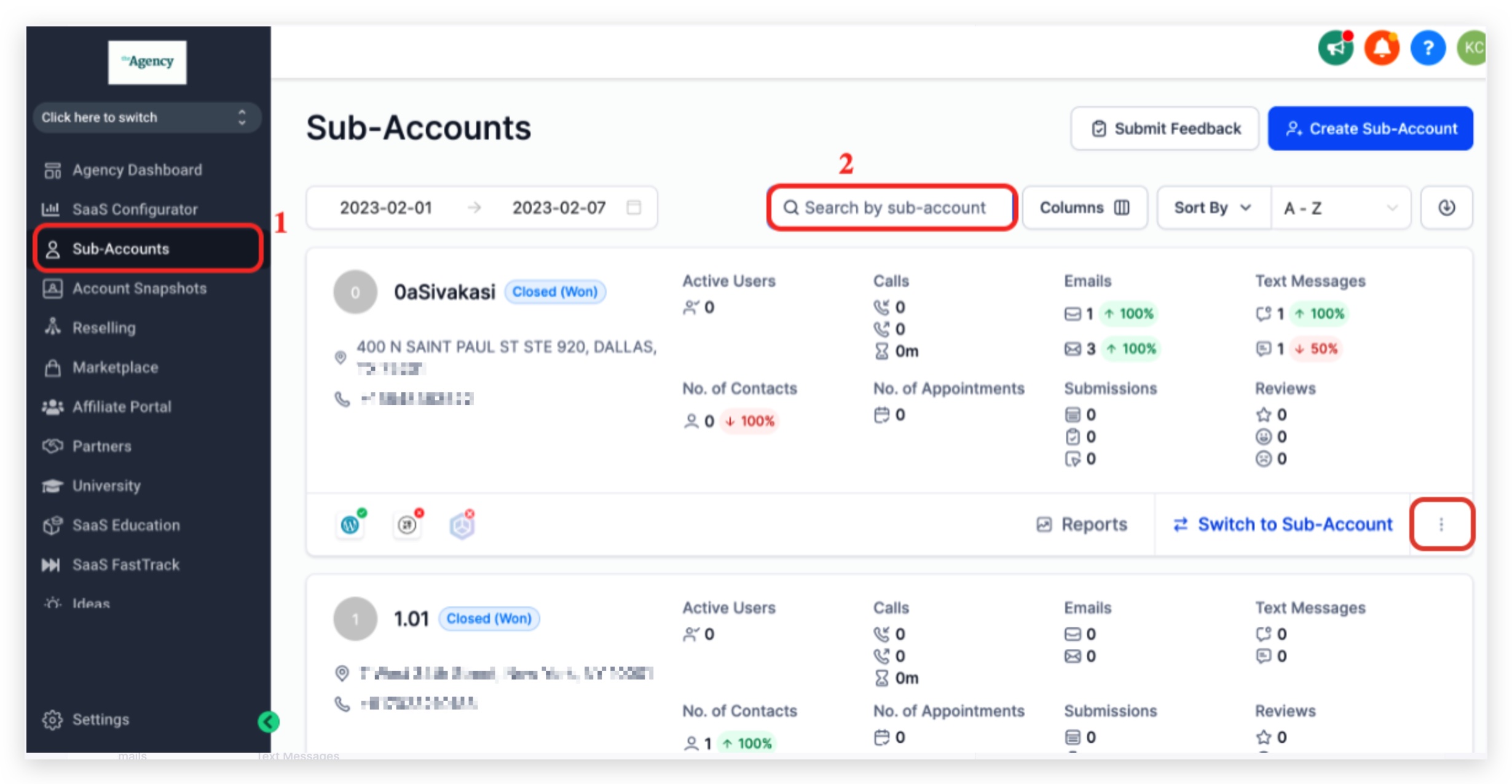
- In agency view, open Subaccounts and search for the target subaccount.
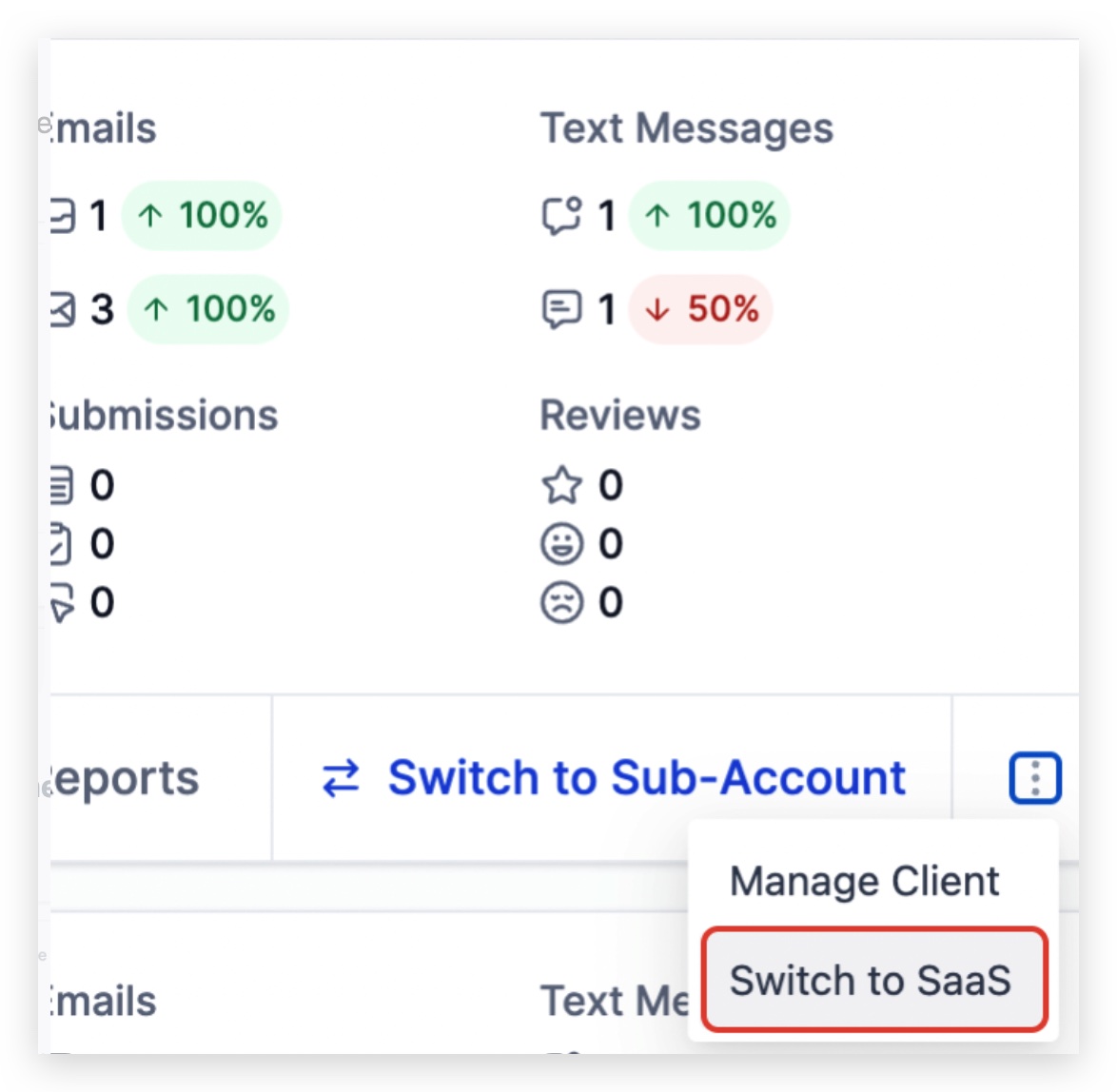
- Click the three dot icon next to the subaccount and choose Switch to SaaS.
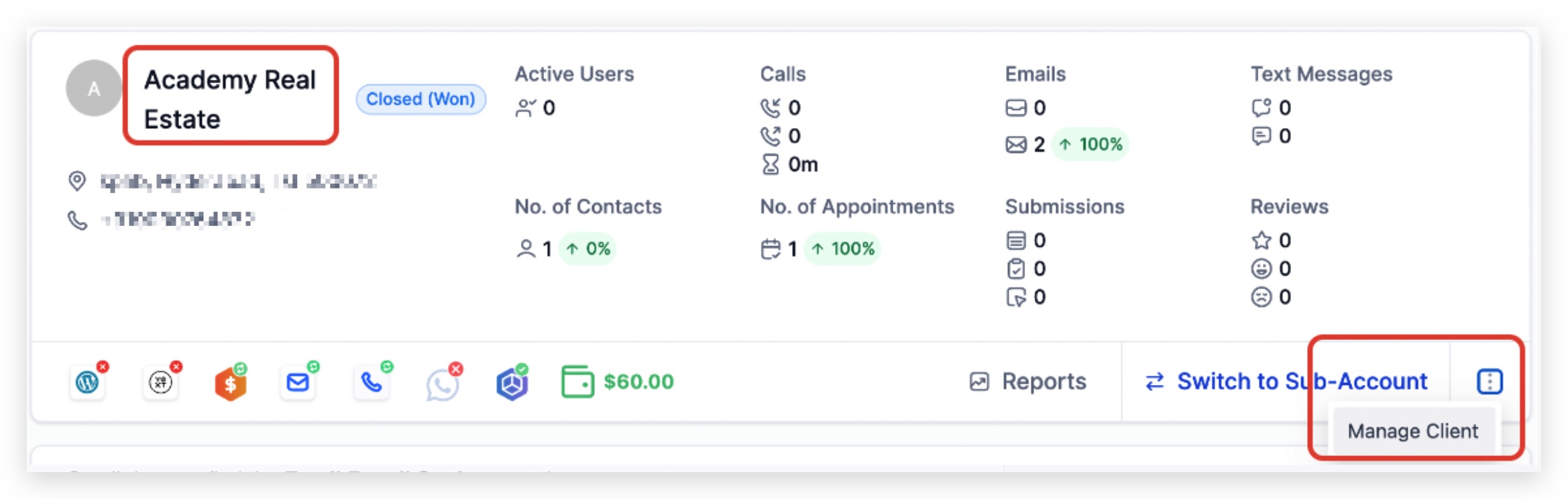
- Select the subaccount name or use the Manage Client option at the bottom right.
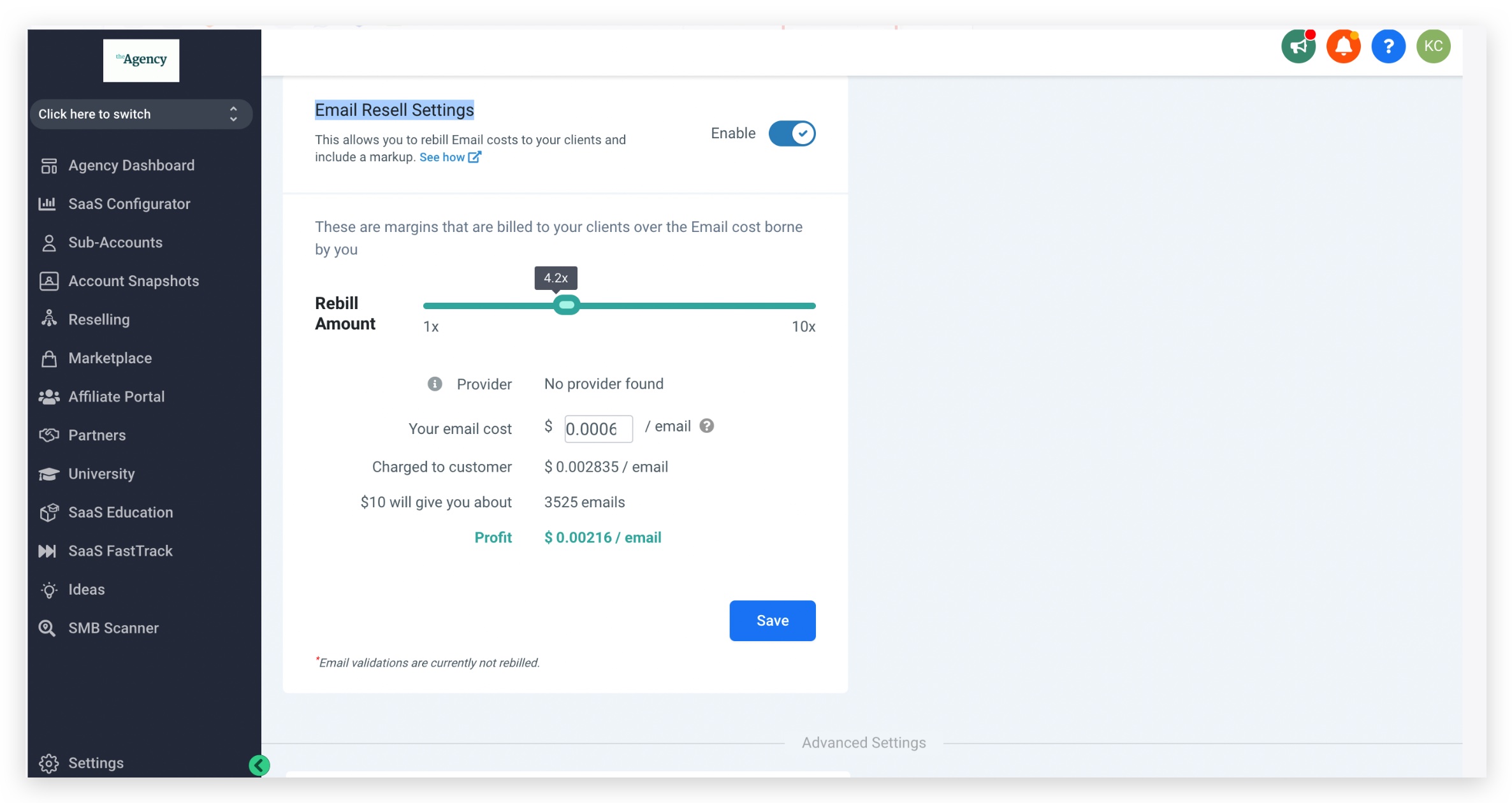
- Enter the original email cost in the Email Resell Settings area.
- Save the changes.
07What it looks like in HighLevel
08Settings that matter
- Your email cost. Sets the base per email cost that the fixed 1.05x markup will be applied to.
09Things to know before you rely on it
- Available on Founder ($497/$4970) and Unlimited ($297/$2970) plans only (per HighLevel's help center, checked November 2026).
- On Unlimited plans it works solely with LeadConnector SMTP and uses a fixed 1.05x markup.
- Subaccounts must have a payment method on file for rebilling to function.
- SMTP settings cannot be changed after email rebilling is enabled.
10If something goes wrong
- Add Service button is missing. Disable email rebilling first, then re enable it after making any needed SMTP changes.
11How it connects to the rest of HighLevel
- Learn how to configure phone rebilling alongside email rebilling Phone rebilling setup
- Manage wallet credits that fund email rebilling charges Wallet credit management
- Review plan eligibility and pricing for Unlimited and Founder plans HighLevel pricing
- Start a 30 day trial to test email rebilling before committing 30 day trial
Michael's take

In my experience, email rebilling can be useful when agencies already charge clients for other services, as it adds another line item tied to email volume, and the alerts help monitor payment issues.
If you don’t have a clear way to track email costs or your clients don’t send many emails, the feature may add complexity without a clear benefit.