
01Who this is for
- Agency owners who bill clients for Twilio or Mailgun services use the wallet to manage client credit balances.
- Clients whose cards are attached in Company Billing rely on the wallet to pay for messaging, email and call usage.
02Wallet credit management, explained
The SaaS wallet is a credit pool linked to a subaccount. When a message, email or call is processed, the appropriate number of credits is deducted. The wallet can be topped up automatically when its balance falls below a set threshold, manually via a card charge, or with complimentary credits that do not involve a payment.
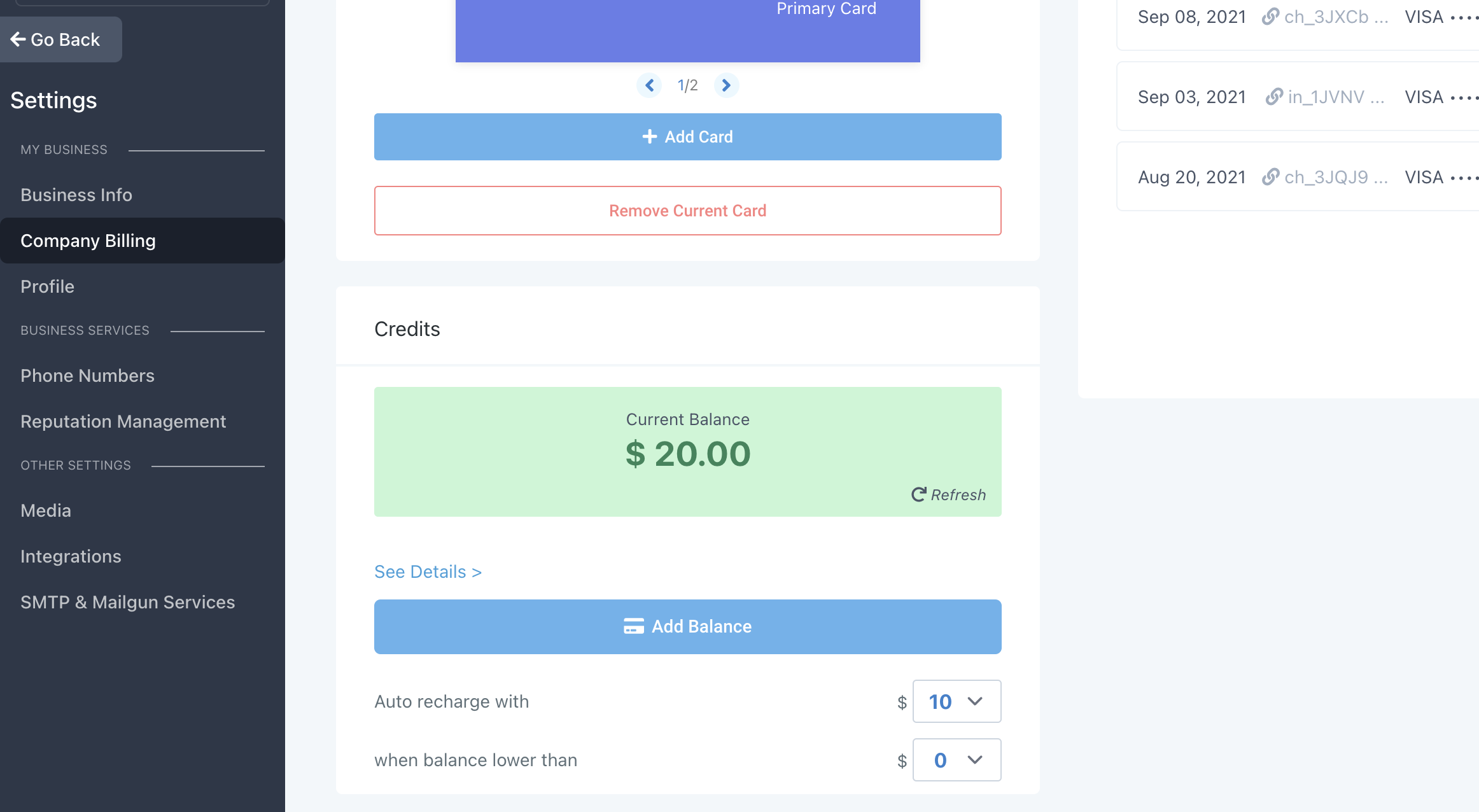
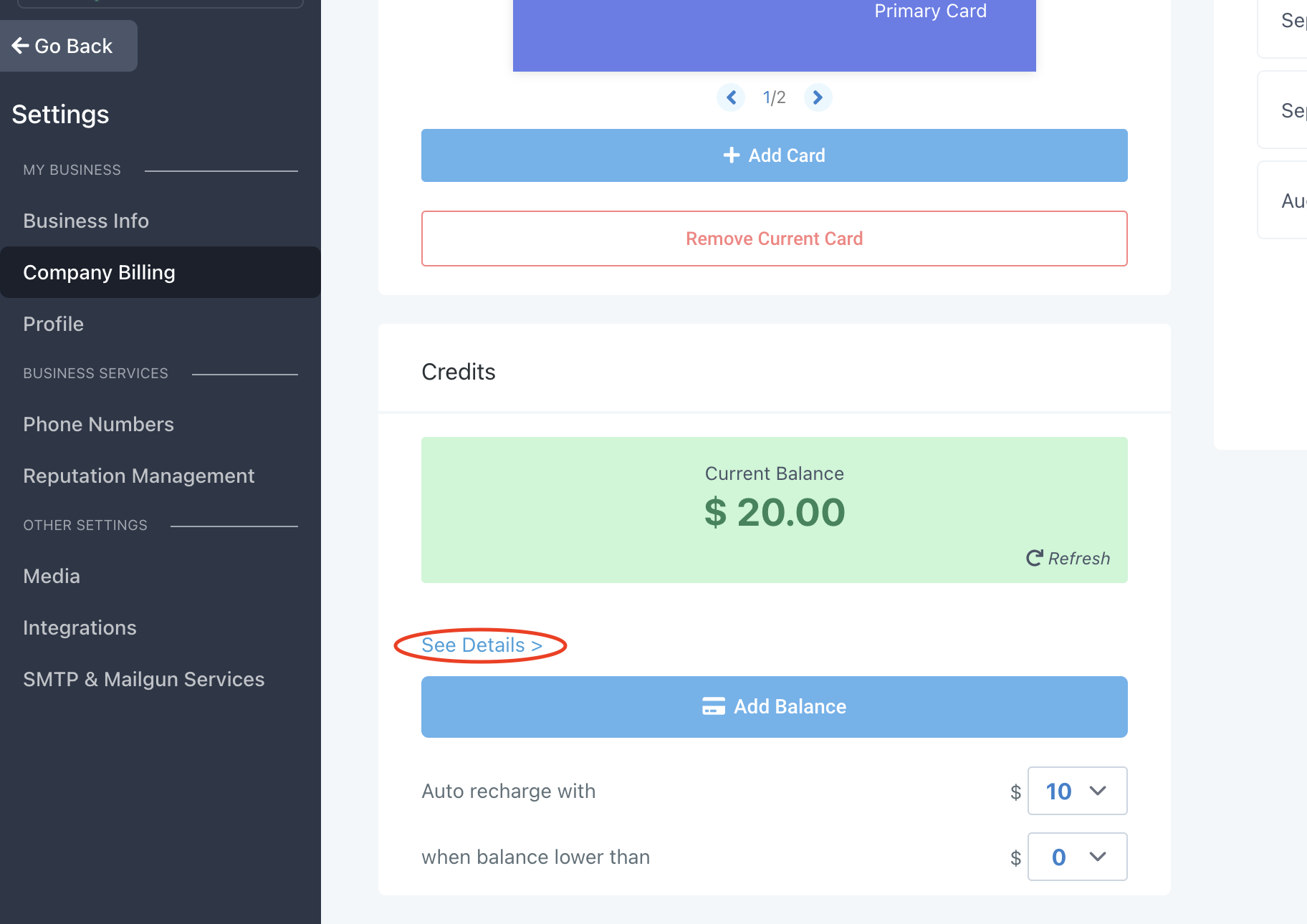
The wallet interface lives in Subaccount Settings > Company Billing. From there you can view transaction details, configure auto recharge, add balance, assign monthly complimentary credits, debit credits, or initiate refunds through Stripe. All credit activity is recorded in the Credits > See Details view.
03How businesses use wallet credit management
- Messaging SaaS startup. The platform sets an auto recharge amount so client wallets stay funded as messages are sent. Monthly complimentary credits are added for trial users, and any excess non complimentary credits can be debited when a client downgrades.
- Email marketing agency. The agency enables email rebilling, then adds balance manually for a new client using the Add Balance button. Complimentary credits are granted during onboarding, and the agency debits any unused free credits before issuing a Stripe refund if needed.
- Call center service provider. The provider configures auto recharge to keep phone call credits available. When a client requests extra call minutes, the provider debits the wallet and, if a mistake occurs, uses the Debit option and follows the Stripe refund steps for non complimentary credits.
04The numbers and rules that matter
- Some charges in the wallet may appear after 6, 24 hours.
- We will try to automatically charge a software wallet a maximum of 7 times (1 attempt per day).
- We will try to automatically charge an Agency wallet a maximum of 12 times (4 attempts per day over 3 days).
05Before you start
- The Subaccount Settings > Company Billing section must be configured.
- A primary payment card for the client must be attached in Company Billing.
- A Stripe account must be linked in Agency Settings > Stripe.
06How to set up and use wallet credit management in HighLevel
View wallet transaction history
- Open Settings > Company Billing.
- Select the Credits tab.
- Click See Details to display the transaction history.
Set up auto recharge
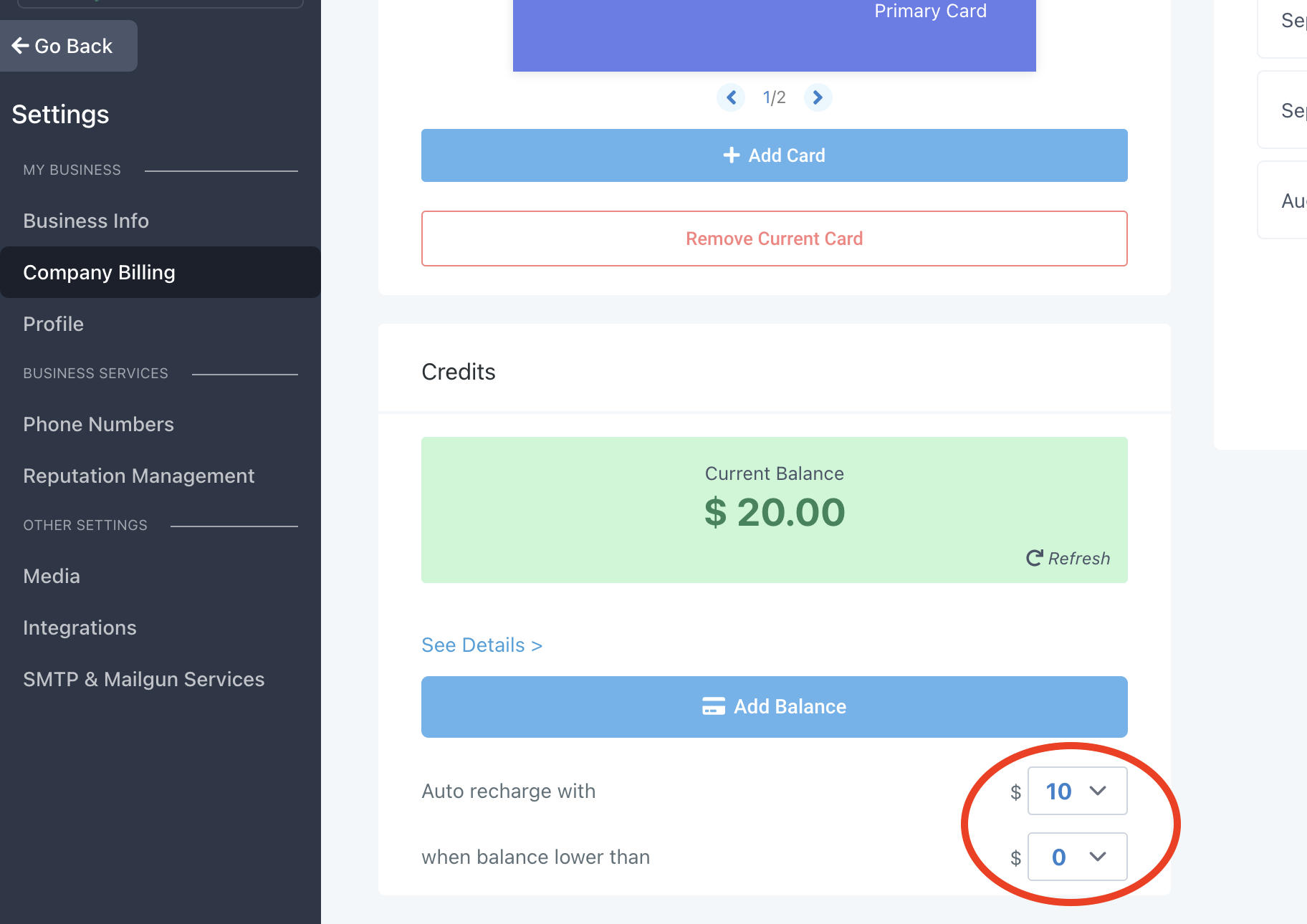
- Navigate to Settings > Company Billing and locate the Credits section.
- Enter the desired amount in the Auto Recharge with field.
- Set the threshold in the when balance lower than field and save.
Add balance manually
- Go to Settings > Company Billing.
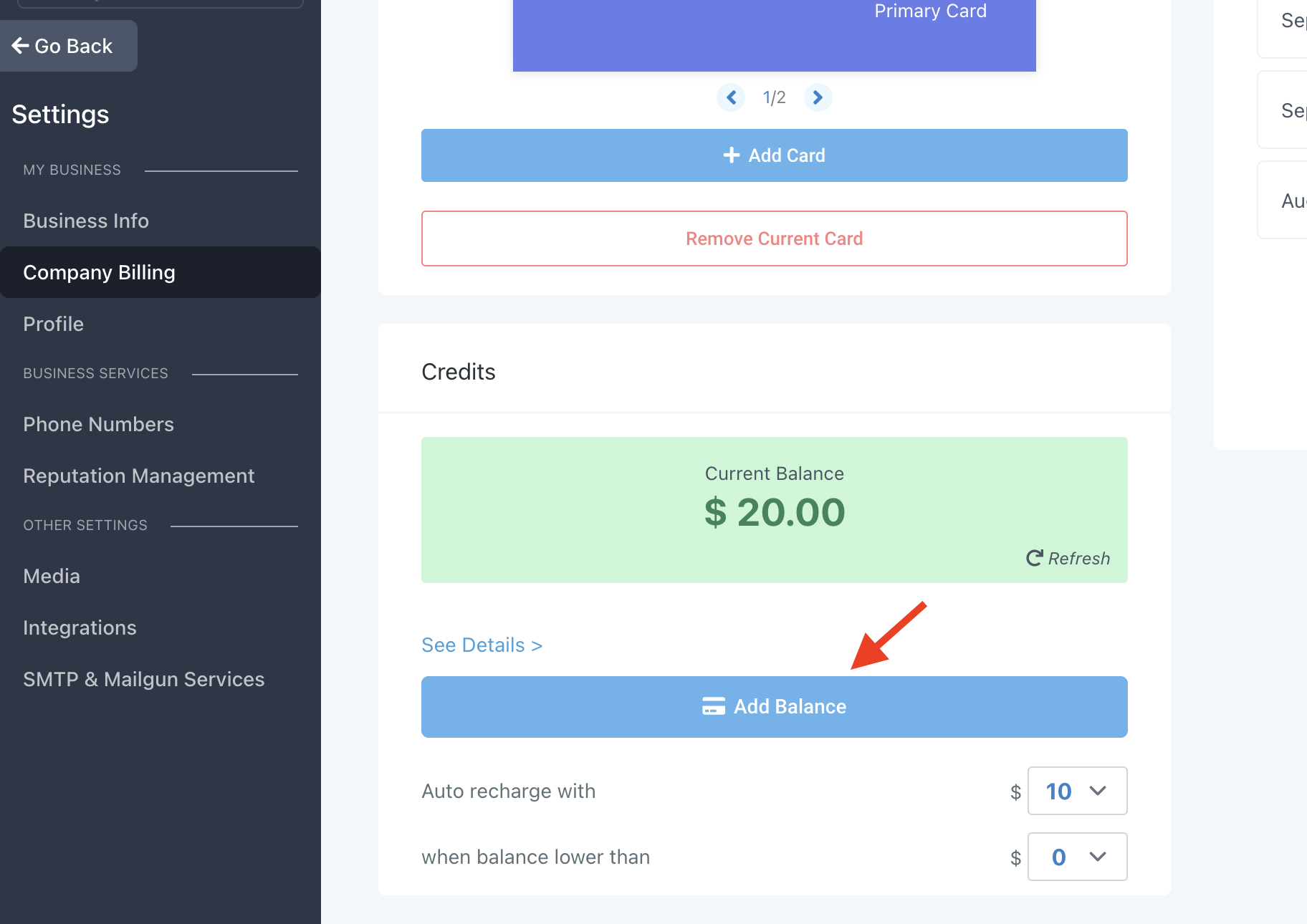
- Press the Add Balance button in the Credits area.
- Confirm the charge; the client’s primary card will be billed and the wallet topped up.
Add monthly complimentary credits
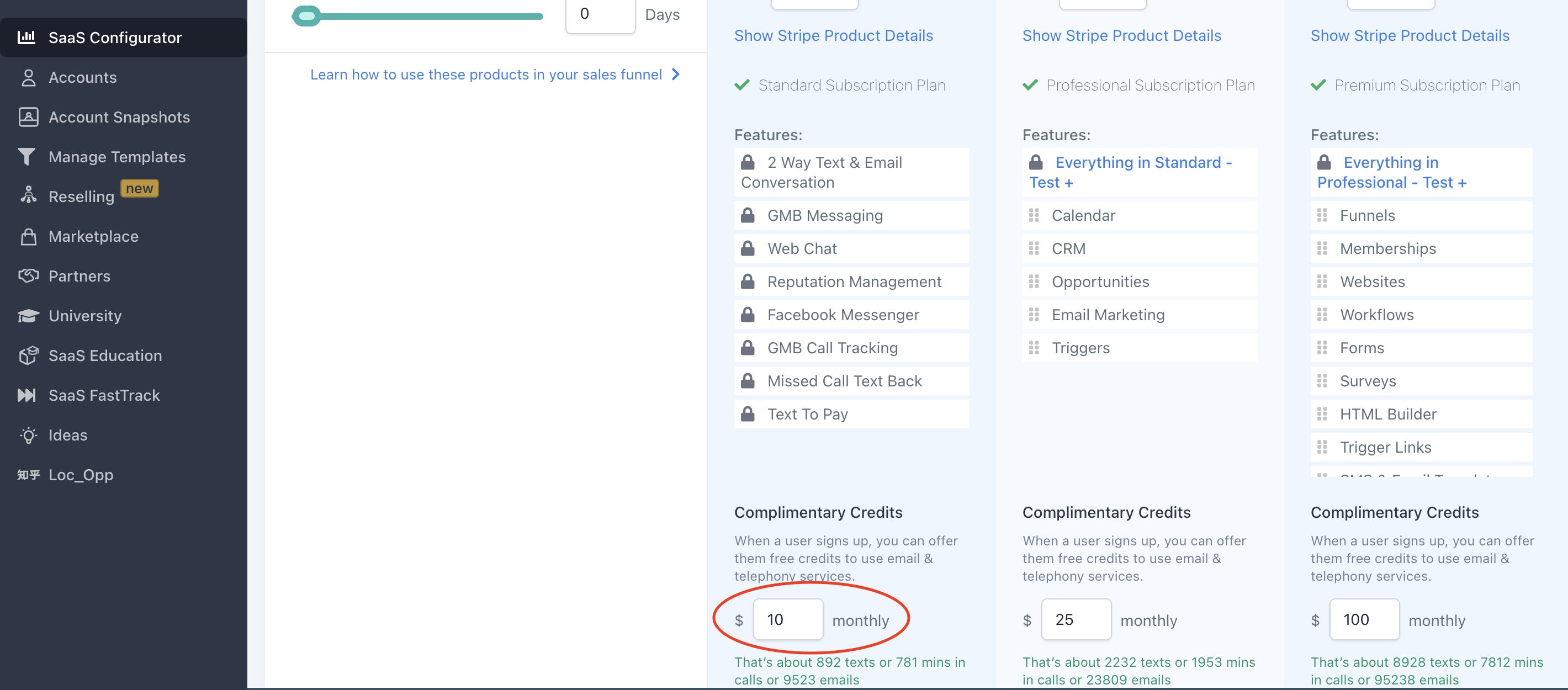
- Open the SaaS Configurator for the subaccount’s SaaS Plan.
- Specify the number of complimentary credits to grant each month.
- Save the setting; the credits will be applied at the start of each billing cycle.
Remove credits from the wallet
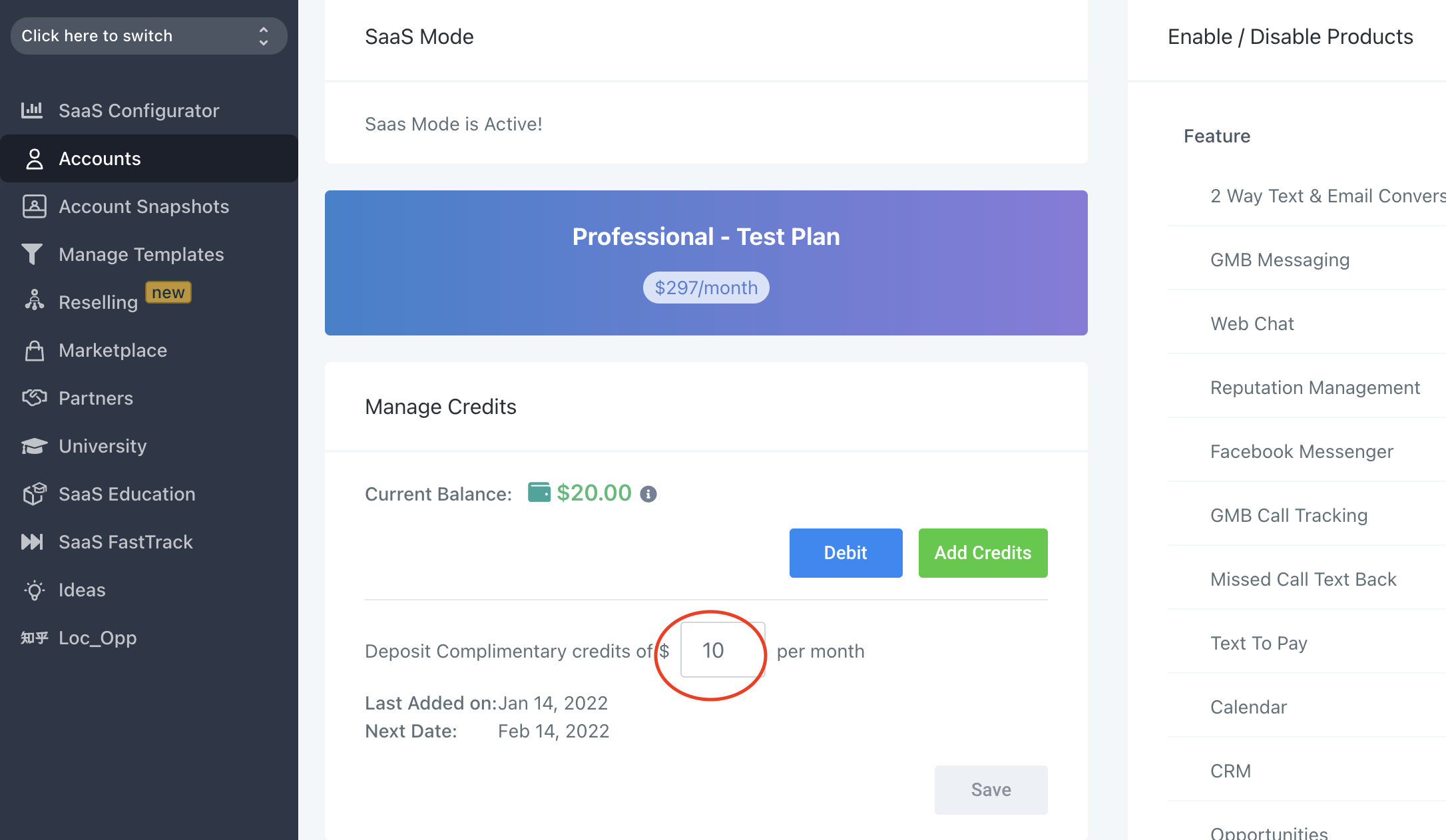
- Enter Agency View > Accounts > View Details > Manage Credits.
- Choose the Debit option for the target subaccount.
- Enter the amount to remove and confirm; the wallet balance is reduced.
Issue refund for non complimentary credits
- Open the Stripe account linked in Agency Settings > Stripe.
- Find the client’s Stripe customer associated with the subaccount.
- In the Payments list, locate the credit purchase and click Refund payment.
07What it looks like in HighLevel
08Settings that matter
- Auto Recharge with. Specifies the amount of credits to add each time the wallet balance falls below the defined threshold.
- when balance lower than. Sets the wallet balance level that triggers an automatic recharge.
- Add Balance. Button that charges the client’s primary card to increase the wallet balance.
- Debit. Option used to subtract credits from a wallet without creating a Stripe refund.
- Add credits after trial period ends. Toggle that delays issuance of complimentary credits until after a trial conversion.
09Things to know before you rely on it
- Automatic recharge occurs only when the balance drops below the when balance lower than threshold.
- Charges may appear in the wallet after six to twenty four hours.
- Complimentary credits are free and do not generate a Stripe charge.
- Refunds can be issued only for the remaining wallet balance; refunding more creates a financial mismatch.
- SaaS wallets will be automatically retried up to seven times (one attempt per day).
- Agency wallets will be automatically retried up to twelve times (four attempts per day for three days).
10How it connects to the rest of HighLevel
- Enable email rebilling on Unlimited and Founder plans Email rebilling guide
- Activate phone rebilling in SaaS mode Phone rebilling setup
- HighLevel pricing and plans Pricing page
Get More InformationOpens on HighLevelPublished November 2, 2026 · Updated November 16, 2026