
01Who this is for
- Agency owners who manage several client phone systems and need to control billing through HighLevel.
- Consultants who handle Twilio integrations for multiple brands and require a single billing point.
02Twilio rebilling, explained
The feature connects a client’s HighLevel subaccount to a Twilio subaccount that you control. Numbers are moved from the client’s original Twilio account to the new subaccount, allowing the agency to rebill usage through the HighLevel SaaS billing system.
All changes are made in the Agency Settings area of HighLevel, where you replace the client’s existing SID and Auth Token with the credentials of the newly created Twilio subaccount.
03How businesses use Twilio rebilling
- Marketing agency. The agency creates a dedicated Twilio subaccount for each client, transfers the client’s phone numbers, and then updates the SID and Auth Token in HighLevel. This lets the agency bill all messaging and call usage in a single invoice.
- SaaS product provider. The provider moves the phone numbers of each tenant to its own Twilio subaccount, updates credentials in the platform, and uses HighLevel’s rebilling to charge tenants for their telephony consumption.
- Consulting firm. The firm follows the transfer steps for each client’s numbers, replaces the client’s Twilio credentials in HighLevel, and then monitors usage through the platform’s reporting tools.
04Before you start
- The client’s subaccount in HighLevel must already be linked to a Twilio subaccount you control.
- If the client’s HighLevel subaccount is linked to their own Twilio account, you must create a new Twilio subaccount and transfer the numbers before activating rebilling.
05How to set up and use Twilio rebilling in HighLevel
Enable Twilio rebilling
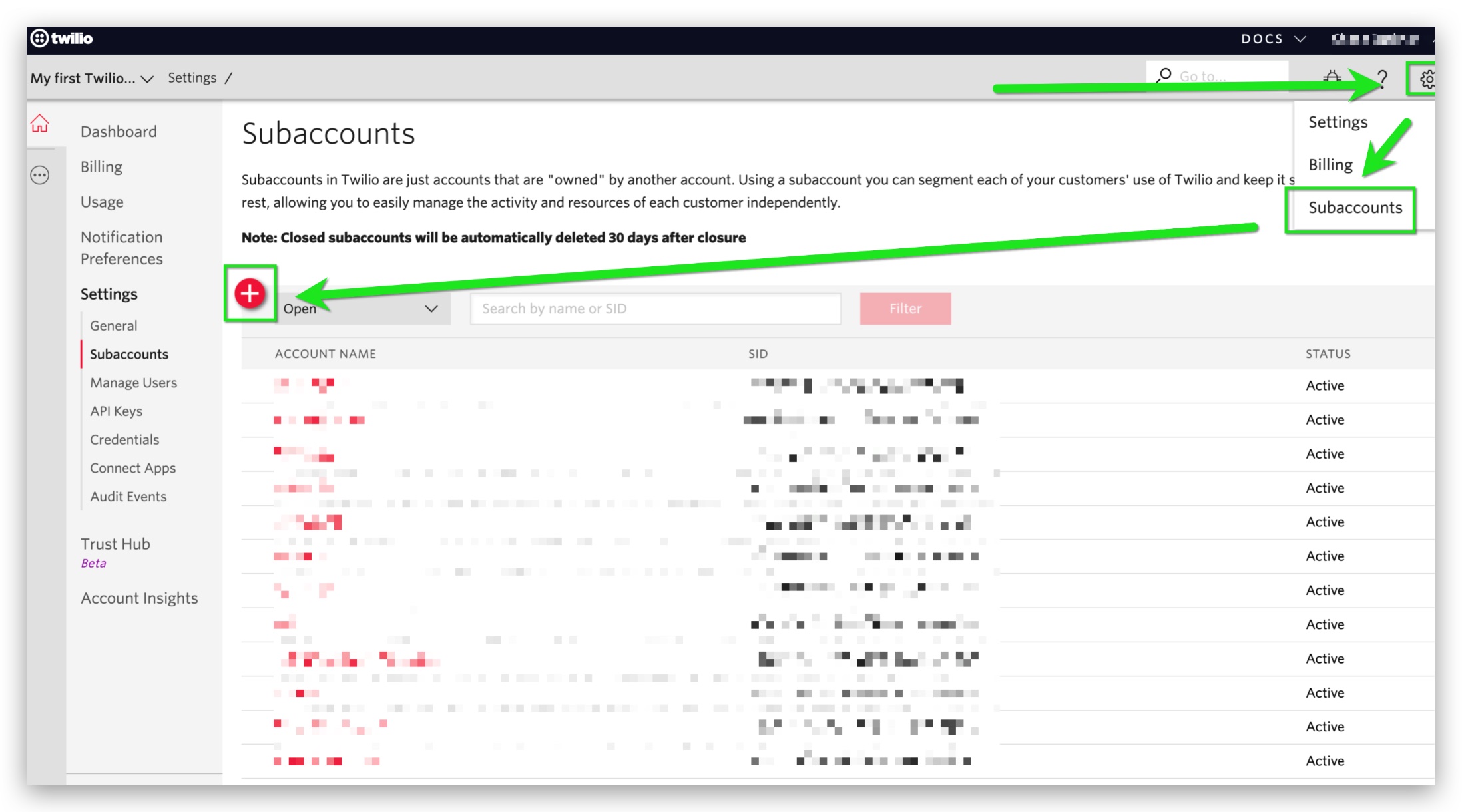
- Log into your Twilio dashboard, open the Gear icon, select Subaccounts, click the red + icon, and create a new subaccount named after the client.
- Copy the provided email template and fill in the client name, client Twilio email, list of phone numbers, the Losing Account SID from HighLevel, and the Gaining Account SID of the new subaccount.
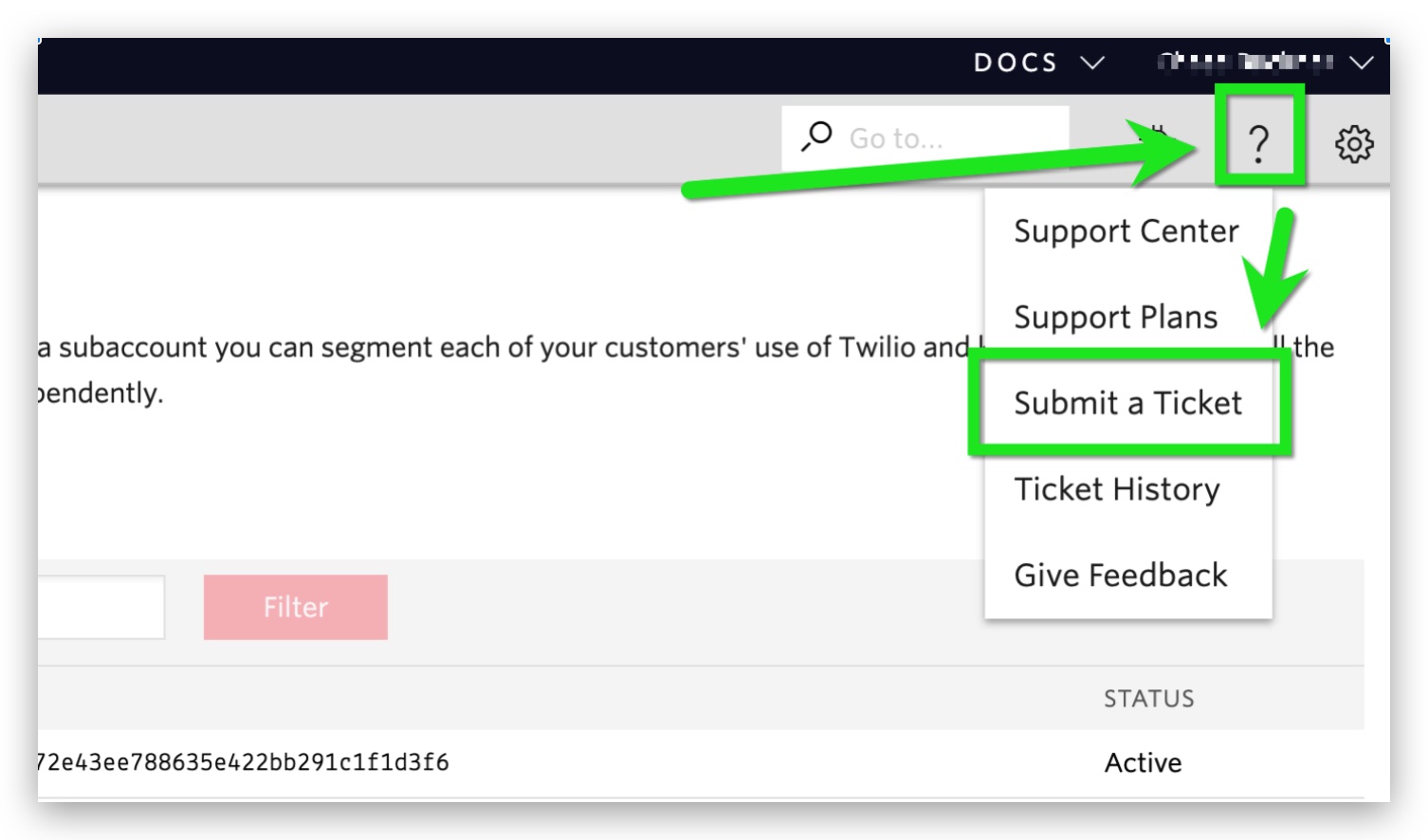
- From within your Twilio account, open a support ticket via the question mark icon, paste the completed template, and submit the request.
- Edit the first paragraph of the template to read “I would like to transfer the following number(s) from my Twilio account to another account:” and send this version to the client, asking them to open a ticket with the same information from their Twilio account.
- Wait for Twilio to confirm the transfer; when confirmed, verify the numbers appear in the new subaccount you created.
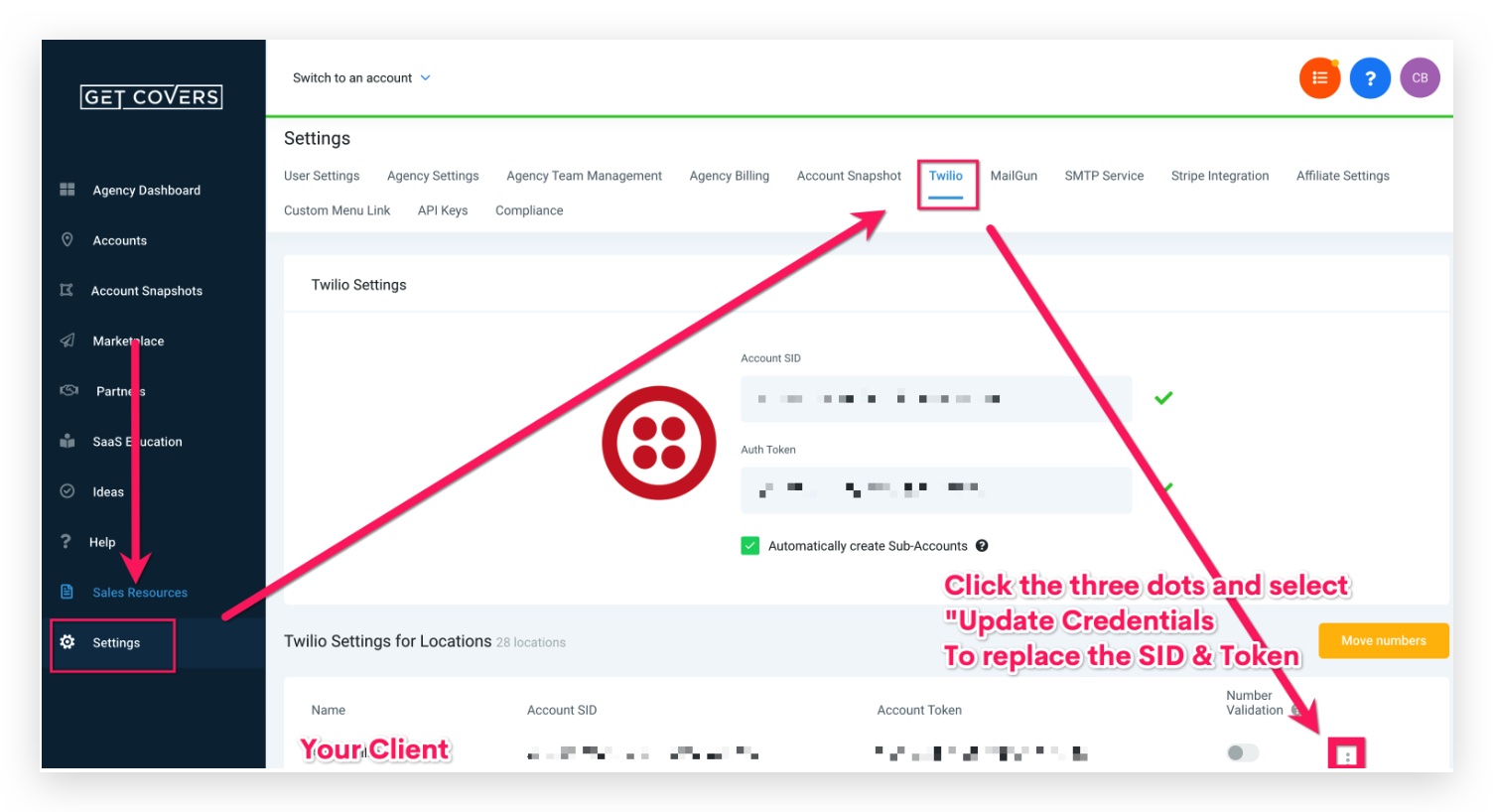
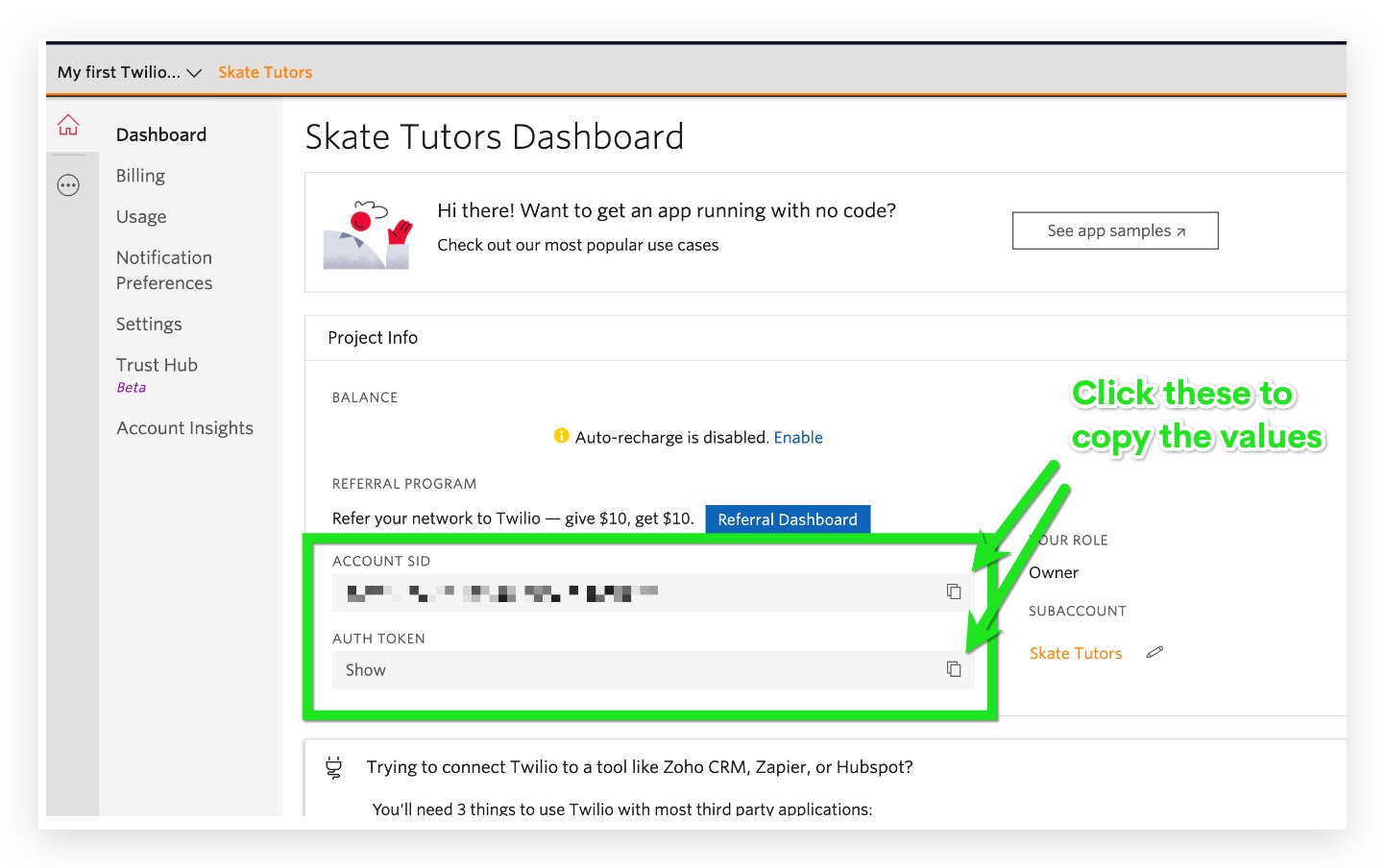
- Log into HighLevel, go to Agency Settings > Twilio, locate the client’s entry, click the three dot menu, choose Update Credentials, and replace the SID and Auth Token with the values from the new Twilio subaccount.
- Confirm that the updated credentials are saved and that the client’s phone numbers now belong to the new subaccount.
06What it looks like in HighLevel
07Settings that matter
- SID and Auth Token values. These fields store the Twilio subaccount credentials used by HighLevel to route calls and messages and to calculate rebilling charges.
08Things to know before you rely on it
- Twilio rebilling works only when the client’s HighLevel subaccount is linked to a corresponding Twilio subaccount you own.
- Differences in Twilio pricing tiers, feature availability, or regional restrictions may affect billing or service functionality.
09If something goes wrong
- Customer encounters issues with Twilio integration after enabling rebilling. Verify that the SID and Auth Token were entered correctly and that the number transfer is complete. If the problem persists, contact Twilio support or HighLevel support for platform specific assistance.
10How it connects to the rest of HighLevel
- Activate phone rebilling in SaaS mode Phone rebilling activation
- Rebilling and wallet notifications configuration Rebilling notifications
- HighLevel pricing and plan details Pricing information
Michael's take

Michael ReimerFounder of CRM Pros, HighLevel Commander and Certified Admin
The process can be a little fiddly, and you need to keep track of SID and Auth Token values for each subaccount.
When it works, you can bill the client while the numbers are in a subaccount you manage.
Get More InformationOpens on HighLevelPublished November 2, 2026 · Updated November 16, 2026