
01Who this is for
- Marketers who need to capture leads the moment a visitor arrives, using an immediate call to action.
- Coaches who want to display a welcome offer without waiting for user interaction.
- Ecommerce owners who wish to promote time sensitive discounts as soon as a shopper opens a product page.
02Page load popups, explained
The feature creates a popup that displays automatically after a configurable delay once the page loads. Each popup can have its own content, styling, and trigger type such as Delay, Exit Intent, or manual activation. When multiple popups share the same trigger, the one with higher priority appears first.
Page load popups are configured inside the page editor of a Funnel or Website. After opening the editor, the Popup Settings icon opens a panel where you select a popup, choose the trigger under "Show Popup On," set the delay in seconds, and then save or publish the page. The popup then appears for visitors according to the defined timing.
03How businesses use show popup on entering funnel/website
- Digital marketing agency. The agency adds a page load popup to client landing pages, sets a 2 second delay, and publishes the page. The popup shows a lead capture form immediately, helping collect contact information.
- Online coaching business. The coach creates a popup with a welcome video, selects the Delay trigger, enters a 3 second timer, and saves the page. Visitors see the video as soon as they land, encouraging them to book a session.
- Ecommerce store. The store configures a popup with a limited time discount code, chooses Delay, sets a 5 second wait, and publishes the product page. Shoppers see the offer right after the page loads, prompting early engagement.
04How to set up and use show popup on entering funnel/website in HighLevel
Configure a page load popup
- Click Sites in the left hand menu of the subaccount dashboard.
- Select the Funnels or Websites tab in the upper navigation bar.
- Open the desired funnel or website and choose the specific step or page.
- Press the blue Edit button to launch the page editor.
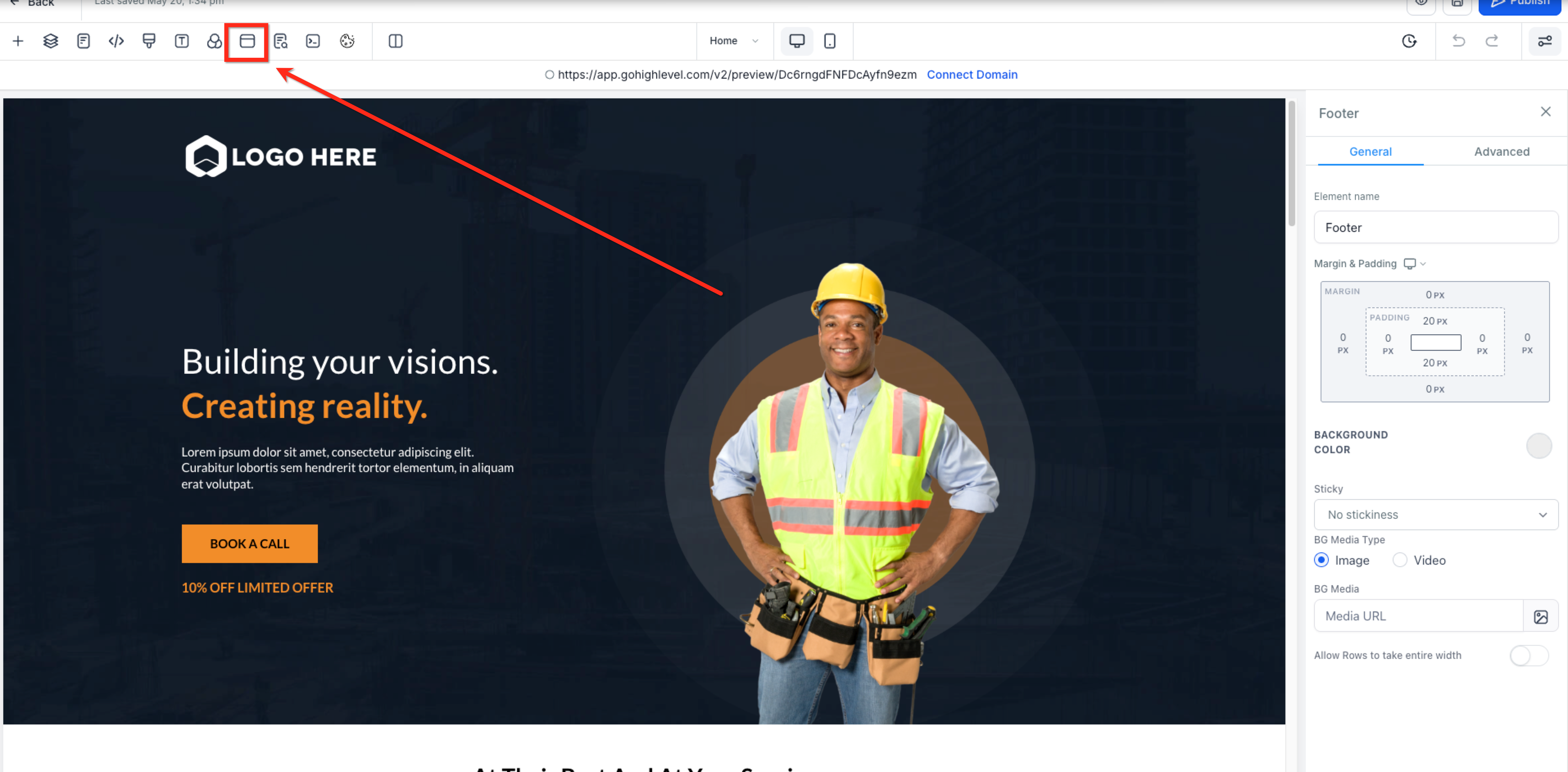
- Click the Popup Settings icon in the top menu bar of the builder.
- In the Popup Settings panel, pick the popup you want to adjust.
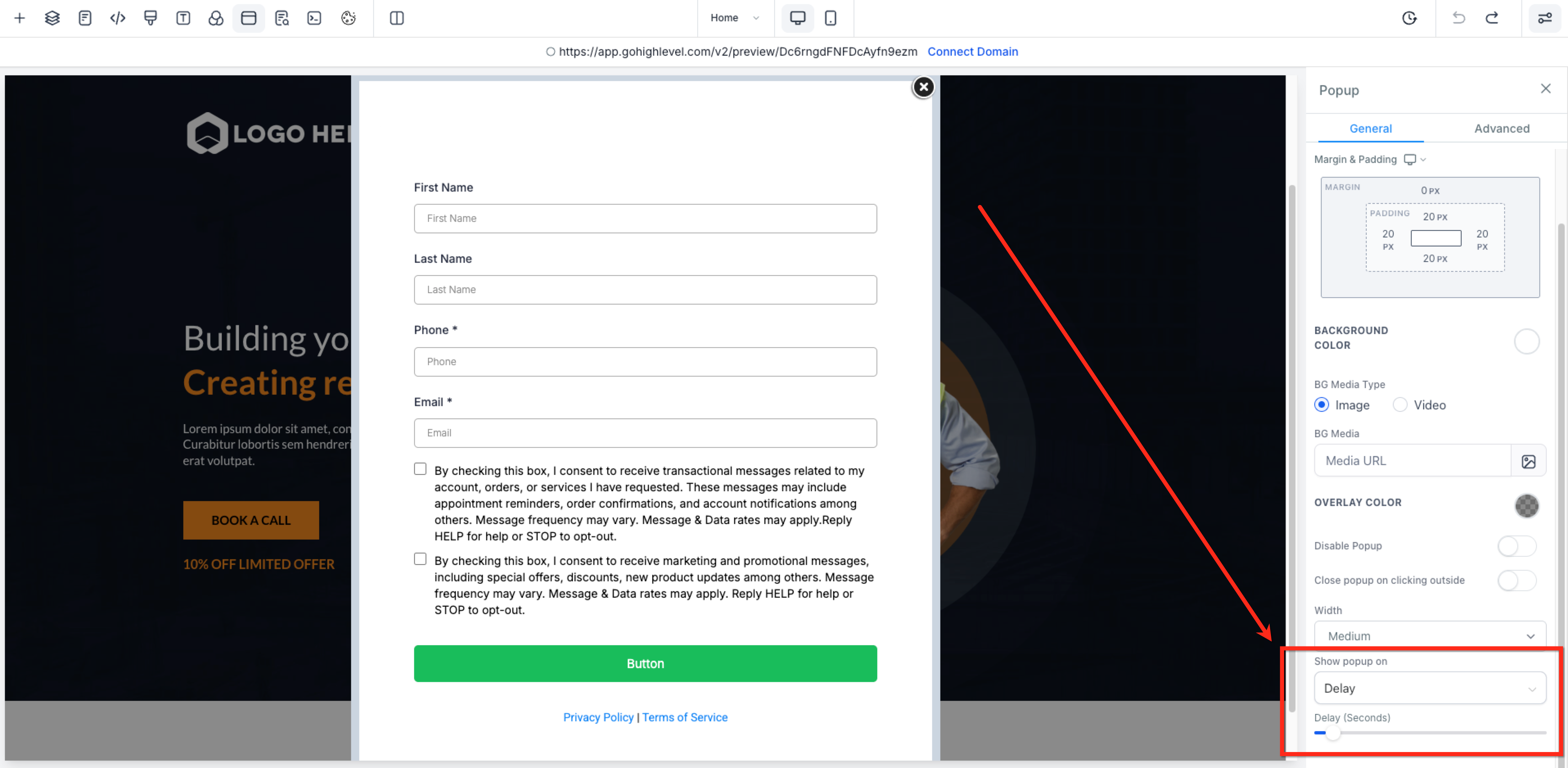
- Open the Settings tab for that popup and set Show Popup On to Delay.
- Enter the number of seconds to wait before the popup appears.
- Save or publish the page to apply the popup configuration.
05What it looks like in HighLevel
06Settings that matter
- Show Popup On. Determines which trigger activates the popup, such as Delay, Exit Intent, or None for manual activation.
07Things to know before you rely on it
- Multiple popups can exist on the same Funnel or Website page, each with its own trigger and delay.
- If several popups share the same trigger, the one with higher priority in the Popup Settings panel displays first.
- Exit intent detection relies on mouse movement and functions only on desktop devices.
- Session level display limits are not documented; the popup may appear on every page view.
08How it connects to the rest of HighLevel
- Add tracking code to funnels and websites Tracking code guide
- Setup 301 URL redirects Redirects guide
- HighLevel website setup overview Website setup
Michael's take

Wondering if a popup that appears the second a visitor lands is worth the hassle? It’s a quick way to grab attention without waiting for a click, especially if you have a limited time offer or a lead capture form you want to showcase right away.
If I were setting it up, I’d start with a short delay, test the timing, and make sure the exit intent version only runs on desktop. That way I know the message shows at the right moment and doesn’t annoy mobile users.