
01Who this is for
- Coaches who run weekly training classes benefit from a single registration link for an ongoing series.
- SaaS companies offering regular product demos gain a predictable schedule without rebuilding each event.
- Educational institutions delivering recurring workshops avoid manual cloning and keep attendee experience consistent.
02Recurring webinar settings, explained
Recurring Webinar Settings add an optional layer to a webinar, allowing one event to repeat on a schedule you set. Once the Recurring option is active, HighLevel generates future occurrences, keeps the broadcast URL constant, and ties all registrations, reminders and analytics to the entire series.
The broadcast page automatically shows a countdown before each session, streams live when the host is online, and reverts to the next countdown after the event ends. Reminder emails follow the same workflow, moving to the next occurrence without extra automation work.
You find the feature inside a webinar funnel under Sites > Webinars. In the webinar’s Schedule tab you can enable Recurring, choose a cadence, define pattern details and set an end condition.
03How businesses use recurring webinar settings
- Fitness studio. The studio creates a new webinar funnel, turns on Recurring, selects a daily cadence, sets the pattern to repeat every day, and chooses an end date after a set number of sessions. Members register once and receive reminders for each upcoming class.
- Software startup. The startup opens an existing product demo webinar, enables Recurring, picks a weekly frequency on Mondays and Wednesdays, configures the pattern, and defines the series to end after a set number of sessions. Attendees sign up a single time and receive automated reminders for each demo.
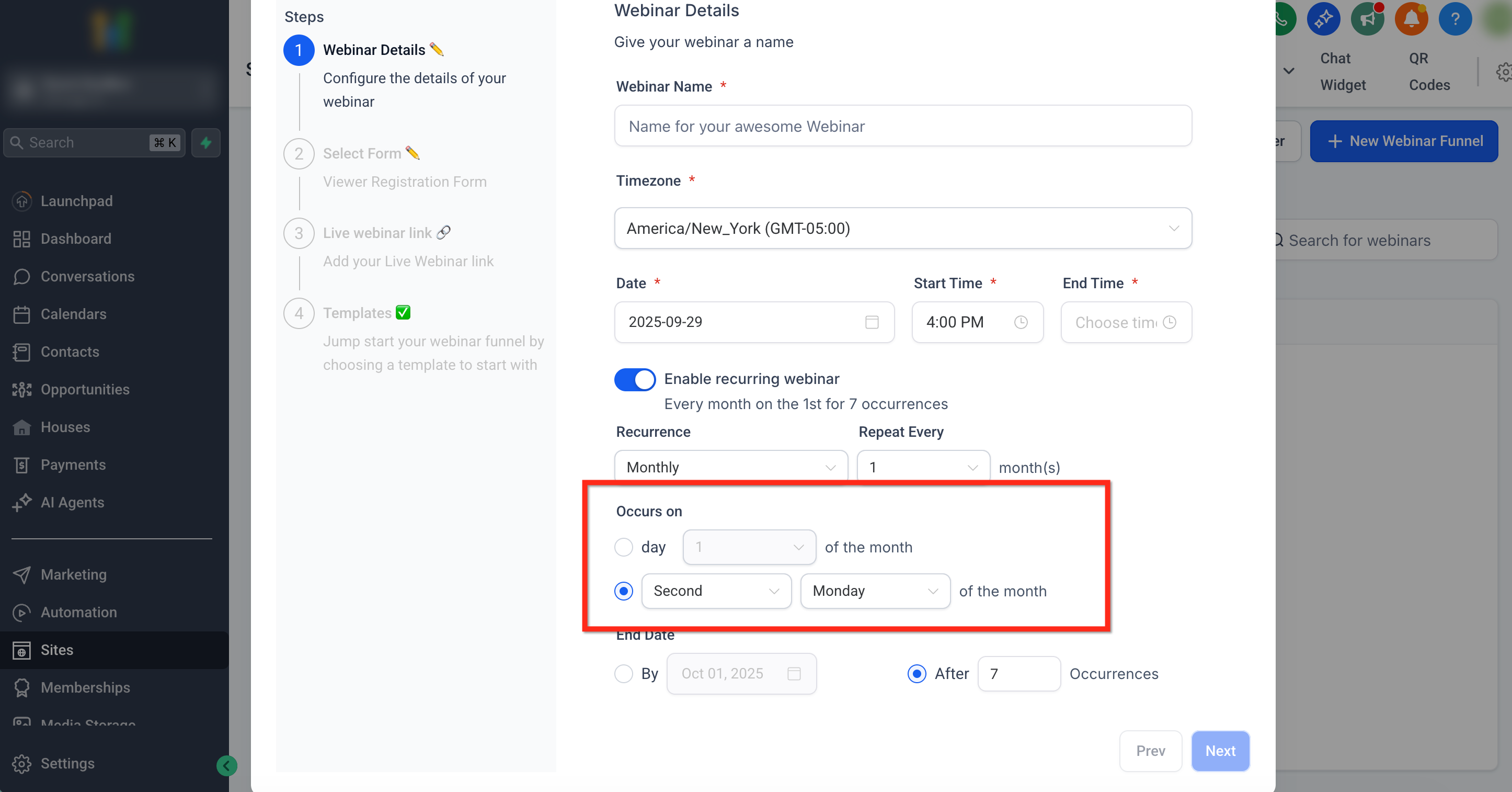
- Consulting firm. The firm sets up a monthly masterclass, activates Recurring, selects the monthly option for the 3rd Friday, inputs the pattern details, and sets the end condition to a specific calendar date. All participants stay enrolled for the full series through one registration link.
04Before you start
- Create a webinar funnel or have an existing webinar ready.
- Enter the basic Webinar Details before enabling the Recurring option.
05How to set up and use recurring webinar settings in HighLevel
Set up a recurring webinar
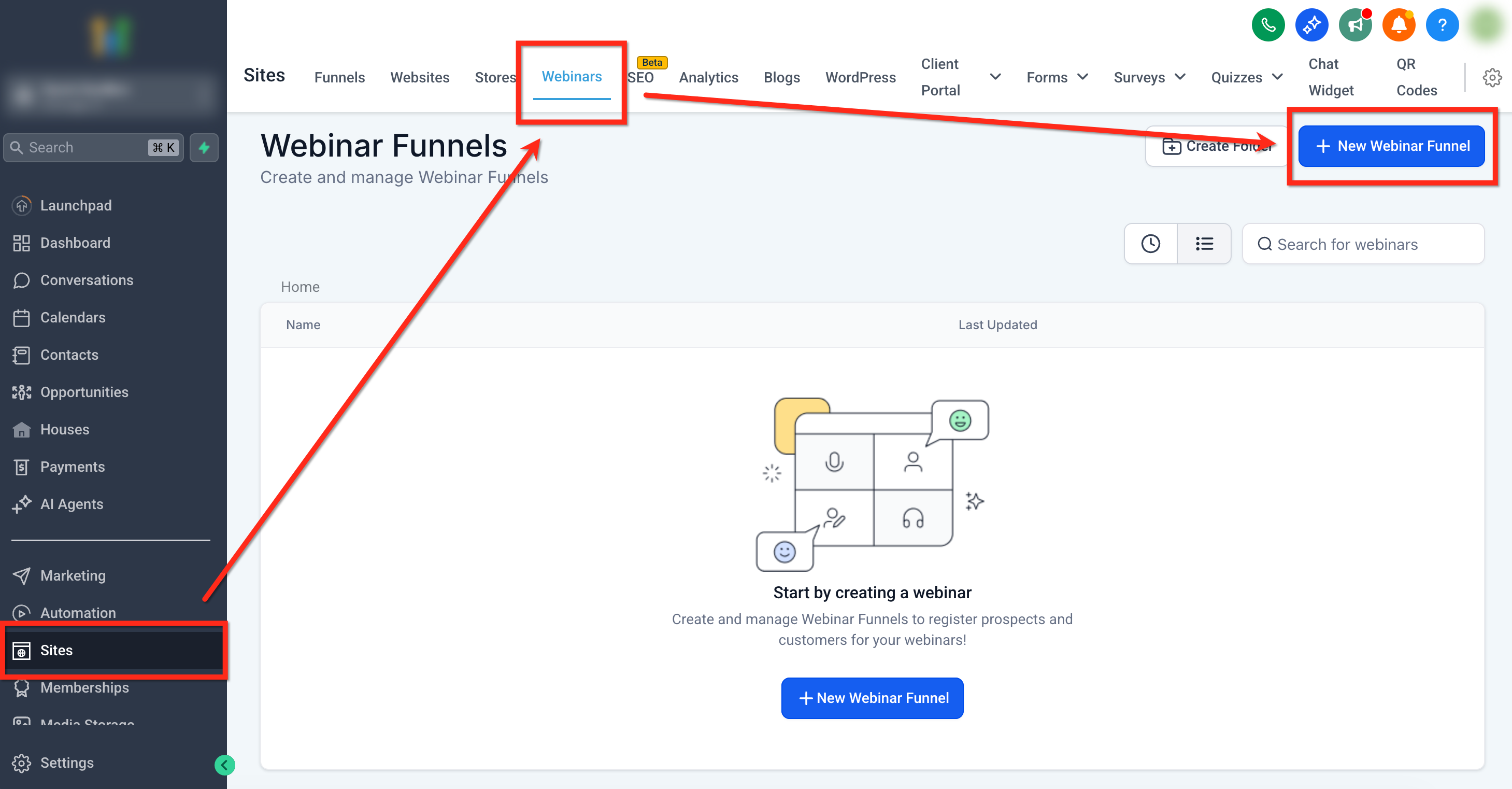
- Navigate to Sites > Webinars > + New Webinar Funnel or open an existing webinar.
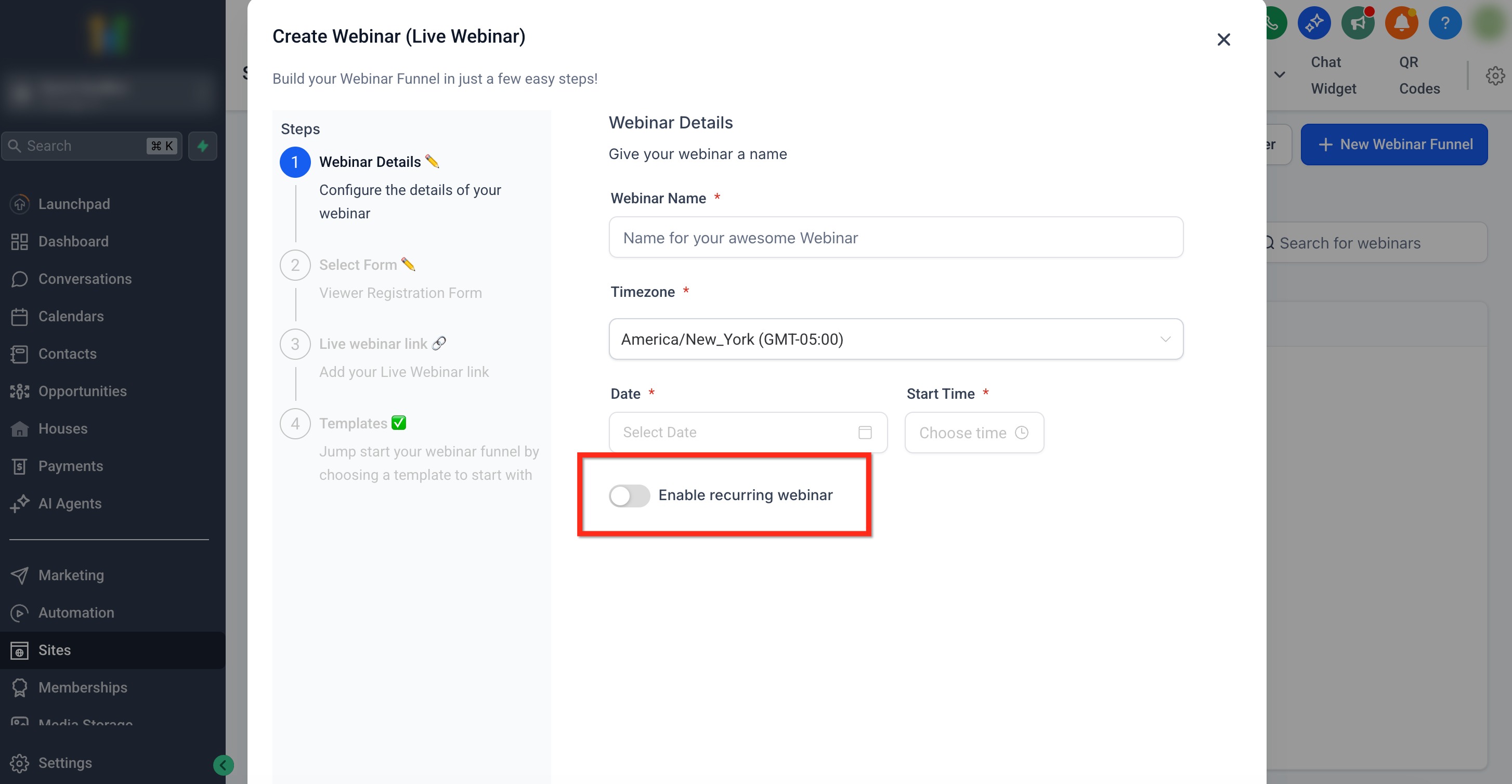
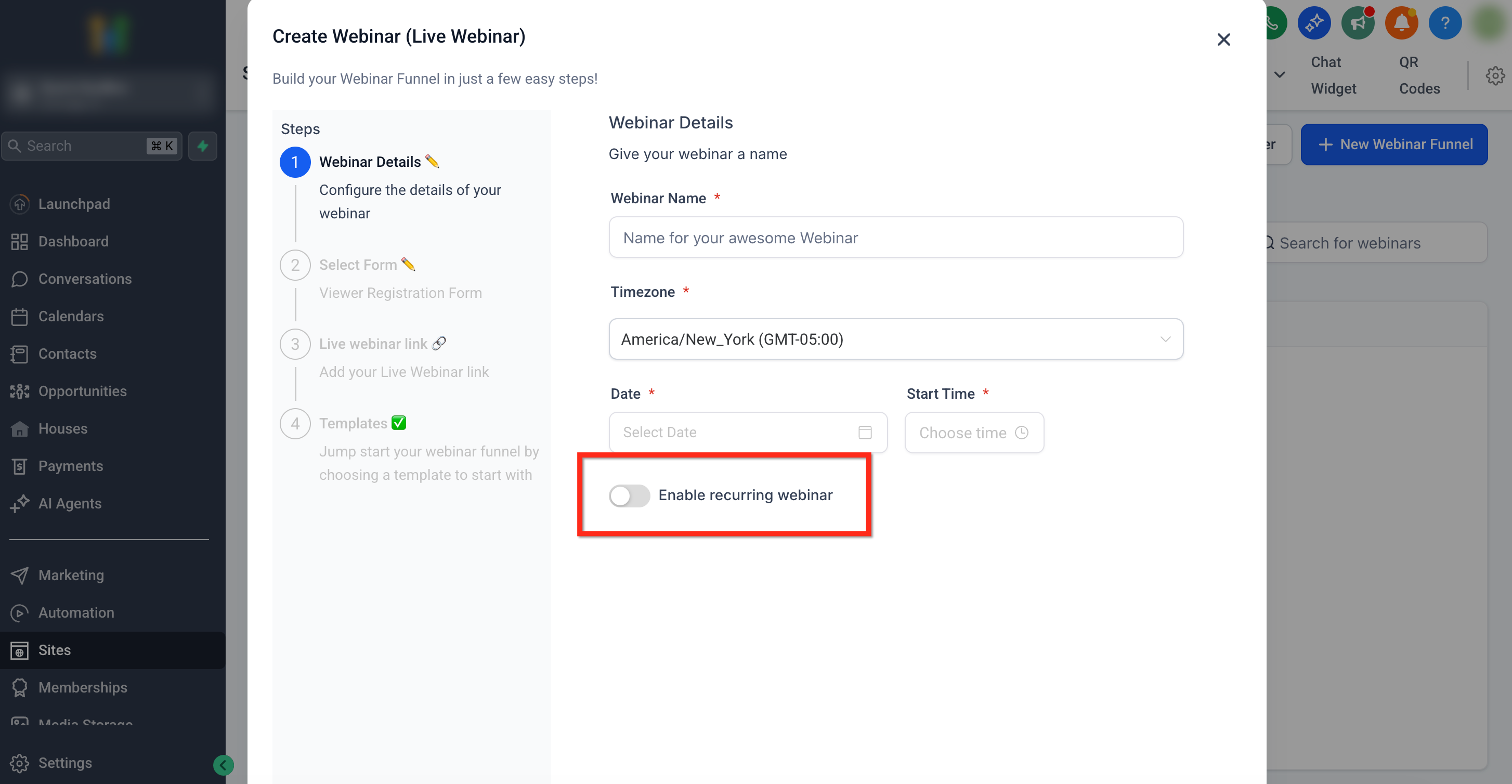
- Fill in the Webinar Details, then toggle Enable recurring webinar to ON.
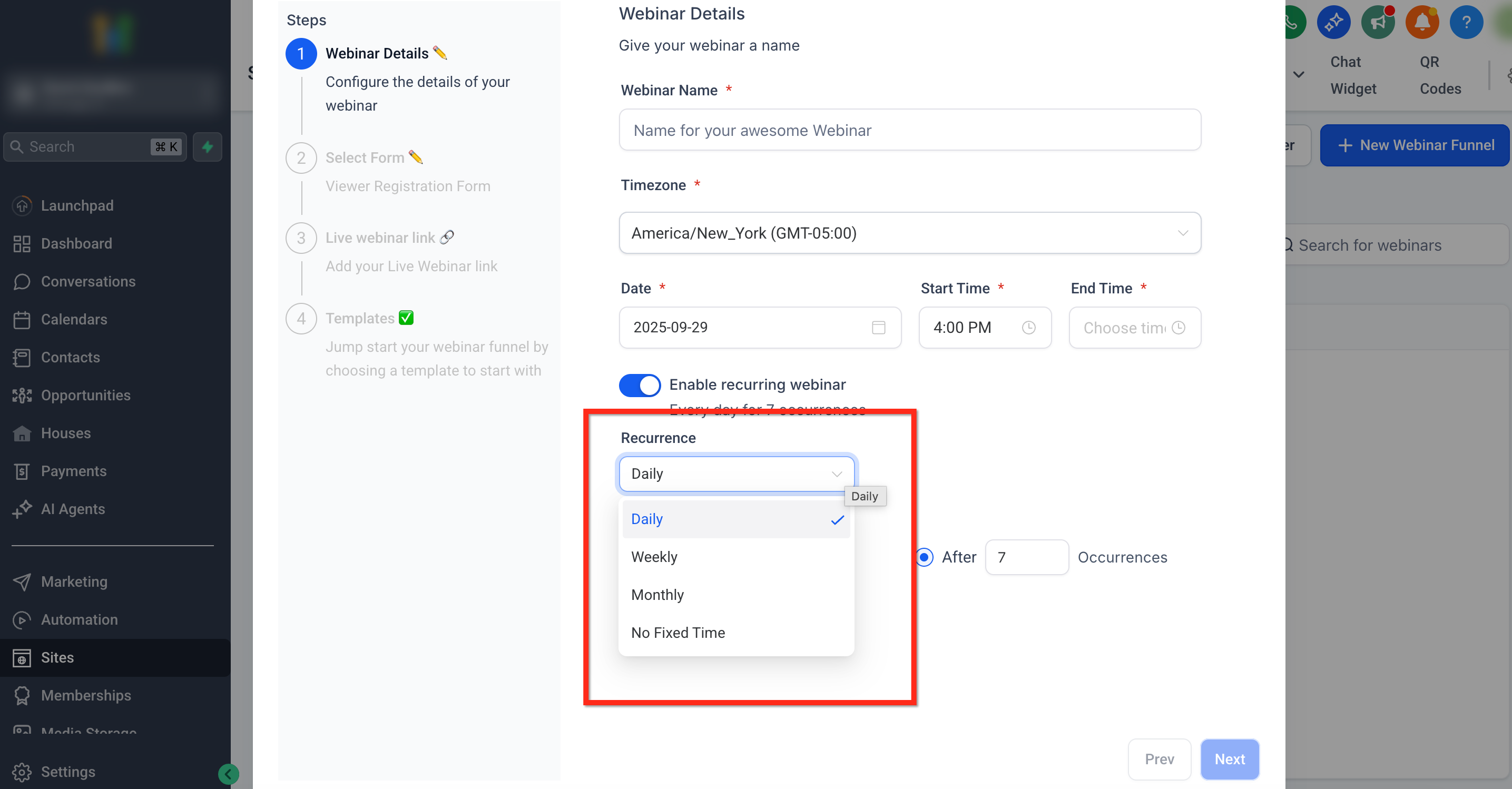
- Choose a Frequency such as Daily, Weekly, Monthly, or No Fixed Time.
- Enter the specific pattern details for the chosen cadence.
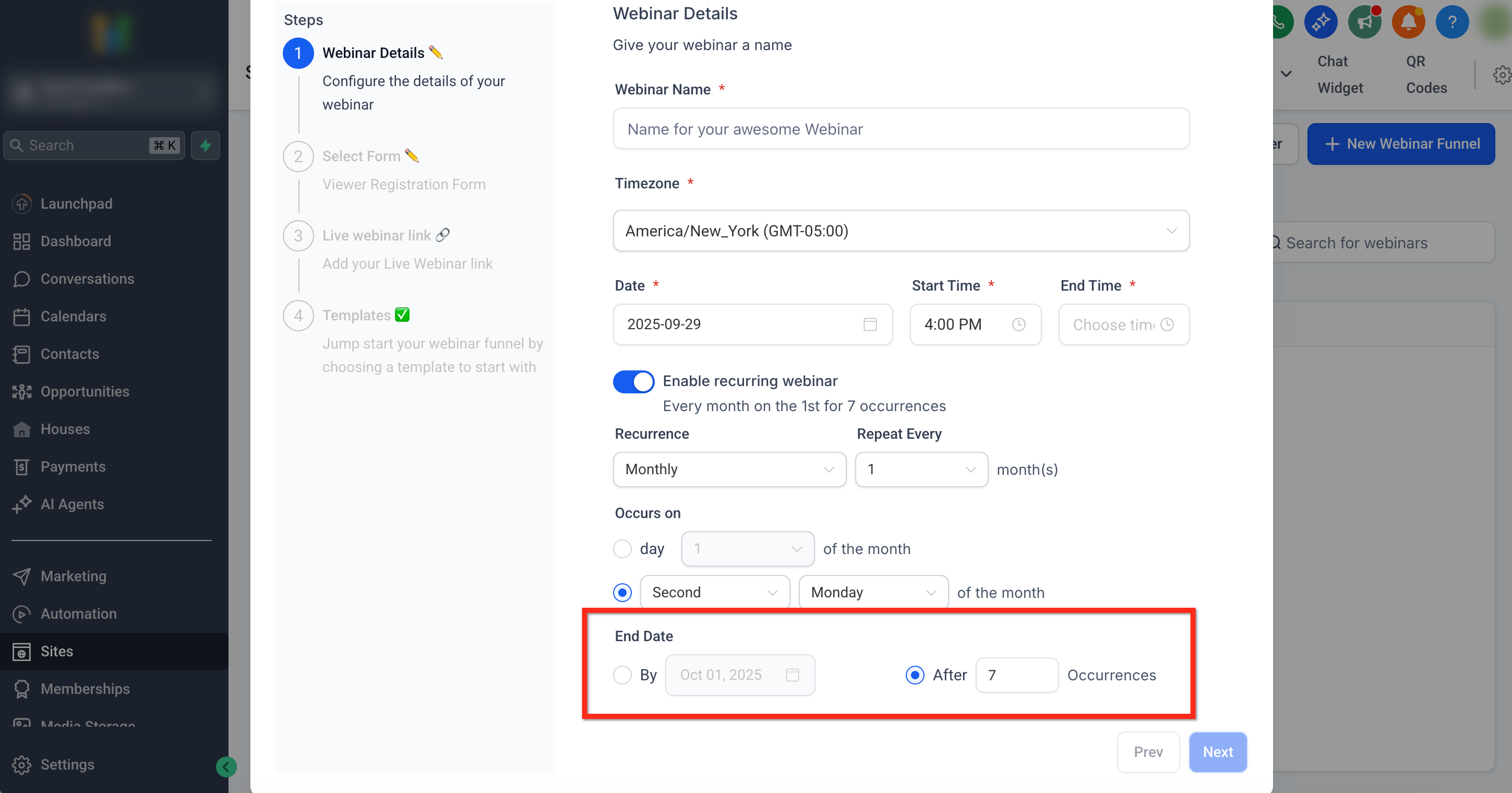
- Select an End Date, either after a number of sessions or on a specific calendar date.
06What it looks like in HighLevel
07Settings that matter
- Enable recurring webinar. Activates the Recurring feature for the webinar and reveals frequency and advanced options.
- Frequency. Defines how often the webinar repeats, daily, weekly, monthly, or always on with No Fixed Time.
- Pattern details. Specifies the exact recurrence rule, such as which weekdays or which ordinal day of the month to repeat.
- End Date. Sets when the series stops, either after a certain number of sessions or on a defined date.
08Things to know before you rely on it
- Live and on demand content cannot be combined in the same webinar series.
- Changes to the recurrence pattern affect only future occurrences, not past sessions.
- The No Fixed Time option creates an evergreen replay that plays immediately for any registrant.
09How it connects to the rest of HighLevel
- Read about webinar video analytics and how they apply to recurring sessions. Webinar video analytics
- Learn how the broadcast page updates between sessions and how to customize its design. Website setup
- View pricing options to access webinar features on HighLevel. Pricing and plans
Michael's take

Recurring webinar settings feel like a modest convenience that can become a real shift for anyone running regular live training. It removes the repetitive task of cloning events and keeps a single registration link alive, which makes marketing and follow up cleaner.
A small online yoga studio could schedule a weekly flow class with one click and let students sign up once for the whole season. If I were setting it up, I’d run a quick test of the reminder workflow to confirm it rolls over to the next session before launching the series to members.