
01Who this is for
- Agency owners who want to add hosted WordPress as a billable service and keep pricing under their control.
- Web design studios that deploy WordPress sites for clients and prefer the platform to handle hosting and billing.
02WordPress hosting reselling, explained
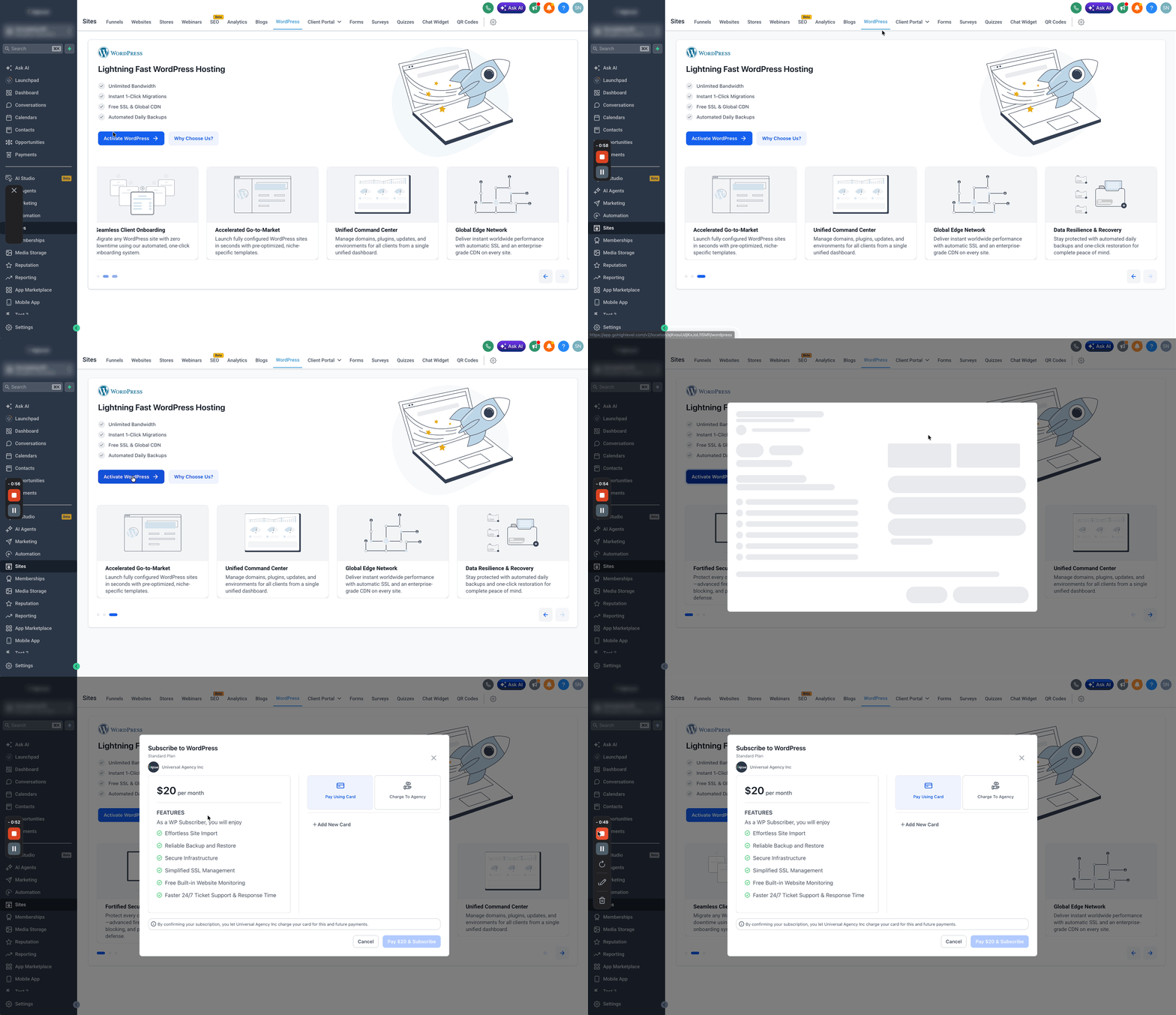
The feature sits in the Reselling > Subscriptions > WordPress section of a HighLevel agency account. It shows the agency’s cost for each hosting tier and lets you set a markup that becomes the price shown to a client. Clients can purchase the hosting themselves from their subaccount, or you can deploy the subscription directly and charge the agency’s payment method. Custom pricing can be applied to any subaccount without changing the default price for other clients.
03How businesses use WordPress hosting reselling
- Digital marketing agency. Select a hosting tier that matches the volume of client sites you manage. Set a resale price that covers your cost and adds markup. Then create a personalized offer for a client who needs a discounted rate.
- Web design studio. Pick the Unlimited plan to ensure ample resources for design projects. Configure a customer price that reflects your service fee. Use the custom offer option to give a client a bundled price that includes design and hosting.
- Consulting firm. Choose the Utility plan for predictable monthly spend. Enter a customer price that aligns with your consulting package. Apply a unique markup for a partner account that requires a special rate.
04The numbers and rules that matter
- WordPress Hosting plans: Standard, Utility, Truly Unlimited.
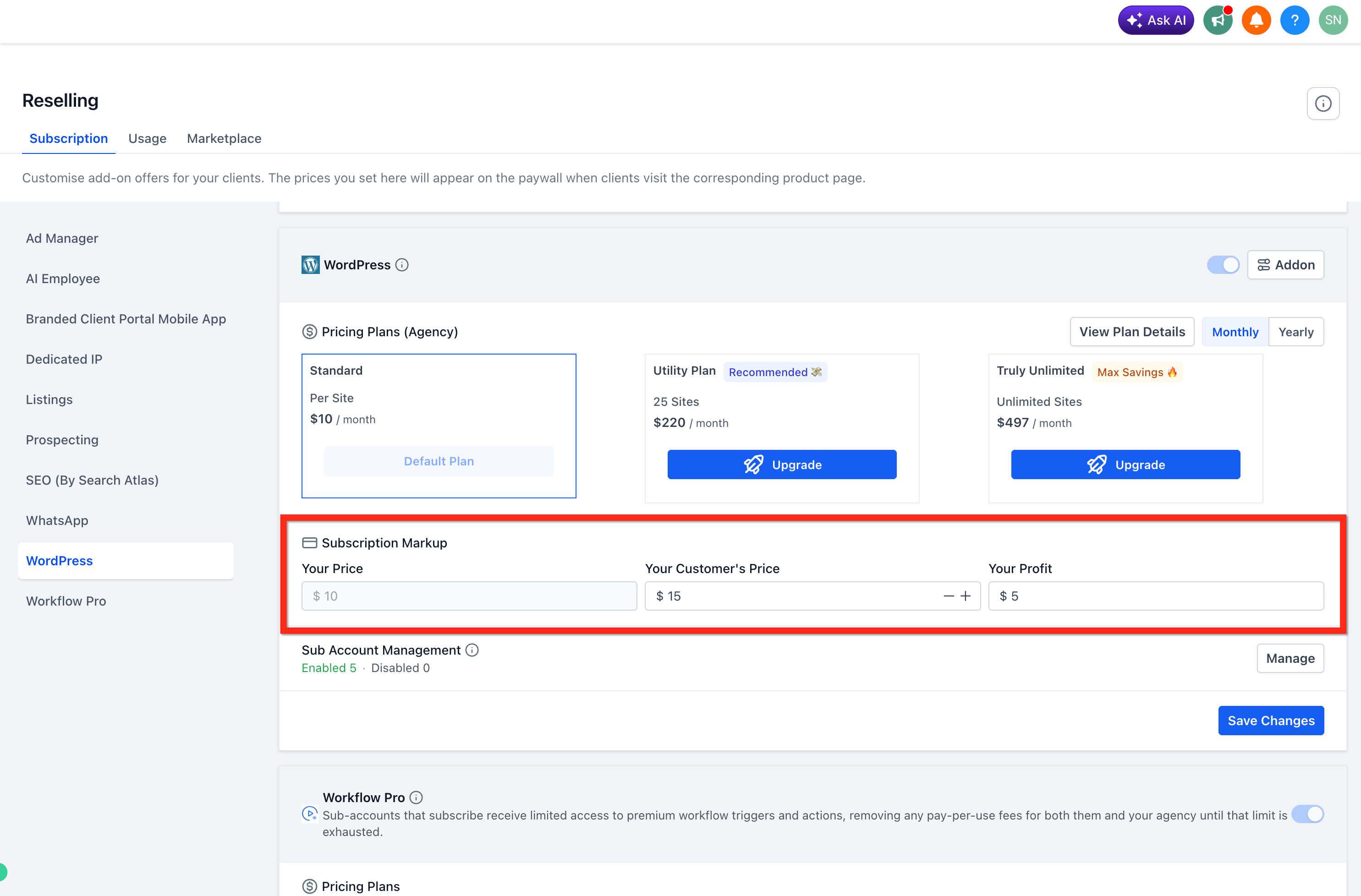
- Example: Agency cost $10, customer price $15, profit $5 (per HighLevel's help center, checked November 2026).
05Before you start
- Connect your agency Stripe account so HighLevel can process client payments.
06How to set up and use WordPress hosting reselling in HighLevel
Select a WordPress hosting plan
- Log in to your HighLevel agency account.
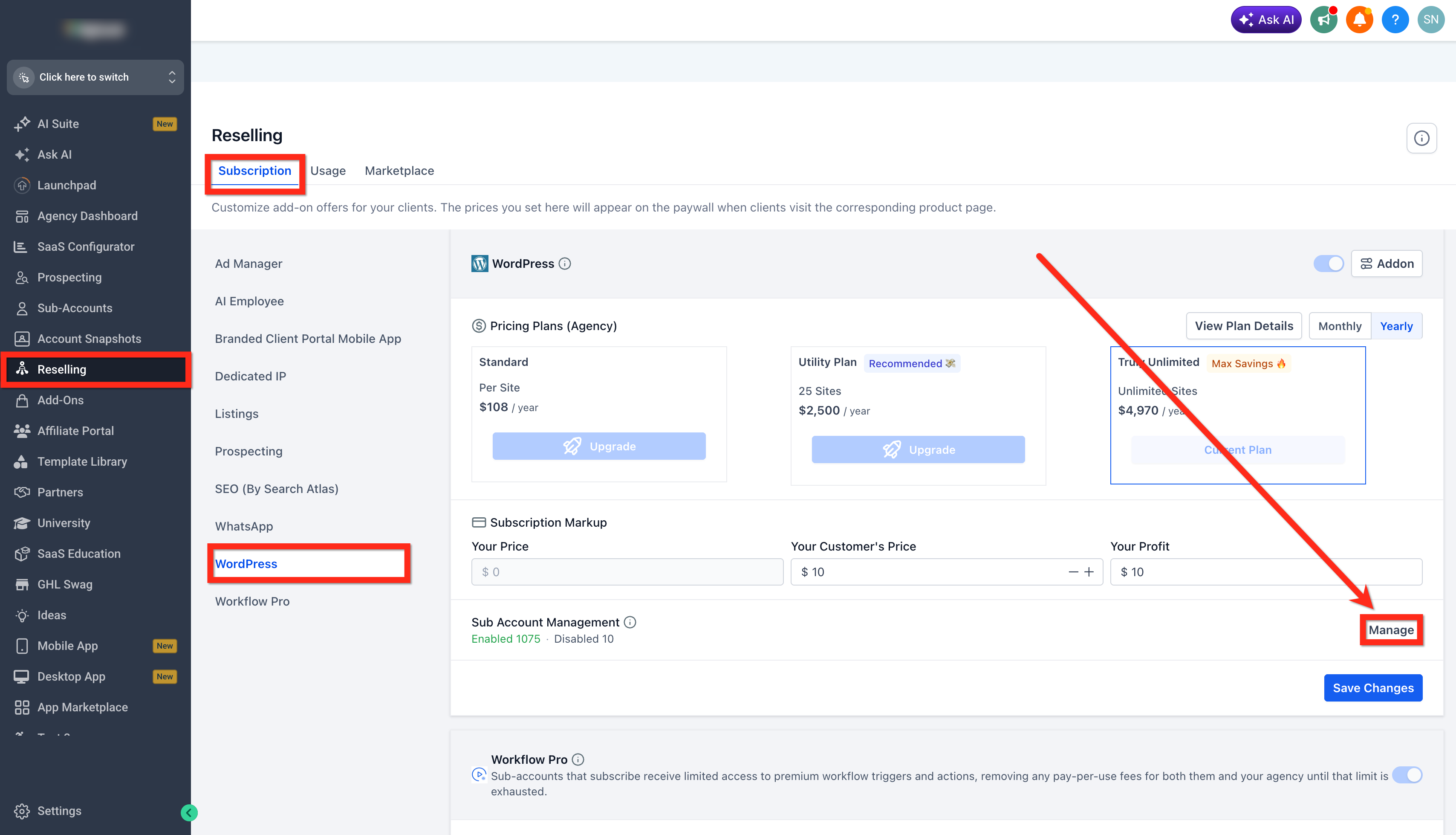
- From the left navigation menu, click Reselling.
- Under Subscriptions, select WordPress.
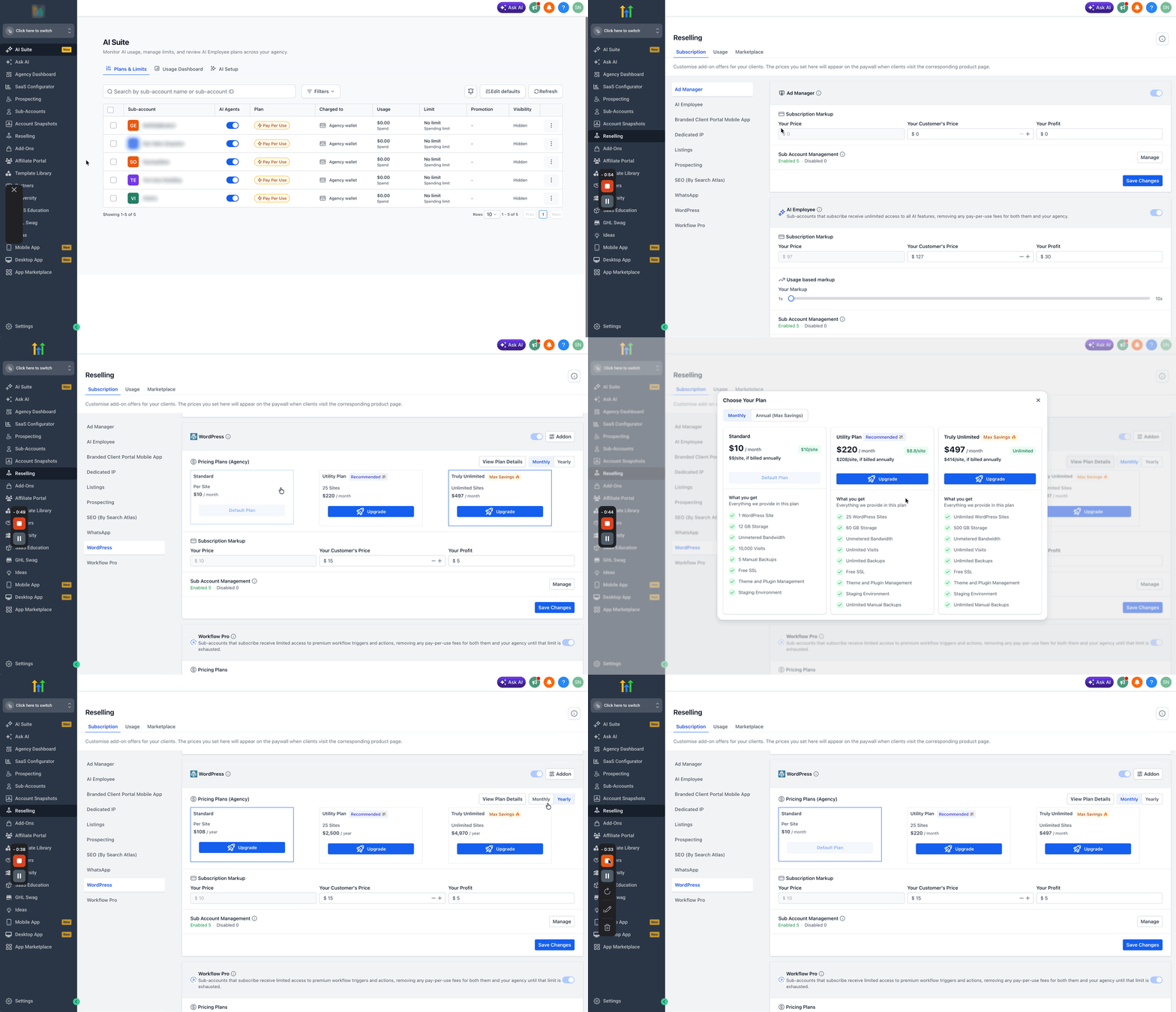
- Review the available WordPress Hosting plans: Standard, Utility, and Truly Unlimited.
- Click View Plan Details to compare plan inclusions.
- Select Monthly or Annual billing based on your preferred cycle.
- Choose or upgrade to the plan that fits your agency’s hosting requirements.
Set your WordPress reselling price
- Locate the Subscription Markup settings.
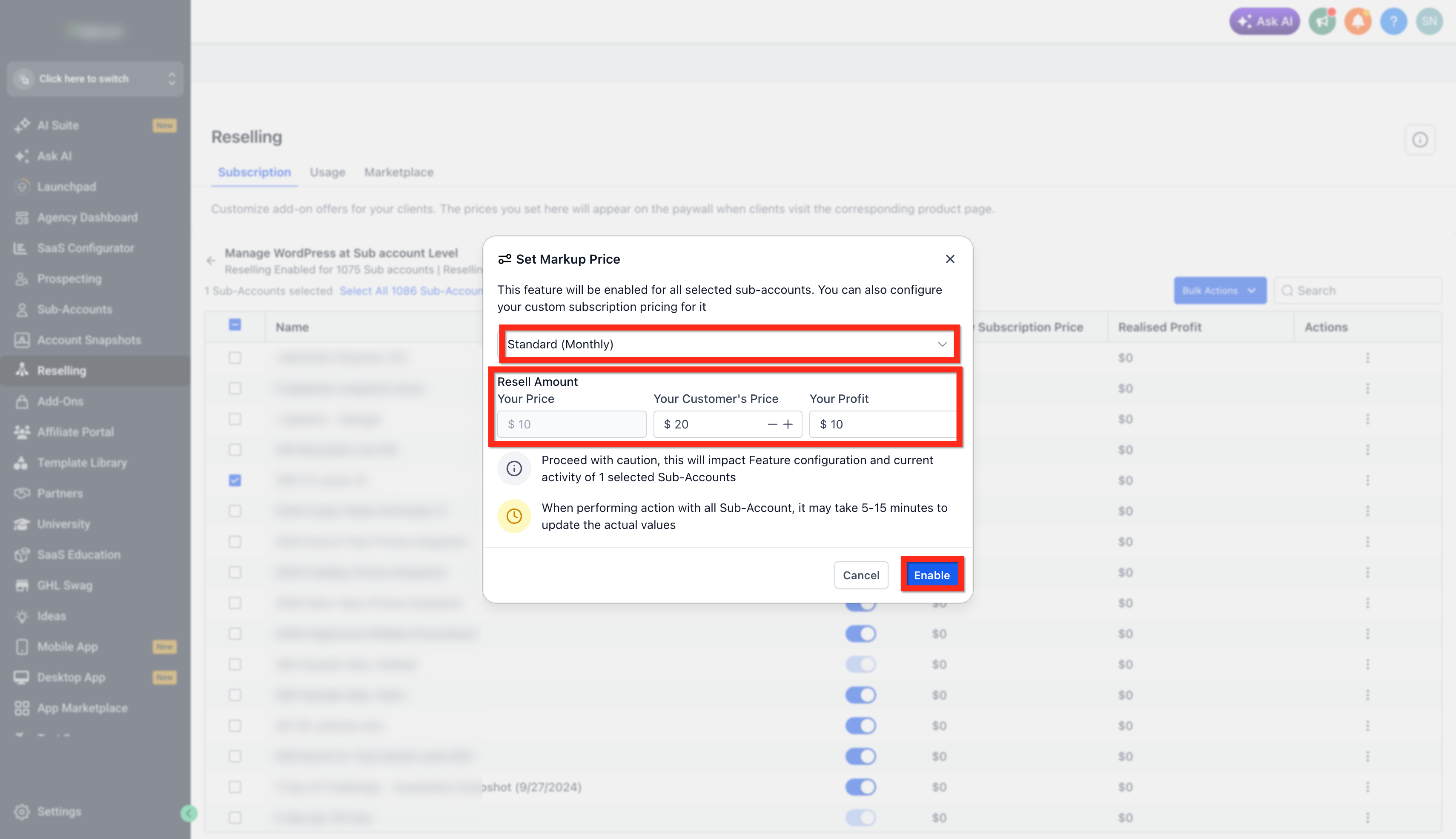
- Review Your Price, which shows the amount your agency pays for the selected subscription.
- Enter the amount you want clients to pay as the Customer's Price.
- Review the displayed Profit to see the difference between cost and customer price.
- Ensure your Agency Stripe account is connected before saving changes.
- Click Save Changes.
Create personalized offers for specific clients
- Go to Reselling > Subscriptions > WordPress.
- Locate the subaccount management area and click Manage.
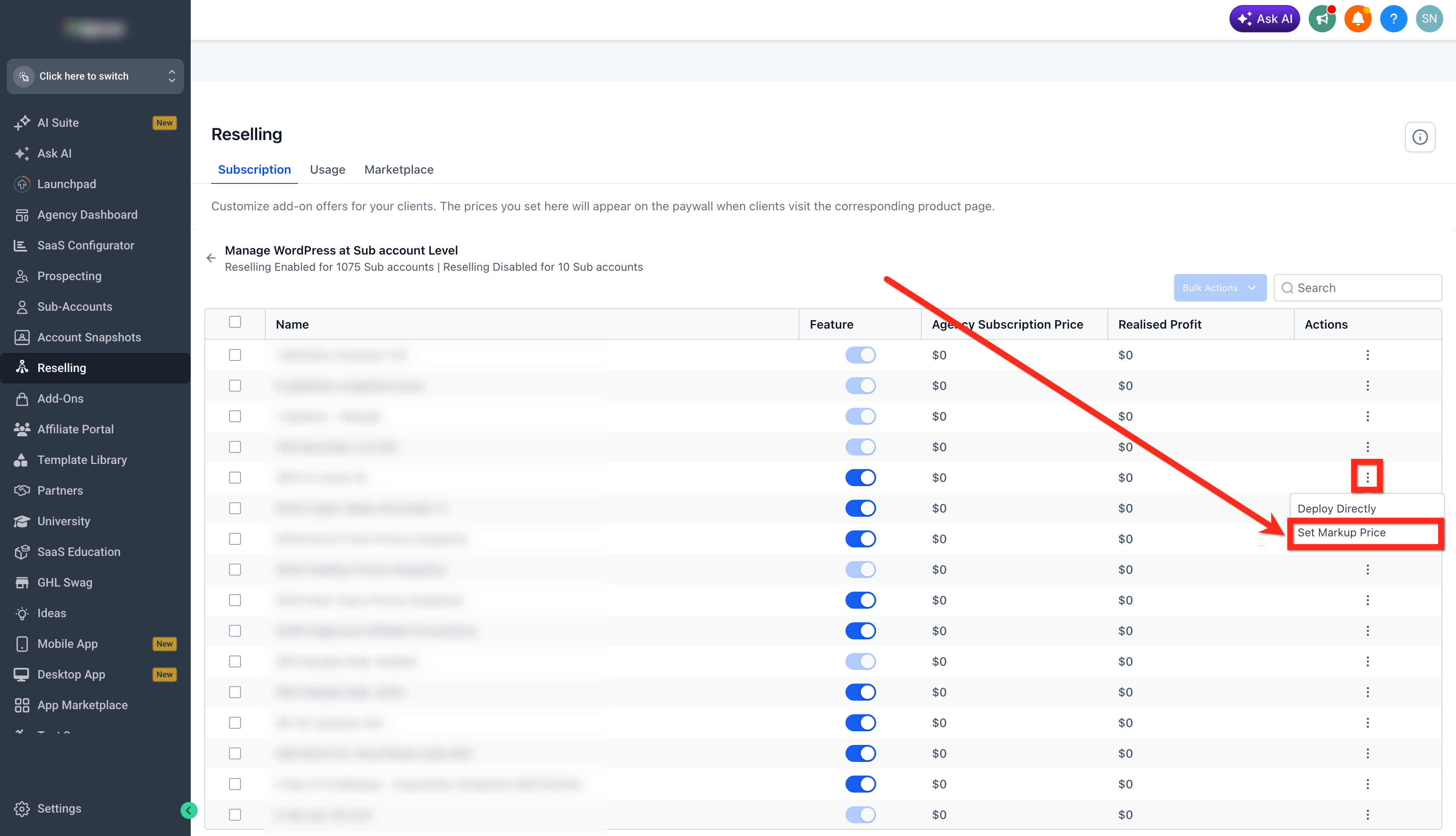
- For the desired subaccount, click the three dots and select Set Markup Price.
- Review the displayed profit based on the customized price.
- Click Enable to make the offer available to that subaccount.
07What it looks like in HighLevel
08Settings that matter
- Subscription Markup. Controls the extra amount added to the agency’s base cost to produce the price shown to the client.
09How it connects to the rest of HighLevel
- Explore the full set of WordPress hosting features and limits. All Sites features
- See how to add domains to WordPress sites hosted on HighLevel. Add domains
- Review the different WordPress hosting plans and pricing comparisons. Hosting specs
Michael's take

Michael ReimerFounder of CRM Pros, HighLevel Commander and Certified Admin
I find that reselling WordPress hosting gives agencies more flexibility in how they package services for clients.
Get More InformationOpens on HighLevelPublished November 2, 2026 · Updated November 16, 2026