
01Who this is for
- Agency owners who need to launch multiple client sites with the same design and settings quickly.
- Agency users responsible for maintaining client sites and requiring a fast way to create testing environments.
02WordPress site cloning, explained
Cloning duplicates an existing WordPress installation inside the HighLevel platform. The new site contains the same themes, plugins, and configuration as the source but operates as a separate entity, so edits do not impact the original.
The feature lives in the WordPress Dashboard of HighLevel. After logging in, users select the cloning option from the Incomplete Setup Card, pick a source site, and start the process. Real time progress indicators show the status until the copy appears as its own site.
Only users with Agency Owner, Agency User, or Account User roles inside the same subaccount can access cloning. Users without these roles fall back to the standard new site creation workflow.
03How businesses use WordPress site cloning
- Digital marketing agency. The agency selects a proven client site as a template, clones it, then renames the copy to match a new client. This preserves the agency's standard plugins and theme setup without rebuilding each site.
- Web development studio. Developers clone a production site to create a sandbox for testing updates. Because the clone is independent, any experimental changes stay isolated from the live environment.
- Co working space managing member sites. The space uses a pre configured site for member landing pages, clones it for each new member, and assigns each clone to the member’s subaccount, ensuring uniform branding across all pages.
04Before you start
- User must be logged into the HighLevel account.
- User must have one of the following roles: Agency Owner, Agency User, or Account User within the same subaccount.
- A source WordPress site must already exist in the account.
05How to set up and use WordPress site cloning in HighLevel
Clone a WordPress site
- Navigate to the WordPress Dashboard.
- Access the WordPress Dashboard after logging in.
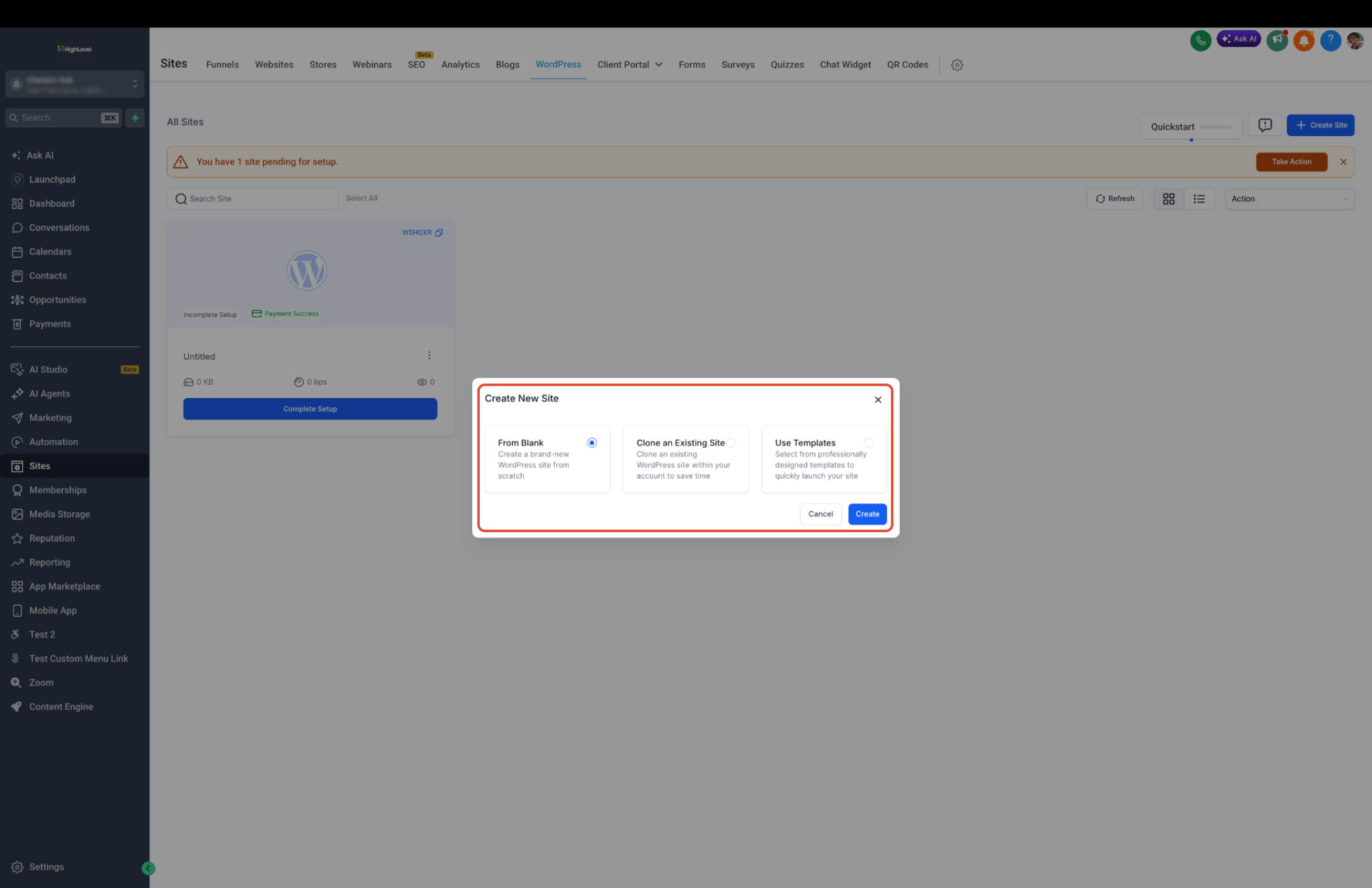
- Choose Create New or select Blank WordPress.
- Click the Incomplete Setup Card.
- Select the option to Choose From Existing Site.
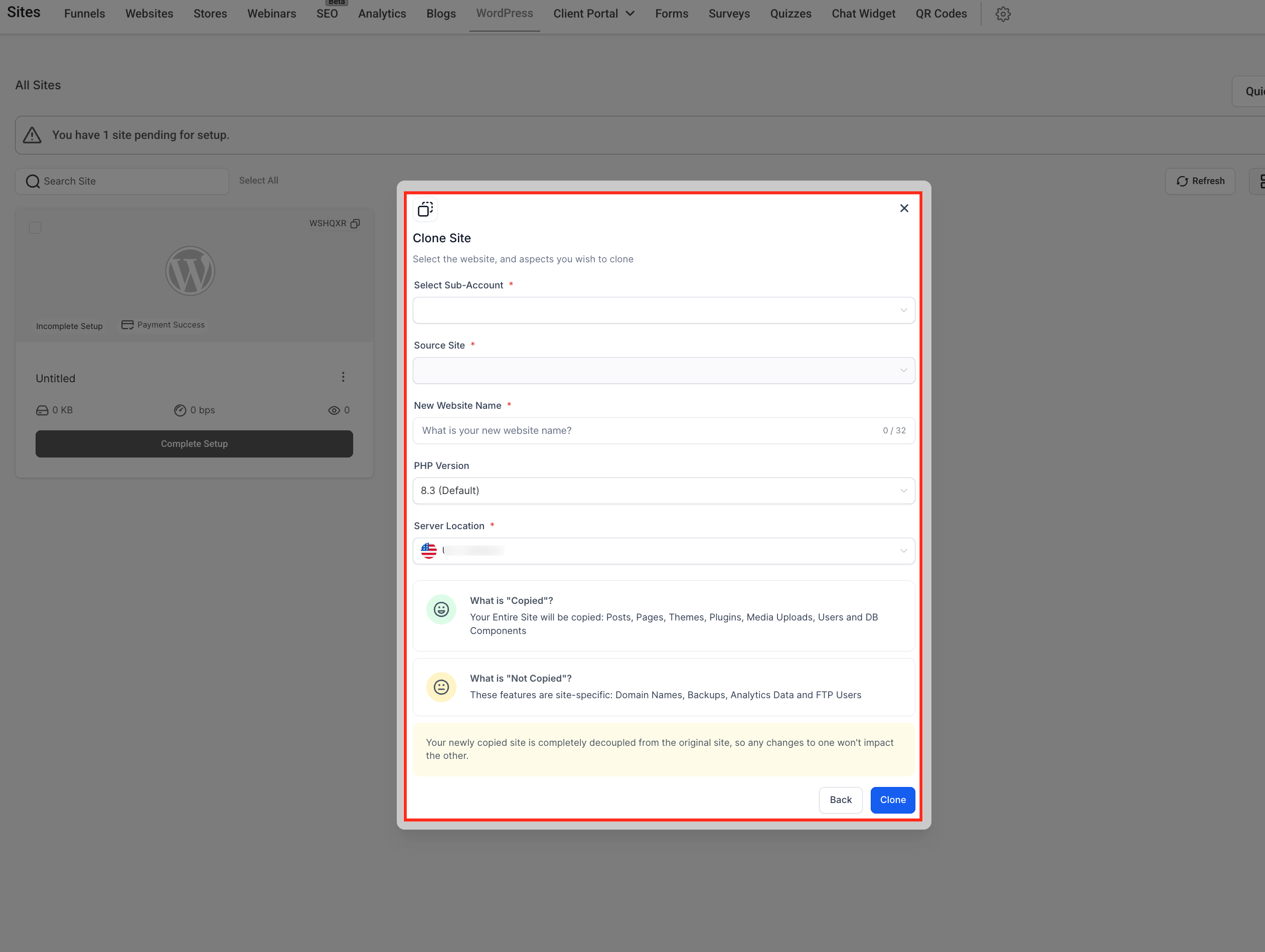
- Select the subaccount where the new site will reside.
- Pick the source site you want to clone.
- Enter a new website name for the clone.
- Click Clone to begin the cloning process.
- Watch the progress indicator for real time status.
- After cloning finishes, locate the new site in the WordPress Dashboard.
- Confirm that changes to the cloned site do not affect the original.
06What it looks like in HighLevel
07How it connects to the rest of HighLevel
- Set up WordPress hosting for clients before cloning WordPress hosting guide
- Activate a WordPress hosting plan if needed Hosting plan activation
- Explore WordPress reselling options for agency pricing WordPress reselling
Michael's take

I recommend using the built in cloning option because it preserves all settings and eliminates the need to reinstall themes and plugins manually.