
01Who this is for
- Marketers can craft compact two column lead capture forms that match brand styling.
- Coaches and consultants can use single line forms to collect quick contact info on landing pages.
02Enhanced form builder features, explained
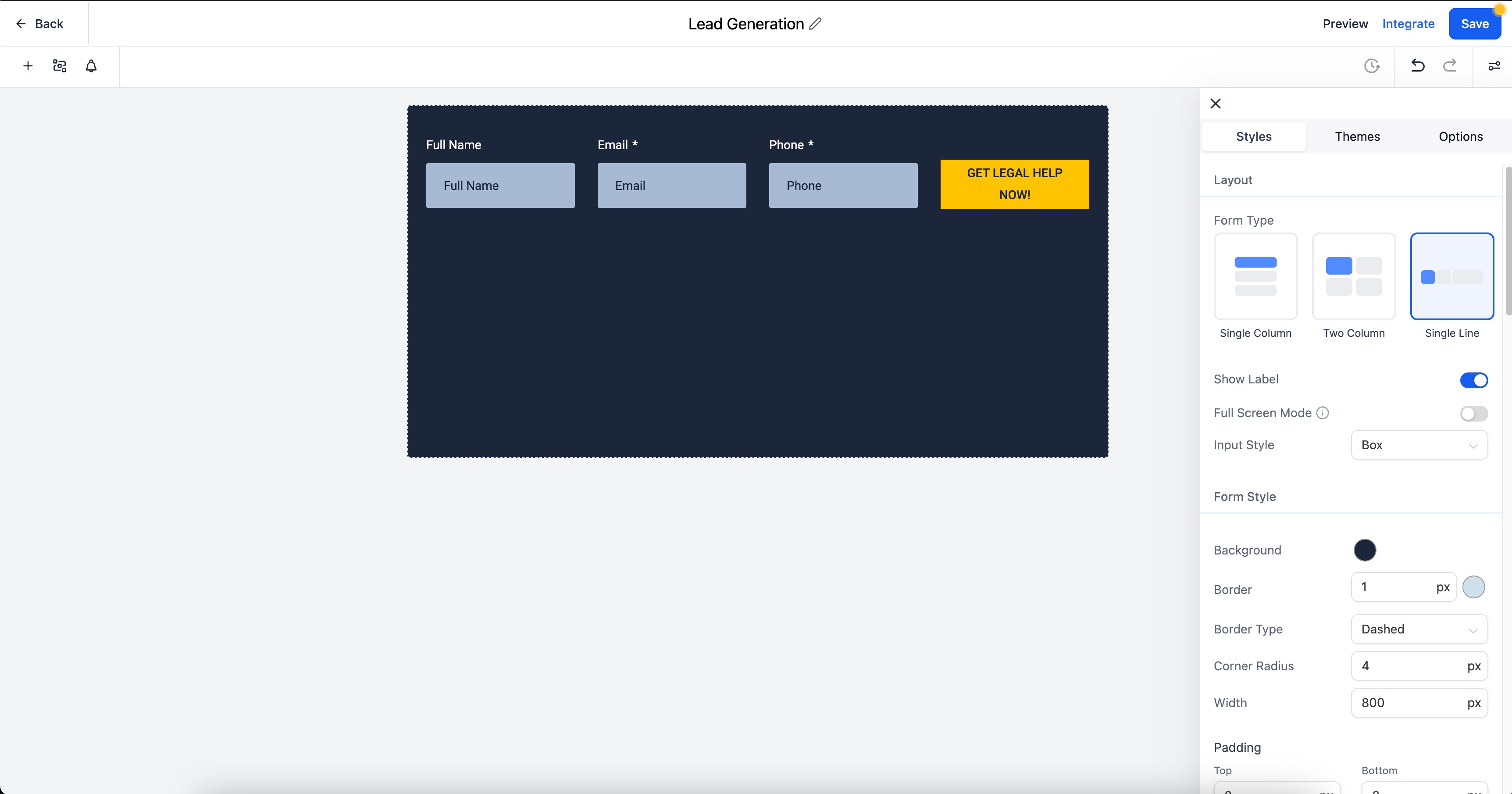
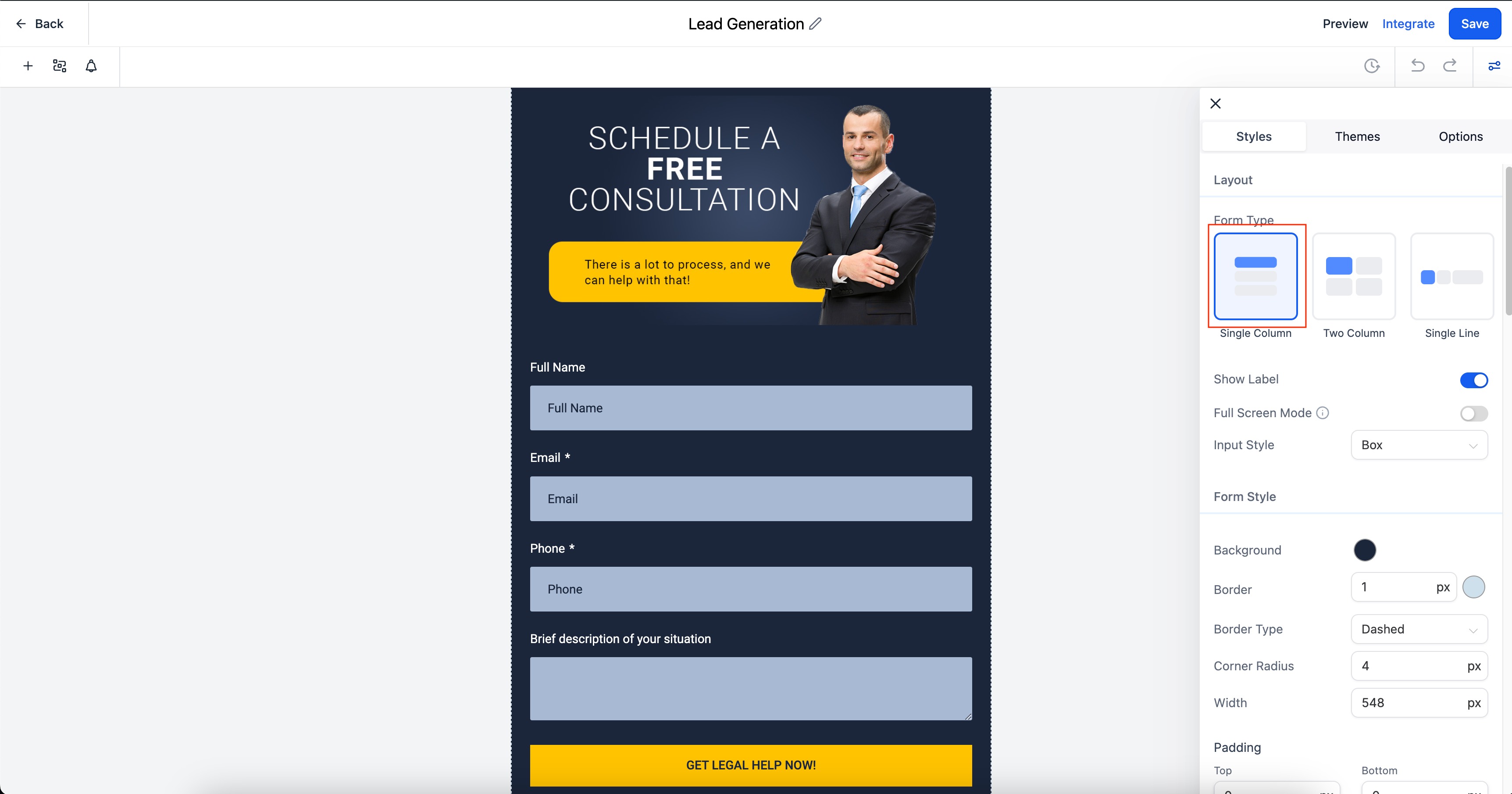
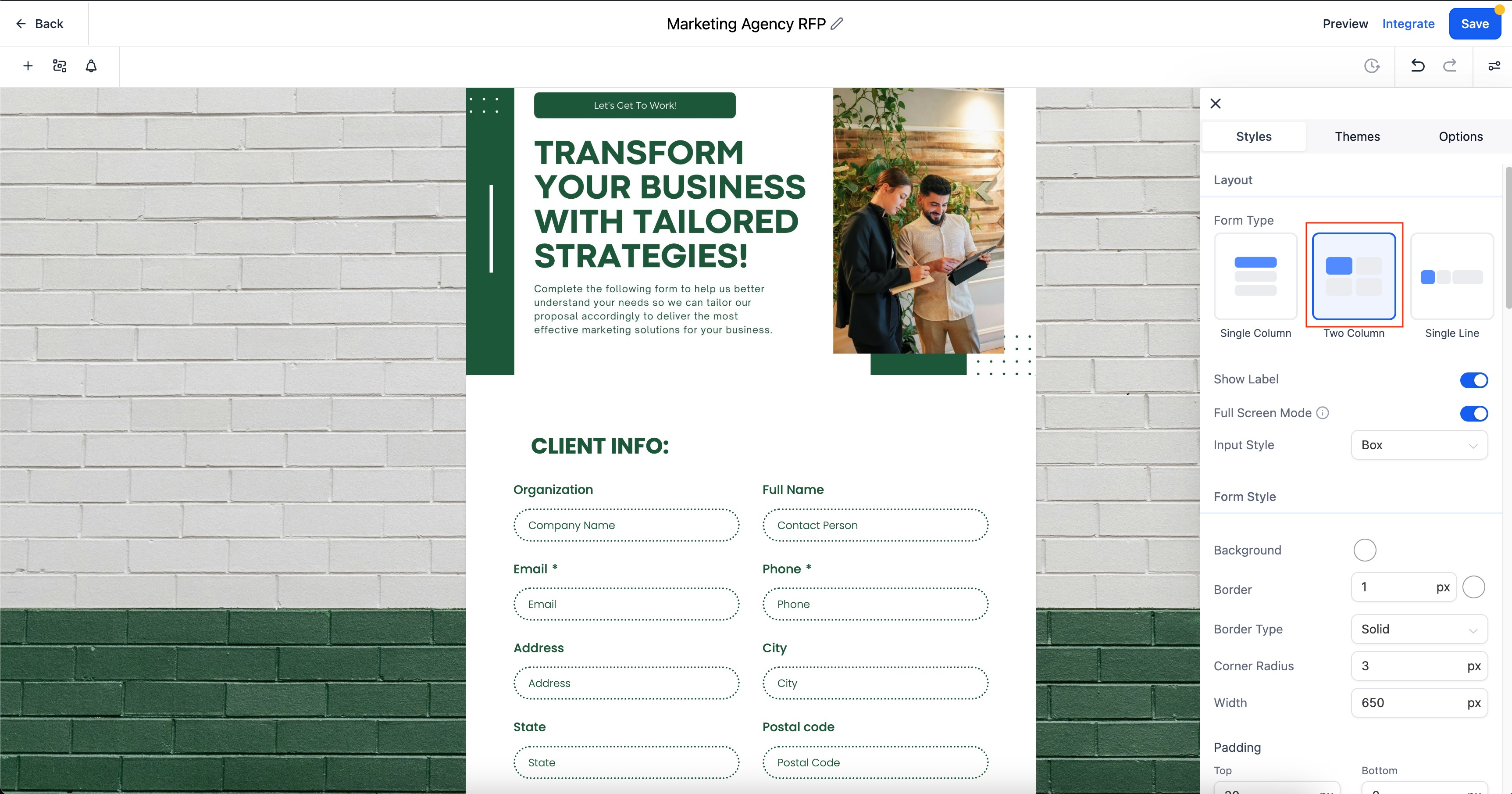
The feature adds three layout styles to the form builder: Single Column stacks fields vertically, Two Column places fields side by side, and Single Line arranges up to five fields in one horizontal row. Selecting a layout determines how fields are positioned on the page.
A new Field Width setting lets you specify each field’s width as a percentage of the available form space. The percentage value scales the field proportionally, ensuring responsive behavior across devices.
All of these options are available within the form builder section of the HighLevel dashboard, where you edit or create a form.
03How businesses use enhanced form builder features
- Lead capture form. Use a Two Column layout to place name and email fields side by side while setting wider fields for phone and company information.
- Quick contact form. Employ a Single Line layout with up to five fields in one row to capture essential details on a landing page.
- Detailed signup form. Select a Single Column layout and adjust field widths so larger fields like address occupy more space than shorter fields.
04The numbers and rules that matter
- Single Line layout can have up to 5 fields.
05Before you start
- You must have access to the HighLevel dashboard and the form builder section.
06How to set up and use enhanced form builder features in HighLevel
Set form layout and field widths
- Open the form builder in your dashboard.
- Choose the desired layout: Single Column, Two Column, or Single Line.
- Adjust each field’s width using the Field Width percentage setting.
07What it looks like in HighLevel

08Settings that matter
- Field Width. Controls the width of an individual form field as a percentage of the total form width, allowing proportional scaling.
09Things to know before you rely on it
- Single Line layouts can contain up to five fields.
- When an older form is opened, the builder automatically selects One Column or Two Column layout based on the previous Inline Form option.
- Preview of old forms continues to respect the original Inline Form settings.
10How it connects to the rest of HighLevel
- Learn how to design, test, and share a contact form in HighLevel. Contact form builder guide
- Add address auto complete to speed up form completion. Address auto complete
- See how to embed HighLevel forms on external website builders. Embedding forms
Michael's take

Be wary of overcomplicating a form just for the sake of design flair. Adding too many side by side fields or squeezing everything into a single line can hurt usability, especially on smaller screens.
When you need a clean, responsive form that feels polished, these new layout choices and the field width control are a real boost. They let you match the form to the page’s visual style without sacrificing function.