
01Who this is for
- Ecommerce store owners, they can offer add on items immediately after checkout, keeping the buyer in the same flow.
- Coaches selling memberships, they can present a supplemental program as a one click upgrade after the initial sign up.
- Service providers using forms for bookings, they can propose a premium package right after the base service is purchased.
02Order upsell in forms, explained
Order Upsell is a form feature that shows an extra product offer after the primary purchase step. When the customer clicks the upsell button, the platform uses the payment token captured on the first checkout, so no new card details are required. The upsell appears on the next funnel step, and the system records both items in a single order.
The feature lives inside V2 Funnels that contain native form elements. You add a Sell Product element to the first form, then place a button on the following funnel step with the action set to Upsell Product. An Order Summary element can be added to the final page to display both the main and upsell items. All purchases trigger the Order Submitted automation, allowing downstream workflows.
Order Upsell works with Stripe, PayPal, Square, Authorize.net, NMI, and approved marketplace providers. It supports normal sell and bump products, but each upsell step can only sell one unit of a single product.
03How businesses use order upsell in forms
- Online retailer. After a shopper buys a core product through a HighLevel form, the retailer places an upsell button on the next funnel step offering a related accessory. The customer clicks the button and the accessory is charged using the same payment token.
- Fitness coach. When a client purchases a monthly membership via a form, the coach adds an upsell step that offers a one time nutrition guide. The client accepts the guide with one click, and the purchase is recorded without re entering payment info.
- Consulting firm. A firm sells an initial consulting session through a form, then uses an upsell step to propose an extended strategy package. The upsell button processes the extra charge right away, and both items appear on the order summary.
04The numbers and rules that matter
- Only one upsell product per step.
- Works only in V2 Funnels, not V1 Funnels or Websites.
05Before you start
- A V2 Funnel must be created for the checkout flow.
- Native Form elements need to be used so the payment token can carry over.
- Products offered as upsells must have inventory enabled and sufficient stock.
06How to set up and use order upsell in forms in HighLevel
Set up order upsell in forms
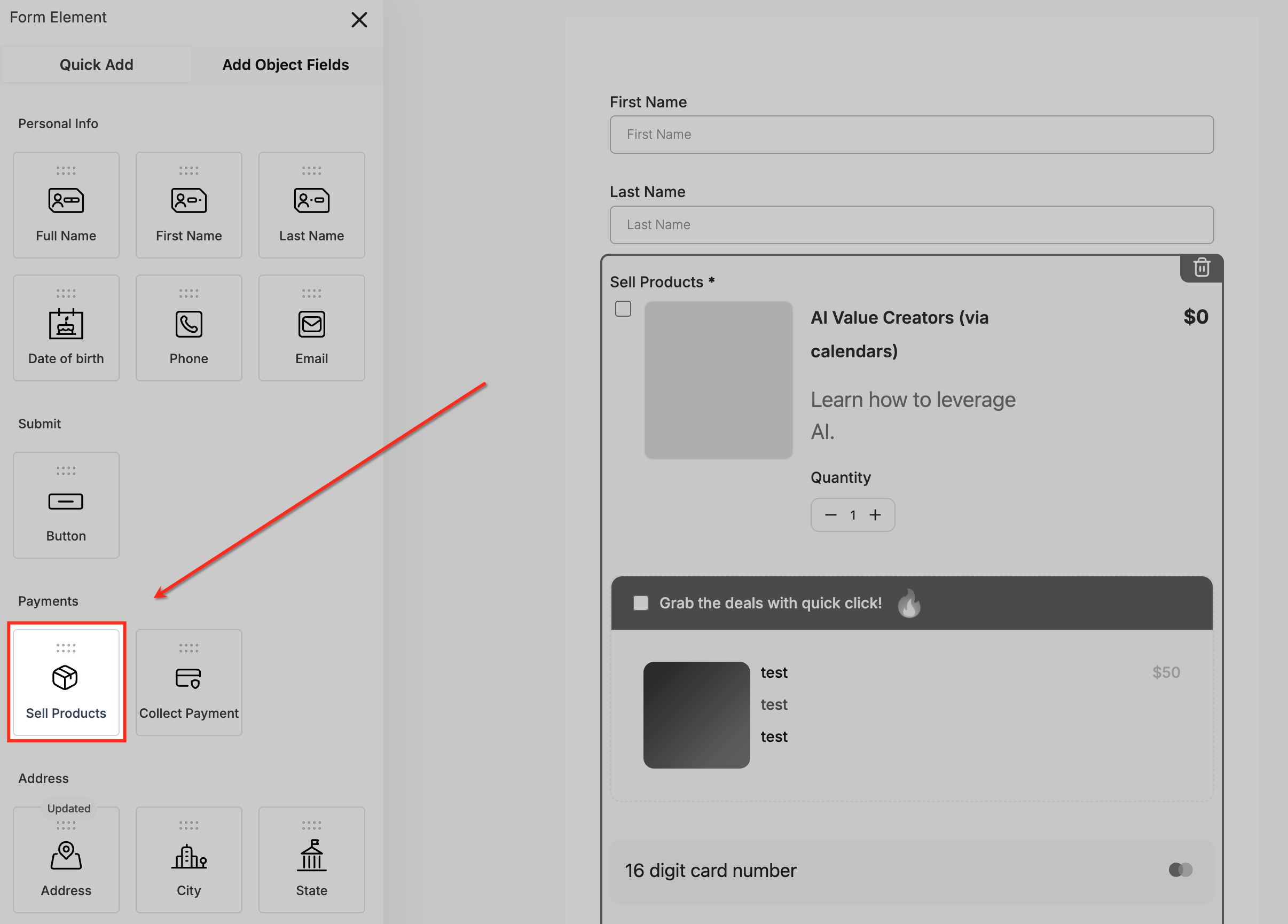
- Add the Sell Products element to the form from the Payments section.
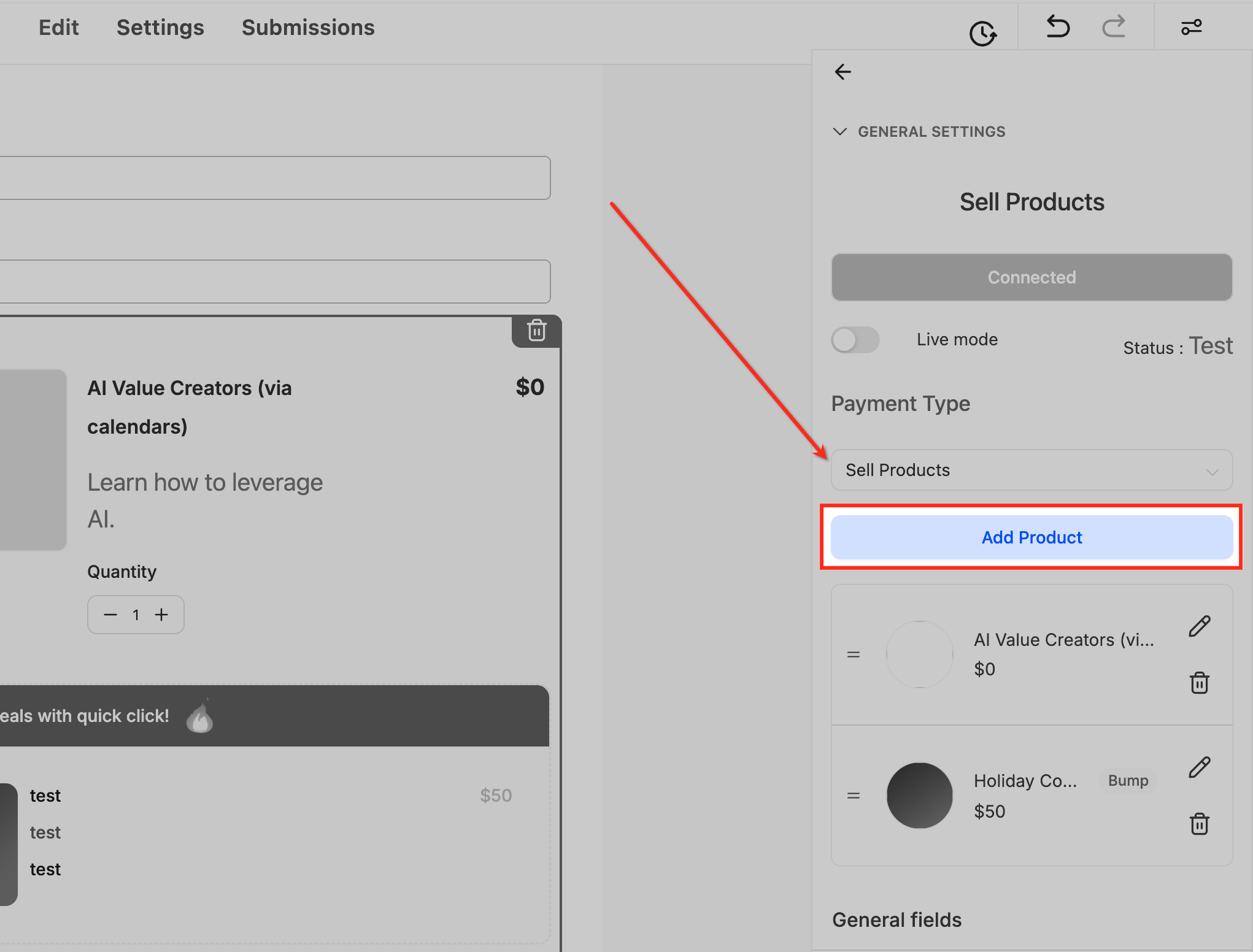
- Open the Sell Products settings and click Add Product.
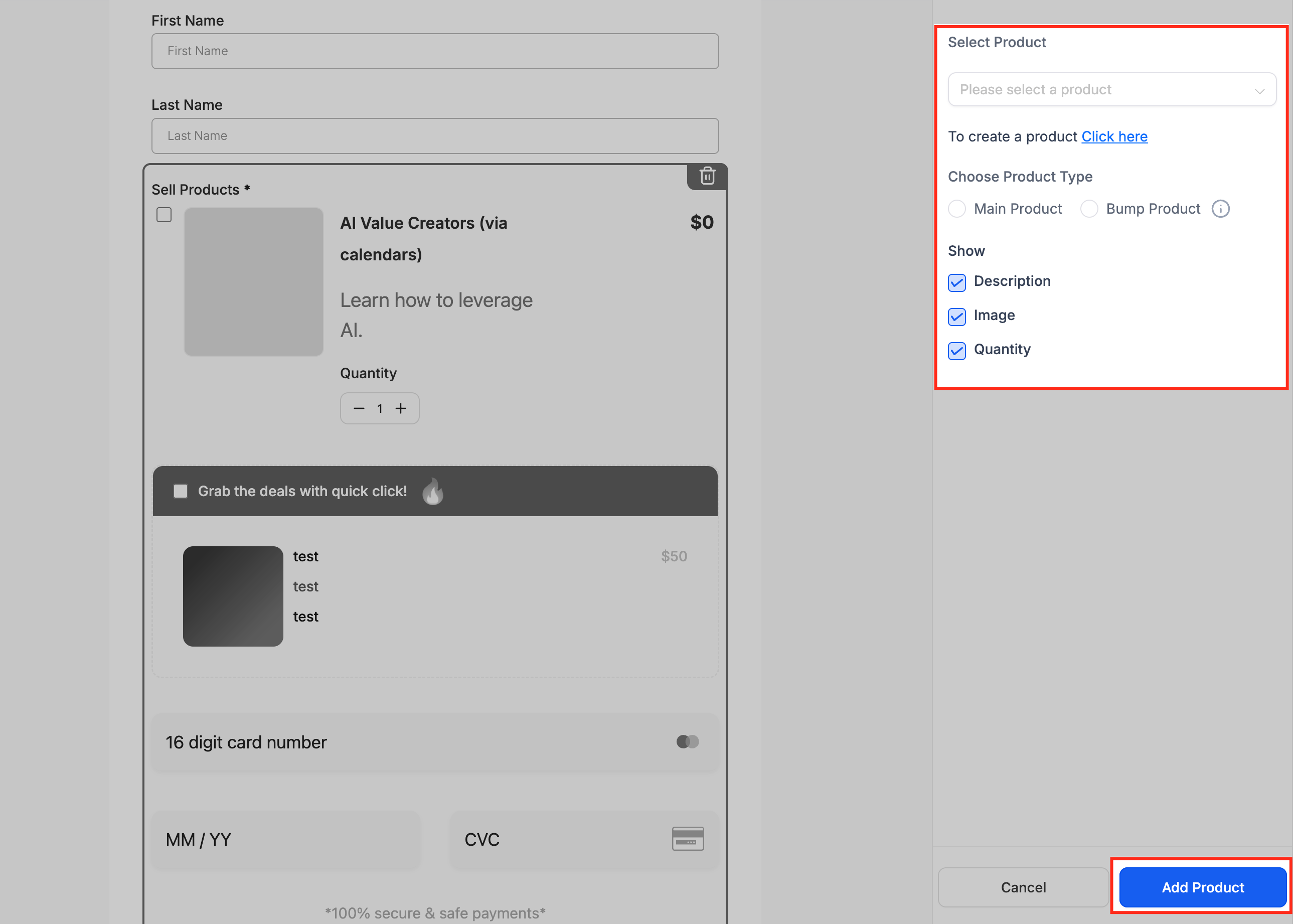
- Choose an existing product or create a new one in the product selection sidebar.
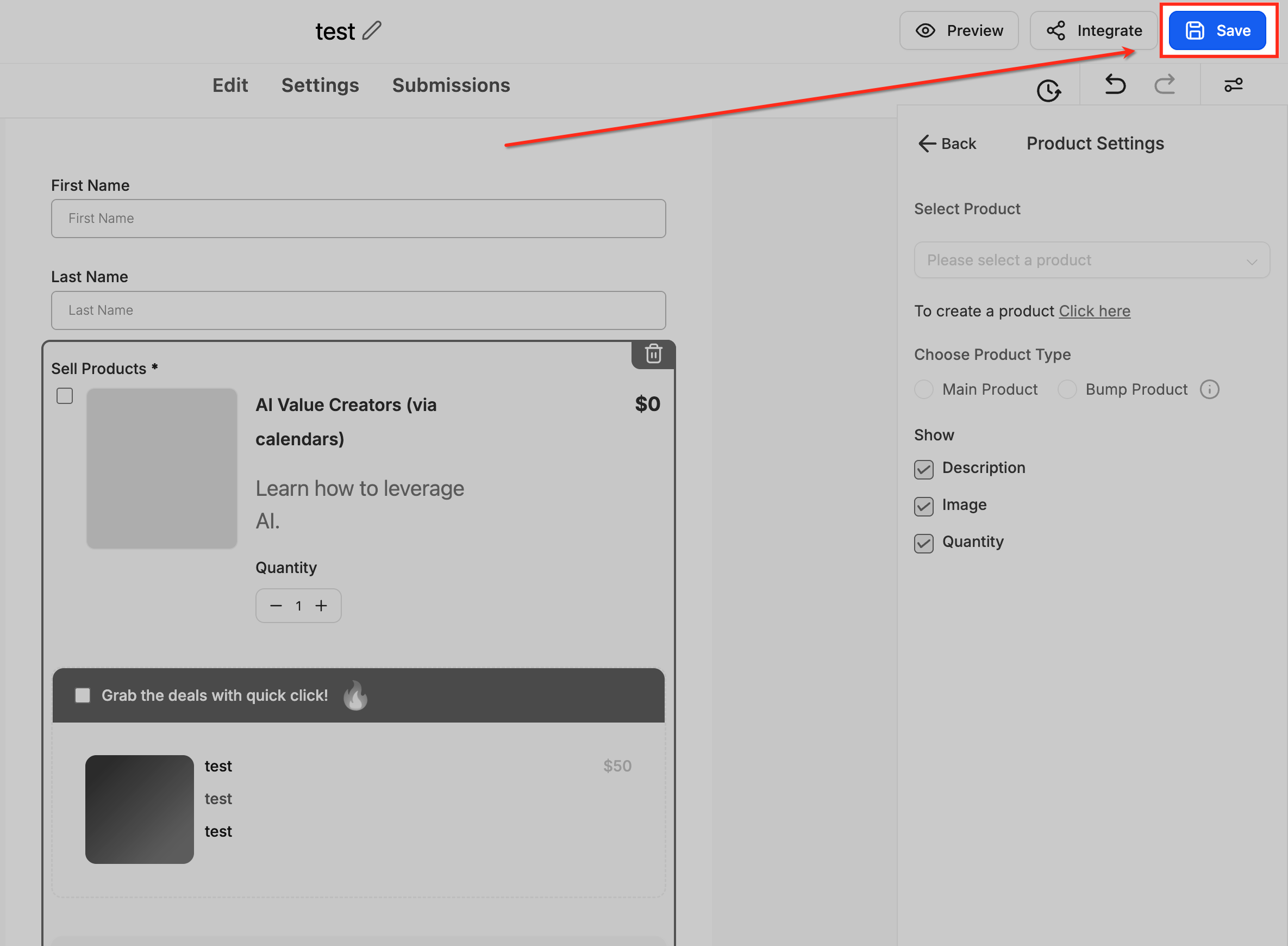
- Click Save to apply the product to the form.
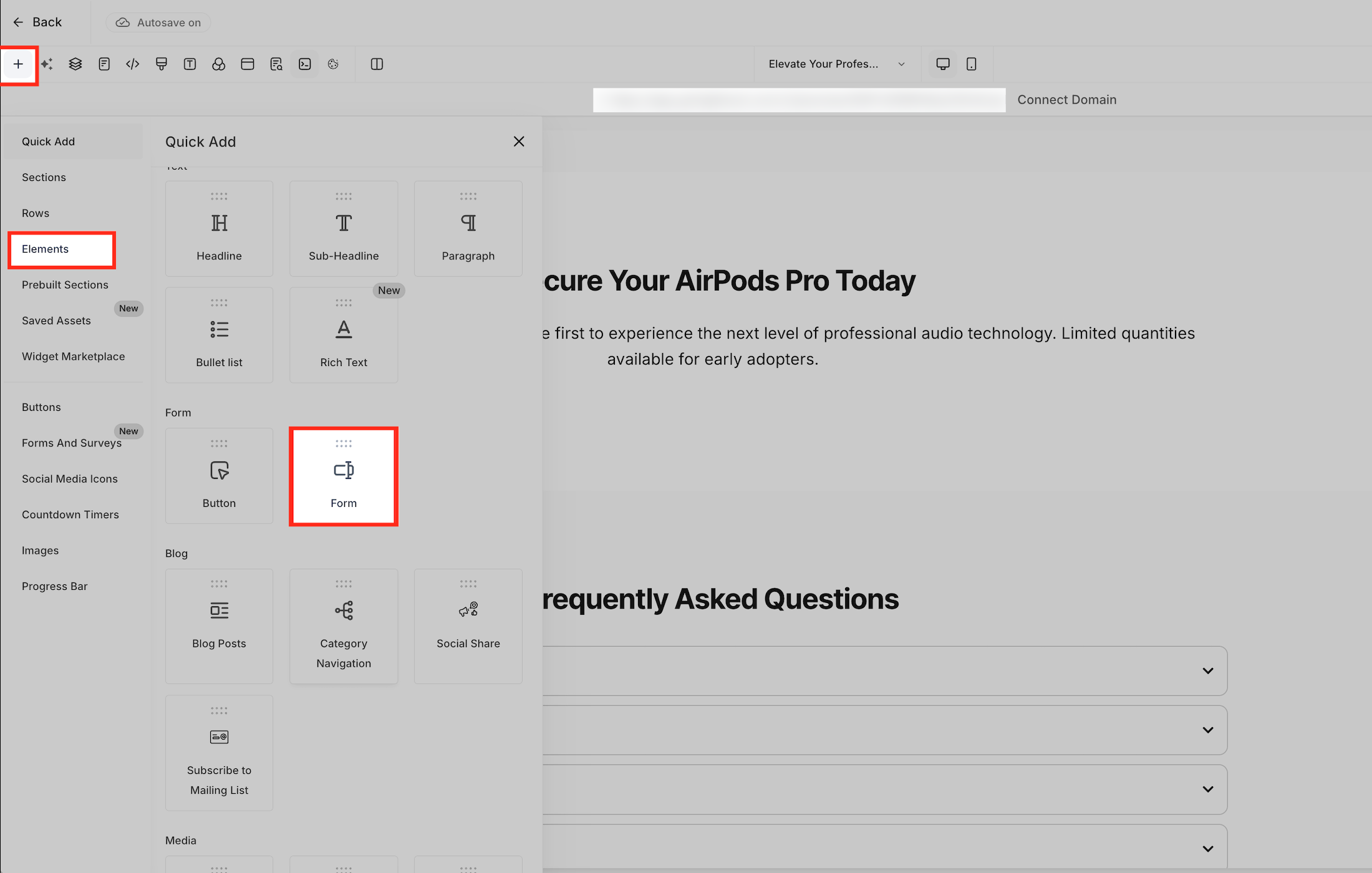
- Insert a Native Form element into the V2 funnel layout.
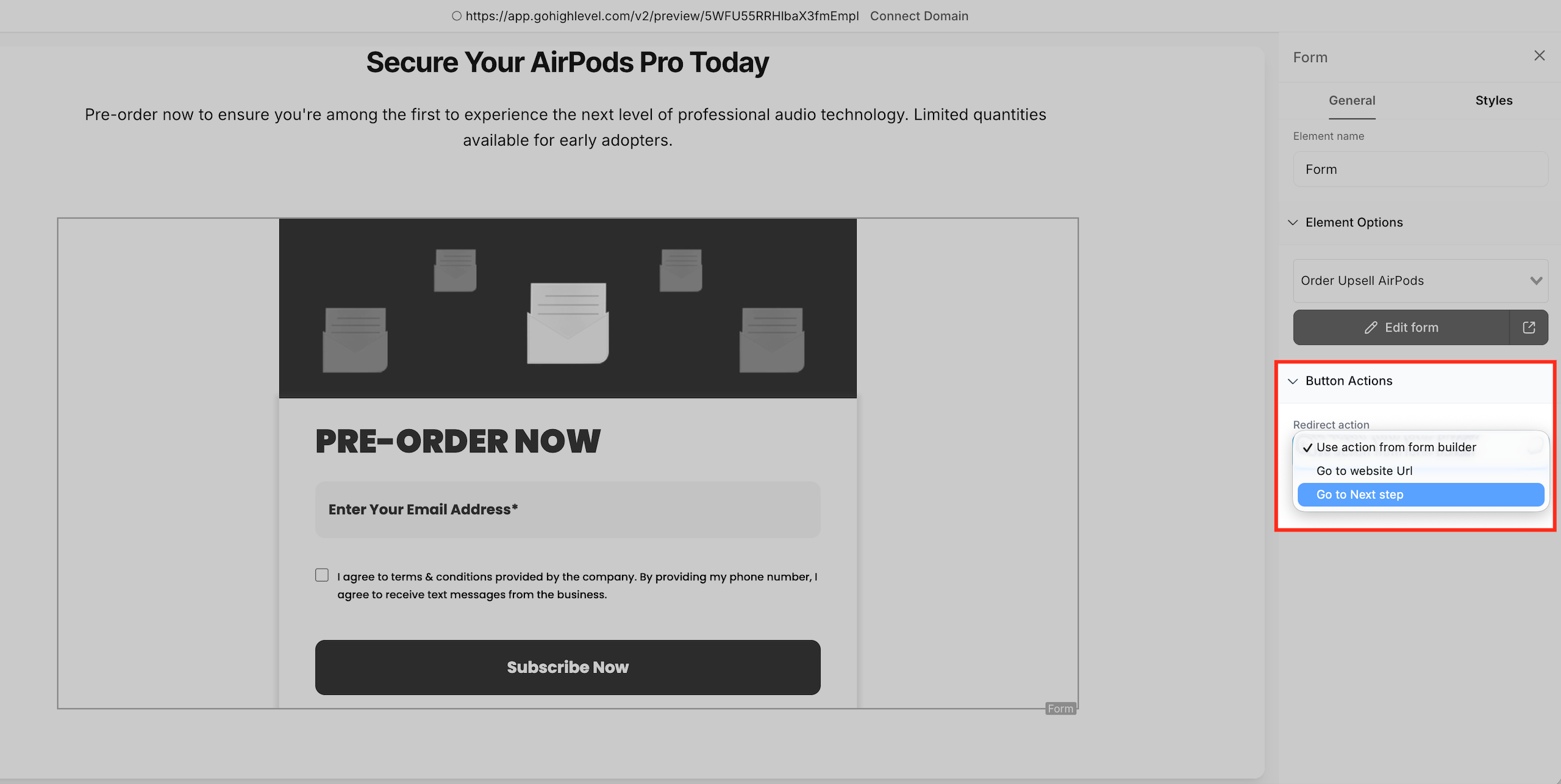
- In the form button settings, set the action to Go to Next Step.
- Configure the button on the upsell step to have Action = Upsell Product and select the upsell product.
07What it looks like in HighLevel
08Settings that matter
- Sell Products element. Connects a form to a product so the form can collect payment details and generate a token for later upsell use.
- Action = Upsell Product. Defines the button behavior that processes a one click purchase of the selected upsell product using the original token.
- Order Summary element. Displays a breakdown of the primary product and any upsell items on the confirmation or thank you page.
09Things to know before you rely on it
- Order Upsell works only in V2 Funnels; it does not function in V1 Funnels or Websites.
- Only one upsell product can be offered per funnel step, but multiple steps can be chained for more offers.
- The Upsell Button always sells exactly one unit; quantity cannot be changed by the customer.
- Supported payment gateways are Stripe, PayPal, Square, Authorize.net, NMI, and approved marketplace providers.
- Upsell steps must stay on the same domain to avoid third party cookie issues.
- If inventory is enabled and out of stock, the upsell cannot be purchased.
10How it connects to the rest of HighLevel
- Design and test HighLevel contact forms Contact form builder
- Embed HighLevel forms on external website builders Embedding forms
- Review HighLevel pricing and plan options Pricing
Michael's take

Order Upsell feels like a small convenience that can become a meaningful revenue boost when you have a logical add on that truly helps the buyer. The one click flow means you’re not asking anyone to fill out another form or reenter their card. Just a simple "yes, I want this too".
A boutique fitness studio, for example, could sell a class pass as the main product and then offer a discounted personal training package on the upsell page. If I were setting this up, I’d make sure the primary form captures the token correctly and test the upsell button on the same domain before publishing.