
01Who this is for
- Marketers running lead magnet campaigns benefit because removing the card step reduces friction for free offers.
- Online coaches offering zero cost trial sessions can collect sign ups without demanding payment information.
- Ecommerce businesses that give away promotional products can track free orders while keeping the checkout simple.
02Zero dollar checkouts, explained
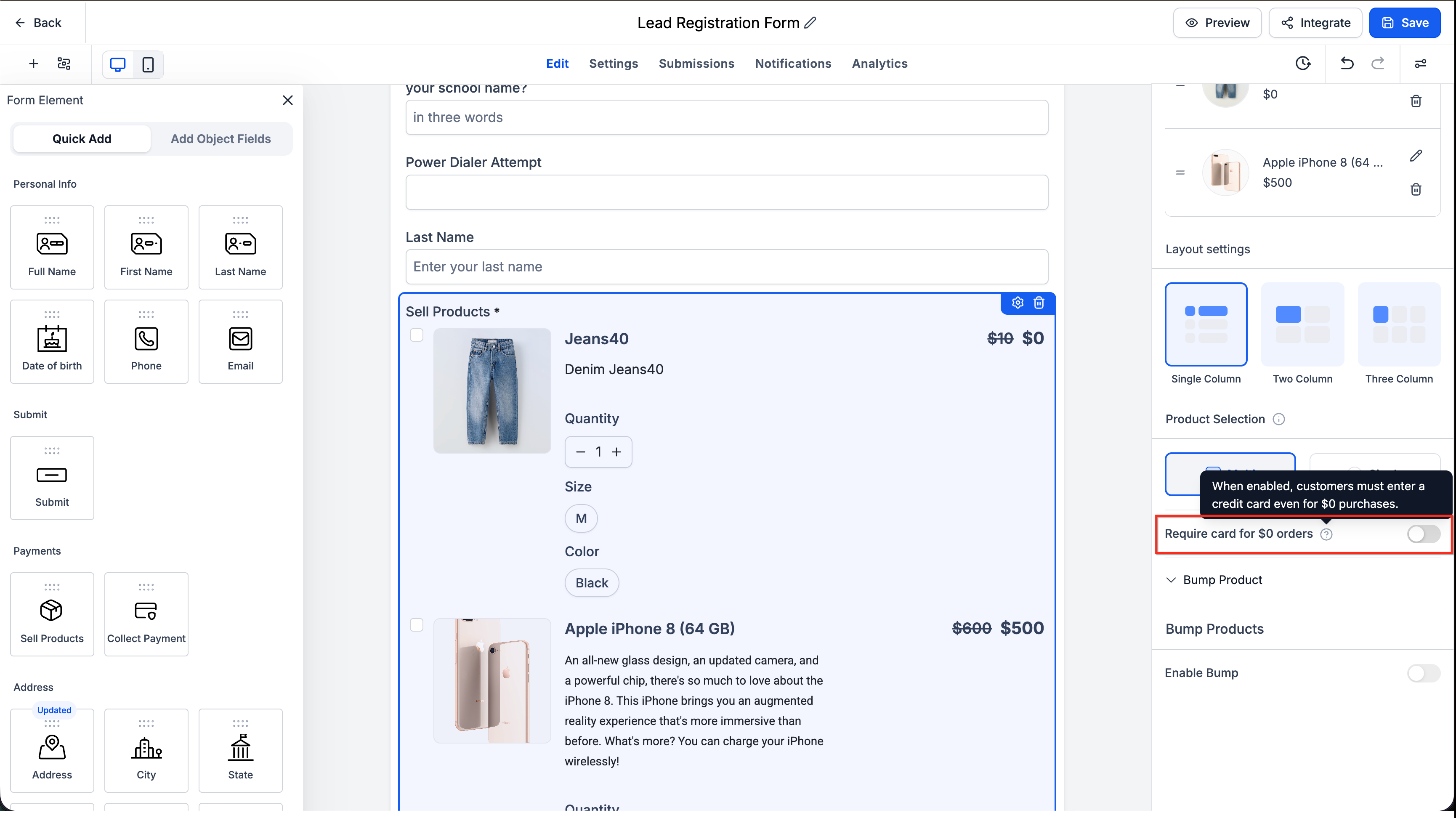
The feature is a toggle named Require Credit Card on the Sell Products element inside a Form or Survey. Turning the toggle off tells the platform to evaluate the order in real time. If the total amount equals zero and no subscription or future charge is scheduled, the payment section is removed and the user submits directly.
The setting lives in the element settings panel of the Sell Products block. It defaults to ON, so existing forms keep requiring a card until you switch it off. The logic runs on both desktop and mobile, and it respects coupons, order bumps and embedded Funnel contexts.
When any condition fails, such as an unsettled pricing summary, a scheduled recurring charge, or a donation type, the platform shows the credit card fields as a safety measure, ensuring no paid order is processed without proper payment information.
03How businesses use zero dollar checkout
- Digital marketing agency. The agency creates a free ebook download form. By disabling the Require Credit Card toggle, prospects can receive the ebook without entering payment data, while the agency still records each download in the submission list.
- Fitness coach. The coach offers a complimentary trial class. In the sign up survey, the coach turns off the Require Credit Card toggle so attendees can register right away, and the free registration appears in the order history.
- Retail store. The store runs a promotion that gives a free accessory with any purchase. When a 100% discount coupon brings the cart total to $0, the store disables the Require Credit Card toggle so the customer completes the order without seeing card fields (per HighLevel's help center, checked November 2026).
04The numbers and rules that matter
- Payment fields hide when order total is $0, no recurring charges are scheduled, and the total is confirmed and stable (per HighLevel's help center, checked November 2026).
- Subscriptions and free trials always require a credit card even if the current charge is $0 (per HighLevel's help center, checked November 2026).
05Before you start
- A Form or Survey must be created in HighLevel.
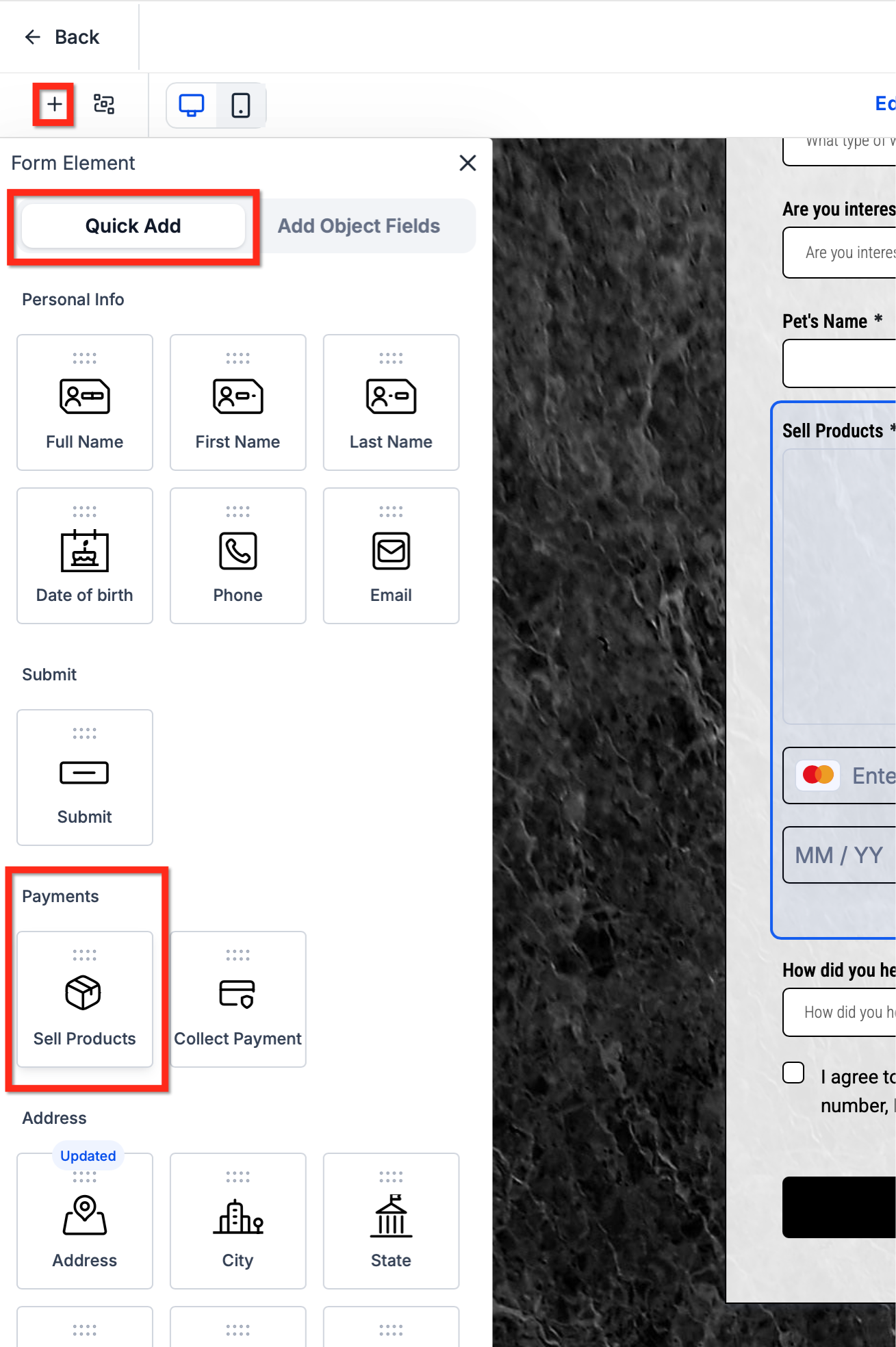
- A Sell Products element must be added to the form.
06How to set up and use zero dollar checkout in HighLevel
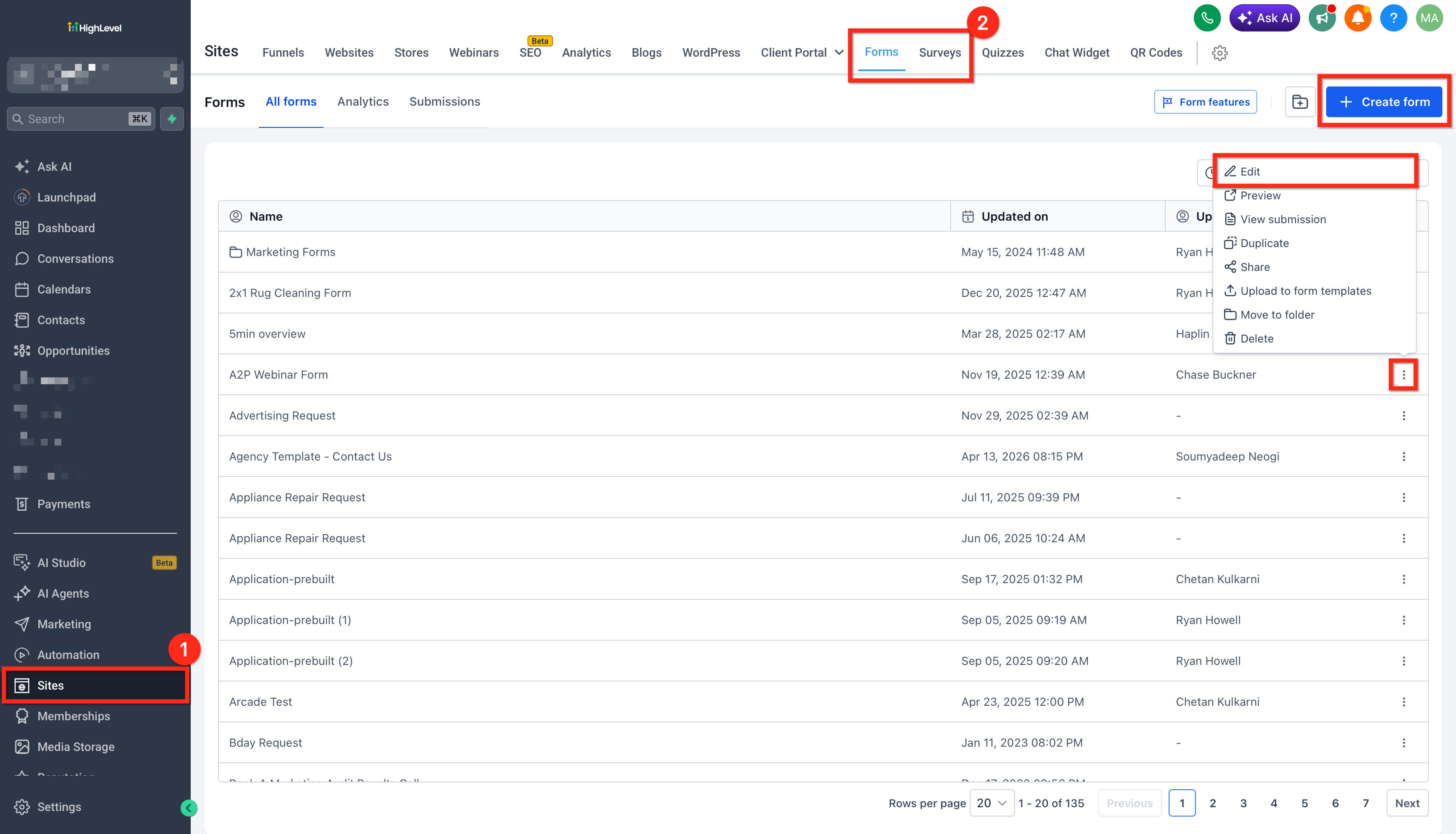
Enable zero dollar checkout
- Open the builder for the Form or Survey where the checkout will be used.
- Select the Sell Products element, adding one if it does not already exist.
- Turn the Require Credit Card toggle off in the element settings panel.
- Save the changes and publish the Form or Survey.
07What it looks like in HighLevel
08Settings that matter
- Require Credit Card. Controls whether the payment fields appear when an order totals $0. Turning it off allows the platform to hide the fields if no recurring charge is scheduled (per HighLevel's help center, checked November 2026).
09Things to know before you rely on it
- The toggle defaults to ON, so existing forms keep requiring a card until you switch it off.
- If a pricing summary cannot load or remains unstable, payment fields are shown to avoid errors.
- Subscriptions and free trials always display card fields, even when the current charge is $0 (per HighLevel's help center, checked November 2026).
- Donation and custom amount payment types are not affected; card fields always appear for those types.
- When a form is embedded in a Funnel, the Funnel’s Require Credit Card setting overrides the element setting.
10How it connects to the rest of HighLevel
- Learn how to keep contact information when using forms and surveys. Sticky contact
- Guide to creating and managing contact forms in HighLevel. Contact form builder
- Review HighLevel pricing and plan options. Pricing
Michael's take

Skipping credit card collection on free orders can feel risky if you’re not aware of the built in safeguards. The feature will fall back to showing the card fields whenever it can’t confirm a $0 total, there’s a subscription involved, or the form lives inside a funnel that forces a card capture.