
01Who this is for
- Ecommerce Founders, need a smooth checkout flow without confusing error messages.
- Digital product sellers, want purchasers to land on the correct thank you or download page.
- SaaS startup owners, require reliable post payment redirects to onboarding steps.
02Order form redirect, explained
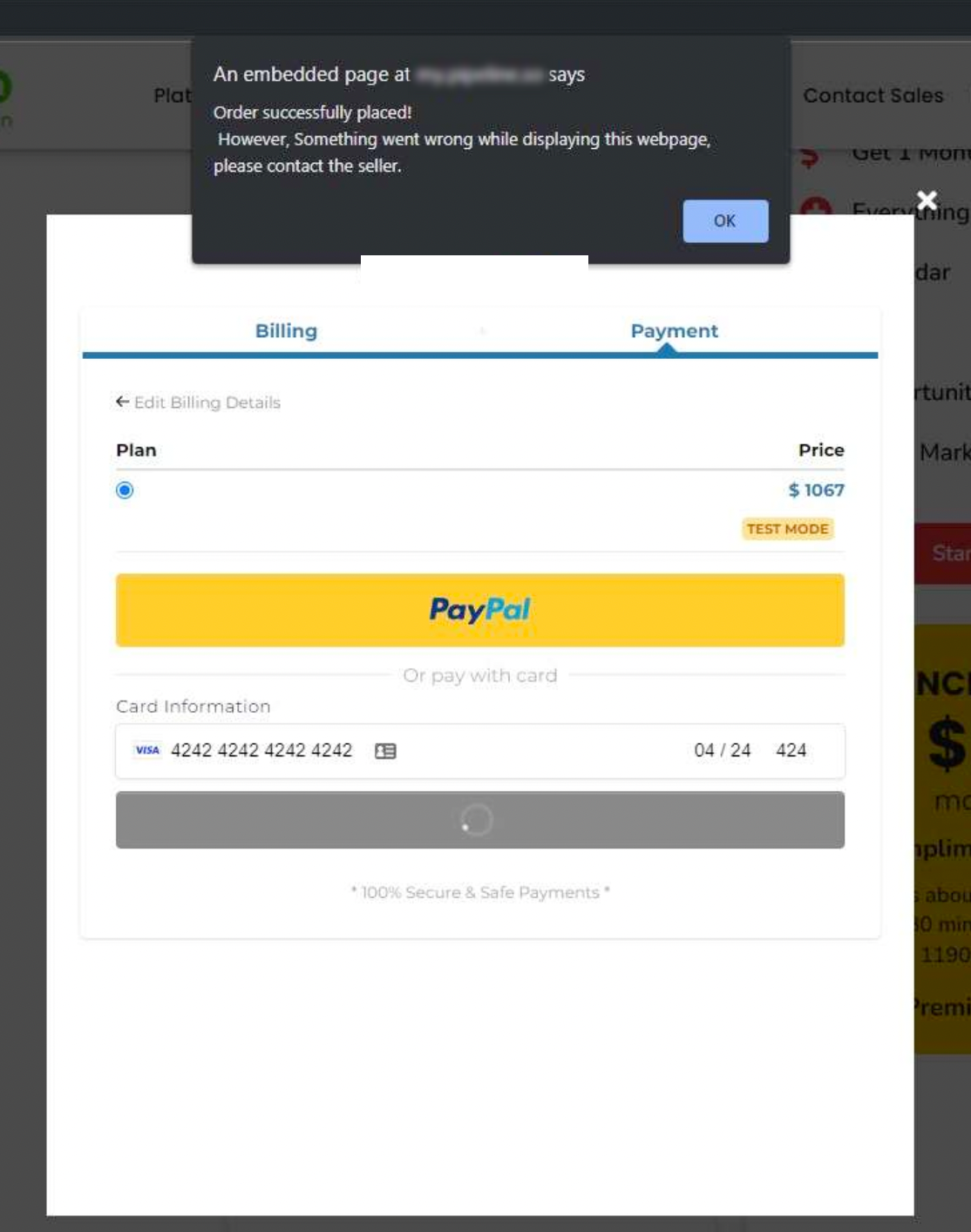
The order form component in HighLevel can forward a customer after payment. By default it points to the next page in the funnel sequence. If the funnel lacks a following page, the system displays a generic error instead of the intended content.
The error appears only when the redirect target does not exist. It does not affect the transaction itself; the payment is still recorded. The fix involves either creating a page for the redirect or editing the order form settings to choose a different, existing page.
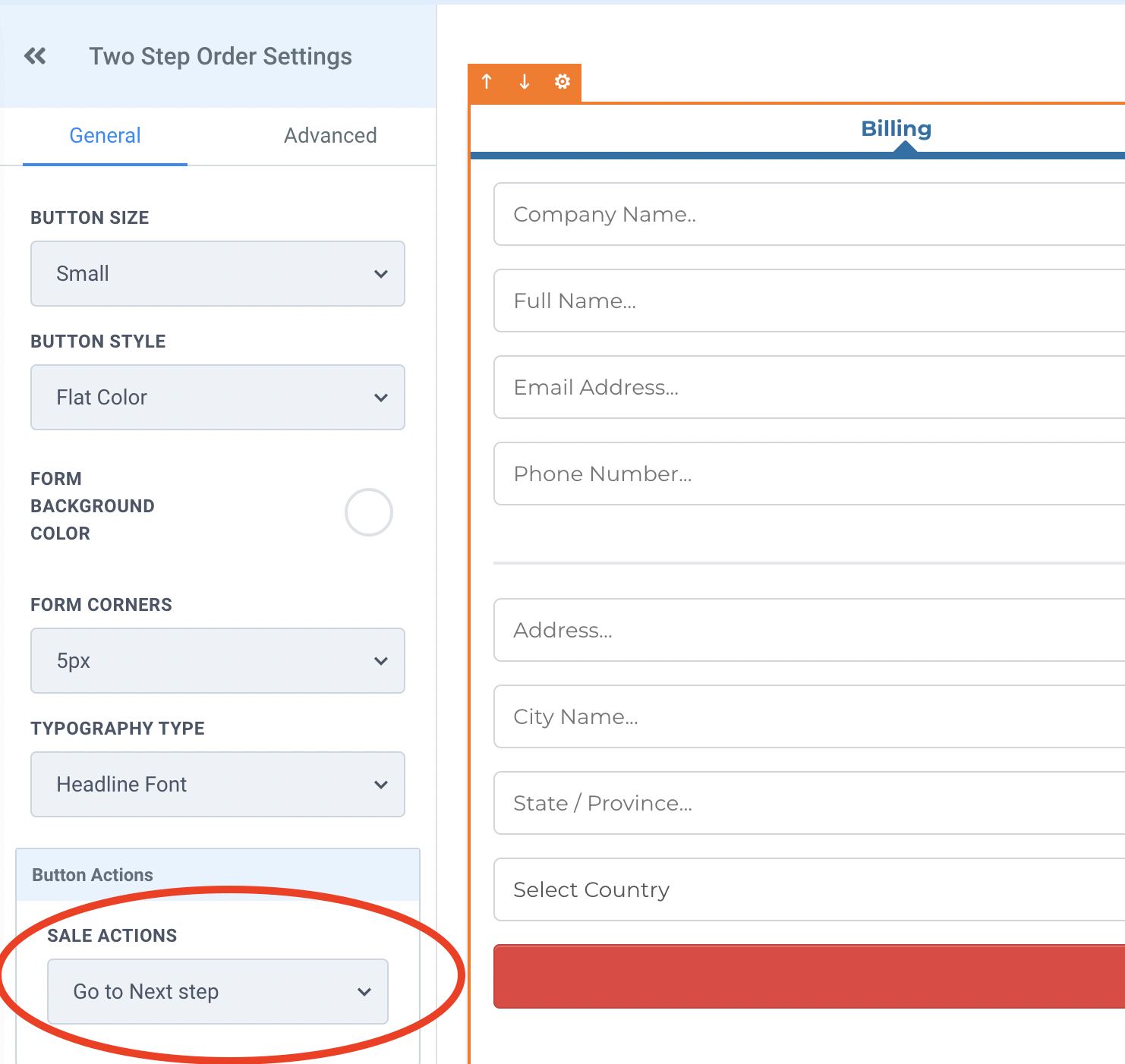
All configuration lives inside the funnel or website builder. The order form settings panel holds the redirect action option, where you select the page that should load after a successful purchase.
03How businesses use order form redirect
- Online clothing retailer. The retailer creates a thank you page that shows order details. If the page is missing, they open the order form settings and point the redirect action to an existing page, ensuring shoppers see the confirmation.
- Online course platform. After a student buys a course, the platform adds a curriculum page as the next step. When that page is not in the funnel, they change the redirect action to the course overview page built elsewhere.
- Software subscription service. The service directs new subscribers to an onboarding guide. If the guide page is absent, they edit the order form redirect to send users to the dashboard that already exists.
04How to set up and use order form redirect in HighLevel
Add a next page to the funnel
- Open the funnel or website that contains the order form.
- Create a new page in the builder.
- Place the new page after the order form in the funnel sequence.
- Publish the funnel so the page becomes accessible.
Change redirect action on the order form
- Open the funnel or website that contains the order form.
- Enter the order form’s settings panel.
- Select a different existing page for the redirect action and save the change.
05What it looks like in HighLevel
06Settings that matter
- Redirect action. Specifies which page the customer is sent to after a successful purchase.
07Things to know before you rely on it
- The error occurs only when the order form points to a page that does not exist in the funnel.
- Fixing the issue requires either adding a new next page or choosing an existing page in the redirect action.
08If something goes wrong
- Order placed but webpage error displayed. Add a next page to the funnel or modify the redirect action on the order form to point to an existing page.
09How it connects to the rest of HighLevel
- Set up and design your website pages before launching. Website setup guide
- Learn how to add a two step order form inside a funnel. Two step order form
- Connect a root domain or subdomain to host your funnel pages. Domain connect
Michael's take

The order form is trying to send customers to a page that isn’t there, which triggers the error message. Adding a page after the form or pointing the redirect to an existing page resolves it.