
01Who this is for
- Ecommerce Founders who need distinct storytelling for flagship products, because the feature lets each item have its own page.
- Marketing managers at retail brands looking to control the visual experience per SKU, since custom pages support unique layouts and media.
02Custom product details pages, explained
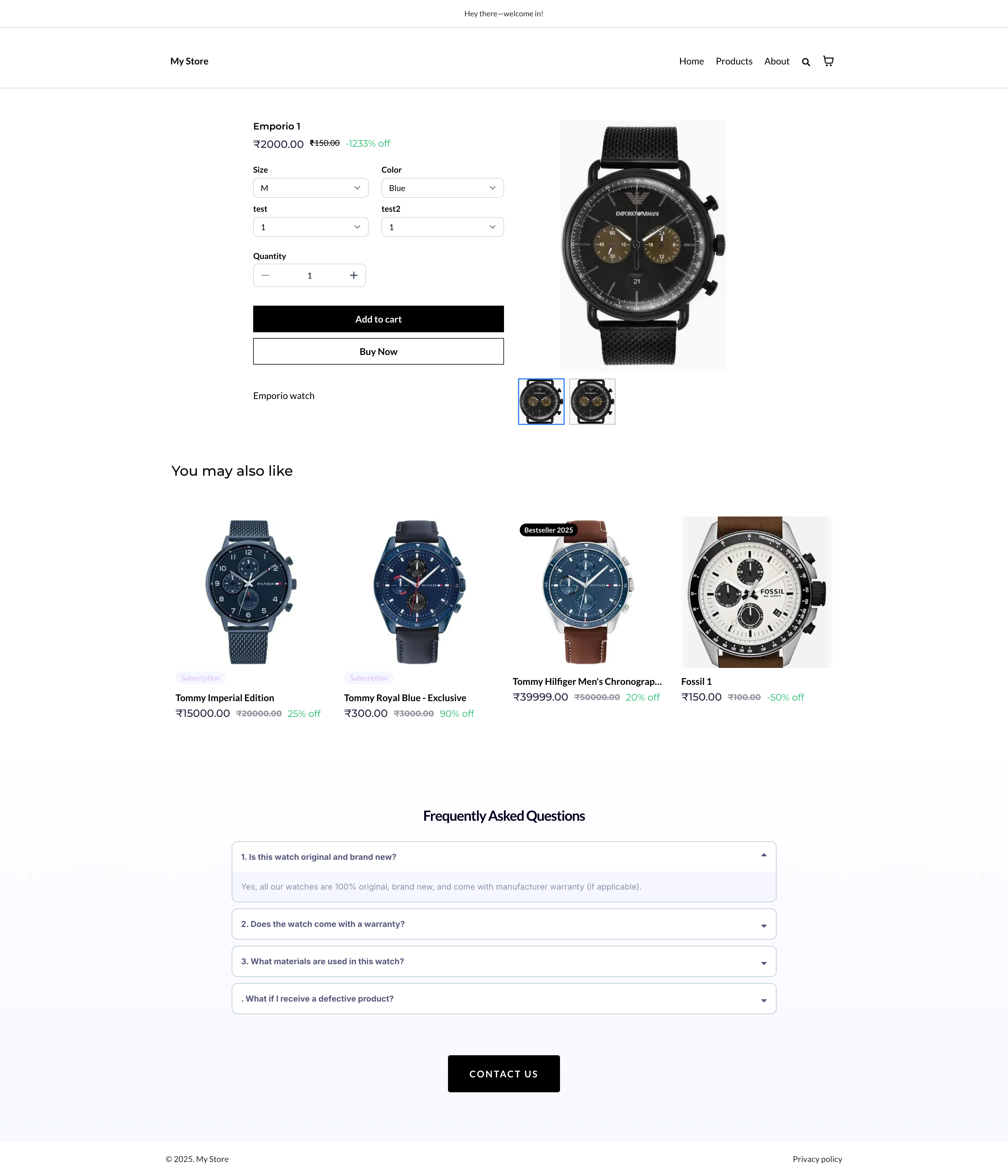
Custom Product Details Pages are separate pages you create in the Site/Store Builder and link to a specific product. When a shopper clicks a product from the list, a featured block, or a direct link, HighLevel sends them to the mapped custom page instead of the default product page.
The custom page starts as a one time copy of the current default product page. It retains the original section structure, store elements, styling, and visibility rules, but changes you make later to the default page do not affect existing custom pages. Only one custom page can be linked to a product at any time; assigning a product to a new page removes the old association automatically.
If a custom page is deleted, any products linked to it automatically fall back to the default product details page, ensuring no broken navigation.
03How businesses use custom product details pages
- Boutique clothing shop. The owner creates a custom page for a limited edition jacket, adds a video runway clip, bold text, and a prominent "Buy Now" button. They then map the jacket product to that page, so visitors from the catalog land on the tailored experience.
- Health supplement brand. A marketer builds a custom details page for a new vitamin, inserts dosage charts, FAQs, and related product suggestions. After selecting the supplement in the assignment modal, the product routes shoppers to the enriched page whenever it appears in listings.
- Online tech accessories store. The team reassigns an existing product to a newly designed page that highlights a promotional bundle. They open the page in the builder, update the product assignment in the Settings panel, then save and publish to switch the routing right away.
04Before you start
- Create at least one product in Payments > Products and add it to the online store.
- Have access to the Site/Store Builder in the appropriate subaccount.
- Identify the store or site you intend to edit.
05How to set up and use custom product details pages in HighLevel
Set up custom product details page
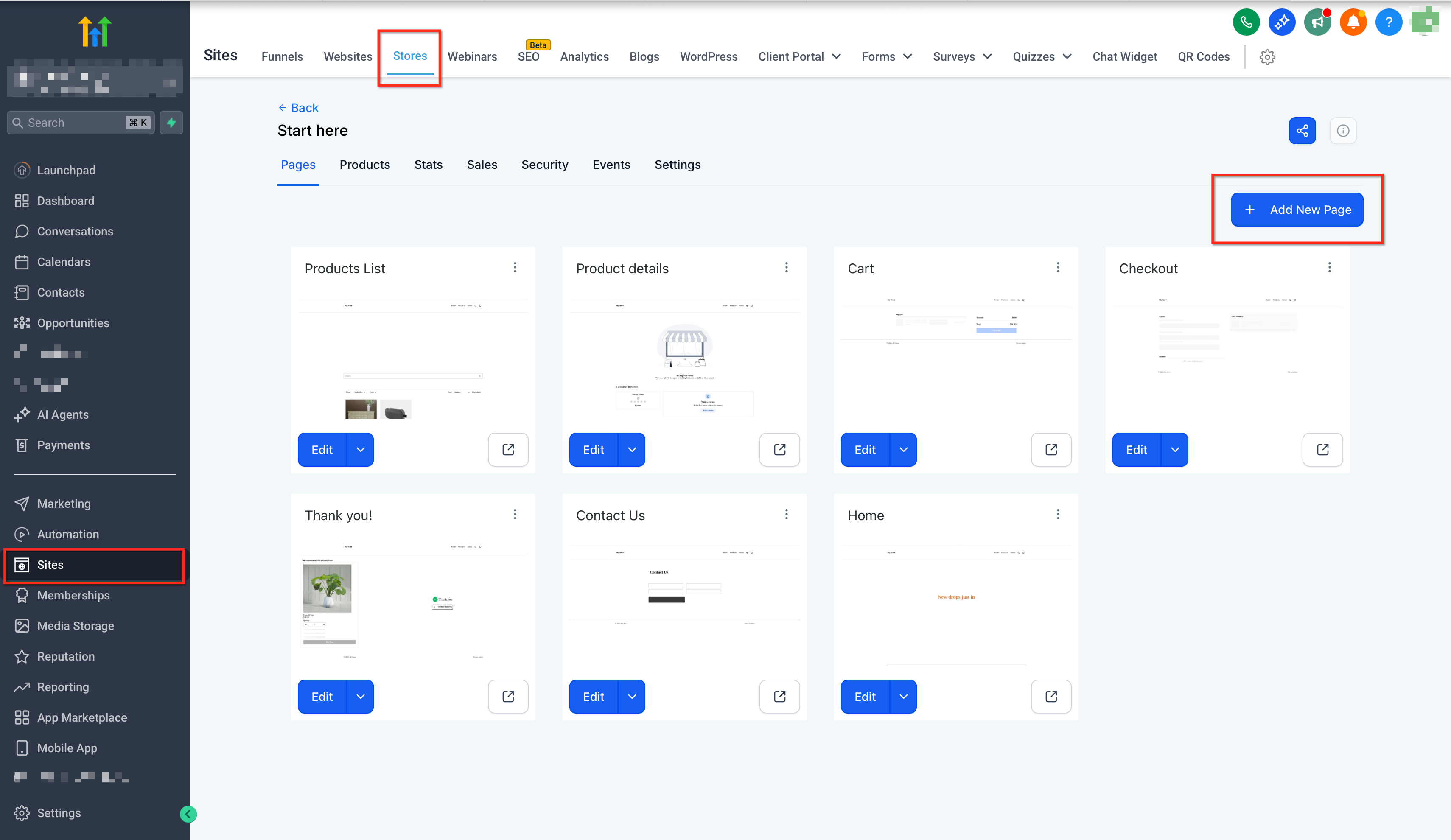
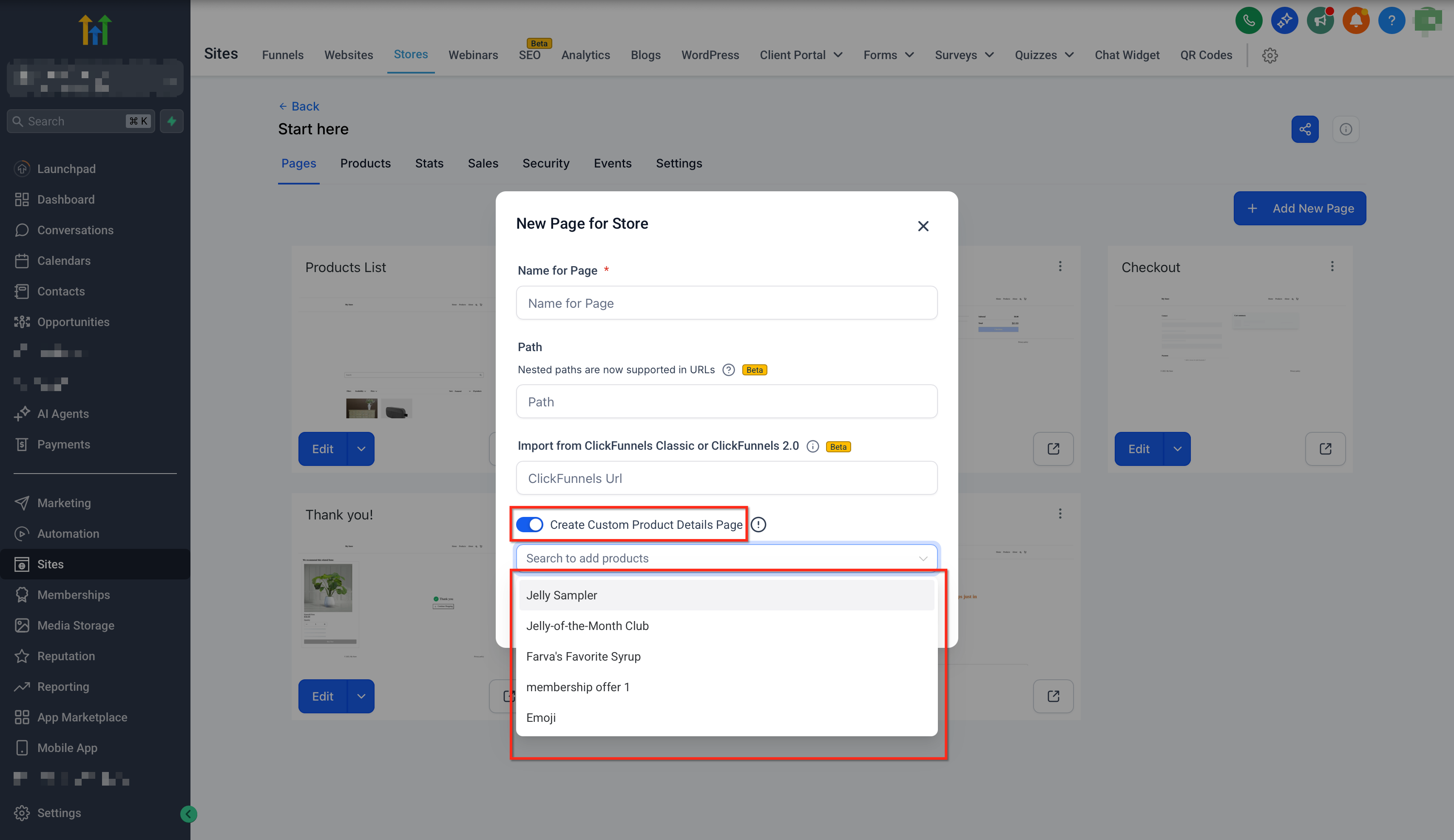
- Navigate to Sites > Stores, choose the store, and click Add New Page.
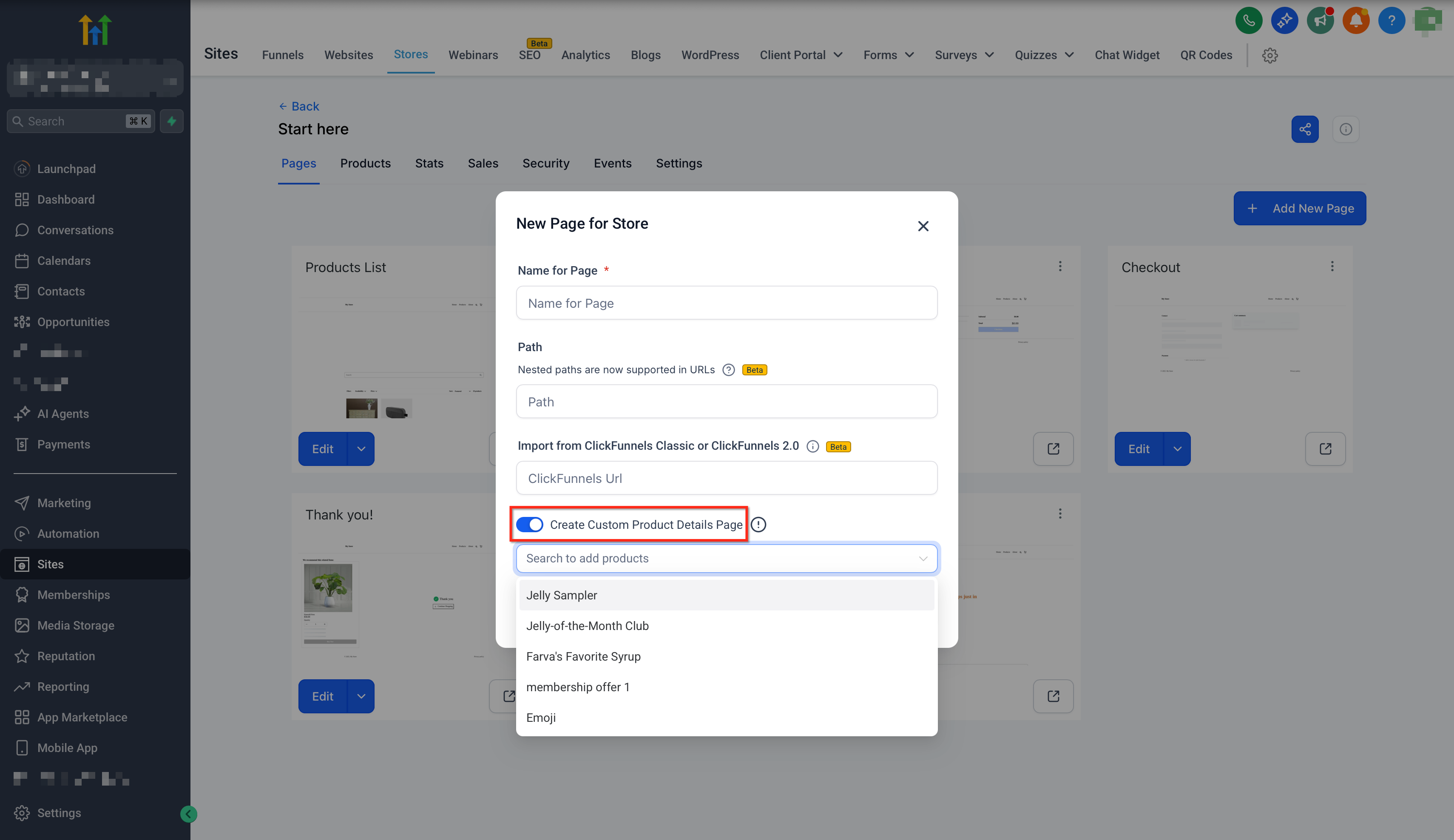
- Enable the Custom Product Details Page toggle and use the modal to search for and select the product to map.
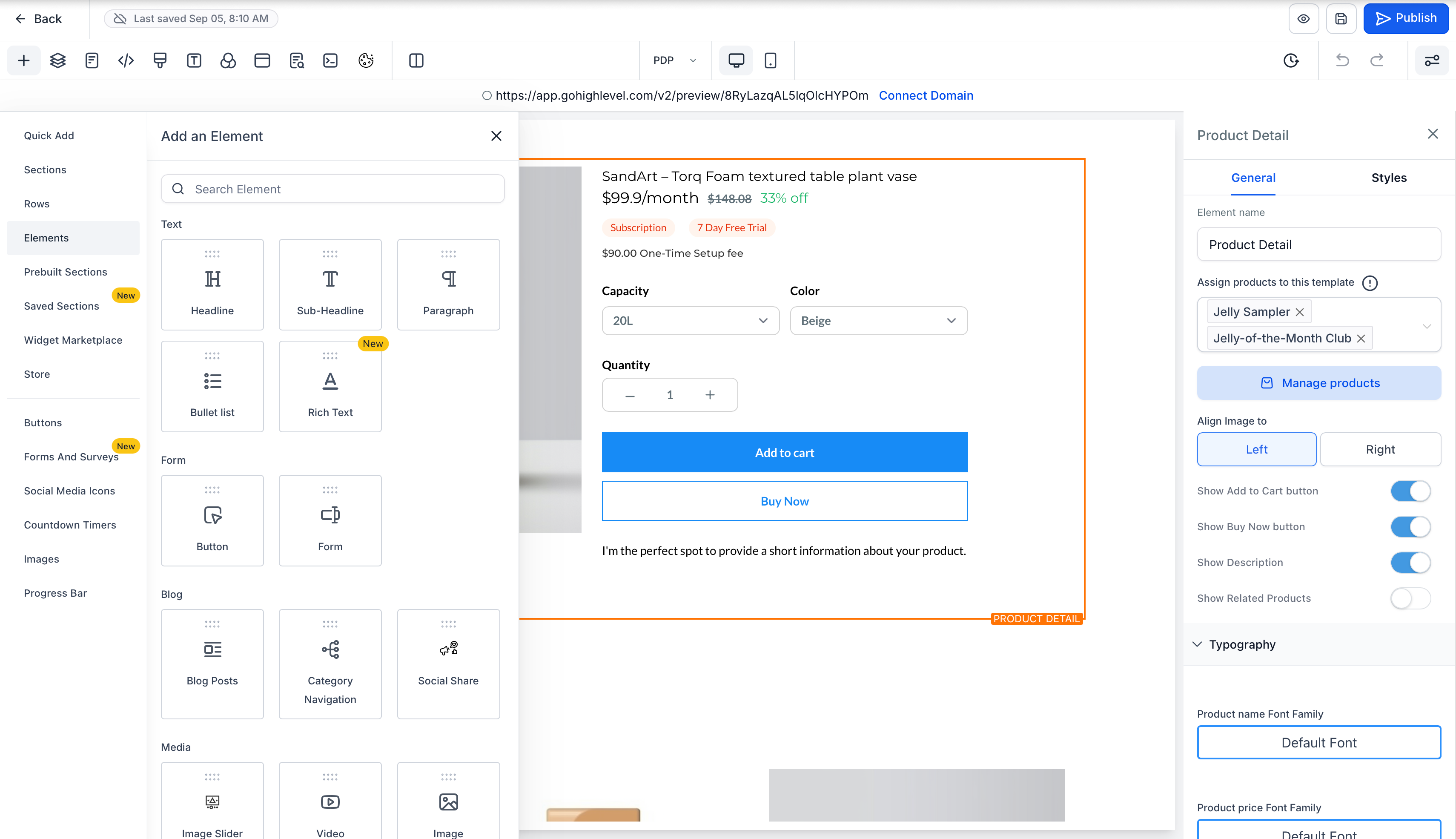
- Edit the copied layout by dragging in PDP elements such as images, videos, and related products.
- Apply design recommendations like placing key call to action buttons above the fold and reusing blocks for consistency.
- Click Save and then Publish the page.
Assign or reassign product to a custom page
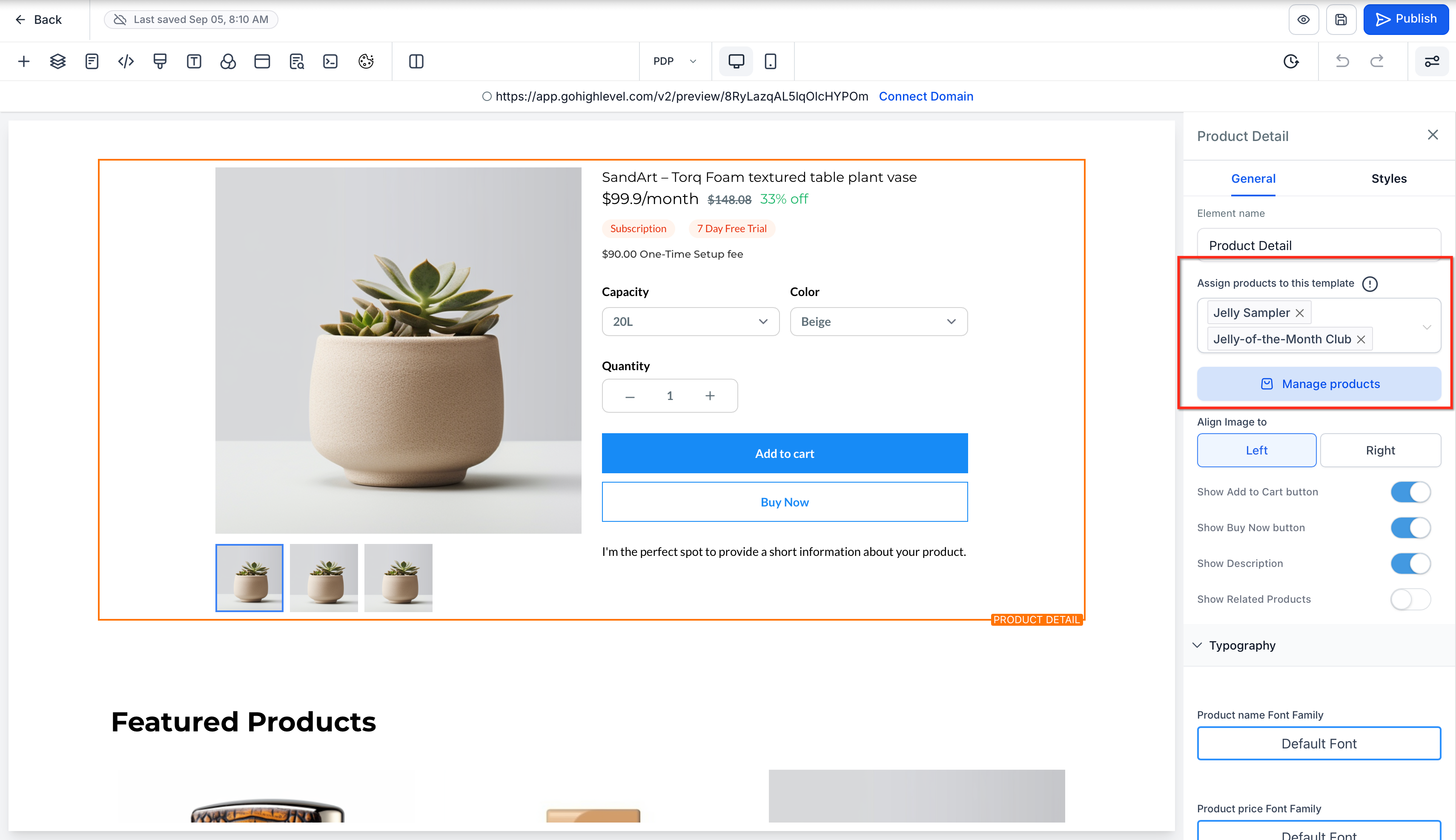
- Open the existing Custom PDP in the builder.
- Select the product element or open the page Settings panel.
- Change the product assignment to the desired product using the assignment interface.
- Save the changes and Publish the page.
06What it looks like in HighLevel
07Settings that matter
- Custom Product Details Page. Activates the ability to map a product to a newly created page and triggers a one time copy of the default product details layout.
08Things to know before you rely on it
- Only one custom page can be linked to a product at any time; assigning it elsewhere removes the previous link.
- Deleting a custom page automatically reverts its products to the default product details page.
- The copy of the default page occurs only once; later edits to the default page do not affect existing custom pages.
- The option to create a custom product details page does not appear in ClickFunnels flows.
09How it connects to the rest of HighLevel
- Preview how a custom page looks while you build it. Live data preview
- Learn how to connect a domain or subdomain so shoppers can reach your store. Domain setup
- Explore pricing plans if you need to add a subaccount for a new store. Pricing
Michael's take

The shift a Custom Product Details Page brings is more than a convenience. It lets you treat each item like its own mini website, giving you granular control over storytelling and design without needing to redesign the entire store.