
01Who this is for
- Content marketers can speed up draft creation and keep SEO metadata consistent.
- Agencies managing multiple client blogs benefit from Assist Mode for quick topic based outlines and Build Mode for custom client requests.
- International businesses can translate posts directly in the editor using the language feature.
02Blog post AI, explained
Blog Post AI lives inside the Blog Editor and is accessed through the Ask AI panel. After turning the feature on in Labs for the subaccount, you can open any blog post draft and start generating content.
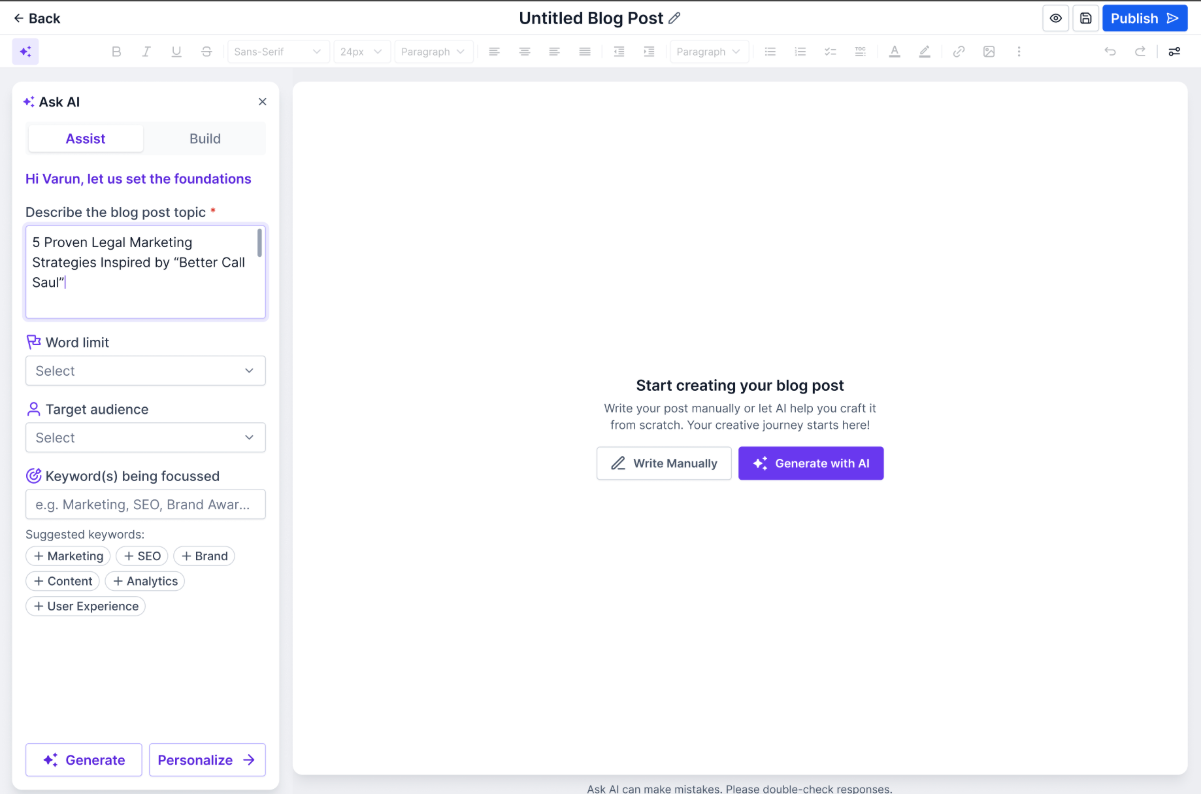
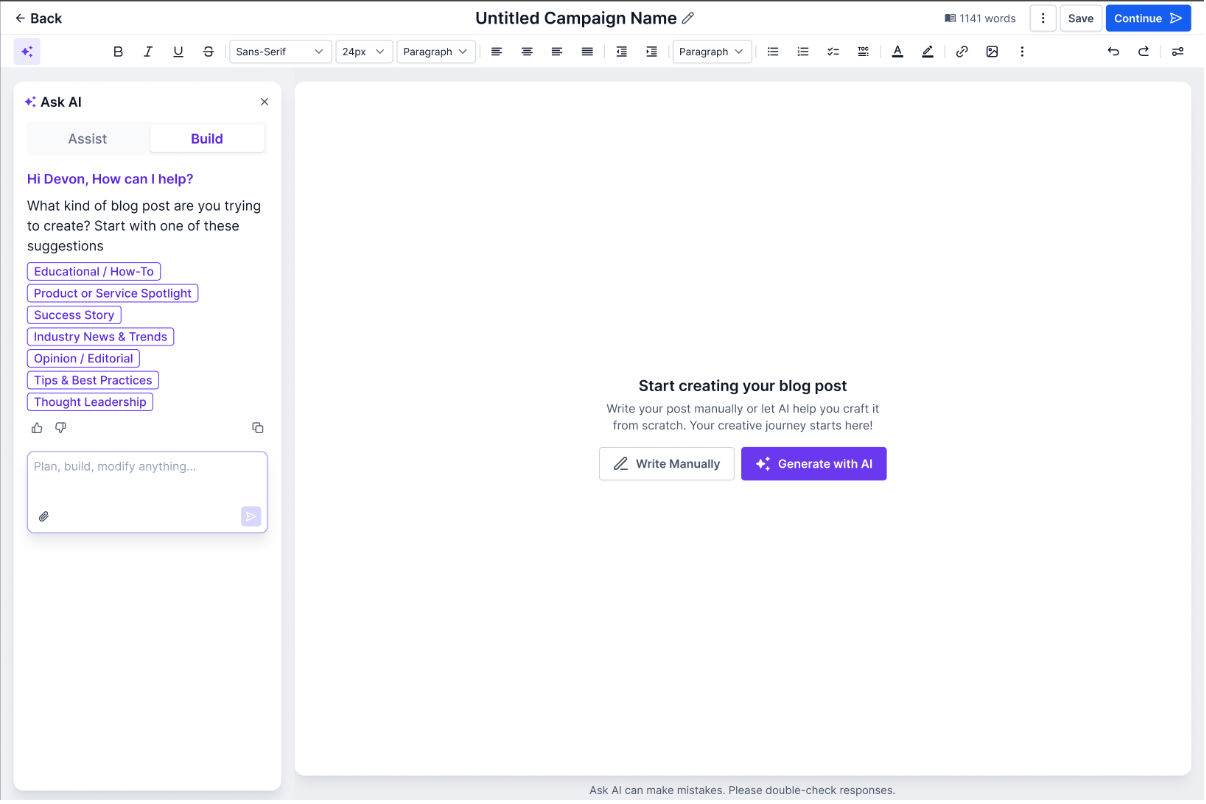
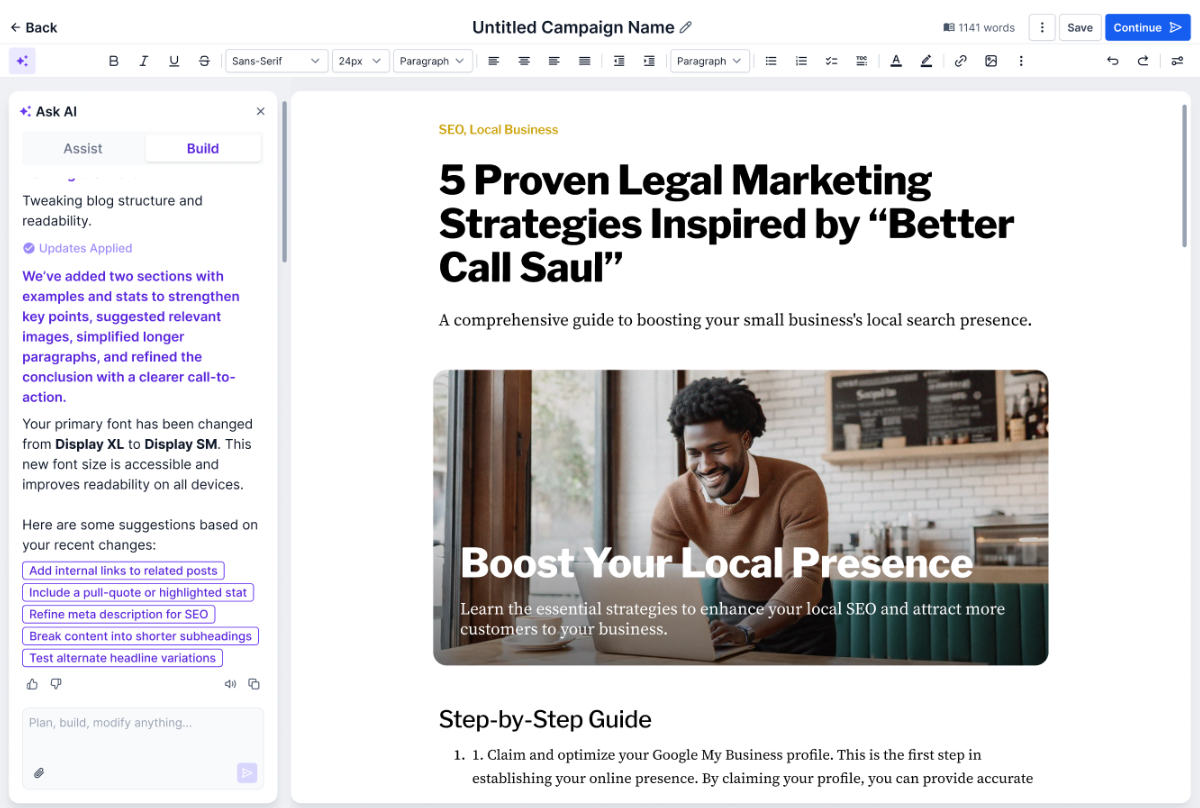
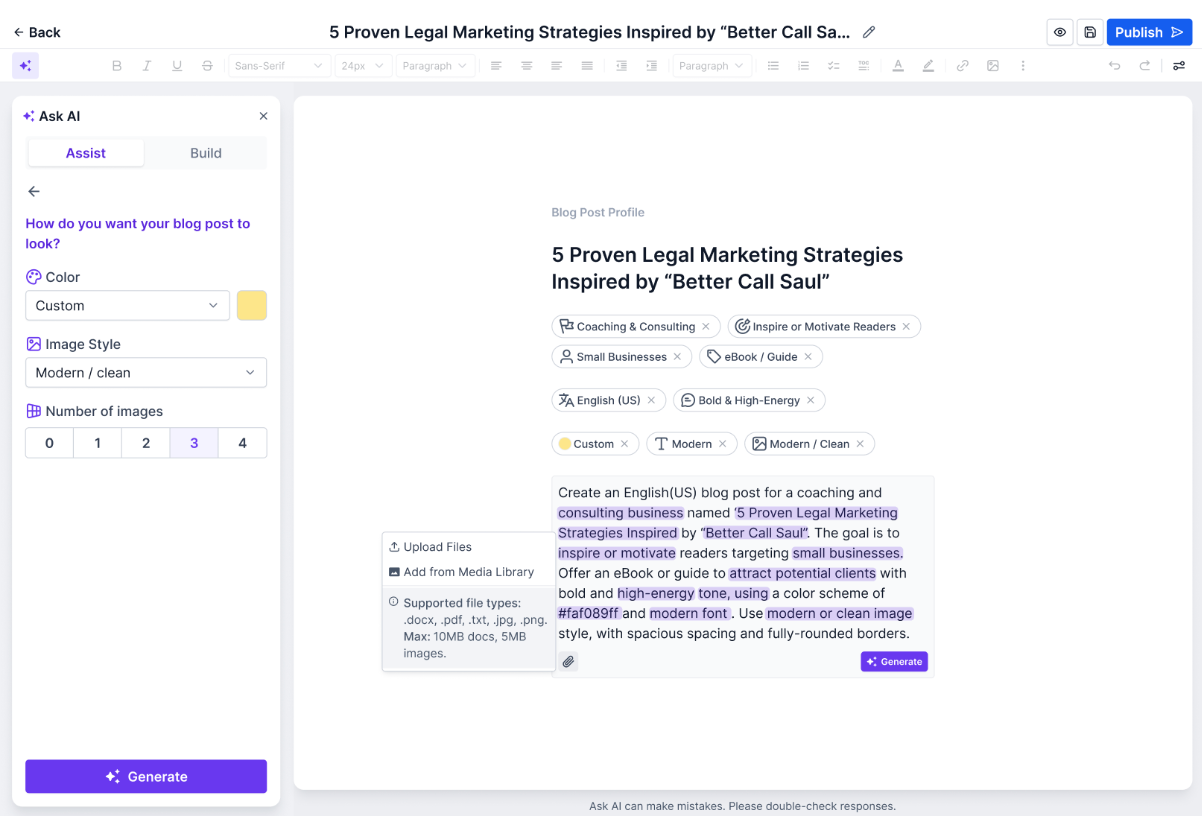
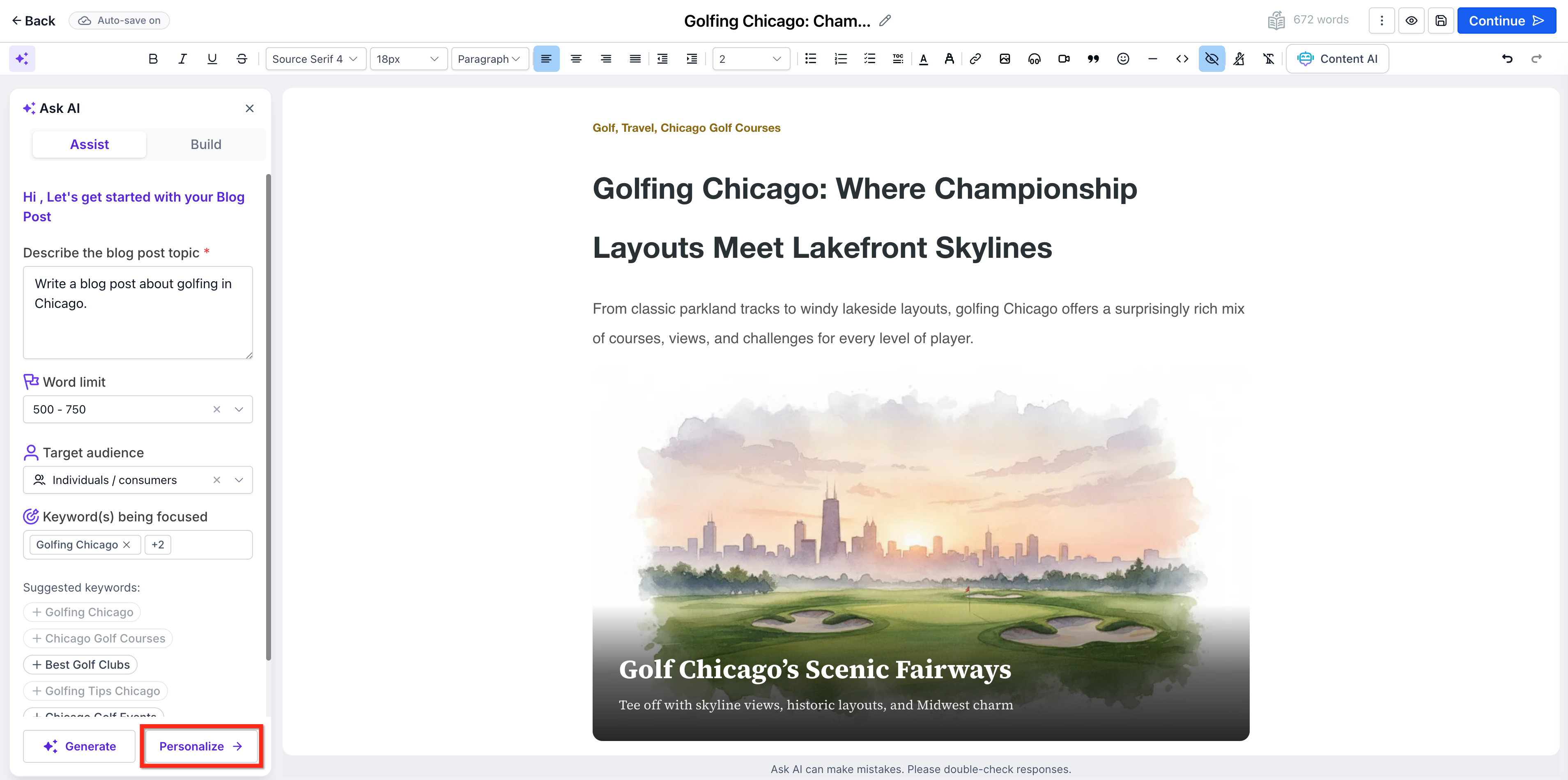
The assistant works in two modes. Assist (Topic Based) creates a full outline, headings, SEO title, description, keywords and images from a simple topic. Build (Free Prompt) accepts a custom prompt for detailed, long form or niche content.
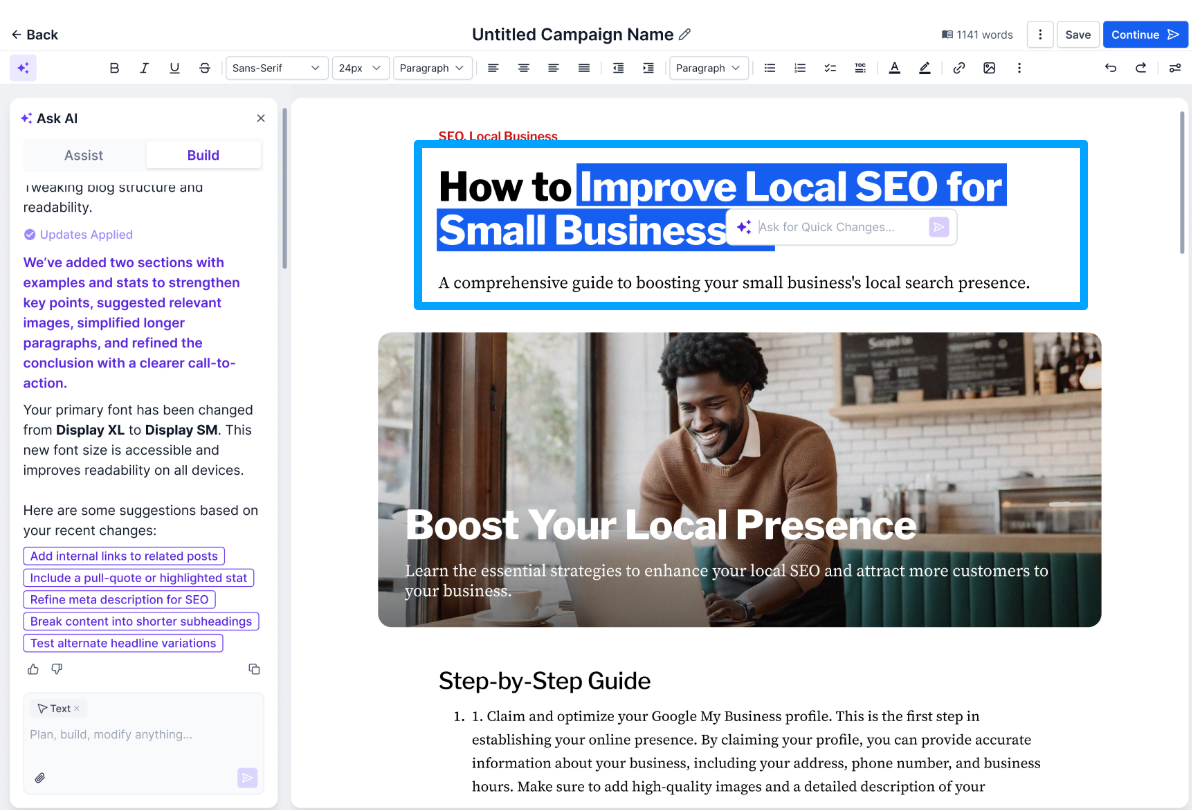
After generation you can use Smart Editing Tools to regenerate paragraphs, improve tone, adjust length, replace images, or delete sections. The AI also fills SEO fields which you can edit before saving as a draft, publishing, or scheduling.
03How businesses use blog post AI
- Digital marketing agency. The agency enables Blog Post AI in Labs, selects Assist Mode for client topics, generates a complete draft with SEO metadata, tweaks sections with Smart Editing, and publishes the post to the client’s blog directly from the editor.
- Ecommerce store. The store turns on Blog Post AI, chooses Build Mode, writes a prompt for a product guide, lets the AI produce a long form article with images, edits the tone, and schedules the post to align with a product launch.
- Travel blog publisher. The publisher activates Blog Post AI, picks a destination topic in Assist Mode, generates a multilingual draft, uses the language dropdown under Personalize to translate the content, and publishes the SEO optimized post to reach a global audience.
04Before you start
- Blog Post AI must be enabled in Labs for the subaccount before it can be used.
05How to set up and use blog post AI in HighLevel
Generate a blog post with AI
- Navigate to Sites > Blogs.
- Open the desired blog and start a new post or select an existing draft.
- In the Blog Editor, open the Ask AI panel.
- Choose either Assist (Topic Based) or Build (Free Prompt) depending on the desired workflow.
- Enter the topic or custom prompt and click Generate.
- Use the Smart Editing Tools to regenerate paragraphs, adjust tone, modify length, or replace images.
- When the draft looks ready, click Continue.
- Review and edit the SEO title, meta description and keywords that the AI generated.
- Select Draft, Publish or Schedule and click the button in the top right corner to apply.
06What it looks like in HighLevel
07Settings that matter
- Assist (Topic, Based). Creates a full blog draft from a simple topic, including outline, headings, SEO metadata and AI generated images.
- Build (Free Prompt). Generates content based on a custom prompt, giving more control over tone, structure and depth.
- Personalize. Allows selection of the language for generated or translated content and adjustment of writing tone.
08Things to know before you rely on it
- The feature is only available when turned on in Labs for the subaccount.
- AI searches the web in real time to gather information before generating content.
09How it connects to the rest of HighLevel
- Set up and manage blogs in HighLevel Blog setup guide
- Manually create and publish a blog post Manual blog creation
- Add and edit SEO information for blog posts SEO editing
Michael's take

Most people try to write the whole post first then Ask AI to clean it up. I’d flip that. Start with a clear topic, fire up Assist Mode, and let the AI give you a structured draft with headings, SEO metadata and images. Then use the smart editing tools to tighten tone and add the specifics that only you can provide.
If I were running an agency, I’d use Build Mode for the niche pieces that need a unique voice or research backed points, then schedule a quick review before publishing. The built in translation and URL referencing make it easy to adapt content for different markets without leaving HighLevel.