
01Who this is for
- Marketing managers who need consistent SEO markup without hand coding each page.
- Web designers building client Websites, Funnels or Webinars who want automatic schema coverage.
- Content creators who publish frequently and want to avoid missing structured data.
02Autogenerate schema markups, explained
When the Auto generate schema toggle is turned on, HighLevel checks each page at the moment it is published. If the page does not already contain schema markup, the platform’s AI creates the appropriate structured data in the background and attaches it to the page. The generation runs in parallel with the publish action, so the page goes live immediately.
New assets created after the feature release have the toggle enabled by default, while assets created before the release keep the setting off until it is manually switched on. The option can be changed at any time for each individual Website, Funnel, or Webinar.
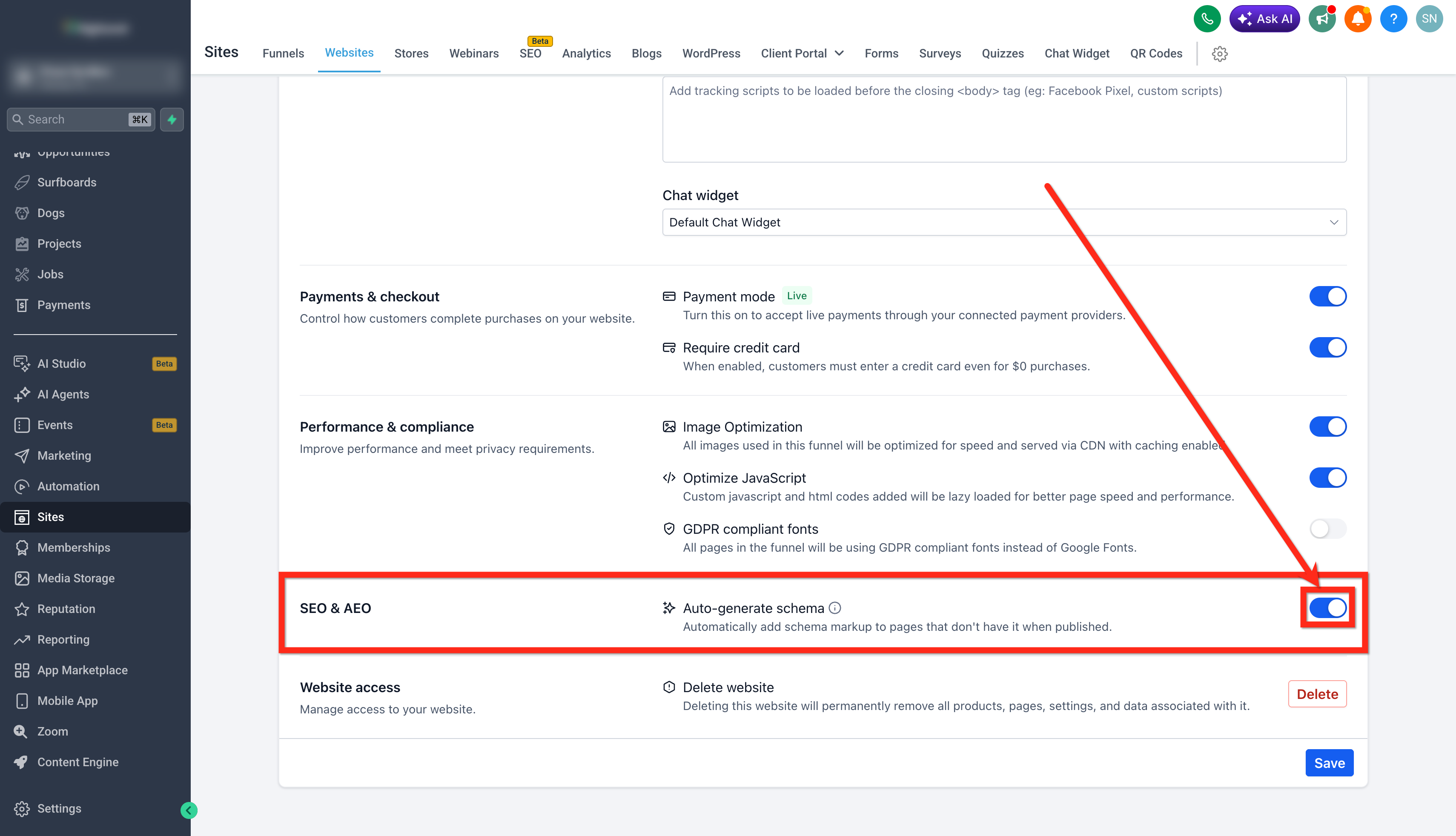
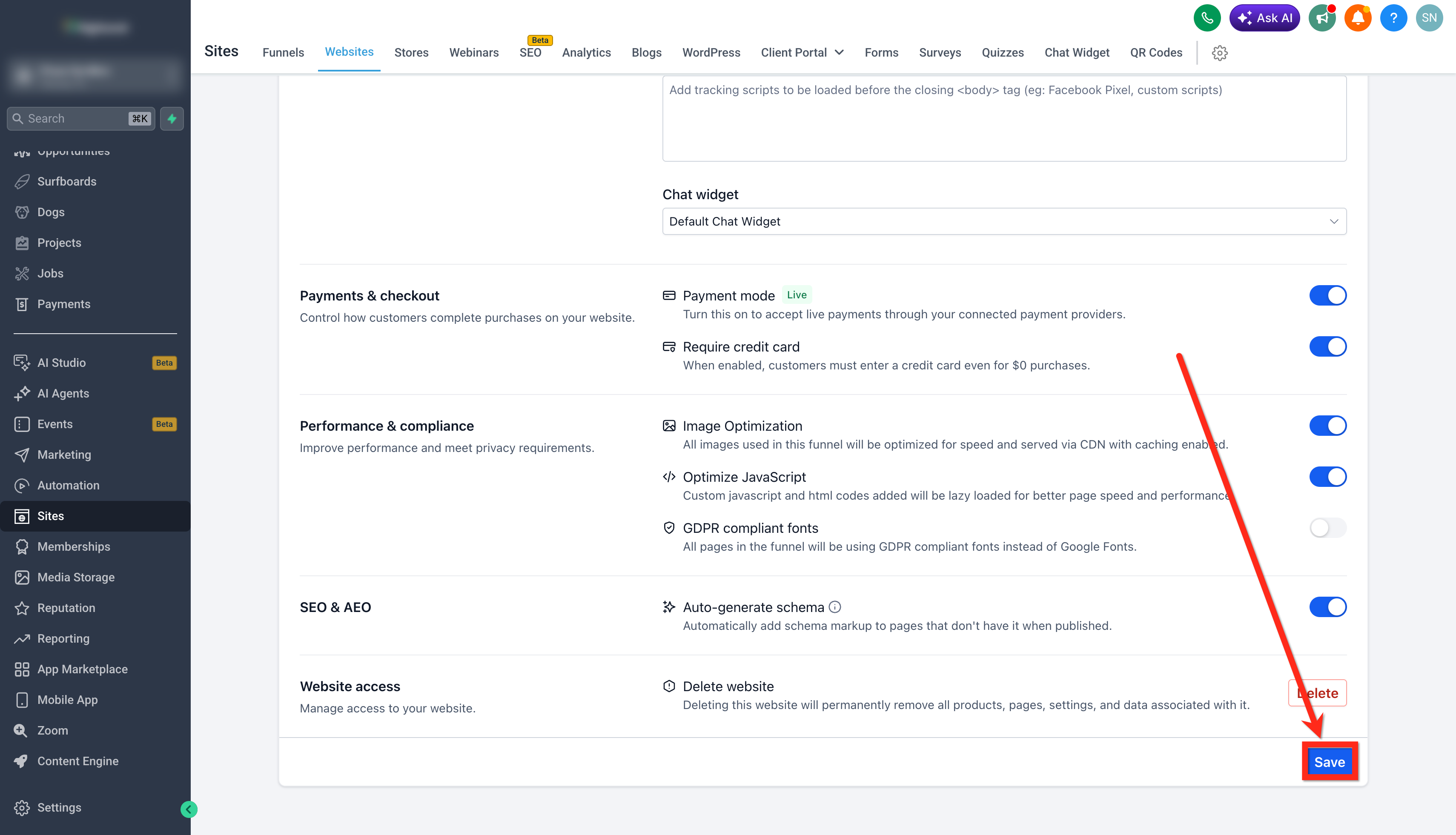
The setting lives inside the asset editor. After selecting an asset, open the Settings tab and scroll to the SEO & AEO section to find the Auto generate schema toggle.
03How businesses use autogenerate schema markup
- Ecommerce store. Enable the Auto generate schema toggle in each product launch funnel. When new promotional pages are published, HighLevel adds AI generated schema automatically, ensuring all pages carry structured data without manual entry.
- Coaching business. Turn on the setting for the website that hosts blog posts. Each new article published will receive schema markup automatically, keeping the site SEO ready without editing every post.
- Online event organizer. Activate Auto generate schema in webinar assets. When a webinar registration page is published, HighLevel adds event type schema in the background, providing the required structured data for search engines.
04The numbers and rules that matter
- Supported asset types: Websites, Funnels, Webinars.
05How to set up and use autogenerate schema markup in HighLevel
Enable auto generate schema markup
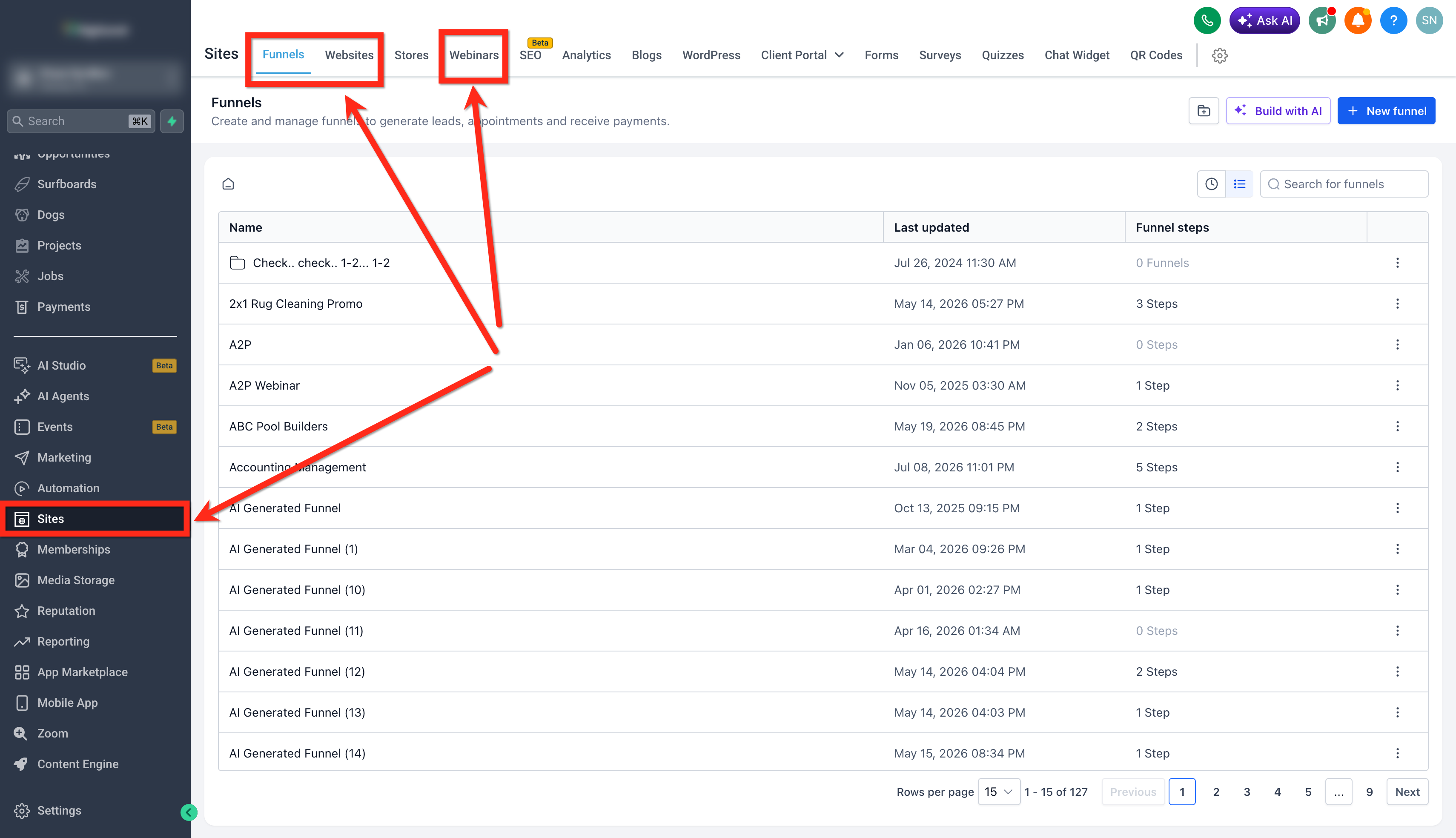
- Open the Sites section in the left sidebar and select the Funnels, Websites, or Webinar tab for the asset you want to edit.
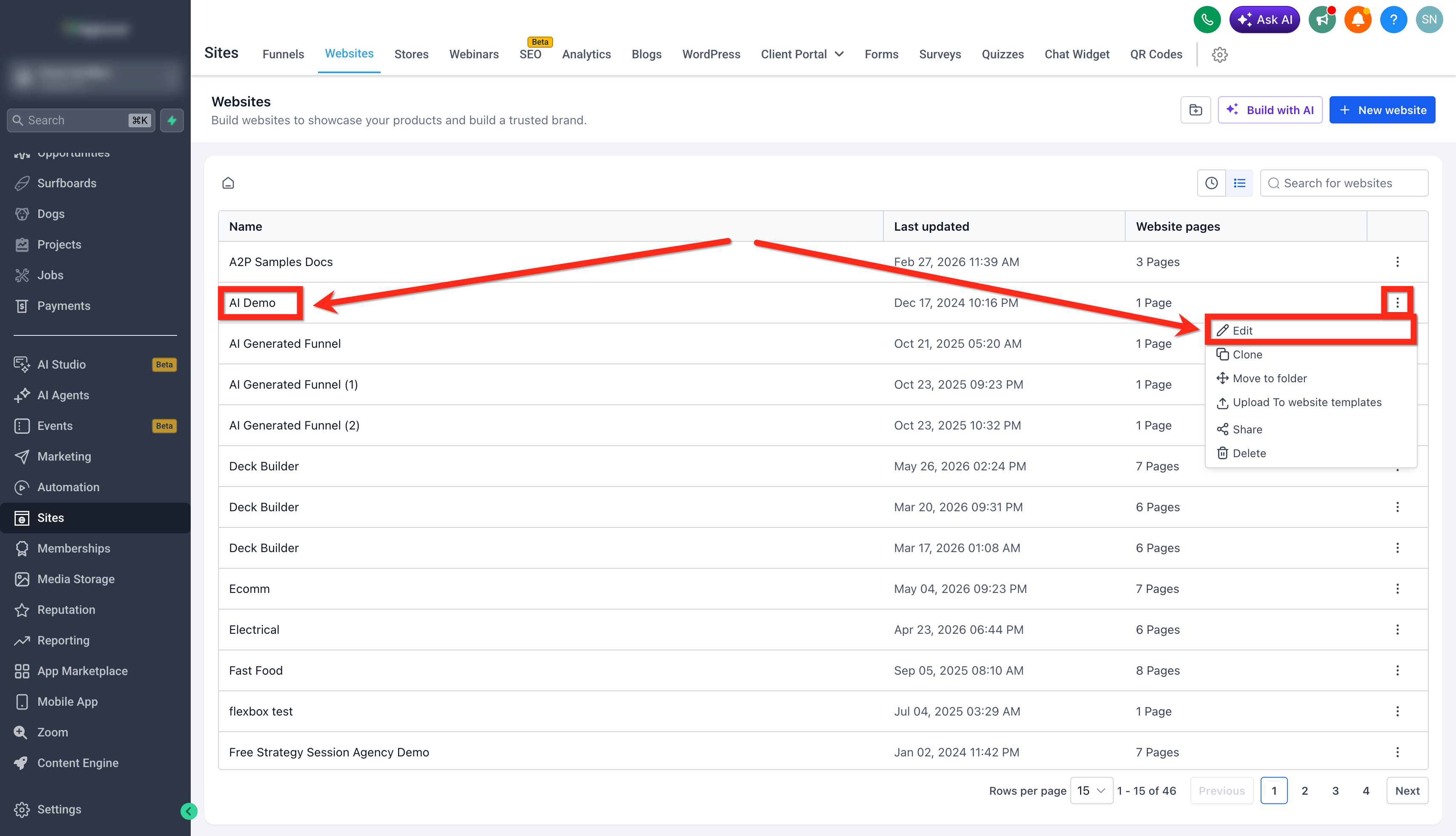
- Click the asset name or the three dot menu beside it, then choose Edit.
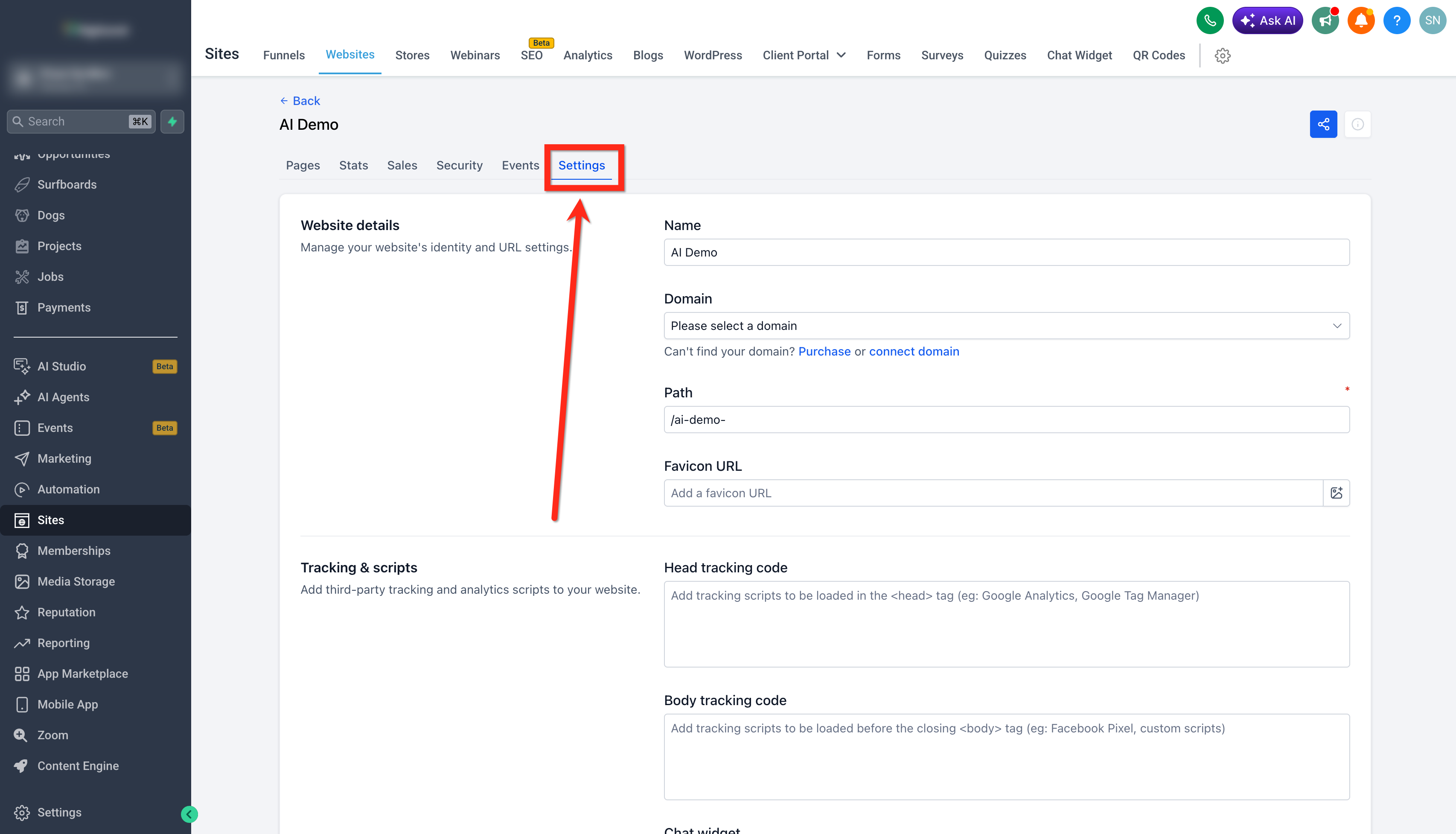
- In the asset editor, open the Settings tab.
- Find the Auto generate schema toggle under the SEO & AEO area and turn it on.
- Press Save at the bottom of the Settings page to apply the change.
06What it looks like in HighLevel
07Settings that matter
- Auto, generate schema. Controls whether HighLevel automatically creates and adds schema markup to pages that lack it at the time they are published.
08Things to know before you rely on it
- The toggle defaults to OFF for assets created before the feature release; nothing changes until you enable it.
- For assets created after the release, the toggle defaults to ON, adding schema automatically to pages without existing markup.
- Existing schema on a page is never overwritten; auto generation runs only when a page has no schema at publish time.
- The feature works across all publish paths, including Builder Publish, save triggered publish, and version history publish.
09How it connects to the rest of HighLevel
- Manually add schema markup to pages Manual schema
- Generate schema markup using AI AI schema
- Delete schema markup from pages Remove schema
Michael's take

AutoGenerate Schema feels like a small convenience that can become a real shift for businesses that rely on fresh content to attract search traffic. It removes the need to remember to add markup every time you spin up a new landing page, letting you focus on the copy and design instead of hidden code.
A local service provider that runs weekly promotions could benefit. Each new offer page gets rich results automatically, which may help visibility in both Google and AI answer engines without extra steps.