
01Who this is for
- Compliance officers who need a quick view of consent wording across many capture points.
- Marketing managers overseeing multiple locations and looking to keep opt in language consistent.
- Agency owners managing client assets who want to reduce manual review time.
02Audit & fix consent text, explained
The feature lives inside the Voice AI section of a subaccount. From there you can launch a scan that checks every supported asset for the presence of required consent text. Results are grouped by status, allowing you to filter for items that need attention.
After the scan finishes you can select any number of assets, open a bulk fix window that shows the standardized wording and its placement, and then push the change to all chosen items. The tool does not automatically modify Facebook Lead Forms; those must be edited on the Facebook platform and rescanned.
03How businesses use audit & fix consent text
- Digital marketing agency. The agency opens Voice AI in each client subaccount, runs the audit, filters the list to assets flagged as non compliant, previews the bulk fix text and applies it to all client forms and surveys in one click.
- Health care clinic chain. The clinic runs the audit across all location calendars, reviews any consent gaps, selects the affected appointment forms, previews the approved wording and bulk updates them to meet patient privacy requirements.
- Ecommerce retailer. The retailer scans its website chat widgets and lead forms, uses the filter to see which need attention, checks the preview, and then applies the standard consent phrase to every widget at once.
04The numbers and rules that matter
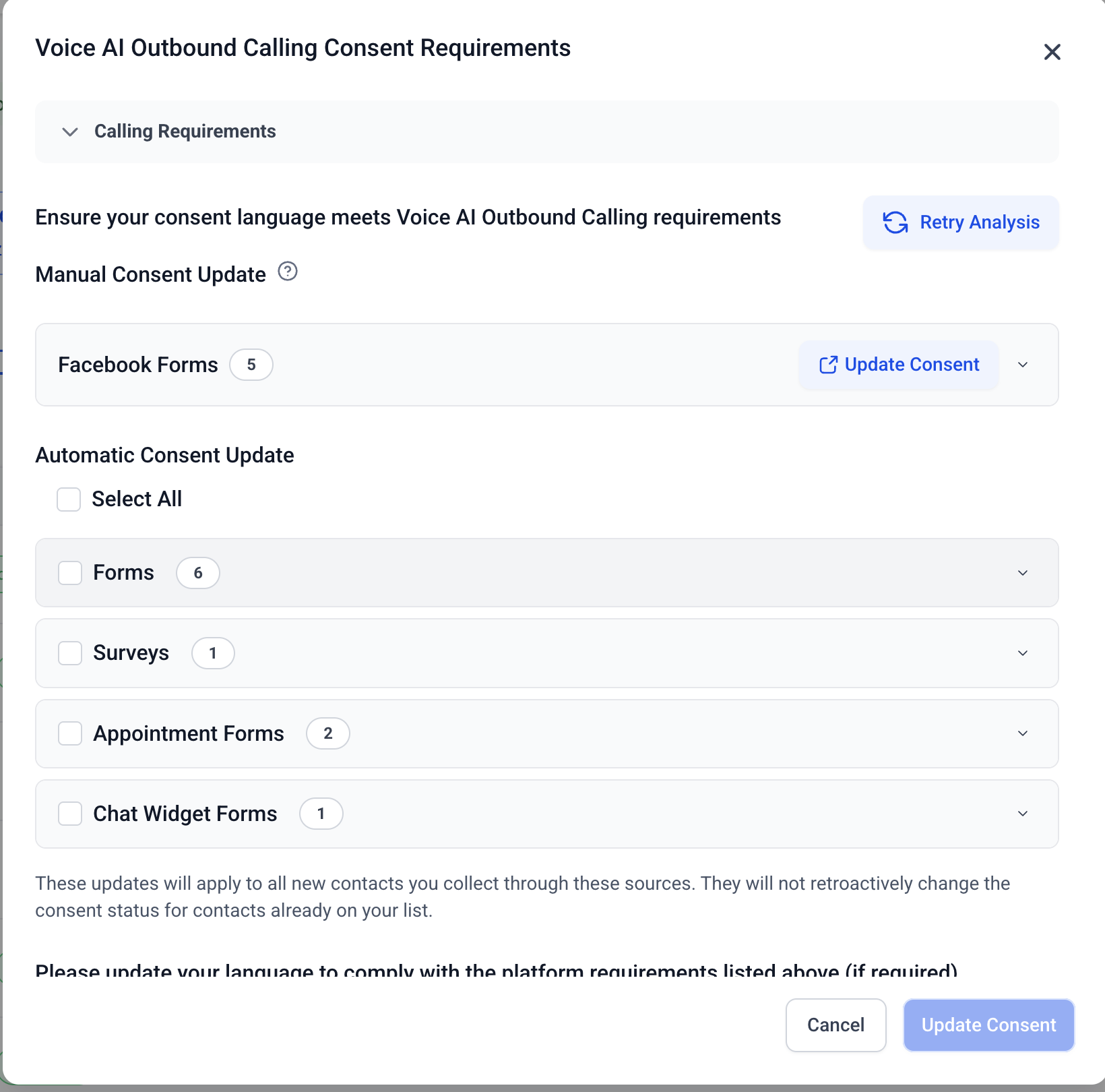
- Supported assets: Forms, Surveys, Appointment Forms / Calendars, Facebook Lead Forms, Chat Widgets.
05Before you start
- Access to a subaccount where the Voice AI option is available.
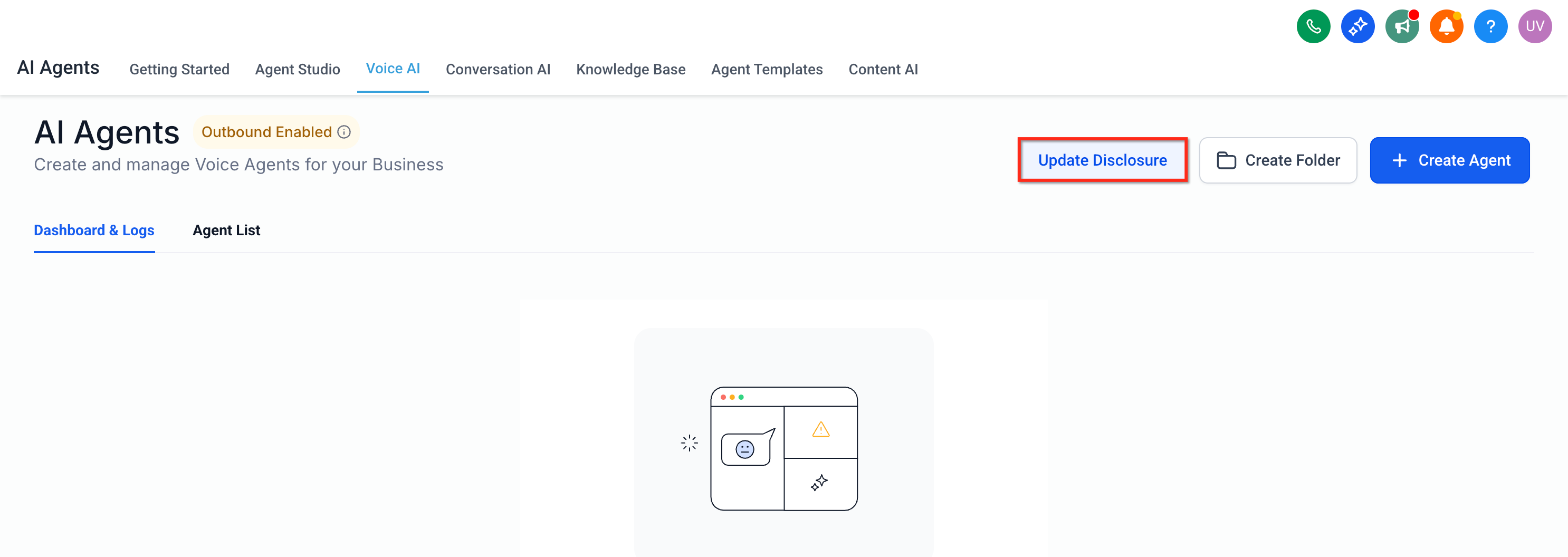
- If disclosure verification has not been completed, click the Update Disclosure button before starting the audit.
06How to set up and use audit & fix consent text in HighLevel
Run an audit and bulk fix consent text on supported assets
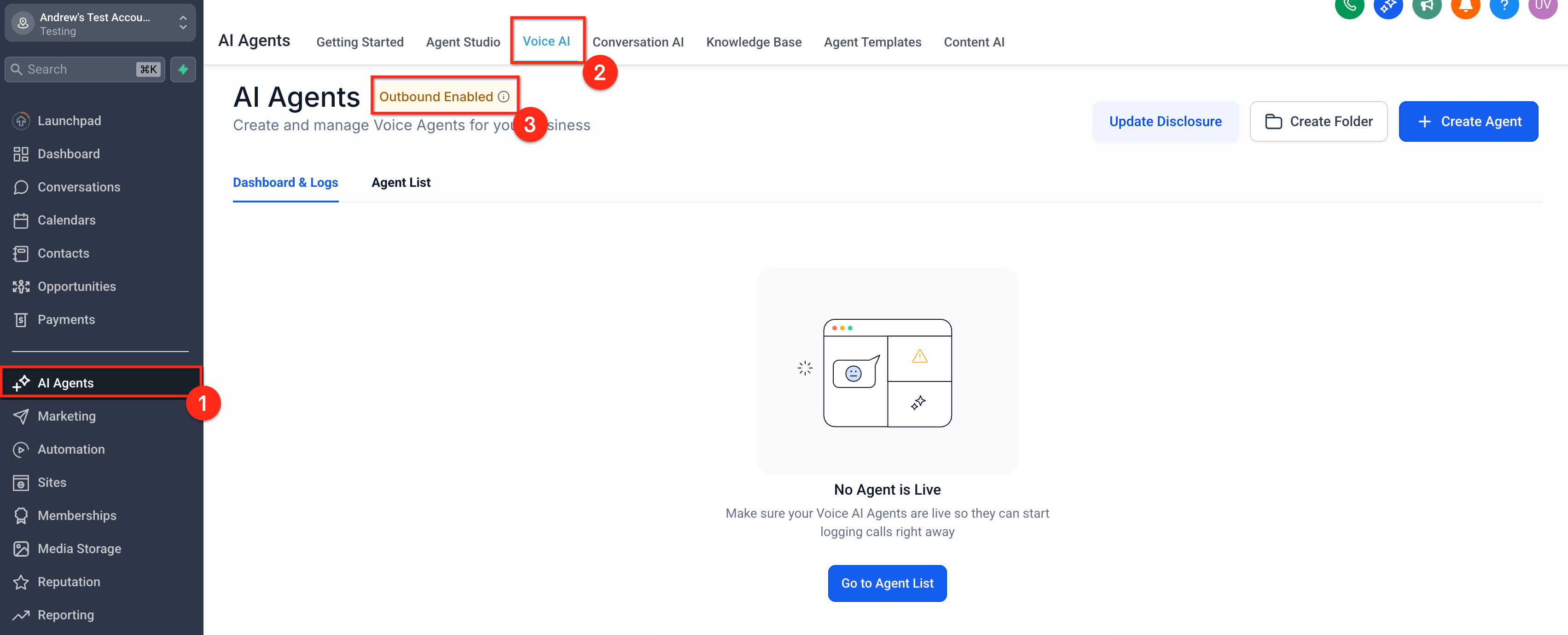
- Open the Voice AI area by selecting the AI Agent entry in the left pane of the subaccount and then choosing the Voice AI page.
- If the Outbound feature is turned on, note the tooltip that appears on the page.
- Complete the disclosure verification by clicking the Update Disclosure button when it is required.
- Choose the locations and asset types you want to include and start the scan.
- When results appear, filter the view to show items marked Needs Attention and open any asset to see its current consent wording.
- Mark the checkboxes beside the assets you plan to update.
- Open the Bulk Fix modal to see the standardized consent language and where it will be placed.
- Confirm the bulk operation to insert the compliant text into the selected assets.
- Edit the consent wording directly on any Facebook Lead Form that appears in the results.
- Return to the audit screen and run the scan again to refresh the status of the edited Facebook forms.
07What it looks like in HighLevel
08Things to know before you rely on it
- Facebook Lead Forms appear in the audit list but are not automatically updated; they must be edited on Facebook and rescanned.
- When applying a bulk fix you can choose to replace existing language or append the new text, as shown in the preview.
- Undoing a bulk change depends on whether the asset type supports version history; otherwise you must edit the asset manually and audit again.
- The audit checks for generic compliant elements and does not guarantee compliance with every regional law.
09How it connects to the rest of HighLevel
- Add tracking code to funnels and websites Tracking code guide
- How to set up a root domain or subdomain Domain setup
- HighLevel pricing and plans Pricing page
Michael's take

Michael ReimerFounder of CRM Pros, HighLevel Commander and Certified Admin
Running the bulk fix preview lets me make sure the wording lines up with our legal team before I apply it.
Get More InformationOpens on HighLevelPublished November 2, 2026 · Updated November 17, 2026