
01Who this is for
- Founders who need precise email and SMS compliance can enable the unsubscribe and opt out settings to meet regulatory requirements.
- Agency owners managing multiple subaccounts benefit from bot detection and number intelligence to keep metrics and costs accurate.
02Business profile settings, explained
The Business Profile section contains a group of toggles that affect data quality, scheduling and deliverability. Each toggle can be turned on or off depending on how you want the platform to behave.
These toggles are located in various parts of the settings menu, such as Objects > Opportunities > Details for duplicate opportunities, Settings > Business Profile > General for Facebook merging, and Advanced Settings for number intelligence, SMS compliance and bot detection.
Turning a toggle on activates the feature; turning it off disables the behavior. After any change, you should save and test key flows like form submissions, bookings or an email send to verify the result.
03How businesses use business profile settings
- SaaS startup. Enable duplicate opportunities to allow multiple deals in the same pipeline, then test a sample form submission to confirm that new opportunities are created rather than moved.
- Digital marketing agency. Activate bot detection to prevent automated opens from inflating email statistics, and verify the change by sending a test email and reviewing the open count.
- Health clinic. Turn on SMS compliance opt out messaging to ensure patients can unsubscribe from text reminders, then submit a test SMS to confirm the opt out text appears.
04The numbers and rules that matter
- $0.005 per validation attempt is deducted from your agency or subaccount credits wallet (per HighLevel's help center, checked November 2026).
- Founder Plan HighLevel accounts cost $497/mo (per HighLevel's help center, checked November 2026).
05How to set up and use business profile settings in HighLevel
Allow duplicate opportunities in the same pipeline
- Navigate to Objects > Opportunities > Details and toggle the duplicate opportunity setting to ON.
Merge Facebook contacts by name for Messenger and Lead Forms
- Go to Settings > Business Profile > General and enable the desired Facebook name matching options.
Disable use of the contact's timezone
- In the General section, switch off the contact timezone toggle to rely solely on the subaccount timezone.
Reduce bot impact on email metrics
- Turn on Bot Detection Preventing Statistics Increment and Automation Execution to stop bots from counting in opens and clicks.
Configure Number Intelligence checks
- Open Advanced Settings, select Number Intelligence, and adjust the phone number validation options as needed.
Validate a new contact's email address before sending
- Enable the Verify Email Address when first email is sent to a new contact toggle so the platform validates the address automatically.
Set SMS opt out compliance messages
- Within Advanced Settings, locate SMS Compliance and configure the opt out message or keep the default enabled.
Add an email unsubscribe link for compliance
- Ensure the email unsubscribe link setting in the General section is active to include the required link in outgoing emails.
06What it looks like in HighLevel
07Settings that matter
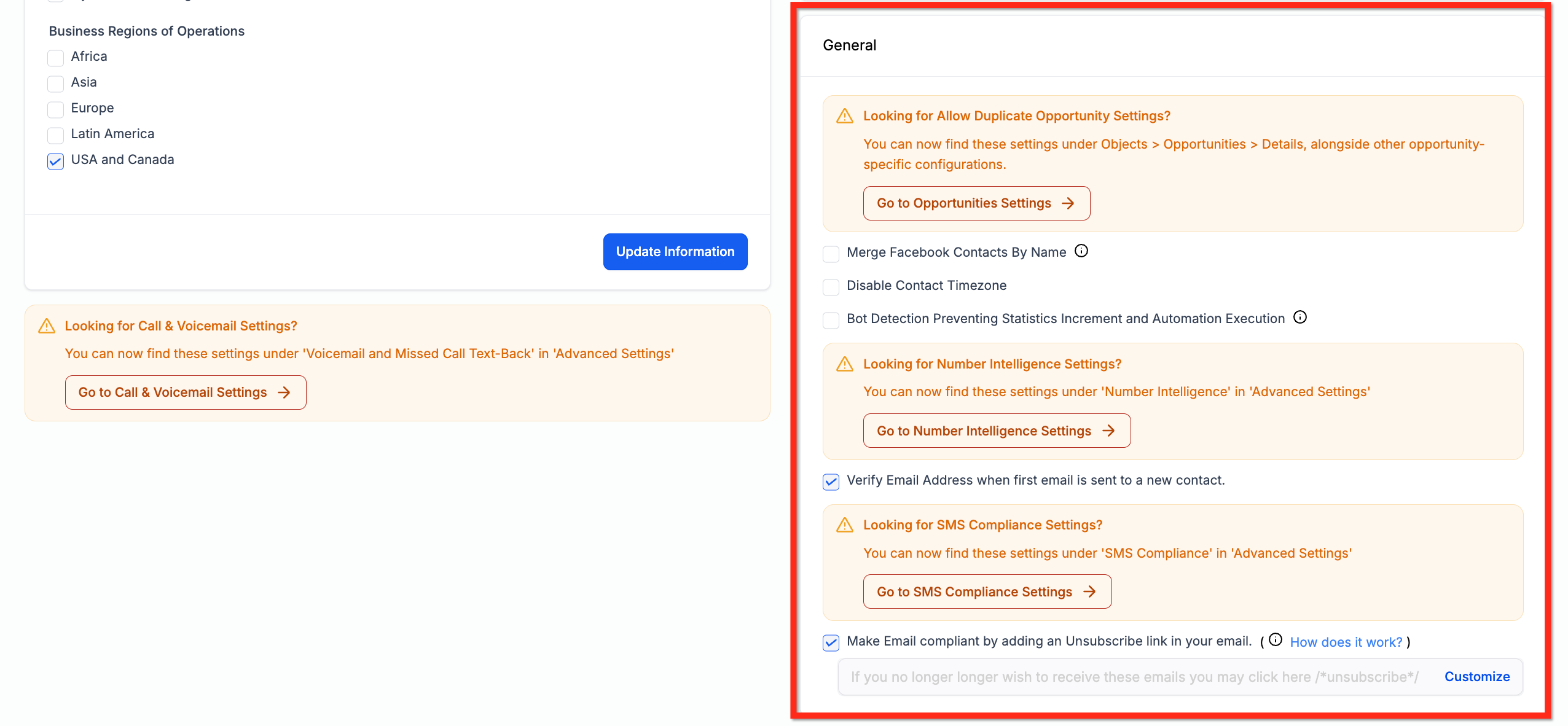
- Duplication Opportunity Settings. Controls whether new opportunities can be created in the same pipeline instead of moving existing ones.
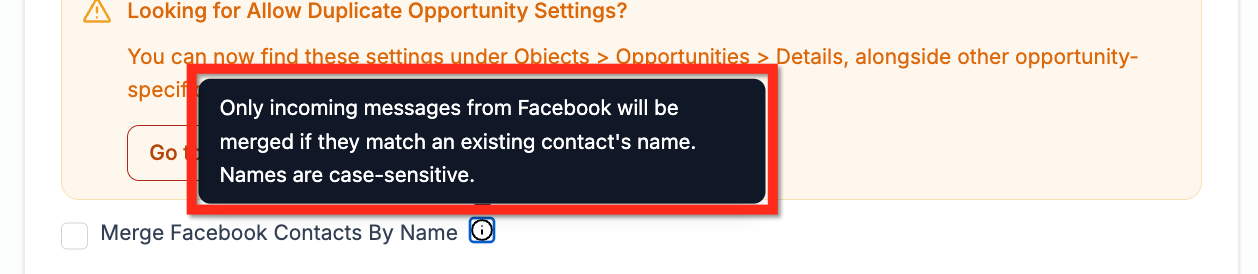
- Merge Facebook contacts by matching contact names from Messenger conversations. Combines Messenger contacts with existing contacts when the names match exactly, case sensitive.
- Merge Facebook contacts by matching contact names from Facebook Lead Form submissions. Merges contacts from Lead Form submissions when the names are an exact, case sensitive match.
- Disable Contact Timezone. Stops the platform from using each contact’s timezone, forcing all time based actions to use the subaccount timezone.
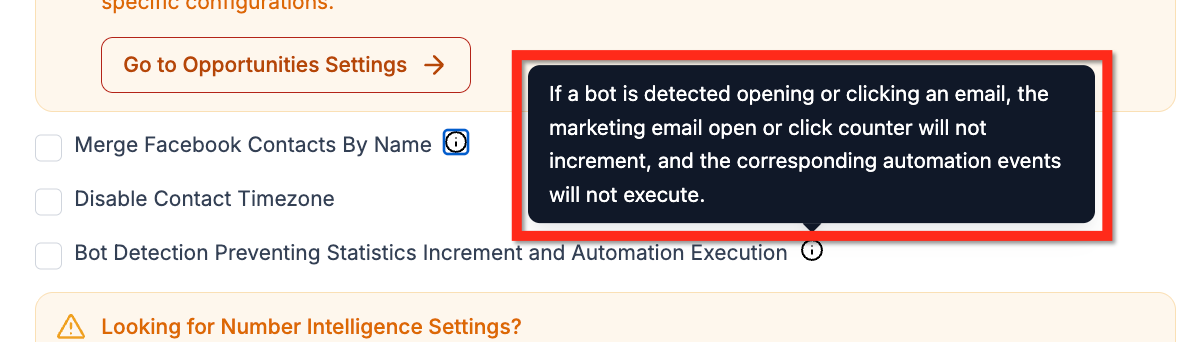
- Bot Detection Preventing Statistics Increment and Automation Execution. Prevents bot activity from increasing email open and click statistics and from triggering automations.
- Number Intelligence Settings. Enables a bundle of phone number checks that verify call and text functionality, control costs and protect reputation.
- Verify Email Address when first email is sent to a new contact. Attempts to validate a contact’s email before the first send; if invalid, the email is blocked until the address is validated.
- SMS Compliance Settings. Configures the default opt out message for SMS communications and allows it to be edited or disabled.
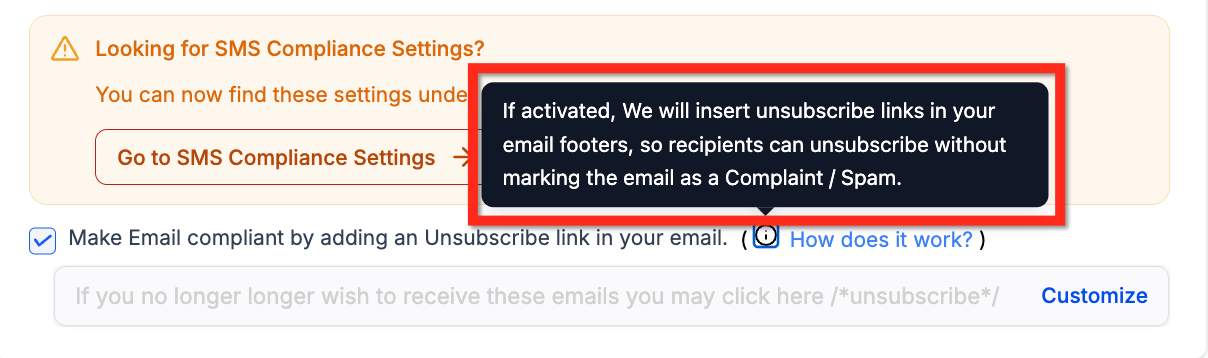
- Make Email compliant by adding an Unsubscribe link in your email. Ensures an unsubscribe link is included in outgoing emails to meet regulatory requirements.
08Things to know before you rely on it
- Phone number validation costs $0.005 per attempt (per HighLevel's help center, checked November 2026).
- Merging Facebook contacts requires an exact, case sensitive name match.
- Disabling contact timezone forces all time calculations to use the subaccount’s timezone.
09How it connects to the rest of HighLevel
- Overview of Business Profile Settings Business Profile Settings Overview
- How to configure contact deduplication preferences Contact Deduplication Preferences
- HighLevel pricing and plans for validation costs Pricing
- Details on the HighLevel Founder Plan Founder Plan
Michael's take

Wondering if tweaking the General settings in your Business Profile will actually change anything? Those toggles are the behind the scenes levers that shape how contacts are merged, how time zones are respected and whether bots can skew your metrics.
If I were setting up a new subaccount, I’d flip the bot detection switch first to keep my open rates honest, then check the duplicate opportunity toggle if my sales process needs separate records. Submit a form, schedule a booking and fire a sample email. To make sure the switches behave as expected.