
01Who this is for
- Agency owners who manage texting campaigns need a verifiable contact for carrier compliance.
- Compliance officers in mid size companies use the representative info to respond to identity reviews.
- Founders of startups add their own details to meet verification requirements quickly.
02Authorized Representative, explained
The authorized representative feature lets you record a single individual who can speak for the business during compliance reviews. The platform stores the person’s legal name, a monitored email address, a job title that shows authority, and a reachable phone number with country code. This data lives inside the Business Profile settings of each subaccount.
When a carrier or regulator asks for verification, HighLevel can reference the stored representative, helping to avoid stalled approvals. The information can be edited at any time by returning to the same settings area.
03How businesses use Authorized Representative
- Marketing agency. The agency opens the client subaccount, navigates to Settings > Business Profile, and records the agency manager’s name, email, title and phone. This ensures the manager can answer carrier compliance queries for the client’s messaging campaigns.
- Ecommerce retailer. The retailer accesses the Business Profile in its HighLevel subaccount, fills in the owner’s legal name, a monitored email, the owner’s title and a phone number with country code. The stored data is then available for any A2P 10DLC brand approval.
- Healthcare clinic. The clinic’s compliance officer adds their own details in the Authorized Representative section of the Business Profile. When a verification request arrives, the clinic can quickly provide the officer’s contact information.
04Before you start
- Be logged into the appropriate HighLevel subaccount.
05How to set up and use Authorized Representative in HighLevel
Set an authorized representative for the subaccount
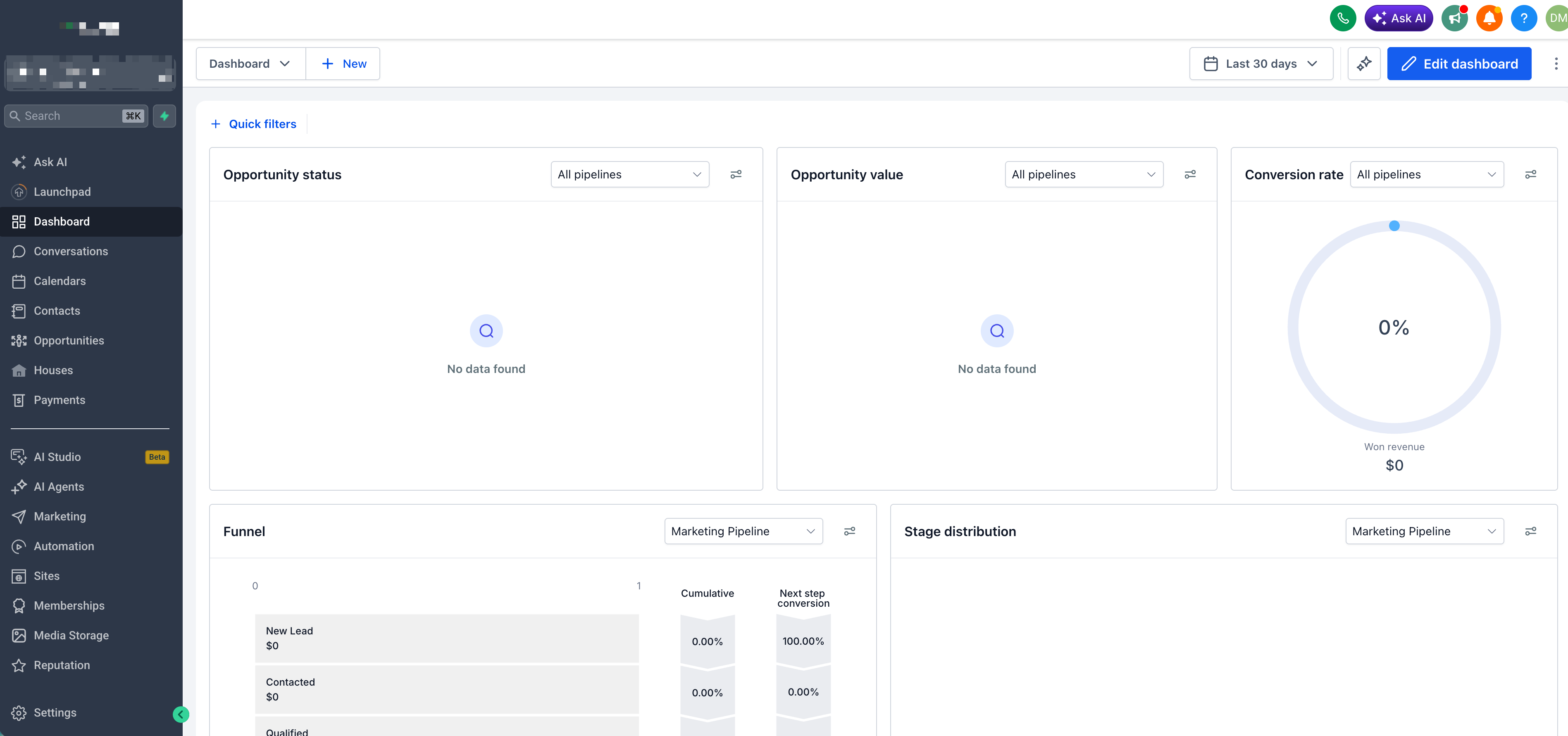
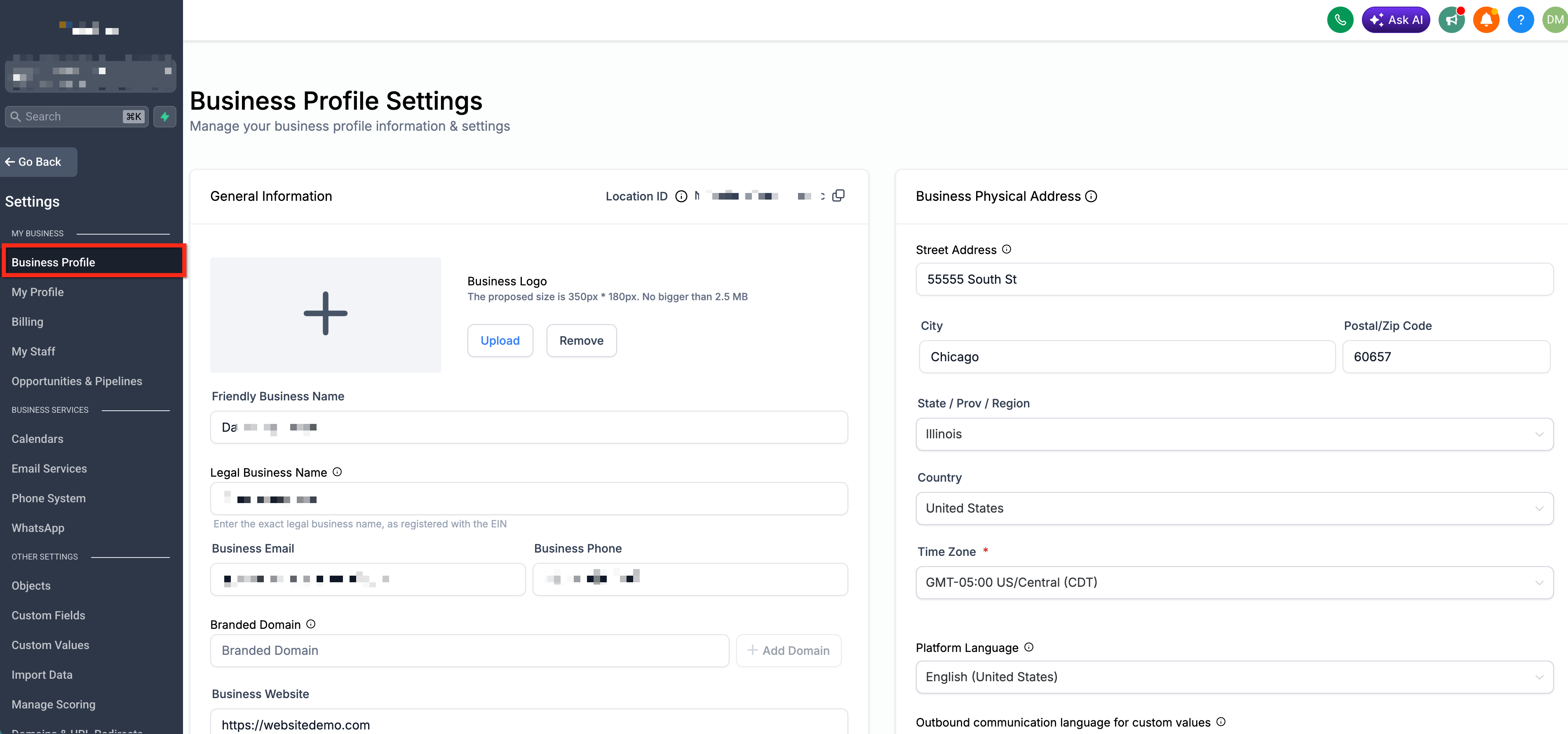
- Within the subaccount, navigate to Settings.
- Select the Business Profile tab.
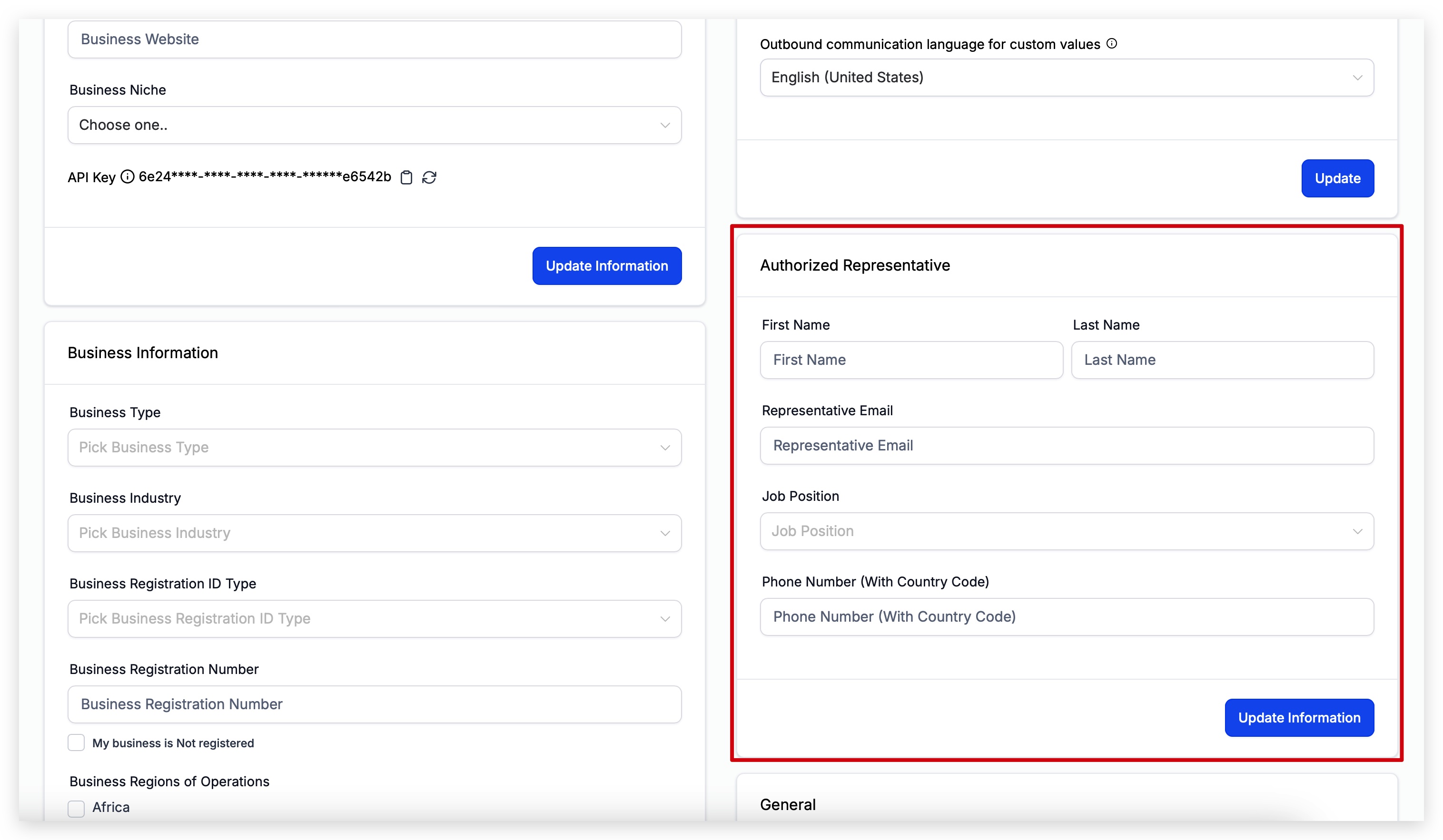
- Locate the Authorized Representative section.
- Enter the representative’s legal full name.
- Provide a monitored email address for the representative.
- Specify the job title and a phone number that includes the country code.
06What it looks like in HighLevel
07Settings that matter
- Authorized Representative. Stores the name, email, job position and phone number of the person who can verify the business during compliance reviews.
08Things to know before you rely on it
- Enter the representative’s full legal first and last name; nicknames or aliases are not recommended.
- The email address must be actively monitored for verification messages.
- The phone number must include the appropriate country code.
09How it connects to the rest of HighLevel
- Explore other Business Profile toggles and their functions. Business profile toggles
- Learn how to enter core business information in HighLevel. Business information
Michael's take

Skipping the Authorized Representative step may result in stalled verifications, which could hold back campaigns and messaging flows.
Having a designated, reachable person in the profile can help prevent stalled verifications and speed up approvals.