
01Who this is for
- Founders who need a single, clean contact record for each client to avoid fragmented data.
- Agency owners who run multiple client integrations and want to prevent duplicate leads from forms and Zapier.
- Small business managers who use Facebook or Instagram messaging and need consistent contact profiles.
02Contact deduplication preferences, explained
The Allow Duplicate Contact toggle determines if HighLevel will create a new contact when an incoming submission shares an email or phone with an existing record. When the toggle is off, the platform matches the incoming data to a chosen primary field, email or phone, and updates the existing contact. When the toggle is on, the platform creates a separate record, allowing duplicates that you can merge later.
Two additional controls refine matching. The Find Existing Contacts Based On setting selects the primary lookup field, defaulting to email. The optional Second Preferences for Search field adds a secondary criterion, such as phone, to improve detection when the primary field does not match.
These preferences apply to contacts entered via Forms, Zapier, Facebook Messenger, and Instagram Messenger. CSV imports ignore the toggle because the system always merges based on email or phone and never creates duplicate records.
03How businesses use contact deduplication preferences
- Digital marketing agency. The agency disables the Allow Duplicate Contact toggle so that leads from client forms and Zapier flows update a single record. This prevents multiple entries for the same prospect across campaigns.
- Healthcare clinic. The clinic enables the toggle to keep separate records for patients who schedule appointments for different services, then later merges duplicates if needed.
- Ecommerce store. The store sets email as the primary field and phone as the secondary field, ensuring that a shopper who provides only one identifier is matched correctly, while still allowing distinct records when both are supplied.
04How to set up and use contact deduplication preferences in HighLevel
Configure contact deduplication preferences
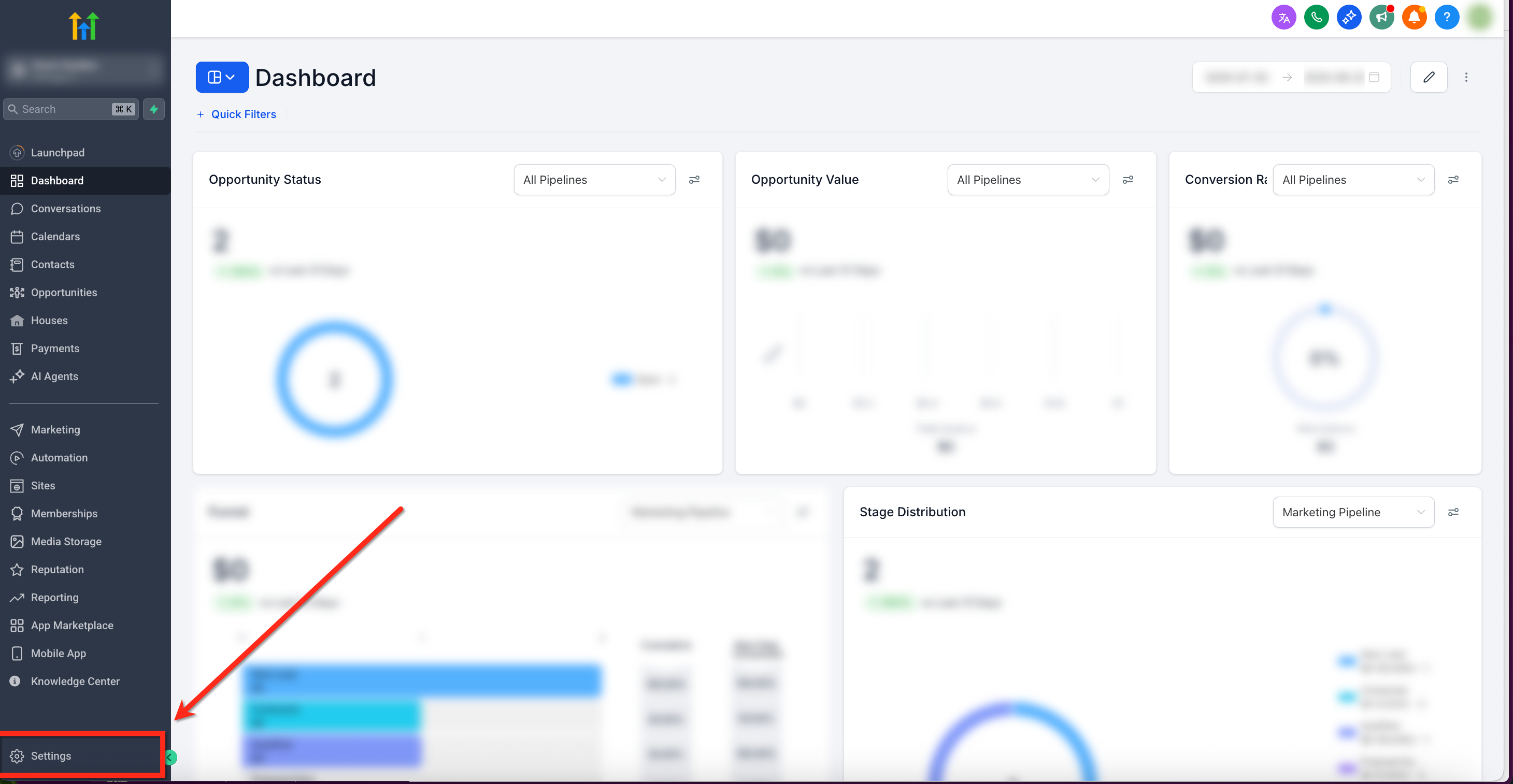
- From the dashboard, click Settings in the lower left corner.
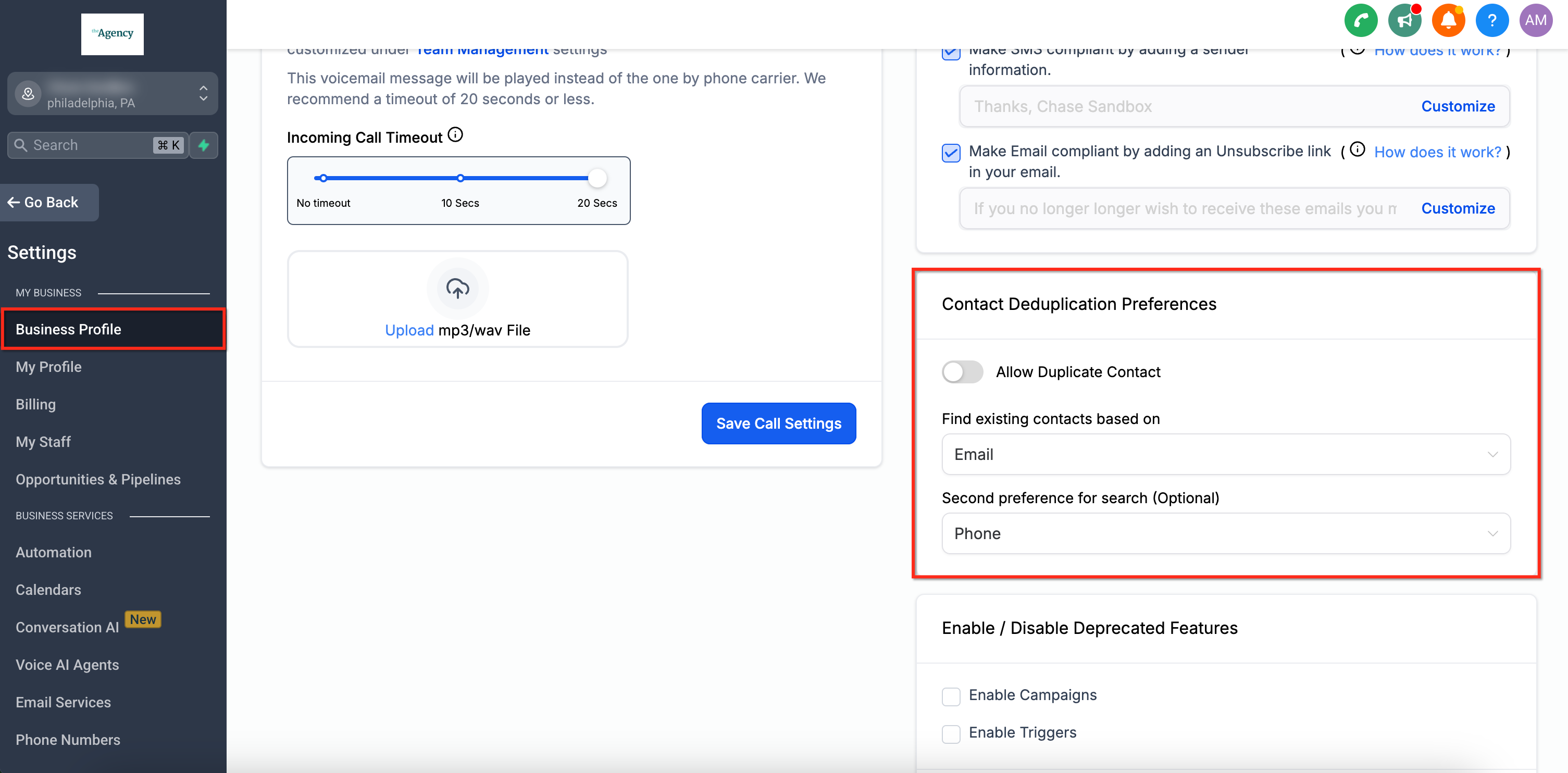
- Select Business Profile from the secondary left side navigation bar.
- Scroll down until the Contact Deduplication Preferences panel appears on the right side.
- Toggle the Allow Duplicate Contact option on or off according to your need.
- Choose the primary lookup field using the Find Existing Contacts Based On dropdown.
- Optionally select a secondary criterion in the Second Preferences for Search field.
- Close the settings; all changes are saved automatically.
05What it looks like in HighLevel
06Settings that matter
- Allow Duplicate Contact. Controls whether HighLevel creates a new contact when an incoming email or phone matches an existing record.
- Find Existing Contacts Based On. Sets the primary field, email (default) or phone, used to locate an existing contact before creating a new one.
- Second Preferences for Search (Optional). Provides a secondary field to check if the primary field does not produce a match, enabling two step duplicate detection.
07Things to know before you rely on it
- The setting does not affect CSV imports; those always merge contacts based on email or phone.
- Duplicate contacts cannot be created via CSV uploads, regardless of the toggle state.
- When disabled, Facebook and Instagram Messenger contacts that later share matching email or phone are automatically merged into the existing profile.
08How it connects to the rest of HighLevel
- Business profile settings overview General information
- What each business profile toggle controls Profile toggles
- HighLevel pricing and plans Pricing
Michael's take

The size of the impact depends on how you manage leads.
The setting lives under Settings > Business Profile > Contact Deduplication Preferences, so it’s a quick toggle to align with your process.