
01Who this is for
- Founders who need a verified address that matches their EIN listing for feature access.
- Marketing managers who schedule automated campaigns and require the correct time zone for send times.
- Account managers handling multilingual clients, because platform language sets the subaccount UI and checkout page language.
- Customer support teams using custom fields in messages, needing the outbound communication language to match recipient expectations.
02Business physical addresses, explained
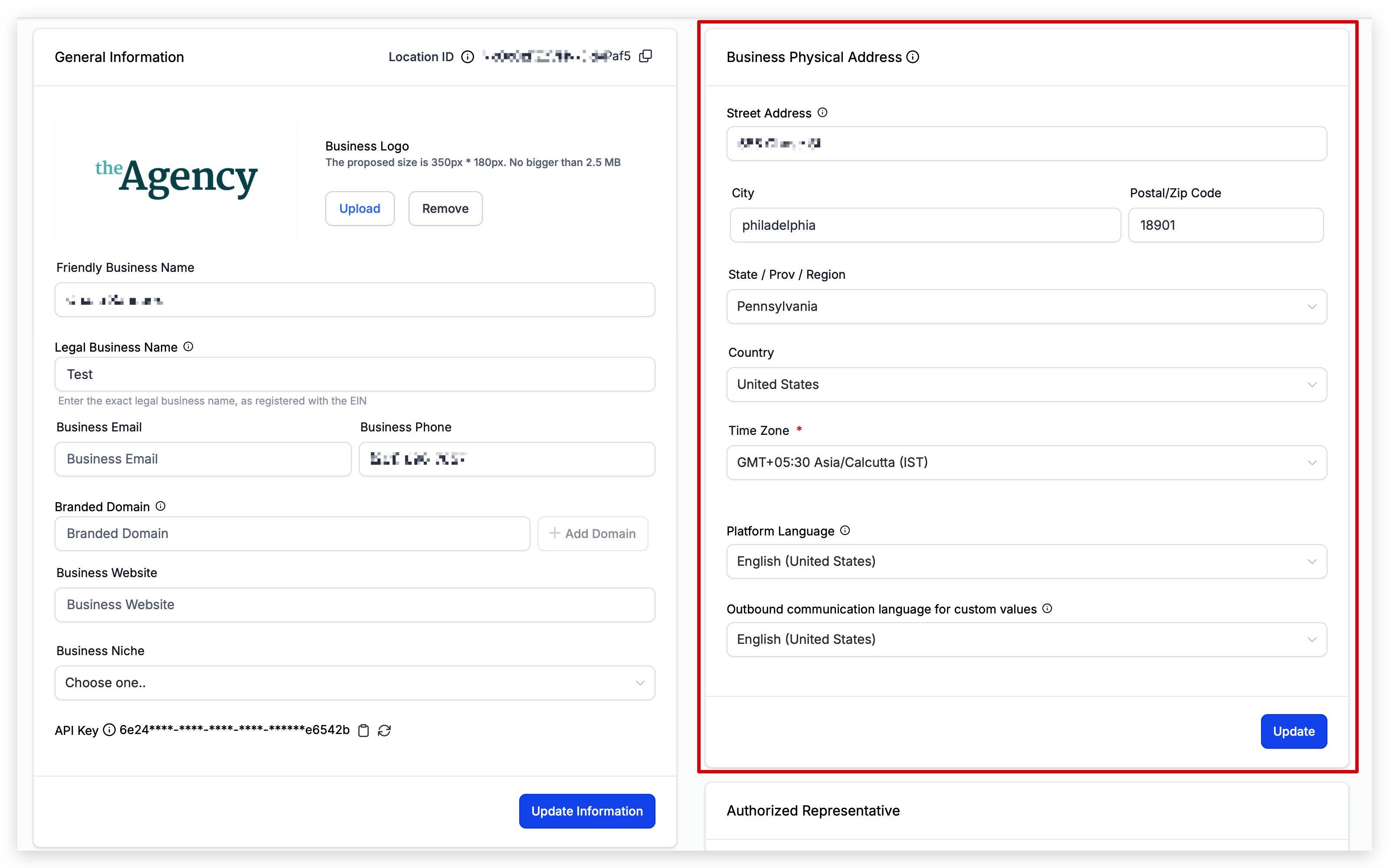
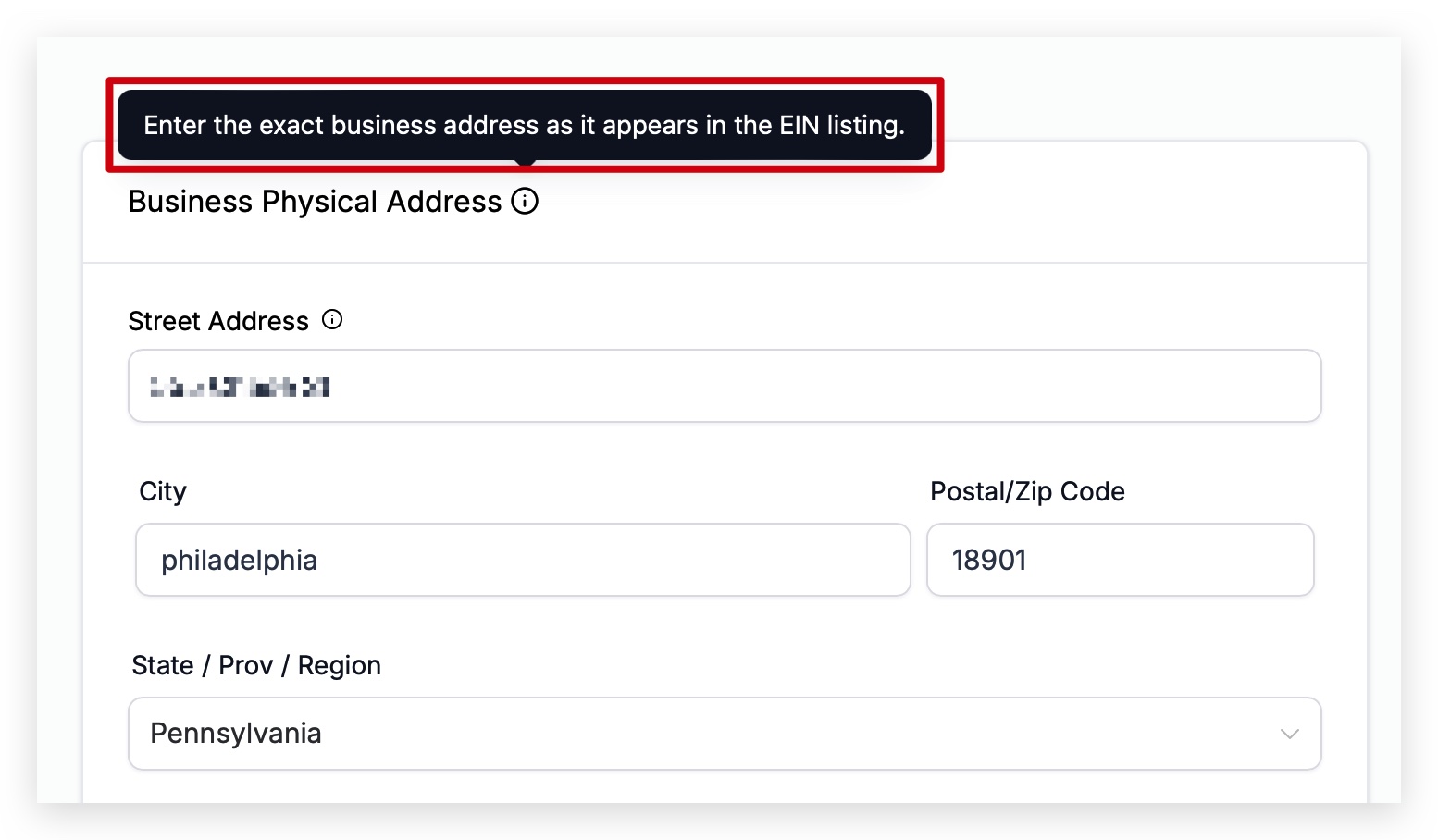
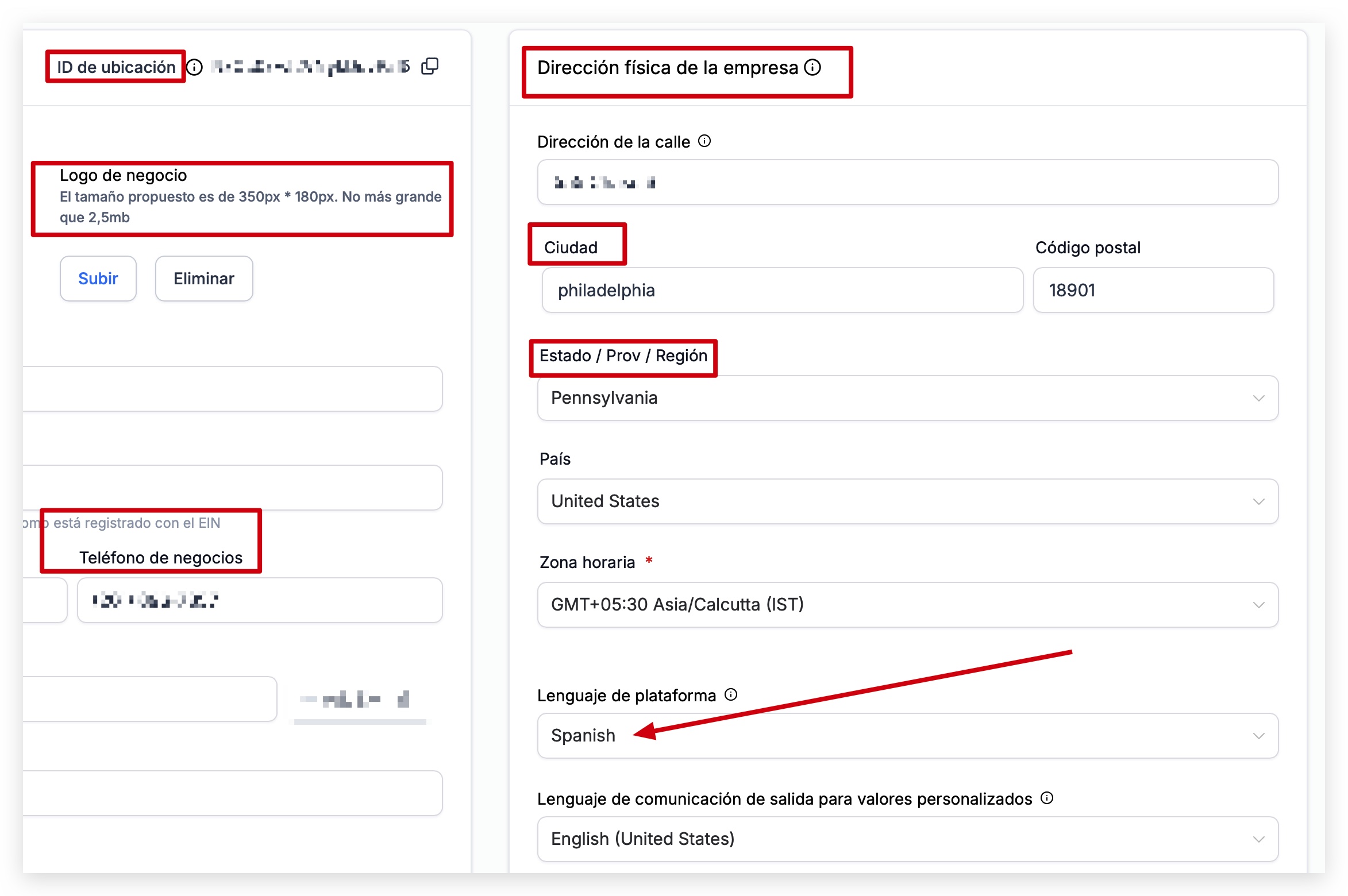
The Business Physical Address setting stores the address that should match the one on your EIN listing. HighLevel may use this address during verification for certain features.
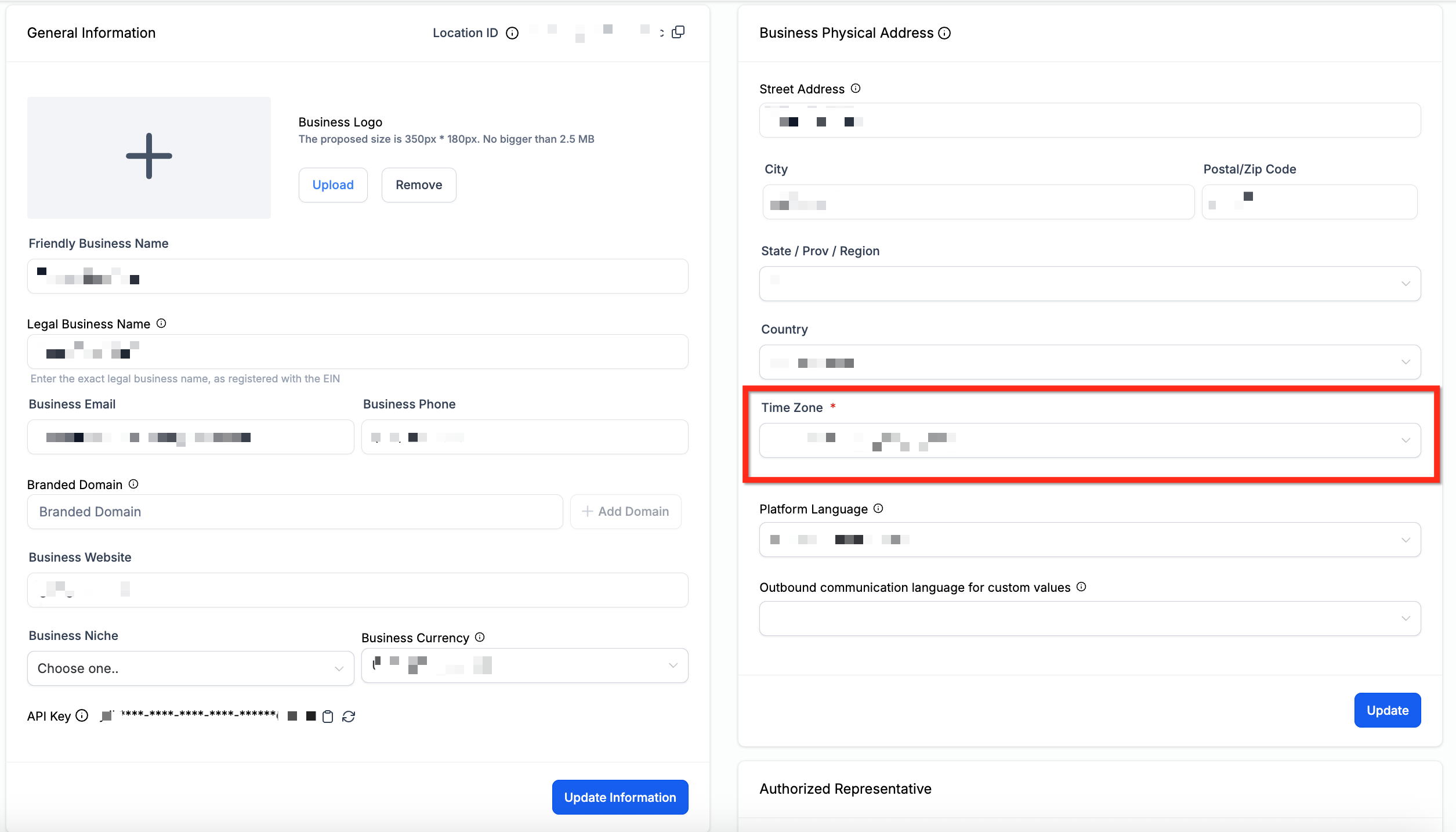
The Time Zone field determines the default zone for automated events in workflows, email and SMS campaigns. Some features allow overriding this default, so you should verify the selected zone matches your locale.
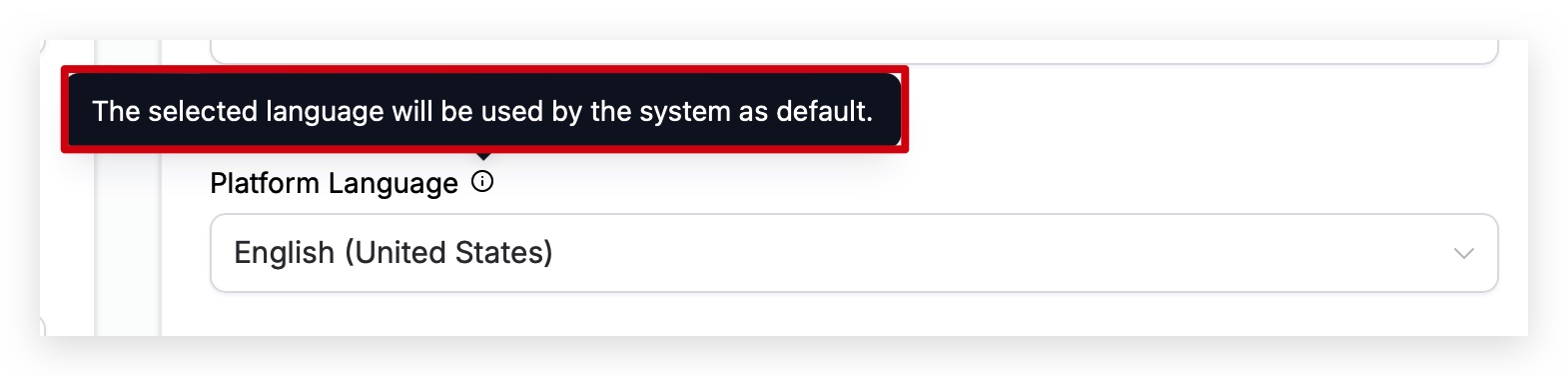
Platform Language controls the language displayed throughout a subaccount, including checkout pages, payment links, and default notification templates. Changing it updates the UI and can be reset to the localized default for existing notifications.
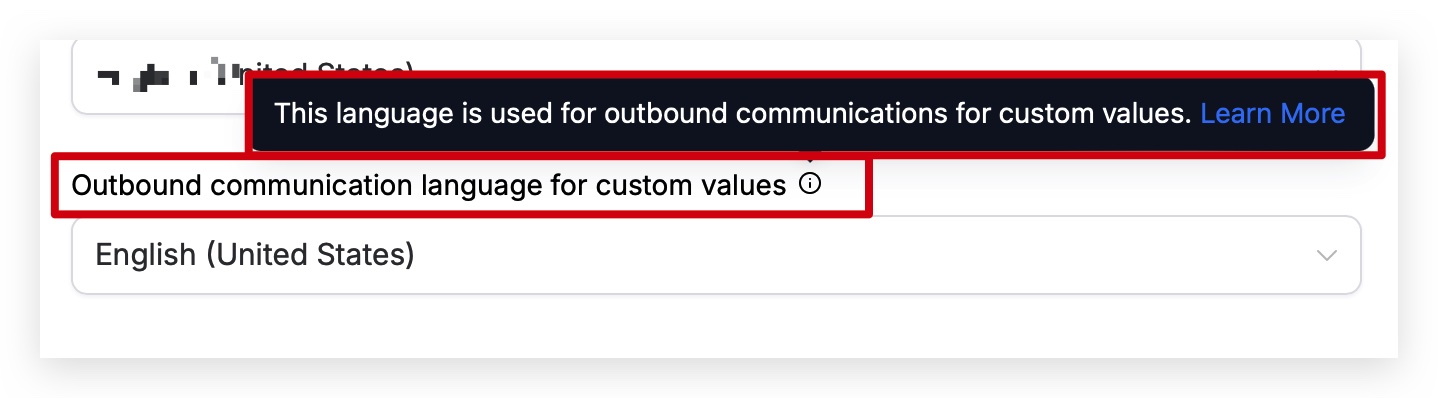
Outbound Communication Language for Custom Values tells HighLevel which language to use when inserting custom fields or values into messages, websites, and funnels. The setting affects a list of placeholders such as {{appointment.start_time}} and {{right_now.date}}.
03How businesses use business physical address
- Legal firm. The firm enters the address that appears on its EIN filing to ensure verification for compliance features. It sets the time zone to align automated client reminders with the office hours and selects English as the platform language to keep the interface consistent for staff.
- Online fitness studio. The studio configures the time zone so that scheduled class reminder emails are sent at the correct local time. It chooses Spanish as the platform language to match the language of its Spanish speaking members, and sets outbound communication language to Spanish so custom field values appear correctly in SMS.
- Real estate agency. The agency records its physical address for verification when using property listing features. It sets the platform language to English, selects the appropriate North American time zone, and chooses English for outbound communication language so that custom placeholder values in property tour messages display properly.
04The numbers and rules that matter
- Regional Time Zone Updates (2026) support British Columbia (America/Vancouver), Alberta (America/Edmonton), Manitoba (America/Winnipeg), and Morocco (Africa/Casablanca).
- Supported Languages: English, Spanish, French (France), French (Canada), Dutch, German, Portuguese (Brazil), Portuguese (Portugal), Italian, Swedish, Danish, Finnish, Norwegian.
- Custom Fields and Custom Values affected by language include {{appointment.start_time}}, {{appointment.end_time}}, {{appointment.only_start_date}}, {{appointment.only_end_date}}, {{appointment.only_start_time}}, {{appointment.only_end_time}}, {{appointment.month}}, {{appointment.day_of_week}}, {{right_now.time}}, {{right_now.day}}, {{right_now.day_of_week}}, {{right_now.month}}, {{right_now.month_english}}, {{right_now.month_name}}, {{right_now.middle_endian_date}}, {{right_now.little_endian_date}}, {{right_now.hour}}, {{right_now.hour_ampm}}, {{right_now.second}}, {{right_now.date}}.
05Before you start
- Have the address listed on your EIN record ready to match exactly.
- Know the correct time zone for your location before updating the setting.
06How to set up and use business physical address in HighLevel
Set Business Physical Address
- Enter the address that matches your EIN listing in the Business Physical Address field.
- Save the changes.
- Spot check a booking page and a test email or SMS to confirm dates, times, and formatting look correct.
Configure Time Zone
- Select the appropriate time zone for your location in the Time Zone field.
- Save the change.
- Validate the setting on a test email or SMS to ensure correct send timing.
Choose Platform Language
- Pick the language you want the subaccount to display from the Platform Language dropdown.
- Save the setting.
Set Outbound Communication Language for Custom Values
- Select the language that should be used for custom fields and values in messages.
- Save the configuration.
07What it looks like in HighLevel
08Settings that matter
- Business Physical Address. Stores the official address that must match the EIN listing and may be used for business verification.
- Time Zone. Determines the default zone for automated campaign events and can be overridden by some features.
- Platform Language. Defines the language shown throughout the subaccount, including checkout pages and default notification templates.
- Outbound Communication Language for Custom Values. Specifies the language used when custom fields and custom values appear in messages, websites, and funnels.
09Things to know before you rely on it
- Time zone updates for British Columbia, Alberta, Manitoba, and Morocco must be changed manually; existing contact time zones are not updated automatically.
- Supported languages for the outbound communication setting are limited to the listed options, with more possibly added in the future.
- Custom fields affected by the outbound language setting are listed in the article and may be expanded later.
10How it connects to the rest of HighLevel
- How to enter business information in HighLevel Enter business info
- HighLevel business profile toggles: what they control Profile toggles
- Accessing the Business Profile in HighLevel subaccount settings Access Business Profile
Michael's take

Setting the Business Physical Address is a small convenience that keeps your brand consistent across all of HighLevel’s communication tools. It also gives you a shift when you need verification for advanced features, because the system pulls that single source of truth everywhere you use it.
A local bakery that takes orders online would benefit from entering the exact storefront address. The address appears on receipts, confirmation emails and any Custom Fields in funnel pages, giving customers confidence that they’re ordering from the right place.