
01Who this is for
- Agency staff who manage client subaccounts can clear Yext listing conflicts to keep services running.
- Local SEO consultants reselling HighLevel Listings benefit by removing duplicate states that block new listings.
- Small business owners using HighLevel Listings can resolve the cancelled status and maintain their online presence.
02Yext cancelled or duplicate states, explained
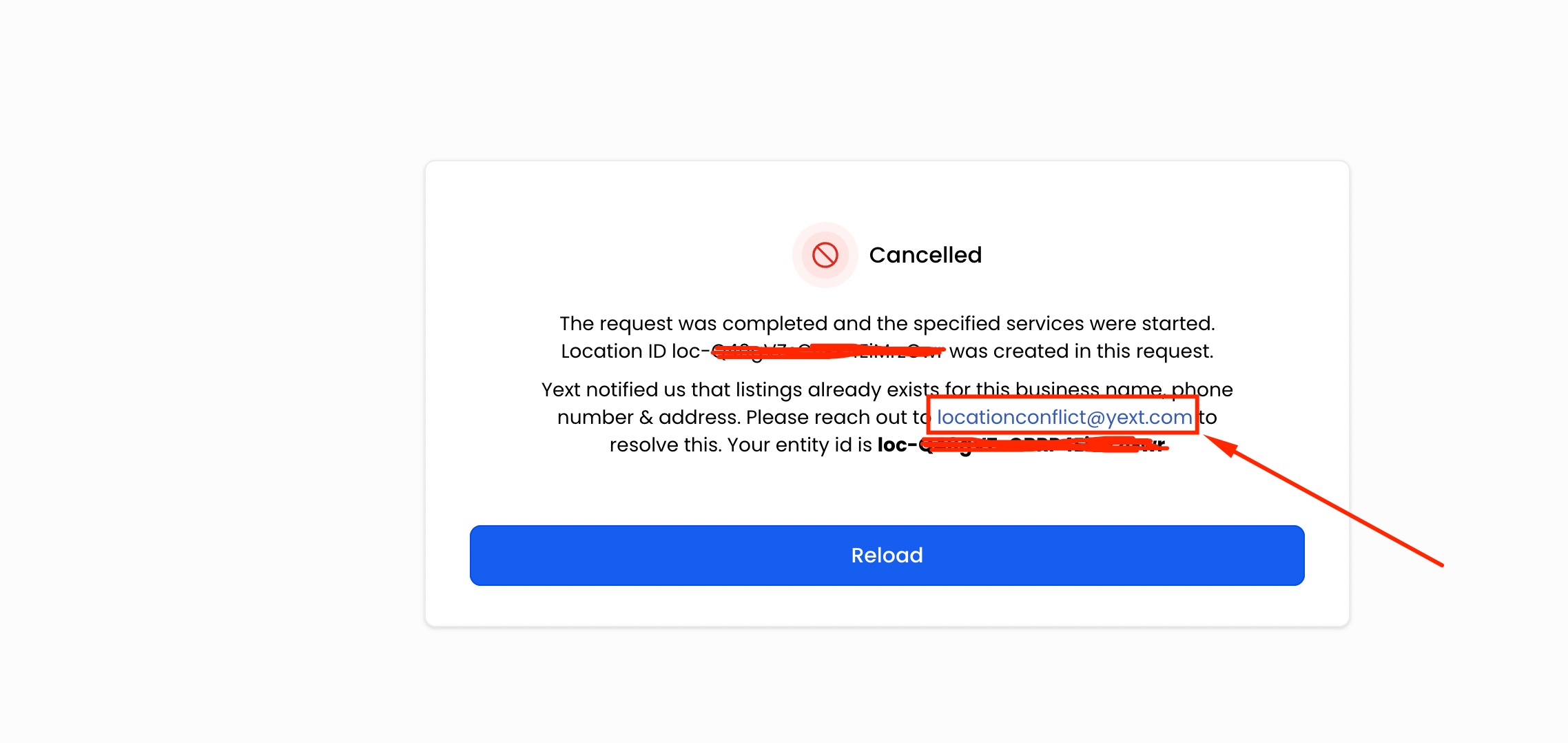
The feature lets you address a Yext listing that appears as duplicate or cancelled for a subaccount. Located in the Reputation area of the subaccount or location portal, the Listings page contains a highlighted link that opens a pre filled email to Yext support with HighLevel in CC. You add the business name, address and phone number, then send it for Yext to investigate.
03How businesses use Yext cancelled or duplicate states
- Marketing agency. The agency logs into each client’s subaccount, opens Reputation > Listings, clicks the highlighted link, adds the client’s business details and sends the email, then awaits Yext confirmation.
- Local SEO firm. The firm accesses the location portal for a franchise, navigates to Reputation > Listings, uses the highlighted email link to provide the franchise’s name, address and phone, initiating Yext’s investigation of the duplicate listing.
- Small business owner. The owner signs into the HighLevel subaccount, goes to Reputation > Listings, clicks the email shortcut, includes the required business information and sends it so Yext can resolve the cancelled status.
04Before you start
- You must be able to log into the subaccount or location portal.
05How to set up and use Yext cancelled or duplicate states in HighLevel
Resolve Yext cancelled or duplicate state
- Log in to the subaccount or location portal.
- Open the Reputation section and select the Listings page.
- Click the highlighted link that opens a pre addressed email with Yext GHL in CC.
- Enter the business name, address and phone number into the email body.
- Send the email and wait for Yext to confirm whether the request can be resubmitted for the subaccount.
- Contact HighLevel support if further clarification is needed.
06What it looks like in HighLevel
07Things to know before you rely on it
- Resolution may require confirmation from Yext, especially if the original Yext service was cancelled through a third party provider.
- Complexities can arise when cancelling Yext services via another provider, so additional verification may be needed.
08How it connects to the rest of HighLevel
- Set up and sell HighLevel Listings for local SEO Setup and sell Listings
- Pricing and activation for reselling HighLevel Listings Pricing and activation
- Supported countries for online listings Supported countries
Michael's take

Michael ReimerFounder of CRM Pros, HighLevel Commander and Certified Admin
When a client’s Yext request gets stuck in a cancelled or duplicate state, it creates friction and can delay the rollout of their online listings.
Make sure the email link on the Listings page sends the correct business name, address, and phone number so Yext support can locate the existing record and advise on next steps.
Get More InformationOpens on HighLevelPublished November 2, 2026 · Updated November 17, 2026