
01Who this is for
- Agency owners who bundle Listings into a service package benefit by adding value without exposing costs to their clients.
- Marketing consultants managing multiple client subaccounts gain control over deployment and billing for consistent brand visibility.
- Digital marketing firms offering local SEO can include Listings as a premium feature while retaining full pricing authority.
02Deploy listings, explained
The feature lets an agency purchase HighLevel Listings on behalf of a client and activate them for a subaccount. The agency pays the cost, so the client receives a presence in online directories without any direct charge.
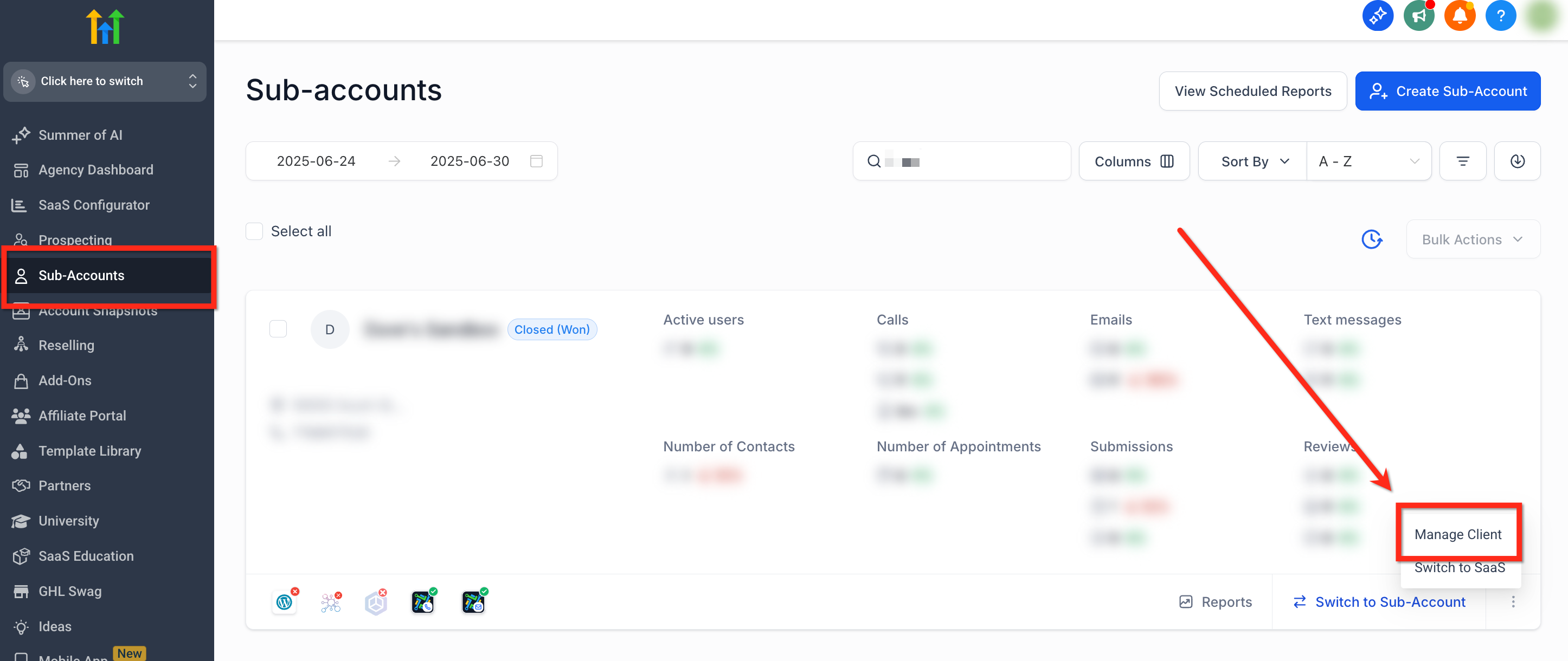
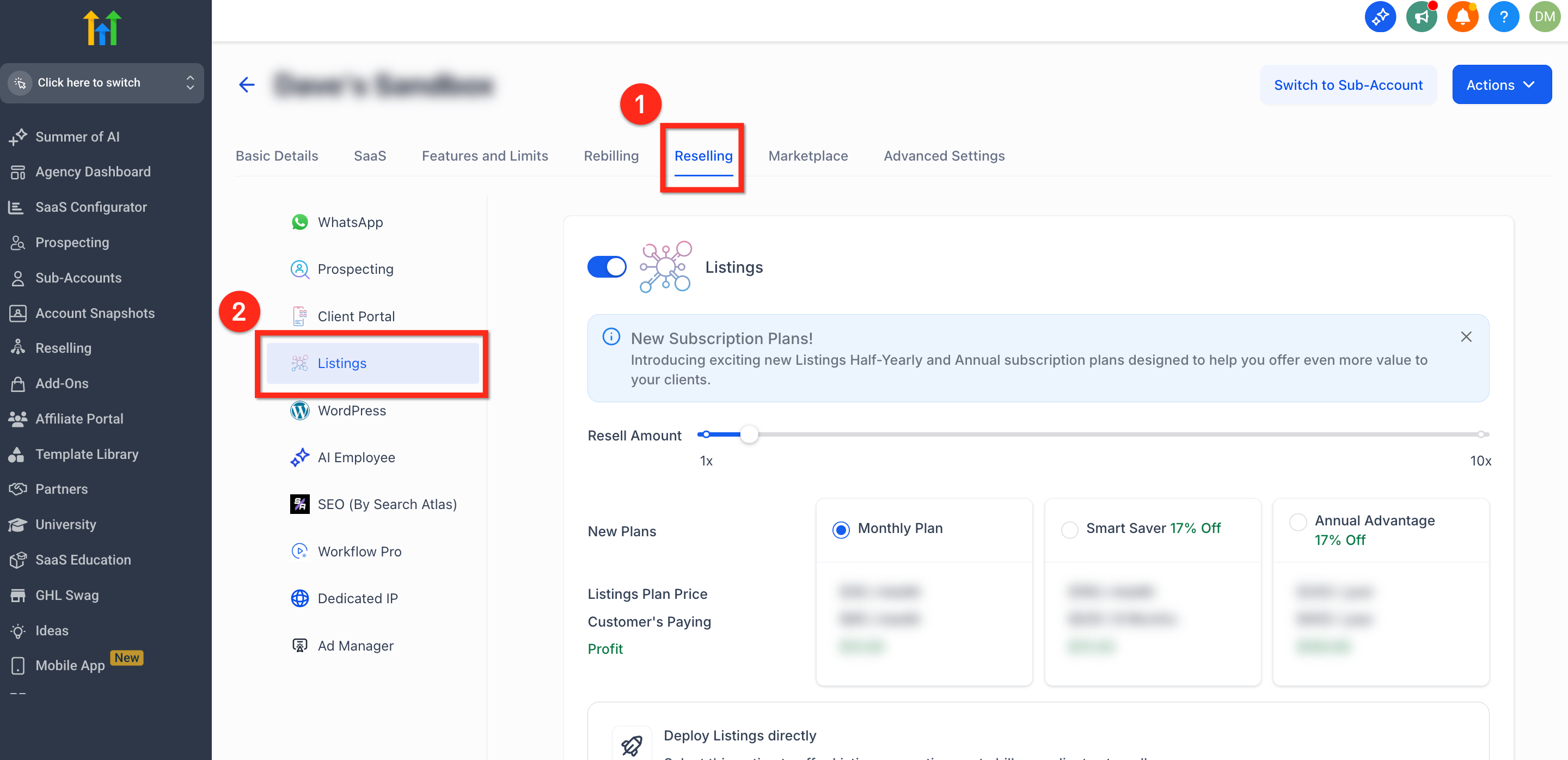
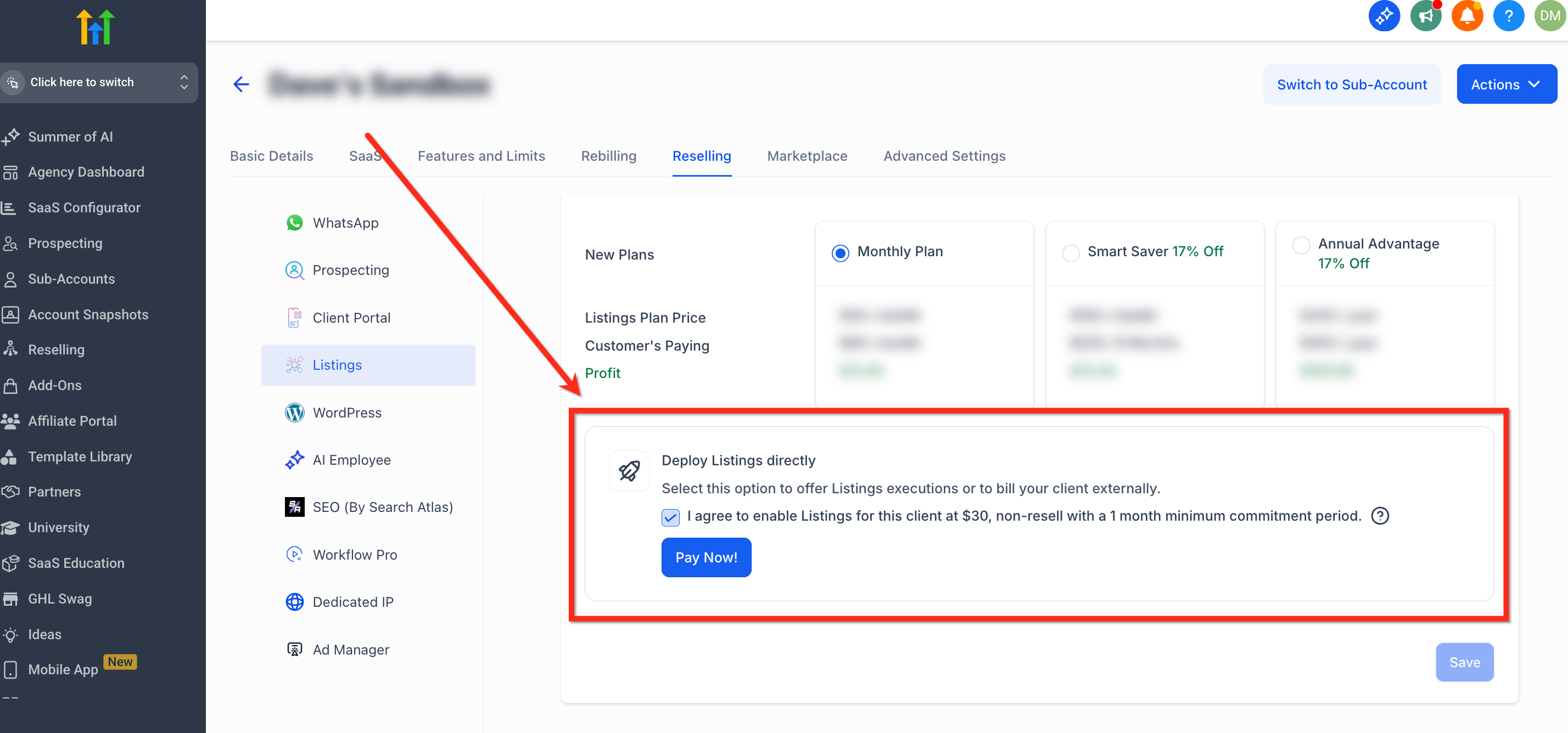
The option is found in the Agency view. Open a subaccount, choose Manage Client, then go to Reselling > Listings. In the Deploy Listings Directly section you can agree to the terms and click Pay Now. to complete the activation.
03How businesses use deploy listings
- Local SEO agency. The agency opens the client’s subaccount, selects Reselling > Listings, checks Deploy Listings Directly and pays. The client’s business then appears in supported directories without a separate invoice.
- Corporate brand management team. The team accesses the internal subaccount, enables Deploy Listings Directly, and covers the cost. This keeps brand listings consistent across locations while the finance department handles the expense.
- Premium service provider with an SEO bundle. When adding the bundle, the provider activates Deploy Listings Directly for each customer subaccount, clicks Pay Now., and includes the directory presence as part of the package.
04The numbers and rules that matter
- 1 month minimum for the service.
05How to set up and use deploy listings in HighLevel
Activate Listings for a subaccount without client billing
- In the Agency view, open Subaccounts, locate the target subaccount, click the three dot icon, and choose Manage Client.
- Select Reselling from the top ribbon, then choose Listings in the left navigation.
- Scroll to the Deploy Listings Directly section, read the terms, check the agreement box, and click the blue Pay Now. button.
06What it looks like in HighLevel
07Settings that matter
- Deploy Listings Directly. Controls whether the agency purchases Listings for a client instead of billing the client through the resell model.
08Things to know before you rely on it
- A minimum commitment of one month is required; after that the agency can cancel at any time.
- The cost of the Listings is covered by the agency, not the client.
- The agency can later switch to a resell billing model using the same Listings tab.
09How it connects to the rest of HighLevel
- Set up and sell HighLevel Listings for local SEO Listing setup guide
- Activate and resell HighLevel Listings Listing activation
- Pricing and plans for HighLevel Pricing page
Michael's take

Michael ReimerFounder of CRM Pros, HighLevel Commander and Certified Admin
The first setting I get right is the Deploy Listings Directly agreement box. A simple check that unlocks the feature while keeping the client’s bill clean.
Get More InformationOpens on HighLevelPublished November 2, 2026 · Updated November 16, 2026