
01Who this is for
- Agency owners who want to add a recurring service and control profit margins.
- Marketing consultants serving multiple local businesses and need per location pricing.
- Digital service providers who want to sell SEO related listings without building their own integration.
02Reselling listings, explained
Reselling Listings is a subscription product you can sell to client subaccounts. It copies a client’s business details to many online directories, helping local search visibility. Pricing can be set at the agency level or overridden for each subaccount.
The feature lives under the Reselling section in the agency view. A pricing slider defines the cost shown to clients and displays the agency’s cost and projected profit. A toggle on the subaccount page enables or disables the service. Clients activate Listings from their own dashboard when the option is turned on.
Billing flows in two layers. The agency pays HighLevel via its wallet each month. Clients pay the agency through the connected Stripe account. Changes to pricing affect only new activations, not existing subscriptions.
03How businesses use reselling listings
- Local marketing agency. The agency sets a default price for Listings in the Reselling area. It then overrides the price for a specific client subaccount to match that client’s budget. When the client logs in, they select a plan and pay through the agency’s Stripe integration.
- SEO consultancy. The consultant adjusts the pricing slider for each client location to reflect the value of the service. Clients activate Listings from their Reputation page, choosing a monthly, six month, or annual plan. The consultant receives the payment after the agency’s wallet is charged.
- Digital service platform. The platform adds Listings as an optional add on in its SaaS offering. It uses the toggle to turn the product off for any client that no longer needs it, then cancels the subscription through the subaccount settings.
04The numbers and rules that matter
- Listings syncs client business info to 70+ online directories.
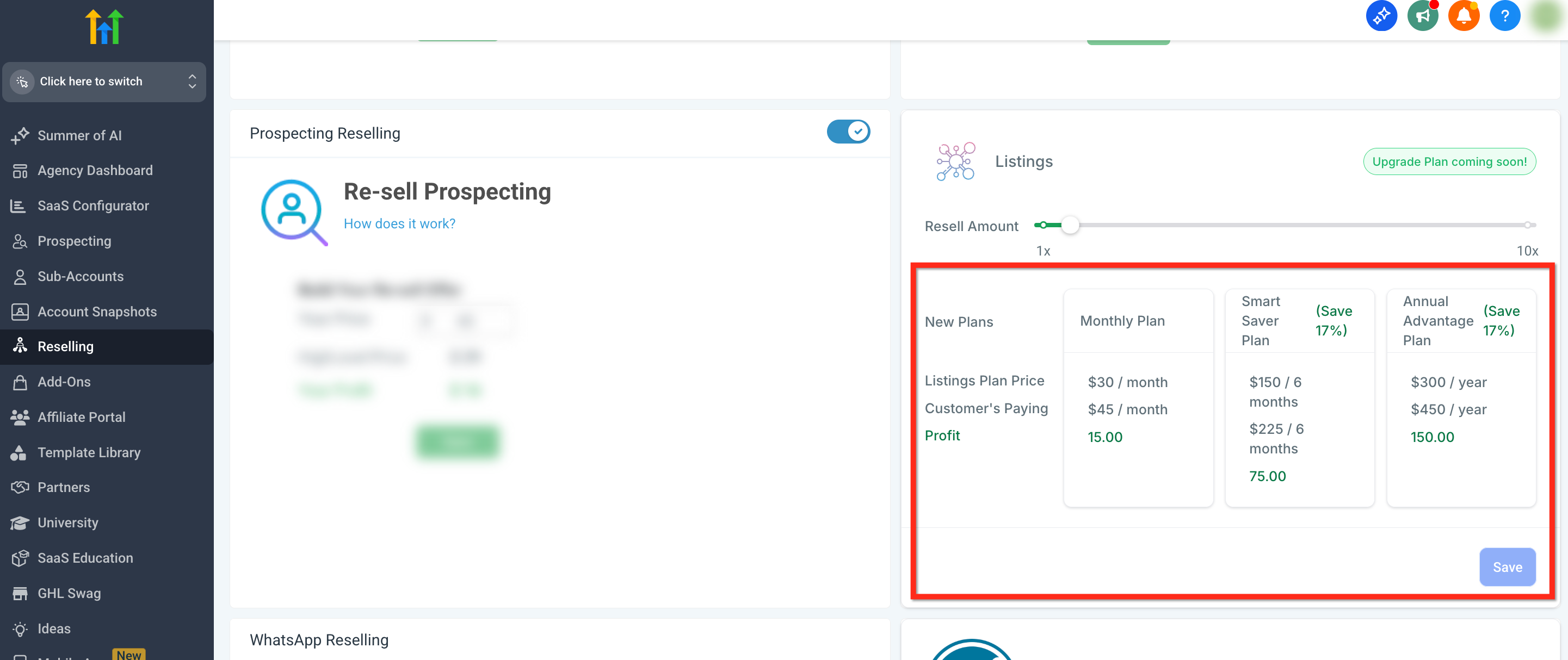
- Three pricing plans are available: Monthly Plan, Smart Saver Plan (6 months), Annual Advantage Plan (12 months).
05Before you start
- Connect your agency Stripe account so client payments can be processed.
06How to set up and use reselling listings in HighLevel
Set agency wide Listings pricing
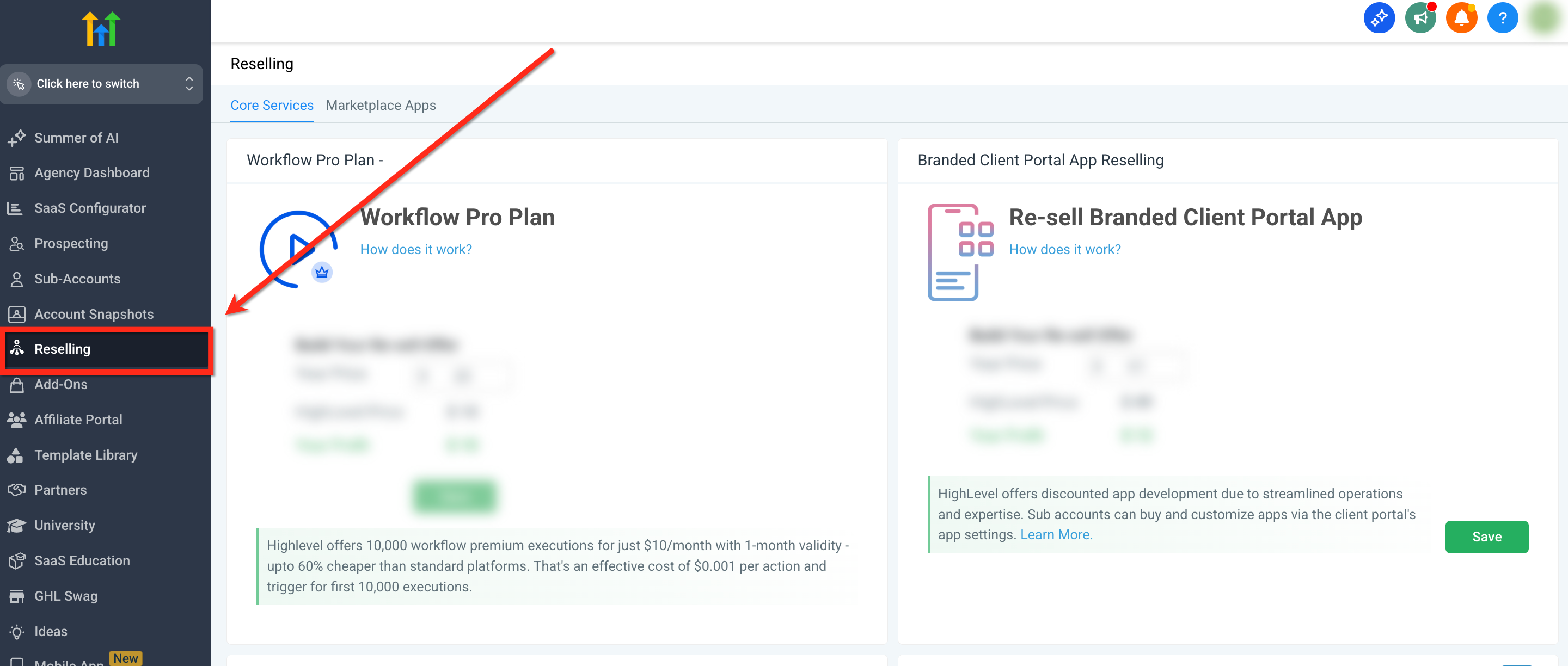
- In Agency View, click Reselling in the left navigation.
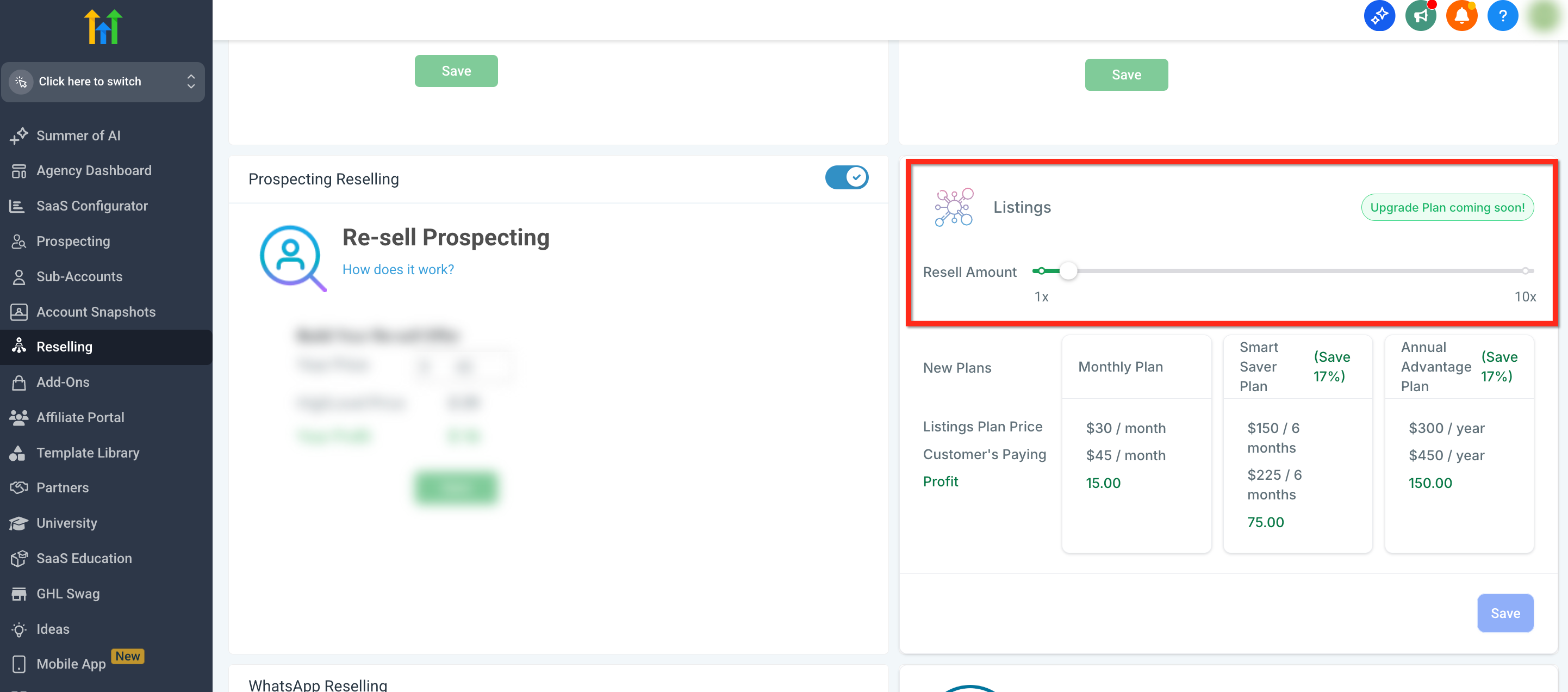
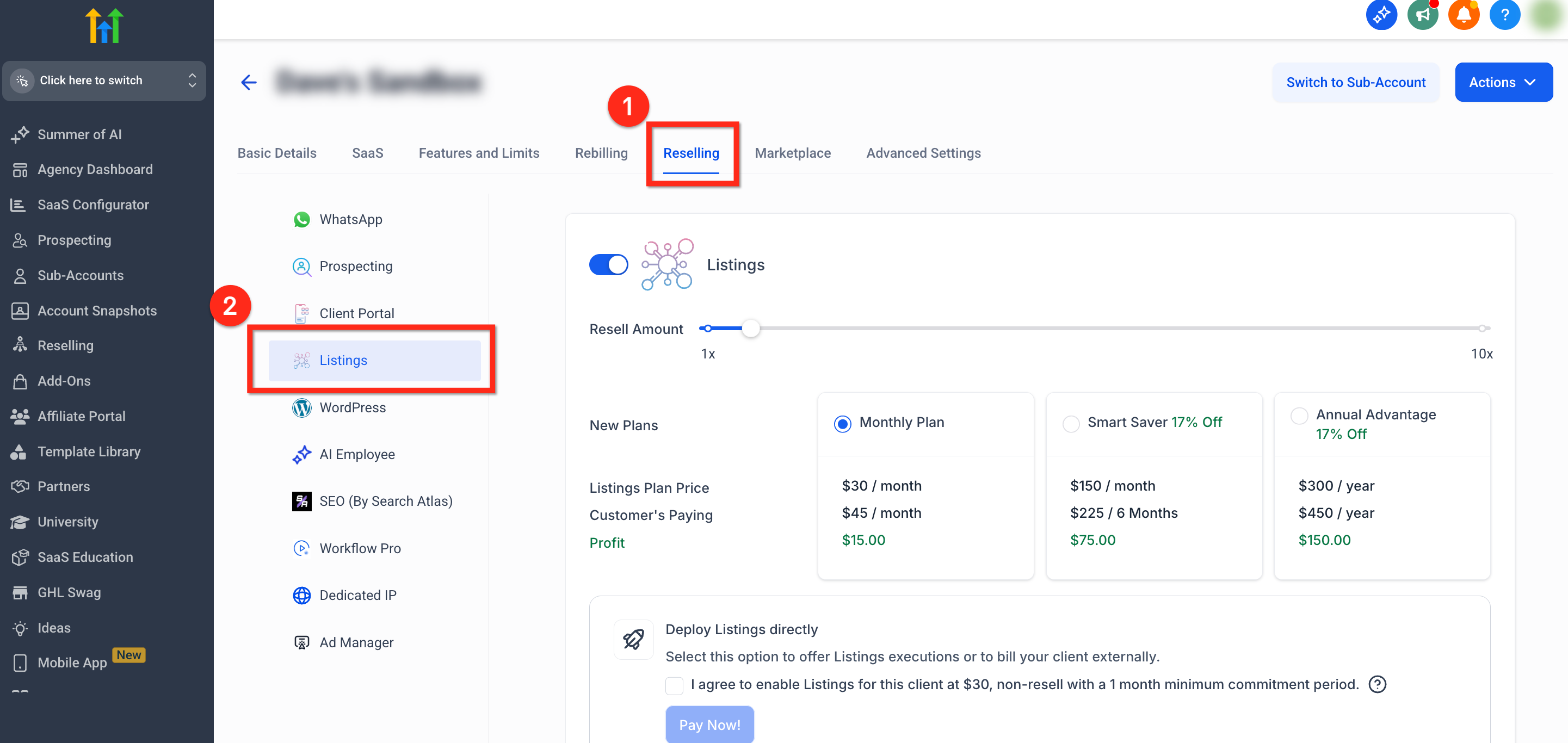
- Scroll down to Listings and move the pricing slider to the desired amount.
- Review the preview of client pricing, agency cost, and profit.
- Click the blue Save button to apply the new rates.
Customize Listings pricing per subaccount
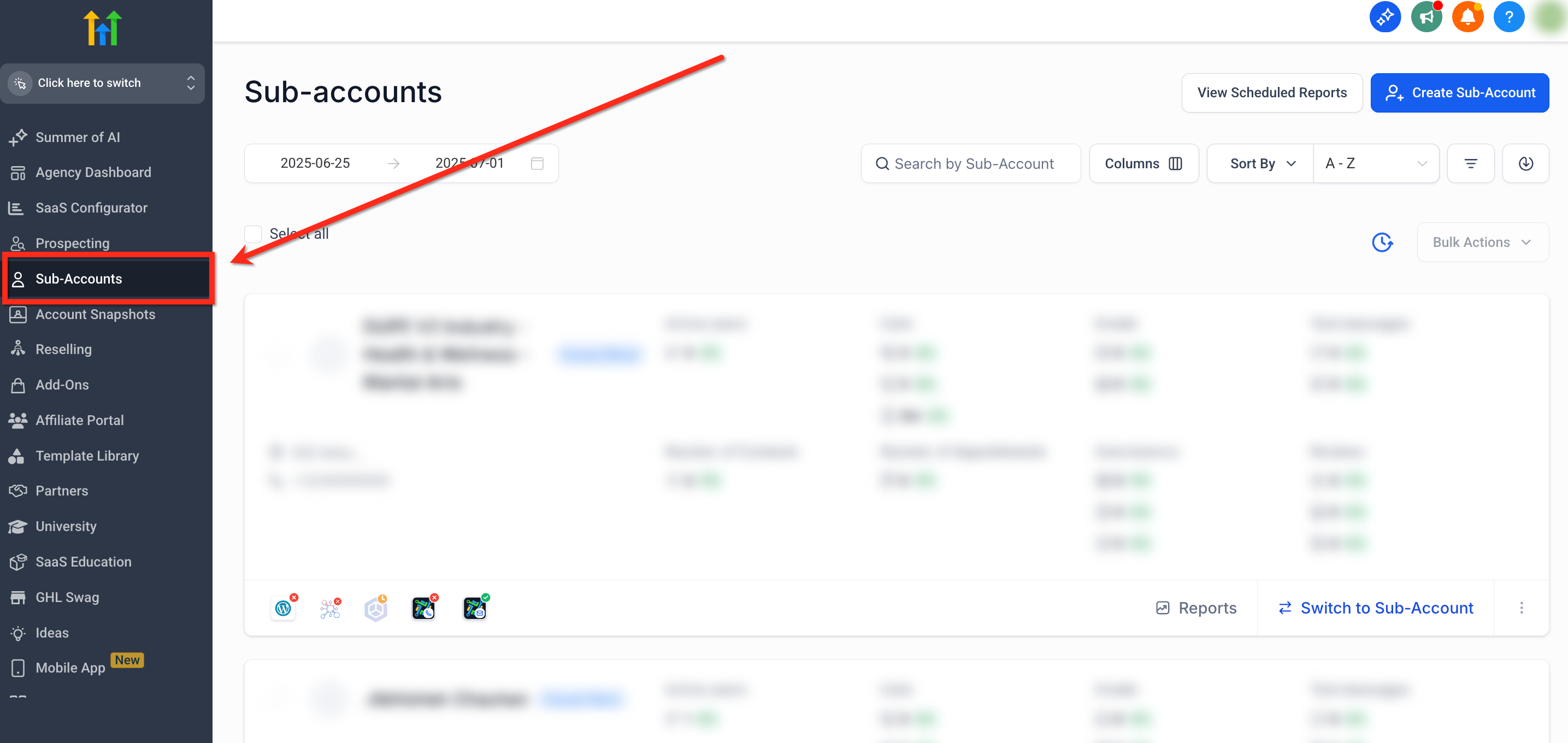
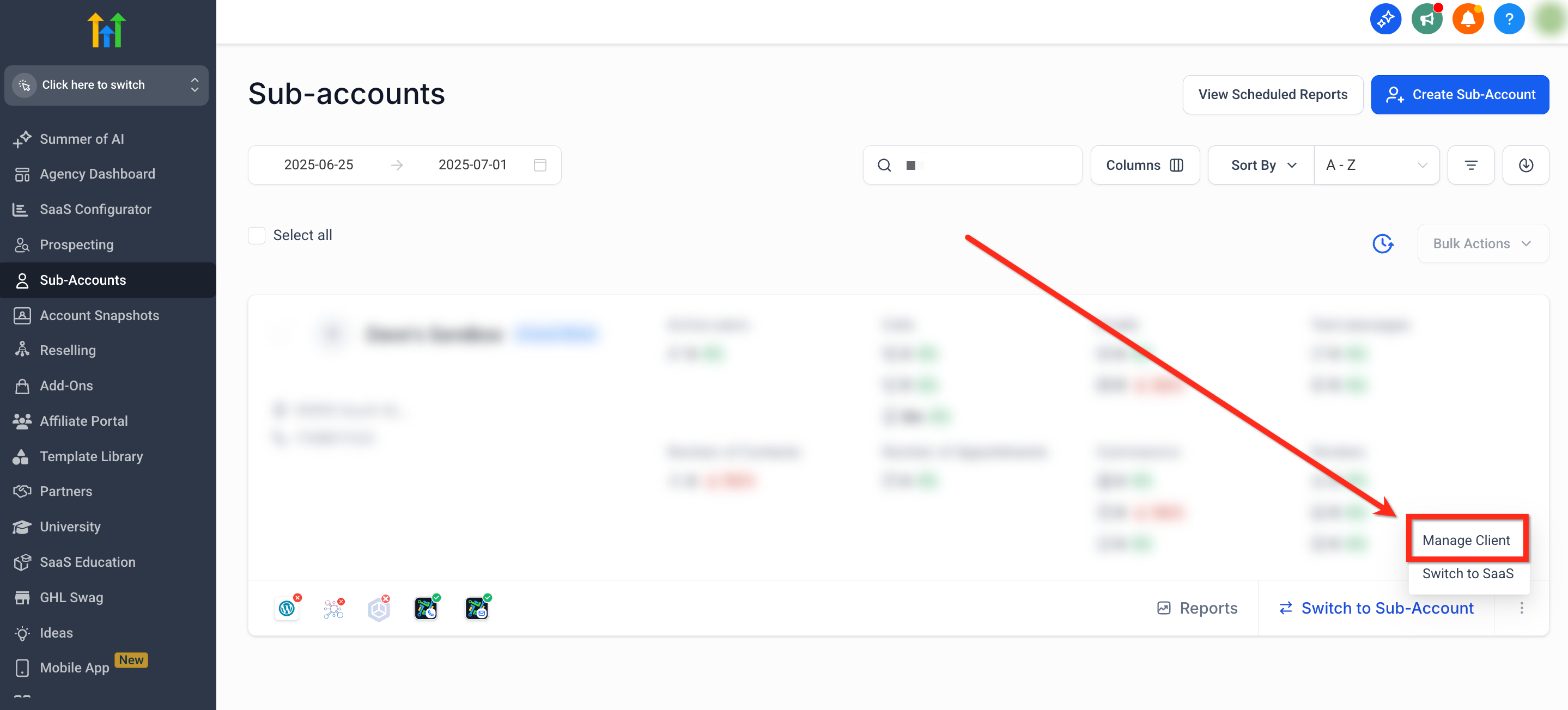
- In Agency View, select Subaccounts from the left navigation.
- Click the three dots icon on the target subaccount and choose Manage Client.
- Navigate to Reselling > Listings.
- Adjust the pricing slider to set the custom rate.
Activate Listings for a client
- From the client subaccount, go to Reputation using the left navigation.
- Click the Listings tab at the top of the page.
- Press the Activate Listings button.
- Select a plan and confirm payment.
Turn off Listings for a subaccount
- In Agency View, navigate to Subaccounts > Manage Client.
- Open Reselling > Listings.
- Use the toggle to switch Listings off.
07What it looks like in HighLevel
08Settings that matter
- Pricing slider. Controls the price shown to clients for each Listings plan and updates the profit preview.
- Toggle. Enables or disables the Listings service for a specific subaccount.
- Deploy without Billing. Allows the agency to activate Listings for a client without charging the client at that time.
09Things to know before you rely on it
- Three plan types are available: Monthly, 6 month Smart Saver, and 12 month Annual Advantage.
- Changing a price after a client subscribes only impacts future activations, not existing subscriptions.
- Profit rows appear only while setting pricing with the slider.
- Charges to the agency wallet appear shortly after a client activates a plan, based on the wallet billing cycle.
10How it connects to the rest of HighLevel
- Set up and sell HighLevel Listings for local SEO Setup guide
- Activate and resell HighLevel Listings for local SEO Activation details
- Online listings supported countries and coverage Geography info