
01Who this is for
- Users with a subaccount that has an active Listings subscription can cancel it directly from the platform.
- Support staff can assist when a cancellation attempt fails and an error is shown.
02Listings cancellations, explained
The feature lets you terminate a Listings subscription that belongs to a subaccount directly from the HighLevel interface. When you complete the process, the backend disables the listing service and stops any future billing.
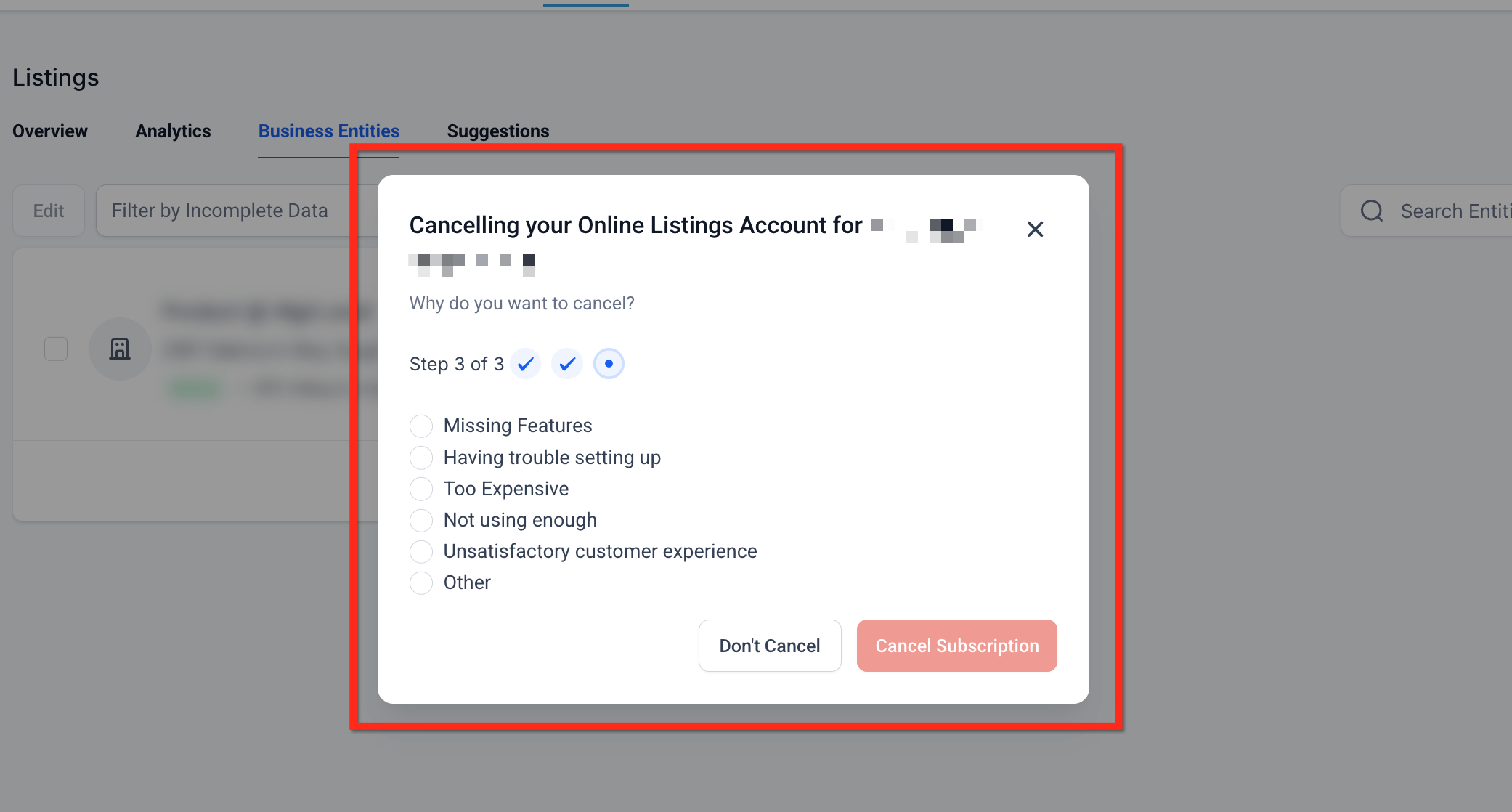
The cancellation is performed from the Business Entities section under Reputation > Listings. After confirming the location and providing a reason, the system updates the status and shows a confirmation popup.
03How businesses use listings cancellations
- Digital marketing agency. The agency opens the subaccount, navigates to Reputation > Listings > Business Entities, and selects Unsubscribe for the client’s listing. The agency then confirms the cancellation reason, ending the service and billing for that client.
- Franchise network. A regional manager accesses each franchise’s subaccount, follows the same steps to unsubscribe a location that is closing, and ensures that the directory updates stop for that location.
- In house SEO team. The team uses the cancellation flow to remove outdated listings after rebranding, preventing further synchronization and avoiding unnecessary charges.
04The numbers and rules that matter
- Automated Listings Cancellation is only applicable for users who have submitted the Listings form 30 days prior to cancellation.
05Before you start
- The Listings form must have been submitted at least thirty days before the intended cancellation.
06How to set up and use listings cancellations in HighLevel
Cancel Listings for a subaccount
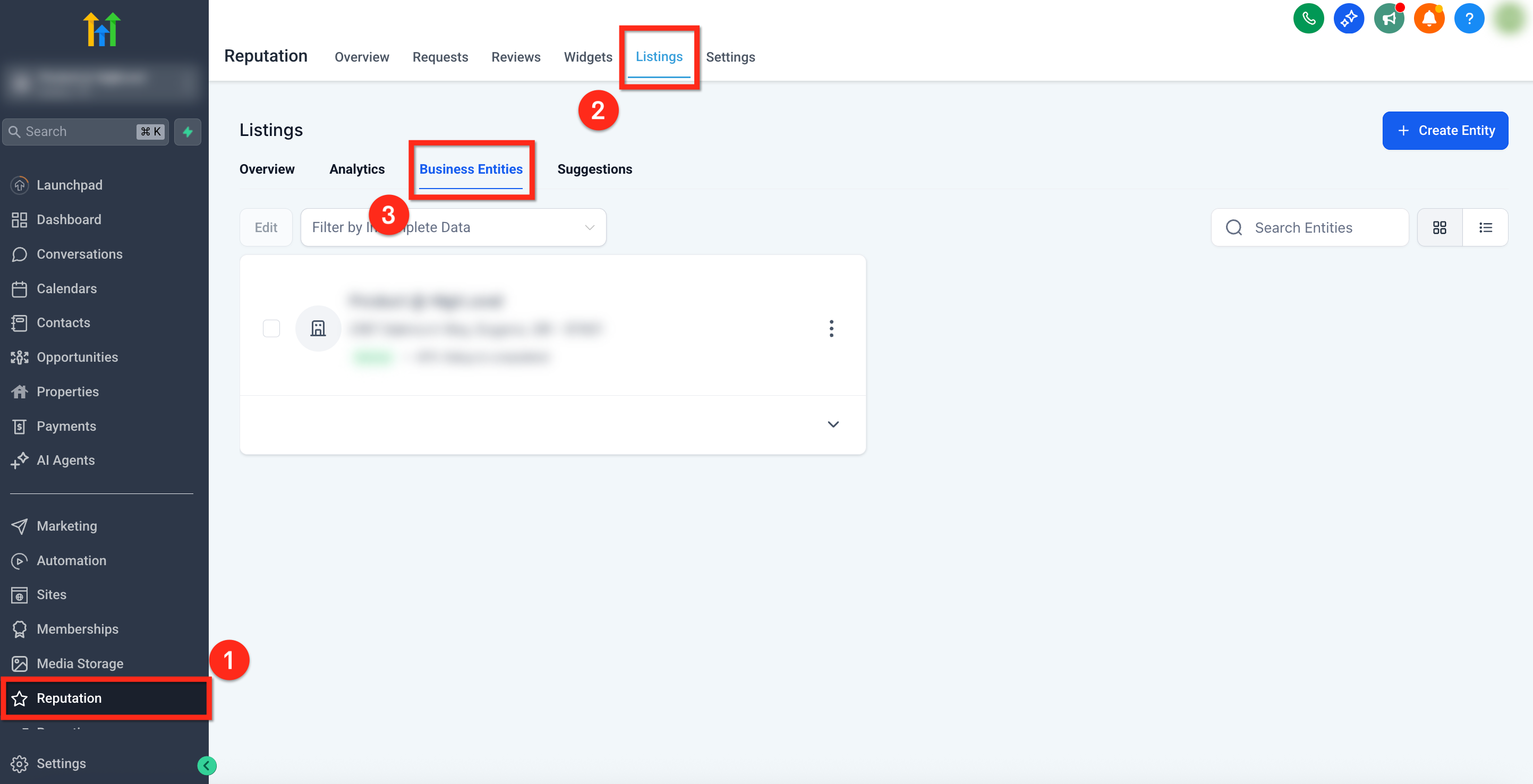
- In the left navigation, choose Reputation; then in the top ribbon select Listings and click Business Entities.
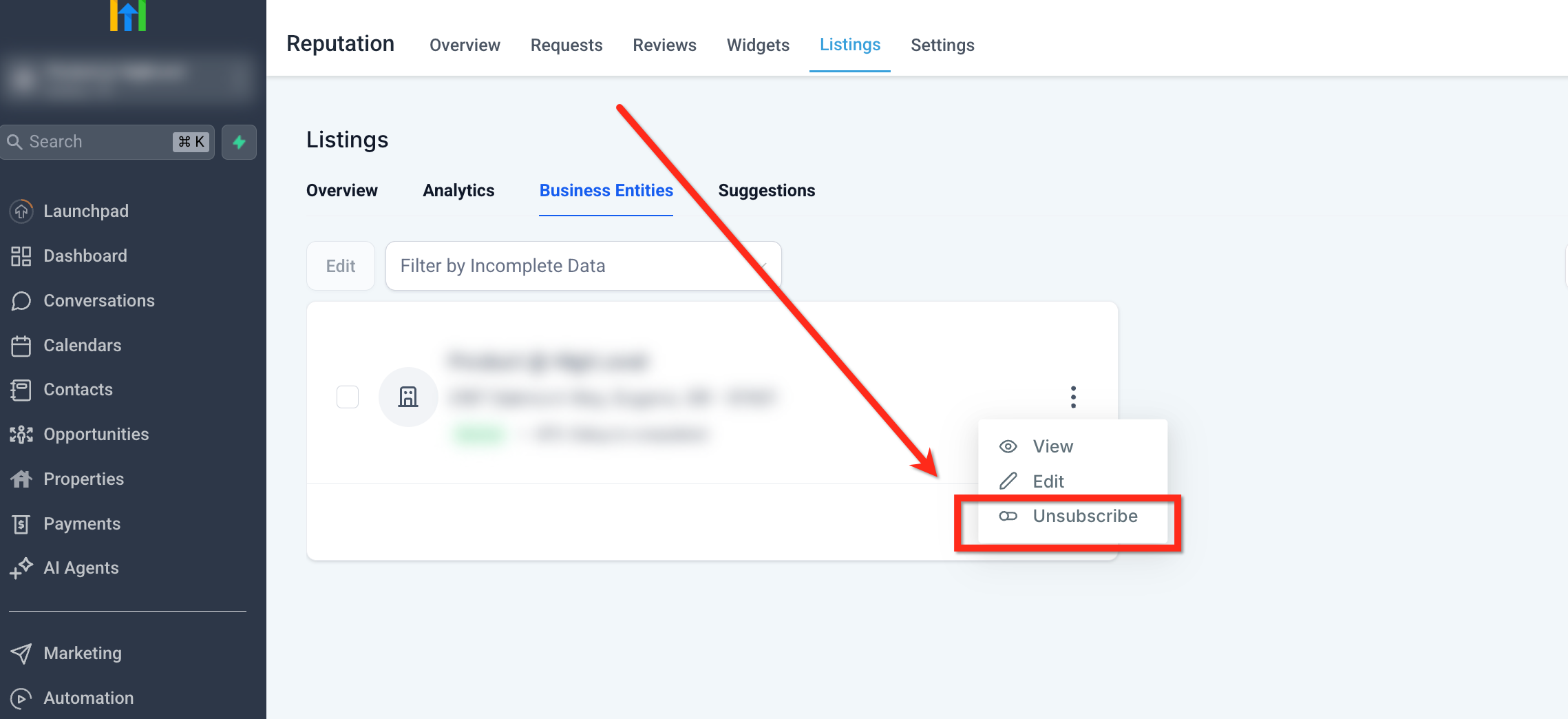
- Locate the business, click the three dot icon beside it, and choose Unsubscribe from the dropdown.
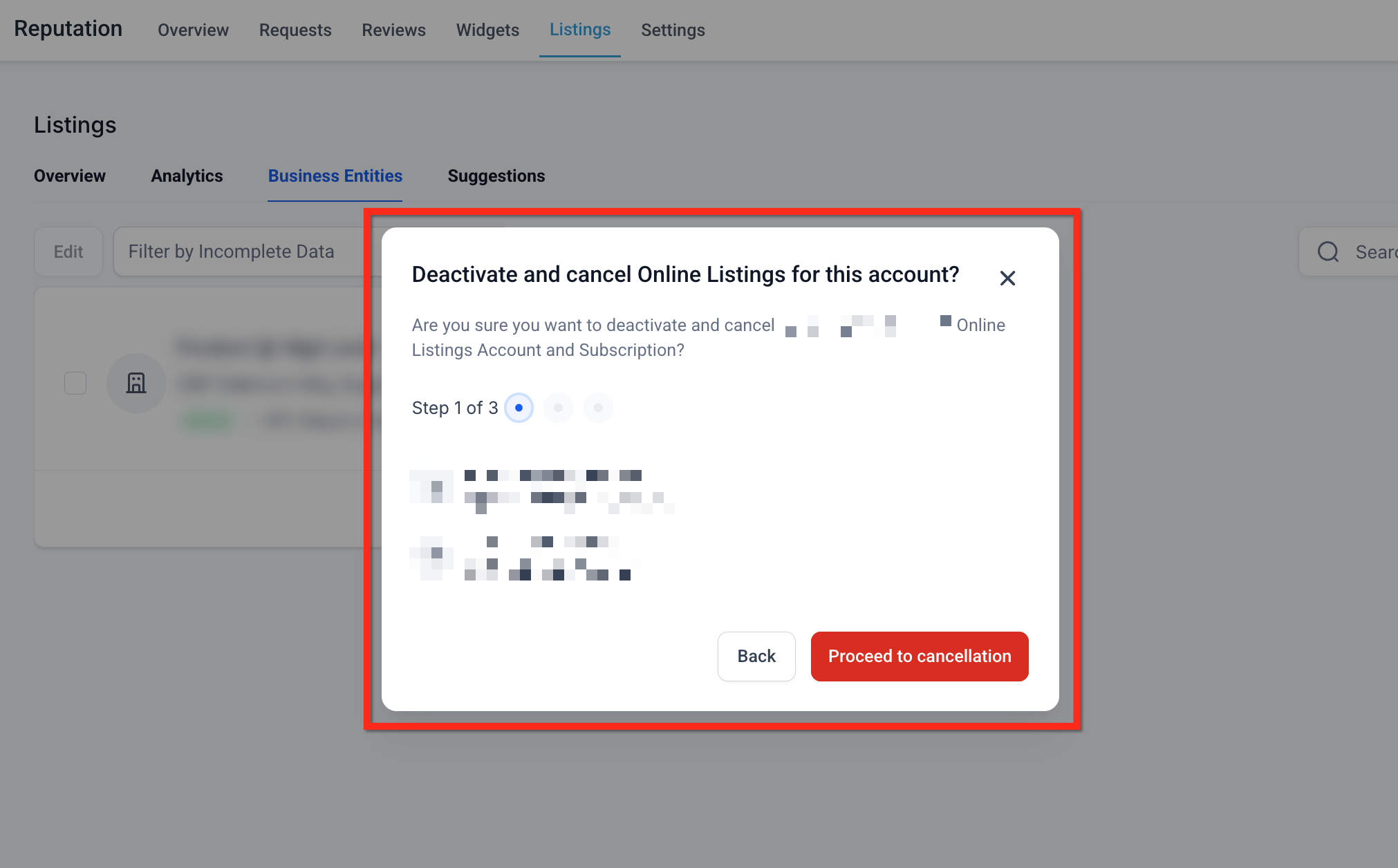
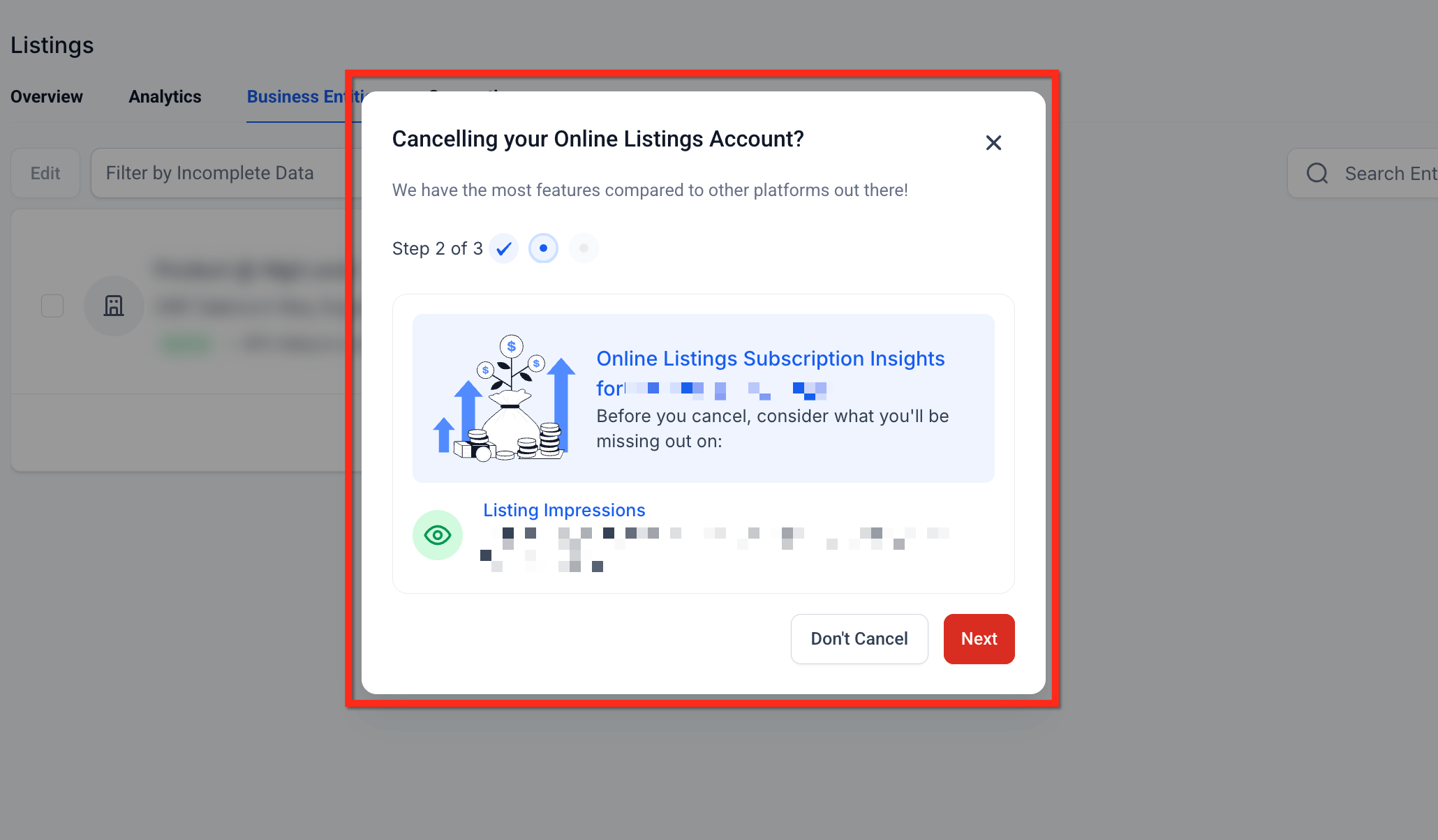
- In the popup, verify the location details, enter a valid cancellation reason, and confirm to complete the automated cancellation.
07What it looks like in HighLevel
08Things to know before you rely on it
- Automated cancellation only applies if the Listings form was submitted thirty days or more before the cancellation request.
- No cancellation fee or penalty is charged; billing stops immediately after confirmation.
09If something goes wrong
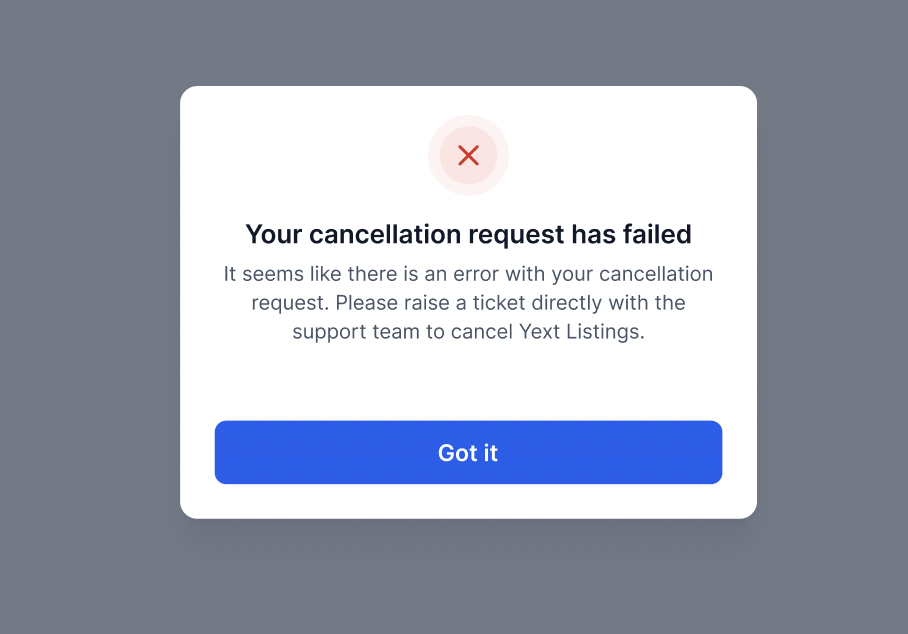
- Cancellation fails and an error message appears. Raise a cancellation request with the support team.
10How it connects to the rest of HighLevel
- Learn how to activate and resell HighLevel Listings for local SEO Activate Listings
- View the list of countries and coverage for online listings Supported countries
- Check HighLevel pricing and plans for Listings access Pricing
Michael's take

A small convenience that can feel like a real shift for anyone juggling multiple subaccounts.
When you can pull the plug on a listing subscription without hunting through external portals.
Think of a local plumbing service that runs a handful of city directory listings for each franchise. With this feature, the owner can turn off a franchise’s listing when the contract ends, stop the bill.