
01Who this is for
- Agency owners who manage many client locations and need a way to speed up delayed directory updates.
- Local SEO consultants who must demonstrate proactive handling of urgent changes such as holiday hours.
- Resellers of HighLevel Listings who want a tool that can be used as needed to address stuck syncs without waiting for the regular cycle.
02Publisher Listing Force Sync, explained
Force Sync is an option within the Listings product that marks a location record for expedited processing. When you trigger it, the system flags the entity, or a single Yext publisher, and moves the update ahead of the normal sync queue. The request is still subject to each publisher’s own processing times and policies.
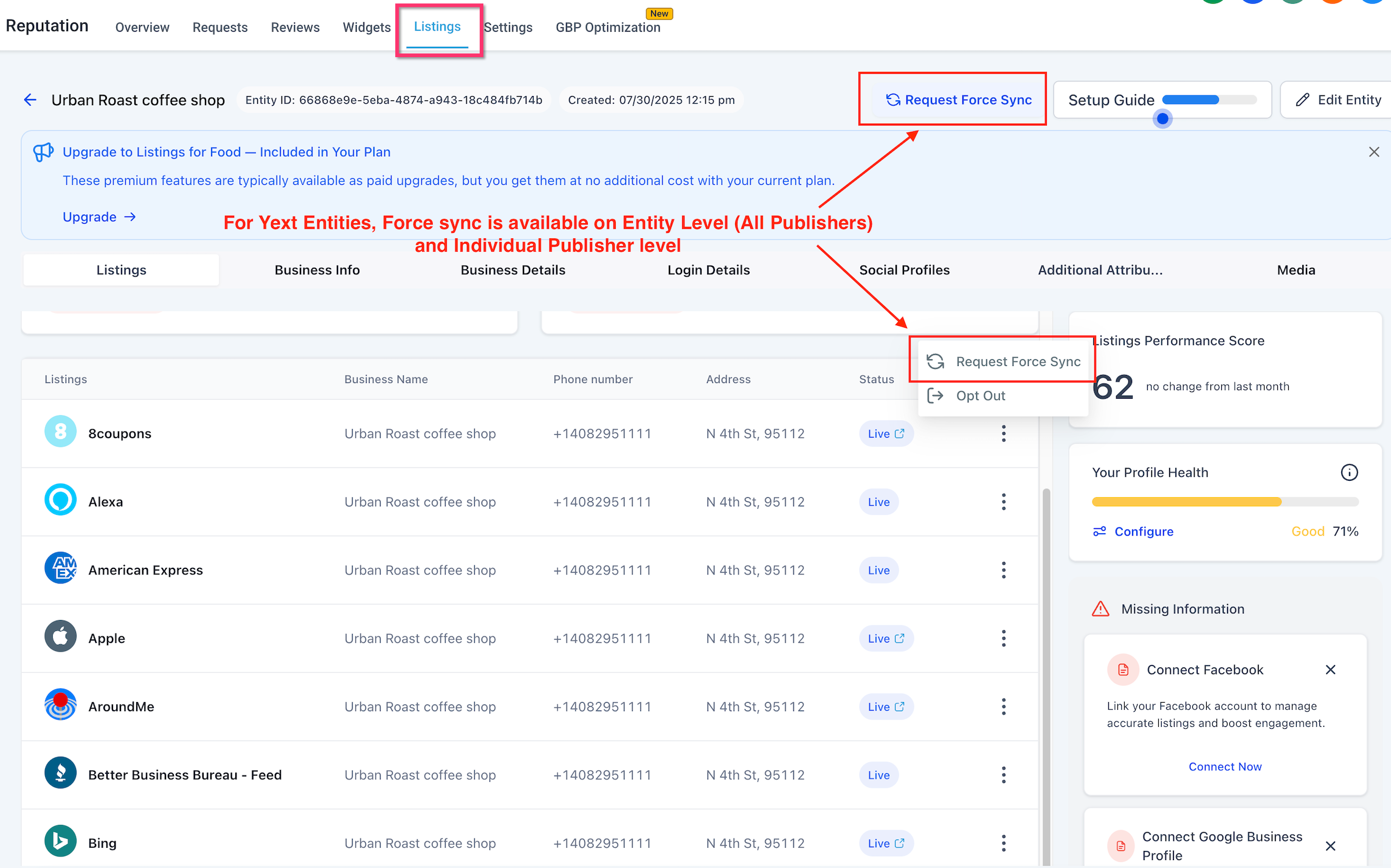
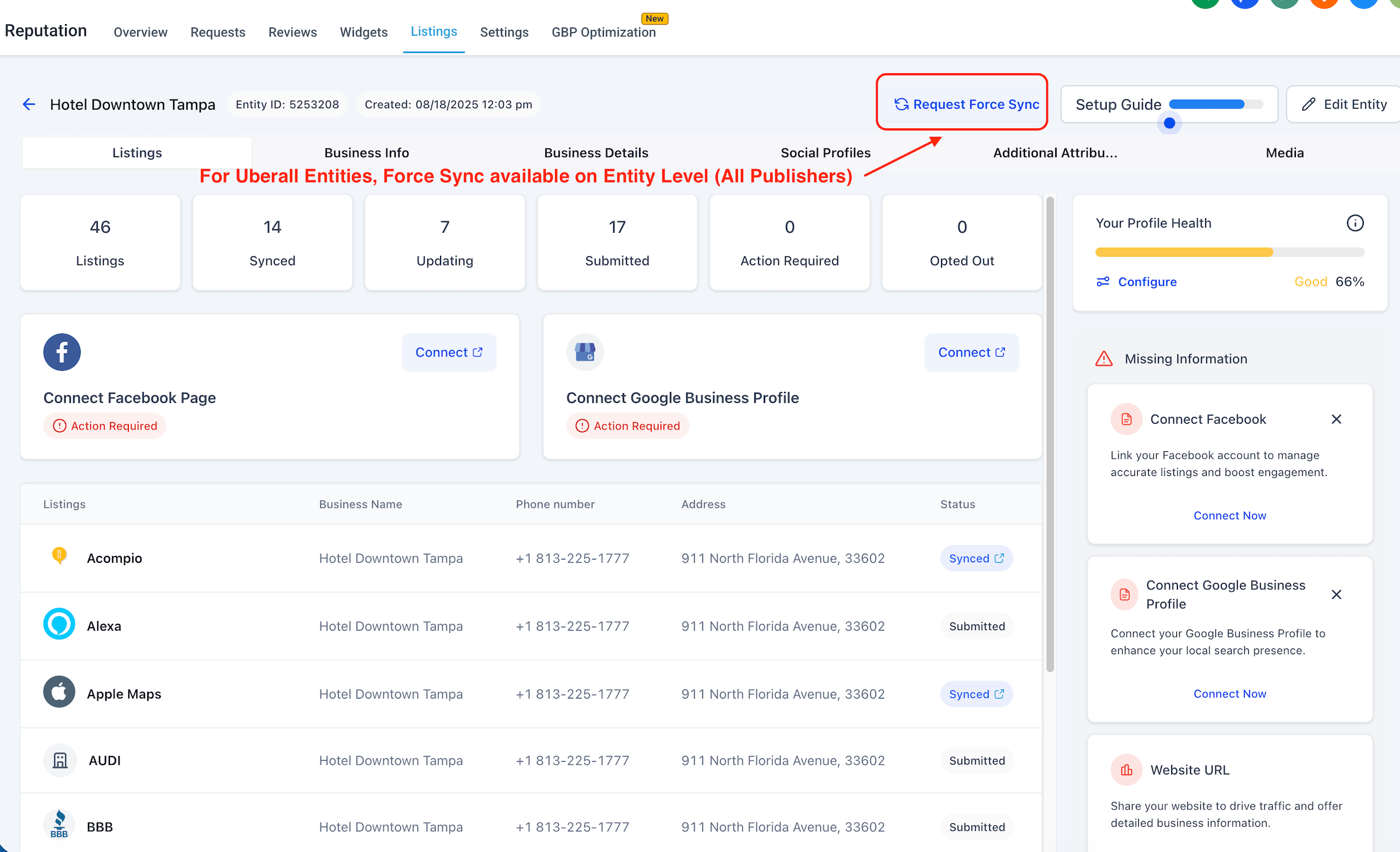
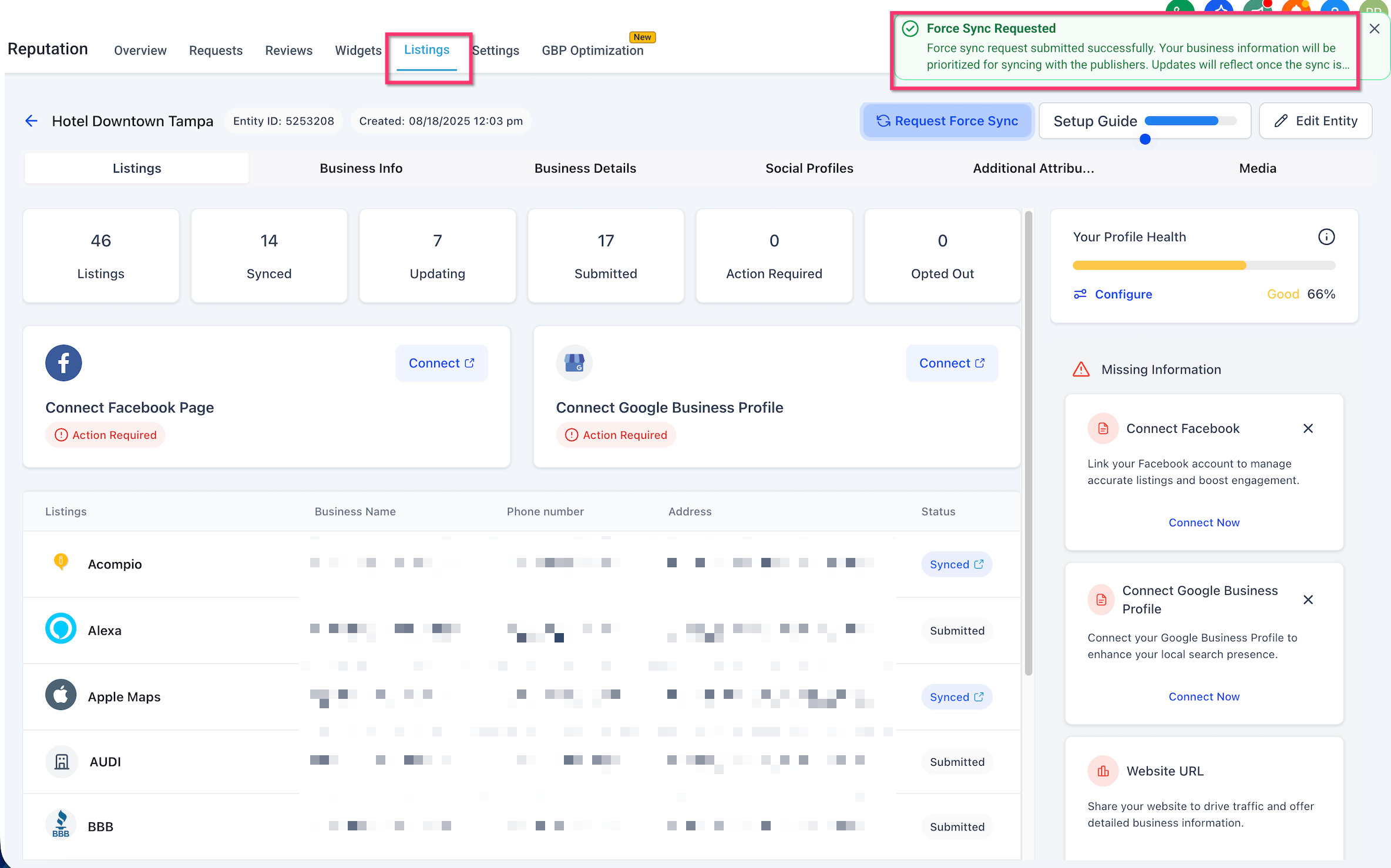
The feature appears when an active listing is connected to Yext or Uberall and the user has Listings write permissions. It can be launched from the entity view, where you choose either Entity Level (all publishers) or Publisher Level (Yext only) before confirming the request. After submission, a success notification appears and the action is recorded in Entity History and Audit Logs.
Force Sync does not guarantee immediate publication, nor does it resolve policy blocks or missing required fields. It simply increases priority within the publisher’s queue, giving agencies more control over time sensitive changes.
03How businesses use Publisher Listing Force Sync
- Digital marketing agency. The agency selects a client location that shows outdated hours on multiple directories. They choose Entity Level Force Sync to push the new hours to all connected publishers at once, then verify the change in the entity’s audit log.
- Local restaurant franchise. When one directory connected via Yext lags behind a new menu item, the franchise manager opens the specific location, picks Publisher Level Force Sync for that directory, confirms the request, and watches the audit entry to confirm the push.
- Healthcare practice network. After updating a clinic’s contact information, the network’s admin uses Force Sync at the entity level to ensure every connected directory reflects the change quickly, then checks Entity History for the timestamped entry.
04Before you start
- Active HighLevel Listings with Yext or Uberall connected.
- The entity must have all required profile fields completed.
- User must hold admin rights or a role with Listings write access.
05How to set up and use Publisher Listing Force Sync in HighLevel
Request force sync
- Open Listings and select the location that needs escalation.
- Choose the sync scope, Entity Level for all publishers or Publisher Level for a single Yext publisher.
- Click the Request Force Sync button.
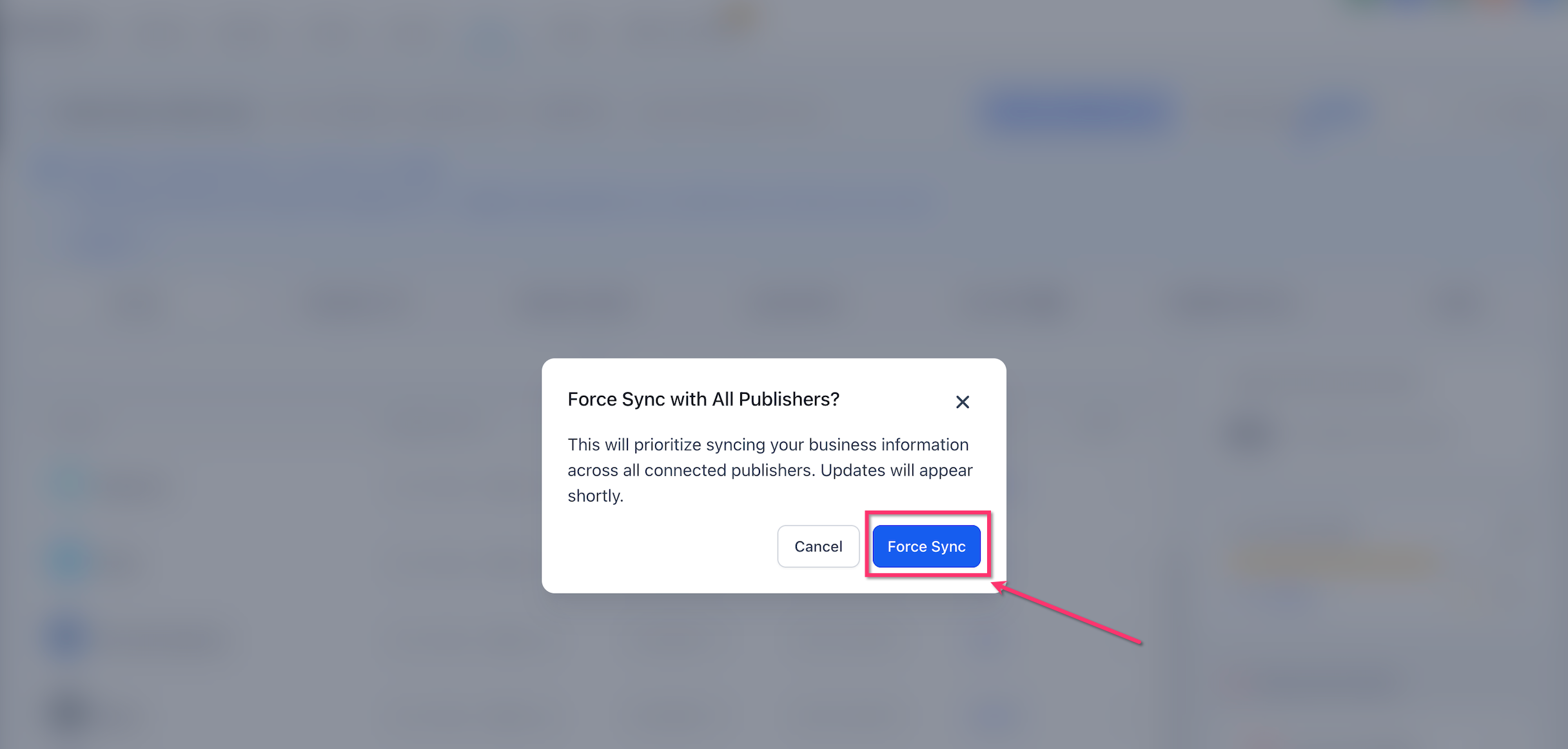
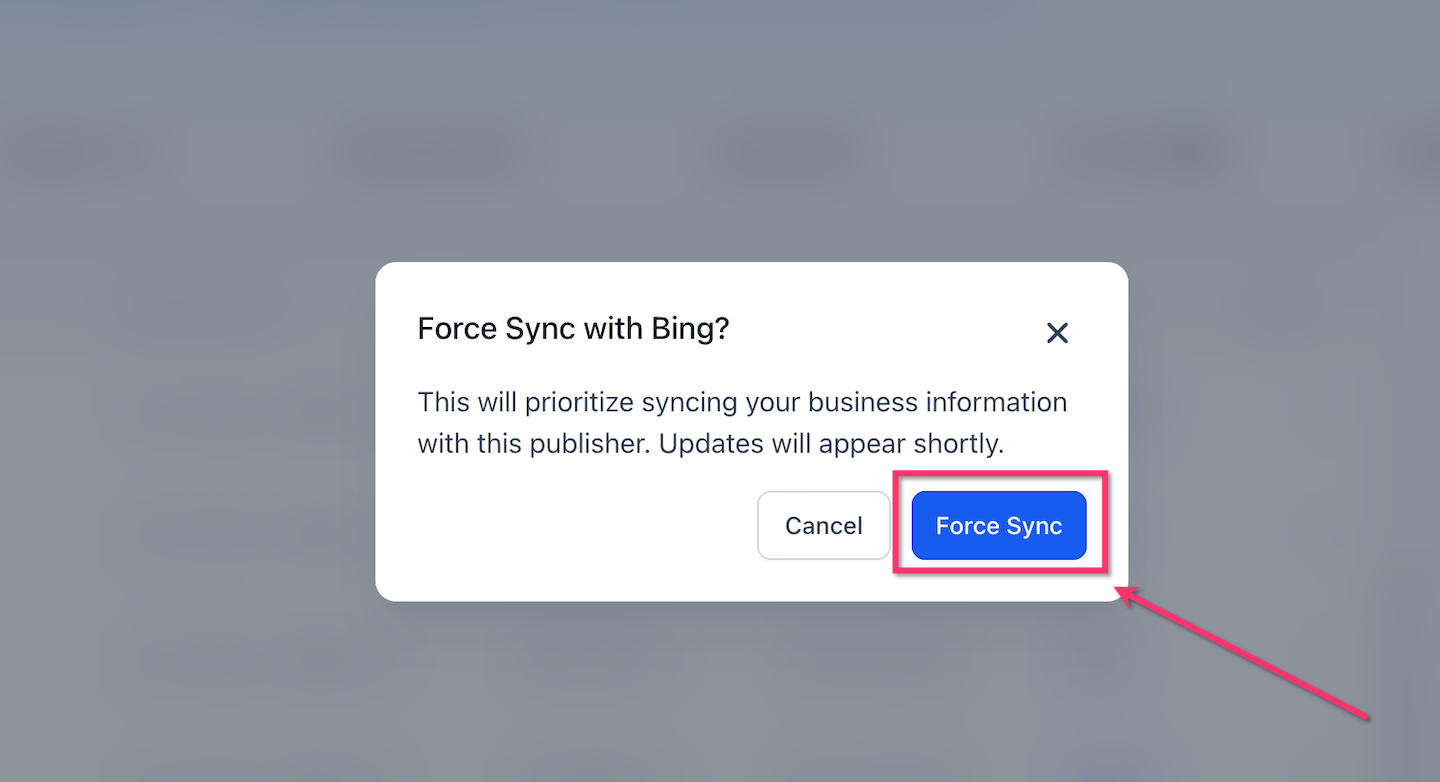
- Review the displayed confirmation details.
- Click Confirm to queue the force sync request.
- Observe the success notification confirming the request was queued.
06What it looks like in HighLevel
07Settings that matter
- Sync Scope. Controls whether the force sync applies to every connected publisher for the chosen entity or only to a specific Yext publisher.
08Things to know before you rely on it
- Force Sync does not guarantee instant publishing; final timing depends on each publisher’s queue.
- It cannot bypass publisher policies such as suspensions, duplicate listings, or restricted categories.
- Missing required fields (name, address, phone, categories, hours) will block publishing even after a force sync.
- If a sync is already running or a publisher is under maintenance, the request may remain queued until the system becomes available.
- Bulk actions are limited; force sync is initiated per entity, not across multiple entities at once.
09If something goes wrong
- Required profile data is incomplete. Add the missing business name, address, phone, categories, or hours, then request Force Sync again.
- Publisher policy blocks the update (e.g., suspension). Resolve the policy issue directly with the publisher before using Force Sync.
- Expired authentication token for a connected publisher. Reconnect or re authenticate the affected publisher, then retry the Force Sync request.
10How it connects to the rest of HighLevel
- Overview of HighLevel Listings and how they work Listings overview
- Guide to activate and sell HighLevel Listings for local SEO Activate Listings
- List of supported countries and coverage for online listings Supported countries
Michael's take

Publisher Listing Force Sync is handy when a client’s listings are stuck and time matters.
Agencies that don’t need urgent, location wide changes can skip it.